
Feathersweep Database Cleanup
| 开发者 | lightningbyrd |
|---|---|
| 更新时间 | 2026年9月15日 03:00 |
| PHP版本: | 7.4 及以上 |
| WordPress版本: | 7.1 |
| 版权: | GPLv2 or later |
| 版权网址: | 版权信息 |
详情介绍:
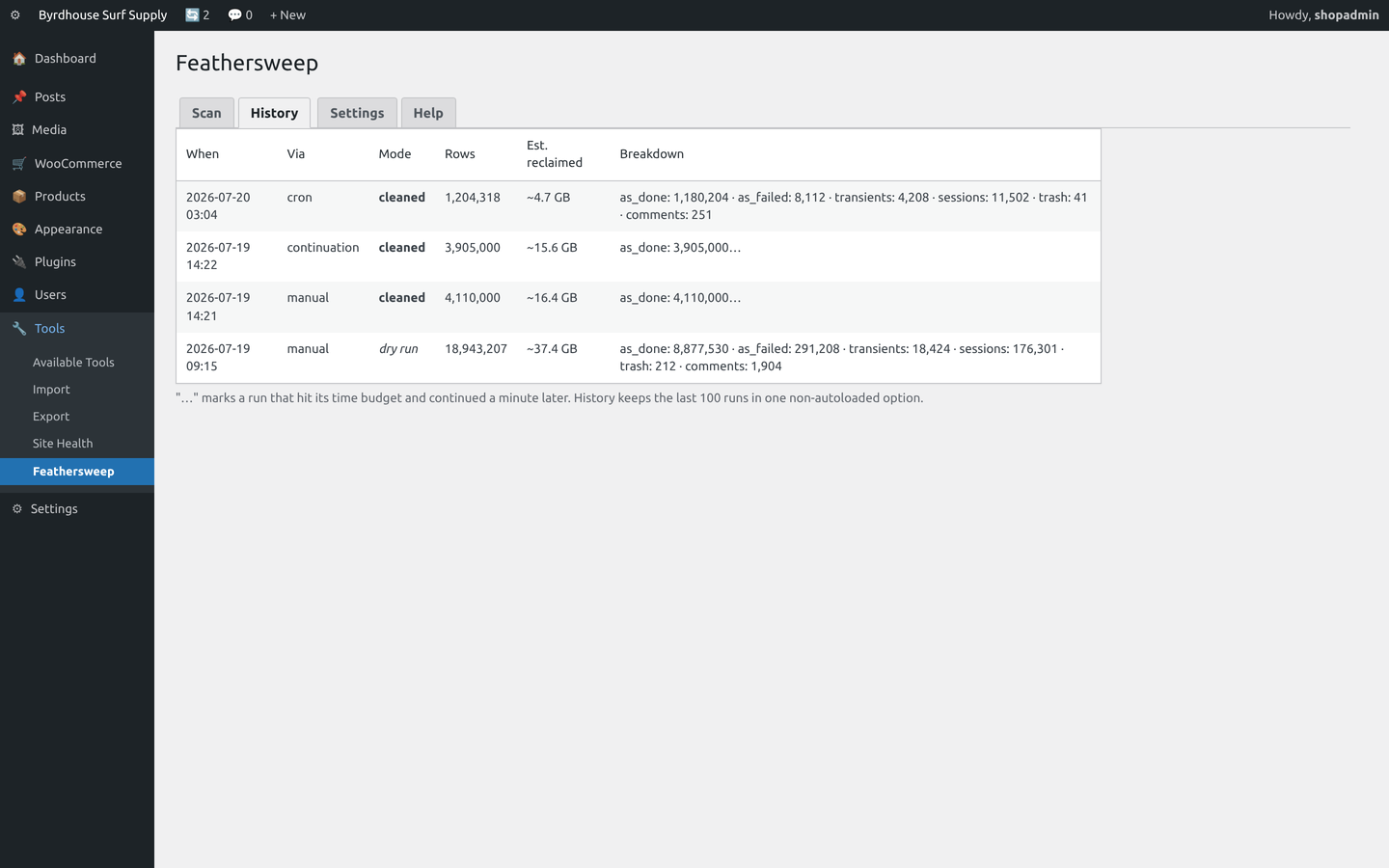
- Background queue (Action Scheduler): complete and canceled actions past retention, and the failed actions core never purges, each with their log rows. On busy sites these two tables are the single biggest bloat source, growing into gigabytes.
- Expired transients: all of them, site and network scope. The ones nothing ever collects.
- Trash, spam and old revisions, older than retention. Revisions are off by default.
- Expired sessions, including legacy
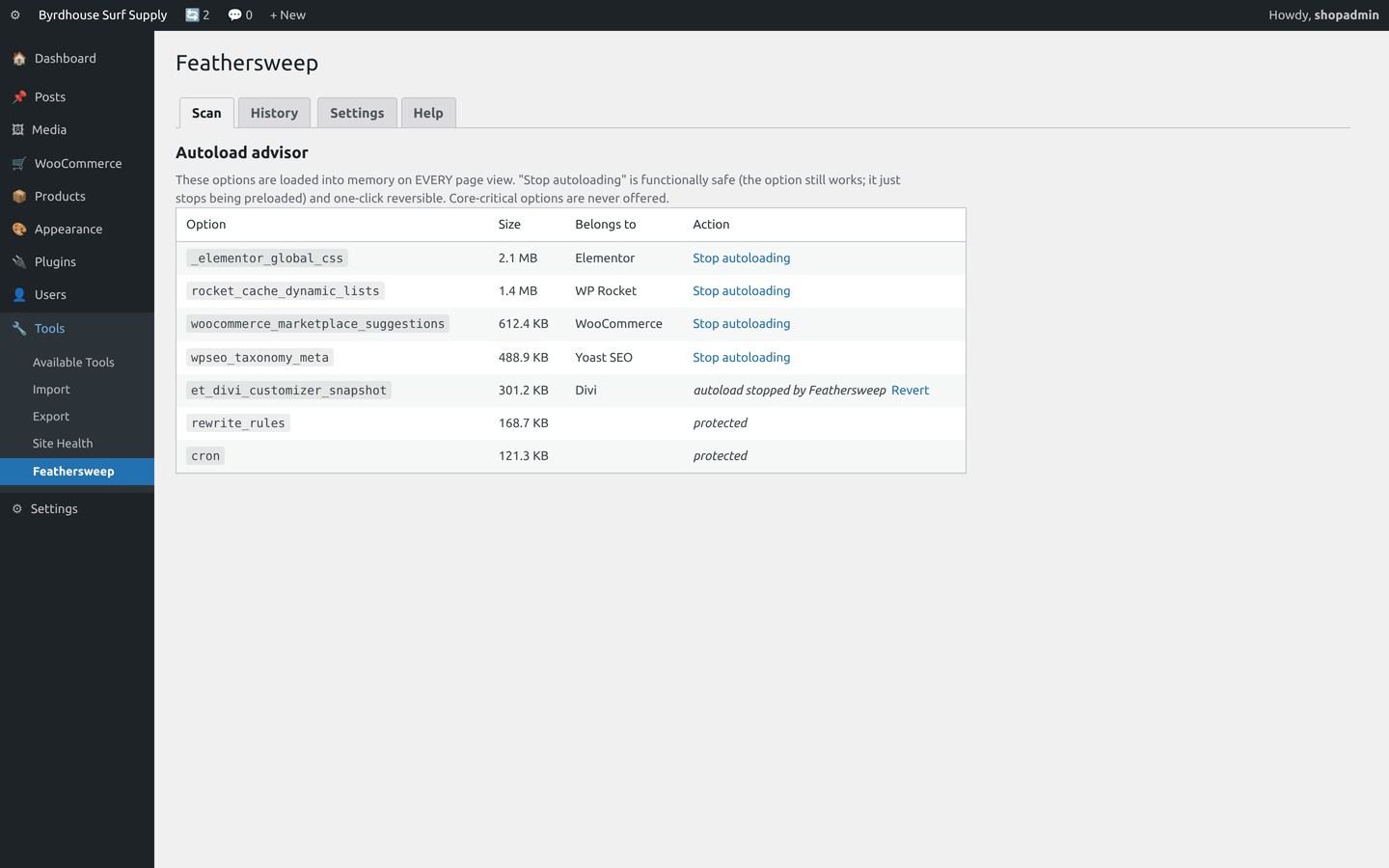
_wc_session_leftovers, when WooCommerce is present. - Autoload advisor: the options loaded into memory on every single page view, sorted by weight and identified by plugin where possible, with a functionally-safe "stop autoloading" action that is one-click reversible. Core-critical options are never offered.
- Nothing younger than its retention window is touched.
- Pending and in-process background jobs are never touched. The live queue is sacred.
- Orders, products, customers and users are never touched by any cleaner.
- Deletes run in bounded batches with a time budget and schedule their own continuation, so no long-running query ever hangs your site.
- Feathersweep adds no tables of its own, autoloads nothing, and caps its own history.
安装:
- Upload and activate, then open Tools > Feathersweep.
- The Scan tab shows where the weight is and what is reclaimable.
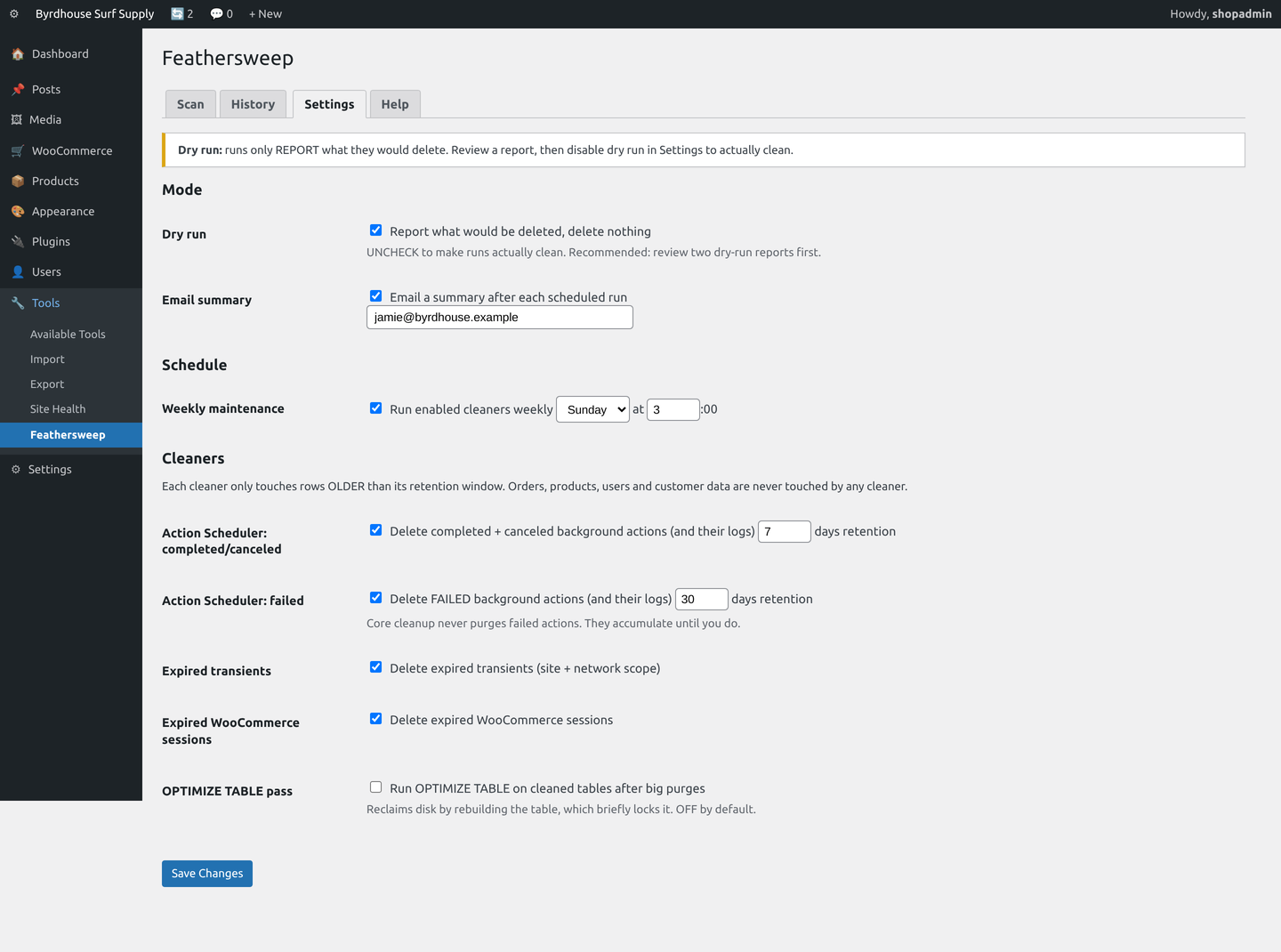
- Run a dry-run report, which is the default, and read it.
- Back up your database. Any deletion tool deserves a fresh backup first.
- Disable dry run in Settings, run once manually, and verify the site.
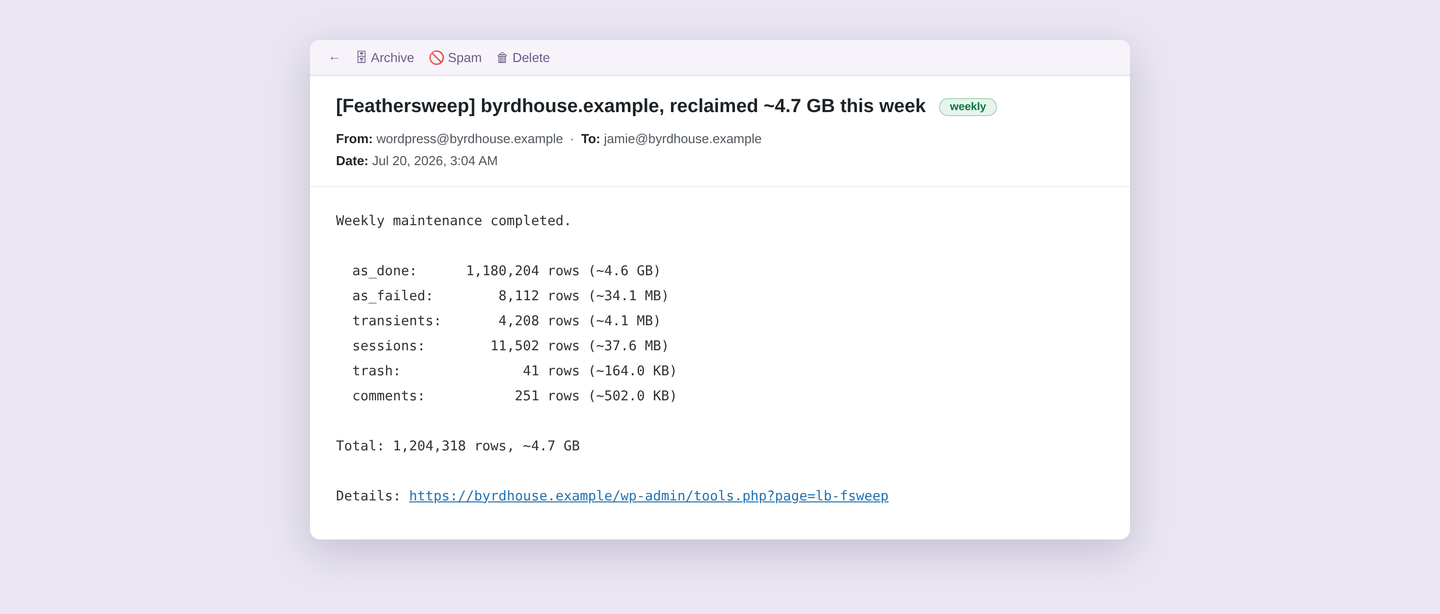
- Re-enable the weekly schedule and forget about it.
屏幕截图:
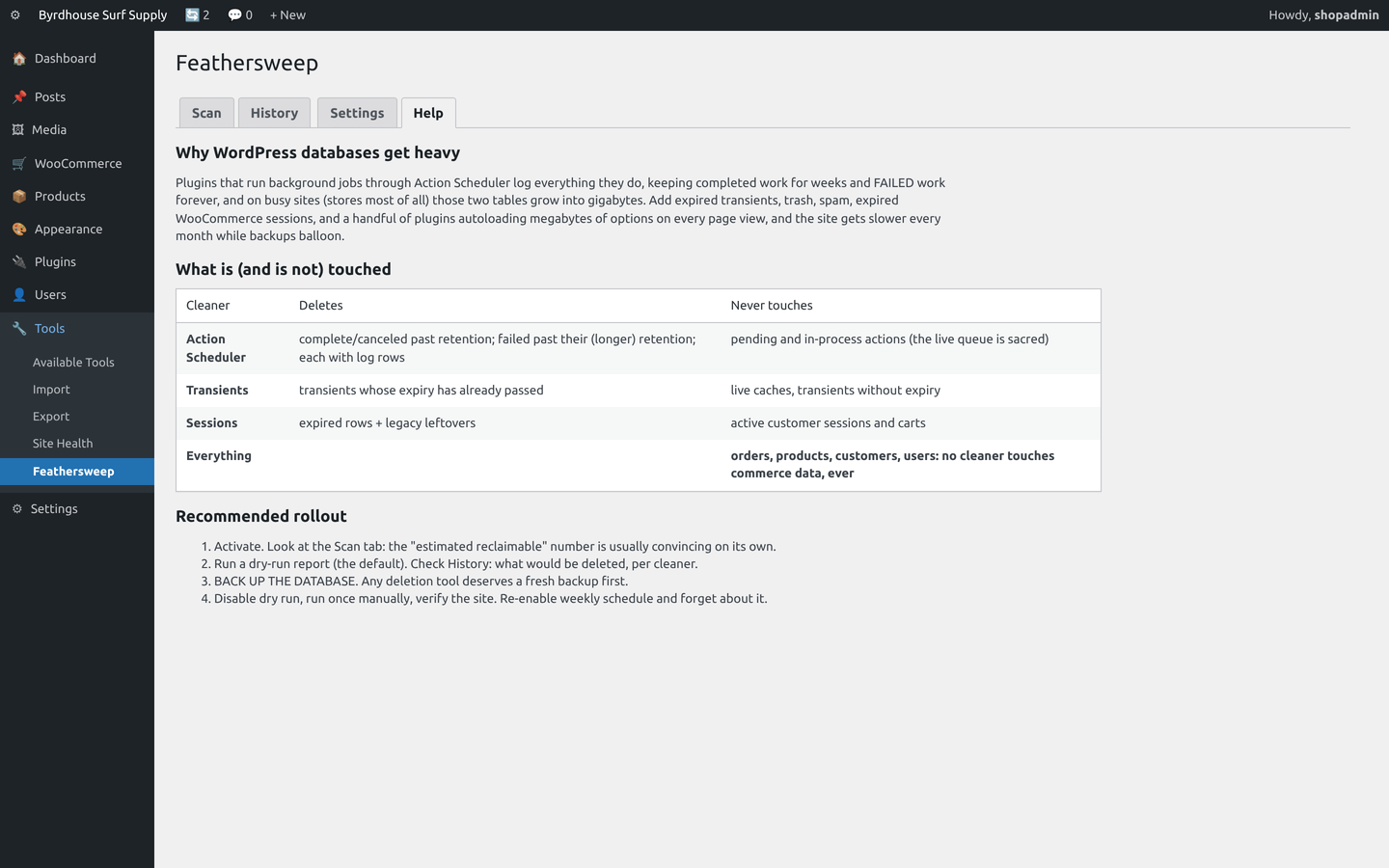
常见问题:
What is actually taking up the space?
Every site running a background queue logs everything it does, and those tables grow because completed work is kept for weeks and failed work is kept forever. Add expired sessions, expired transients that never get collected, trash, spam, and a handful of plugins autoloading megabytes of options into memory on every page view, and the site gets slower every month while backups balloon.
Will it delete anything I need?
Dry run is on by default, so the first thing you get is a report rather than a deletion. Beyond that, the hard rules above hold regardless of settings: nothing inside its retention window, nothing pending or in-process, and no commerce data, ever.
What does the autoload advisor actually change?
Autoloaded options are read into memory on every request, so a few megabytes there taxes every page view for every visitor. The advisor lists options over 50 KB and lets you stop autoloading them. This is functionally safe: the option still exists and get_option() still returns it. WordPress simply stops preloading it. Every change is recorded with its original value and is one-click reversible, and core-critical options are never offered.
Why is my database file the same size after a clean?
Deleting rows does not shrink the file on disk until OPTIMIZE TABLE runs. InnoDB reuses the freed space internally either way, and queries get faster immediately. Enable the OPTIMIZE TABLE pass only if you have a low-traffic window, because it briefly locks tables while reclaiming disk.
Does it need WooCommerce?
No. It is sharper on a store, because that is where the background queue works hardest, but the queue, transient, trash and autoload cleaners are useful on any WordPress site.
Does it phone home?
No. There are no outbound HTTP requests anywhere in the plugin.
更新日志:
- Fixed: the Help tab, the notice shown after each action, and the autoload advisor still said "Featherweight" after the rename. Everything you see now says Feathersweep.
- The Help tab and one Settings description no longer read as if the plugin were only for WooCommerce stores. It works on any WordPress site, and stores are simply where the background queue grows fastest.
- Wording only. No change to what any cleaner deletes or never touches.
- Renamed from "Featherweight Database Cleanup" to "Feathersweep Database Cleanup". An established WordPress.org optimization plugin is already called Featherweight, and two plugins in the same category sharing a name helps nobody.
- The rename goes all the way down: text domain, option names, cron hooks, the admin page address and the WooCommerce log source. An upgrade migrates your settings, run history, autoload undo list and last-run time across automatically, and reschedules the weekly job, so nothing is lost and nothing needs re-configuring.
- One thing you do have to change by hand: if you defined
LB_FWEIGHT_REMOVE_ALL_DATAin wp-config.php, it is nowLB_FSWEEP_REMOVE_ALL_DATA.