
Featured Image Add in Admin Column
| 开发者 | yasirkhalifa |
|---|---|
| 更新时间 | 2026年3月25日 18:42 |
| 捐献地址: | 去捐款 |
| PHP版本: | 7.0 及以上 |
| WordPress版本: | 6.9 |
| 版权: | GPLv2 |
详情介绍:
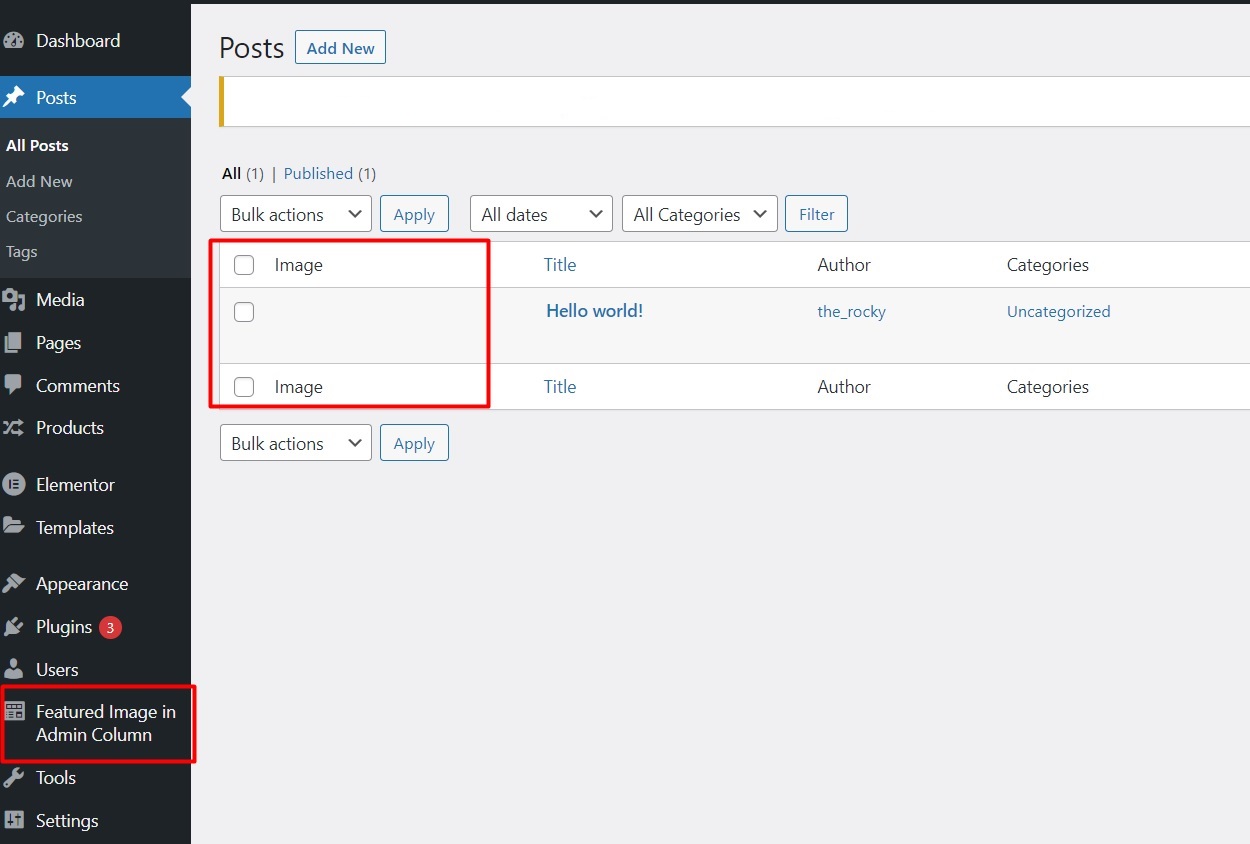
Featured Image Add in Admin Column enhances the WordPress admin experience by adding a column to the post, page, and custom post type list views that displays each item’s featured image (thumbnail).
Ideal for content editors, designers, and site administrators who rely on visual content identification, this plugin offers a clean and intuitive way to scan posts at a glance.
As of the latest version, the plugin includes a settings panel, giving you complete control over which post types should display the featured image column.
安装:
- Upload the plugin files to the
/wp-content/plugins/featured-image-add-in-admin-column/directory, or install the plugin through the WordPress plugin screen directly. - Activate the plugin through the 'Plugins' screen in WordPress.
- Navigate to Settings → Featured Image Column.
- Select the post types where you want the featured image column to be displayed.
- View the selected post type’s admin list — the featured image column should now appear.
屏幕截图:
常见问题:
Which post types are supported?
Any post type that supports featured images (i.e., has thumbnail support) will work with this plugin.
Can I hide the column for some post types?
Yes! You can choose which post types display the featured image column from the plugin’s settings page.
Does this plugin require any configuration after activation?
No configuration is necessary — the featured image column will display automatically for default post types. You can fine-tune it via the settings page.
更新日志:
1.1
- Added settings page to control which post types show the featured image column
- Improved UI styling and compatibility with custom post types
- Code cleanup and performance improvements
- Initial release — adds featured image column to post and page admin screens