
FeatureQuest Roadmap & Voting Board
| 开发者 | natewren |
|---|---|
| 更新时间 | 2026年10月13日 01:14 |
| PHP版本: | 7.4 及以上 |
| WordPress版本: | 7.1 |
| 版权: | GPLv2 or later |
| 版权网址: | 版权信息 |
详情介绍:
- One shortcode - add
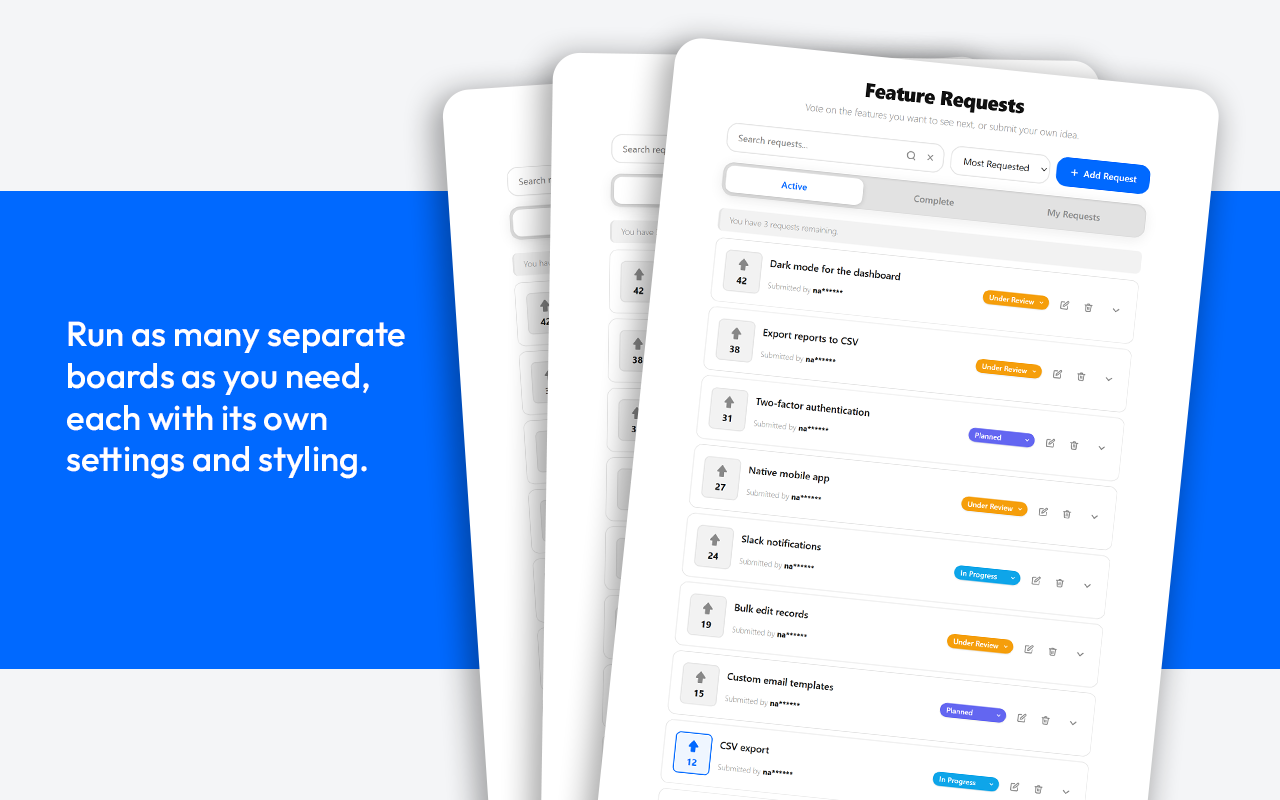
[featurequest]to any page or post. - Unlimited boards - run separate request boards for features, bugs, and ideas, each with its own settings and styling.
- Two sign-in modes - require a WordPress account, or let visitors take part with just a verified email (no account needed).
- Upvoting - one vote per user, with an optional secondary IP guard against duplicate voting.
- Matches your theme - accent color and "corner roundness" controls style the cards, buttons, and inputs to fit your design.
- Shortcode attributes -
[featurequest title="Roadmap" tab="active" sort="trending" tabs="false"]for filtered or compact embeds. - Gutenberg block - insert the board visually in the block editor.
- Spam protection - per-IP rate limiting plus an optional captcha (Cloudflare Turnstile, Google reCAPTCHA, or hCaptcha).
- Requester notifications - email the requester when their request is marked complete.
- Submit, edit, and delete - logged-in users manage their own requests.
- Active / Complete / My Requests tabs - so users can track progress and find their own submissions.
- Sort by Most Requested, Recent, or Trending - trending ranks by recent vote velocity over the last 30 days.
- Live search with suggestions - users find existing requests fast.
- Duplicate detection - similar requests are surfaced before a user submits, reducing clutter.
- Moderation queue - optionally require admin approval before new requests go live.
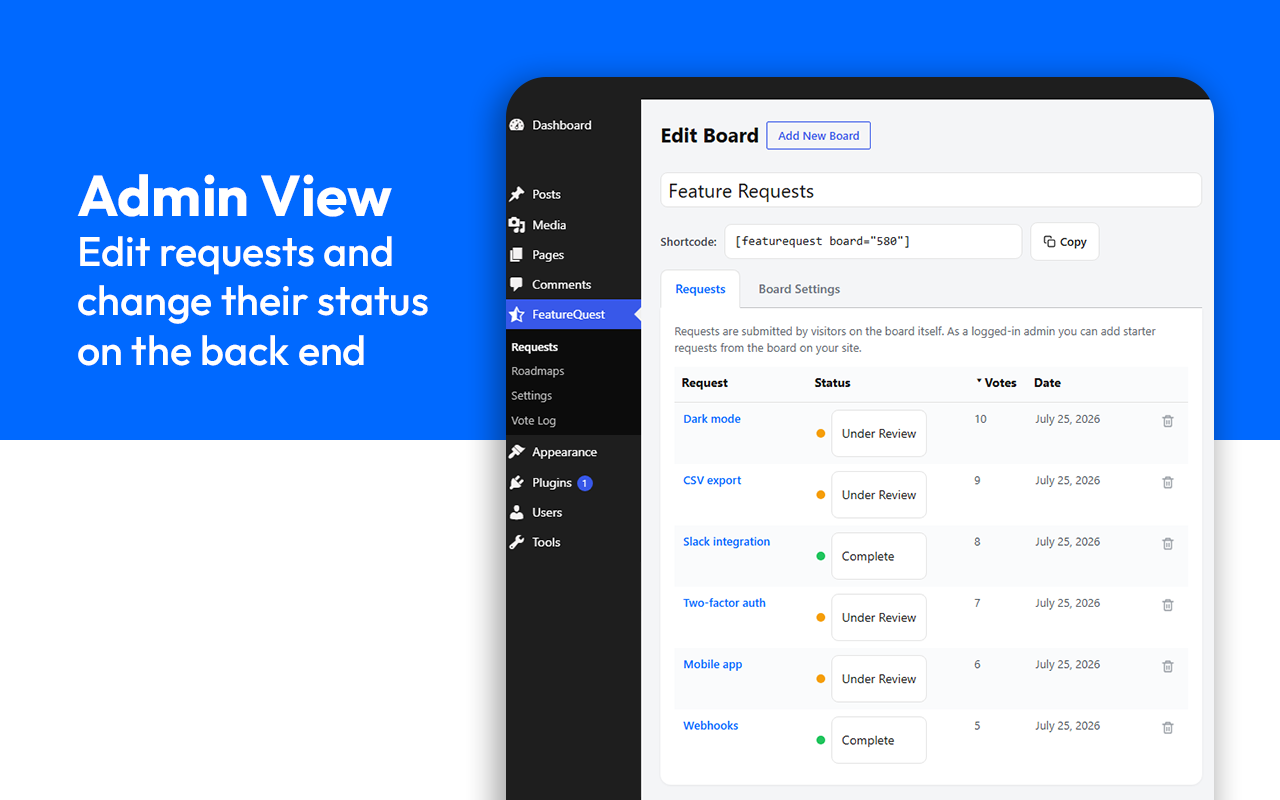
- Pin to the top - stick important requests above the list (on every sort) with one click from the admin request list.
- Per-user request limits - cap how many open requests each user can have.
- Email notifications - get notified on every submission, or as a daily or weekly digest.
- Vote Log with abuse detection - review every vote and flag IPs that voted from multiple accounts.
- Privacy-friendly - submitter names are masked on the front end; raw IPs are never stored, only salted hashes.
- Translation ready - every string is translatable, including the ones drawn by the interactive board, and a POT file is included.
- Works with every page builder - a Gutenberg block plus a shortcode that works anywhere (Elementor, Bricks, Beaver Builder, Oxygen, WPBakery, Divi, and others). No page builder required - the shortcode works on its own.
- No external service required - your data stays in your WordPress database.
- Account login (default) - visitors register and log into a WordPress account. In this mode you can point the "Log In" and "Create Account" buttons at any custom URLs (for example, a membership plugin's login page).
- Email verification - visitors submit and vote with just their email and confirm via a link, no account required. Nothing is saved until the link is clicked, so unconfirmed submissions never clutter your board. Confirming sets a private 30-day identity so they can keep voting and managing their own requests without logging in. This mode depends on your site being able to send email.
安装:
- Upload the
featurequestfolder to/wp-content/plugins/, or install the ZIP from Plugins > Add New > Upload Plugin. - Activate the plugin through the Plugins menu in WordPress.
- Create a page and add the shortcode
[featurequest]. - Visit Feature Requests > Settings to set your board title, request limits, moderation, and email notifications.
屏幕截图:

常见问题:
Do users need an account to vote?
By default, yes. Voting and submitting both require a logged-in account so each vote is tied to a user. You can point the login and registration buttons at custom URLs in the settings.
Can I moderate requests before they appear?
Yes. Turn on "Moderate New Requests" in settings and new submissions stay in a pending queue until you approve them from the WordPress admin.
Where is the data stored?
Requests are stored as a private custom post type, and votes are stored in a dedicated table in your own WordPress database. By default nothing is sent to any external service. The optional exceptions are the spam captcha (off unless you enable it and add your own keys) and an opt-in usage-sharing prompt (off unless you agree to it) - see below.
Does the plugin connect to any external services?
Only if you choose to. Captcha spam protection is optional and off by default. If you enable it and supply your own site keys, the visitor's captcha token and IP address are sent to whichever provider you selected so it can verify the challenge. You can pick one of:
- Cloudflare Turnstile - Terms: https://www.cloudflare.com/website-terms/ , Privacy: https://www.cloudflare.com/privacypolicy/
- Google reCAPTCHA - Terms: https://policies.google.com/terms , Privacy: https://policies.google.com/privacy
- hCaptcha - Terms: https://www.hcaptcha.com/terms , Privacy: https://www.hcaptcha.com/privacy
How are duplicate votes prevented?
Each user can vote once per request (enforced by a unique database key). You can also enable an IP Vote Guard as a secondary check, which compares a salted, one-way hash of the voter's IP. Raw IP addresses are never stored.
Does it remove its data when uninstalled?
No, not unless you ask it to. Deleting the plugin removes the plugin files, and your requests, boards, votes, and comments stay in your database, so reinstalling picks up where you left off. Scheduled background jobs are always removed. If you do want a completely clean removal, turn on "Delete all FeatureQuest data when the plugin is deleted" under Feature Requests > Settings > Uninstalling before you delete the plugin. That option is off by default, and it cannot be undone.
Can I preview or customize the notification emails?
Yes. Under Settings > Email there is a "Send a Test Email" panel that emails you a copy of either notification (the admin "new request" alert or the requester "your request is complete" message) so you can see exactly what they look like. To change the wording, developers can filter them in code: fquest_admin_email and fquest_requester_email each receive an array with subject and body keys plus the request post, e.g.
add_filter( 'fquest_admin_email', function ( $email, $post ) { $email['subject'] = 'New idea: ' . $post->post_title; return $email; }, 10, 2 );
更新日志:
- Updated the Freemius SDK to the latest version.
- Changed: the request board no longer puts anything about the current visitor into the page itself. It asks who you are straight after the page loads instead. This means the board can be safely cached by any caching plugin or CDN, with nothing for you to configure.
- Fixed: on sites using email verification sign-in, a visitor who had verified their address could be shown a cached page that asked them to verify all over again. That cannot happen now.
- Security: on sites using email verification sign-in, a page cache could store a verified visitor's board and then show it, including their email address, to other visitors. The board now tells caching plugins not to store a page that identifies someone. Sites using the standard account sign-in were not affected.
- Fixed: the board is now recognised by WP Rocket and LiteSpeed Cache as visitor specific, so a verified visitor is no longer shown a cached page that tells them to sign in again.
- Fixed: the "Delete Data" option under Settings > Uninstalling now actually works. Deleting the plugin previously ran no cleanup at all, so turning that option on had no effect and any data you asked to remove was left behind. Your data is still kept by default; only turn the option on if you want a clean removal.
- Added: the request board is now fully translatable. Every label, button, and message it draws on screen is translated by WordPress, where before those were fixed in English no matter the site language.
- Added: the same for the Pro comment threads and image uploader.
- Fixed: block editor labels now load their translations.
- Fixed: email verification sign-in now keeps you signed in. The saved identity was being stored in a form the site could not read back, so visitors using the email mode were asked to verify again on every action.
- Security: the sign-in identity cookie is now explicitly restricted to same-site requests.
- Changed: deleting the plugin no longer erases your data. Your requests, boards, votes, and comments now survive deletion, so reinstalling restores everything. A new "Delete Data" option under Settings > Uninstalling gives you a clean removal if you want one, and it is off by default.
- Fixed: deactivating the plugin now clears all of its scheduled jobs. Four background jobs (licence re-check, image cleanup, status emails, and integration sync) were left scheduled after deactivation, so WordPress kept firing them with nothing to run.
- Fixed: front-end views now load for logged-out visitors. A logged-out request no longer sends an empty security nonce (which some setups rejected with a "Cookie check failed" error), so the board, and in Pro the comments, quick polls, and kanban, all render for anonymous visitors.
- Fixed: removed the "Translation loading for the featurequest domain was triggered too early" notice on WordPress 6.7 and later. The plugin no longer reads its translated setting defaults before the init action.
- Security: private and internal boards now block voting, commenting, and following on requests a visitor is not allowed to see.
- Fixed: deleting a board now moves its requests to your default board instead of leaving them hidden.
- Fixed: deleting a request now cleans up its stored votes, and a trashed request no longer counts against a voter's limit.
- Fixed: merging duplicate requests now keeps followers, custom fields, official replies, images, and imported vote counts.
- Fixed: status-change notification emails now send in the background, so requests with many followers no longer slow down saving.
- Fixed: a temporary license-server outage no longer marks a valid license as invalid.
- Fixed: per-user request limits in email-verification mode are now enforced when the confirmation link is clicked.
- Fixed: editing a pinned request no longer changes its title; the edit form always shows its fields; the moderation status menu reverts if a change fails to save.
- New: unlimited request boards are now included in the free version, run separate boards for features, bugs, and ideas.
- Docs: documented the optional captcha providers (Cloudflare Turnstile, Google reCAPTCHA, hCaptcha) and what data they receive.
- Housekeeping: more thorough uninstall (including multisite), and more reliable cache-busting for styles and scripts.
- Initial release. Included in this version:
- Feedback voting board with submissions, upvoting, live search, and sorting (Most Requested, Recent, Trending).
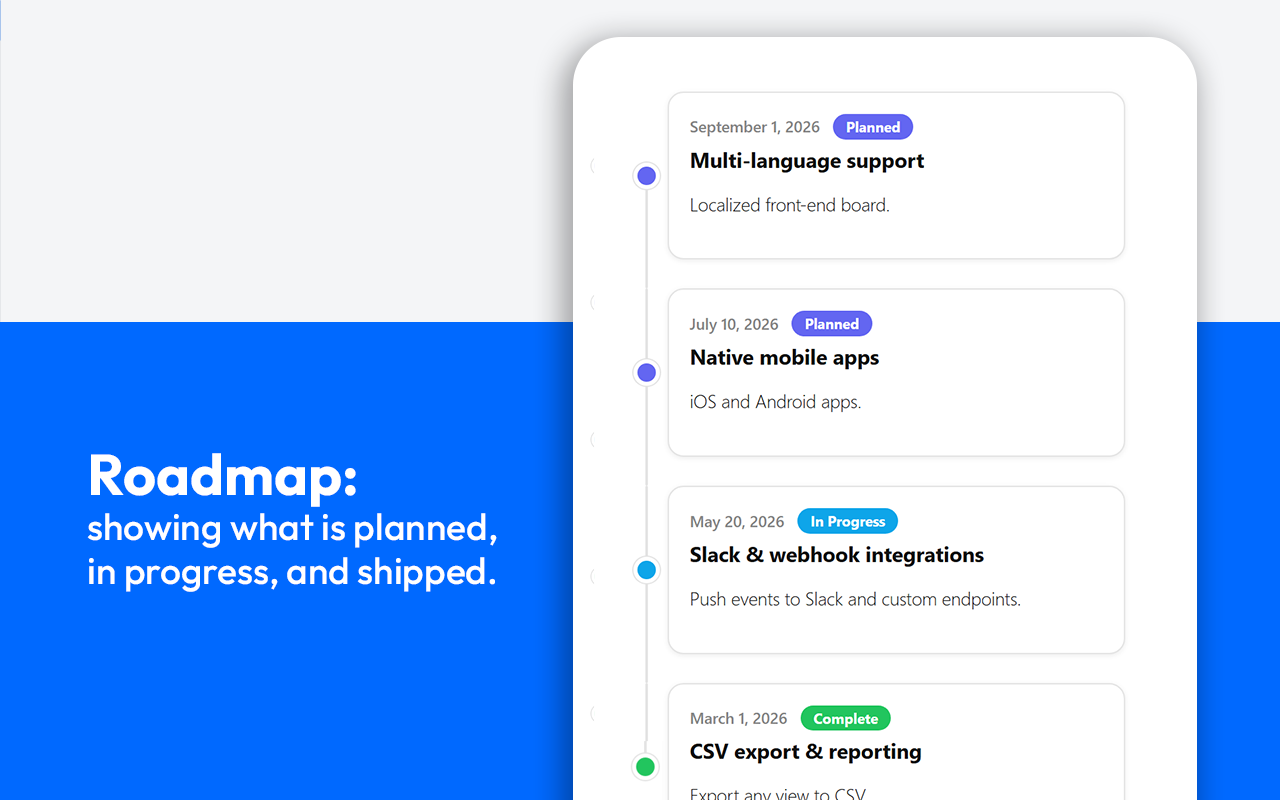
- Public roadmap with fixed statuses, plus a curated milestone timeline.
- Two sign-in modes: a WordPress account, or passwordless email verification.
- Spam protection: per-IP rate limiting and an optional captcha (Cloudflare Turnstile, Google reCAPTCHA, or hCaptcha).
- Kanban board view for dragging requests across stages. (Pro)
- Custom statuses with your own colors, per board. (Pro)
- Comments and official replies on requests. (Pro)
- Quick polls. (Pro)
- Per-status email notifications with follow/subscribe. (Pro)
- Integrations: Slack, Discord, Trello, Asana, GitHub, Jira, and Zapier, with status sync. (Pro)
- Gutenberg block plus a shortcode that works in any page builder (Elementor, Bricks, Oxygen, Beaver Builder, and others).