
Feedback Magic
| 开发者 | brincore |
|---|---|
| 更新时间 | 2026年8月15日 22:48 |
| PHP版本: | 7.4 及以上 |
| WordPress版本: | 7.1 |
| 版权: | GPLv2 or later |
| 版权网址: | 版权信息 |
详情介绍:
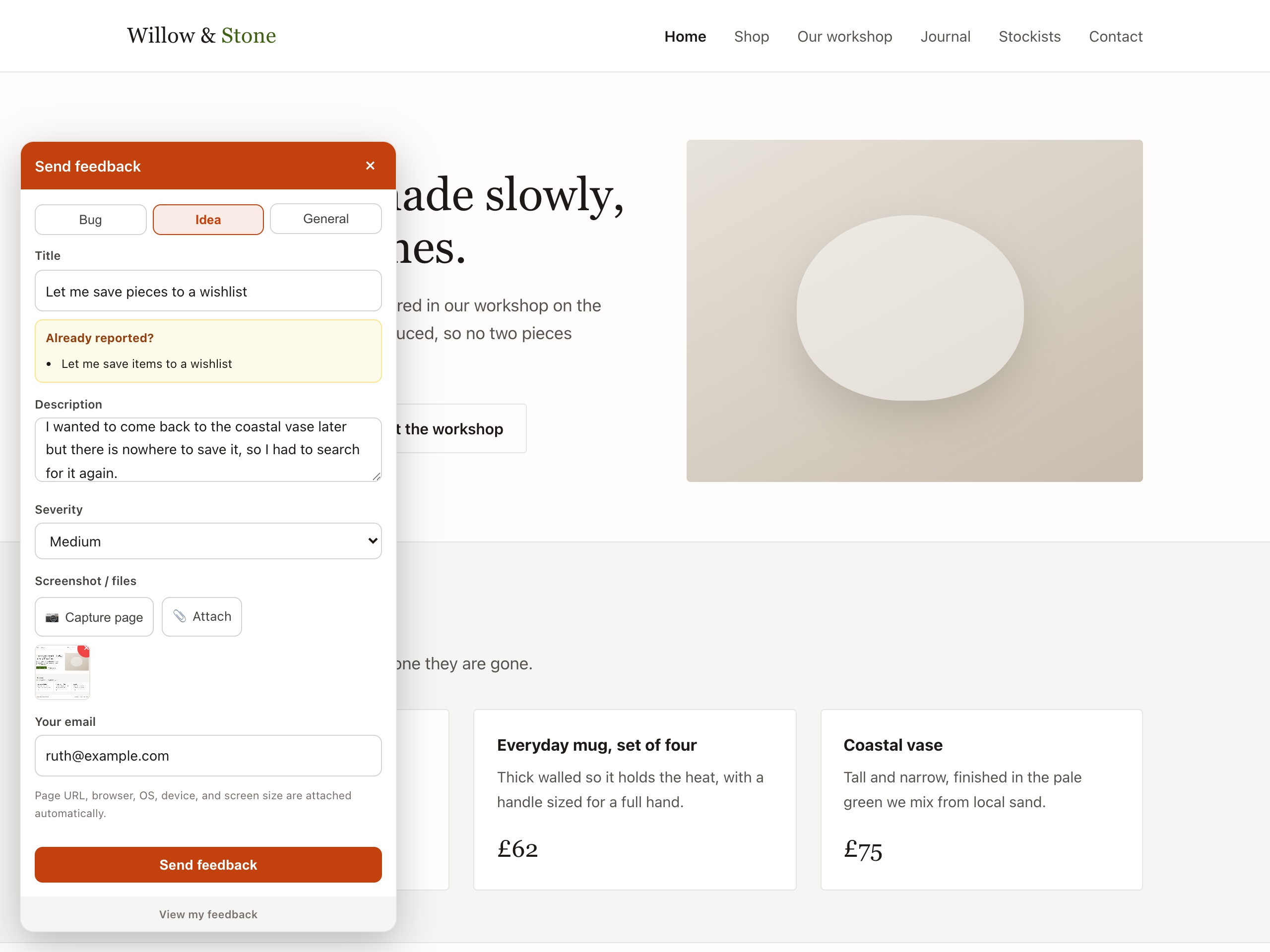
- Feedback — a floating button for bug reports, ideas, and general feedback, with an optional auto-captured screenshot and browser/device info.
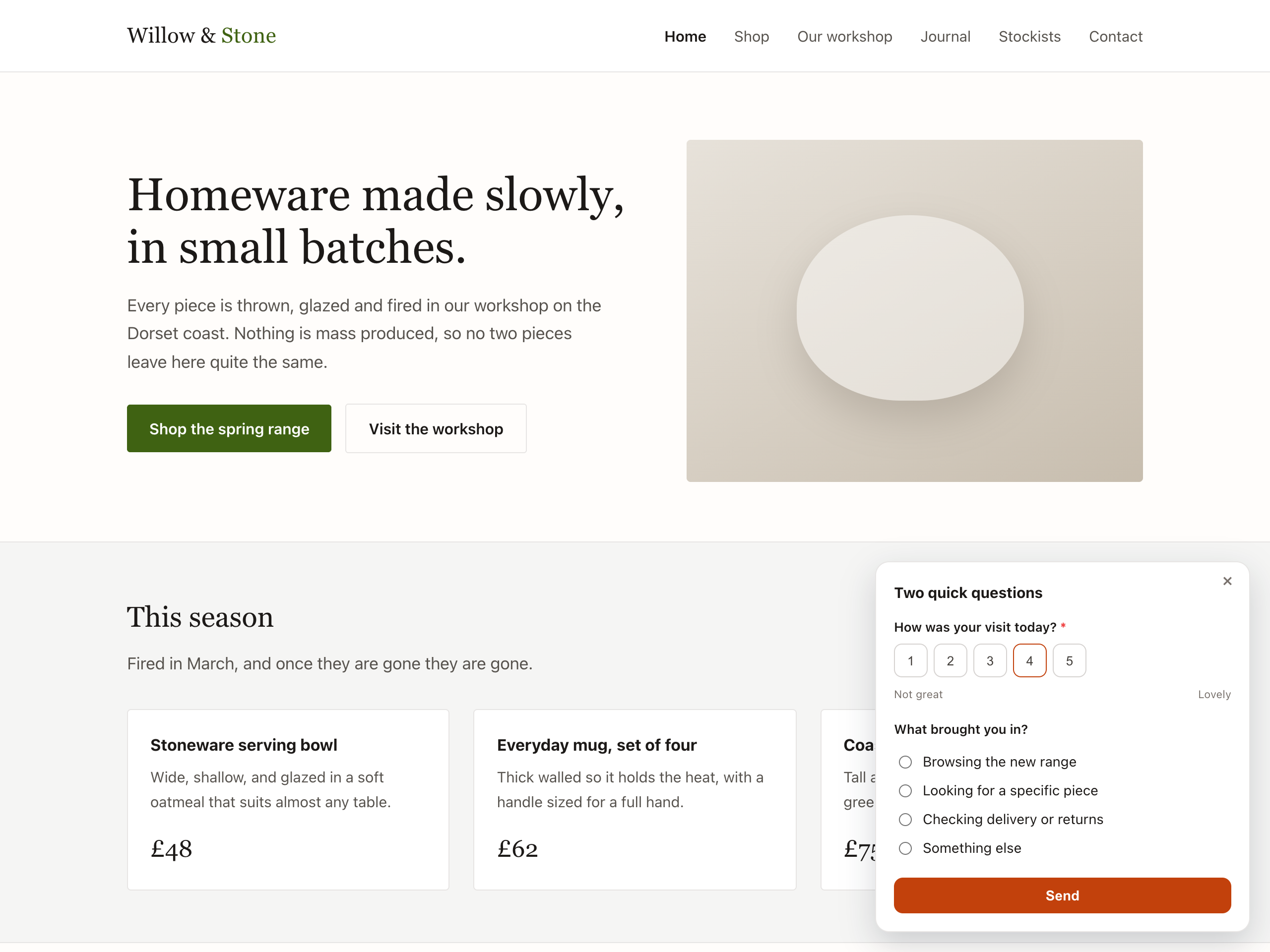
- Survey / Poll / CSAT — NPS, CSAT, star ratings, scales, and multiple-choice polls that appear on a trigger, with a results dashboard and .xlsx export.
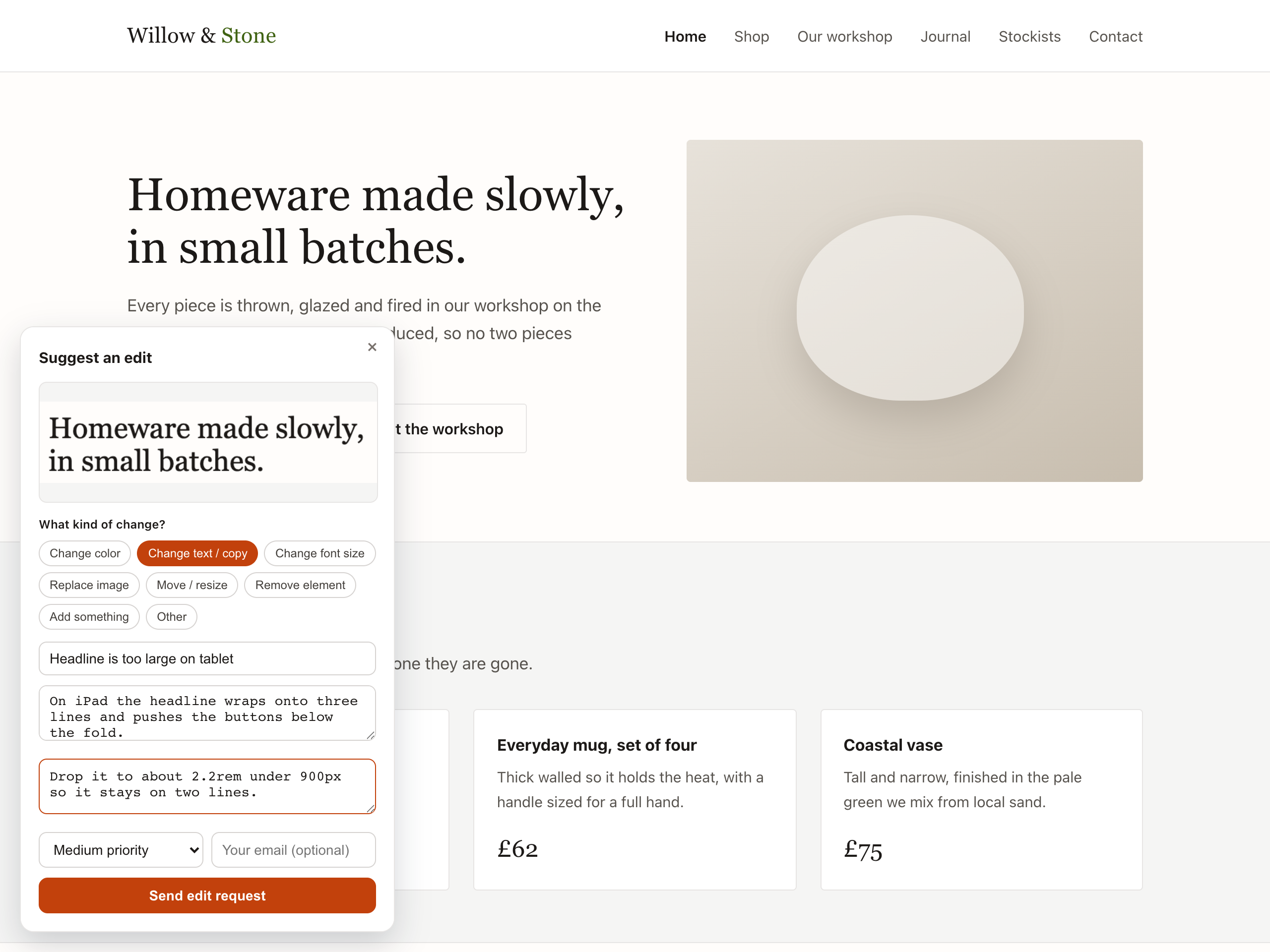
- Visual annotation — visitors drag a box on the page and file a precise edit request with a cropped screenshot (great for website review with clients).
- Changelog — a "What's new" button with an unread dot, showing your published release notes.
- Voting board — a public idea board where visitors post feature requests and upvote each other's, so you can see what's most wanted.
- Testimonials — collect quotes with consent recorded at submission, then publish a wall of the ones you approve.
fm_pub_…),
and each has its own field on the settings screen.
You need a Feedback Magic account. Create one at https://feedback-magic.com,
open a widget, and copy its key from Install.
Why you'll like it:
- Paste a key per widget — that's the whole setup.
- Per-widget launcher position (bottom-right / right-center / bottom-left / top-right).
- Open the widget from your own menu item or link instead of the floating button.
- Nudge the floating button clear of a chat bubble or cookie bar.
- Optionally pre-fill the submitter email for logged-in WordPress users.
- Widgets are hosted by Feedback Magic and load asynchronously (deferred), so they never block your pages. The screenshot library is fetched only on demand.
安装:
- Install the zip via Plugins → Add New → Upload Plugin (or upload the
feedback-magicfolder to/wp-content/plugins/). - Activate the plugin on the Plugins screen.
- Go to Settings → Feedback Magic. There is one key field per widget type.
Paste the publishable key (
fm_pub_…) for each widget you want; leave a key blank to skip that widget entirely. - Save. The widgets appear on the front end of your site. The settings screen then shows exactly which script tags are being injected, so you can confirm the plugin is doing what you expect.
屏幕截图:
常见问题:
Where do I get a publishable key?
Sign in at https://feedback-magic.com, open the widget you want, and copy
the key that starts with fm_pub_ from its Install tab.
Can I add more than one widget?
Yes — the plugin has a key field for each of the six widget types (feedback, survey/CSAT, visual annotation, changelog, voting board, testimonials). Fill in the ones you want; blanks are skipped.
Is the publishable key a secret?
No. It only permits submitting to that widget. Reading and triaging requires signing in to the dashboard.
Does it slow down my site?
Widgets load asynchronously (deferred) from Feedback Magic's servers. The feedback and annotation widgets fetch the ~200KB screenshot library only on demand — the initial scripts are tiny (~34–37KB).
Can I change where a widget appears?
Yes — set a position per widget under Settings → Feedback Magic, or leave it on "Use dashboard setting" to control it from your dashboard.
Where does the data go? Any third parties?
Submissions go only to Feedback Magic (feedback-magic.com), where you triage them. The widget scripts and the on-demand screenshot library are served from the same host. No other third-party services are contacted.
更新日志:
- Compatibility: tested against WordPress 7.1 (RC3). No changes were needed — the
plugin uses none of the APIs 7.1 alters: it has no editor code, does no image or
media handling, ships no
@wordpress/componentsUI, adds nothing to the toolbar, registers no SVG icons, does not use jQuery, and registers no abilities. - Code quality: Plugin Check now reports zero errors and zero warnings. Two of the
findings were false positives and are documented in place rather than silenced —
the settings screen builds an example
<script>tag as text for the admin to read, and the null$veris deliberate because the widget bundle is versioned by our CDN. The rest were real: escaping is now applied at the point of output. - Readme: the short description was 152 characters and the directory truncates at 150, so it was being cut mid-sentence on the plugin page.
- Documentation: the description said the plugin offered three widget types. It has offered six since 1.2.0 — voting board and testimonials were missing from the list.
- Front end: our data-* attributes are now added to the script tag WordPress generates, instead of replacing that tag. Core's attributes, and any added by another plugin, are preserved.
- Front end: deferred loading now uses the
strategyargument of wp_enqueue_script() on WordPress 6.3 and above.
- New: open a widget from an element already on your site. Give a CSS selector under Settings → Feedback Magic and the floating button is not shown at all — your own menu item, footer link or button opens the widget instead. Useful when none of the four corners suits your theme.
- New: nudge the floating button. Set an across/up-down offset in pixels to clear a chat bubble or cookie bar without changing corner.
- Both settings are per widget type, and both are optional — leave them blank and nothing changes.
- Widget scripts now load from cdn.feedback-magic.com instead of feedbackmagic.brincore.com. No action needed — existing keys are unchanged and the previous host keeps working.
- Support four widget types (Feedback, Survey/CSAT, Visual annotation, Changelog) — a publishable key + position per widget.
- Per-widget script injection; renamed the advanced setting to "Widget host."
- Initial release: feedback widget injection with publishable key, position, logged-in email pass-through, and an advanced widget URL.