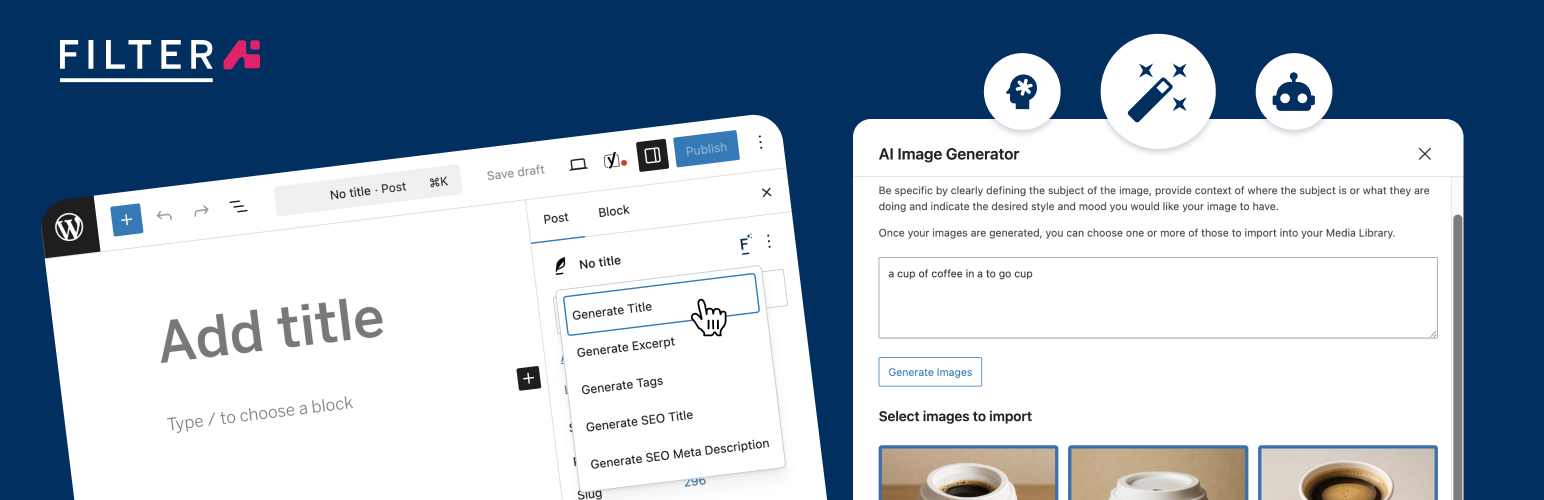
Filter AI
| 开发者 |
filterdigital
paulhalfpenny robertmeacher guyhillary davecpage ianharrisfilter |
|---|---|
| 更新时间 | 2026年9月3日 21:01 |
| PHP版本: | 7.4 及以上 |
| WordPress版本: | 7.0 |
| 版权: | GPLv3 or later |
| 版权网址: | 版权信息 |
详情介绍:
- Brand voice and stop words Configure a brand voice and global stop words so every AI result follows your style and avoids unwanted terms.
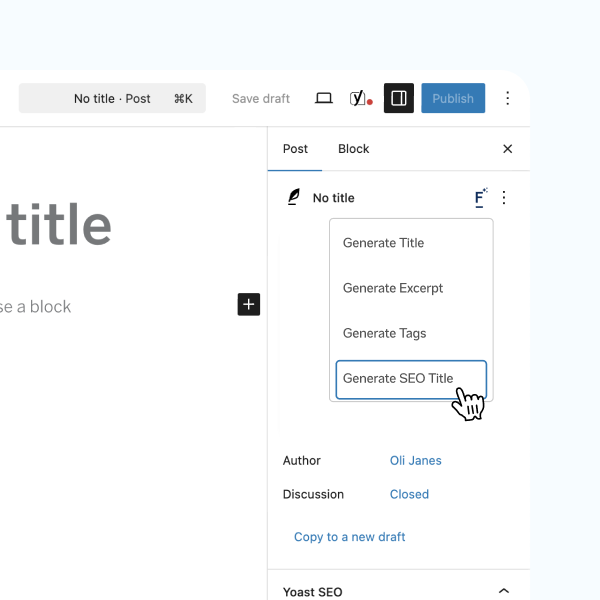
- Post and page titles Generate SEO-friendly, click-focused titles based on the content’s core value proposition.
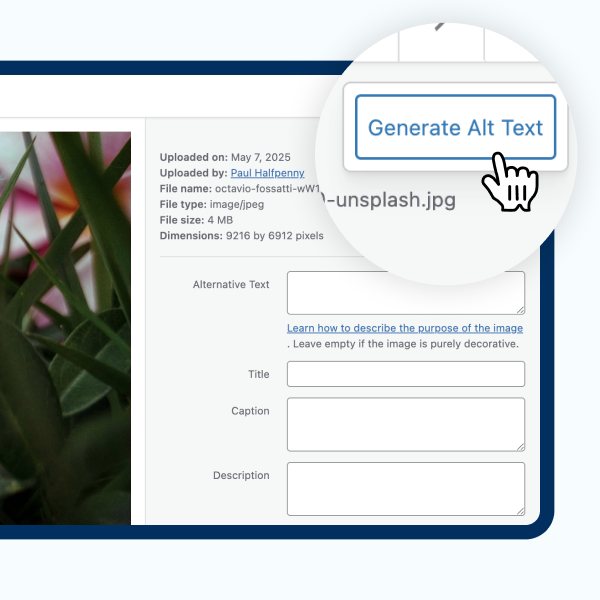
- ALT text generation Automatically create descriptive ALT text on image upload and bulk-generate ALT text for existing media to improve accessibility and SEO.
- Yoast SEO metadata Generate meta titles and descriptions (single or batch), respecting character constraints and best-practice recommendations for SEO plugins such as Yoast.
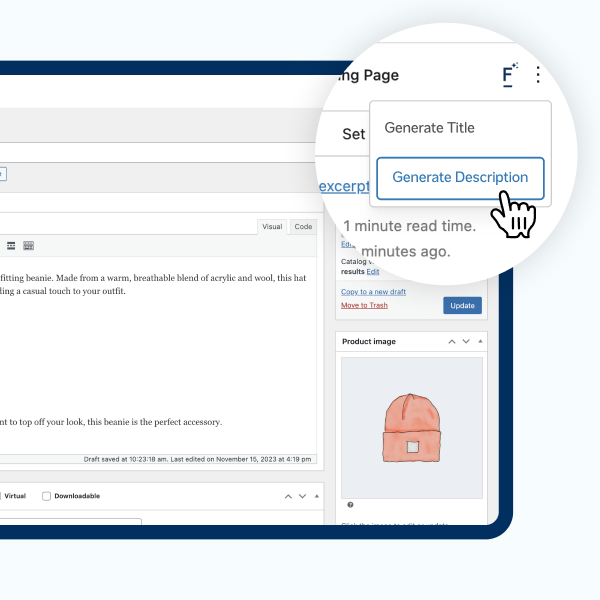
- WooCommerce product descriptions Produce product descriptions that highlight benefits, address customer needs and include natural SEO keywords.
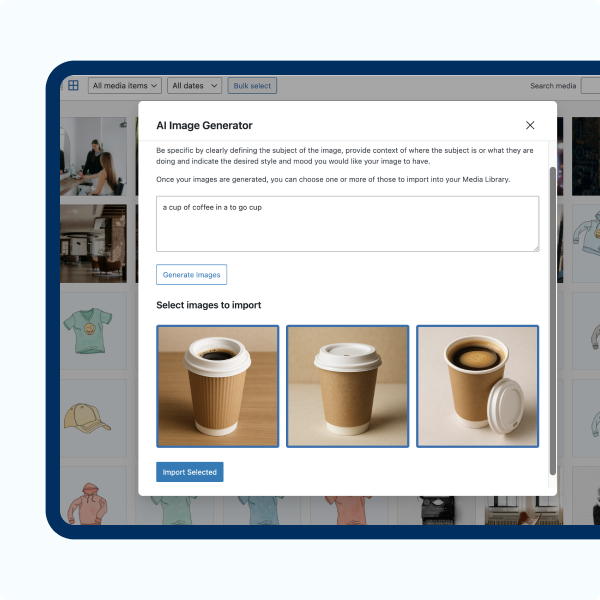
- Image generation Create images from prompts, save to the Media Library with metadata, and use them instantly in posts and products.
- Content rewriting and tone adjustment Expand, condense, summarise or rewrite content and change tone while preserving context and meaning.
- Excerpts and tag suggestions Auto-generate concise excerpts and suggest relevant tags to improve discoverability and site structure.
- Choice of AI provider and BYO API key Bring your own API key and choose from supported providers; switch providers without disrupting workflows. On WordPress 7.0 and later, Filter AI uses the built-in WordPress AI Client and you manage provider API keys in Settings → Connectors — no extra plugin required. On earlier WordPress versions, Filter AI uses the AI Services plugin.
- Batch processing and workflow controls Apply actions across many posts, pages or media items to save time and ensure consistent output.
安装:
- Upload the
filter-aifolder to the/wp-content/plugins/directory, or install via the WordPress plugin installer. - Activate the plugin through the 'Plugins' menu in WordPress.
- On WordPress 7.0 and later, add your AI provider API key(s) in Settings → Connectors. On earlier WordPress versions, add your provider key(s) in Settings → Filter AI.
- Navigate to Settings → Filter AI to configure brand voice, stop words, prompt templates and defaults.
- Use the new Filter AI controls on posts, pages, products and media to generate and apply content.
屏幕截图:
常见问题:
Do I need an account with Filter AI?
No. Filter AI acts as a connector — you provide and manage your own AI provider API key(s).
Which AI providers are supported?
Filter AI supports major providers — OpenAI, Anthropic, Gemini, xAI, Perplexity and Mistral — and can be extended to others.
Will it overwrite existing content?
No. Generated text is provided as editable suggestions; you must confirm or save changes.
Can I bulk-generate content?
Yes. Batch processing is available for meta data, ALT text and other supported operations.
Is the plugin accessible-friendly?
Yes. The ALT text generation feature is designed to improve accessibility by producing descriptive ALT attributes for images.
Do I need the AI Services plugin?
It depends on your WordPress version. On WordPress 7.0 and later, Filter AI uses the built-in WordPress AI Client and Settings → Connectors for API key management — the AI Services plugin is not required. On WordPress versions below 7.0, the AI Services plugin is required and Filter AI continues to use it exactly as before.
更新日志:
- Prevent repeated provider/model requests in the editor, reducing server load and avoiding rate-limit errors when no AI provider is configured.
- Fix WordPress 7.0 OpenAI model detection so image ALT text generation is available when the configured model supports image input.
- Keep Filter AI settings tabs readable when WordPress admin styles override nested tab selectors.
- Add per-feature provider/model selection, with model-aware options such as
Anthropic (Claude) - Auto,Anthropic (Claude) - Claude Opus, andAnthropic (Claude) - Claude Haiku. - Keep automatic model selection available from the same AI Provider / Model dropdown by choosing a provider's Auto option.
- Refresh available provider models daily and cache the last successful model catalogue, keeping stale model options visible if a refresh fails.
- Prevent unsupported AI features from being enabled when no configured provider can handle the required capability, such as image generation with text-only providers.
- Move AI error logs into the Settings screen and improve admin links so failed requests are easier to review.
- Avoid queueing a brand voice scan when a brand voice prompt has already been filled.
- Improve compatibility with Anthropic responses from AI Services when tool or thinking response parts are present.
- Fix Generate from Prompt on WordPress 6.9 by using the one-shot fallback for the legacy AI Services backend, avoiding provider stream chunks that can trigger "Invalid part data."
- Fix prompt-based text generation on WordPress 6.9 by routing legacy text requests through Filter AI's REST adapter.
- Added: Native WordPress 7.0 AI Client support — on WP 7.0+, Filter AI uses the built-in AI Client and Settings → Connectors for API keys, with no dependency on the AI Services plugin.
- Added: First-party REST endpoints (filter-ai/v1) powering the editor features on WP 7.0+.
- Changed: AI requests now route through an internal provider abstraction that selects the native client (WP 7.0+) or AI Services (older versions) automatically.
- Maintained: Full backwards compatibility — on WordPress below 7.0, Filter AI continues to use the AI Services plugin exactly as before.
- New anonymous opt-in telemetry to help us improve Filter AI. Sends only WordPress version, PHP version, locale, and which Filter plugins are active — never post content, user data, or anything personally identifiable. Disabled by default; opt in via the prompt that appears in the WordPress admin after upgrading.
- Fix media uploads failing when automatic ALT text generation could not reach the configured AI service. The error is now caught silently and the upload completes normally.
- Fix the settings sanitiser silently coercing array values to empty strings; unknown setting keys are now dropped rather than passed through.
- Fix undefined-variable notice when rendering image blocks with no media ID.
- Fix typo in the prompt-retrieval error message.
- Remove a duplicate option from the uninstall cleanup.
- Hardening of batch generation AJAX endpoints.
- Fix generate alt text bug
- Dependency updates
- New generate summary block
- New grammar checking option for content
- Updated choice for page titles and customised text
- Various dependency updates and bug fixes
- New generate FAQs block
- New options to select AI service per feature
- Improvements to the generate image user journey
- Manage API keys directly within Filter AI settings
- Update to the plugin branding
- Fix
Function _load_textdomain_just_in_time was called incorrectly - Improve support with the classic editor
- Improve messaging on the batch generation pages
- Improve developer setup process
- Improve messaging across the settings and generation pages
- Custom image generation
- Dynamically replace missing alt text
- Automatic plugin updates
- Standardise location of composer/package files for WooCommerce Action Scheduler
- Update Github actions to automatically trigger on releases
- Update composer setup to support releasing onto Packagist.org
- Add features to generate Yoast SEO title and meta descriptions including batch generation
- Add feature to generate image ALT text on upload
- Add option to add stop words to the AI prompt
- Add option to add a brand voice to the AI prompt
- Generating modal UI improvements
- Update settings page features to respond to status of required plugins
- Code stability improvements
- Improved text generation prompts for AI requests
- Settings screen UX improvement
- Improved compatibility with AI Services plugin
- Improved general database performance when batch updating images
- Decreased timeout issues arising from batch updating images
- Correct link to edit an image that doesn't have its alt text updated during batching
- Initial public release of Filter AI