
Find Missing More Tags
| 开发者 | tommcfarlin |
|---|---|
| 更新时间 | 2026年2月10日 22:40 |
| PHP版本: | 8.0 及以上 |
| WordPress版本: | 6.9 |
| 版权: | GPLv2 or later |
| 版权网址: | 版权信息 |
详情介绍:
Find Missing More Tags scans your posts and identifies which ones are missing the
<!--more--> tag. This helps ensure consistent formatting across your blog, where the more tag controls how much content appears in archive pages and feeds.
Features:
- Scans all posts (published, draft, pending, scheduled, private)
- Works with both Classic Editor and Block Editor more tags
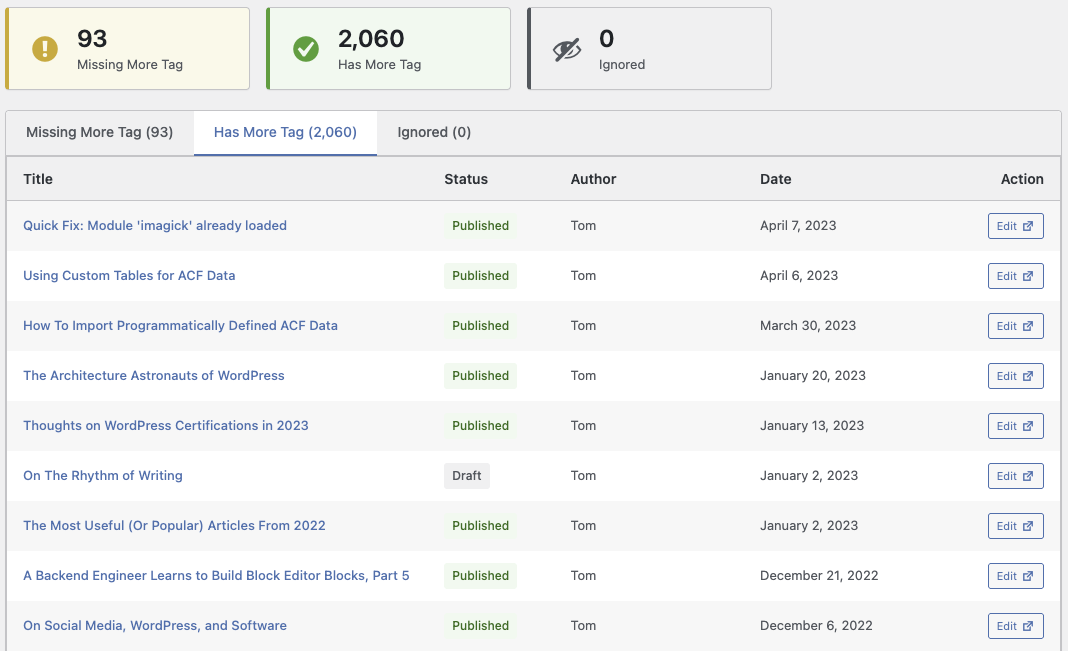
- Clean, modern admin interface with card-based design
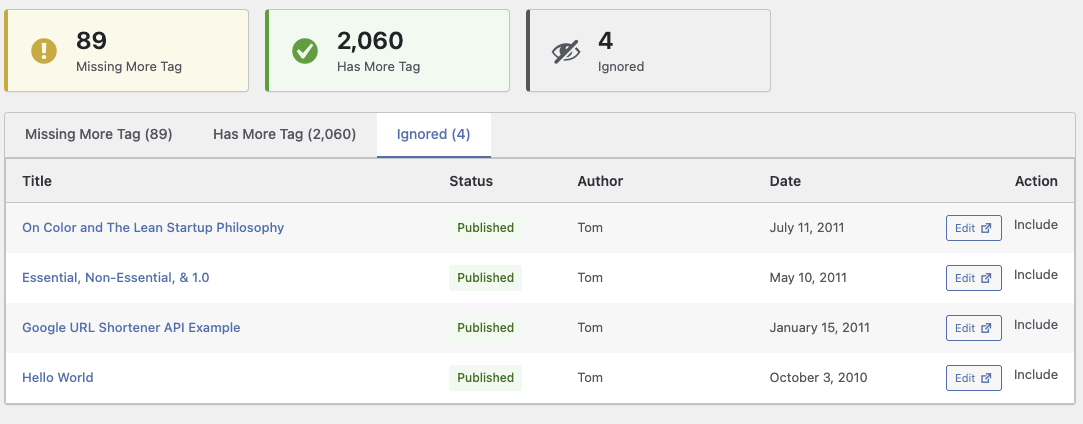
- Three organized tabs: missing, has tag, and ignored
- Ignore posts that intentionally skip the more tag
- Quick edit links that open in a new tab
- Paginated results for sites with many posts
- No settings required - smart defaults work out of the box
<!--more-->) creates a clean break in your content, showing only an excerpt on archive pages with a "Read More" link. Without it, your archive pages might show full posts or rely on automatic excerpts that can cut off mid-sentence.
安装:
- Upload the
find-missing-more-tagsfolder to/wp-content/plugins/ - Activate the plugin through the 'Plugins' menu in WordPress
- Navigate to Posts > Missing More Tags to view your posts
屏幕截图:
常见问题:
What post types does this scan?
Currently, the plugin scans standard WordPress posts. Support for custom post types may be added in a future version.
Does it work with the Block Editor?
Yes! The plugin detects more tags from both the Classic Editor (<!--more-->) and the Block Editor (More block).
Can I customize the number of posts per page?
The default is 20 posts per page. This provides a good balance between usability and performance. Customization options may be added in future versions.
Does this affect my site's performance?
The plugin only runs when you visit the admin page. It uses efficient queries and caching to minimize database load.
更新日志:
1.0.0
- Initial release
- Scan posts for missing more tags
- Admin page under Posts menu
- Three-tab interface (missing/has tag/ignored)
- Ignore posts that intentionally skip the more tag
- Pagination support
- Post status badges
- Edit links open in new tab