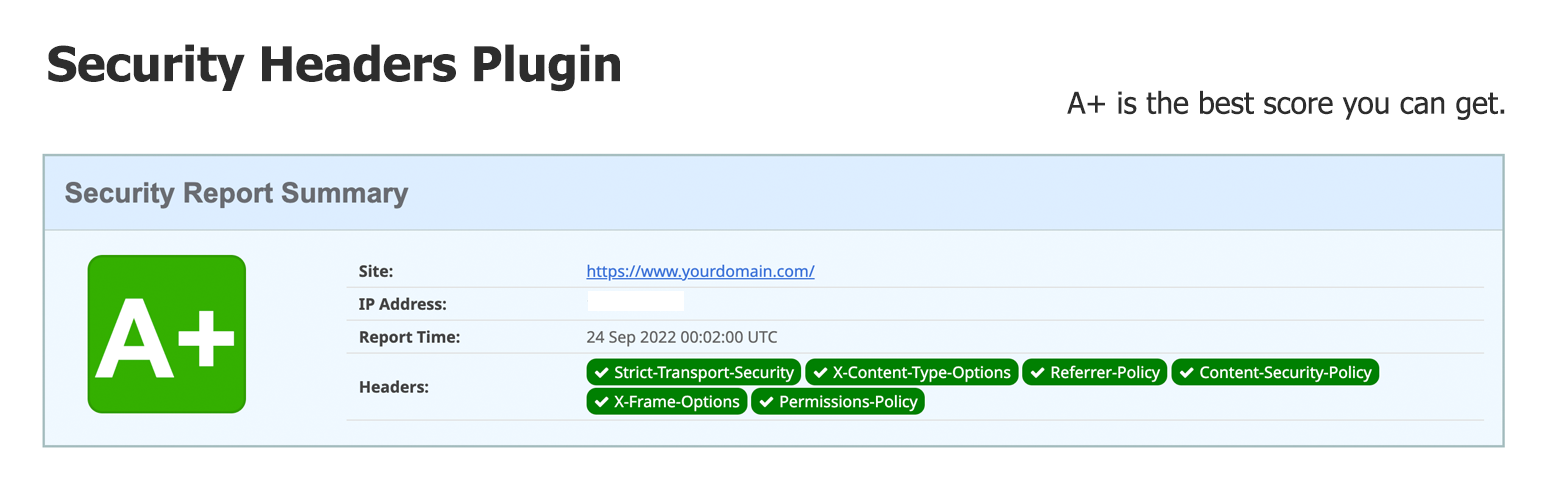
Security Headers
| 开发者 | joshme21 |
|---|---|
| 更新时间 | 2026年10月30日 11:43 |
| 捐献地址: | 去捐款 |
| PHP版本: | 7.4 及以上 |
| WordPress版本: | 6.9.2 |
| 版权: | GPLv2 or later |
| 版权网址: | 版权信息 |
详情介绍:
- Admin settings page under Security Headers
- HSTS controls with preload warning
- Referrer-Policy and X-Frame-Options settings
- Permissions-Policy custom value field
- Minimal enforced CSP with upgrade-insecure-requests, separate from advanced source restrictions
- Content-Security-Policy builder with Report-Only mode
- Discover / Review / Enforce workflow with explicit source approvals and policy verification
- Untrusted source suggestions from page HTML and browser CSP reports
- Saved pre-workflow settings for recovery
- Diagnostics screen showing configured headers
- Test tool to fetch and inspect your live response headers
- Import, export, and reset settings tools
- Cleanup on uninstall
安装:
- Upload the plugin folder to
/wp-content/plugins/ - Activate the plugin in WordPress
- Go to Security Headers in the admin menu
- Save your preferred configuration
- Purge page and hosting caches, then check the live headers on cached and uncached pages
常见问题:
Is Content-Security-Policy enabled by default?
New installs enable a minimal enforced Content-Security-Policy: upgrade-insecure-requests on HTTPS responses. It upgrades HTTP resource URLs to HTTPS without adding script or other source restrictions. Resources unavailable over HTTPS will fail to load. You can disable it using the HTTPS resource upgrades checkbox.
Existing installations keep their previous behaviour and must opt in to HTTPS resource upgrades after updating. Advanced CSP remains disabled by default because source restrictions need website-specific configuration.
Should I use Report-Only mode first?
Yes, for advanced CSP. Report-Only mode reports advanced policy issues without blocking resources. The separate HTTPS resource upgrades setting remains enforced even while advanced CSP is in Report-Only mode. When advanced CSP is enforced, the baseline directive is merged into that policy.
Does this guarantee an A+ grade?
No. A grade depends on the headers actually returned for each scanned URL and the scanner's criteria. The minimal upgrade policy does not restrict script sources or provide the XSS protection of a carefully configured CSP.
How do I use Discover / Review / Enforce?
- Open Security Headers > Discover / Review / Enforce and acknowledge Start / Resume Discovery. On first use, this saves a settings backup and replaces advanced CSP with a same-origin Report-Only starter. This does not block advanced policy violations; the separate HTTPS upgrade baseline remains enforced if enabled.
- Purge page, hosting, and CDN caches. Browse important pages and exercise forms, booking, chat, lazy loading, analytics, login roles, and consent states. HTML detection suggests scripts, styles, images, fonts, frames, media, and manifests. Browser reports provide additional origins for dynamic requests, CSS dependencies, APIs, and workers. The plugin does not fetch external JS/CSS files or execute JavaScript to crawl the site.
- Review suggestions. Approve recognised required origins or reject unwanted suggestions. Unsafe inline/eval and broad data/blob script permissions require a separate risk acknowledgment; manually configured hashes/nonces can be preferable. Discovery never automatically includes sources in the policy. Existing manual CSP fields remain explicit configured permissions, so rejecting a suggestion does not override them.
- Verify the public Report-Only policy for a same-site page path. The tool does not add cache-busting parameters or follow redirects. It requires HTTP 200 HTML with the matching policy. This confirms one response, not full site coverage. Approvals and policy changes invalidate verification.
- With no pending suggestions, confirm browser testing and cached-page header coverage, then use Enforce Reviewed Policy. The fixed policy contains approved origins plus manual fields; it never expands based on HTML or public reports. Purge caches again and verify the enforced policy. Resume Report-Only testing before changing approvals.
Can discovery prove that every asset is safe?
No. Detection is a compatibility aid, not a security audit. Public browser reports can be forged and are never treated as trusted approvals. The plugin may miss features not exercised, conditional requests, logged-in variations, and reports that do not arrive. Missing reports do not prove safety. Origin approvals permit more than a single file, and broad permissions in manual fields can weaken CSP. Discovery is capped at 250 source/directive pairs; reports are limited to 16 KB, 20 entries per batch, and 60 entries per client per minute. Limits can prevent complete observations. New installs use the reviewed-source workflow and disable automatic source inclusion. Existing installations keep legacy settings until an administrator explicitly starts discovery. Legacy automatic inclusion can also permit attacker-injected sources and is retained only for compatibility.
Where are discovery data and browser reports stored?
In bounded WordPress options on your own site, not in an external service unless you configure an external report endpoint. Page paths are stored without visitor query strings or fragments. Reports and source suggestions are untrusted. Removing the plugin through WordPress uninstall deletes its settings, reports, discovery, verification, and workflow backup options.
Why are headers missing on cached pages?
Page caches, hosting proxies, and CDNs can serve HTML without running WordPress. PHP headers cannot cover those responses. Apache rules can cover static cache files when Apache processes the plugin's generated .htaccess rules, but Nginx does not read .htaccess. Ask your host to apply security headers at the cache-serving layer and avoid duplicate headers. Purging caches alone may not solve the issue if the cache bypasses WordPress again. Auto-detected advanced CSP requires WordPress to inspect rendered HTML. It cannot detect sources in a static cache response. Emergency CSP bypass also requires a WordPress-generated response and cannot bypass policies enforced by your server or CDN.
Does HSTS work on HTTP sites?
No. HSTS should only be enabled when your site is fully available over HTTPS.
Why are HSTS or the baseline CSP missing behind an HTTPS reverse proxy?
Apache may receive plain HTTP from an HTTPS-terminating proxy. The generated .htaccess rules accept either Apache HTTPS or X-Forwarded-Proto: https for these HTTPS-only headers. Configure the trusted proxy to overwrite X-Forwarded-Proto on every request, rather than passing through a client-supplied value. After updating, save the plugin settings to regenerate .htaccess, purge hosting and CDN caches, and test an HTTPS page and an HTTP request. WordPress-generated responses also depend on WordPress is_ssl() recognizing the proxy; configure that separately if the diagnostics screen reports HTTPS as No. If Nginx or a CDN serves the response without Apache, add the headers at that layer.
How can I temporarily stop CSP report traffic?
In Security Headers settings, uncheck "Send reports to the built-in collector" and clear any custom report-uri value, then save and purge page/hosting/CDN caches. This removes report destinations from newly served CSP policies without disabling the CSP policy itself. The collector returns HTTP 204 without storing reports while disabled. Browsers that received an older policy may continue posting for a while, and every report request that reaches WordPress still starts PHP. During a server overload, ask the host to short-circuit POST requests to /wp-json/firstpage-sg-security-headers/v1/csp-report at Nginx or its edge firewall so they do not reach PHP. Verify that normal site pages and other REST routes remain available.
更新日志:
- Stopped processing CSP reports when the built-in collector or advanced CSP is disabled.
- Reduced batched report handling to one report-store update, one rate-limit update, and at most one discovery update per request.
- Counted batched entries toward the 60-per-minute limit before storing any of them.
- Recognized trusted reverse-proxy HTTPS in Apache HSTS and baseline CSP rules.
- Added a Discover / Review / Enforce admin workflow with explicit, nonce-protected source approvals.
- Added HTML and browser-report suggestions for static and dynamic resource origins without automatic trust.
- Added public Report-Only header verification, policy-change invalidation, and explicit enforcement confirmations.
- Added iframe, media, worker, and manifest directive fields and a fixed-policy preview.
- Preserved legacy settings on upgrade and saved pre-workflow settings for recovery.
- Added modern Reporting-Endpoints/report-to support alongside report-uri and bounded Reporting API batches.
- Hardened public reports with size, origin, rate, and source-validation limits.
- Added cleanup for workflow data on uninstall.
- Added an independent enforced upgrade-insecure-requests baseline for HTTPS responses.
- Enabled the baseline for new installs while preserving existing installations until they opt in.
- Kept advanced CSP configurable and Report-Only testing independent of the baseline.
- Merged the baseline into enforced advanced CSP without duplicating the directive.
- Prevented static Apache baseline rules from overwriting auto-detected enforced advanced CSP.
- Added HTTPS upgrade diagnostics, resource compatibility warnings, and cache guidance.
- Added best-effort CSP source detection from rendered HTML.
- Added a built-in CSP violation report collector and browser-only emergency bypass.
- Added diagnostics and live header testing tools in wp-admin.
- Added import, export, and reset tools for plugin settings.
- Added a configurable Content-Security-Policy builder with Report-Only support.
- Added uninstall cleanup for stored plugin options.
- Added a WordPress admin settings page under Settings > Security Headers.
- Added saved plugin options with sanitization and safer defaults.
- Connected PHP and Apache header output to the saved admin settings.
- Updated plugin metadata for modern WordPress compatibility.
- Removed deprecated legacy headers.
- Limited default headers to a conservative modern set to reduce breakage.
- Only sends HSTS on HTTPS requests.
- First release