
Flexa FormFlow
| 开发者 | flexatech |
|---|---|
| 更新时间 | 2026年10月6日 19:43 |
| PHP版本: | 8.1 及以上 |
| WordPress版本: | 7.1 |
| 版权: | GPLv2 or later |
| 版权网址: | 版权信息 |
详情介绍:
[flexa_formflow id="123"] shortcode or the Flexa FormFlow block.
Spam protection
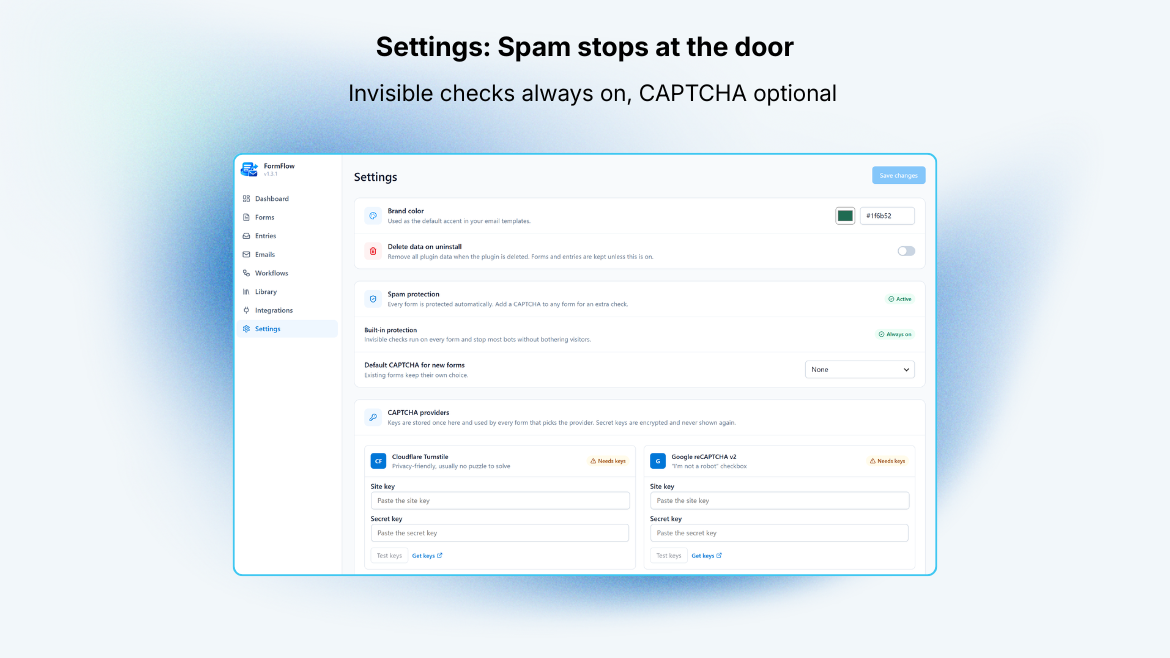
Every form is protected automatically by invisible built-in checks (a honeypot, timing checks and a per-visitor rate limit), with no setting to forget. For an extra layer, pick Cloudflare Turnstile or Google reCAPTCHA v2 on any form. Keys are entered once in Settings, secret keys are stored encrypted, and every CAPTCHA answer is verified on your server before an entry is saved or an email is sent.
Entries
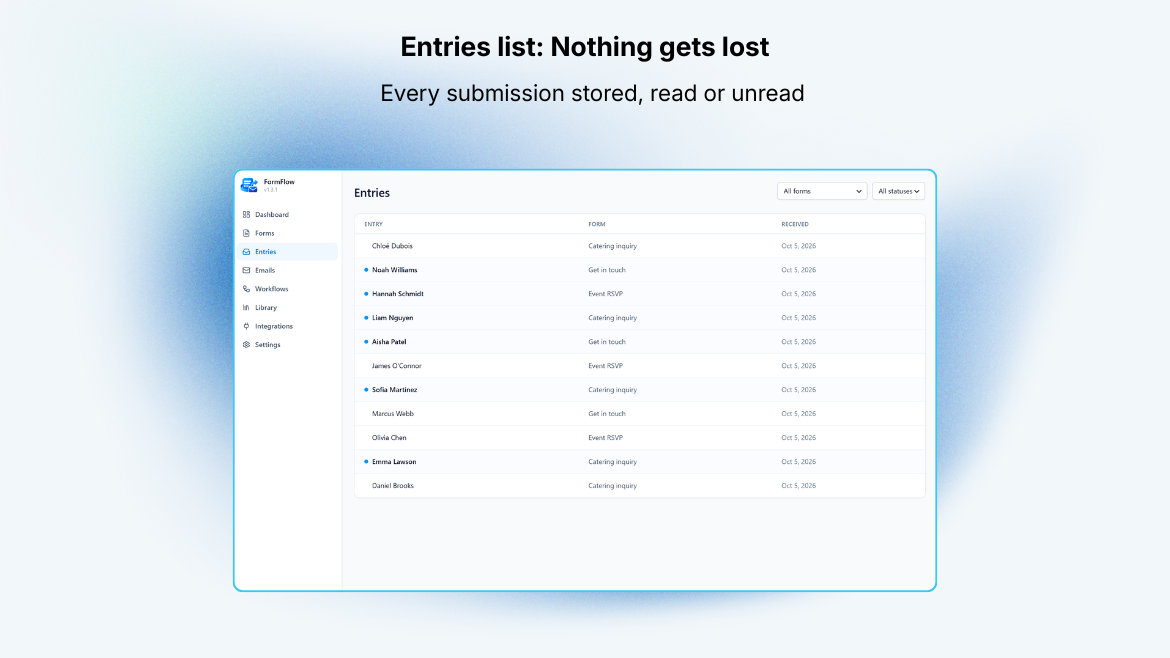
Every submission is stored. Browse them in a list with a quick peek panel, open the full detail view, and mark entries read or unread. Nothing is locked behind an external service.
Visual email builder
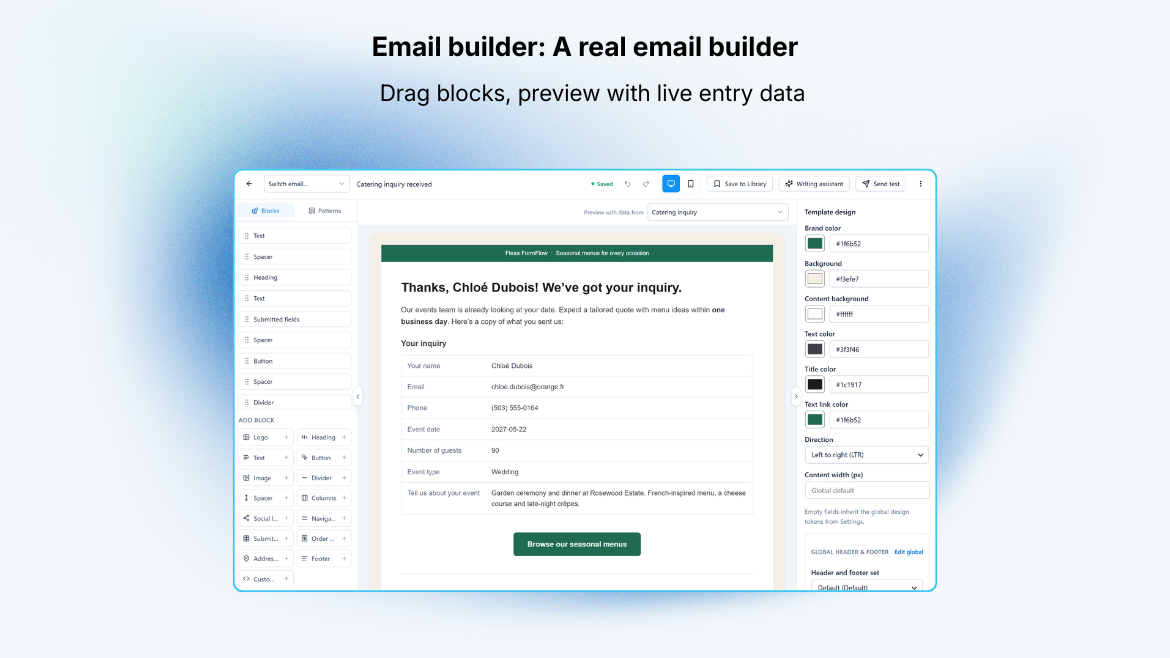
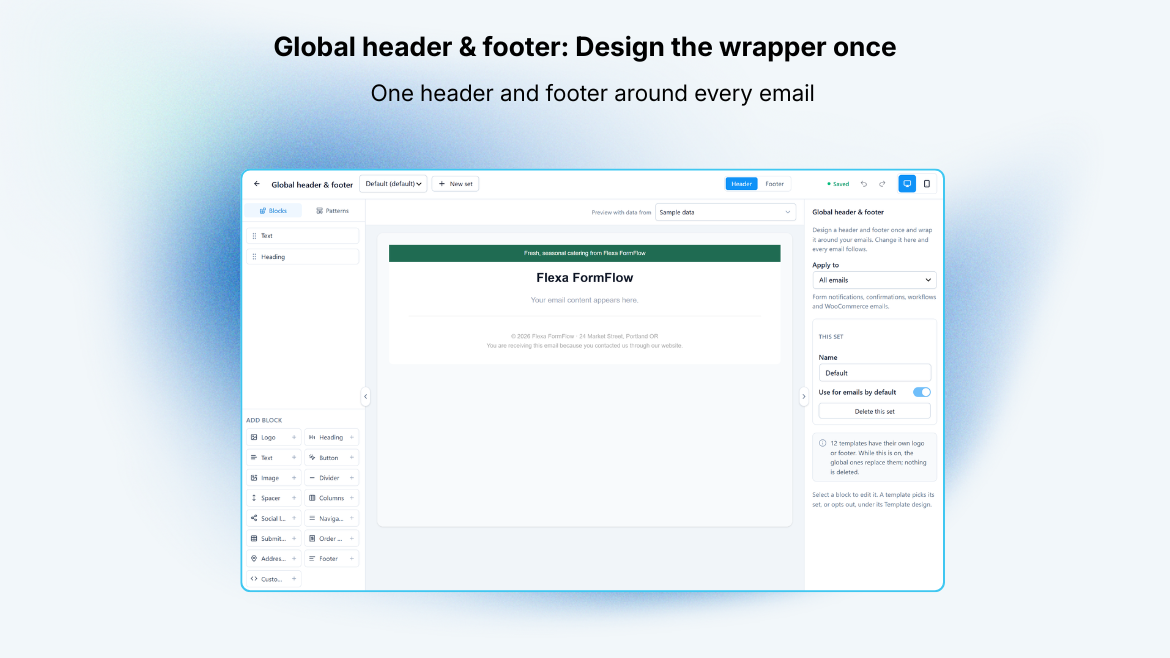
Design the notification email with a block editor: headings, text, buttons, images, dividers, spacers, columns, and a fields table that renders the whole submission. Start faster from the pattern library: ready-made headers, intros, banners, calls to action, galleries, offers and footers (plus order and shipping sections on WooCommerce stores) that you preview, insert, and then edit like any other block. A global header and footer keeps branding in one place, and each email can use it, keep its own copy, or turn it off. Insert form data visually with {field:ID} tokens and headers like {form_title}, no shortcode syntax to memorize. Save designs to a template library, set global styles once, preview in desktop and mobile widths, and send yourself a test before going live.
Each form can send an admin notification and an optional confirmation to the person who filled it in. When no custom design is chosen, a clean default layout is used.
Delivery
FormFlow does not send mail in any special way; it hands the finished message to WordPress with wp_mail(). Pair it with a delivery plugin such as Flexa MailBridge (or any SMTP plugin) for routing, logs, and tracking.
Does not require WooCommerce. FormFlow runs on any WordPress site.
Source code and build tools
The admin screens are a React app compiled with Vite. The files in assets/dist/ are the only compiled, minified code in this plugin; everything else ships as plain PHP, CSS and JavaScript.
The human-readable source of that app is public at https://github.com/flexatech/flexa-formflow-lite, together with everything needed to reproduce the bundle:
apps/admin/src/: the React and TypeScript source (entry pointapps/admin/src/main.tsx).apps/admin/vite.config.tsandapps/admin/tsconfig.json: the build and TypeScript config.package.jsonandpnpm-lock.yamlin the repository root: the dependency list and exact versions.
- Run
pnpm install. - Run
pnpm build. The output goes toassets/dist/.
assets/frontend/form.js) and the block editor script (assets/blocks/form/editor.js) are plain, unminified JavaScript with no build step. Third-party libraries bundled into assets/dist/ (React, TanStack Query, dnd-kit, Radix UI, Zustand, Lucide icons, Tailwind CSS) are listed in the repository's package.json and their source is available from npm.
安装:
- Upload the
flexa-formflowfolder to/wp-content/plugins/, or install the zip from Plugins > Add New > Upload Plugin. - Activate the plugin through the Plugins screen.
- Open Flexa FormFlow in the admin menu, create a form, and copy its shortcode.
- Paste the shortcode into any post or page, or add the Flexa FormFlow block.
屏幕截图:
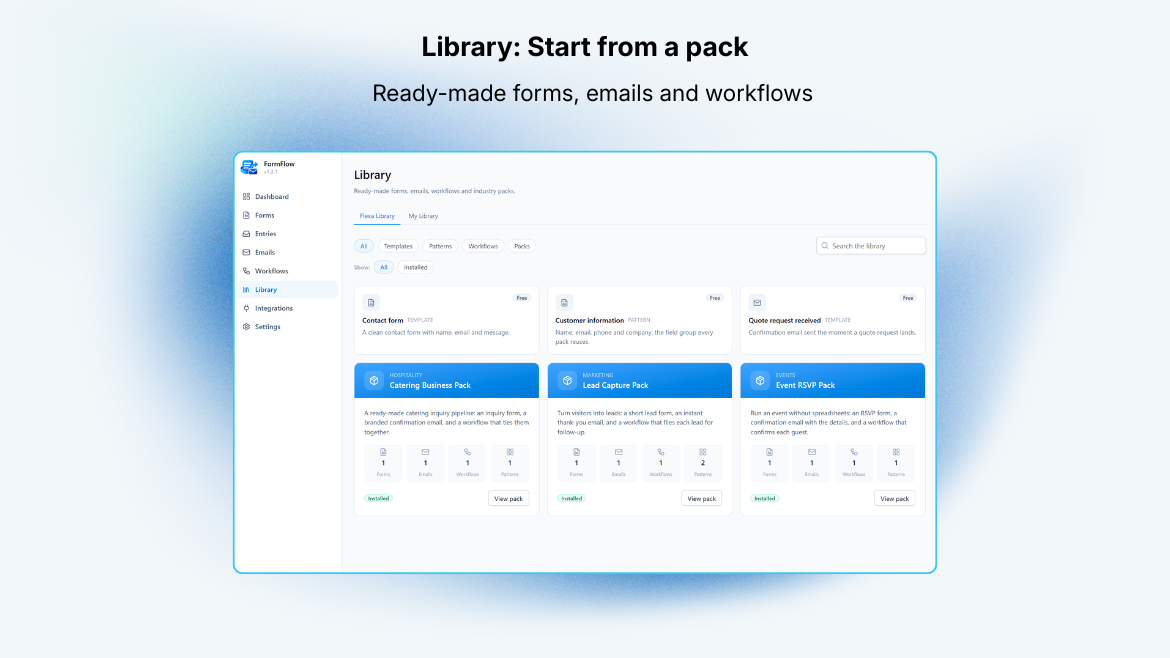
常见问题:
Does it require WooCommerce?
No. FormFlow works on any WordPress site.
How do I add a form to a page?
Create a form, then use its [flexa_formflow id="123"] shortcode, or add the Flexa FormFlow block in the editor.
Does FormFlow send email through its own server?
No. It builds the message and passes it to WordPress wp_mail(). Delivery follows whatever your site already uses. For SMTP, logs, and open tracking, add a delivery plugin such as Flexa MailBridge.
Where are submissions stored?
In your own database, in the plugin's tables. You can view, read, and delete entries from the Entries screen. Nothing is sent to a third party.
What happens to my data when I uninstall?
Nothing is removed unless you turn on "Delete data on uninstall" in Settings first. With it off, your forms, entries, and templates survive a reinstall.
How is the admin interface built, and where is the source?
assets/dist/ holds the only compiled files in the plugin: the admin app, written in React and TypeScript and bundled by Vite. Its unminified source, with the build config (package.json, pnpm-lock.yaml, apps/admin/vite.config.ts, apps/admin/tsconfig.json), is public at https://github.com/flexatech/flexa-formflow-lite. To build it yourself: clone the repository, install Node 20+ and pnpm 9+, run pnpm install, then pnpm build. The README.md there has the full developer setup.
Third-party code in that bundle comes from npm, pinned in package.json and pnpm-lock.yaml: React, TanStack Query, dnd-kit, Radix UI, Zustand, Lucide icons and Tailwind CSS.
Every other script and stylesheet is hand-written and ships exactly as it was authored, with no build step: assets/frontend/form.js and assets/frontend/form.css for the public form, and assets/blocks/form/editor.js for the block editor panel.
更新日志:
- After a week of use, FormFlow asks once for a WordPress.org review, on the WP Dashboard and on the plugin's own Dashboard. Answering either one silences both; "Maybe later" asks again in two weeks. A quiet "Rate FormFlow" link also sits in the sidebar.
- The admin screens now sit flush against the WordPress menu and stay in view: a long admin menu scrolls on its own instead of leaving an empty gap and the footer under the app. Scrollbars inside FormFlow are thin and show while you hover.
- The email preview scales down to fit a narrow window instead of scrolling sideways, and shrinks back when you remove blocks.
- The email editor's block list and its Add block palette scroll separately, so a long palette no longer squeezes the list.
- Translations placed in the plugin's own languages folder are now loaded, and the FormFlow Form block in the block editor is translated too.
- For add-ons: email blocks can be described as data, with search-select (posts, categories, products and add-on sources), image and date-time settings.
- Smaller download. The TypeScript source of the admin screens is no longer bundled with the plugin; it stays public in the plugin's repository, linked under Source code and build tools. The admin app itself is unchanged.
- When you deactivate Flexa FormFlow, a short optional survey asks why. Answering is up to you; skipping it changes nothing, and the survey never blocks or delays deactivation. What it sends, and the filter that switches it off, are documented under External services.
- Email pattern library: 44 ready-made sections for any site (header, intro, banner, call to action, gallery, offer, footer), plus 12 order and shipping sections on WooCommerce stores, with search, categories, thumbnails and a large preview. Inserted blocks stay fully editable, and undo works.
- Global header and footer: pick a ready-made template, and choose per email to use the global one, keep its own copy, or turn it off.
- Logos follow your site logo, or your site name when there is none.
- Section backgrounds on every block, so neighboring blocks can form one dark or tinted band with no seam.
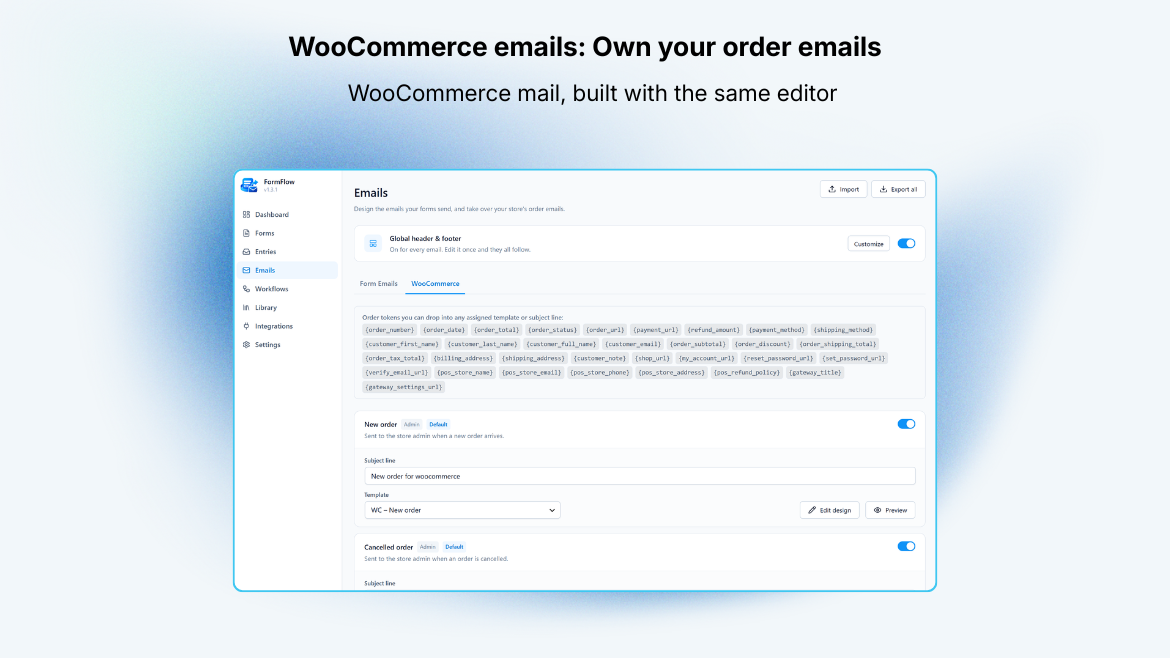
- New merge tags for the site tagline and logo, and for order subtotal, discount, shipping, tax and addresses. A tag with no value is left empty in sent emails instead of showing raw.
- Addresses block on WooCommerce stores: billing, shipping or both, side by side or stacked.
- Media Library picker for the Image and Logo blocks, with alt text filled in for you. The URL box stays for images hosted elsewhere.
- Pick a real order to preview an email against, searching by number, name, email or address.
- Switch between emails from the editor header, and customize any WooCommerce email design from its card.
- Reset to default from the editor's More actions menu, which offers the WooCommerce email, pack or form design the template came from.
- Import and export email templates as a JSON file: one template, or all of them. Import warns about missing block types and images hosted elsewhere before anything is added.
- Spam protection: always-on built-in checks with rate limiting, plus optional Cloudflare Turnstile or Google reCAPTCHA v2 per form, verified on your server. Secret keys are stored encrypted, and a form cannot go live with a CAPTCHA that has no keys.
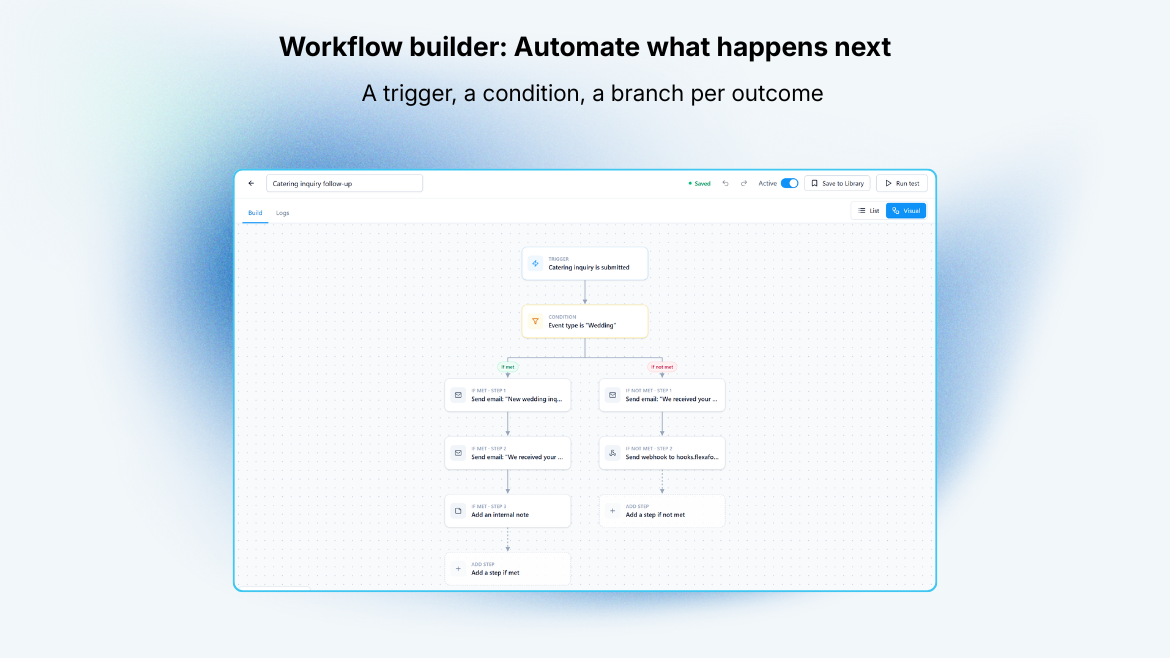
- Workflows gained Then and Otherwise branches: steps that run when the condition is met, and steps that run when it is not. Before, a failed condition just stopped the run.
- Visual view for the workflow builder, alongside the list: steps as nodes on a canvas with pan, zoom and fit view, settings in a side panel, and test results shown on each node. Both views edit the same draft.
- Run test for forms and workflows. A test panel docks beside the flow and reports every step, using the latest entry, a recent entry you pick, or values you type. Form tests save nothing and send no email.
- Dashboard warning for published forms whose CAPTCHA has no keys.
- Fixed: a pattern used a merge tag that does not exist, so sent emails showed it raw.
- Fixed: leaving the email editor within a moment of an edit could drop that edit.
- Fixed: WooCommerce blocks were offered on sites without WooCommerce, where they rendered blank.
- Fixed: on plain permalinks, some admin screens (including the forms list) failed to load.
- Security: submitted values are escaped before they reach a notification email, so an answer cannot inject a link or tag into the message.
- Pack restore: a pack's detail page now reports any of its installed items that were deleted and lets you put back only those, without losing the rest of the pack.
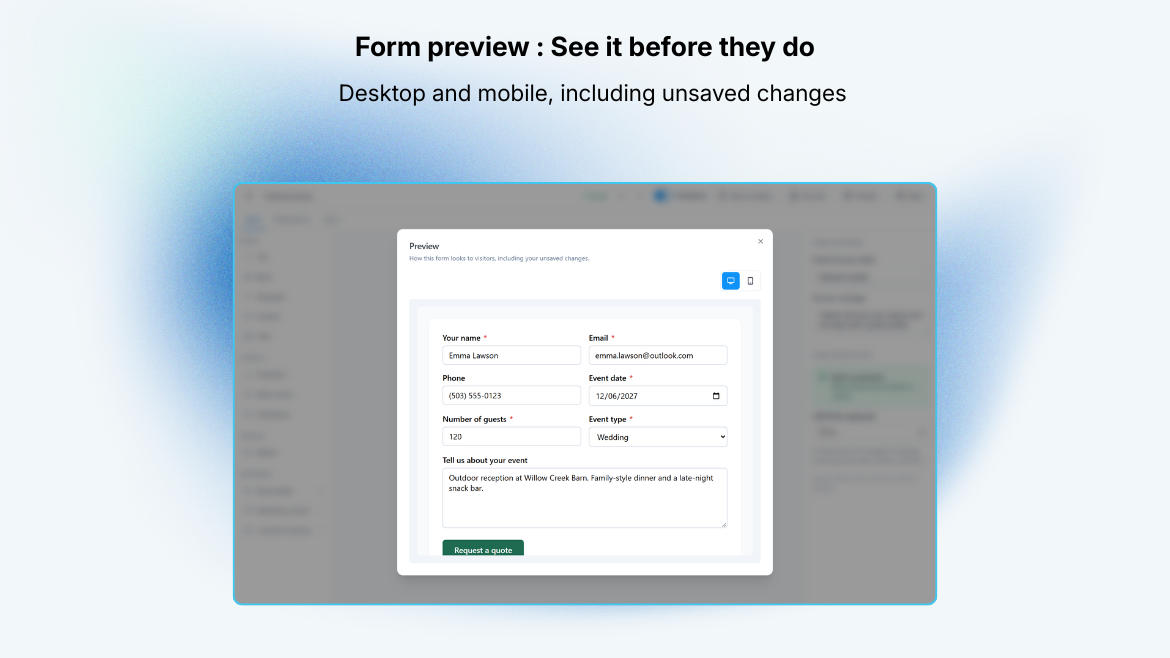
- The builder's form preview now loads the live form's stylesheet directly, so the preview and the published form stay in step.
- Fixed: a pack could get stuck reporting "already installed" after any of its content was deleted, with no way to reinstall it.
- Fixed: resetting site data, or removing the plugin with "Delete data on uninstall" turned on, could leave packs marked as installed on an otherwise empty site.
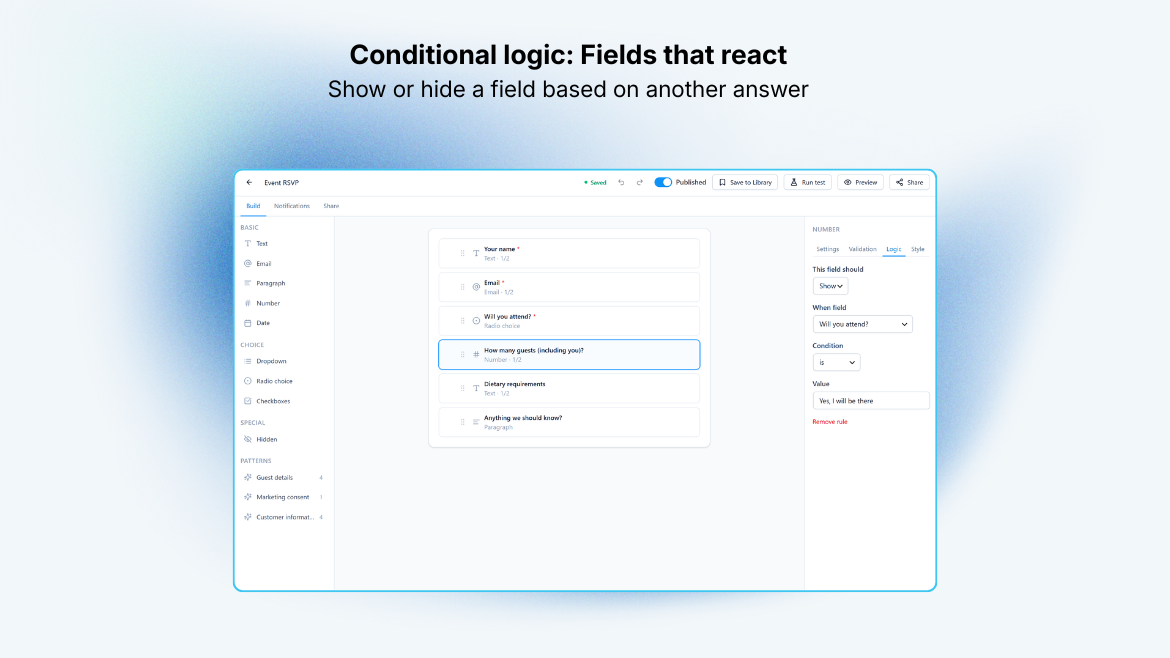
- Form builder: drag-and-drop canvas, nine field types, per-field responsive column widths, required and placeholder options.
- Frontend rendering via shortcode and block, with honeypot and submit-time spam traps.
- Entries: storage, list with peek panel, detail view, read/unread status.
- Visual email builder: block-based editor, field tokens, a fields table, template library, global styles, desktop and mobile preview, and test send.
- Notification email to the admin and optional confirmation to the submitter, sent through
wp_mail(). - Settings and onboarding; optional delete-data-on-uninstall.