FlexiPay Gateway for WooCommerce
| 开发者 | hirengediya |
|---|---|
| 更新时间 | 2026年10月15日 13:38 |
| PHP版本: | 7.2 及以上 |
| WordPress版本: | 7.1 |
| 版权: | GPLv2 or later |
| 版权网址: | 版权信息 |
详情介绍:
- Dynamic Gateway Creation: Manage unique gateways based on your subscription (Free: 2, Pro: 7, Agency: 10).
- Custom Instructions & UPI QR Codes: Assign unique payment instructions. Pro/Agency users get automatic UPI QR code generation and custom QR image uploads.
- Email Notifications: Send specific gateway details or a list of all custom gateways in the customer's "On-Hold" email.
- Flexible Slot Limits: Control how many gateways are active to optimize performance.
- Real-Time License Sync: Log in to your account on our site to fully view and manage your keys! Deactivating domain allocations in your Customer Dashboard automatically and seamlessly updates local activations in real-time.
- Clean Interface: Integrated directly into the WooCommerce menu for a seamless management experience.
安装:
- Upload the plugin files to the
/wp-content/plugins/flexipay-gatewaydirectory, or install the plugin through the WordPress plugins screen directly. - Activate the plugin through the 'Plugins' screen in WordPress.
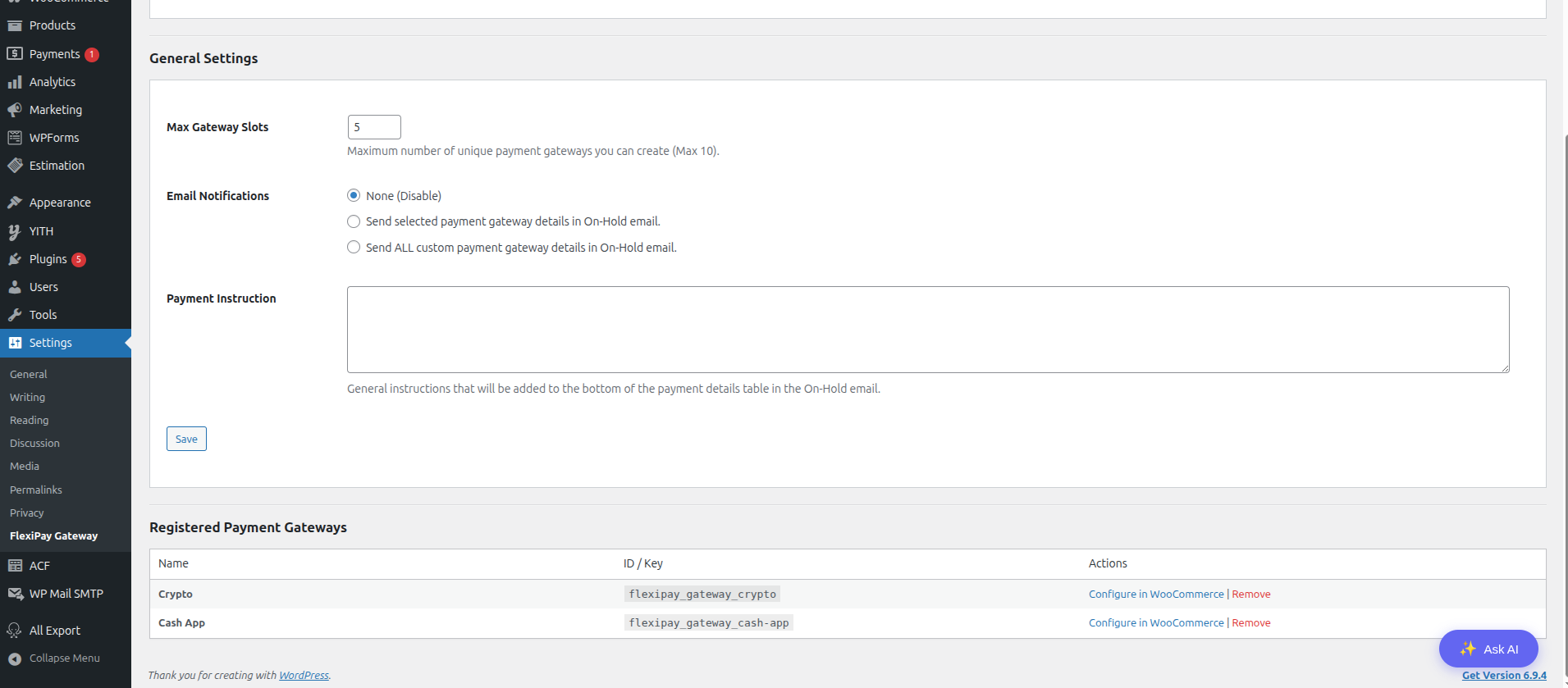
- Go to Settings > FlexiPay Gateway.
- Add a new payment gateway using the "Add Gateway" option.
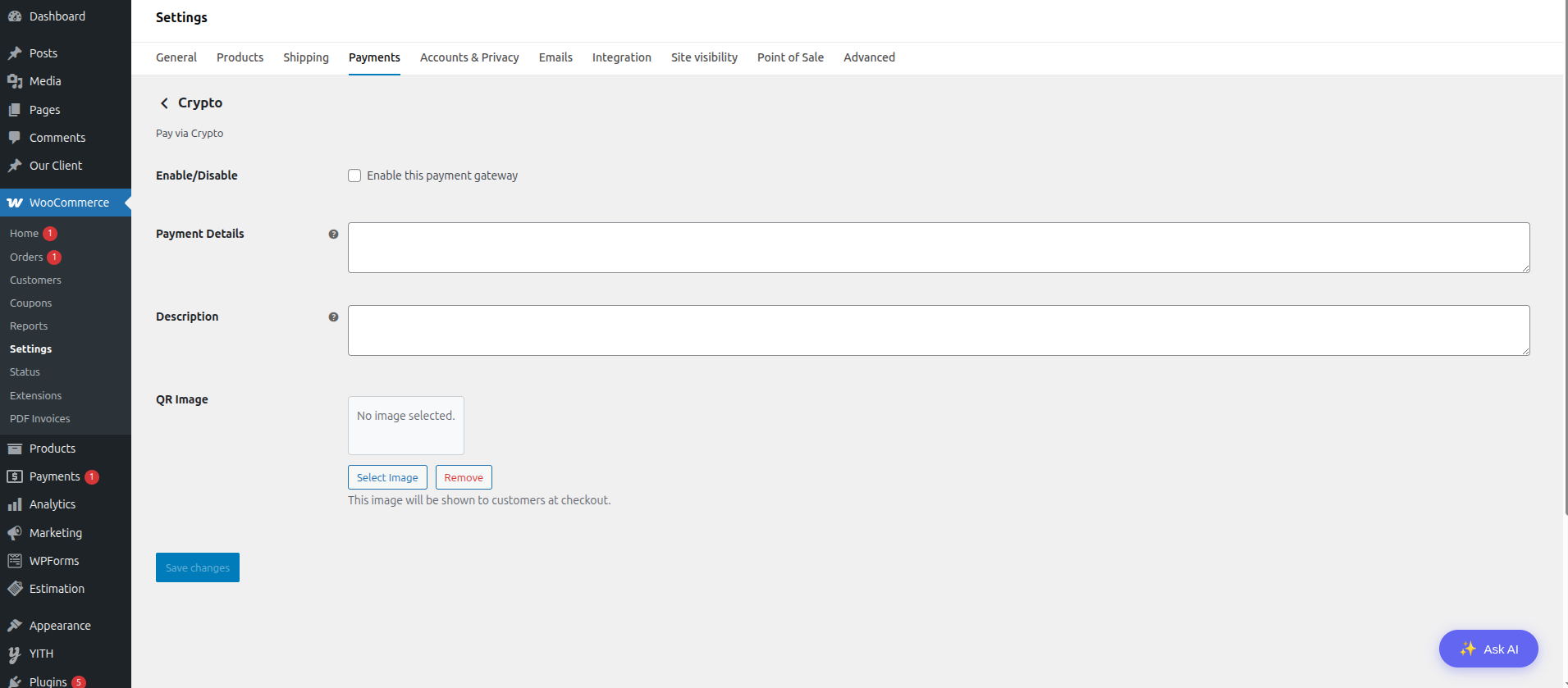
- After creating a gateway, go to WooCommerce > Settings > Payments.
- Enable your created FlexiPay Gateway and configure it.
- Accept bank transfers with instructions
- Collect payments via QR codes
- Handle manual payments for local businesses
- Provide alternative payment options to customers
屏幕截图:
常见问题:
How many gateways can I create?
The number of gateways depends on your license:
- Free Plan: 2 gateways maximum.
- Pro Plan: 7 gateways maximum.
- Agency Plan: 10 gateways maximum.
Does this process payments automatically?
No, this plugin is for manual (offline) payments. It sets the order status to "On Hold" so you can verify the payment manually before processing the order.
Can I add QR codes for each gateway?
Yes, if you are on a Pro or Agency plan, you can either upload a unique QR image for each gateway or simply enter a UPI ID to automatically generate a scannable QR code! This feature is locked in the Free tier.
Where do the payment instructions appear?
Payment instructions are displayed in the order confirmation and "On-Hold" emails.
Can I send payment details in the order emails?
Yes, you can enable an option in the plugin settings to include the specific gateway's payment instructions and QR code in the customer's "On-Hold" email.
Does this plugin store sensitive payment data?
No. Since this is a manual payment method, the plugin does not collect or store any credit card or bank account details. It only provides instructions to the customer.
How do I temporarily disable a gateway?
You can disable any of your custom gateways through the WooCommerce > Settings > Payments tab by toggling the "Enabled" switch.
更新日志:
- Updated: Author URI and purchase URL to production domain.
- Minor: Internal URL constants updated from local to live environment.
- Updated: Production license server endpoints and live bridge URLs.
- Updated: Visual screenshots and admin interface banners.
- Code optimization and standard compliance improvements.
- Added: Real-time remote license validation. Active activations are verified silently on the settings page to automatically process and sync remote deactivations immediately.
- Log in to your Account dashboard on our site to seamlessly view, manage, and revoke your keys!
- Initial release.
- Added dynamic gateway registration.
- Added email notification options.
- Added global payment instructions.