
FlowForms – Conversational Form Builder
| 开发者 | priyanshuchaudhary |
|---|---|
| 更新时间 | 2026年6月19日 05:24 |
| PHP版本: | 7.4 及以上 |
| WordPress版本: | 7.0 |
| 版权: | GPL-3.0-only |
| 版权网址: | 版权信息 |
详情介绍:
- Welcome Screen — customisable title, description, start button, and background image
- Questions — any combination of 8 field types, drag-to-reorder
- Thank You Screen — closing message with optional redirect URL, delay, and social share buttons
- Short Text — single-line text input
- Long Text — multi-line paragraph / textarea
- Multiple Choice — single-select with optional "Other" answer
- Checkboxes — multi-select with min/max limits and optional "Other" answer
- Rating — star rating with configurable max stars and shape
- Yes / No — two-button question with customisable labels
- Email — with format validation and optional confirm-email mode
- Number — numeric input with optional min/max validation
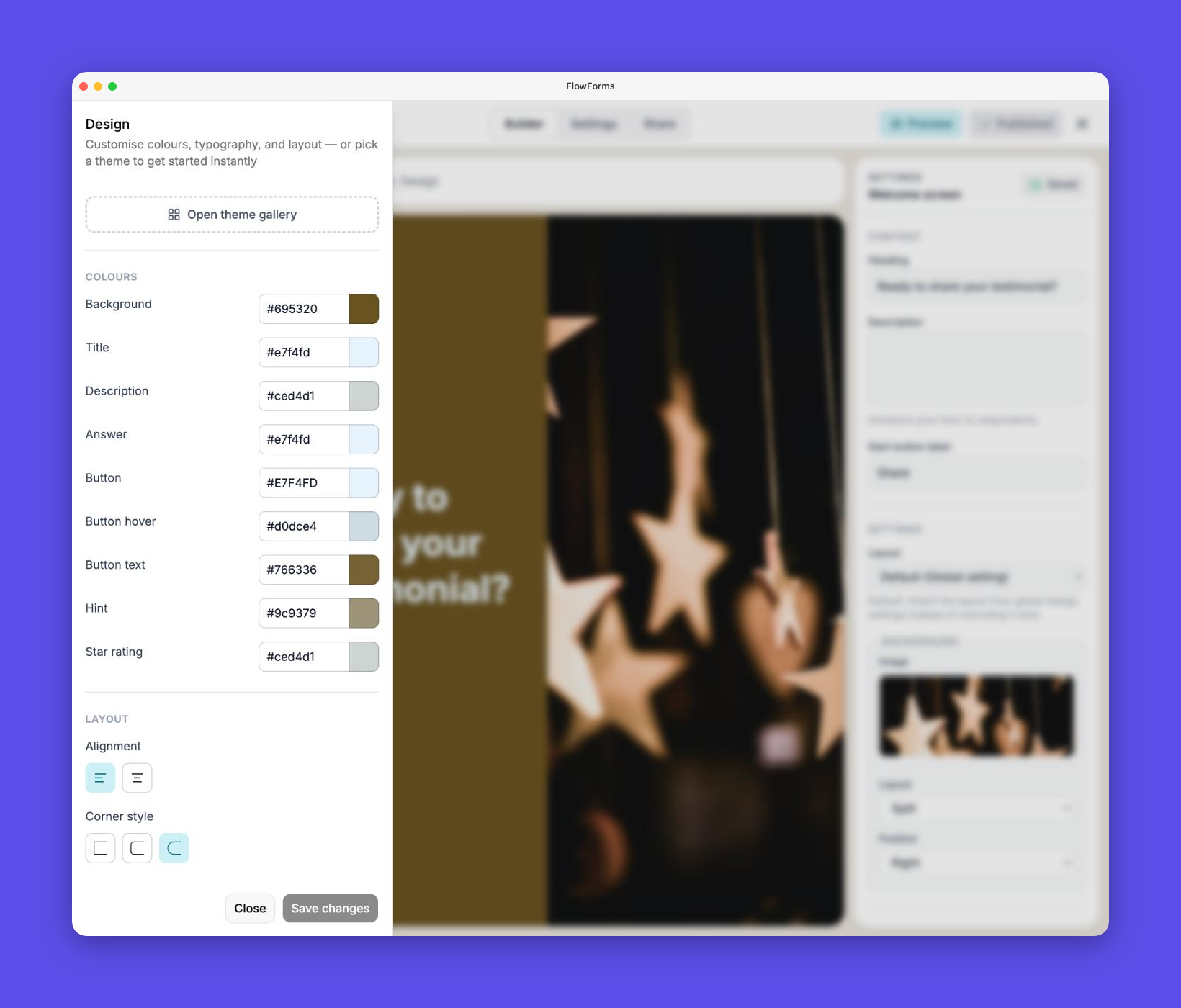
- Background colour
- Title, description, answer, hint, field, and button colours
- Button hover colour and text
- Star rating colour
- Layout alignment: left or centered
- Border radius: angular, rounded, or full
- Google Fonts
- Font size: small, regular, or large
- Shortcode:
[flowform id="123"] - Gutenberg Block: native
FlowFormblock — drag it straight into the editor - Full-Page URL:
/flowform/{id}— share a direct link to a distraction-free form page
- Contact Form
- Lead Generation Survey
- Customer Feedback
- Testimonial Form
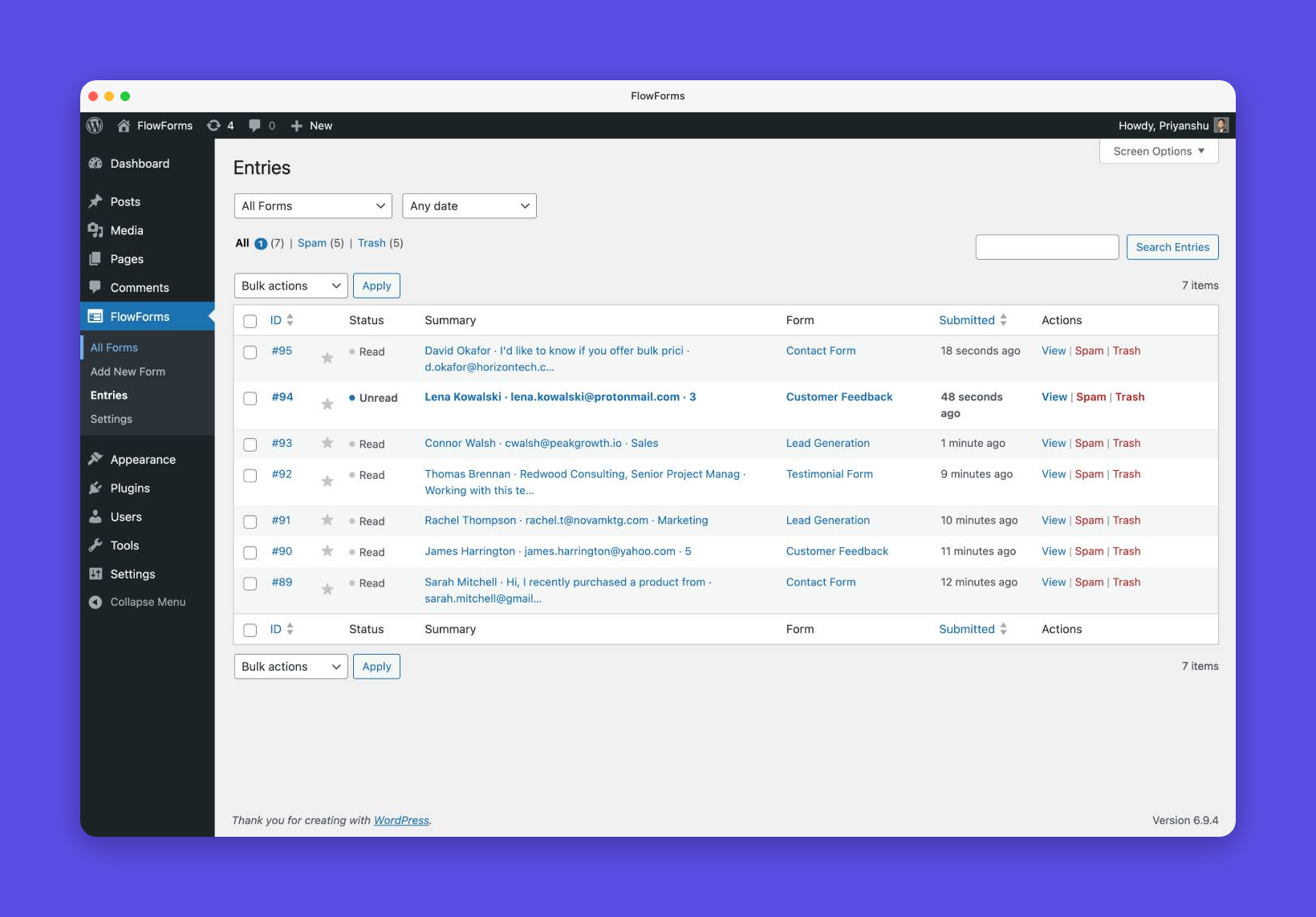
- Paginated list with search and sorting
- Individual entry detail view
- Bulk actions: mark read/unread, star, trash, delete permanently
- Status filters: All, Starred, Spam, Trash
- Unread count badge in the admin menu
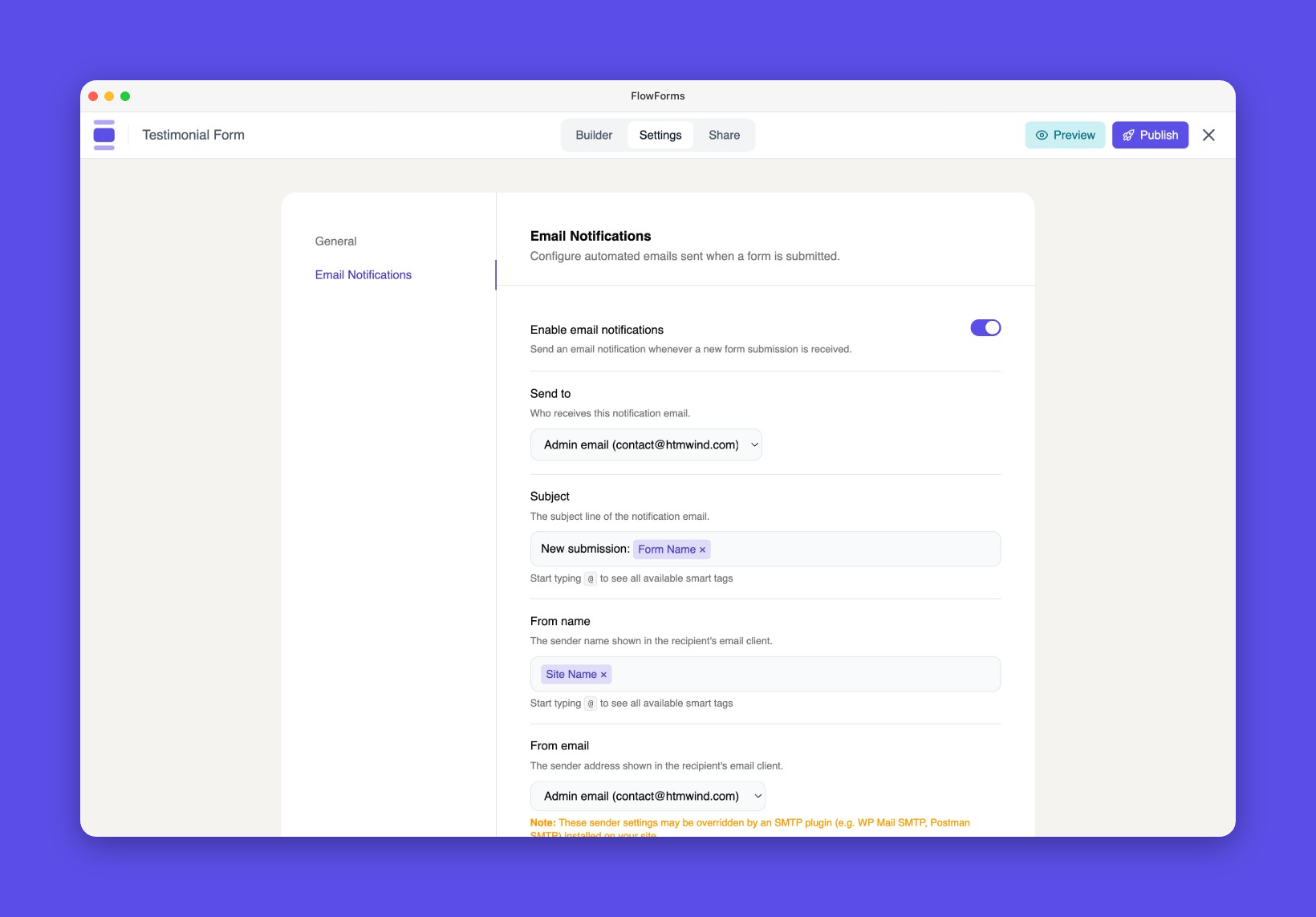
{admin_email}, {site_name}, {form_name}, {all_fields}
Built-In Spam Protection
Three layers of anti-spam run automatically on every submission — no CAPTCHA plugins required:
- Honeypot field — invisible to humans, catches bots
- Rotating server-side token — tied to each form, refreshed daily
- Akismet integration — if Akismet is active, submissions are checked automatically; spam entries are flagged and saved for review
- Conditional logic (show/hide questions based on answers)
- Multiple email notifications and respondent confirmation emails
- Email marketing integrations (Mailchimp, ConvertKit, ActiveCampaign, and more)
- File upload field
- Stripe payment field
- CSV / Excel entry export
- Opinion scale / NPS field
- Date & time picker field
- Phone number field with country code
- GDPR consent checkbox field
- Form scheduling (open/close at a specific date)
- Submission limits (cap responses at a set number)
- Zapier / webhook integrations
- Calculator & quiz scoring
- Extended pro template library
- Your own server: All data stays in your database
- Your own data: No third-party servers, no vendor lock-in
- Native integration: Gutenberg block, shortcode, full-page URL
- Conversational UX: One question at a time
- Drag-and-drop conversational form builder
- 8 field types: short text, long text, multiple choice, checkboxes, rating, yes/no, email, number
- Welcome screen and thank you screen for every form
- Redirect on completion with configurable delay
- Social share buttons on thank you screen
- Live design customisation — colours, fonts, layout, border radius
- Google Font supported
- Layout alignments: left and center
- Progress bar (show/hide)
- Navigation arrows (show/hide)
- Gutenberg block embed
- Shortcode embed
- Full-page form URL
- 4 free starter templates
- Submission entries database with full admin management
- Read/unread, star, trash, spam entry statuses
- Unread count badge in WordPress admin menu
- Email notifications with smart tags
- Honeypot, token, and Akismet spam protection
- Customisable user-facing strings
- GDPR-friendly — all data stored on your own server
- 100% mobile responsive
- Developer hooks for extensibility
安装:
- Upload the
flowformsfolder to/wp-content/plugins/, or install directly via the WordPress plugin screen. - Activate the plugin through the Plugins screen in WordPress.
- Go to FlowForms → Add New to create your first form.
- Embed the form using the Gutenberg block, the shortcode
[flowform id="YOUR_ID"], or share the full-page URL.
屏幕截图:

常见问题:
How is FlowForms different from traditional form plugins?
Traditional form plugins display all fields at once on a single page. FlowForms shows one question at a time in a guided, conversational flow. This typically increases completion rates and produces more thoughtful responses.
Where are form submissions stored?
All submissions are stored in your own WordPress database. No data is sent to external servers.
Does it work with the block editor (Gutenberg)?
Yes. FlowForms includes a native Gutenberg block. You can also use the [flowform id="123"] shortcode in classic editor or anywhere shortcodes are supported.
Does it work with page builders?
Any page builder that supports shortcodes will work with the [flowform id="123"] shortcode.
Does it work with Akismet?
Yes. If Akismet is active on your site, FlowForms automatically checks submissions and flags spam entries in your dashboard.
Can I customise the form design?
Yes. The form builder includes a Design panel where you can adjust colours, fonts, button styles, and layout to match your brand.
Can I translate the form interface into another language?
Yes. Every user-facing string is customisable from FlowForms → Global Settings → Messages — no translation plugin required.
What happens if I trash a form?
Trashed forms display a notice to admins on the frontend, and an empty string to visitors. You can restore a form from the All Forms page.
What is the draft/publish workflow?
Changes you make in the builder are auto-saved to a draft. Your live form is only updated when you click Publish. This lets you safely edit a live form without affecting visitors until you are ready.
Is there a Pro version?
A Pro version is in active research. Join the waitlist to be notified at launch and help us decide which features to build first.
更新日志:
- Security: Added object-level permission checks to all form-specific REST API routes to prevent unauthorized access by non-owner users
- Security: Added publish_posts capability requirement to the form publish endpoint
- Fix: Updated plugin display name to comply with WordPress Plugin Directory guidelines
- Fix: Removed promotional and comparative language from readme
- New: Auto-advance for single-select fields (Multiple Choice, Rating, Yes/No)
- New: Touch-device support for hover-reveal UI elements (Remove/Replace buttons)
- New: Pro field categories and upgrade dialog in the block picker
- New: "Upgrade to Pro" menu item in admin sidebar
- New: Empty state UI for entries page with contextual actions
- New: Form filter indicator with clear option on entries page
- New: Trashed/deleted form labels in the entries form filter dropdown
- Fix: Added missing nonce verification to entry view and form filter links
- Fix: Email validation for notification settings (client-side and server-side)
- Improvement: Hide keyboard hints ("press Enter") on touch-only devices
- Initial release
- Drag-and-drop conversational form builder
- Gutenberg block and shortcode embed
- Entries manager with star, trash, and spam support
- Email notifications with smart tags
- Welcome and Thank You screens
- Free starter templates: Contact Form, Lead Generation, Customer Feedback, Testimonial
- Three-layer anti-spam with Akismet integration
- Design customisation panel
- Draft/publish workflow
- Full-page form URLs