
FlowRead – Smart Reading Experience for Websites
| 开发者 | sydurrahman |
|---|---|
| 更新时间 | 2026年4月28日 03:30 |
| PHP版本: | 7.4 及以上 |
| WordPress版本: | 6.9 |
| 版权: | GPL-2.0+ |
| 版权网址: | 版权信息 |
详情介绍:
- Visual scroll-progress indicator with Classic/Gradient styles, adjustable height, custom colors, and selective post type display. ⏱️ Article Read Time
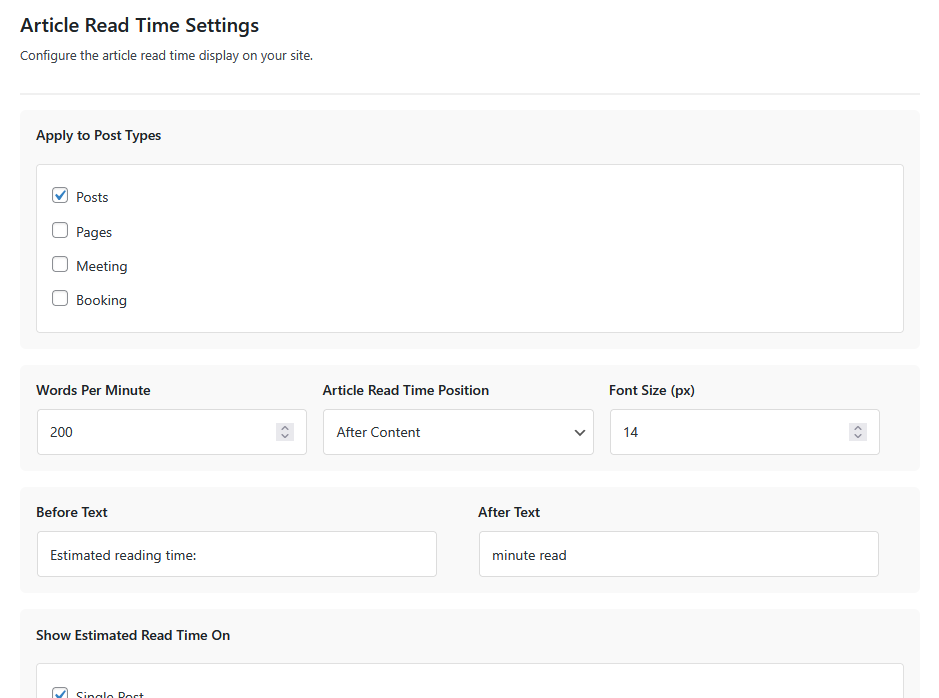
- Auto-calculates estimated reading time with configurable WPM, custom styling, and multiple display formats. 🔢 Dynamic Word Counter
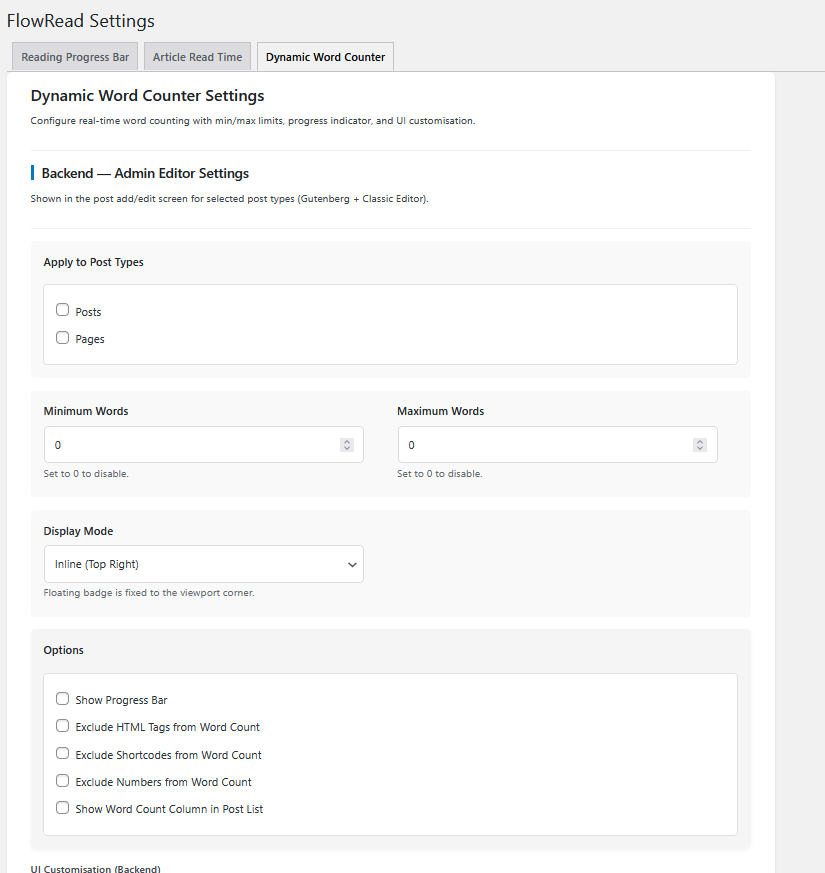
- Real-time word counting for admin editor and frontend fields, with min/max limits, progress bar, floating or inline display, and full UI customisation.
- Boost User Engagement – Reading progress bars keep visitors engaged by showing content depth
- Improve Time Management – Article read time helps visitors plan their reading sessions
- Reduce Bounce Rates – Set proper expectations with reading time estimates
- Fully Customizable – Complete control over colors, styles, and display options
- Performance Optimized – Lightweight and fast-loading
- SEO Friendly – Increases time-on-site metrics that benefit your rankings
- Colors: Customize background color, primary color, and gradient colors
- Size: Adjust progress bar height from 1 to 100 pixels
- Position: Choose where to display the progress bar (top, bottom, or fixed top)
- Post Types: Select which post types should show the features
- Speed: Customize words per minute for accurate read time
- Blog websites needing better user engagement
- News and magazine sites
- Educational content platforms
- Long-form content publishers
- Any WordPress site focused on reading experience
安装:
- Upload the
flowreadfolder to the/wp-content/plugins/directory - Activate the plugin through the 'Plugins' menu in WordPress
- Navigate to FlowRead Settings in the admin panel
- Configure the Reading Progress Bar and Article Read Time settings
- Save your preferences and enjoy enhanced reading experience
屏幕截图:
常见问题:
Does FlowRead slow down my website?
No. FlowRead is highly optimized and uses minimal resources. The plugin loads only necessary assets on the frontend.
Can I customize the progress bar color?
Yes. You can customize the background color, primary color, and even use gradient colors for the progress bar.
Does it work on all post types?
You can choose which post types display the reading progress bar and article read time. By default, it supports all public post types.
Can I change the words per minute for reading time calculation?
Yes. The article read time feature allows you to set a custom words-per-minute value to match your typical reader's speed.
Is it mobile-friendly?
Yes. Both features are fully responsive and work perfectly on all devices including smartphones and tablets.
Can I disable these features on specific pages?
Yes. You can select specific post types where each feature should display through the FlowRead settings panel.
Does it affect SEO?
It can positively impact SEO by increasing time-on-site metrics and user engagement signals that search engines monitor.
What if I want to hide the features temporarily?
Simply don't select any post types in the settings, and the features won't display until you enable them again.
更新日志:
- Added : Appsero SDK
- Update : readme.txt file
- Features : Dynamic word counter Feature added
- fixed Use wp_enqueue commands issue
- fixed rightful owner issue
- fixed text domain issue
- Initial release