FluentAuth - Login Security, Two-Factor Authentication, Passkeys & Social Login
| 开发者 |
techjewel
wpmanageninja adreastrian |
|---|---|
| 更新时间 | 2026年10月7日 04:11 |
| PHP版本: | 7.3 及以上 |
| WordPress版本: | 7.1 |
| 版权: | GPLv2 or later |
| 版权网址: | 版权信息 |
详情介绍:
- Two-Factor Authentication (email, authenticator app and passkeys)
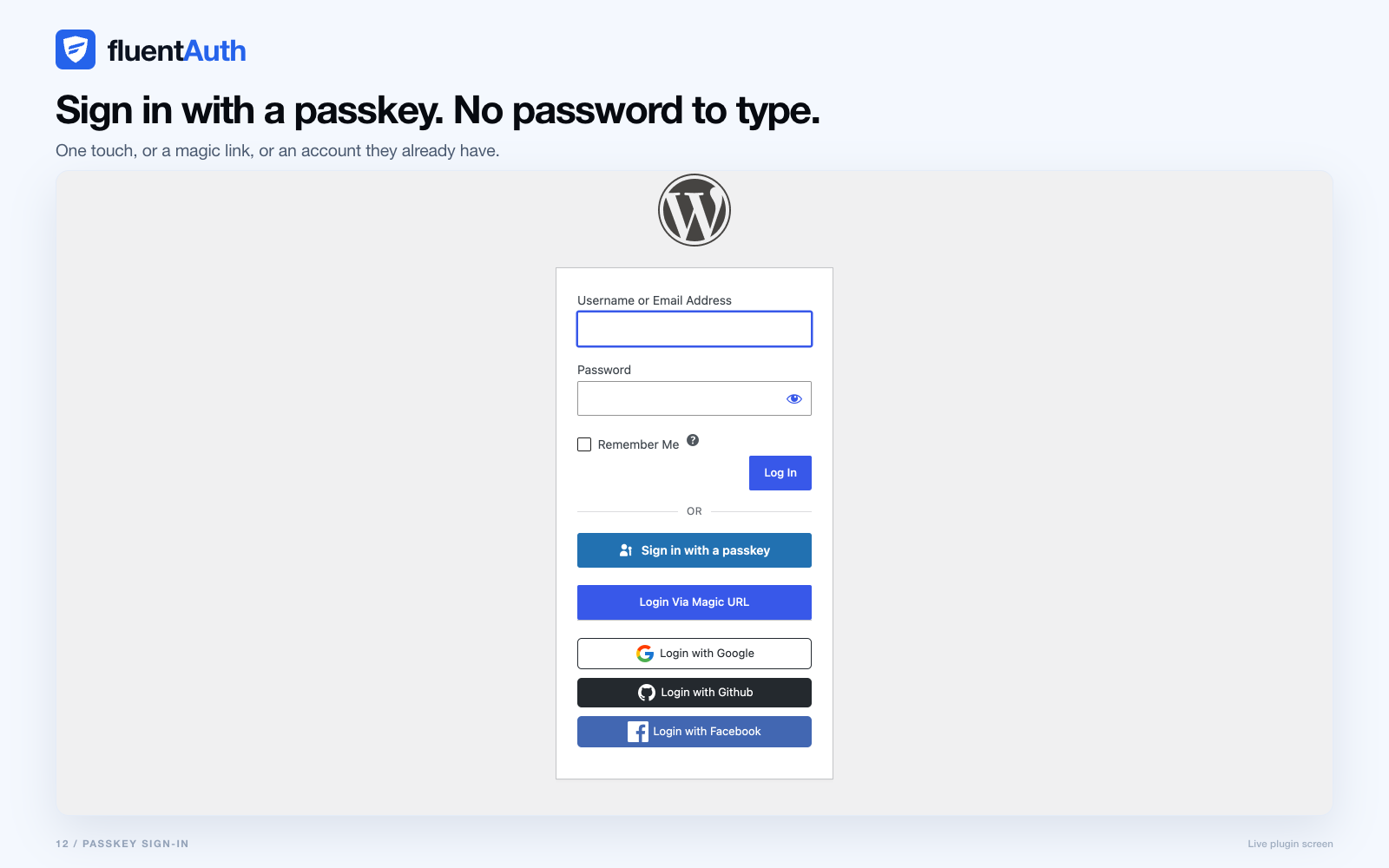
- Passkey sign-in with Touch ID, Windows Hello, a security key or a password manager
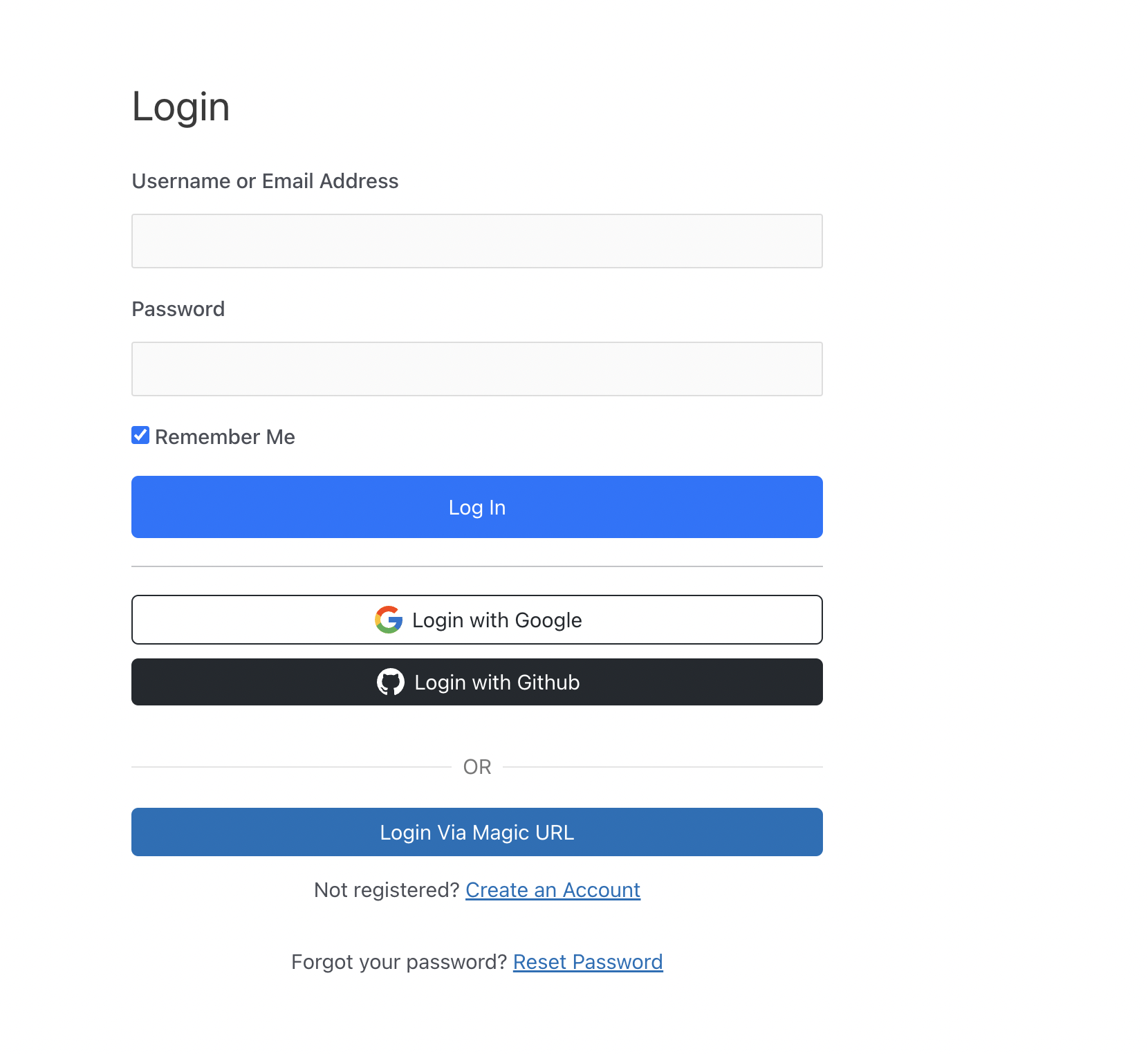
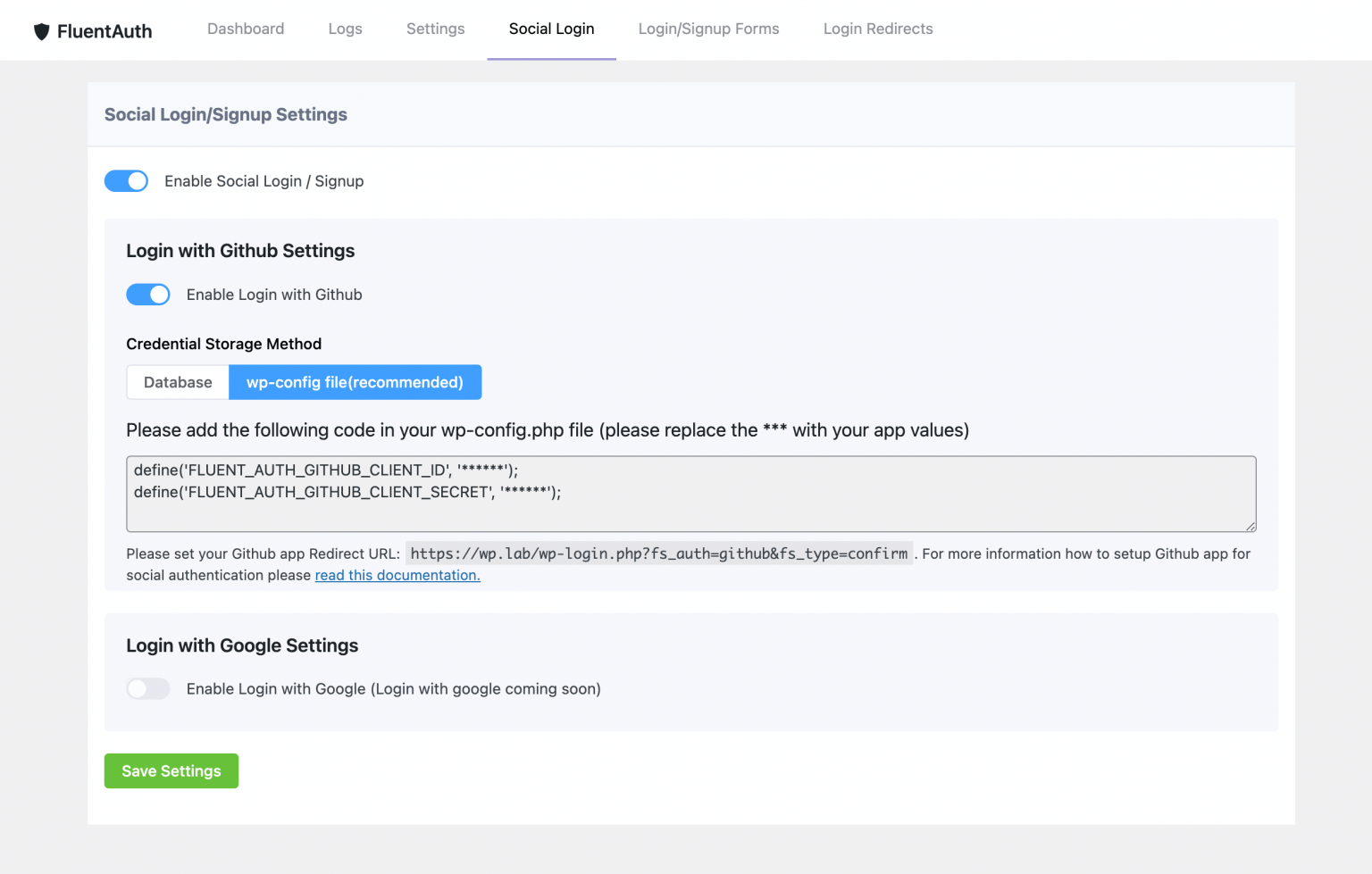
- Social Login with Google, GitHub and Facebook
- Google One Tap Login
- Magic Login links by email, with no password
- Limit Login Attempts and block brute force attacks
- IP allow list and IP block list
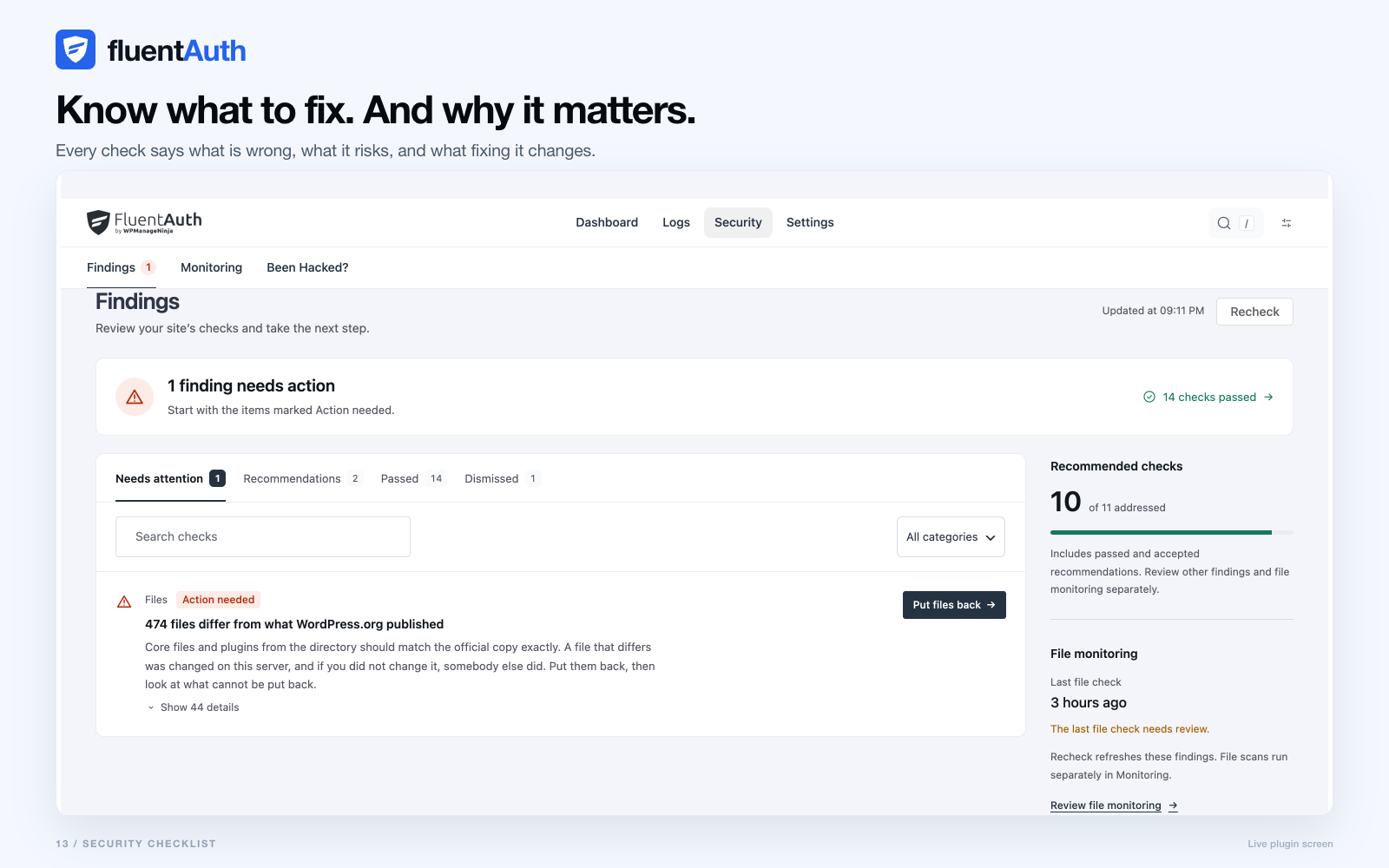
- Security checklist that finds problems and fixes them
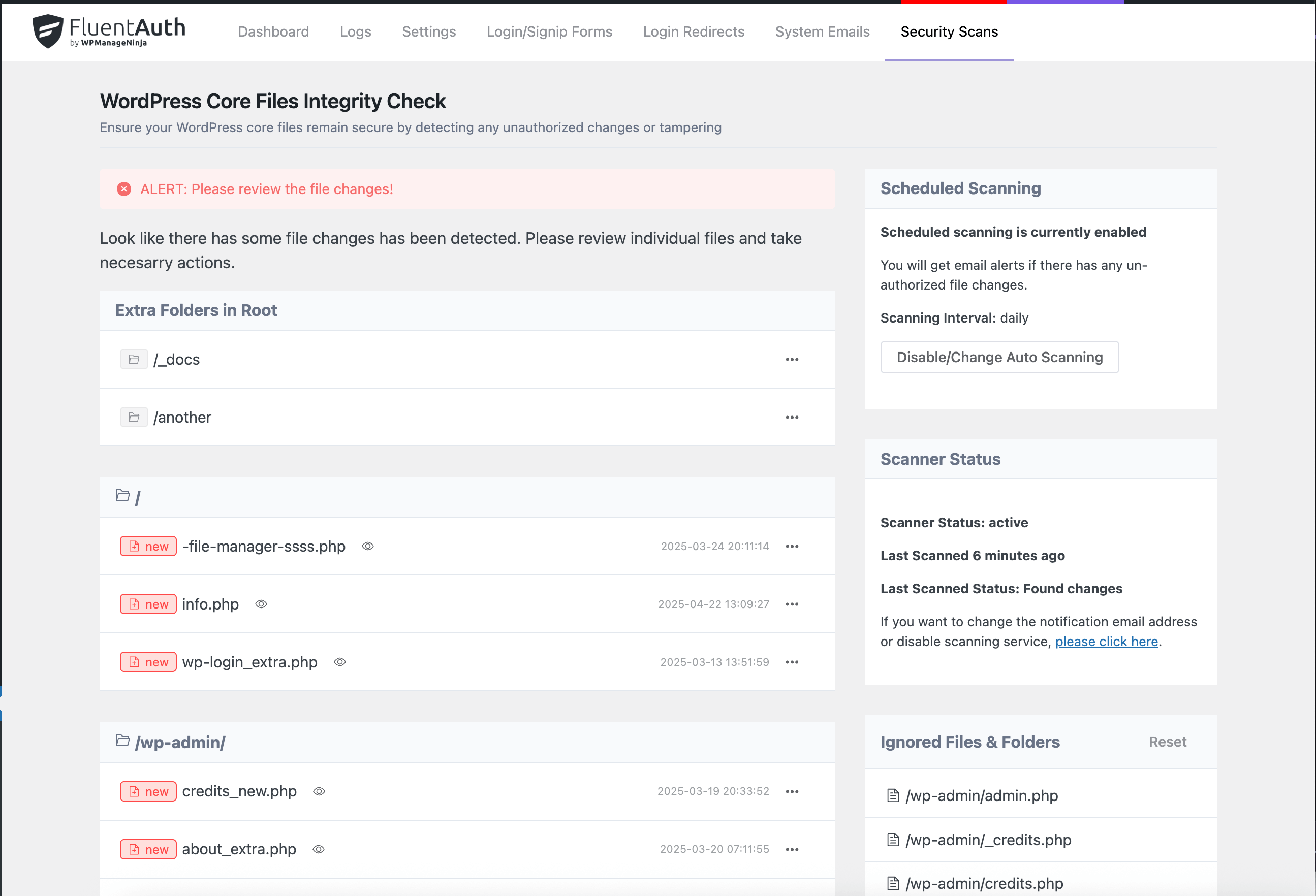
- WordPress core, plugin and theme file change scanning
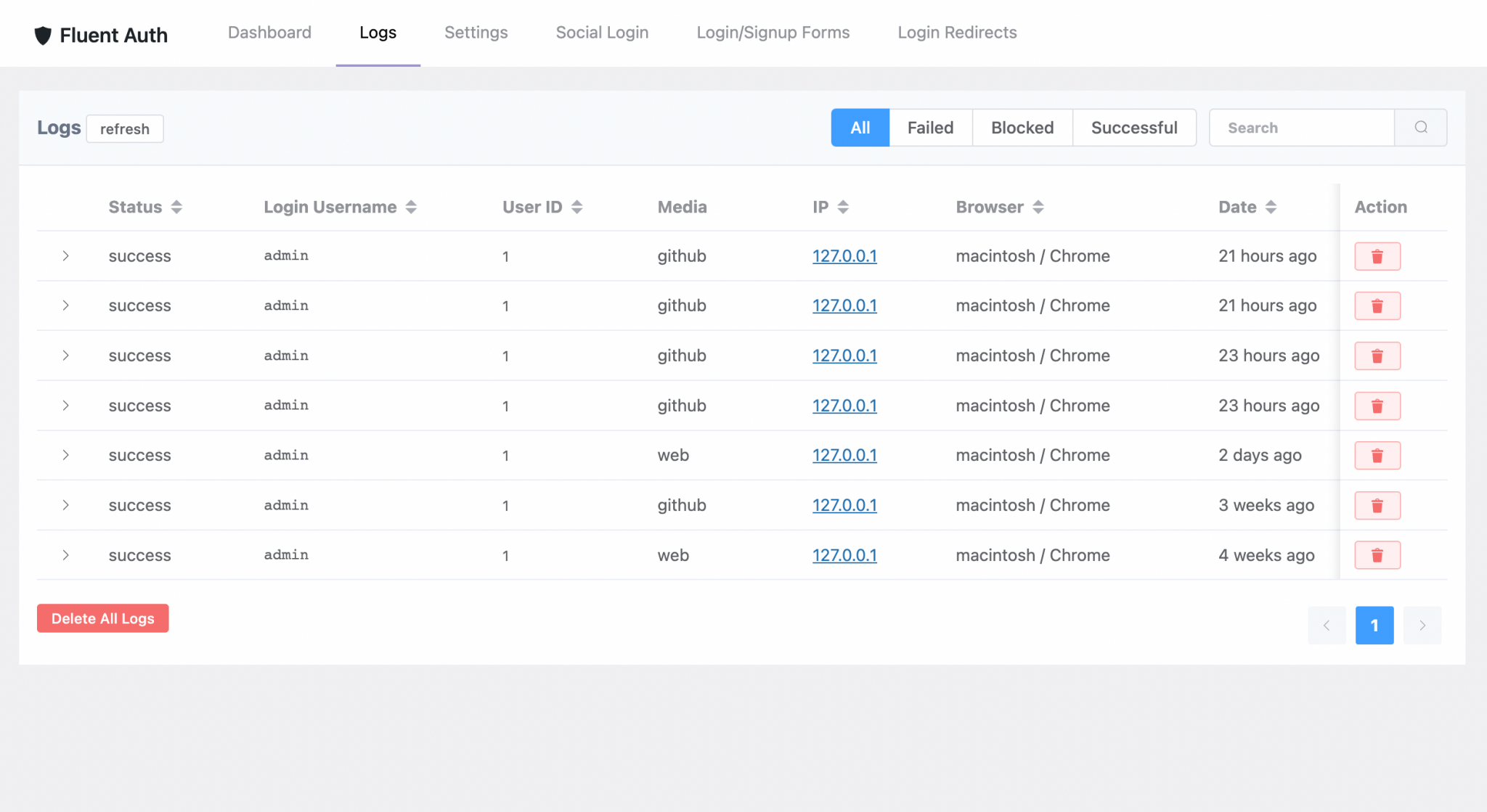
- Audit log of every login, failed attempt and plugin change
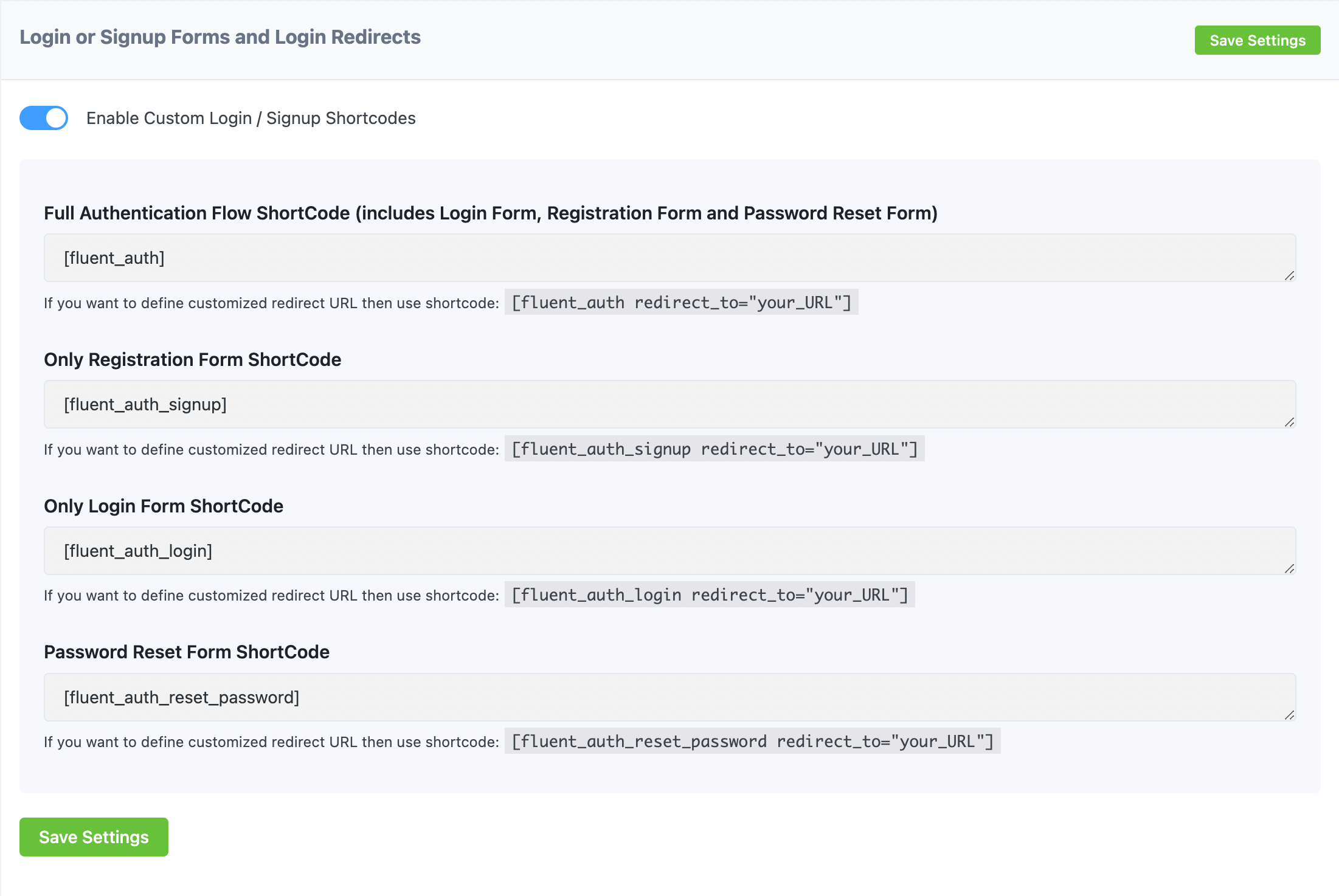
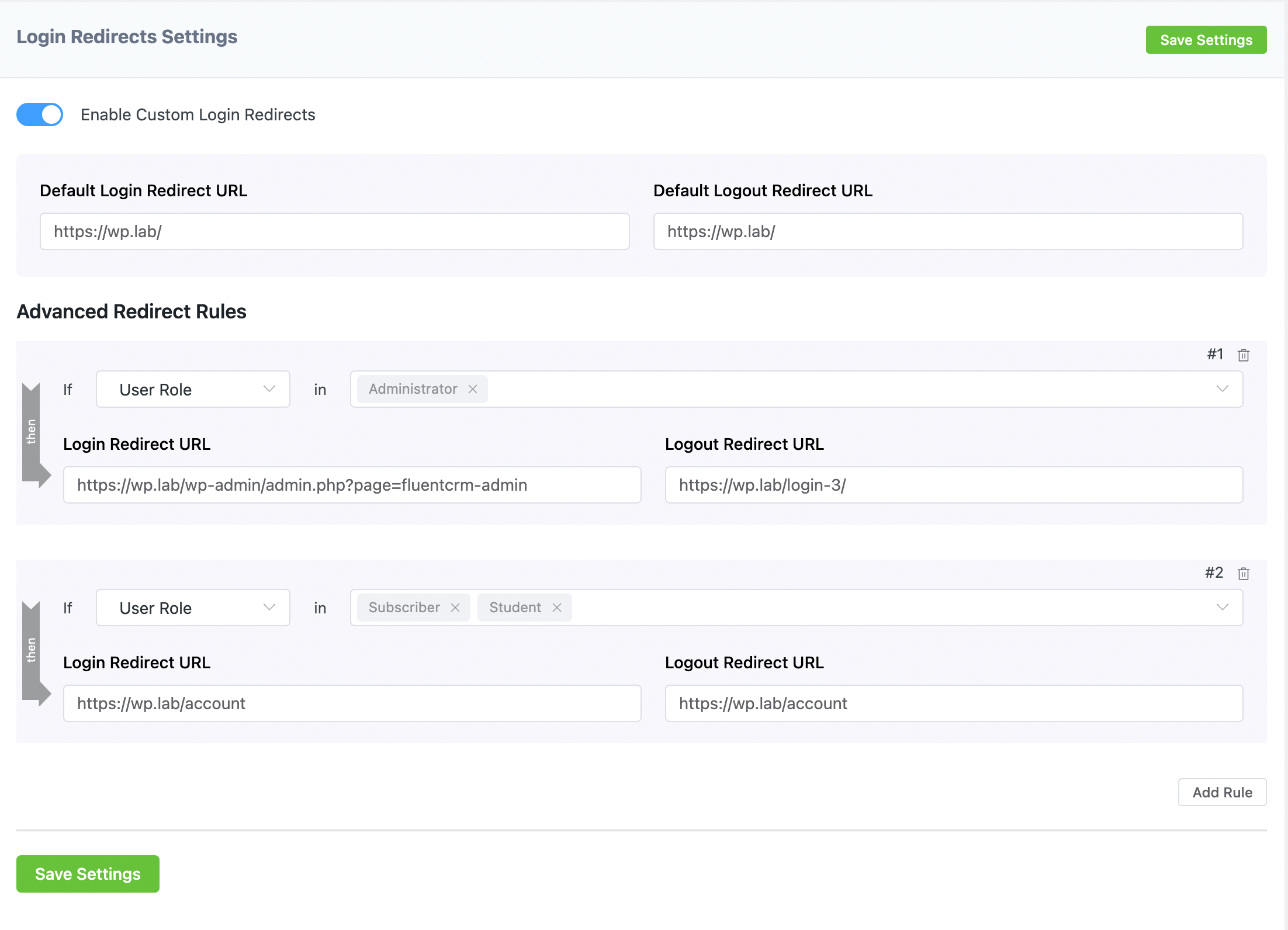
- Login and logout redirects
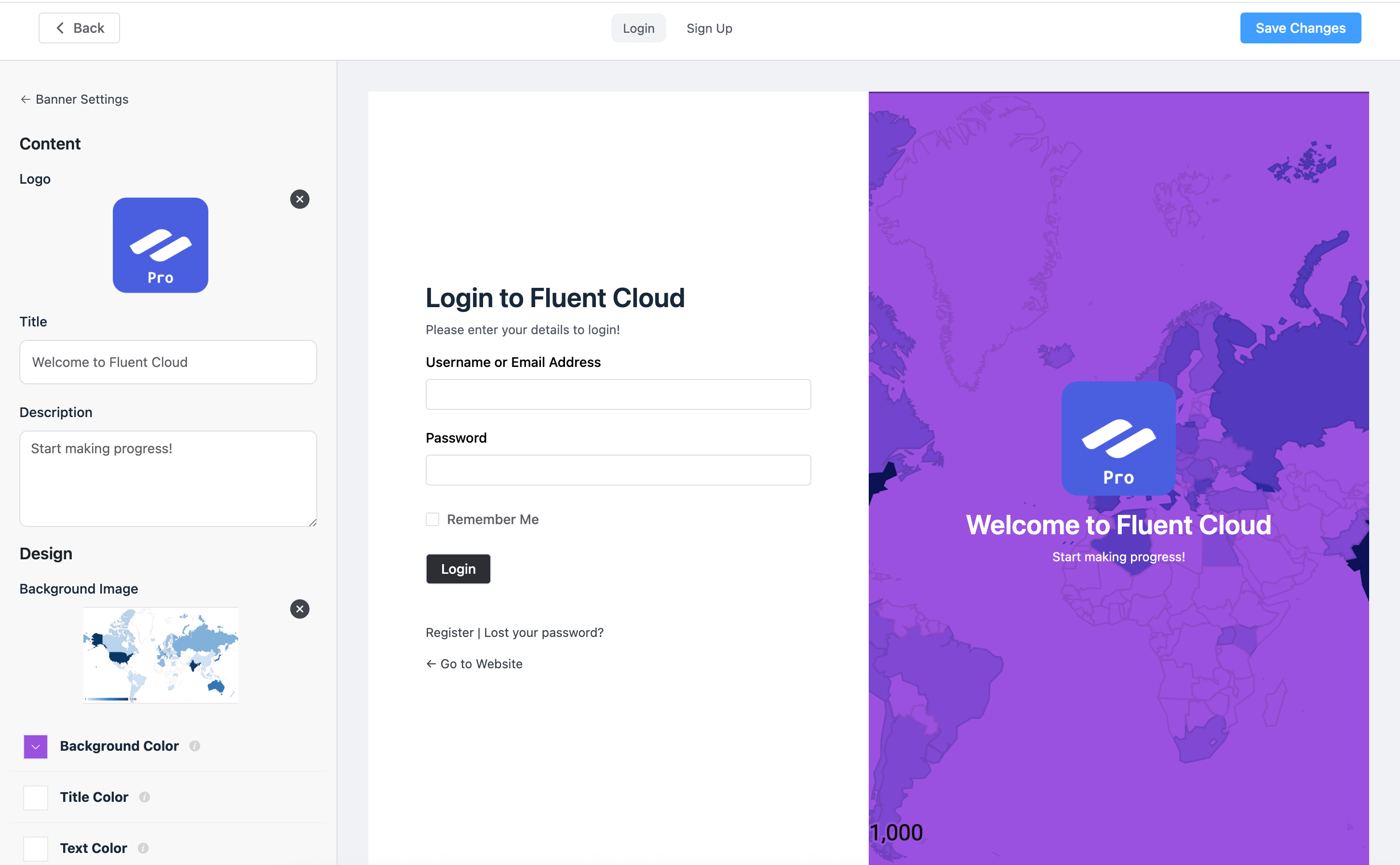
- Login and signup page customizer
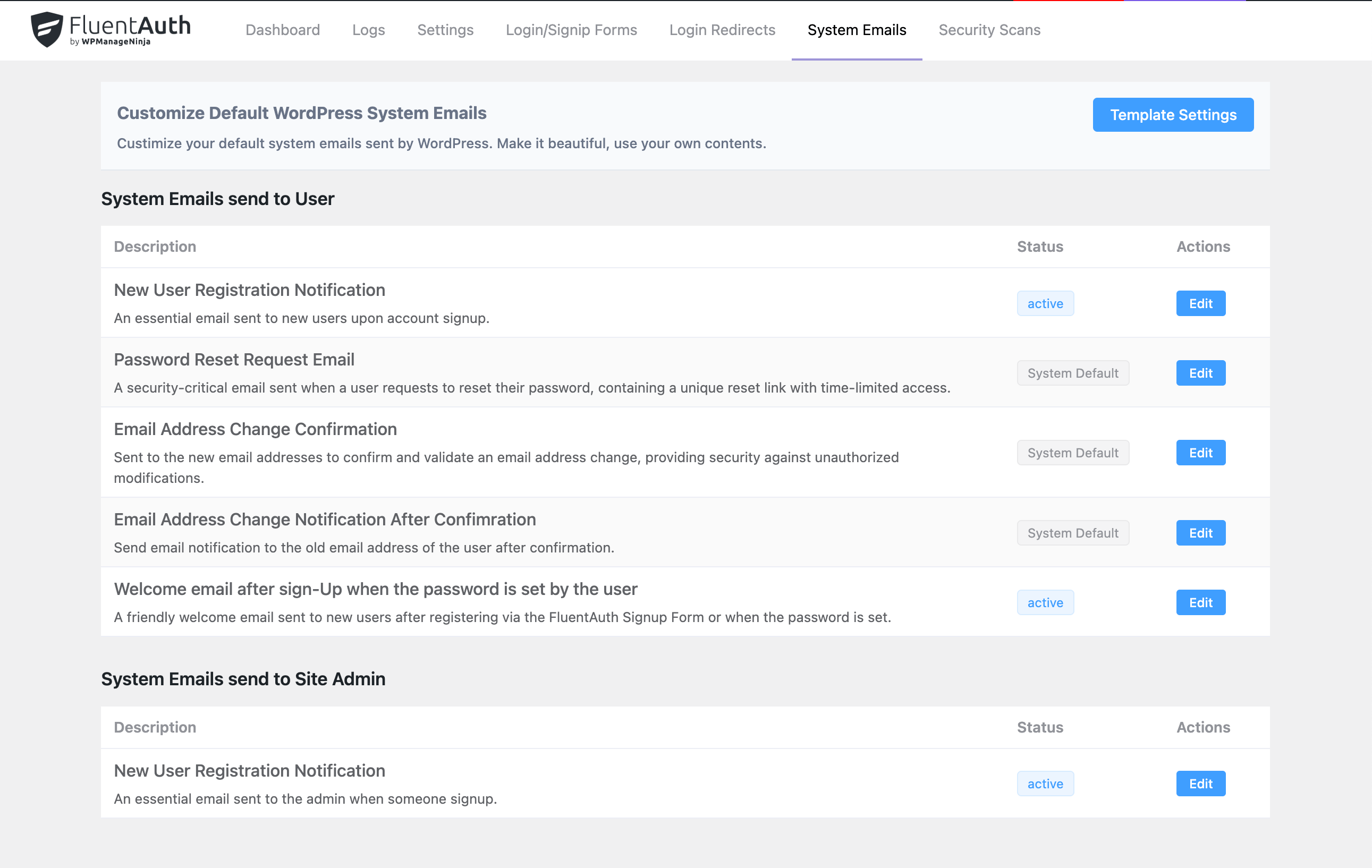
- Custom WordPress system emails
- Restrict /wp-admin by user role
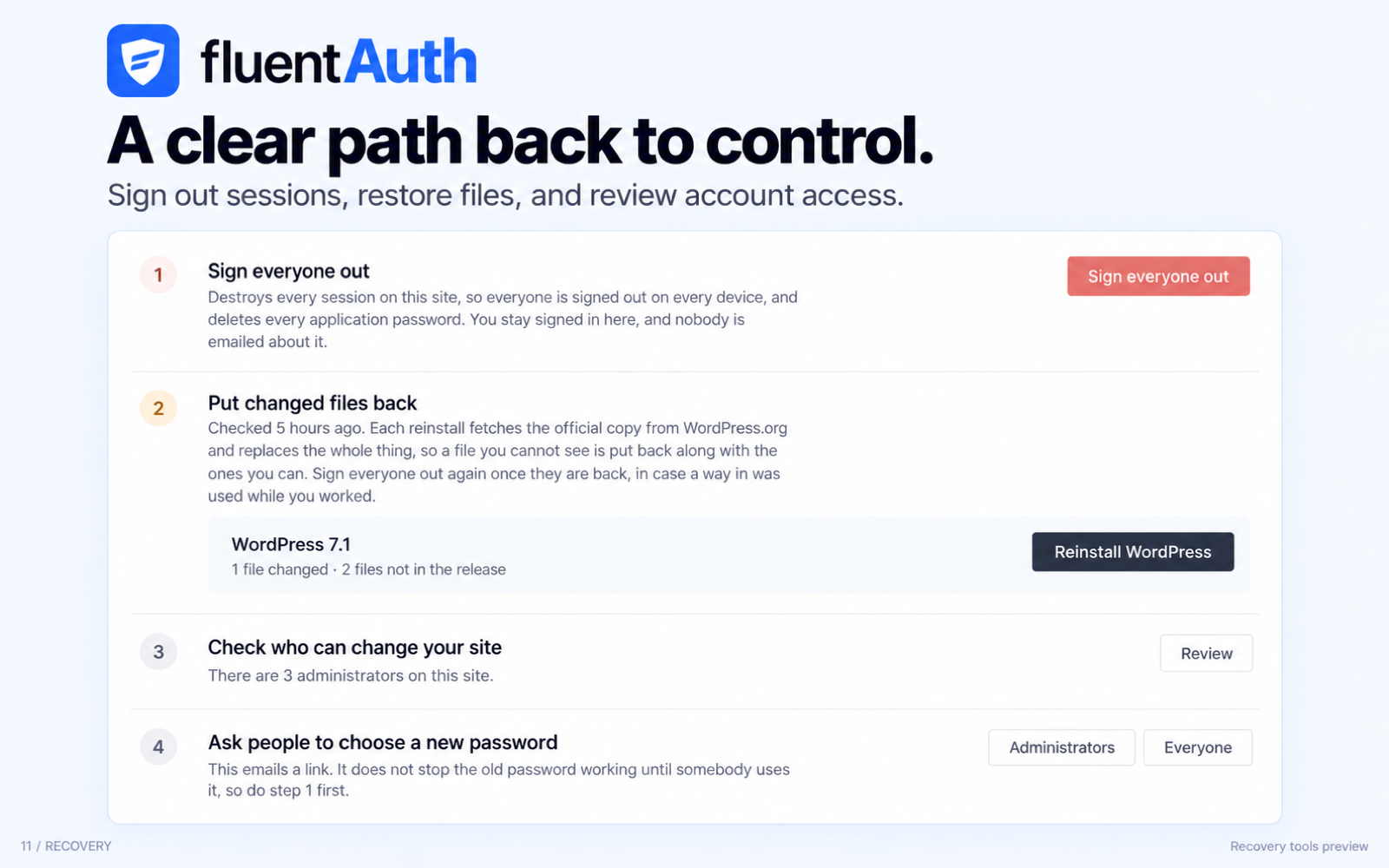
- Recovery tools for a site that has been hacked
- Email codes. A one time code sent to the user's inbox. Nothing to install.
- Authenticator app. Google Authenticator, Authy, 1Password or any other TOTP app. FluentAuth draws the QR code on your own server, so the secret never leaves your site.
- Passkeys. Touch ID, Face ID, Windows Hello, a hardware security key or a password manager. The browser ties the passkey to your domain, so it cannot be used on a fake copy of your login page.
- Login with Google
- Login with GitHub
- Login with Facebook
- Google One Tap Login
- HTTPS, and PHP errors shown to visitors
- Theme and plugin file editing from the dashboard
- The security constants in wp-config.php
- Old backup files sitting in a public folder
- PHP execution inside your uploads folder
- Drop-in or mu-plugin files that have appeared or changed
- Administrators with an easily guessed username, or gone unused
- User accounts that do not show on the users screen
- WordPress core files, against the official checksums for your version.
- Plugins from the WordPress.org directory, against the checksums for the version you have installed.
- Themes from the WordPress.org directory, against the official theme package, since themes have no published checksums. Needs the ZipArchive PHP extension, which most hosts have.
- Files nothing else can verify, such as a custom theme or a premium plugin, recorded in a snapshot so you hear about it when one changes.
- Sign everyone out and revoke every application password
- Send password reset emails to your users, in batches so nothing times out
- Reinstall WordPress core from the official copy
- Reinstall a plugin or theme from the WordPress.org directory
- Rotate the security keys in wp-config.php, with a clear warning about what else that breaks
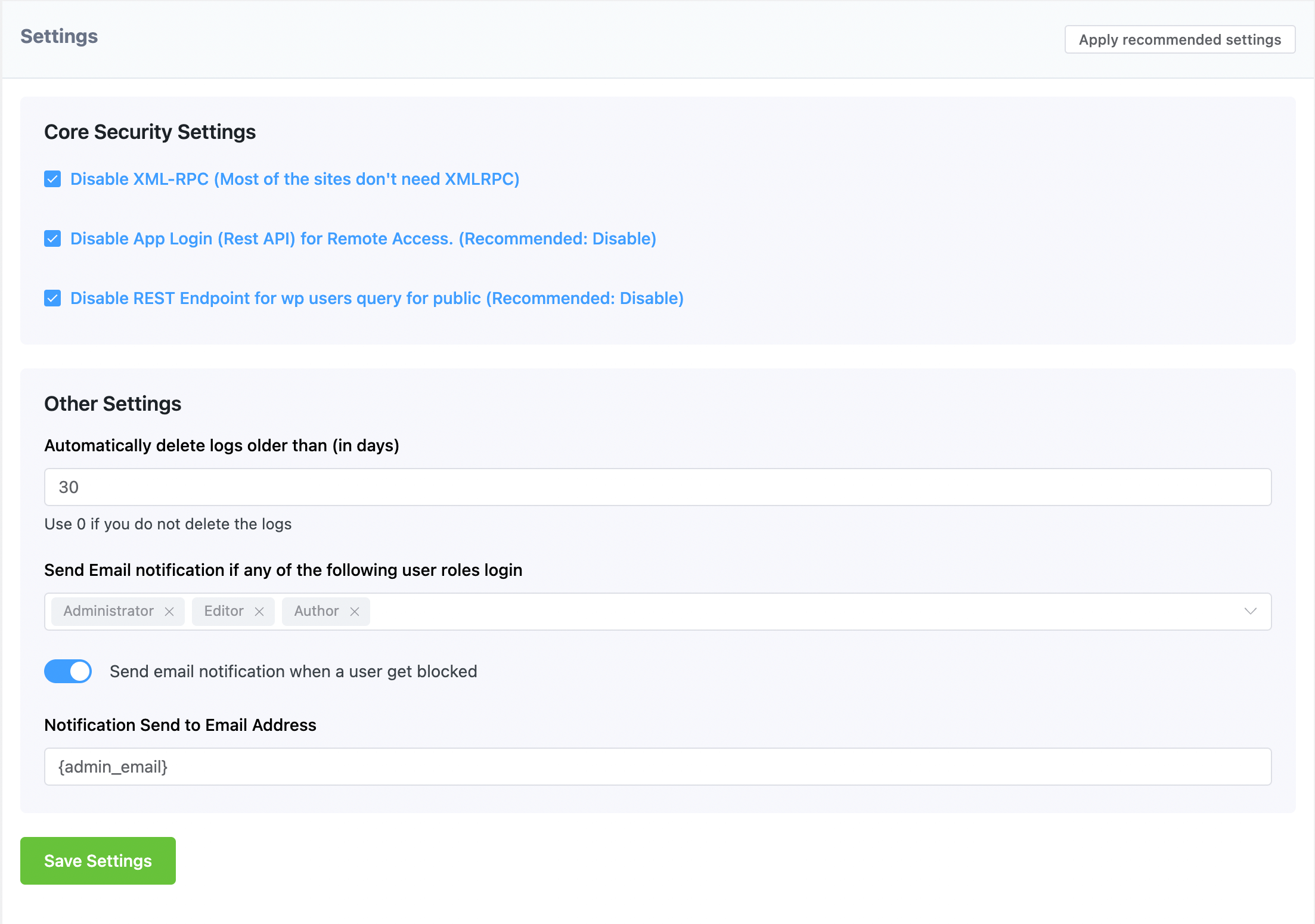
- Disable XML-RPC
- Disable application passwords and remote app login
- Stop user listings being read through the REST API
- Restrict /wp-admin for low level roles
- Hide the admin bar for the roles you choose
安装:
- Search for FluentAuth in WordPress Plugins, then click install and activate.
- Upload the plugin files to the
/wp-content/plugins/fluent-authdirectory, or install the plugin through the WordPress plugins screen. - Activate the plugin through the 'Plugins' screen in WordPress.
- Go to
FluentAuthand follow the short setup wizard, or openFluentAuth->Settingsto configure it yourself.
屏幕截图:
常见问题:
Is FluentAuth free?
Yes. Every feature described here is free. There is no paid version and no locked screens.
Does it slow my site down?
No. FluentAuth does not sit in front of every request the way a firewall plugin does. Logs are kept in their own database tables, so your WordPress tables stay small, and the admin area is a single page app that loads once.
Does two-factor authentication work with Google Authenticator?
Yes. The authenticator app option works with Google Authenticator, Authy, Microsoft Authenticator, 1Password, Bitwarden and any other app that supports TOTP.
What is a passkey?
A passkey lets someone sign in with Touch ID, Face ID, Windows Hello, a hardware security key or a password manager instead of typing a code. The browser ties it to your site's domain, so it cannot be used on a fake copy of your login page. FluentAuth supports passkeys as a second factor, and as a way to sign in on their own with no password at all.
Can I force two-factor authentication for administrators?
Yes. You can pick which roles may set up a second factor and which roles must have one. A user who must have one is asked to set it up while they sign in, before a session is created for them, so the requirement cannot be walked past by going straight to a page that is not the login form. You can also say how strong that factor has to be: a device factor only, meaning a passkey or an authenticator app, or any of the three including an emailed code.
Do I have to connect to an external service?
No. Two-factor authentication, passkeys, audit logs, login limits and the rest all run on your own site. Two things do reach out. Scanning asks WordPress.org for the official copy of your files, which is how it can tell whether a file changed, and it sends nothing about your site to do that. And there is an optional FluentAuth Alerts Service that handles scheduled scans and alert emails. It is off until you connect it, and the screen lists what would be sent before you decide. See the External Services section above.
Is it GDPR compliant?
Yes. All of your data stays in your WordPress database unless you choose to connect the optional alerts service, and what that sends is listed above in the External Services section.
Does it work with WooCommerce and membership plugins?
Yes. FluentAuth works on the standard WordPress login, so it covers logins from WooCommerce, LearnDash, membership plugins and custom login forms.
Can I use it on a multisite install?
Yes. FluentAuth runs per site on a multisite install, and it is aware of multisite when it decides whether a user may sign in to a given site. There is no network wide settings screen, so each site is configured on its own.
What happens if I lock myself out?
Use one of the recovery codes you were given when you set up your authenticator app. If you have lost those too, another administrator can reset your second factor from the 2FA Enrollment screen.
If you are the only administrator and everything is gone, add define('FLUENT_AUTH_DISABLE_TWO_FA', true); to your wp-config.php and the second factor is lifted for the whole site. Put a username in place of true to lift it for that one account only. Take the line out once you are back in. While it is there the login screen says so, the dashboard warns you, and every sign-in that used it is written to the audit log.
Does the file scanner remove malware?
It is not a malware scanner. It tells you which files no longer match the official copy published on WordPress.org, shows you what changed, and lets you put the original back. That catches the file changes an attacker leaves behind, and it does it without a signature list to keep up to date.
更新日志:
- Fix: Names with a hyphen or an apostrophe, such as Mary-Jane or O'Brien, can now sign up.
- Fix: Magic login links now sign you in on servers and proxies (such as Cloudflare) that redirect index.php addresses.
- Fix: Magic login now works when Wordfence Login Security's CAPTCHA is turned on.
- Fix: Magic login links take you to the page you were heading to.
- Fix: Social signup buttons now follow the form's redirect and your Login Redirects settings, including on Fluent Support's portal.
- Fix: The Summary report setting shows "Do not send a summary" instead of a blank box.
- Fix: The magic login success icon is centred on every theme.
- Improvement: The signup form now shows dropdown fields added by other plugins, such as Fluent Support's country field.
- Developer: New LoginBridge::release() lets a plugin end its use of FluentAuth's login form once it has drawn it.
- Security: Sign-in redirects now always stay on your site.
- Hardening: Signups through FluentAuth never create an administrator account, even if WordPress's default role for new users is set to Administrator.
- Change: Login and logout redirect settings only accept addresses on your site. An off-site address saved earlier is pointed out on the Login Redirects screen.
- Improvement: New text files in the WordPress root (llms.txt, verification files, notes) are no longer reported by the security scan.
- Fix: Accounts created through social login no longer use the email address as the username.
- Fix: Security scan reports now match the final scan findings, including unexpected folders in the WordPress root.
- Fix: The two-factor setup screen keeps the address it should return you to.
- Added compatibility with MainWP and other plugins that sign users in programmatically. These sign ins are now recorded in the audit log as a programmatic login, collapsed into one entry per hour, and do not send a login notification email.
- Fix: Signing in with Google One Tap or a passkey on a site that asks for a second factor now takes you to that step, instead of showing an error with no way forward.
- Fix: Answering a second factor after signing in with a social account now returns you to the page you started from.
- Improved user facing strings and error messages throughout.
- The recovery help on the two-factor login screen now appears after 50 seconds.
- Fix: Requiring two-factor no longer locks anybody out of wp-admin, or breaks front-end forms and add-to-cart for logged-in members.
- Fix: Sites in other languages no longer report a WordPress core file as changed on every scan.
- Fix: Recovery codes are shown only to the person they belong to, and setting up an authenticator app no longer replaces codes you have already saved.
- Fix: Passkey setup on sites that use passkeys without authenticator apps, including retrying a prompt the server refused.
- New: Tells you when another plugin is also enforcing two-factor login, since two of them cannot both finish a sign-in.
- Improvement: Says when a scan could not reach WordPress.org, instead of going quiet.
- Fix: Setup wizard switches could not be turned off.
- Fix: Two-factor requirements now follow the method switches - a method that is off is off for everybody. Sites updating from 3.0.0 that required a factor with every method off keep working: the authenticator app is switched on for them automatically.
- Fix: The dashboard reported two-factor as off on sites using passkeys without authenticator apps.
- Fix: The login page designer can now edit the sign-in form's own colours, and from name and reply-to apply to every email FluentAuth sends.
- Improvement: Plain-language rewrite of the admin screens, plus fixes to activity log search, the encryption panel and sign-ins through third-party login forms.
- New: Two-factor authentication with passkeys, authenticator apps and email codes. Pick which roles may set one up and which must have one, and how strong a required factor has to be. A required factor is now enrolled during sign-in, before a session is created, and everyone manages their own from their WordPress profile screen. Ten recovery codes come with every authenticator setup, stored secrets can be encrypted with a key in wp-config.php, and an emergency bypass constant is there for the day somebody locks themselves out.
- New: Passkey sign-in with no password at all, offered on the login form beside magic links and social login.
- New: Security checklist that tells you what to fix and fixes most of it for you, covering HTTPS, debug output, the file editor, wp-config constants, backup files, uploads folder execution, drop-ins, mu-plugins, admin usernames, dormant admins and hidden users.
- New: File change scanning for WordPress core, and for plugins and themes from the WordPress.org directory, with a side by side diff, a one click restore, and baseline snapshots for the files nothing else can verify.
- New: Recovery tools for a site that has been broken into - sign everyone out, revoke application passwords, batched password resets, core and extension reinstall, and optional salt rotation, each one written to the audit log.
- New: IP allow and block lists with a role restriction, real visitor IP detection behind a reverse proxy or Cloudflare, activity logging for plugin and theme changes, a guided setup wizard, and a LoginBridge service so another plugin can run its own login screen on FluentAuth's flows.
- Improved: Settings rebuilt around a sidebar and the admin UI refreshed throughout, with hardening across login attempts, magic login, social login, email smart codes and the alerts service - plus fixes for two-factor enrollment counts, dark mode, small screen layout and the password reset email link.
- Hardened Security Scan and Settings endpoints with stricter input validation and sanitization
- Sanitized social auth redirect cookie to prevent storing untrusted values
- Added client token verification in Google One-Tap login for stronger identity checks
- Fixed: Magic Login rate limiter incorrectly using days instead of minutes
- Fixed: Login issue with GitHub social authentication
- Fixed: Timezone mismatch in dashboard quick stats and audit log time differences
- Fixed: canLogin filter ignoring falsy return values (now respects developer overrides)
- Fixed: Sprintf positional argument syntax in digest email and removed a duplicate filter
- Improved: Translation readiness: wrapped previously hard-coded admin UI strings with the translation helper and fixed typos / awkward phrasing across the dashboard, settings, security scan, server mode, and email customization screens
- Improved: Internal test coverage and codebase reliability
- Introducing One-Tap Login via Google Social Auth Connection
- Improved Translation & Localization
- Security: Improved Data Security and Sanitization and compitable with latest WordPress security standards
- Bug Fixes and Performance Improvements
- Typo and Smartcode fixed on Custom Emails
- WP_Error Notice fixed
- Fixed: Login Redirect Issue
- Fixed Typo on Admin Menu
- Fixed Styling Issues
- Introduing Login/Signup Page Customizer
- Added Login with Facebook
- Added Syststem Emails Custimizations
- Introducing WordPress Core Files Integrity Check
- Configurable: One-Click Login via Email as primary login method
- UI & UX Improvements
- Disable Signup on social media connection when global signup is disabled
- Added hooks for 3rd party developers
- Improvement on Authentication flow
- Added Additional Hooks for Regsitration and Signup
- Improved UI & UX
- Fixed translation issues
- Added Email verification on User Regstration Flow
- PHP 8.x compatability issue fixed
- JS errors fixed on Magic Links Shortcodes
- Fix Compatibility issue with PHP 8.x
- Upgrade Internal Libraries
- Improved Login with Google
- Improved UI & UX
- Added Login or Signup with Google Social Auth Connection
- Magic Login URL token is now hashed to improve the security
- Added Daily/Weekly/Monthly Email reporting Feature
- Made Login Form as Custom (no login url expose)
- Two-Factor Authentication Improvement
- Fix UI issue on dashboard
- Login with GitHub improvement
- Do Two-Factor Authentication even for social login for selected user roles
- Added more hooks for developers
- Improved UI & UX
- Added feature to block /wp-admin access and hide admin bar for low-level user roles
- Fix conflict issue with LearnDash and other wp-users REST-API
- Improved IP Address for login verification.
- Initial Release