
FocalScore: Website Audit & AI Readiness Check
| 开发者 | focalscore |
|---|---|
| 更新时间 | 2026年11月9日 04:20 |
| PHP版本: | 7.4 及以上 |
| WordPress版本: | 7.1 |
| 版权: | GPLv2 or later |
| 版权网址: | 版权信息 |
详情介绍:
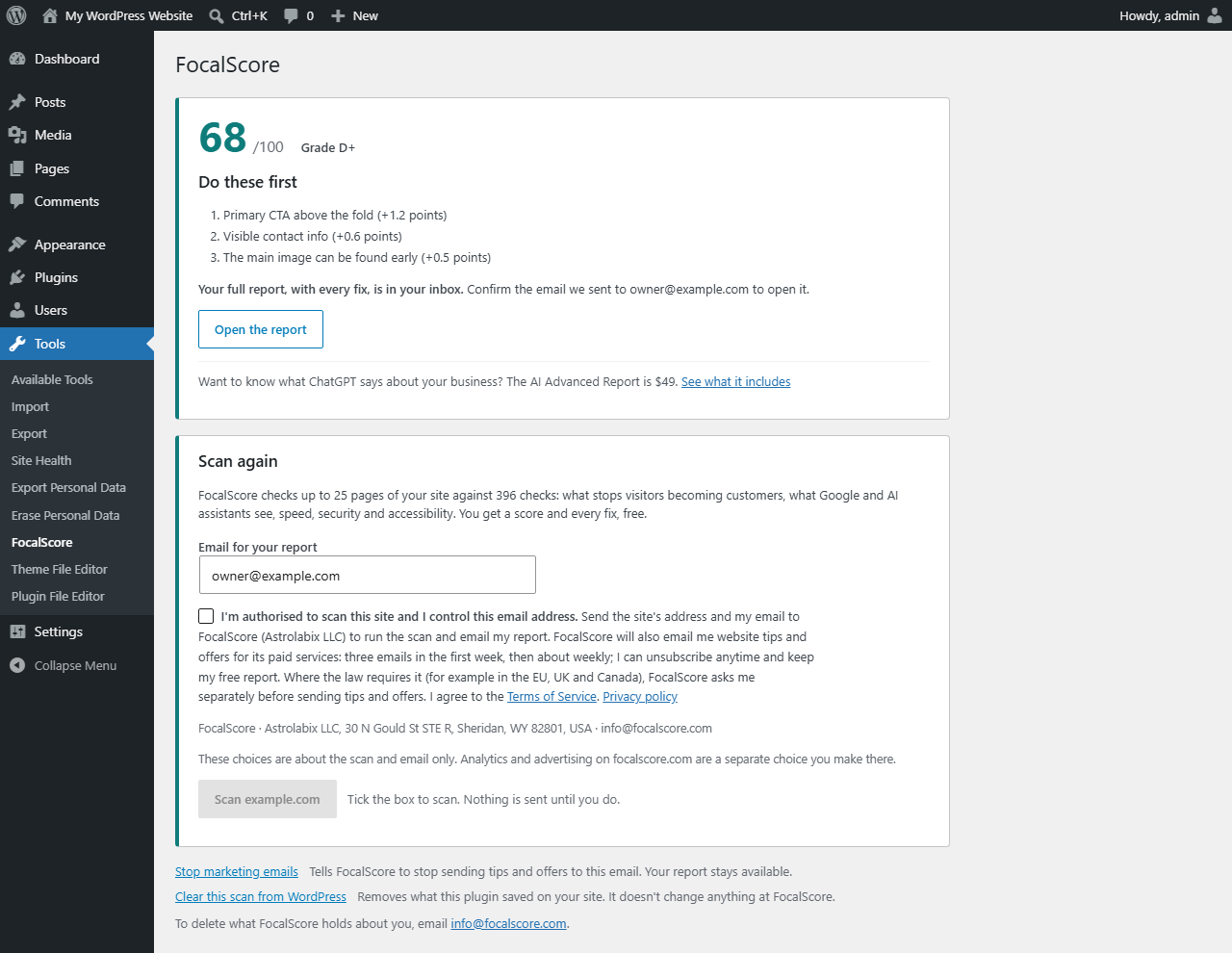
FocalScore checks up to 25 pages of your site against 396 checks: what stops visitors becoming customers, what Google and AI assistants such as ChatGPT see, speed, security and accessibility. You get a score out of 100, the three changes worth the most, and a full report with every fix in plain English. Free.
How it works:
- Open Tools → FocalScore.
- Check the email for your report, and tick the box: you confirm you're authorised to scan the site and control that email, and agree to send both to FocalScore.
- Press Scan. When the scan is done, your score and the three biggest fixes appear on the same page, and the full report arrives by email.
安装:
- In your dashboard go to Plugins → Add New, search for "FocalScore" and press Install Now, then Activate. Or upload the plugin's zip under Plugins → Add New → Upload Plugin.
- Open Tools → FocalScore.
- Check the email for your report, tick the consent box and press Scan.
屏幕截图:
常见问题:
Is it free?
Yes. The scan, the score and the full report with every fix are free. The optional AI Advanced Report on focalscore.com costs $49 once.
What does it send, and when?
Nothing until you tick the consent box and press Scan. Then your site's address and the email you entered. See "External services" above.
Does it slow my site down?
No. It adds nothing to your public pages and runs only on its own admin page.
How do I delete my data?
Press "Stop marketing emails" to stop tips and offers, and "Clear this scan from WordPress" to clear what the plugin stored on your site. Email info@focalscore.com to have FocalScore delete what it holds. Uninstalling the plugin removes everything it stored on your site.
更新日志:
1.0.3
- After a scan that gives a score, the results now end with a small link for leaving a review on WordPress.org. It is only a link: no pop-ups, no reminders, and nothing is sent.
- The check count is now 396.
- Added installation steps to this readme.
- The verification address no longer shows the one-time code: it answers FocalScore's random challenge with a proof, and requires a valid challenge.
- Clearer consent: tips and offers named with how often they come, an authority statement and the Terms. In the EU, UK, Canada and similar regions FocalScore asks separately before sending tips and offers.
- "Stop marketing emails" tells FocalScore directly; "Clear this scan from WordPress" says what it does and doesn't do.
- First release.