
Forge TrueConversion Lead Tracking for Google Ads
| 开发者 | forgeonline |
|---|---|
| 更新时间 | 2026年10月23日 03:56 |
| PHP版本: | 7.4 及以上 |
| WordPress版本: | 7.1 |
| 版权: | GPL-2.0-or-later |
| 版权网址: | 版权信息 |
详情介绍:
- Automatic UTM & Click ID Capture — Captures utm_source, utm_medium, utm_campaign, utm_term, utm_content, gclid, fbclid, msclkid, and more.
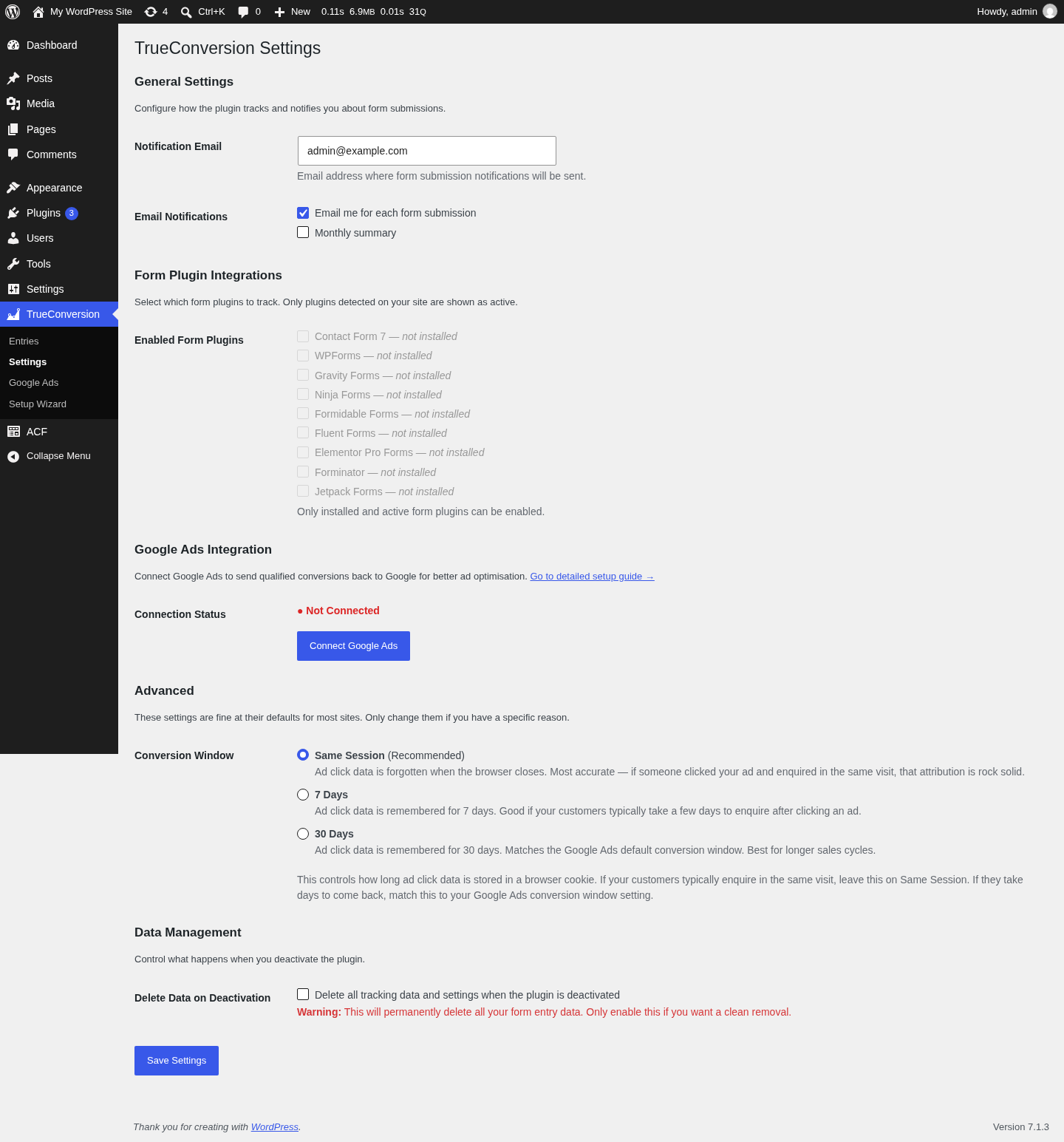
- Works With All Major Form Plugins — Contact Form 7, WPForms, Gravity Forms, Ninja Forms, Formidable Forms, Fluent Forms, Elementor Pro Forms, Forminator, and Jetpack Forms.
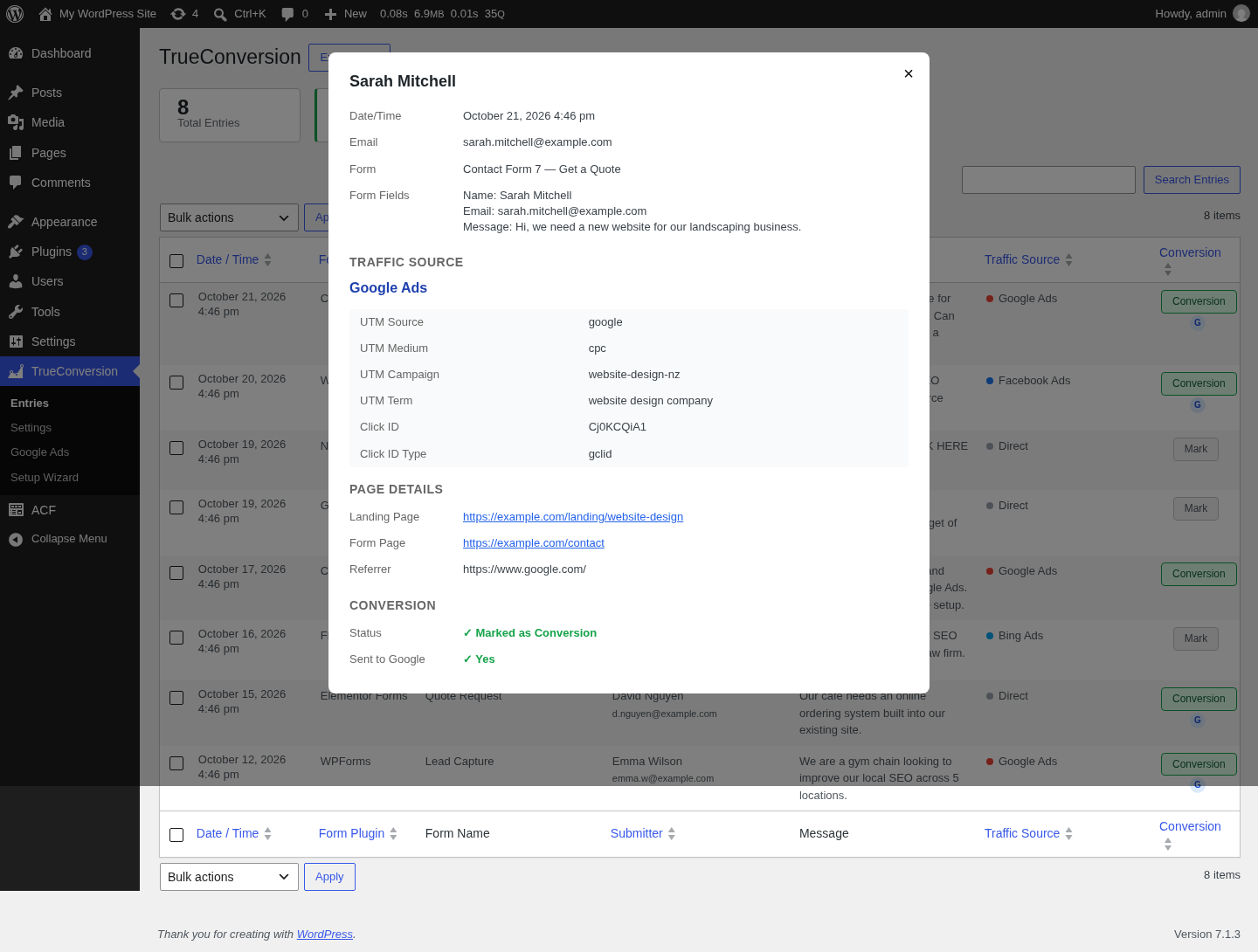
- Conversion Marking — Mark real enquiries as conversions with one click.
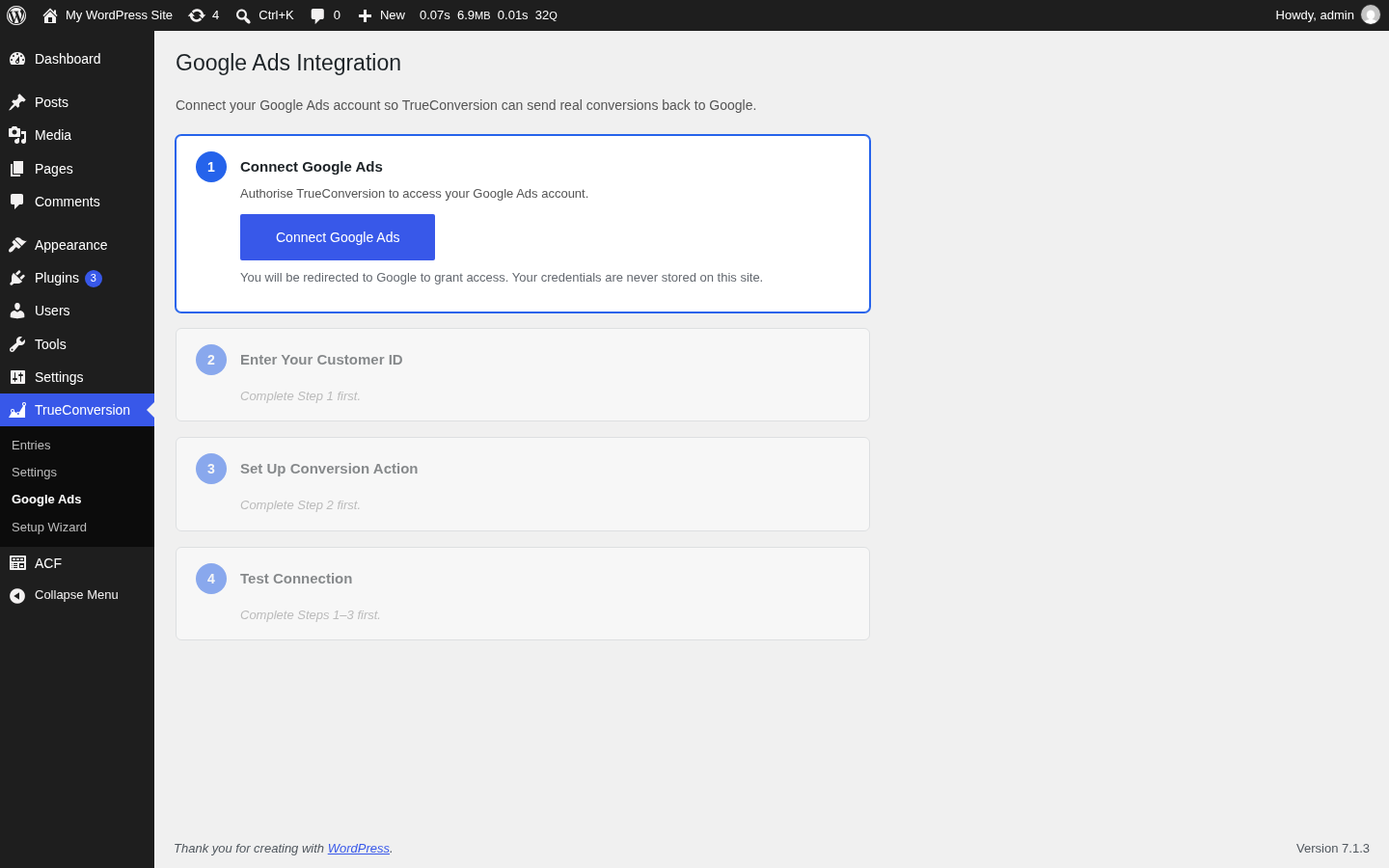
- Google Ads Upload — Automatically send conversions to Google Ads via the offline conversion API.
- Dashboard — View all form submissions with traffic source, UTM data, and conversion status.
- CSV Export — Export all entries including conversion data.
- Email Notifications — Per-submission alerts and a monthly summary email.
- Privacy Friendly — IP addresses are anonymised. No data sent to third parties beyond Google Ads (only when you connect it).
- Contact Form 7
- WPForms (Lite & Pro)
- Gravity Forms
- Ninja Forms
- Formidable Forms
- Fluent Forms
- Elementor Pro Forms
- Forminator
- Jetpack Forms
- Any form via the
[tc_fields]shortcode
安装:
- Upload the
trueconversionfolder to the/wp-content/plugins/directory, or install directly from the WordPress plugin repository. - Activate the plugin through the 'Plugins' menu in WordPress.
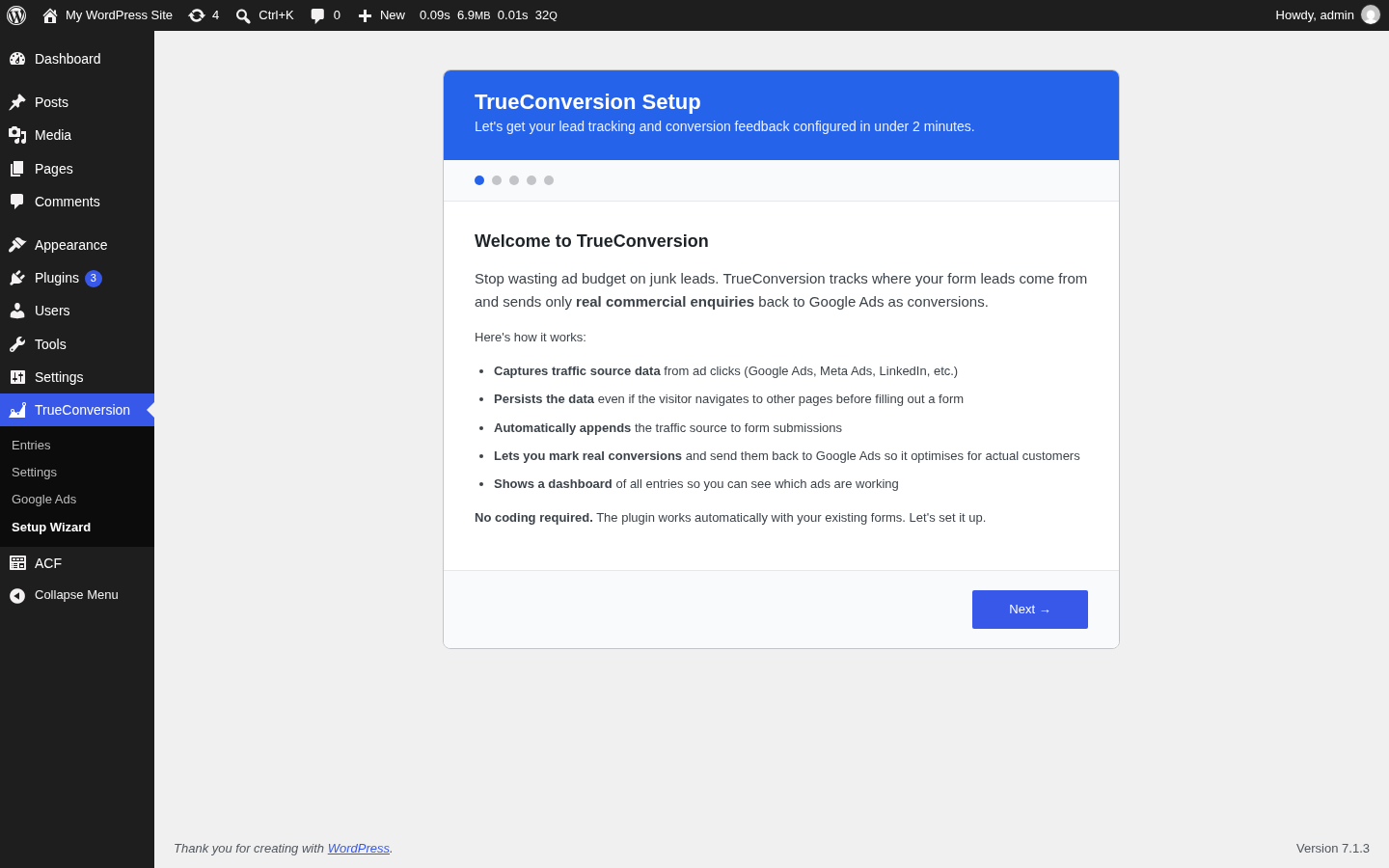
- Follow the setup wizard to select your form plugins and configure notifications.
- (Optional) Connect Google Ads to start sending conversions.
屏幕截图:
常见问题:
Which form plugins are supported?
Contact Form 7, WPForms, Gravity Forms, Ninja Forms, Formidable Forms, Fluent Forms, Elementor Pro Forms, Forminator, and Jetpack Forms. You can also use the [tc_fields] shortcode with any other form.
Do I need a Google Ads account?
No. The free plan tracks traffic sources without any Google Ads connection. Google Ads integration is included free — connect it when you're ready.
How does the Google Ads integration work?
TrueConversion captures the Google Click ID (gclid) when a visitor arrives from a Google ad. When you mark a form submission as a conversion, the plugin sends the gclid and conversion data to Google Ads via the offline conversion API. Google then uses this signal to optimise your campaigns.
What is AI classification?
That's a TrueConversion Pro feature (separate add-on plugin). Pro automatically analyses form submissions to determine if they have genuine commercial intent, so real enquiries are marked as conversions while spam and sales pitches are filtered out.
Does this plugin send data to external services?
Only when you connect Google Ads integration, which sends conversion data to Google via a relay server (see Third-Party Services below). Nothing else leaves your site.
Is my data secure?
Yes. OAuth tokens are stored encrypted using AES-256-CBC. The Google Ads OAuth flow uses a relay server so the client secret never touches your WordPress site.
更新日志:
- Fix: the setup wizard rendered as a completely blank step, and the Previous/Next buttons didn't advance correctly —
wp_localize_script()always sends numbers as strings, and the step-matching logic used strict comparison (===) against the un-cast string, so no step ever matched.
- Split into two plugins: TrueConversion (this plugin, free) and TrueConversion Pro (separate add-on for AI classification and daily/weekly summaries).
- Removed Freemius licensing SDK from this plugin — it now ships with zero third-party licensing dependencies.
- Fix: the "Mark as Conversion" button was gated behind a Pro-plan check in the admin JS even though conversion marking is a free/all-plans feature — this silently disabled it for non-Pro installs. Removed the check.
- Fix: upgraded Google Ads API from v20 (deprecated/blocked) to v24, resolving the "Version v20 is deprecated" error when creating conversion actions and uploading offline conversions.
- Privacy: internal tracking fields (utm_, tc_) and uploaded file names are no longer included in the data sent for AI classification.
- Fix: the full message and form-field details are now stored and shown in View Details; the dashboard list shows a short preview only.
- Fix: duplicate form field labels are preserved instead of silently overwriting each other.
- Fix: multi-select / checkbox values now display consistently as comma-separated lists across all form plugins.
- Fix: last-click attribution no longer loses an ad click ID when a later visit carries only UTM parameters.
- Maintenance: distribution build script and packaging improvements; readme stable tag corrected.
- Fix: Safari ITP / private browsing no longer blocks tracking after ad click redirects.
- Added hidden form field injection as cookie fallback for all supported form plugins.
- Added MutationObserver for dynamically-loaded forms (popups, AJAX content).
- Improved localStorage backup with form-level data injection.
- Initial release.
- UTM parameter and click ID capture for 10 form plugins.
- Admin dashboard with search, sort, and CSV export.
- Manual conversion marking with Google Ads offline conversion upload.
- Per-submission email notifications and periodic summary emails.
- Setup wizard with Google Ads connection step.
- AES-256-CBC encryption for stored tokens.