
FormNest – 日本語対応フォームビルダー
| 开发者 | pretend0612 |
|---|---|
| 更新时间 | 2026年9月25日 21:29 |
| PHP版本: | 8.0 及以上 |
| WordPress版本: | 7.0 |
| 版权: | GPLv2 or later |
| 版权网址: | 版权信息 |
详情介绍:
- 入力 → 確認 → 完了 の 3 ステップフロー: 日本の問い合わせフォームで定番の確認画面付きフロー
- 郵便番号からの住所自動入力: 7 桁の郵便番号を入力すると、都道府県・市区町村・番地を自動補完(zipcloud 連携)
- 都道府県 → 市区町村 の連動ドロップダウン: 都道府県を選択すると市区町村リストが自動で切り替わります(HeartRails Geo API 連携)
- メールアドレス確認入力: 「メール」「メール(確認)」フィールドで入力一致をバリデーション
- 同意チェックボックス: 利用規約・プライバシーポリシーの同意必須化に対応
- 47 都道府県セレクト: ビルトインの都道府県リスト
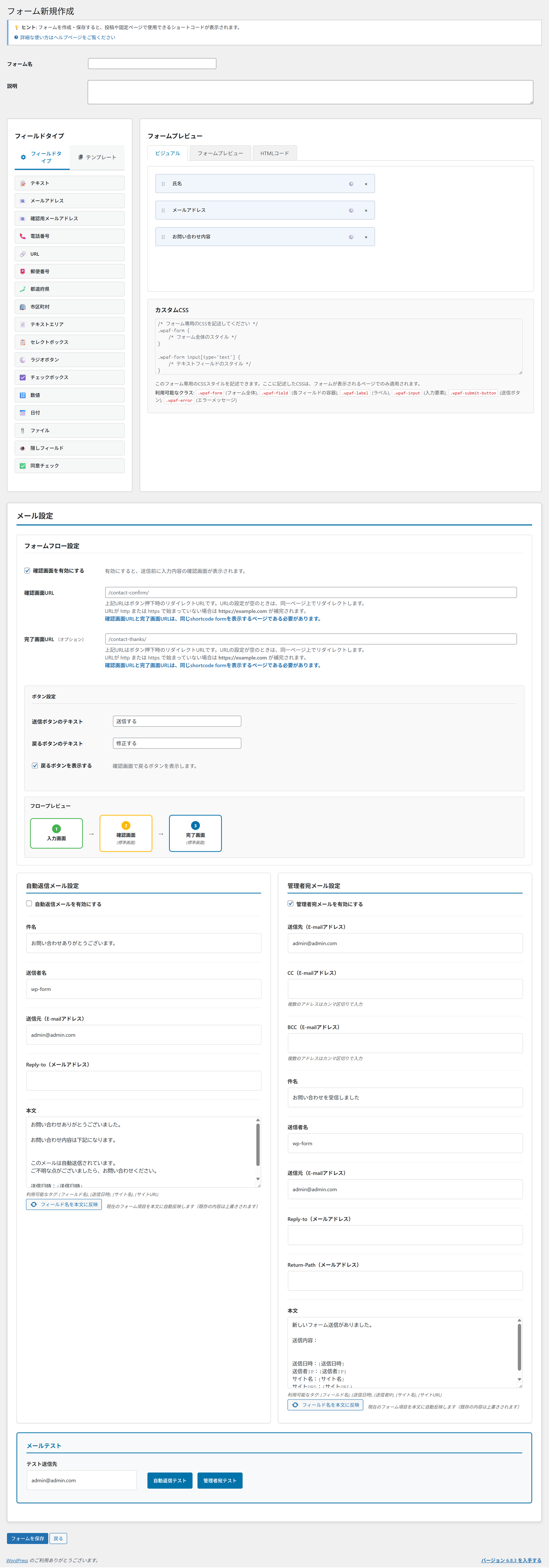
- 直感的なフォームビルダー: 管理画面上でドラッグ&ドロップでフィールド配置
- 9 種類のフォームテンプレート: ワンクリックですぐに使える定番テンプレートを標準装備
- お問い合わせフォーム / 会員登録フォーム / アンケートフォーム / 注文フォーム
- 資料請求フォーム / 予約フォーム / 採用応募フォーム / 見積依頼フォーム / イベント申込フォーム
- フォーム複製機能: 既存フォームをワンクリックでコピー、少し変えた類似フォームも簡単に作成
- 18 種類のフィールドタイプ: テキスト、テキストエリア、メール、メール(確認)、電話番号、数値、日付、時刻、URL、セレクト、ラジオ、チェックボックス、ファイルアップロード、隠しフィールド、郵便番号、都道府県、市区町村、同意チェックボックス
- 高度なメール機能: 管理者通知、自動返信、HTML メール、テンプレート変数、CC/BCC 複数宛先対応(カンマ区切りで指定)
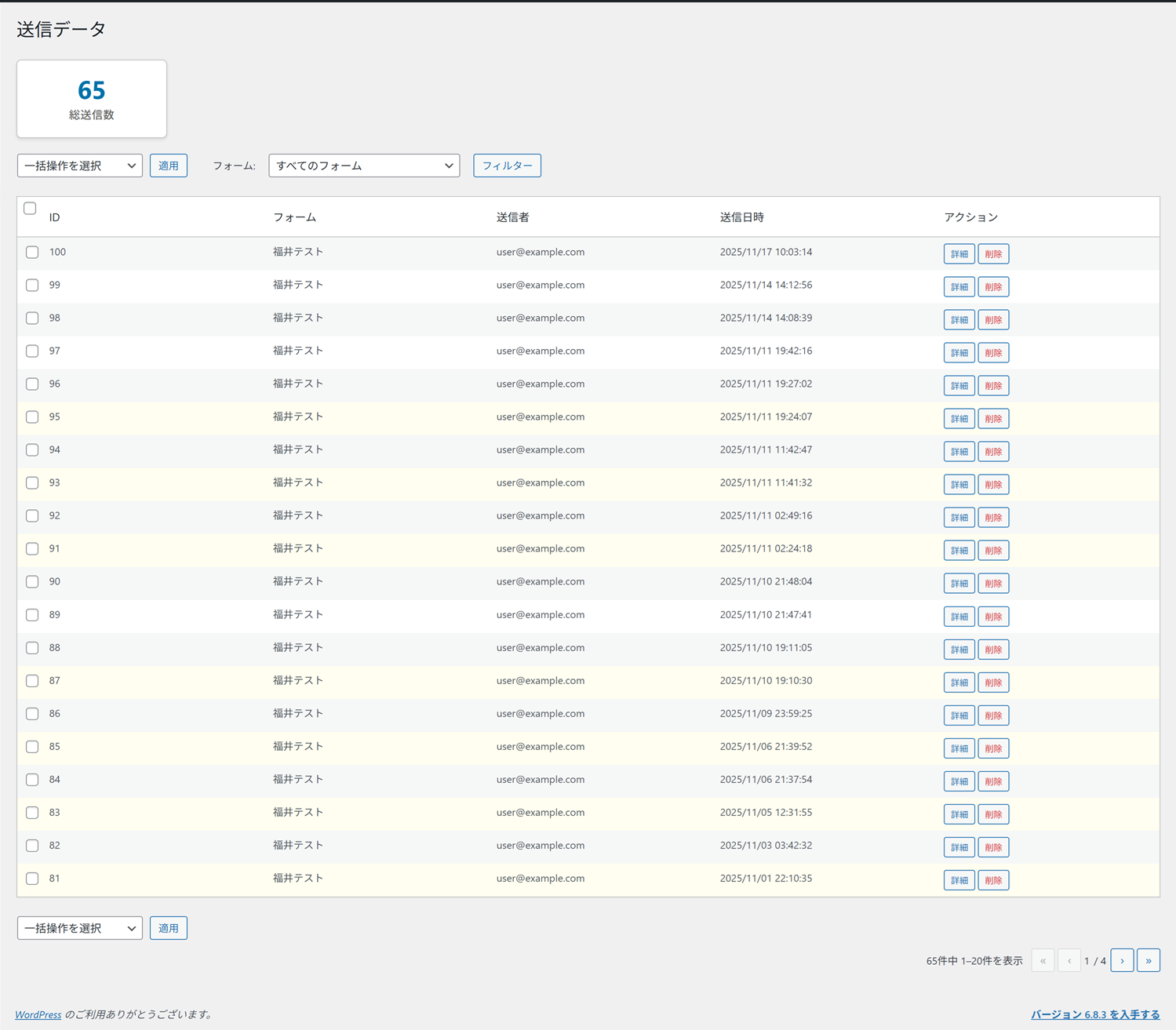
- 送信データ管理: 送信データ一覧、絞り込み検索、詳細表示、CSV エクスポート、一括削除、既読/未読管理
- インポート/エクスポート: フォーム定義の JSON インポート・エクスポートで設定の使い回しが可能。管理画面のサイドバーから直接アクセス
- GA4 コンバージョン計測: フォーム送信を Google Analytics 4 のイベントとして計測。gtag.js 直接連携と Google Tag Manager(GTM)両対応。設定画面に測定 ID 取得からキーイベント登録までの簡易マニュアルを内蔵
- エンタープライズレベルのセキュリティ: レート制限、ハニーポット、reCAPTCHA、セキュリティログ(すべて管理画面から設定可能)
- モダンな UI/UX: レスポンシブデザイン、アクセシビリティ対応
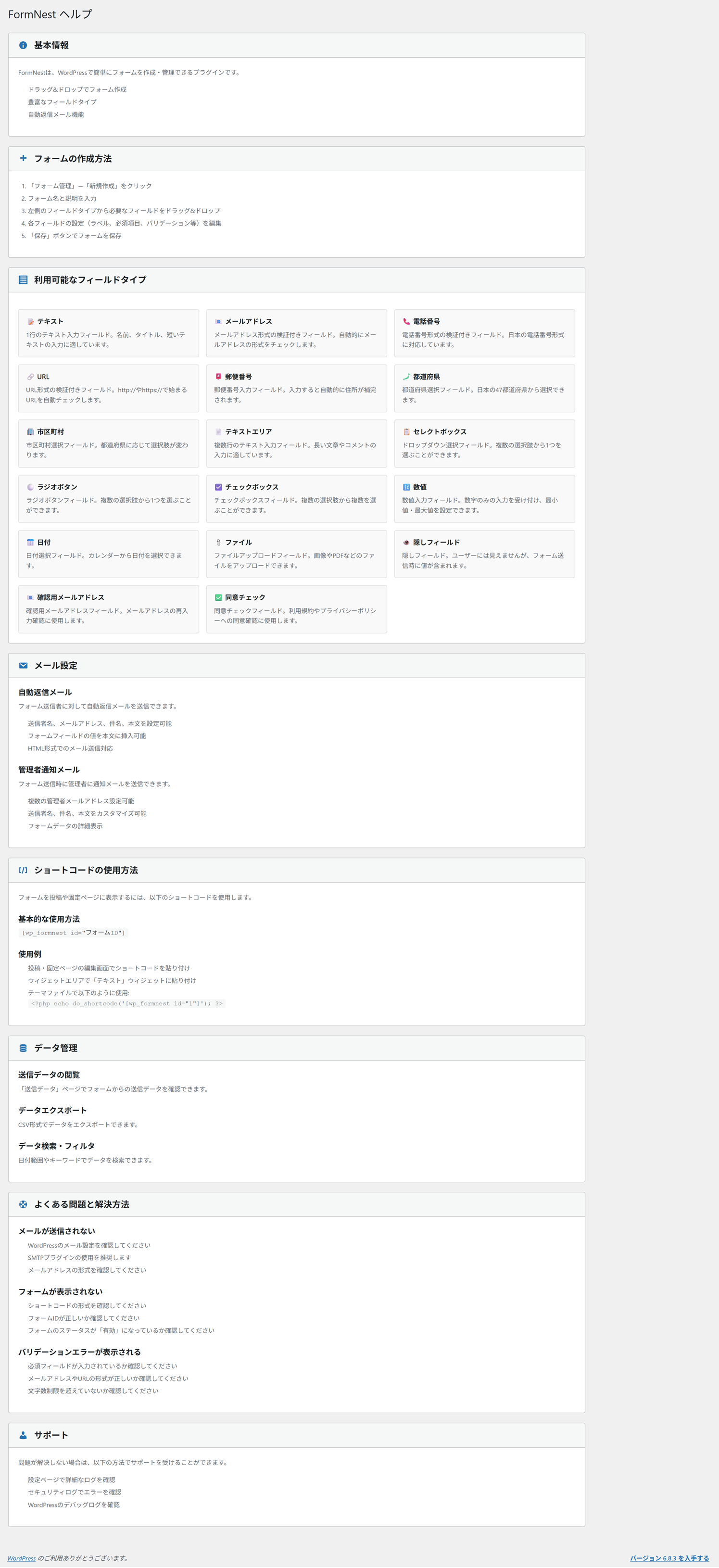
- 管理画面ヘルプ組み込み: 操作方法をプラグイン内で参照可能
- レート制限: IP ベースのアクセス制限による DDoS/総当たり対策(管理画面から上限回数を調整可能)
- ハニーポット機能: ボットの検出と自動ブロック(管理画面から有効/無効・フィールド名を設定可能)
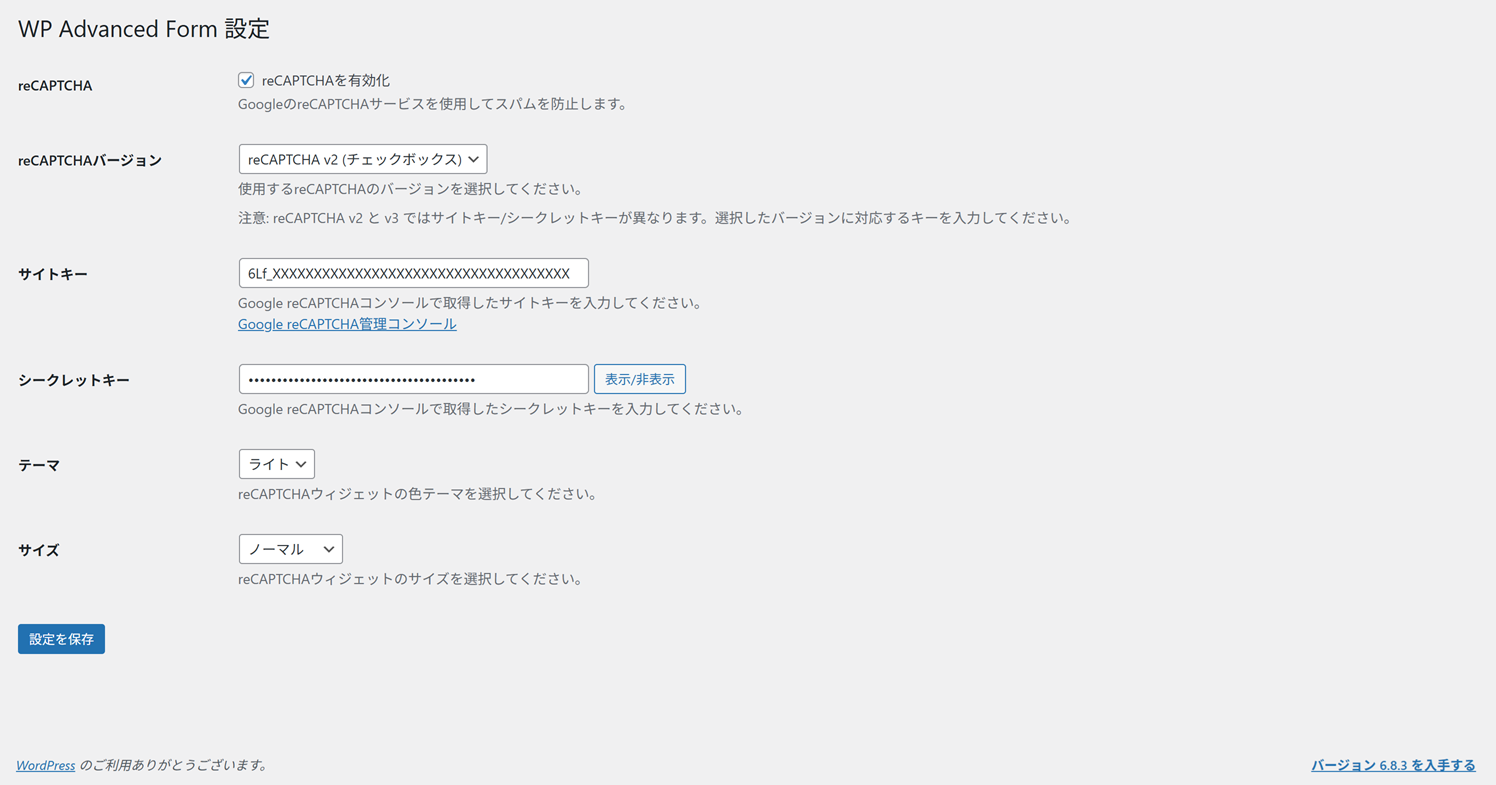
- Google reCAPTCHA: 任意で有効化可能(v2/v3 対応、管理画面でキー登録・テスト接続)
- 入力バリデーション: フィールドタイプに応じた適切なサニタイズ
- セキュリティログ: すべてのイベントの詳細な記録と監視
- ファイルアップロードのセキュリティ: ファイル形式・サイズ・ MIME の検証
- CSRF 保護: nonce 検証とリファラーチェック
- WordPress 6.0 以上
- PHP 8.0 以上
- MySQL 5.7 以上、または MariaDB 10.3 以上
安装:
- WordPress 管理画面で「プラグイン」→「新規追加」を開きます
- キーワード欄に「FormNest」と入力します
- FormNest の「今すぐインストール」をクリックします
- インストール完了後、「有効化」をクリックします
- 管理画面の左メニューに「FormNest」が追加されます
- プラグインの ZIP ファイルをダウンロードします
- 「プラグイン」→「新規追加」→「プラグインのアップロード」を開きます
- ZIP ファイルを選択して「今すぐインストール」をクリックします
- 「プラグインを有効化」をクリックします
- プラグインの ZIP ファイルをダウンロードして展開します
form-nestフォルダを/wp-content/plugins/ディレクトリにアップロードします- WordPress 管理画面の「プラグイン」一覧から「FormNest」を有効化します
- 左メニューの「FormNest」→「フォーム管理」を開きます
- 「新規追加」から最初のフォームを作成します
- ドラッグ&ドロップでフィールドを配置し、ラベル・必須・バリデーション等を設定します
- 「メール設定」タブで管理者通知メールと自動返信メールの宛先・件名・本文を設定します
- 「公開」をクリックしてフォームを保存します
- 表示したい固定ページや投稿に、以下のショートコードを貼り付けます
[wp_formnest id="1"]
id 属性には作成したフォームの ID(フォーム一覧で確認)を指定します。
確認画面・完了画面について
FormNest は「入力 → 確認 → 完了」の 3 ステップフローに対応しています。確認画面・完了画面の文言は、フォーム編集画面の「画面設定」タブから変更できます。
セキュリティ機能の設定
FormNest のセキュリティ機能(ハニーポット・レート制限)は、プラグインを有効化した時点で自動的に ON になっています。お問い合わせフォームに不正な大量送信・ボット投稿があった場合に自動でブロックします。
設定を変更したい場合は、FormNest →「設定」を開き、「セキュリティ(ハニーポット・レート制限)」セクションで以下を調整できます:
- ハニーポット機能の有効/無効(デフォルト: 有効)
- ハニーポットフィールド名のカスタマイズ(高度な用途向け)
- レート制限の有効/無効(デフォルト: 有効)
- 1 時間あたりの送信上限回数(デフォルト: 10 回/IP)
- Google reCAPTCHA (https://www.google.com/recaptcha/) でサイトキーとシークレットキーを取得します
- FormNest →「設定」を開き、「reCAPTCHA」セクションに移動します
- 「reCAPTCHA を有効化」にチェックを入れます
- バージョン(v2/v2 Invisible/v3)を選択し、取得したサイトキーとシークレットキーを入力します
- 必要に応じてテーマ・サイズ・ v3 最小スコア等を調整して「設定を保存」をクリックします
- フォーム編集画面で郵便番号フィールドを追加します
- フィールド設定で「住所自動入力を有効にする」をオンにします
- あわせて「都道府県」「市区町村」「番地」フィールドを配置すると、自動入力されます
- upload_max_filesize
- post_max_size
- memory_limit
- wp_formnest_forms
- wp_formnest_form_fields
- wp_formnest_submissions
- wp_formnest_mail_settings
- テスト用の固定ページにショートコードを貼り付けて公開します
- 実際にフォームを送信して、確認画面・完了画面が表示されることを確認します
- 管理者通知メールと自動返信メールが届くことを確認します
- 「送信データ」一覧に件数が増えていることを確認します
屏幕截图:
常见问题:
フォームを表示するには?
ショートコードを使用します:
[wp_formnest id="1"]
フォーム ID は、管理画面の「フォーム管理」一覧で確認できます。
確認画面・完了画面はカスタマイズできますか?
はい。フォーム編集画面の「画面設定」タブから、確認画面の見出し・案内文、完了画面のメッセージ、ボタンラベルを変更できます。テンプレートをさらに細かくカスタマイズしたい場合は、テーマ側で form-confirm.php / form-complete.php 相当のテンプレートを上書きすることもできます。
郵便番号からの住所自動入力を有効にするには?
郵便番号フィールドを追加し、フィールド設定で「住所自動入力を有効にする」をオンにします。さらに「都道府県」「市区町村」「番地(テキストフィールド)」を同じフォームに配置すると、入力時に自動補完されます。郵便番号 API には zipcloud を利用しています(外部サービスの項目を参照)。
MW WP Form など MWFORM 系プラグインから移行できますか?
FormNest は MWFORM の設計思想を踏襲していますが、データベース構造は独自です。フォーム定義は FormNest の「インポート/エクスポート」機能で JSON として移行できます。MW WP Form からの自動移行ツールは現時点では未提供のため、フォーム再作成と送信データの CSV エクスポート/インポートでの移行をおすすめします。
reCAPTCHA を有効にする方法は?
FormNest →「設定」を開き、「reCAPTCHA」セクションで「reCAPTCHA を有効化」にチェックを入れ、サイトキーとシークレットキーを登録して保存します。バージョンは v2 チェックボックス/v2 Invisible/v3 スコアベースから選択可能です。詳しくは Installation セクションをご覧ください。
スパムが減らない場合はどうすればよいですか?
FormNest →「設定」を開き、以下の対策を順に強化してください:(1) ハニーポット機能がオンになっていることを確認、(2)「1 時間あたりの送信上限」を厳しめ(例: 5 回)に下げる、(3) reCAPTCHA を有効化、(4) 各フォームで同意チェックボックスを必須化。多くのスパムボットはこれらの組み合わせでブロックできます。
ハニーポット機能は何もしなくても動作しますか?
はい。プラグインを有効化してフォームを設置するだけで、すべてのフォームで自動的に動作します。利用者の操作は不要です。設定の確認・変更は FormNest →「設定」→「セキュリティ(ハニーポット・レート制限)」で行えます。
CSV エクスポートの文字コードは?
UTF-8(BOM 付き)で出力されます。Microsoft Excel で開いても文字化けせず、Google スプレッドシート等でもそのまま読み込めます。
メールが送信されない場合は?
WordPress 標準のメール送信機能(wp_mail)を利用しています。届かない場合は、お使いのレンタルサーバーのメール送信が正常に動作しているか確認し、必要に応じて SMTP プラグイン(例: WP Mail SMTP)の導入をご検討ください。
ファイルアップロードの上限は?
プラグイン側の初期値は 10MB で、「設定」から変更できます。あわせてサーバーの PHP 設定(upload_max_filesize、post_max_size、memory_limit)が上限となります。
セキュリティ機能は必須ですか?
推奨ですが、設定で個別に無効にできます。特にレート制限とハニーポット機能はスパム対策に効果的なので、有効のままご利用いただくことをおすすめします。
データはどこに保存されますか?
データは WordPress と同じデータベース内の以下のテーブルに保存されます。
- wp_formnest_forms
- wp_formnest_form_fields
- wp_formnest_submissions
- wp_formnest_mail_settings
プラグインを削除するとデータも削除されますか?
はい、プラグインを「削除」すると、関連するデータベーステーブルとオプションも削除されます。重要なデータは事前に「送信データ」画面から CSV エクスポートしてバックアップしてください。
多言語サイト(WPML / Polylang)で利用できますか?
フォーム自体は言語を問わずに動作しますが、フォーム定義の翻訳(言語ごとの出し分け)には対応していません。現時点では、言語ごとにフォームを複製して個別に設定する運用をおすすめします。
公式サイトやサポート情報はどこにありますか?
公式サイト (https://form-nest.com/) で最新情報、利用ガイド、お問い合わせ窓口をご案内しています。プラグイン開発元は、株式会社イノマーク (https://inno-mark.jp/) と株式会社 PRETEND(プリテンド) (https://pretend.co.jp/) です。
更新日志:
- 日本語入力(IME)変換中に、メールアドレス・電話番号・ URL ・郵便番号の入力欄で文字が重複表示される不具合を修正しました
- 原因: 全角→半角変換や空白除去の処理が IME 変換の確定前に入力値を書き換えていたため、変換中の文字が二重に反映されていました
- 変換の確定後(compositionend 後)に 1 回だけ整形する方式に変更し、従来の全角→半角変換・空白除去・小文字化の動作はそのまま維持しています
- 郵便番号欄で、IME 変換中に入力途中の全角数字が消えてしまう問題も解消しました
- GA4 コンバージョン計測が発火しない不具合を修正: 1.0.7 で追加したイベント送信処理が、実際の送信フロー(ページ遷移型の POST 送信)では呼び出されず、GA4 にイベントが届いていませんでした
- 完了画面の表示時にサーバー側でイベントを発火する方式に変更し、確認画面あり・なしの両方のフローで正しく計測されるようになりました
- 完了画面の再読み込みでは重複計測されません(1 送信につき 1 イベント)
- 従来どおり、サイトに導入済みの gtag.js または Google Tag Manager 経由でイベントを送信します(本プラグインが計測タグを読み込むことはありません)
- イベントパラメータを変更できるフィルター
formnest_ga4_event_paramsを追加しました
- メール通知先(送信先・ CC ・ BCC)の複数指定を UI 上で明示: 「複数のアドレスはカンマ区切りで入力」の案内文と入力例プレースホルダを追加しました
- 入力欄を type="email" から type="text"(inputmode="email")に変更: ブラウザの HTML5 バリデーションがカンマ区切りを「不正なメールアドレス」と判定する問題を解消
- 管理画面サイドバーに「インポート/エクスポート」メニューを復活: フォーム定義の JSON 入出力をワンクリックで行えるようになりました
- Google Analytics 4(GA4)コンバージョン計測機能を追加: フォーム送信完了時に GA4 へイベントを送信できるようになりました
- 「FormNest →『設定』→『GA4 コンバージョン計測』」セクションで、測定 ID ・イベント名を設定できます
- gtag.js 直接連携と Google Tag Manager(GTM)経由の両方に対応
- 確認画面付きフロー(入力 → 確認 → 完了)でも、最終送信時のみイベントが発火するため重複計測されません
- 設定画面に GA4 側の設定手順(測定 ID 取得、タグ導入、動作確認、キーイベント登録)を簡易マニュアルとして掲載
- フォームテンプレートを 5 種類追加: 資料請求フォーム、予約フォーム、採用応募フォーム、見積依頼フォーム、イベント申込フォーム
- 既存 4 種(お問い合わせ/会員登録/アンケート/注文)と合わせて、計 9 種類のテンプレートから選択可能になりました
- 採用応募フォームではファイルアップロード(履歴書・職務経歴書)、予約フォームでは日付・時間選択、見積依頼フォームでは予算レンジ選択など、用途に最適化したフィールド構成
- フォーム複製機能を追加: フォーム一覧の各行から「複製」リンクで、フォーム定義(フィールド・メール設定)をワンクリックでコピーできます
- 複製したフォームは「無効」状態で作成され、編集画面に自動遷移します(誤公開防止)
- 送信データは複製対象外です
- RESAS API 連携機能を削除: 提供元の RESAS API サービスが 2024 年 10 月 1 日に終了したため、関連する設定 UI ・コード・ドキュメントを削除しました
- 47 都道府県セレクトは引き続き組み込みの静的リストで動作します(既存ユーザーの動作変更はありません)
- 設定画面の見出しを「WP Advanced Form 設定」から「FormNest 設定」に修正(旧名残り)
- セキュリティ設定 UI の追加: ハニーポット機能の有効/無効、ハニーポットフィールド名のカスタマイズ、レート制限の有効/無効、1 時間あたりの送信上限回数を「設定」画面から変更可能に
- 設定画面の見出しを「WP Advanced Form 設定」から「FormNest 設定」に修正(旧名残り)
- readme.txt のセキュリティ関連記述を実装に合わせて修正
- FAQ に「ハニーポット機能は何もしなくても動作しますか?」を追加
- 既存ユーザーへの動作変更はありません(すべての新設定は既定で従来動作と同じになるよう設計)
- readme.txt を全面的に日本語化し、機能説明・インストール手順・ FAQ を大幅に拡充
- プラグイン表示名に副題「日本語対応フォームビルダー」を追加
- 公式サイト URL(https://form-nest.com/)を Description ・ Links ・ FAQ に掲載
- 検索性向上のため、短い説明文とタグを最適化
- プラグインヘッダーの Version 番号を内部定数(FORMNEST_PLUGIN_VERSION)と一致させる修正
- 機能上の変更はありません
- 初回リリースに向けた準備。ライセンスと readme の更新。
- 初回リリース
- フォームの作成・管理機能
- 18 種類のフィールドタイプ
- 入力 → 確認 → 完了 の 3 ステップフロー
- 郵便番号からの住所自動入力(zipcloud 連携)
- 都道府県 → 市区町村 の連動ドロップダウン(HeartRails Geo API 連携)
- 高度なメール機能(管理者通知・自動返信・ HTML メール)
- 送信データ管理と CSV エクスポート
- インポート/エクスポート機能
- レート制限、ハニーポット、reCAPTCHA、セキュリティログ
- モダンな UI/UX とアクセシビリティ対応