Formatrica - Drag and Drop Form Builder
| 开发者 | thezoran |
|---|---|
| 更新时间 | 2026年3月19日 06:29 |
| PHP版本: | 8.1 及以上 |
| WordPress版本: | 6.9 |
| 版权: | GPLv2 or later |
| 版权网址: | 版权信息 |
详情介绍:
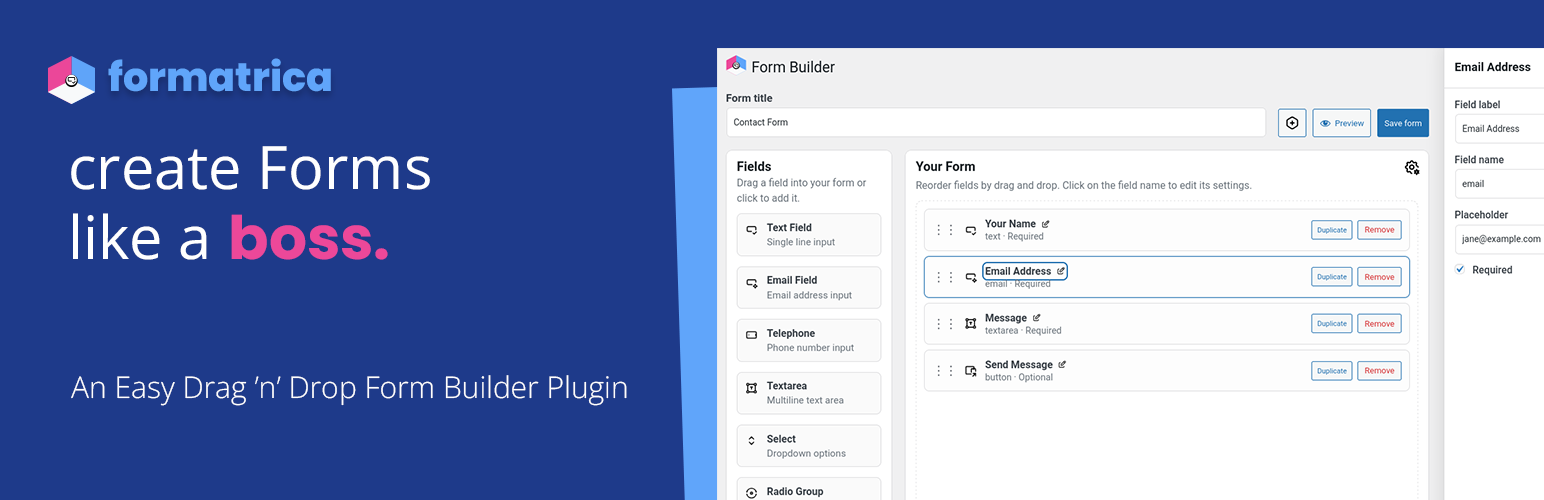
- Intuitive drag-and-drop form builder (Vue.js + Pinia + SortableJS)
- Real-time preview with live field editing
- Form preview functionality with zoom control (50-100%)
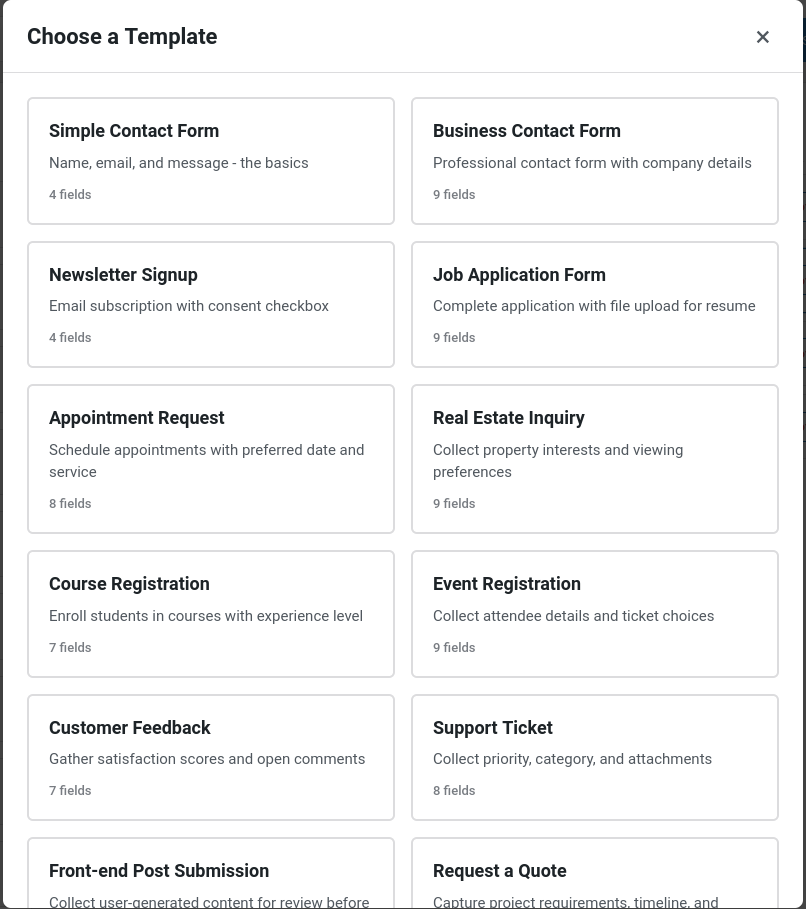
- 15 pre-built templates: Simple Contact, Business Contact, Newsletter Signup, Job Application, Appointment Request, Real Estate Inquiry, Course Registration, Event Registration, Customer Feedback, Support Ticket, Front-end Post Submission, Request a Quote, RSVP Response, Volunteer Signup, User Registration
- Smart Quick Start notification for new forms Field Types
- Text, Email, Telephone, Password
- Textarea for long-form content
- Select (single/multiple), Radio, Checkbox
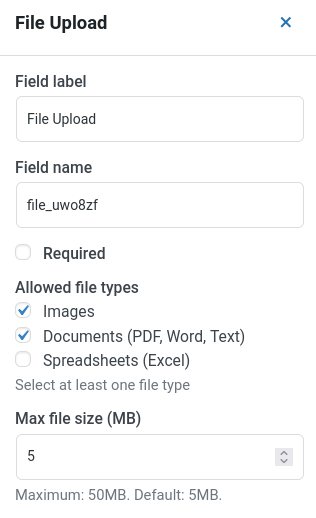
- File Upload with validation and size limits
- Date Picker
- Hidden fields for internal metadata
- Custom Text blocks for static content
- Submit Button with customizable labels Security & Anti-Spam
- Honeypot protection (enabled by default)
- CSRF token validation
- IP-based rate limiting (configurable per form)
- Multiple CAPTCHA providers:
- Google reCAPTCHA v3
- Cloudflare Turnstile
- FriendlyCaptcha
- CAPTCHA secrets stored encrypted at rest with write-only admin controls
- Minimum submission time detection
- File upload validation with type and size restrictions Privacy Controls
- IP address storage options: Full, Anonymized, or None
- Default: Anonymized (removes last octet)
- Auto-delete submissions after X days (optional)
- GDPR-friendly data handling Email Delivery
- Multiple delivery providers:
- WordPress default (wp_mail)
- SendGrid API
- SMTP2GO API
- Mailgun API (with EU/US region support)
- Postmark API
- Brevo API (formerly Sendinblue)
- Amazon SES (with AWS Signature v4 authentication)
- Custom SMTP
- Mailpit (for development)
- Encrypted credentials storage (AES-256-CBC)
- Test email functionality
- Customizable sender name, email, subject, and recipient
- Smart defaults from WordPress settings
- Verification emails for registration forms use the same provider configured in that form's settings User Registration
- Special form type for WordPress user registration
- Integrates with WordPress user creation flow
- Email verification required: users must confirm their email before logging in
- Verification emails respect each form's configured delivery provider (SMTP/API/wp_mail)
- Login is blocked for unverified users with a clear message on wp-login.php Integrations & Webhooks
- Zapier: Connect to 5,000+ apps via Webhooks by Zapier trigger
- Make.com: Build visual automation workflows (formerly Integromat)
- Slack: Instantly notify Slack channels via Incoming Webhooks
- WordPress Post: Create pending posts (or other post types) with field mappings, taxonomy, and meta controls
- Full ACF (Advanced Custom Fields) support with 20+ field types
- Author mode: current user, fixed user, or anonymous
- Featured image support, taxonomy term creation, custom post meta
- WooCommerce: Generate orders and optional customer records directly from form submissions
- Mailchimp: Subscribe contacts to audiences with field mapping and double opt-in
- Salesforce (Essentials): Create Web-to-Lead entries without OAuth
- HubSpot: Submit contacts to HubSpot forms using a Private App token
- Custom Webhooks: POST submission data to any endpoint
- Async integration queue: Background processing for external webhooks (WordPress Cron)
- Dramatically improves form submission performance (5-15s → <200ms)
- 10 jobs per batch, 3 retry attempts with error logging
- Keeps local integrations synchronous for data consistency
- Secret key signing for verification (custom webhooks only)
- Custom payload filtering via hooks
- SSRF protection and security validation Developer-Friendly
- Comprehensive API documentation
- 15+ action and filter hooks for extensibility
- REST API endpoints for forms and submissions
- Provider-specific payload filters (Slack, Mailchimp, Salesforce, HubSpot, WordPress Post)
- PSR-4 autoloaded architecture with Service Layer design
- Clean separation of concerns: Validation, Security, File Handling, Rendering, and Integrations layers
- 22 single-responsibility classes for maintainability and testability
- Database schema versioning system with migration support
- Modular ES6 JavaScript with class-based structure
- Vite-powered build system
- Full TypeDoc-style inline documentation
- Admin list improvements: Active/Inactive filters, Activate/Deactivate actions, and safe delete confirmations
安装:
- Upload the plugin files to
/wp-content/plugins/formatrica, or install through the WordPress plugins screen - Activate the plugin through the "Plugins" screen
- Visit Formatrica → Forms to create your first form
- Use the shortcode
[formatrica id="123"]or Gutenberg block to embed forms
- Create your first form or apply a template
- Configure email delivery in form settings
- Test email delivery before going live
屏幕截图:
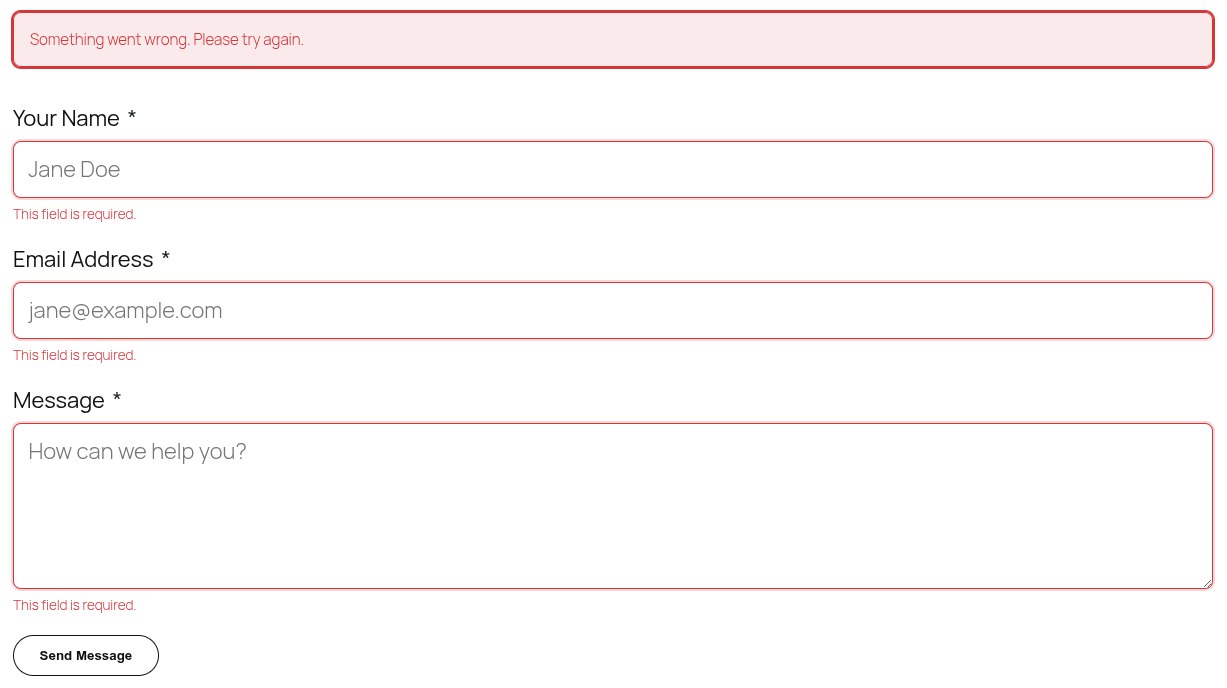
常见问题:
How do I send a test email?
Open a form in the builder, click Settings, navigate to Email Settings tab, configure your email settings, and click Send test email.
Where are submissions stored?
If storage is enabled, submissions are saved in {$wpdb->prefix}formatrica_submissions table with full field metadata.
Can I create WordPress users from forms?
Yes! Use the "User Registration" template or set form type to "User Registration" in settings. The form creates WordPress users and sends a verification email. The new user must confirm before logging in. The verification email is sent using the same delivery provider you configured for the form (SMTP/API/wp_mail).
Why is the new user blocked from logging in?
For security, login is blocked until the user confirms their email. The verification link redirects back to the WordPress login screen with a success message.
How do I send Slack notifications?
Open a form, head to Settings → Integrations, enable Slack, and paste the webhook URL. Message templates support placeholders such as {{form_title}} and {{field:email}}. See the Slack integration guide for a detailed walkthrough.
How do I add contacts to Mailchimp?
Enable Mailchimp in the Integrations tab, add your API key, fetch or paste the audience ID, then map the form fields for email and names. Toggle double opt-in if you want Mailchimp to send confirmation emails. See the Mailchimp integration guide for screenshots and payload examples.
Can I push submissions into Salesforce or HubSpot?
Yes. Enable Salesforce (Essentials) or HubSpot, provide the required identifiers (organisation ID, portal ID, form GUID, etc.) and map the fields you want to sync. Salesforce uses Web-to-Lead, while HubSpot submits to the Forms API with optional GDPR consent. Refer to the Salesforce and HubSpot integration guides.
Do verification emails use my SMTP/API settings?
Yes. If you configured a delivery provider in the form's Email Settings, verification emails are routed through the same provider. If no provider is set (e.g., registration created outside a form context), the plugin falls back to wp_mail().
How do I customize form styling?
Add custom CSS in Settings → Advanced → Custom CSS per form, or target .formatrica classes in your theme.
What file types are allowed for uploads?
Default: JPG, PNG, GIF, WebP, PDF, DOC, DOCX, TXT. Customize via formatrica_allowed_file_types filter.
How do I anonymize IP addresses?
Go to Settings → Privacy and select "Store anonymized IP address". This removes the last octet (e.g., 192.168.1.xxx).
Can submissions be automatically deleted?
Yes! In Settings → Privacy, enable "Automatically delete old submissions" and set retention period (default: 90 days).
How do I duplicate a form?
Hover over any form in the list and click Duplicate. The copy will have " (Copy)" appended to the title.
How do I disable a form without deleting its data?
Use the Deactivate action in the Forms list. Deactivated forms are hidden on the frontend and won’t accept submissions, but you keep all data. You can re-enable via Activate.
What’s the difference between Deactivate and Delete permanently?
Deactivate is a safe, reversible action and keeps submissions. Delete permanently removes the form and all its submissions after a confirmation. This cannot be undone.
Can I filter between Active and Inactive forms?
Yes. Use the filters above the forms table: All, Active, Inactive. Counts are shown for each.
How do I connect my forms to Zapier?
Open your form, go to Settings → Integrations, enable Zapier, and paste your Zapier webhook URL. In Zapier, create a Zap using "Webhooks by Zapier" → "Catch Hook". Submit a test form to send data to Zapier, then build your workflow.
What data is sent to integrations?
Integrations receive JSON with form title, submission data, field metadata, and context (IP, user agent). Use the formatrica_webhook_payload filter to customize the payload per integration.
Does it work with page builders?
Yes! Use the [formatrica id="123"] shortcode in any page builder that supports WordPress shortcodes.
Is it compatible with multilingual plugins?
The plugin is translation-ready with full i18n support. Text domain: formatrica
Is source code for built assets included?
Yes. The plugin package includes the human-readable frontend/admin source under src/ and the compiled runtime assets under build/. Build command: npm ci && npm run build.
更新日志:
- Escaped all remaining output variables at the echo boundary (escape-late pattern) per WP.org reviewer feedback
- Hardened all wp_add_inline_style() and wp_add_inline_script() calls with wp_kses_no_null and close-tag neutralisation
- Removed phpcs:ignore EscapeOutput annotations replaced by proper escaping
- Removed all
use functionimports for WordPress global functions across 31 PHP files to resolve PHP "name already in use" errors in certain hosting environments
- Converted all inline
<style>and<script>output towp_add_inline_style()andwp_add_inline_script()for WordPress enqueue compliance - Added comprehensive "External Services" section to readme.txt documenting all third-party services, data sent, and links to Terms of Service and Privacy Policy
- Encrypt CAPTCHA secret keys at rest and expose them as write-only fields in the builder
- Fixed "Send test email" button doing nothing when "Use global Recipient email" is enabled
- Fixed Plugin Check output-escaping issues for admin page header icon URLs
- Fixed translators comment placement for placeholder-based error strings
- Added ABSPATH direct-access guards to all 69 PHP files in app/
- Replaced all
error_log()calls with hook-based debug logger (formatrica_debug_logaction) - Escaped all frontend-facing exception messages with
esc_html__()orsanitize_text_field() - Sanitized all
$_SERVER,$_GET, and$_COOKIEsuperglobal reads withsanitize_text_field(wp_unslash()) -
Added PHPCS ignore annotations with rationale for legitimate nonce-free
$_GETreads (admin screen checks, signed-token flows) Database -
Hardened all SQL queries with
%iidentifier placeholders for table names Internationalization -
Added
/* translators: */comments to allsprintf()calls containing translatable strings -
Fixed unordered placeholders to use positional format (
%1$d,%2$d) Filesystem -
Replaced
unlink()calls withwp_delete_file()in Export_Controller - Added PHPCS ignore annotations for legitimate filesystem operations (fopen, fwrite, fputcsv, fclose, filesize, readfile) Plugin Bootstrap
-
Removed manual
load_textdomain()call (WordPress handles this automatically for directory-hosted plugins) -
Fixed
Tested up toheader to use major.minor format (6.9) Bug Fixes - Fixed "Send test email" button doing nothing when "Use global Recipient email" is enabled
- Fixed additional Plugin Check output-escaping issues for admin page header icon URLs (Forms list, Settings, and Form Builder pages)
- Fixed translators comment placement for placeholder-based error strings in form repository save/duplicate operations
- Removed Microsoft Teams integration
- Added Privacy section to readme with third-party service disclosure
- Fixed Contributors field for WordPress.org compliance
- Cleaned up installation instructions for end users
- Fixed: Mailpit sender domain enforcement causing unnecessary deliverability warnings during local development
- Mailpit now bypasses sender domain validation (like API providers) since it's a development-only tool
- Vue.js 3 + Pinia drag-and-drop form builder with SortableJS
- Real-time field editing with live preview
- Form preview functionality with zoom control (50-100%)
- 15 pre-built templates
- 13 field types with inline validation
- Template selection modal with Quick Start notification Email Delivery
- 9 email delivery providers: WordPress, SendGrid, SMTP2GO, Mailgun, Postmark, Brevo, Amazon SES, SMTP, Mailpit
- Encrypted credentials storage (AES-256-CBC)
- Test email functionality
- Per-form email configuration Integrations
- Zapier, Make.com, Slack integration
- WordPress Post creation with full ACF support (20+ field types)
- WooCommerce order creation
- Mailchimp audience subscription
- Salesforce Web-to-Lead
- HubSpot Forms API
- Custom webhooks with HMAC-SHA256 signing
- Async integration queue for background processing (WordPress Cron)
- Dramatically improved submission performance (5-15s → <200ms for webhook-heavy forms) Security & Privacy
- Multiple CAPTCHA providers (reCAPTCHA v3, Turnstile, FriendlyCaptcha)
- Honeypot protection, CSRF tokens, rate limiting
- IP anonymization options (full, anonymized, none)
- Auto-delete submissions after X days
- GDPR-friendly data handling
- File upload validation with MIME type checking User Registration
- WordPress user registration form type
- Email verification required before login
- Verification emails use form's configured delivery provider
- Login blocking for unverified users Developer Features
- Comprehensive API documentation
- 15+ action and filter hooks
- REST API endpoints
- Database schema versioning system with migration support
- Service Layer Architecture with 22 specialized classes
- PSR-4 autoloaded architecture
- Modular ES6 JavaScript Admin Features
- Active/Inactive form filters with counts
- Activate/Deactivate actions
- Safe delete confirmations
- Form duplication
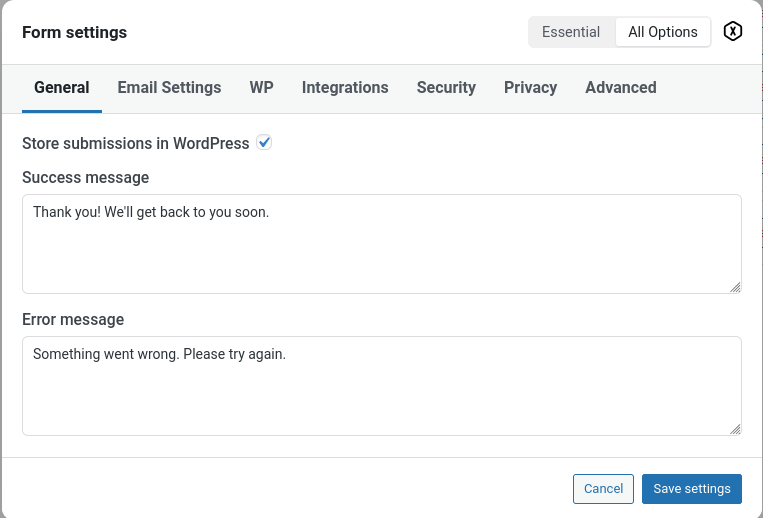
- Settings modal with tabs (General, Email, Integrations, Security, Privacy, Advanced) Infrastructure
- Custom database tables for forms and submissions
- WordPress Cron integration for cleanup and async processing
- Vite build system for assets
- Full i18n support (text domain: formatrica) Code Quality
- WordPress.org coding standards compliance
- Removed aggressive admin notice suppression
- Removed @ error suppressors (proper error handling)
- Sanitized all nonce reads
- PSR-12 code formatting standards