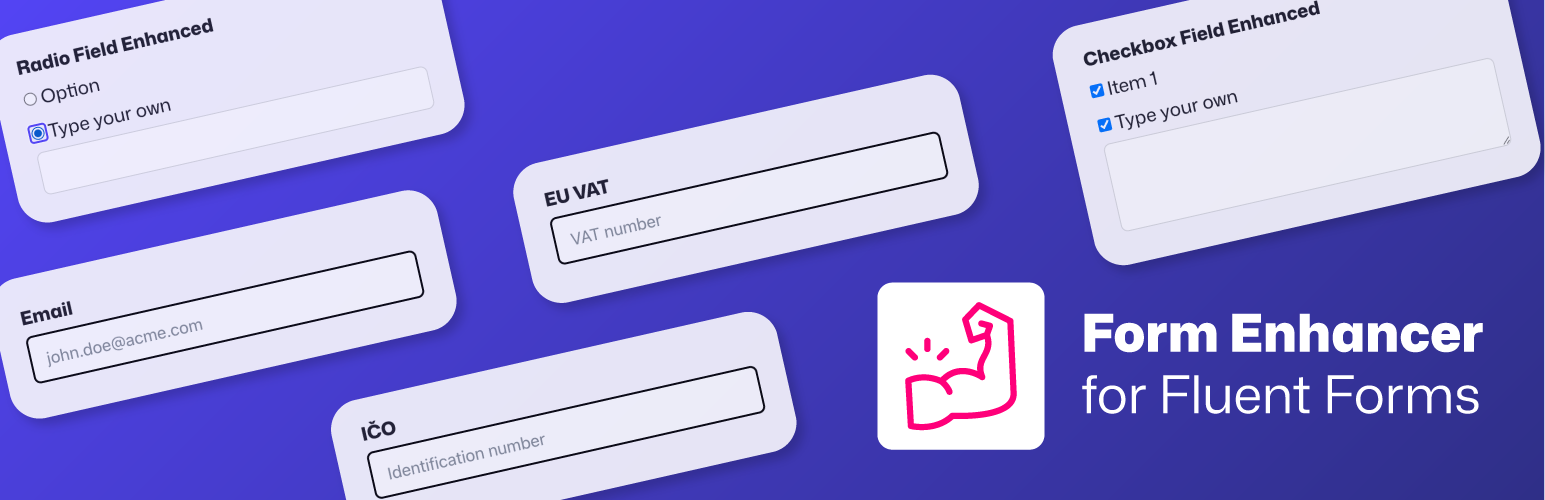
Form Enhancer for Fluent Forms
| 开发者 |
vyskoczilova
freemius |
|---|---|
| 更新时间 | 2026年10月8日 20:30 |
| PHP版本: | 8.1 及以上 |
| WordPress版本: | 7.1.3 |
| 版权: | GPLv3 or later |
| 版权网址: | 版权信息 |
详情介绍:
安装:
- Upload the plugin files to
/wp-content/plugins/formenhancer, or install via the WordPress plugin dashboard. - Activate it through the ‘Plugins’ menu.
- Go to ‘Settings -> Form Enhancer‘ to configure the plugin.
常见问题:
Does it work with the free version of Fluent Forms?
Yes! It works with both free and Pro versions.
Can I use this with other form plugins?
Currently, no — this plugin is built specifically for Fluent Forms. Want support for a different builder? Let me know.
I need another feature, could you add it?
Maybe. Suggest a feature and I will get back to you!
Which external services are used?
This plugin uses several external services to validate business identification numbers and VAT numbers. These services are used only when the corresponding validation fields are present in your forms. All these services are publicly available databases, and the company data being validated is publicly accessible information. The plugin only performs validation checks and does not track or store any data during the validation process. ARES (Administration of Registers and Economic Subjects) The plugin connects to ARES, a service provided by the Ministry of Finance of the Czech Republic, to validate Czech business identification numbers (IČO). When a user submits a form containing a Czech IČO field, the plugin sends the IČO number to ARES for validation. This service is essential for ensuring the accuracy of Czech business identification numbers. Terms of Service - Czech only Finstat For Slovak business identification numbers (IČO), the plugin uses Finstat, a data provider that aggregates and enriches data from the Slovak Business Register, the Statistical Office, and other public sources. When a form containing a Slovak IČO field is submitted, the plugin sends the IČO number to Finstat for verification. This ensures that only valid Slovak business identification numbers are accepted. More info at finstat.sk VIES (VAT Information Exchange System) The plugin integrates with VIES, a service operated by the European Commission, to validate EU VAT numbers. When a user submits a form containing an EU VAT field, the plugin sends the VAT number (country code + number) to VIES for validation. This service is crucial for ensuring the accuracy of EU VAT numbers. VIES database
How do I display a Fluent Form using the ACF/SCF field?
If you selected "Return Format: Form ID" in your ACF/SCF field settings, use this code in your template:
php
$form_id = get_field('your_field_name');
if ($form_id && function_exists('fluentFormRender')) {
echo fluentFormRender(["id" => $form_id])
}
If you selected "Return Format: Form Object", you'll get the form data object. To display it, use:
php
$form_object = get_field('your_field_name');
if ($form_object && function_exists('fluentFormRender')) {
echo fluentFormRender(["id" => $form_object->id])
}
Do I need an API key or a paid account for the validation?
No. VIES, ARES and FinStat are public services and the plugin queries them directly — there is nothing to sign up for and no per-lookup fee. Bank account and IBAN validation runs entirely on your own server (checksums), so it works offline too.
When are the numbers validated?
On submission. The EU VAT, IČO and combined CZ/SK fields call the relevant registry when the form is submitted, so an invalid number is rejected before the entry is stored. Bank account and IBAN fields are checked instantly on your own server, without any external request.
Does it work with Fluent Forms Conversational Forms?
Yes. Form Enhancer fields are registered for Conversational Forms, and they can also be used as conditions in the form editor's conditional logic — except the Unique ID field, whose value only exists after submission (the same as Fluent Forms' own Hidden field).
Does it work with Fluent Forms Pro features like PDFs and webhooks?
Yes. Form Enhancer fields are stored like any native Fluent Forms field, so their values are available in email notifications, PDF templates, webhooks and every other integration through the usual smart codes.
How can I report security bugs?
You can report security bugs through the Patchstack Vulnerability Disclosure Program. The Patchstack team helps validate, triage and handle any security vulnerabilities. Report a security vulnerability.
更新日志:
- Feature: Autofill & Autocomplete Attributes — fields now carry the HTML
autocompleteattribute browsers and password managers use, which is what WCAG 1.3.5 (Identify Input Purpose) and the European Accessibility Act ask for. Email, phone, URL and country fields are recognised automatically, name and address fields are mapped part by part, and each input gets an "Autofill Purpose" setting on its Advanced tab to override the value or switch autofill off. - Update: Tested up to WordPress 7.1.3.
- Update: Updated Freemius SDK to the latest version.
- Add: Required Field Groups — tag two or more fields with the same group name and the form asks for at least one of them ("email or phone"). Set a higher minimum, write your own message, or restyle the new ** marker; enforced in the browser and again on the server.
- Feature: Prefill form fields from the embedding post — or any public post by ID — with new {post_meta.YOUR_META_KEY}, {acf.YOUR_FIELD_NAME} and {post_meta.123.YOUR_META_KEY} smartcodes, including display-friendly formatting of ACF arrays, relationships and objects
- New: Bank Account (IBAN / CZ / SK) field — validates IBANs (all countries) and Czech and Slovak domestic account numbers (prefix-number/bank code) offline using checksums, with a per-field setting to accept both formats or require one, and a bank name hint for known Czech and Slovak bank codes.
- New: Unique ID field — stamp every submission with a configurable reference number (prefix/suffix around a zero-padded sequential counter or a random token). The counter is race-safe, so concurrent submissions never draw the same number, and the value works in email notifications, PDFs and webhooks like any other field.
- Fix: Webhook Debug Log – the stale failure request/response was still displayed on an API Calls row after a successful replay. The debug block is now hidden once the action's status is success.
- New: Webhook Debug Log – when a Fluent Forms Pro webhook feed fails, the full request and response (URL, method, headers, body) are captured and displayed in the entry's Submission Logs → API Calls tab. Always on; disable globally or per form via the
formenhancer/webhook_debug_logfilter. - Various performance and minor security fixes.
- Added Slovak translation.
- Updated the Freemius SDK integration to version 2.13.4.
- Updated the Freemius SDK integration to version 2.13.2.
- Update deprecated Fluent Forms hooks from underscore to slash format (fluentform_ → fluentform/).
- Enhancement add conditional logic support for custom fields in the Fluent Forms editor. Form Enhancer fields can now be used as conditions when building forms.
- Updated the Freemius SDK integration to version 2.13.0.
- Fix free/pro activation conflicts.
- Fix version naming, the 1.1.1 should have been 1.2.0 in order to keep semantic versioning.
- Added ACF/SCF integration - adds a "Fluent Form" field type to Advanced Custom Fields and Secure Custom Fields.
- Added new Confirm field - allows you to add a confirmation field that validates if its value matches another field (useful for confirming emails, passwords, etc.).
- Added option to style submit buttons as Block buttons (adds WordPress Block Editor button styling classes).
- Added support for Fluent Forms Conversational Forms with all Form Enhancer fields.
- Added Czech language translation
- Fixed various typos in text and documentation
- Updated the Freemius SDK integration to version 2.12.0 for improved licensing and analytics functionality.
- WordPress repository release for free version.
- Skip plugin initialization in WP_CLI environments.
- Update PHP-DI library to 7
- Added info about external services used
- Enabled Freemius
is_org_compliantmode. - Removed load_plugin_textdomain() for loading the plugin translations (not needed for WordPress.org directory since WordPress 4.6)
- Fixed plugin icon file path
- Added documentation link in plugin listing
- Initial release