
FormLedger – CF7 Entries & Database for Contact Form 7
| 开发者 | chiraglad23 |
|---|---|
| 更新时间 | 2026年10月16日 01:02 |
| PHP版本: | 7.4 及以上 |
| WordPress版本: | 7.1 |
| 版权: | GPLv2 or later |
| 版权网址: | 版权信息 |
详情介绍:
- Save every submission: all Contact Form 7 entries are stored, even if the email fails
- View all entries: every form submission in one clean list
- Search and filter: find entries by name, email, form or date
- Export to CSV / Excel: download all, filtered or selected entries
- File uploads: uploaded files are stored safely and can be downloaded anytime
- Read / unread status and bulk delete
- Unlimited forms and entries
- Multisite compatible: each site keeps its own entries
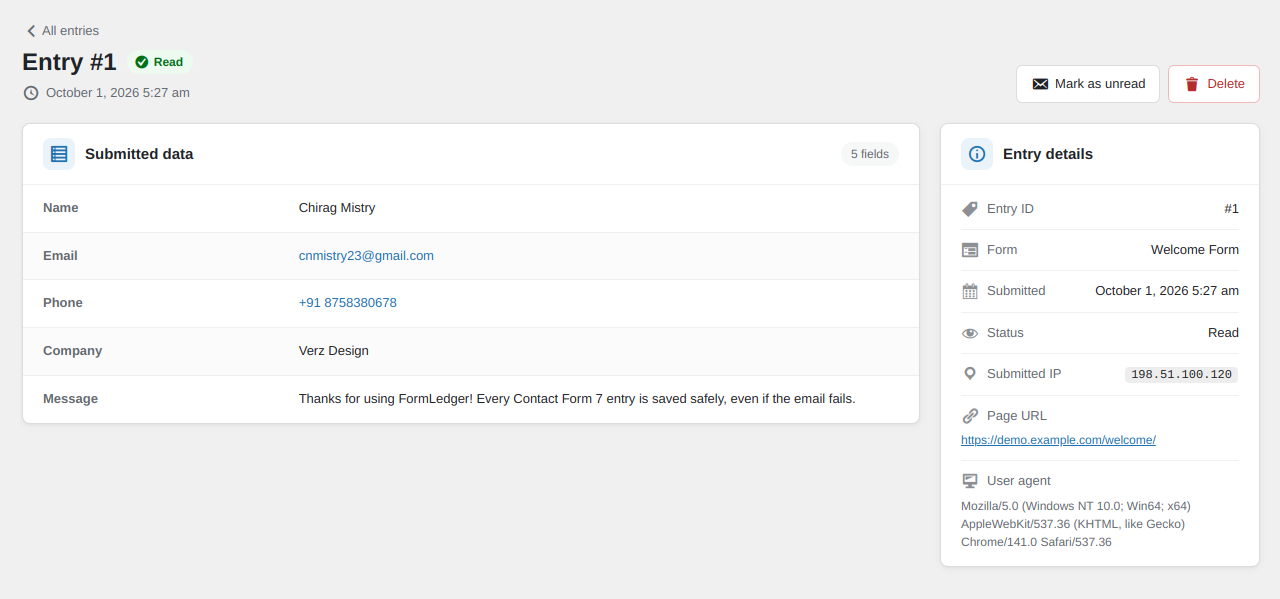
- Submitted IP: the visitor's IP address and browser are saved with each entry and shown in the list and on the entry
- Your data stays on your site: entries are stored only in your WordPress database
安装:
- Install and activate Contact Form 7 (required).
- Upload the
formledgerfolder to/wp-content/plugins/, or install the plugin from Plugins → Add New. - Activate FormLedger.
- Submit any Contact Form 7 form. The entry appears under Contact → CF7 Entries.
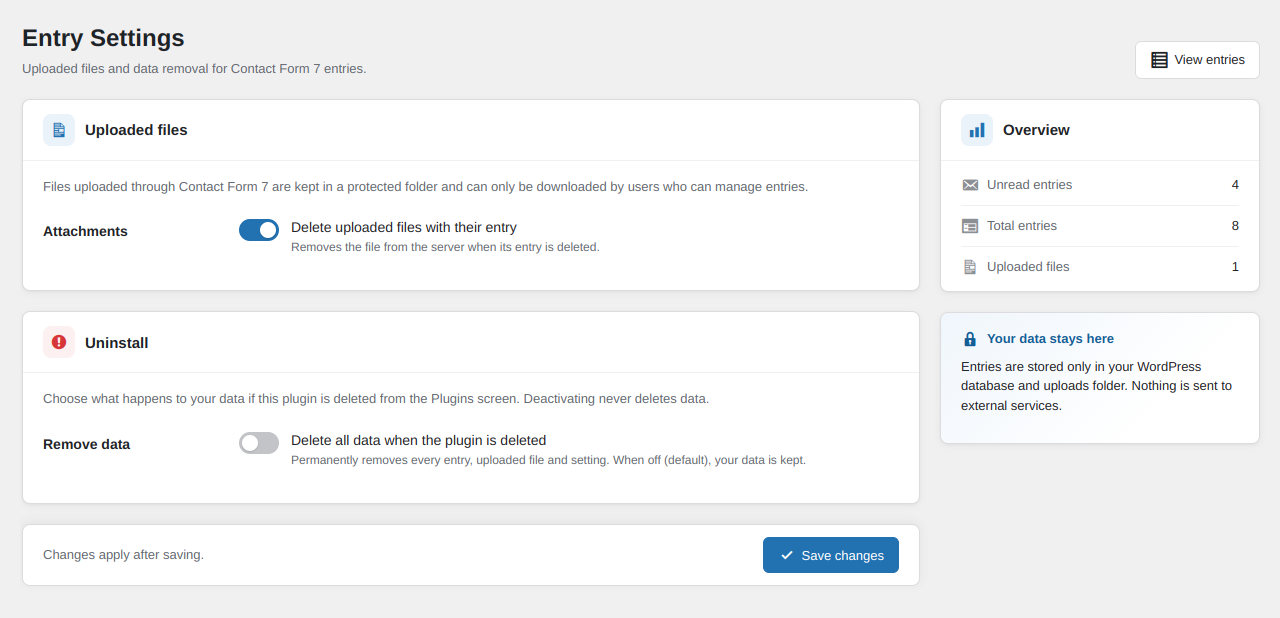
- Review the settings under Contact → Entry Settings.
屏幕截图:
常见问题:
Does it work without Contact Form 7?
No. Contact Form 7 is required. On WordPress 6.5 and later, FormLedger cannot be activated until Contact Form 7 is installed and active, and Contact Form 7 cannot be deactivated while FormLedger is active. If Contact Form 7 goes missing anyway, FormLedger shows a notice with a one-click Install or Activate button. Your existing entries stay safe and viewable.
Where can I find my Contact Form 7 entries?
In your WordPress admin under Contact → CF7 Entries. Click View to open an entry, or use the form and date filters to narrow the list.
Can I export entries to Excel?
Yes. Click Export all to CSV, or select entries and choose the export bulk action. The CSV file opens directly in Excel, Google Sheets and Numbers. Your current filters are applied to the export.
Are old submissions saved from before I installed FormLedger?
No. Contact Form 7 does not keep submissions, so FormLedger can only save entries submitted after it is activated.
Are spam submissions stored?
No. Entries are captured after Contact Form 7 has completed validation and its spam checks.
Is anything stored if the email fails to send?
Yes. Entries are saved just before Contact Form 7 sends mail, so a failed email does not mean a lost submission.
What happens when I delete or rename a form?
Entries are never deleted with their form. For deleted forms, the original title is shown with a "(deleted form)" label. For renamed forms, the entry screen also shows the title it was submitted under.
Who can see entries and uploaded files?
Only administrators, by default. To give access to another role (for example, Editors), grant it the manage_cf7_entries capability using a role editor plugin. Only administrators can change the plugin settings.
Uploaded files are stored privately and can only be downloaded by logged-in users who can see entries.
Can I back up entries before removing the plugin?
Yes. When "Delete all data when the plugin is deleted" is on, clicking Deactivate opens a dialog that offers to download all entries as a CSV file (opens in Excel) before you continue. WordPress only allows deleting a plugin after it is deactivated, so this is the last point where the plugin can offer a backup.
What happens when I deactivate or delete the plugin?
Deactivating keeps all data. Deleting the plugin also keeps all data, unless you enable Delete all data when the plugin is deleted under Contact → Entry Settings.
Does it support multisite?
Yes. Each site has its own entries, files and settings. Network activation sets up every site, and new sites are set up automatically.
更新日志:
- Fixed: With Contact Form 7 6.2 or later, the "CF7 Entries" and "Entry Settings" links were missing from the Contact menu. FormLedger now finds the Contact menu automatically, so the links show with both older and newer versions of Contact Form 7.
- New: The visitor's IP address is saved with each new entry. It is shown in a new "Submitted IP" column in the entries list and below the status on the entry screen, and included in CSV export.
- Changed: The visitor's browser user agent is now always saved with each new entry. The Privacy section has been removed from the settings screen.
- Removed: Integration with the WordPress personal data export and erase tools, and the suggested policy text.
- Improved: The entries list keeps the Form column readable on narrow screens.
- Changed: The entry screen heading now shows only the date; the form name is shown under Entry details.
- Note: entries saved before this version have no IP address.
- Fixed: On MySQL 8 servers the entries list stayed empty and CSV export failed, even though submissions were saved. All entries now show.
- Changed: IP address storage and automatic retention (scheduled deletion of old entries) have been removed from the free plugin. They are planned for the separate FormLedger Pro add-on.
- Changed: Settings page now shows Privacy, Uploaded files and Uninstall sections, and the overview shows total entries and stored files.
- Changed: Contact Form 7 is now a declared required plugin. WordPress asks you to install it before FormLedger can be activated.
- Changed: Minimum WordPress version is now 6.5.
- Improved: Clear notice with an Install or Activate Contact Form 7 button whenever Contact Form 7 is missing.
- Changed: Readme reorganised and FAQ simplified.
- Note: no entries are deleted by this update. The old daily cleanup task is removed automatically.
- Initial release.