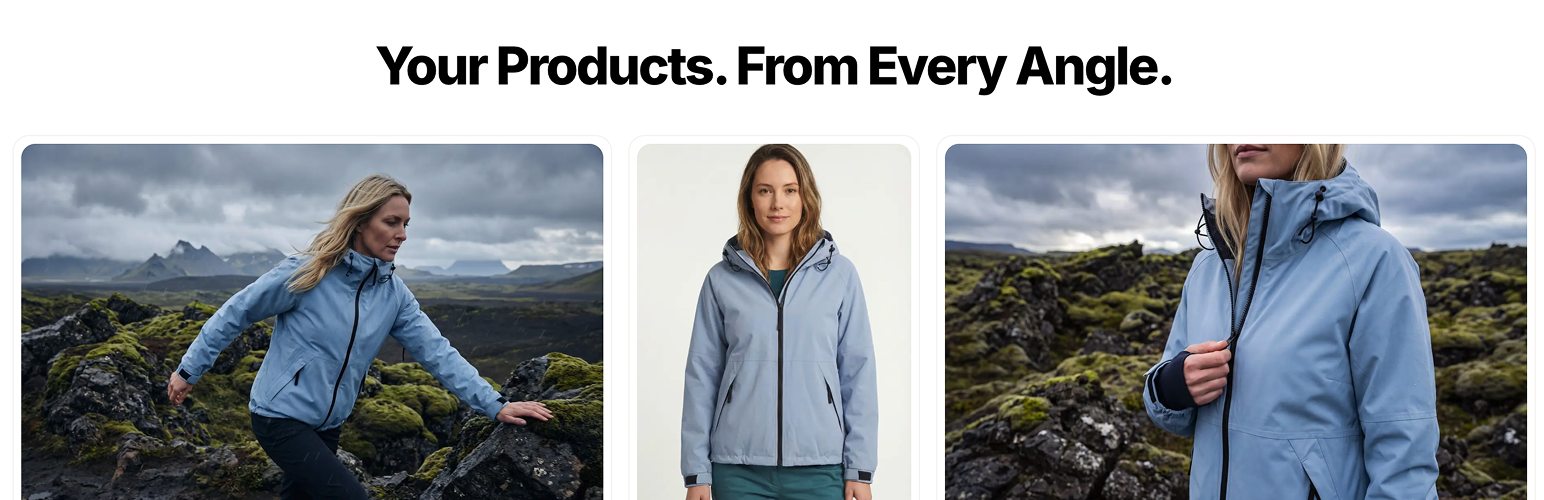
Fotogenic AI - Product Image Generator for WooCommerce
| 开发者 | fotogenicai |
|---|---|
| 更新时间 | 2026年9月18日 18:03 |
| PHP版本: | 7.4 及以上 |
| WordPress版本: | 7.1 |
| 版权: | GPLv2 or later |
| 版权网址: | 版权信息 |
详情介绍:
- Place products in fresh scenes and visual settings
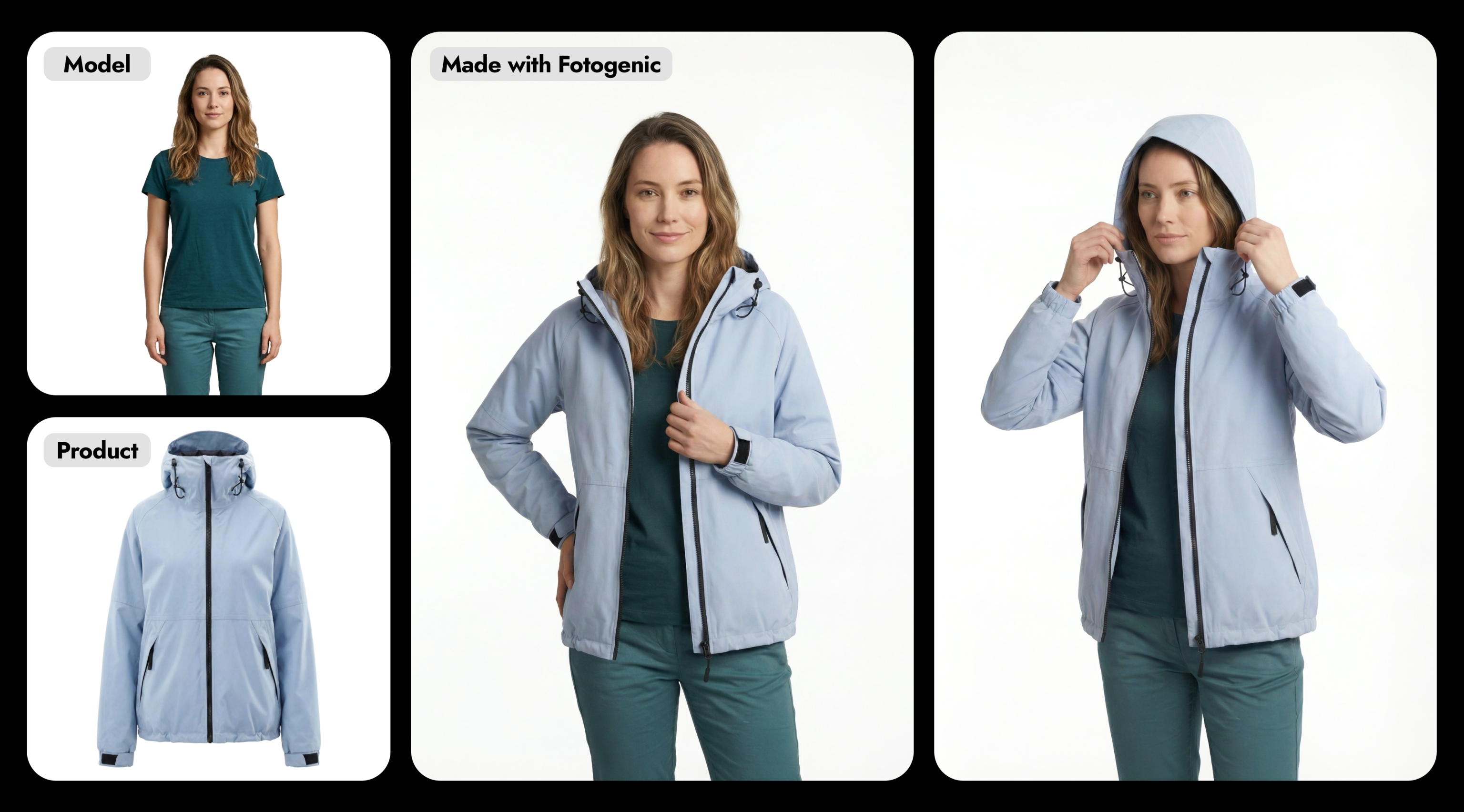
- Explore different supported camera angles, framing, and compositions
- Create fresh images for product pages, launches, and promotions
- Build on-model visuals with reference images where supported
- Generate several options and choose the look that feels right
- Save your favorite creative direction and reuse it across products
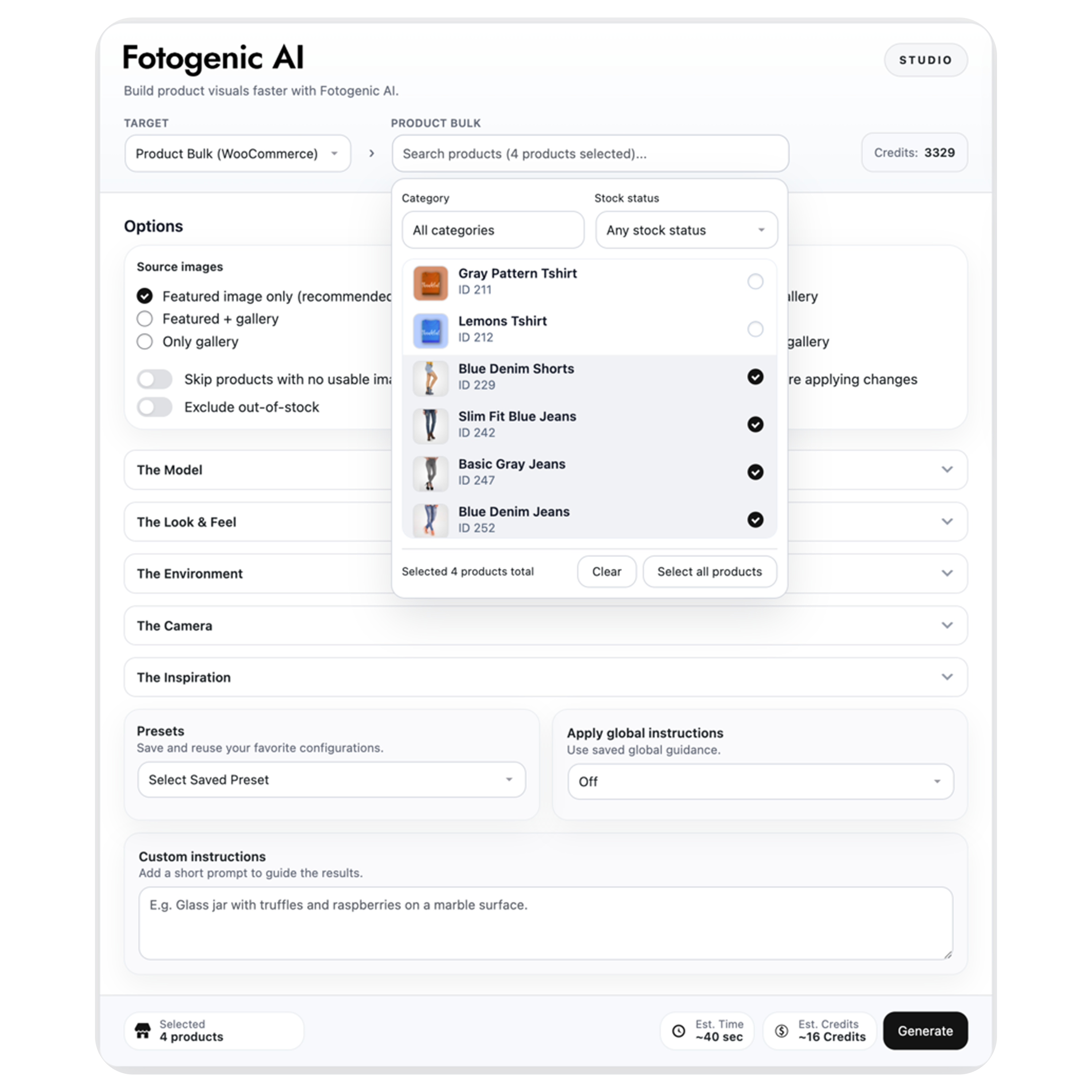
- Select - Choose the image workflow and the products or images you want to transform.
- Configure - Pick the look, references, and creative options.
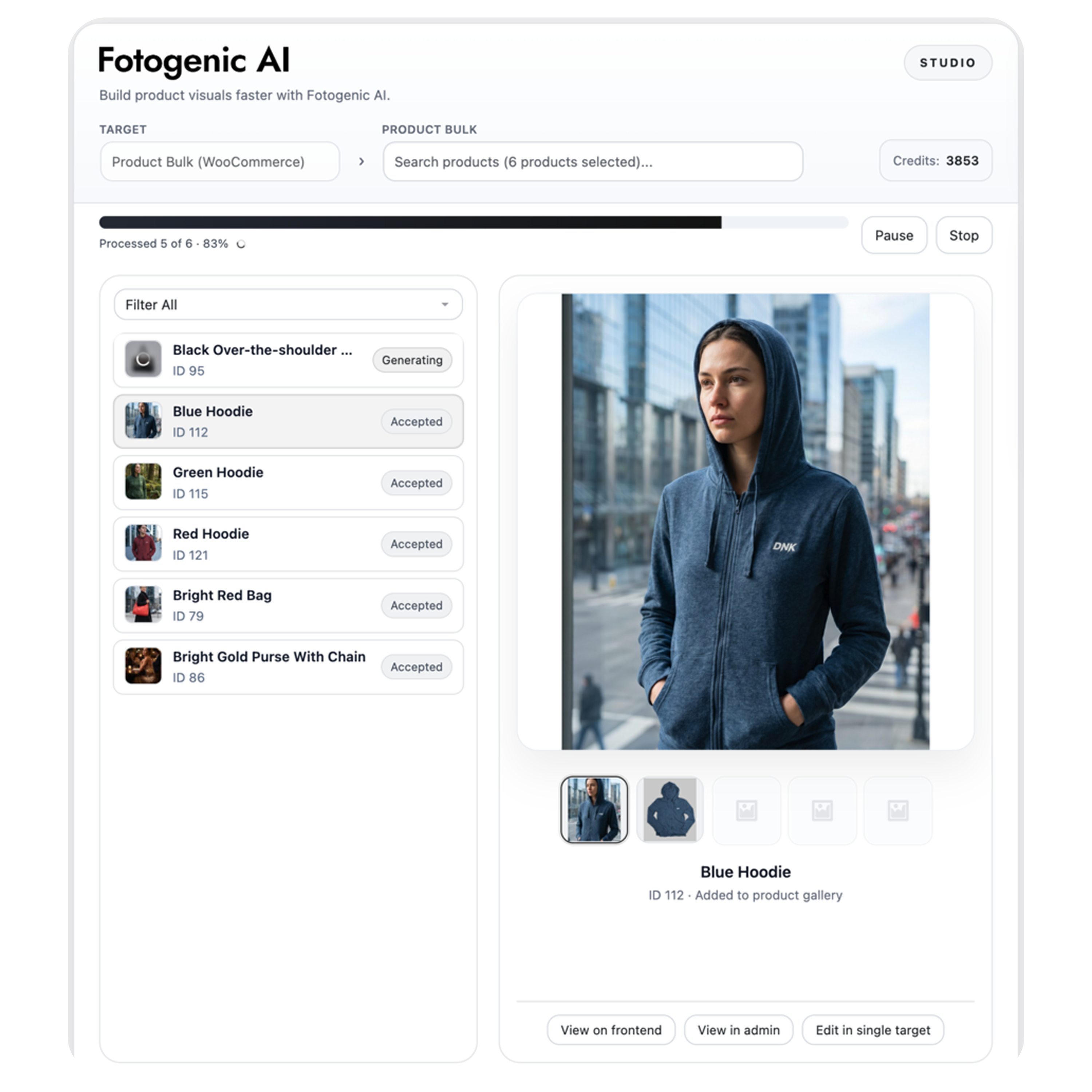
- Generate - Follow the progress as each item is completed.
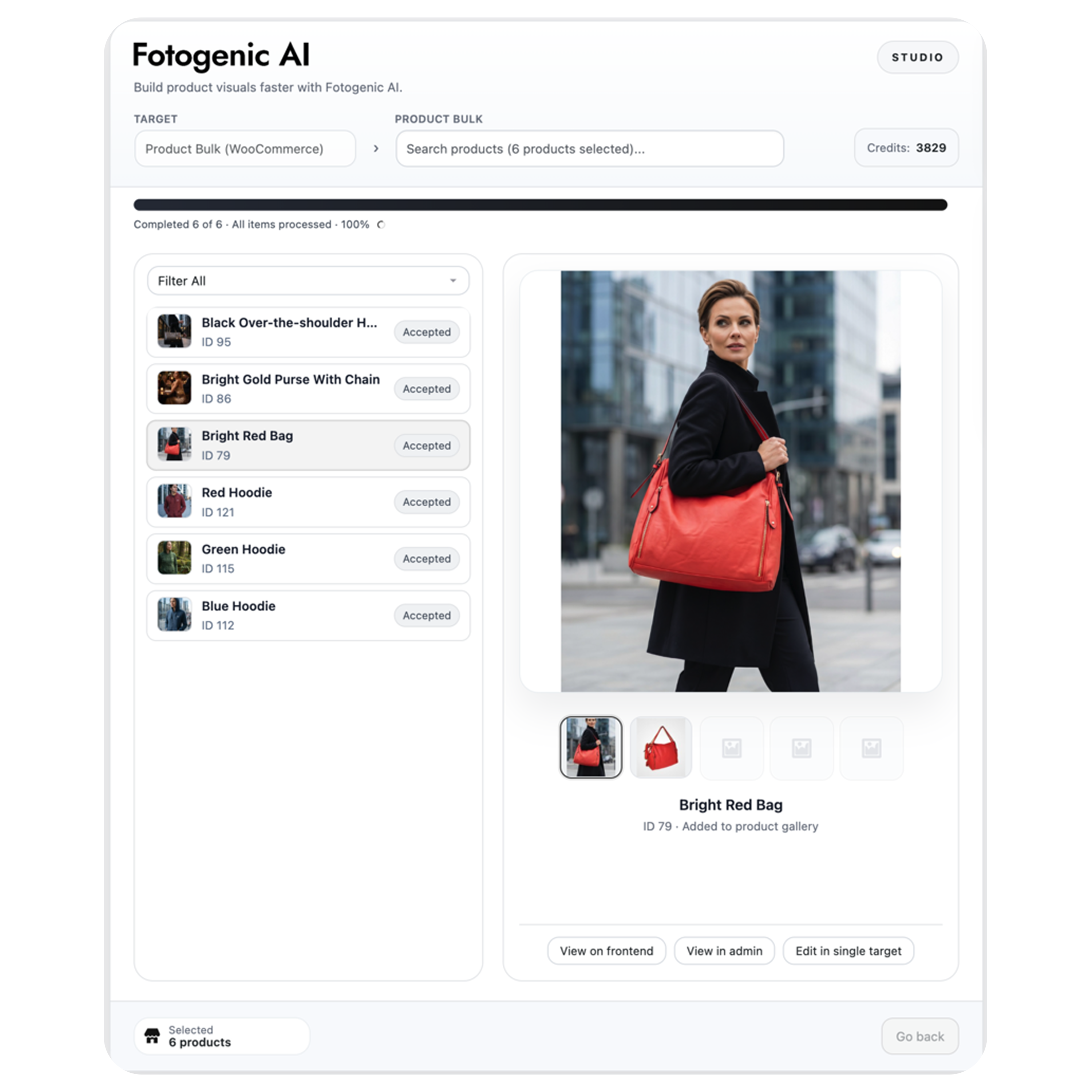
- Summary - Compare the results and choose the images you want to use.
安装:
- Upload the
fotogenic-aifolder to/wp-content/plugins/, or install it through Plugins -> Add New. - Activate the plugin.
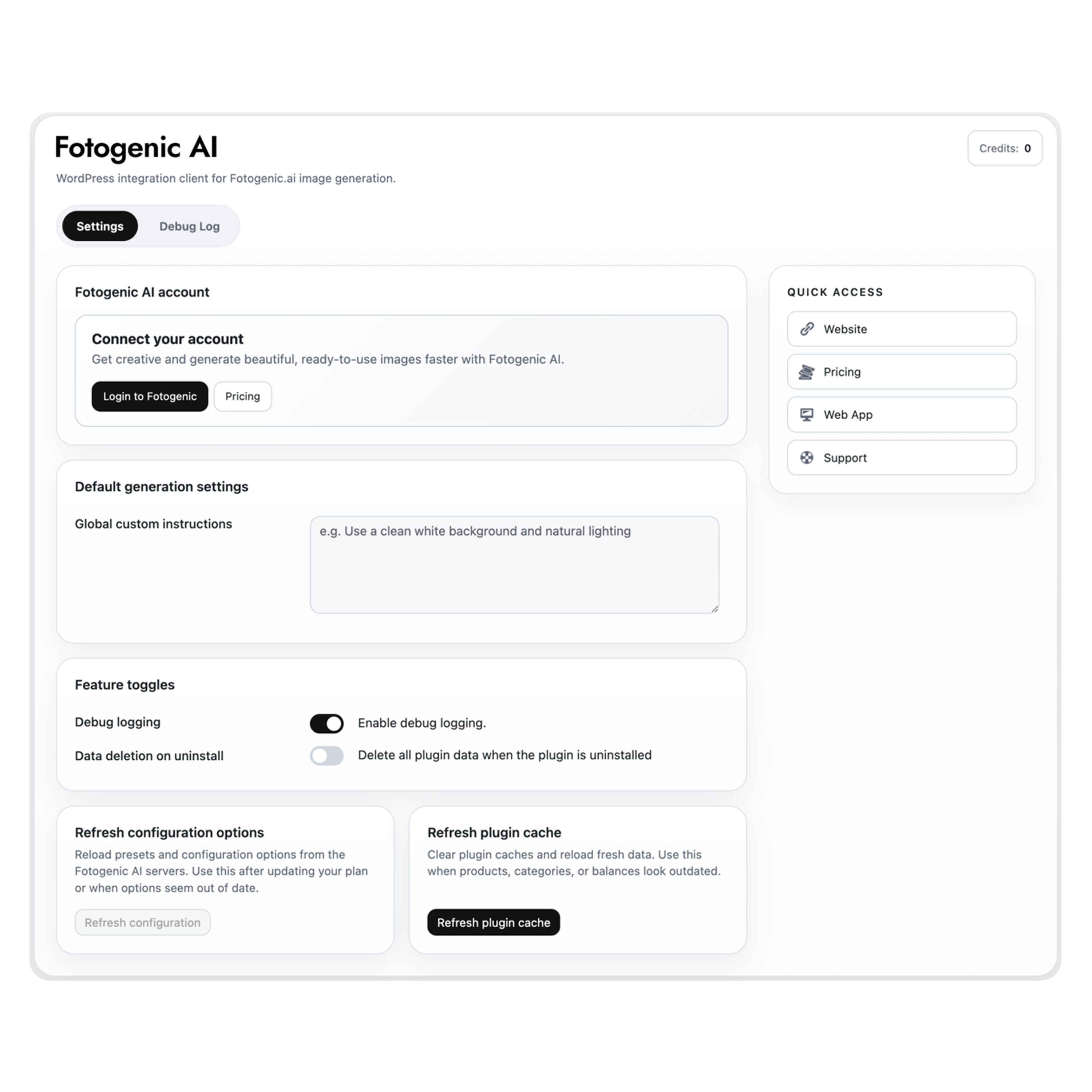
- Open Fotogenic AI -> Settings.
- Log in to your Fotogenic AI account.
- Open Fotogenic AI -> Studio and choose your first workflow.
屏幕截图:
常见问题:
Is WooCommerce required?
WooCommerce 9.4 or newer is required when you want to work with WooCommerce Products or update product images. Without WooCommerce, you can still use Media Library, Post, and Page images. Media Library images also work with Campaign Set and Increase Resolution.
What can I process in one run?
Generate Images supports one or multiple selected Products, Media Library items, Posts, or Pages. Campaign Set and Increase Resolution support one or multiple selected Products or Media Library items. Larger Product selections continue as a managed queue.
Are my original images overwritten?
No. A generated or enhanced image is saved separately. A Product changes only after you choose an action for the result.
Can I control where generated Product images go?
Yes. For eligible Product results, you can add selected images to the gallery, replace the main Product image, or do both. You can also leave results in the Media Library without changing the Product.
Does Fotogenic AI add anything to my storefront?
No. Fotogenic AI runs in wp-admin. It does not add frontend blocks, shortcodes, widgets, or tracking scripts.
Does the plugin work without a Fotogenic AI account?
You can open the Studio and adjust settings while signed out, but you need to connect a Fotogenic AI account to create images.
How can I try Fotogenic AI for free?
New eligible accounts receive 10 free credits. No credit card is required to get started.
Do I need credits or paid service access?
Your free credits let you try Fotogenic AI first. Continued generation depends on the credits or service access available in your account. See the current Pricing page when you are ready for more.
更新日志:
- Added a Home screen with style inspiration, templates, workflow shortcuts and recent creations.
- Added Fotogenic templates, models and environment references to supported generation workflows.
- Expanded background processing for large Product selections in Generate Images and Campaign Set.
- Added batch Increase Resolution for Product images and whole Media Library selections while preserving originals.
- Improved Configure and Generate navigation, source selection, status sorting and credit estimates.
- Added welcome and first-result guidance, low-credit alerts and insufficient-credit prompts, with balance checks before generation.
- Improved live progress, pause, stop and resume behavior while keeping completed results accessible.
- Fixed Run History entries, pagination, result recovery and conflicting Product gallery updates.
- Improved template caching, account reconnection and loading/error handling.
- Refined desktop, tablet and mobile layouts with more compact rows, consistent controls and smoother updates.
- Redesigned the Studio with a guided four-step workflow for selecting sources, configuring images, generating results, and reviewing them.
- Added multi-item generation for WooCommerce Products, Media Library images, Posts, and Pages.
- Added Campaign Set for creating coordinated groups of campaign images.
- Added Increase Resolution for creating enhanced images without overwriting original images.
- Added category and stock filtering, desktop infinite scrolling, and queued processing for larger Product catalogs.
- Added live progress, pause, resume, stop, run history, and recovery controls.
- Improved result selection and Product gallery, featured-image, and Media Library actions.
- Improved login, logout, signed-out behavior, credit estimates, loading states, and error handling.
- Improved desktop, tablet, and mobile layouts throughout the Studio.
- Fixed compatibility when updating from older active plugin versions.
- Added compatibility with WordPress 7.1 and PHP 7.4 through 8.5.
- WooCommerce remains optional for Media Library, Post, and Page workflows.
- Compatibility with WordPress 7.0.
- Maintenance release with minor plugin documentation improvements.
- Fixed WooCommerce product gallery updates after generated images are added or removed from Studio.
- Improved product cache refresh behavior so gallery and featured-image changes appear without extra page refreshes.
- Improved compatibility with WooCommerce product image gallery extensions.
- Maintenance release with minor usability refinements.
- Improved bulk progress state handling and simplified the settings auth popup experience.
- Maintenance release with minor usability refinements.
- Improved WordPress compatibility and overall admin experience.
- Improved the Studio and Settings UI styling.
- Fixed the Settings tab rendering regression.
- Refined picker and bulk workflow behavior.
- Initial release.