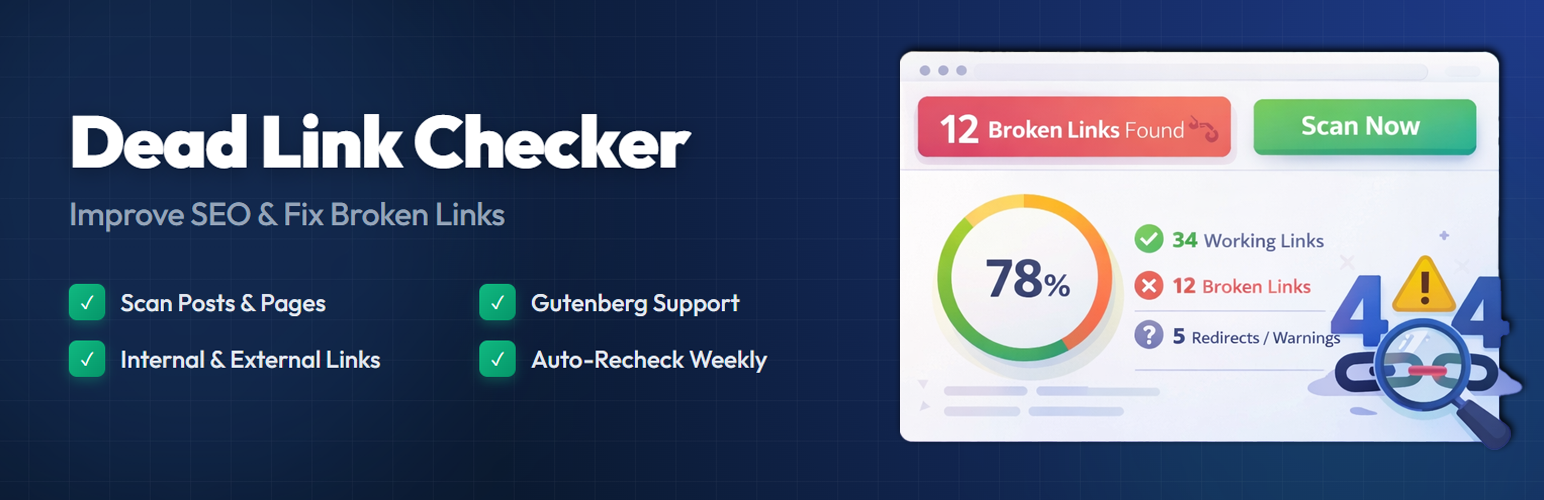
Dead Link Checker - SEO and 404 error Fix
| 开发者 |
awordpresslife
razipathhan hanif0991 muhammadshahid fkfaisalkhan007 sharikkhan007 zishlife FARAZFRANK |
|---|---|
| 更新时间 | 2026年8月20日 18:37 |
| PHP版本: | 7.4 及以上 |
| WordPress版本: | 7.1 |
| 版权: | GPLv2 or later |
| 版权网址: | 版权信息 |
详情介绍:
Broken links frustrate your visitors and hurt your search rankings. When someone clicks a link on your site and lands on a 404 page, they lose trust — and so does Google.
Dead Link Checker scans your WordPress posts and pages, finds broken links, and gives you a clear report so you can fix them quickly. It runs in the background without slowing down your site.
Whether you have a personal blog or a large content site, keeping your links healthy is one of the simplest things you can do for on-page SEO. This plugin handles the heavy lifting so you don't have to check every link by hand.
How It Works
- Go to Dead Link Checker → Dashboard in your WordPress admin.
- Click Scan Now to start scanning your content.
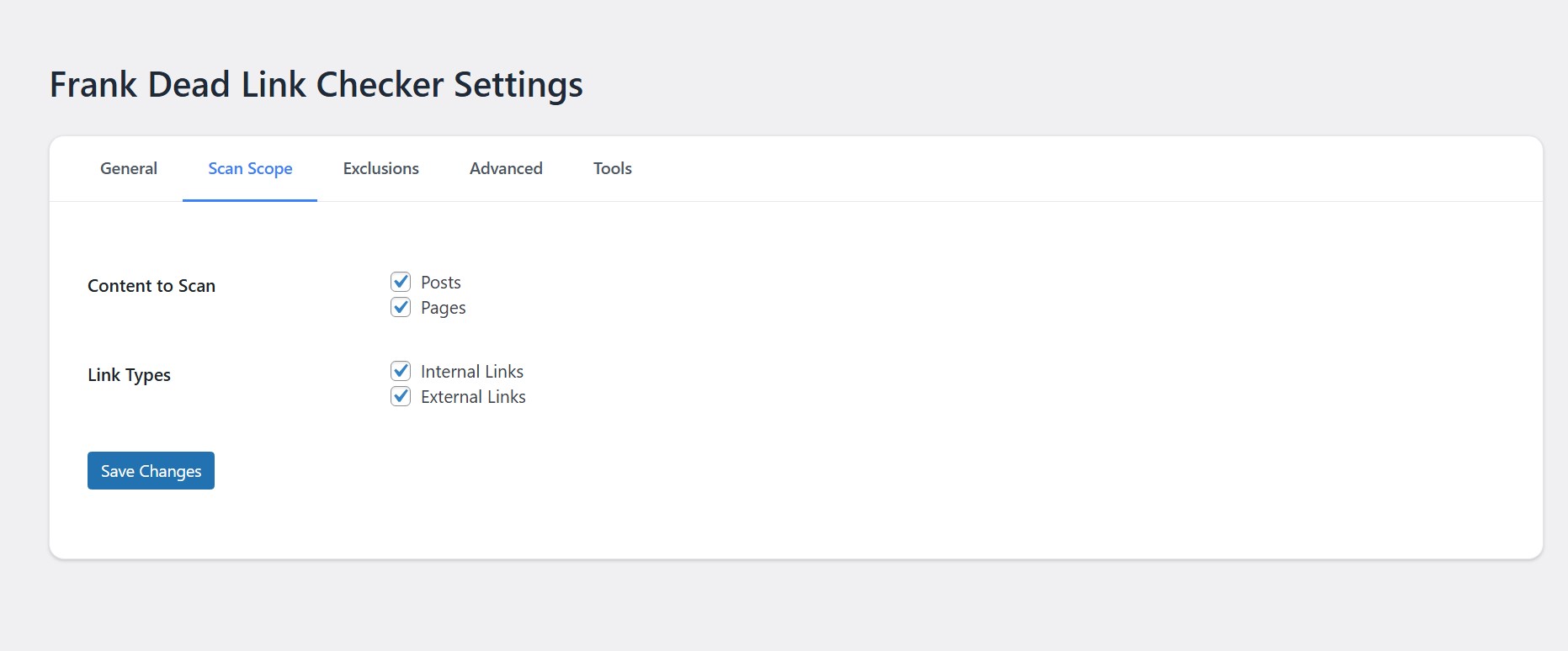
- The plugin checks every link in your posts and pages.
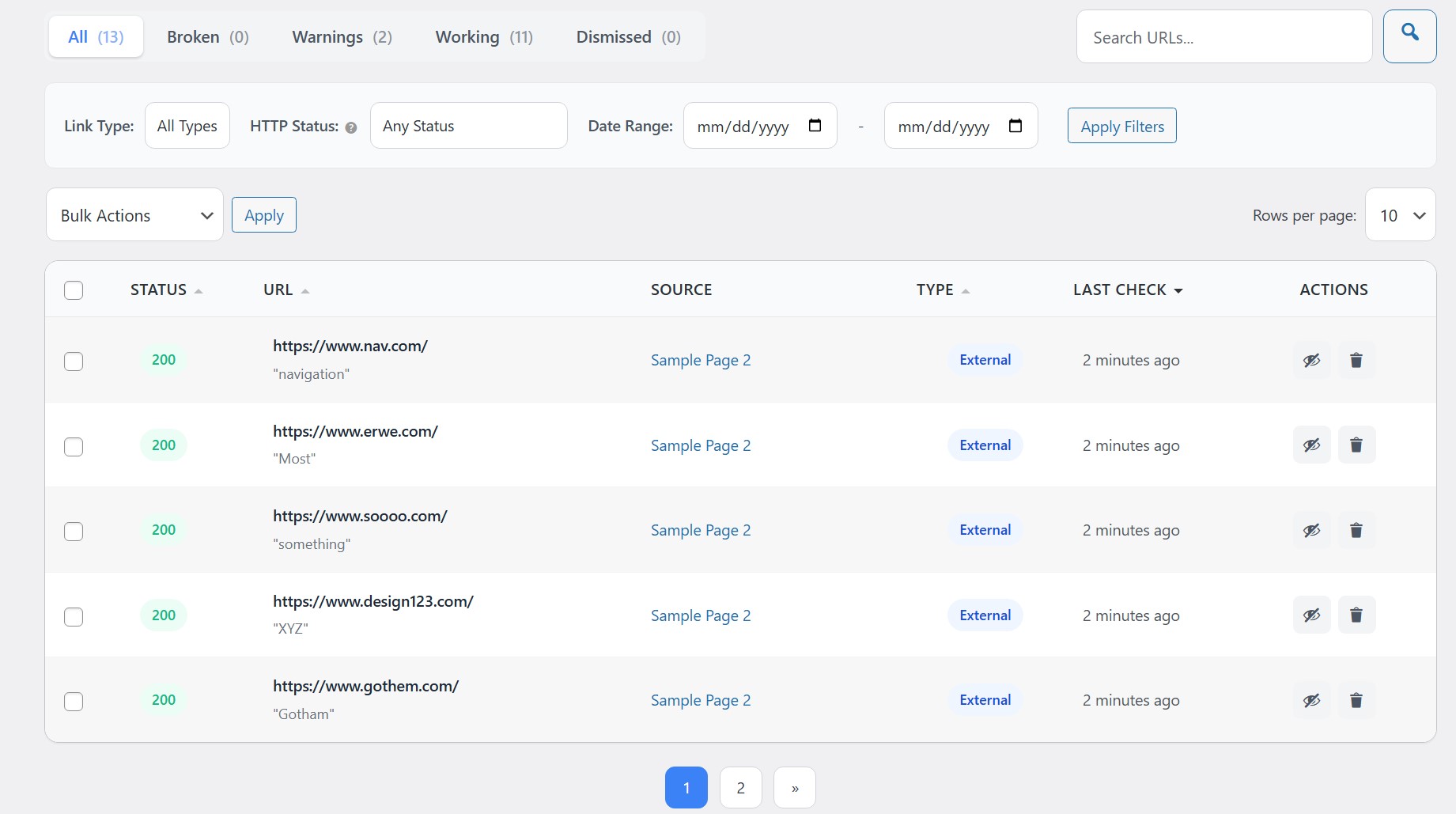
- Broken links, redirects, and slow responses show up in a visual report.
- Fix or dismiss links directly from the dashboard.
安装:
- Upload the plugin folder to your plugins directory.
- Activate the plugin in your WordPress admin.
- Open the Dead Link Checker page.
- Click Scan Now to start checking your site.
屏幕截图:
常见问题:
How does a dead link or broken link hurt my SEO?
Search engines want to give users a good experience. A site with many errors gets crawled less often. This hurts your visibility. Fixing every 404 error keeps your rankings safe.
Will this scanner cause server errors?
No. The tool checks links in small groups. It uses very little server power. Your website stays fast for all visitors.
Can I check external links for errors?
Yes. The plugin checks links pointing to other sites. It also checks internal links on your own site.
Does it find 404 error status codes?
Yes. It reports all 404 error pages. It also flags other server issues like 500 or 403 status codes.
更新日志:
1.0.6
- Tweak: Added a "Copy" icon badge in the URL column to easily copy anchor text.
- Tweak: Changed "View Source" icon to an external link icon for better consistency.
- Contextual Bulk Actions: Conditional options display based on active status tab (e.g. hides Restore in active tabs, Dismiss in Dismissed tab).
- User-Friendly Bulk Notice: Clearer feedback message with plurals and fallback when no state changes occur.
- Synchronized Toast & Reload: Extended toast visibility to 5s and delayed page refresh to 4s to make notifications fully readable.
- Unlinked Source Titles: Converted source title to normal text (unlinked) to prevent misclicks.
- Dedicated Edit & View Icons: Rendered pencil and eye dashicon buttons next to the title that open in a new window/tab.
- Ellipsis Truncation: CSS single-line truncation for long source titles.
- URL Display Limit: Slightly increased displayed URL length threshold from 50 to 80 characters.
- Fixed wpdb::prepare query missing placeholder notice.
- Added 'Recheck' and 'Edit' buttons to link actions with 'Upgrade to Pro' prompt.
- Added 'Export' button dropdown (CSV & JSON) as a PRO preview feature.
- Added 'Notifications' tab in Settings displaying disabled email notification options for PRO preview.
- Replaced native browser confirm alerts with stylized custom HTML modals across the dashboard.
- Improved UI consistency: border-radius, height, padding, and spacing now match across all admin pages.
- Replaced hardcoded border-radius values with CSS token variables for global consistency.
- Normalized settings page inputs and selects to uniform 32px height with consistent focus styles.
- Standardized Tools tab maintenance buttons to fixed 32px height and 150px width.
- Improved header action buttons: explicit 44px height with proper secondary/primary button distinction.
- Fixed action button and stat icon radius to use design tokens instead of hardcoded values.
- Removed remaining !important overrides from check-column, clear-filters, and no-items cell.
- Added white-space: nowrap to status badges to prevent wrapping on narrow columns.
- Added sortable column anchor padding for full-cell click area.
- Removed edit button and edit link functionality from the dashboard.
- Removed recheck option and its functionality.
- Removed images option from link type settings.
- Added "Upgrade to Pro" submenu page with feature highlights and comparison table.
- Centered help page content for improved readability.
- Fixed SQL prepared statement warnings for WordPress Plugin Check compliance.
- Fixed unescaped database parameter warnings in scanner and uninstall files.
- Rewrote readme.txt for WordPress.org guideline compliance.
- Updated plugin name to "Dead Link Checker" for consistency.
- Maintenance release.
- Updated readme for WordPress.org compliance.
- Initial release.