
FraudJudge Gateway
| 开发者 | fraudjudge |
|---|---|
| 更新时间 | 2026年4月3日 02:13 |
| PHP版本: | 7.4 及以上 |
| WordPress版本: | 6.9 |
| 版权: | GPLv3 |
| 版权网址: | 版权信息 |
详情介绍:
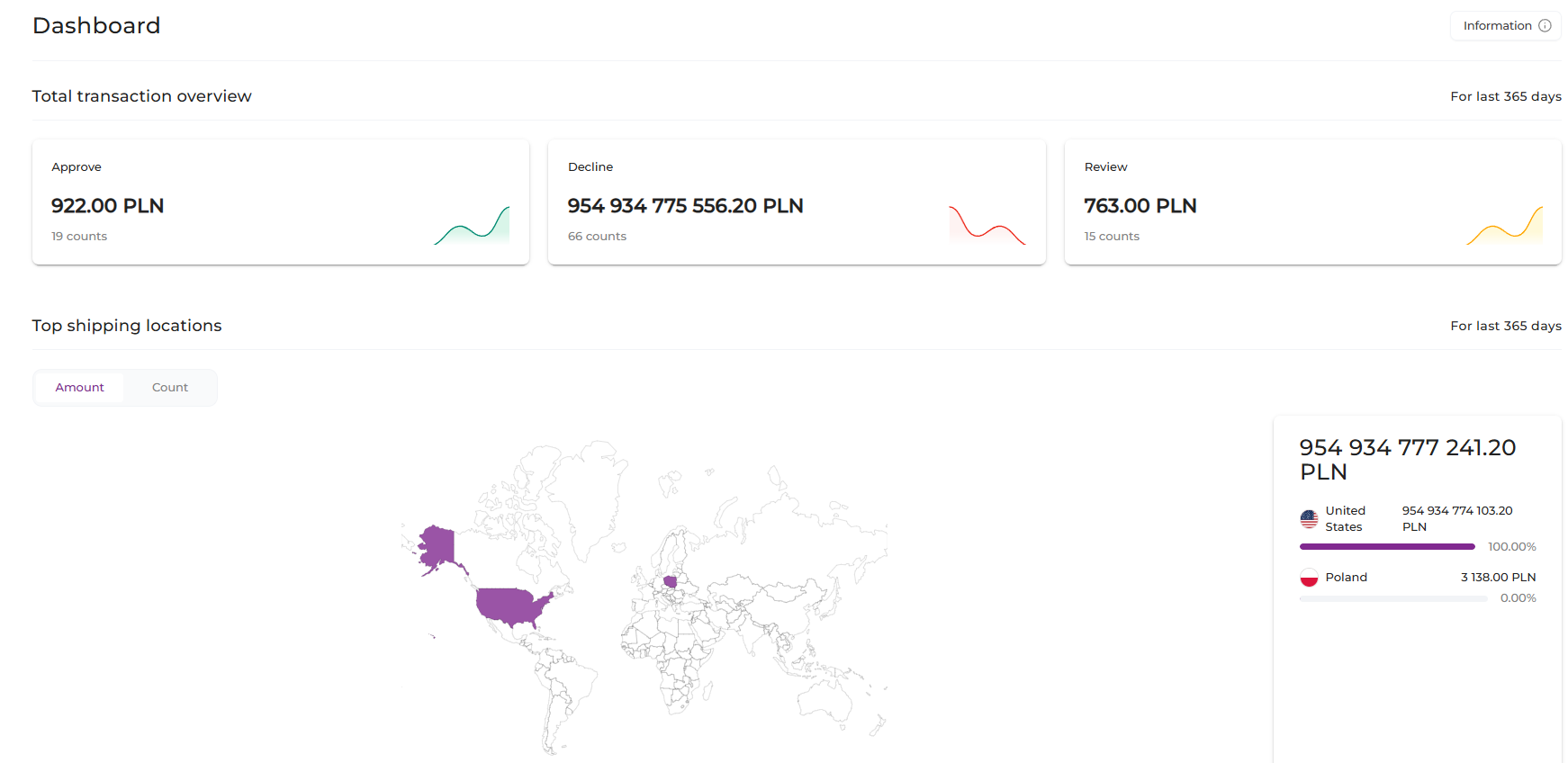
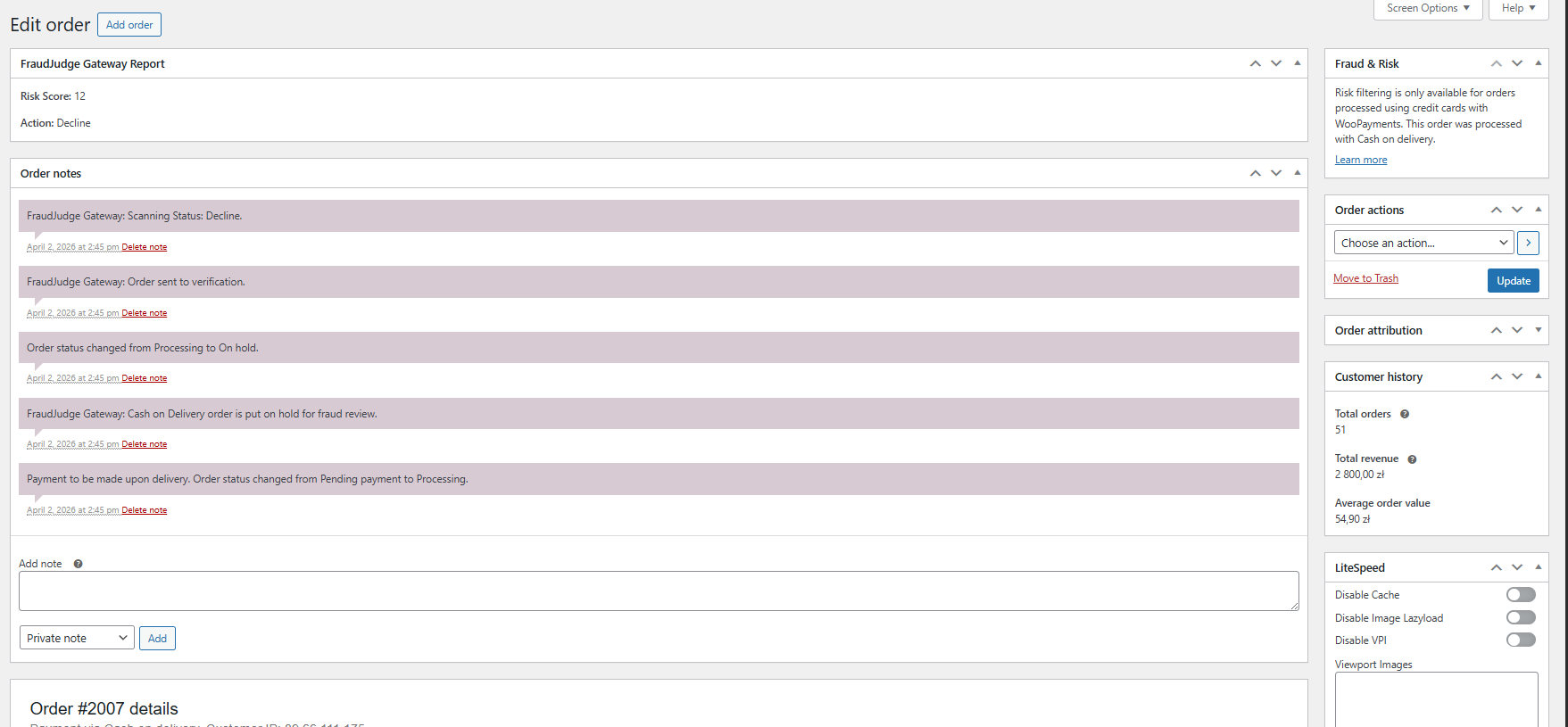
FraudJudge Gateway connects your WooCommerce store to the FraudJudge Enterprise service to evaluate the fraud risk of orders. When an order is created (and when your store triggers scans), the plugin can send order and customer signals to FraudJudge and store the risk decision for review inside WordPress.
安装:
- Upload the plugin files to the
/wp-content/plugins/fraudjudge-gatewaydirectory, or install the plugin through the WordPress “Plugins” screen. - Activate the plugin through the “Plugins” screen in WordPress.
- Go to FraudJudge Gateway → Settings and set your “API integration key”.
- If you don’t have a key yet, use the “Generate API Key” button (this opens a FraudJudge page in a new tab).
- Configure the automation options (auto-cancel / on-hold / offline scans) to match your store’s workflow.
- Place a test order and confirm you can see the FraudJudge evaluation status in WooCommerce orders.
屏幕截图:
常见问题:
Does this plugin require an external account?
Yes. You need a FraudJudge account and an API integration key to send transactions for evaluation.
Does the plugin work without WooCommerce?
No. WooCommerce is required and must be active.
What data is stored locally in WordPress?
The plugin stores configuration options (such as the API key and automation toggles) and may store fraud evaluation responses/status information associated with orders for auditing and display in wp-admin.
Can I disable automated actions?
Yes. You can leave “auto-cancel” and “auto on-hold” unchecked and only use FraudJudge results for manual review.
更新日志:
1.0.0
- Initial release.