Frinext Scan & Pay
| 开发者 | frinexqr |
|---|---|
| 更新时间 | 2026年3月27日 21:30 |
| PHP版本: | 7.4 及以上 |
| WordPress版本: | 6.9 |
| 版权: | GPLv2 or later |
| 版权网址: | 版权信息 |
详情介绍:
- Generate UPI QR codes for customer payments
- Customer uploads payment proof/screenshot
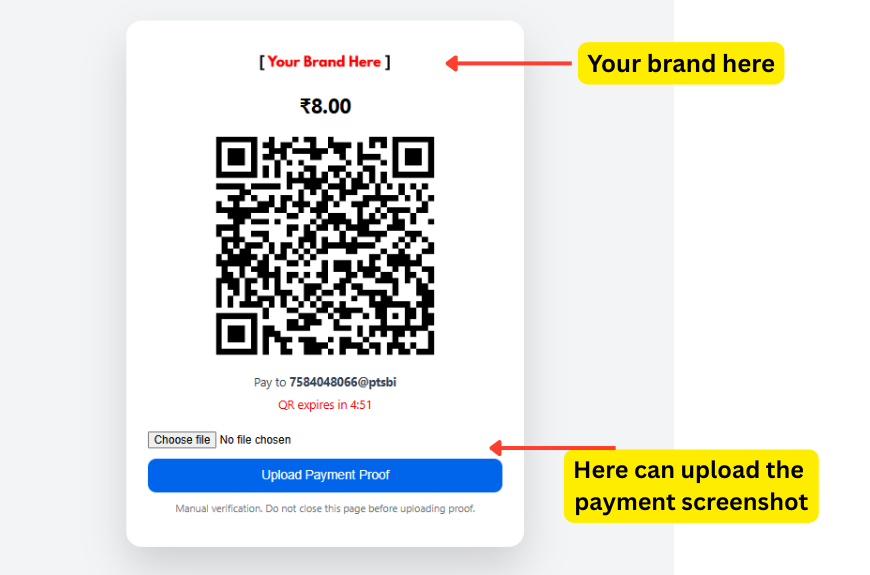
- 5-minute QR code expiry timer
- Admin can view payment proof in order details
- Works with WooCommerce Classic Checkout
- Simple setup - just enter your UPI ID
- No transaction fees from this plugin
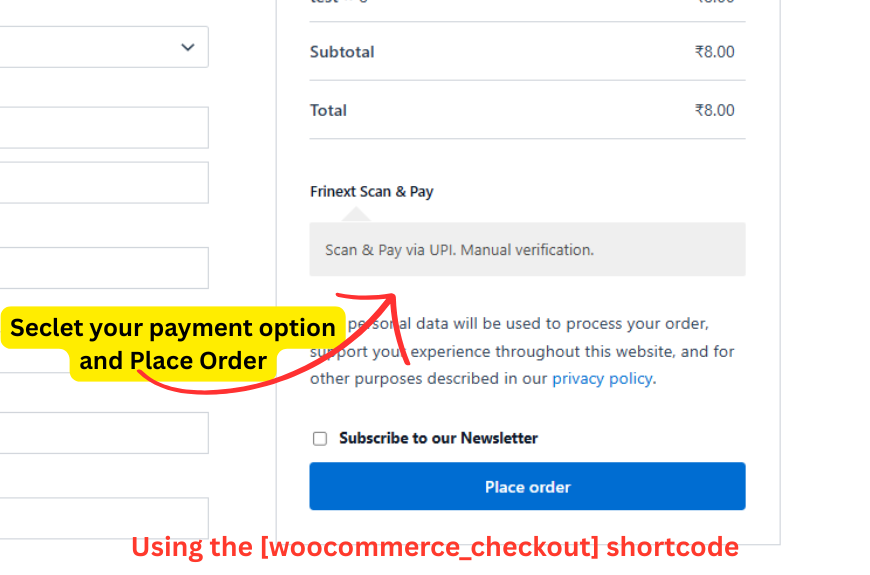
- Customer selects "Frinext Scan & Pay" at checkout
- Customer is shown a UPI QR code to scan
- Customer pays via any UPI app (Google Pay, PhonePe, Paytm, etc.)
- Customer uploads payment proof (screenshot)
- Store admin manually verifies payment and approves order
- Want to accept UPI payments without payment gateway fees
- Are comfortable with manual payment verification
- Process a manageable number of orders
- Operate in India and serve Indian customers A Pro version with automatic payment verification is available separately at the plugin author's website.
安装:
- Log in to your WordPress dashboard
- Navigate to Plugins > Add New
- Search for "Frinext Scan & Pay"
- Click "Install Now" and then "Activate"
- Go to WooCommerce > Settings > Payments
- Click on "Frinext Scan & Pay" to configure
- Enable the gateway and enter your UPI ID
- Save changes
- Download the plugin ZIP file
- Log in to your WordPress dashboard
- Navigate to Plugins > Add New > Upload Plugin
- Choose the ZIP file and click "Install Now"
- Activate the plugin
- Go to WooCommerce > Settings > Payments
- Click on "Frinext Scan & Pay" to configure
- Enable the gateway and enter your UPI ID
- Save changes
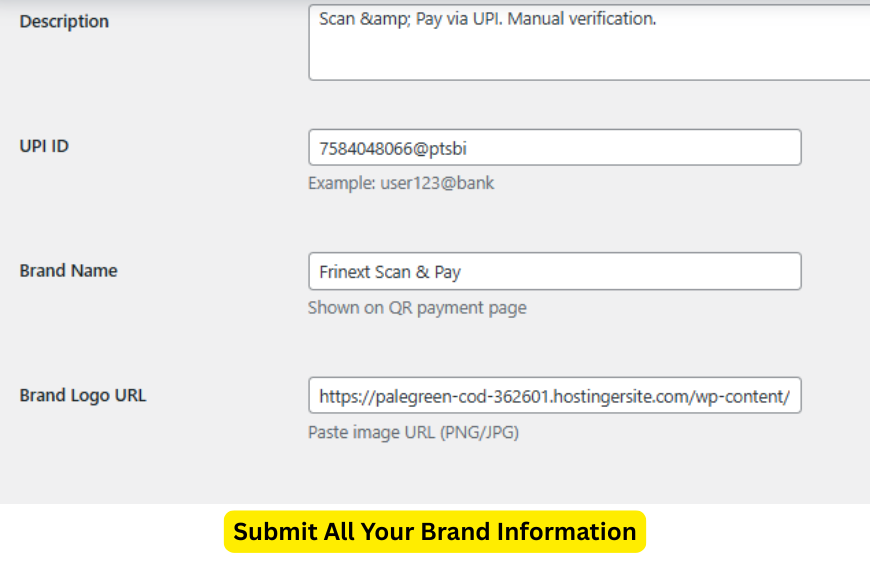
- UPI ID (required): Enter your UPI ID (e.g., yourname@paytm, yourname@ybl)
- Title: The payment method name shown to customers (default: "Frinext Scan & Pay")
- Description: Short description shown at checkout
- Brand Name: Your business name shown on the payment page
- Brand Logo URL: (optional) URL to your logo image
屏幕截图:
常见问题:
Does this plugin automatically verify payments?
No. This plugin requires manual verification. You must check the payment proof uploaded by customers and manually update the order status after confirming payment receipt.
Does it work with WooCommerce Block-based checkout?
The plugin has basic support for block checkout, but is optimized for Classic Checkout for maximum reliability and compatibility.
Is this plugin completely free?
Yes, the core plugin is free and fully functional. There is a Pro version available (sold separately by the plugin author) that offers automatic payment verification.
What UPI apps can customers use?
Customers can use any UPI-compatible app including Google Pay, PhonePe, Paytm, BHIM, and all major Indian banking apps that support UPI payments.
How do I manually verify payments?
After a customer uploads payment proof, you'll see it in the WooCommerce order details page. Use the uploaded screenshot to verify the payment, then manually change the order status from "On Hold" to "Processing" or "Completed".
What happens if the QR code expires?
The QR code expires after 5 minutes for security. Customers can refresh the payment page to generate a new QR code.
Do you store customer payment information?
No. This plugin does not store or process any sensitive payment information. It only stores the URL of the uploaded payment proof screenshot.
更新日志:
- Improved: Plugin header documentation
- Improved: Readme.txt clarity and formatting
- Improved: Admin promotional content made less aggressive
- Improved: Code documentation and comments
- Fixed: Text domain consistency
- Fixed: Version numbers across all files
- Security: Enhanced input sanitization
- Security: Improved output escaping
- Improved: Script and style enqueuing
- Fixed: WordPress Coding Standards compliance
- Initial release