FtlCommerce - Instant Product Search
| 开发者 | sakurapixel |
|---|---|
| 更新时间 | 2026年2月13日 17:59 |
| PHP版本: | 8.2 及以上 |
| WordPress版本: | 6.9 |
| 版权: | GPL-3.0-only |
| 版权网址: | 版权信息 |
详情介绍:
- Instant Search - Client-side fuzzy search with zero server delays
- Smart Matching - Find products even with typos or partial matches
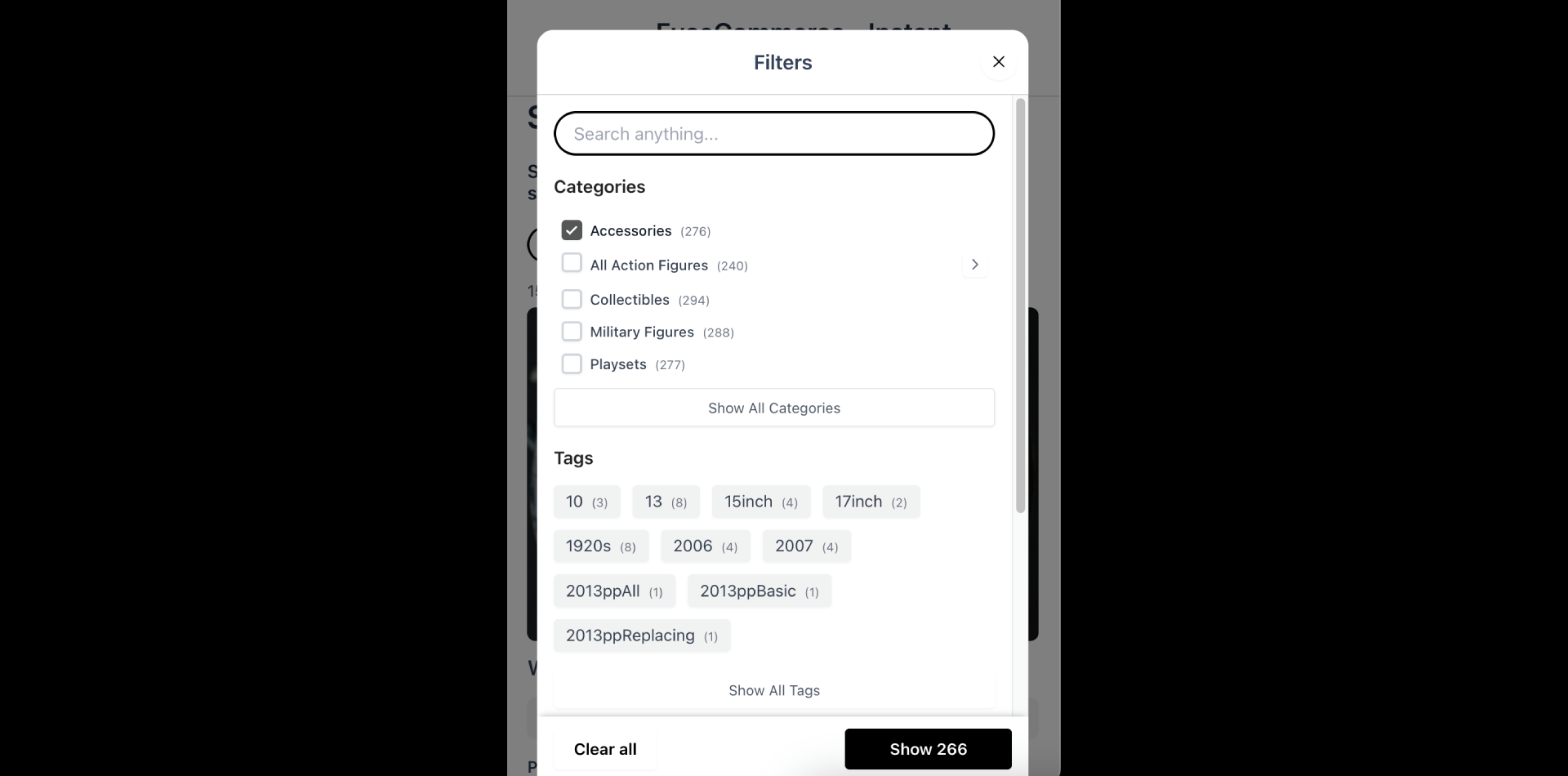
- Advanced Filters - Filter by categories, tags, attributes, and price ranges
- Customizable - Control search sensitivity, weights, and display options
- Simple Integration - Add search functionality with a single shortcode
- Optimized Performance - Efficient indexing system for large product catalogs
- Developer Friendly - Configurable via shortcode attributes
- Stores with large product catalogs
- Mobile-friendly shopping experiences
- Sites requiring fast, responsive search
- Stores with similar product names
- All Free Features – Everything included in the free version, plus advanced capabilities
- Up to 80% Increase in Performance – Client-side product caching reduces server load and bandwidth
- Client-side Caching – Store the product index in browser localStorage/IndexedDB for faster subsequent loads
- Smart JSON Payload Optimisation – Reduce index file size by up to 60% with relative image URLs, relative permalinks, and out-of-stock exclusion
- Zero Server Requests – After the initial index load, no additional server calls are needed for search or filtering
- Auto-Index on Product Changes – Automatically re-index when products are added, edited, or deleted
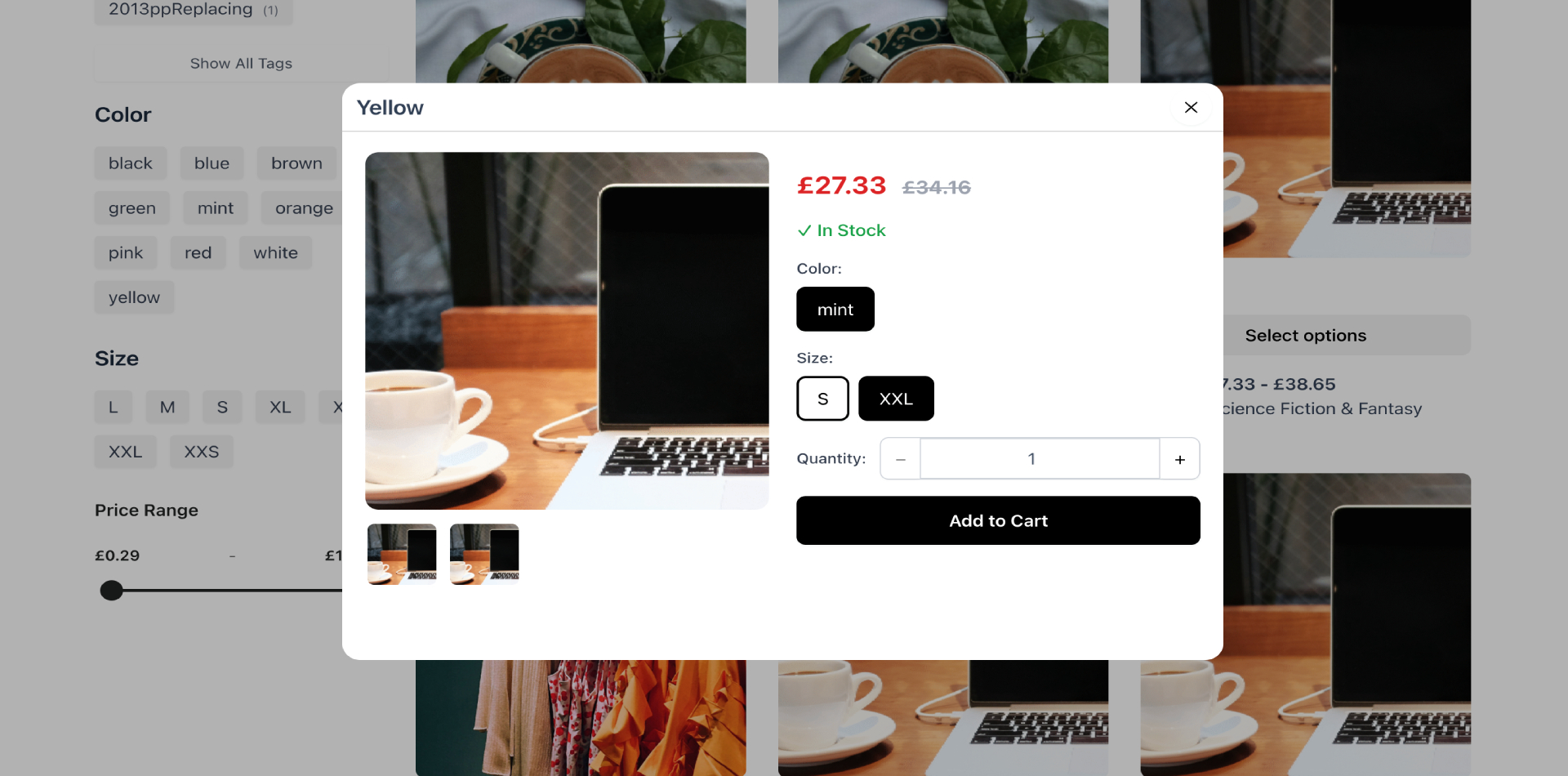
- Product Quick View – Preview full product details, select variations, and add to cart from a modal window
- Smart Change Tracking – Intelligent detection of product, category, tag, and settings changes with automatic batched re-indexing
- Quick Add to Cart – Add simple products directly to cart from product cards
- Cart Icon & Counter – Display a shopping cart icon with a real-time item counter using the
[ftlcommerce_cart_icon]shortcode - Stock Availability & Exclusion – Exclude out-of-stock products from the index and prevent unavailable purchases
- Advanced AJAX Cart Integration – Secure AJAX endpoints for cart operations, product details, and real-time cart updates
- Enhanced UX – Premium UI with quick view modals, interactive galleries, smooth animations, and professional transitions
安装:
- Log in to your site admin panel
- Navigate to Plugins > Add New
- Search for "FtlCommerce"
- Click "Install Now" and then "Activate"
- Go to FtlCommerce settings to configure and index your products
- Download the plugin ZIP file
- Log in to your site admin panel
- Navigate to Plugins > Add New > Upload Plugin
- Choose the downloaded ZIP file and click "Install Now"
- Click "Activate Plugin"
- Go to FtlCommerce settings to configure and index your products
- Navigate to FtlCommerce in your admin menu
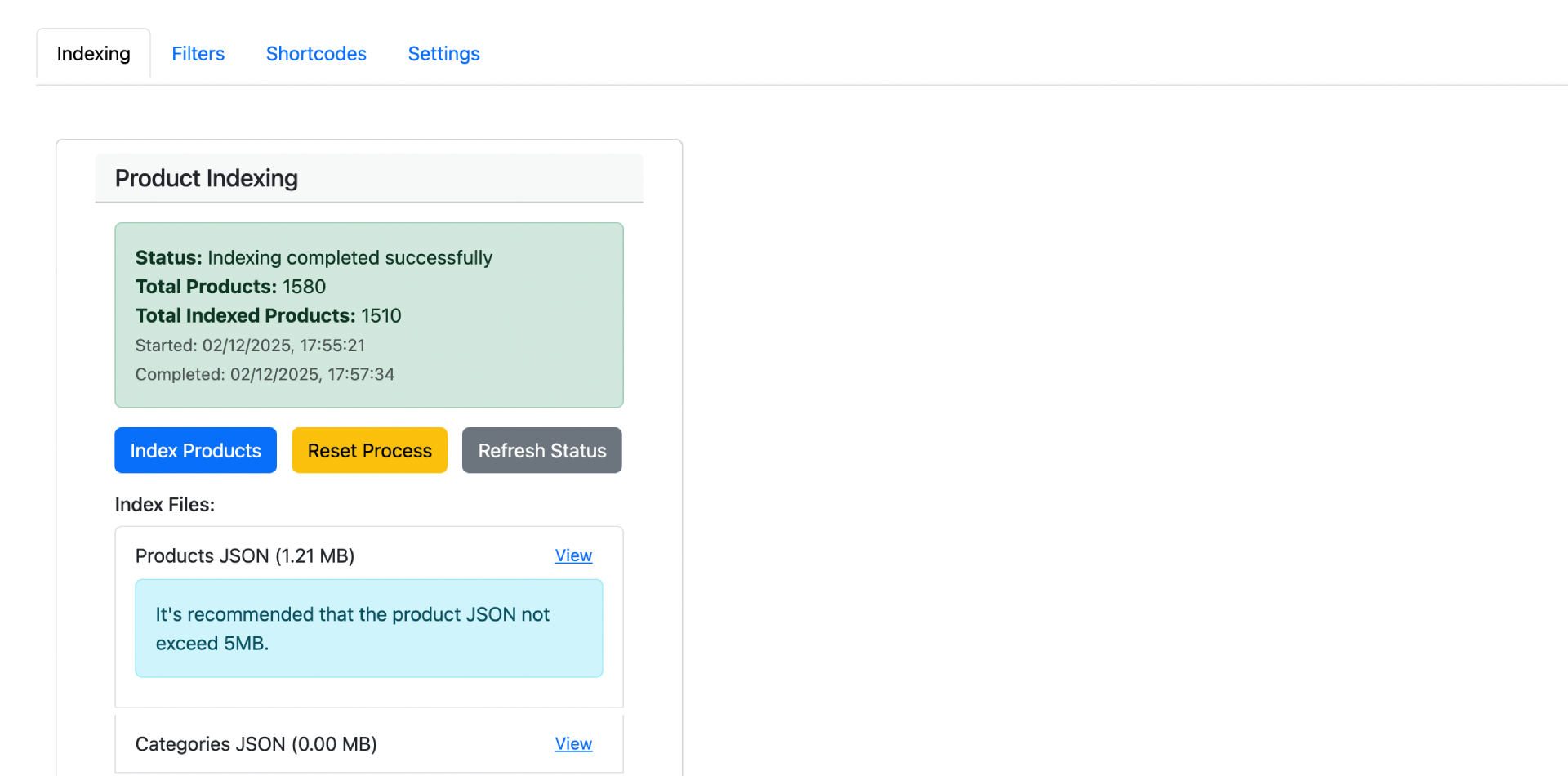
- Click "Start Indexing" to create the product search index
- Configure filters and search settings as needed
- Add the shortcode
[ftlcommerce]to any page or post - Optionally add
[ftlcommerce_cart_icon]to display a cart icon that updates in real time - Your instant search is ready to use
屏幕截图:
常见问题:
Does this work with WooCommerce?
Yes, FtlCommerce requires WooCommerce to be installed and activated. It indexes WooCommerce products and provides search functionality for your store.
How do I add the search to my site?
Simply add the shortcode [ftlcommerce] to any page, post, or widget area where you want the search interface to appear. You can also use [ftlcommerce_cart_icon] to display a cart icon that listens to cart updates. This can be placed in a menu item as well (Appearance > Menu > Custom Link).
Can I customize the search behavior?
Yes, the shortcode accepts multiple parameters:
fuse_threshold- Search sensitivity (0.0 to 1.0, lower = stricter)fuse_name_weight- Priority weight for product namesfuse_short_description_weight- Priority weight for descriptionsinitial_products_load_no- Number of products to show initiallyload_more_products_no- Products to load when clicking "Load More"free_search_debounce_delay- Delay before search triggers (milliseconds) Example:[ftlcommerce fuse_threshold="0.3" initial_products_load_no="20"]
Will this slow down my site?
No. The search operates entirely client-side after the initial index loads. Server performance is not impacted during search operations.
How often should I re-index products?
You should re-index when you add, update, or remove products. You can manually trigger indexing from the FtlCommerce settings page, or it can run via cron.
Does it support product variations?
Yes, FtlCommerce indexes all product types including simple products, variable products, and their variations.
What languages are supported?
FtlCommerce supports all languages and automatically handles diacritics (accented characters) for better international search results.
Does this plugin include third-party libraries?
Yes. This plugin includes the following open-source libraries:
- Fuse.js v7.1.0 - Licensed under Apache License 2.0
- Bootstrap v5.3.8 - Licensed under MIT License
- Toastr v2.1.4 - Licensed under MIT License All libraries are used in compliance with their respective licenses.
更新日志:
- Initial release
- Client-side fuzzy search with Fuse.js
- Product indexing system
- Advanced filtering (categories, tags, attributes, price)
- Customizable shortcode
- Admin settings panel
- Automatic and manual indexing options