
FullSchema: Schema Markup & JSON-LD
| 开发者 | fullschema |
|---|---|
| 更新时间 | 2026年10月10日 18:06 |
| PHP版本: | 7.4 及以上 |
| WordPress版本: | 7.1 |
| 版权: | GPLv2 or later |
| 版权网址: | 版权信息 |
详情介绍:
- Install this plugin and connect your site. Connecting takes about a minute.
- Enter a page address at fullschema.app. FullSchema reads the page and writes the schema for it.
- Click Add to this page. The code is now on that page.
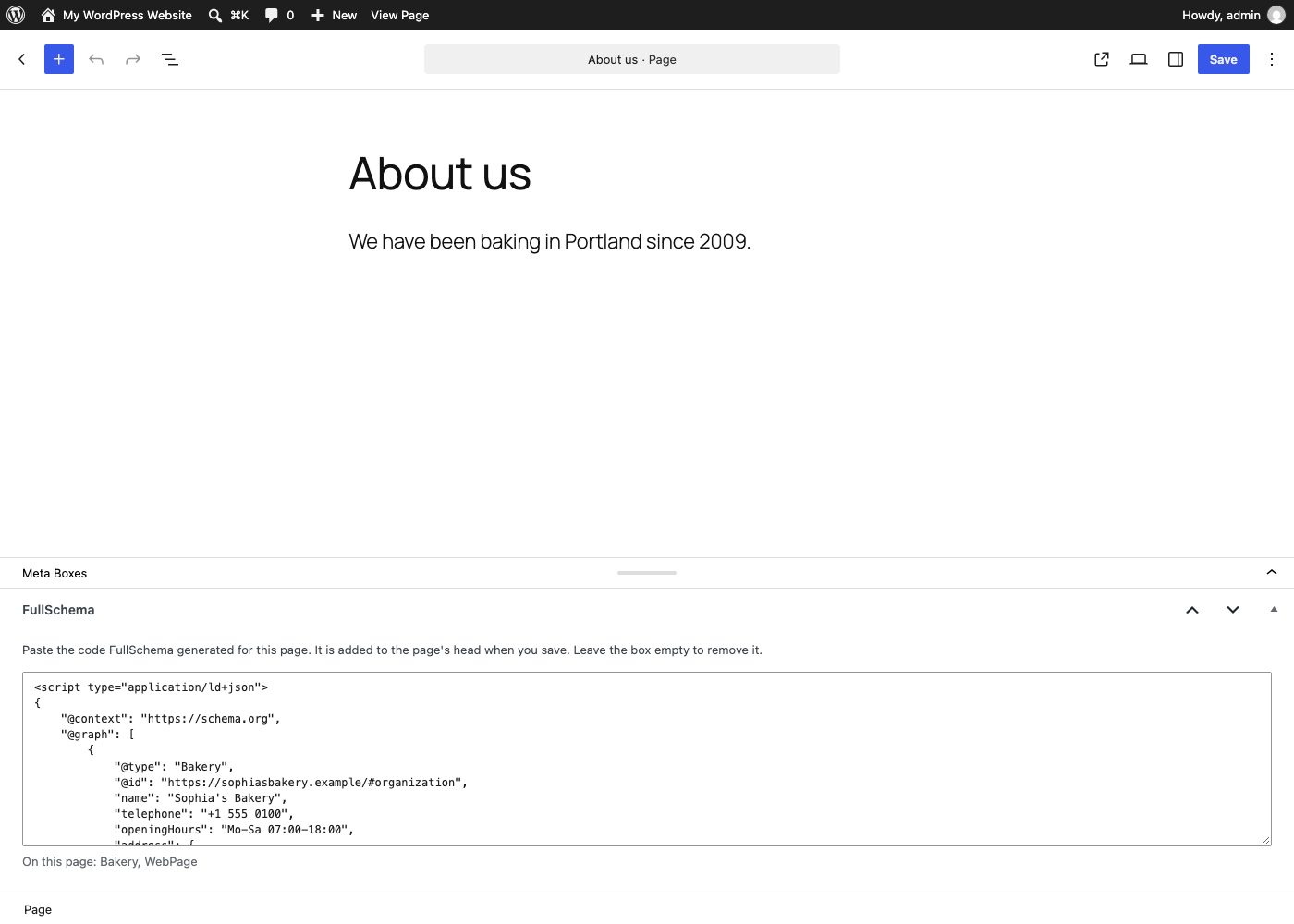
- The code has its own box, so it stays put when you edit the page, change blocks or use a page builder like Elementor or Divi.
- WordPress strips script tags from Custom HTML blocks for some user roles and on multisite. This plugin saves the schema as data, so that doesn't happen.
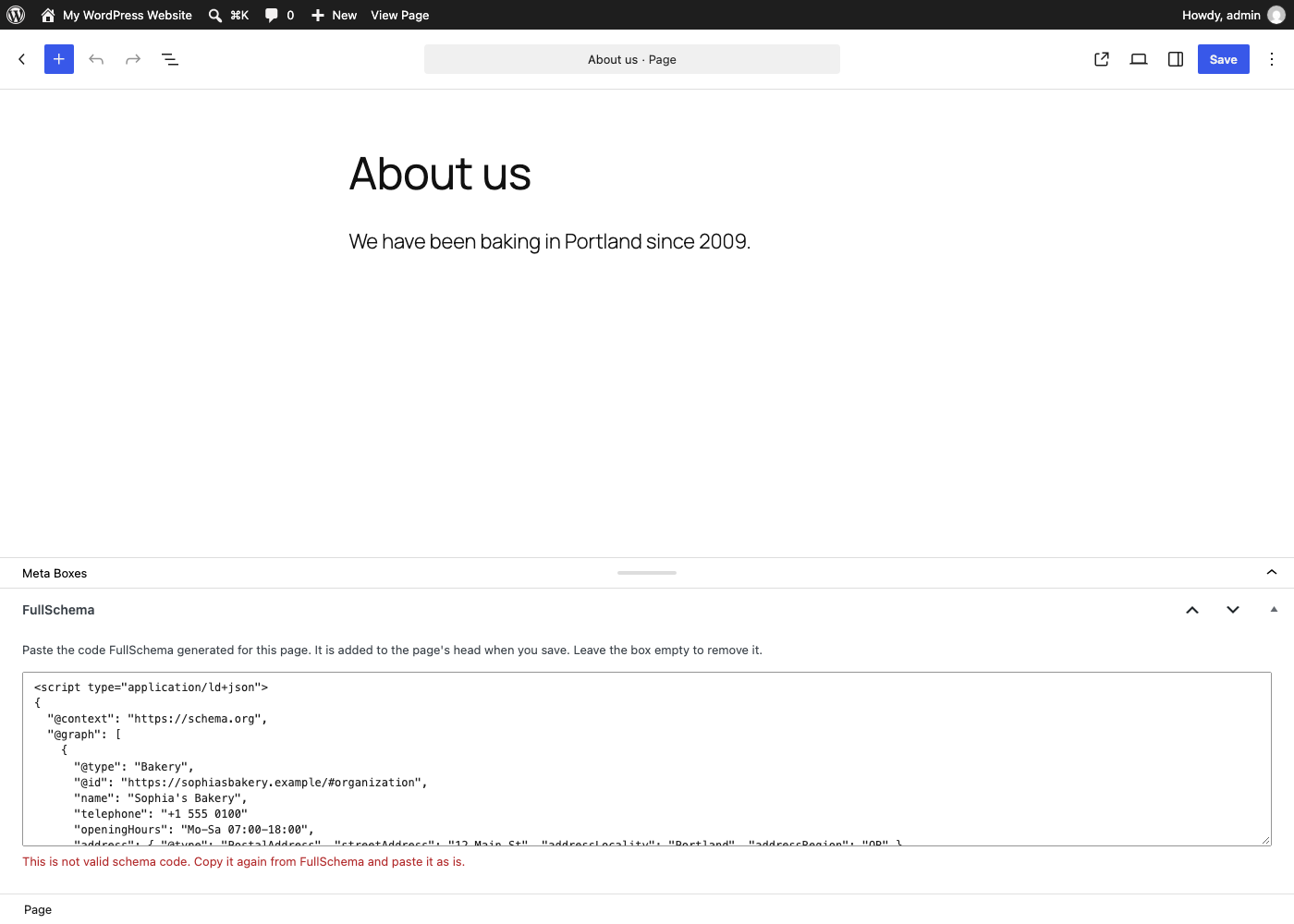
- The box checks the code when you paste it and tells you what's wrong before you save.
- The code goes into the page head, where most SEO tools look for it.
安装:
- Install and activate the plugin from Plugins, Add Plugin.
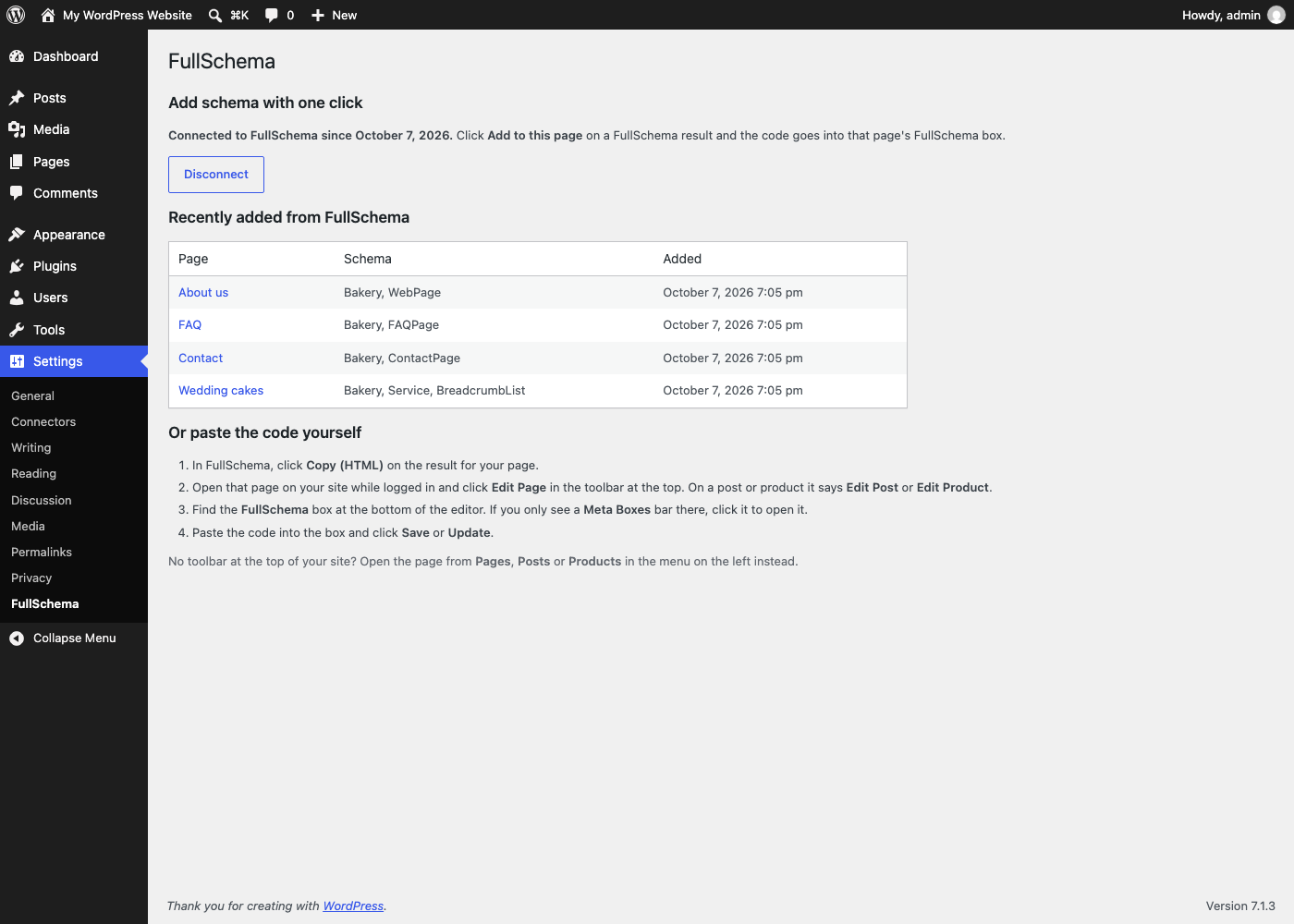
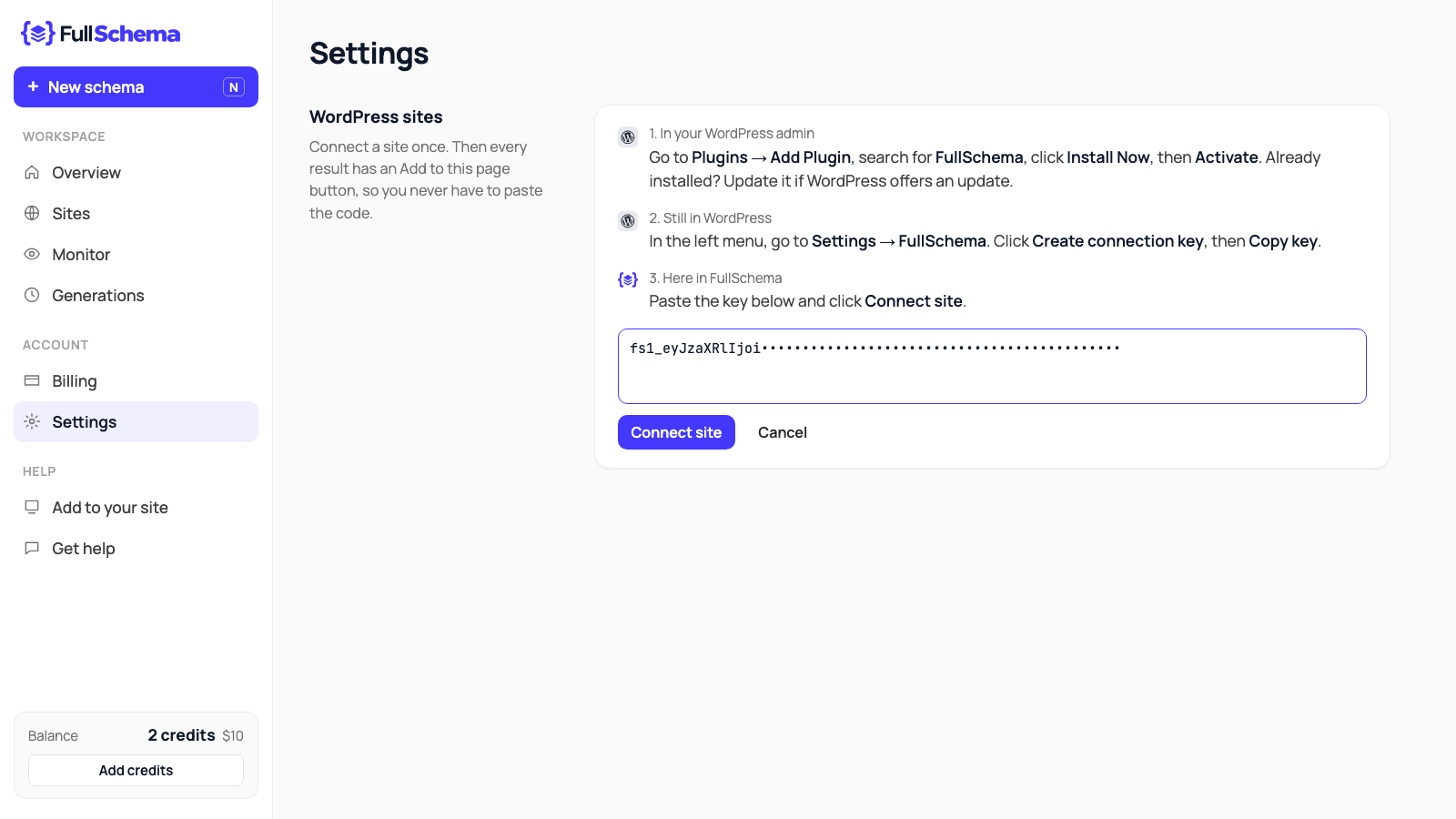
- In WordPress, go to Settings, FullSchema. Click Create connection key, then Copy key.
- In FullSchema, open Settings, click Connect a WordPress site, paste the key and click Connect site.
- Generate schema for a page at fullschema.app and click Add to this page. FullSchema checks that it's live.
- In FullSchema, click Copy (HTML) on the result for your page.
- Open that page on your site while logged in and click Edit Page in the toolbar at the top (Edit Post or Edit Product on posts and products).
- Find the FullSchema box at the bottom of the editor. If you only see a Meta Boxes bar there, click it to open it.
- Paste the code into the box and click Save or Update.
屏幕截图:
常见问题:
Where is the FullSchema box?
At the bottom of the post, page or product editor. If you only see a Meta Boxes bar at the bottom of the screen, click it to open it. Otherwise, scroll below the content. Still not there? In the block editor, open the three dots menu at the top right, choose Preferences and turn on FullSchema. In the classic editor, open Screen Options at the top and tick FullSchema. If your page is built with Elementor or Divi, click Edit Page in the toolbar rather than the builder's button: the box is in the WordPress editor, not inside the builder.
Do I need a FullSchema account?
To generate the code, yes. The plugin itself only stores and outputs your schema. It never sends anything to FullSchema or anywhere else.
What can FullSchema do once my site is connected?
Only fill in the FullSchema box of a published post, page or product whose address matches exactly, with code that passes the same check as a paste. It can't edit your content, settings, users or other plugins. Recent sends are listed in Settings, FullSchema.
I had the editor open when the code was sent. Will saving overwrite it?
No. If you save without touching the FullSchema box, the code that was sent stays. If you change the box yourself, your version is saved.
Can I paste schema that didn't come from FullSchema?
Yes. Any valid JSON-LD works, as script tags or as bare JSON. The box checks it the same way.
Which pages can I add schema to?
Posts, pages, WooCommerce products and any other public post type with an editor screen. The posts page and the WooCommerce shop page use the schema saved on their page in WordPress.
Will it conflict with Yoast or Rank Math?
No. It adds its own script tag and leaves theirs alone. When you generate for a page that already has Yoast or Rank Math schema, FullSchema writes a block that links into theirs instead of repeating it.
What happens if I paste something that isn't schema code?
It isn't saved. The box tells you what's wrong, and the code that was already on the page stays live.
How do I remove the schema from a page?
Empty the FullSchema box and save the page.
What happens when I delete the plugin?
The schema stops being output right away, and deleting the plugin removes everything it stored, including the connection key.
更新日志:
- New display name: FullSchema: Schema Markup & JSON-LD.
- Installation steps use the current menu name, Plugins, Add Plugin.
- Plainer description: what schema is, how it works in three steps, and what it costs.
- New screenshots of the FullSchema side: the Add to this page button and connecting a site.
- A three-minute setup video.
- Settings, FullSchema now shows both ways to add schema, step by step, including where the FullSchema box is in the editor.
- Wording matches FullSchema's Add to this page button.
- Optional connection: create a key in Settings, FullSchema and send schema from FullSchema with one click. The plugin still never sends requests itself.
- Saving a page without touching the FullSchema box no longer overwrites code that arrived while the editor was open.
- The box shows when its code was sent from FullSchema.
- First release: a FullSchema box on posts, pages and products, checked as you paste, output in the page head.