
FYP Infinite Posts - Automatic Infinite Scroll & Ajax Load More for Better Engagement
| 开发者 | francoisyerg |
|---|---|
| 更新时间 | 2026年1月22日 12:50 |
| 捐献地址: | 去捐款 |
| PHP版本: | 7.4 及以上 |
| WordPress版本: | 6.9 |
| 版权: | GPLv2 or later |
| 版权网址: | 版权信息 |
详情介绍:
- 8 Professional Templates Included - Others give you 1 basic layout
- Smart Context Detection - Automatically works on category, tag, and author pages without configuration
- Built-in Caching System - Free plugins often slow down your site with repeated database queries
- Regular Updates - Maintained and compatible with latest WordPress versions VS Premium Plugins ($49-$99):
- Professional Features - Smart caching, 8 templates, full customization for any content type
- Simpler to Use - Professional results with a simple shortcode, no complex configuration
- Lightweight Code - No bloat, only loads CSS for templates you actually use
- Active Development - Regular updates and WordPress compatibility maintained VS Coding It Yourself:
- Saves Hours of Development - Ready in 5 minutes instead of 5+ hours
- No Security Risks - Properly secured AJAX with nonce verification
- Maintenance Free - We handle WordPress updates and compatibility
- Performance Optimized - Built-in caching and efficient database queries
- Full Width - Perfect for blogs and articles with large featured images
- 2-Column Grid - Balanced layout for portfolios and photo galleries
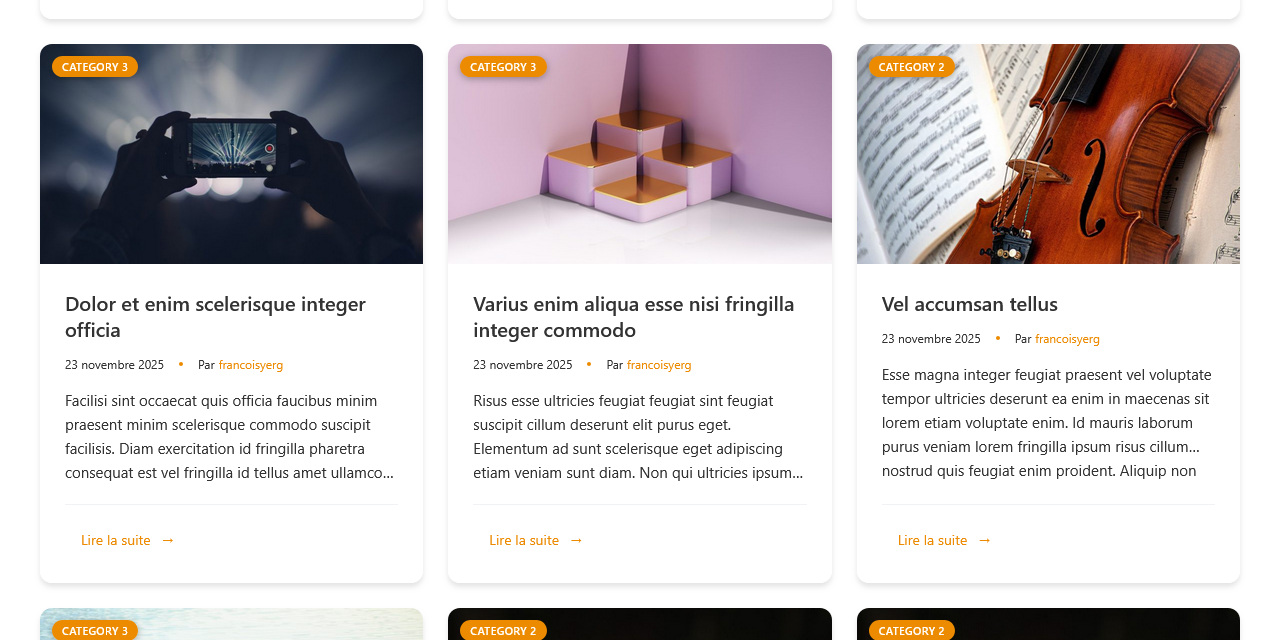
- 3-Column Grid - Most popular for posts, galleries, and mixed content
- 4-Column Grid - Compact display for large content collections
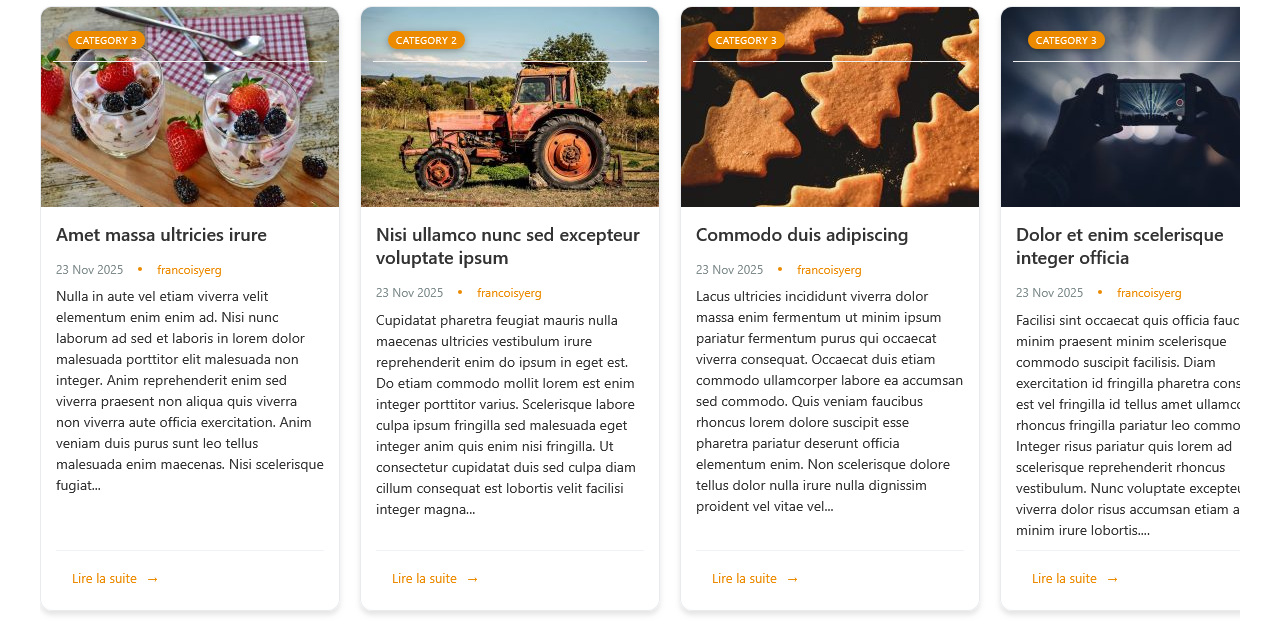
- Slider/Carousel - Featured content that scrolls horizontally
- Masonry Layout - Pinterest-style for varying content heights
- Modern Cards - Eye-catching design with shadows and hover effects
- Clean List - Minimal text-focused layout for news and articles
- Automatic Infinite Scroll - Content loads as users scroll (most engaging)
- Load More Button - Users click a button for more content (more controlled)
- Classic Pagination - Traditional numbered pages (familiar to all users)
- Install and activate the plugin
- Add shortcode
[fyplugins_infinite_posts]to any page - Choose your template style in settings (optional)
- Done! Your content now loads automatically
安装:
- Go to WordPress admin → Plugins → Add New
- Search for "FYP Infinite Posts"
- Click "Install Now" then "Activate"
- Download the plugin ZIP file
- Go to Plugins → Add New → Upload Plugin
- Upload ZIP and click "Install Now"
- Activate the plugin
- Go to FYPlugins → Infinite Posts in WordPress admin
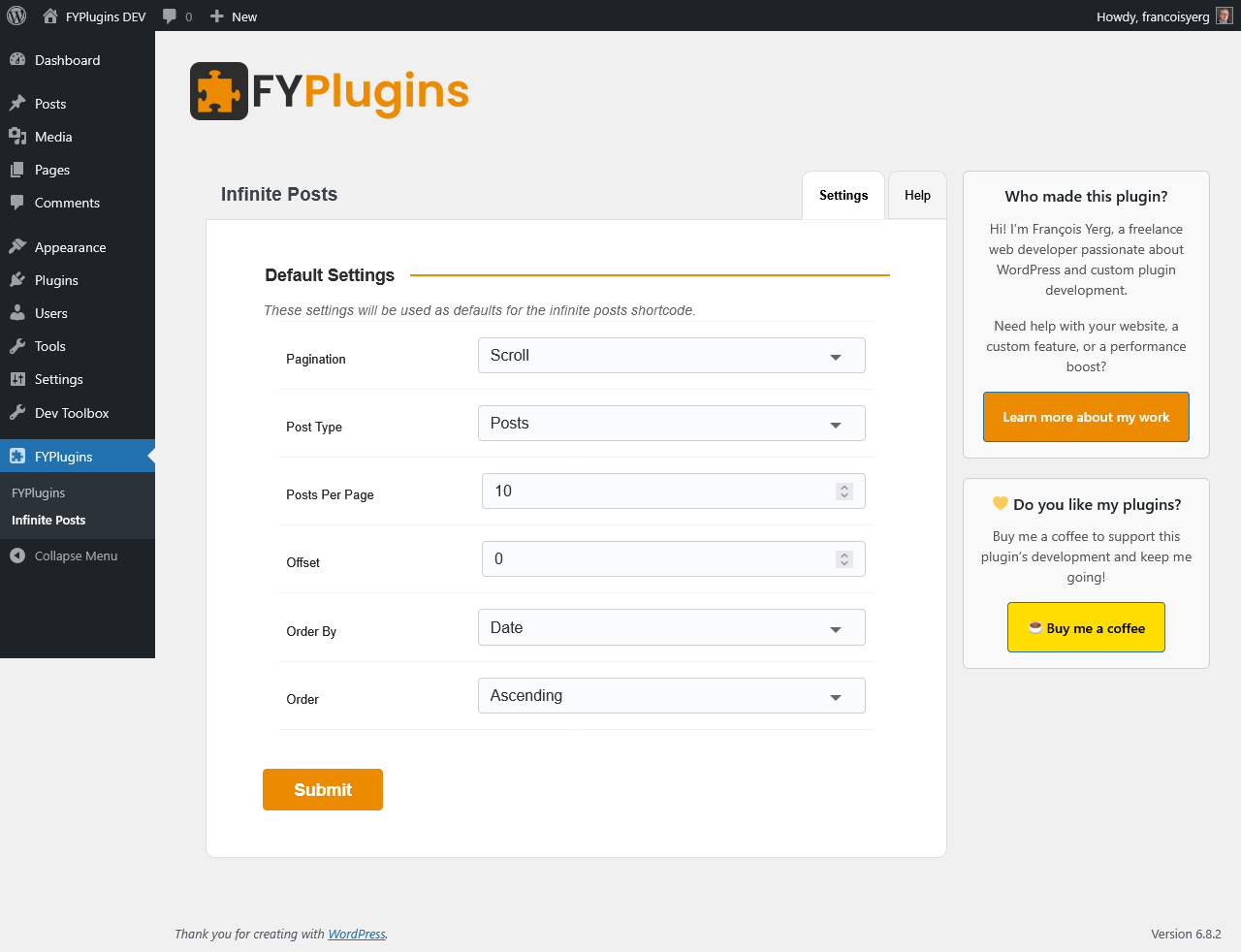
- Configure settings (or use defaults):
- Pagination type (scroll, button, classic, or none)
- Post type and posts per page
- Sort order
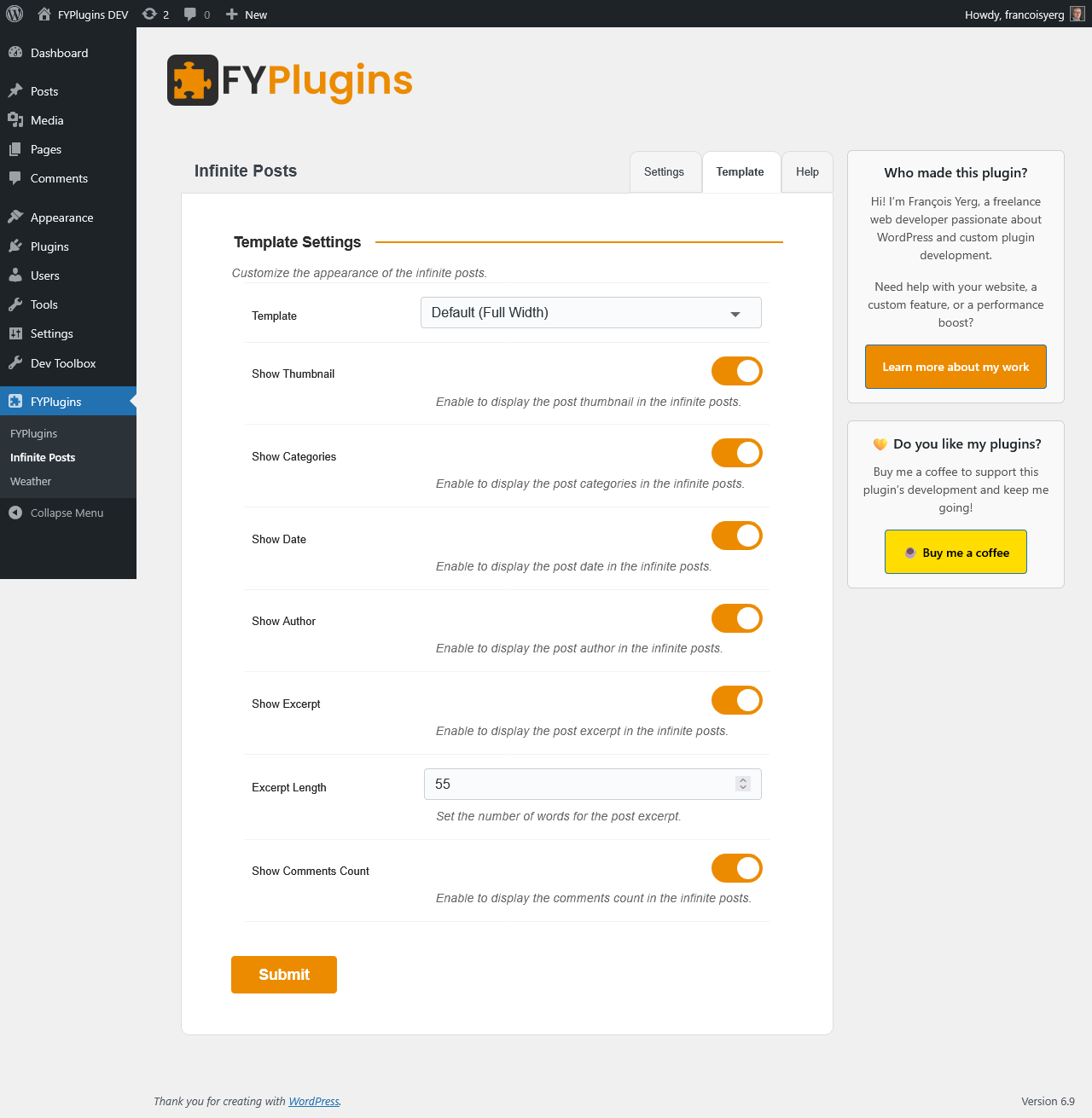
- Customize template appearance:
- Choose from 8 layouts
- Toggle display elements
- Set excerpt length
- Use shortcode
[fyplugins_infinite_posts]anywhere
[fyplugins_infinite_posts posts_per_page="3"]屏幕截图:


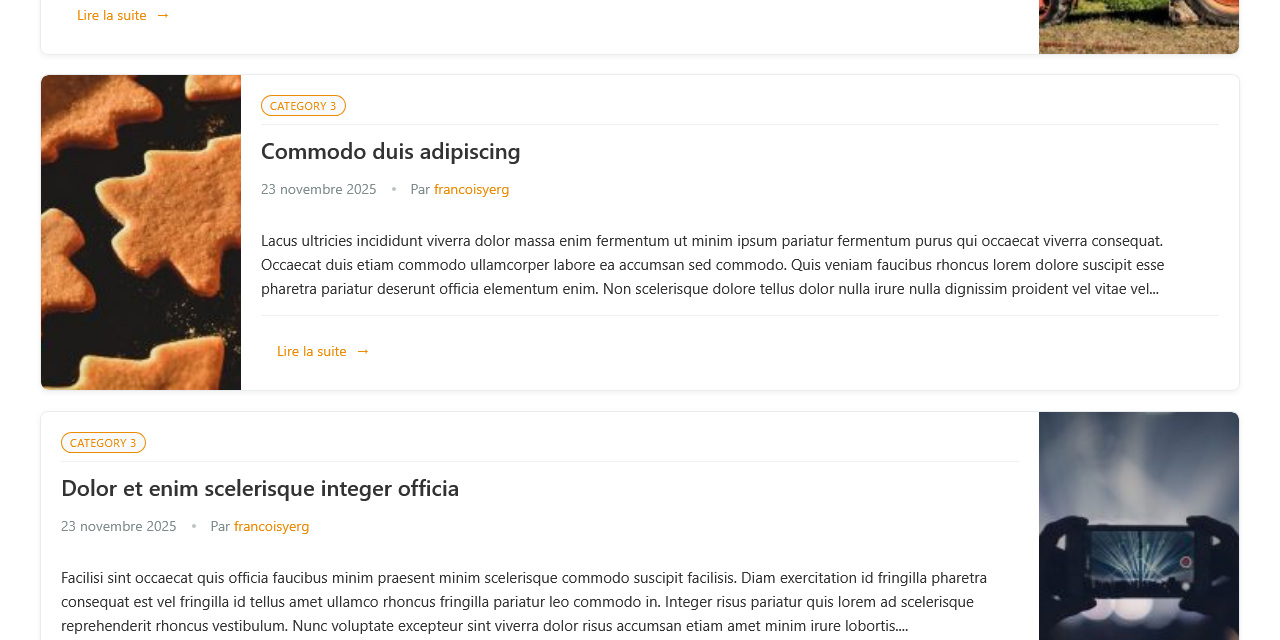
常见问题:
Will this work with my theme?
Yes! FYP Infinite Posts works seamlessly with any WordPress theme. The plugin uses clean HTML and adaptive CSS that inherits your theme's styles. No coding knowledge required.
How hard is it to set up?
Very easy! Three steps:
- Install and activate (1 minute)
- Add shortcode to any page (30 seconds)
- Done! Posts load automatically Optional customization available at FYPlugins → Infinite Posts.
Will infinite scroll slow down my website?
No! The plugin includes smart caching that speeds up content loading by reducing database queries. It only loads CSS for templates you use. The modern Intersection Observer API ensures smooth scrolling. Many users report faster page loads.
Can I use a "Load More" button instead of automatic scrolling?
Yes! Choose from three loading styles:
- Automatic Infinite Scroll - Loads as users scroll
- Load More Button - Click to load more
- Classic Pagination - Numbered page links
Will it work on mobile devices?
Yes, fully responsive! Infinite scroll provides a better mobile experience because scrolling is natural on touchscreens. All 8 templates adapt to smartphones and tablets.
Can I customize how posts look?
Yes! Choose from 8 professional templates, toggle element visibility, control excerpt length, customize button text, add custom CSS classes. Developers can create custom templates with the full override system.
Does it work with page builders like Elementor?
Yes! Works with Elementor, Beaver Builder, Divi, and all major page builders. Just add the shortcode in a text/shortcode widget.
What happens when visitors reach the last post?
The plugin displays a customizable message (default: "No more posts to load"). The loading indicator disappears and no more requests are made.
Can I show posts from specific categories or tags?
Yes! The plugin auto-detects:
- Category pages - shows posts from that category
- Tag pages - shows posts with that tag
- Author pages - shows that author's posts
- Custom taxonomy pages - respects the current term You can also manually specify categories, tags, or terms in the shortcode.
Will it work with custom post types?
Yes! Works with any public post type:
- WordPress posts and pages
- Portfolio items, Events, Testimonials, Galleries
- Any custom post type
Just specify
post_type="your-type"in the shortcode.
Is it translation-ready?
Yes! Fully translation-ready and works with WPML, Polylang, and other multilingual plugins. Translation files included.
What if I need help?
Support available through WordPress.org forums. Built-in documentation in the Help tab of the settings page includes examples and troubleshooting tips.
更新日志:
- NEW: Search page results compatibility - works seamlessly on WordPress search result pages
- NEW: Search parameter for shortcode - display search results with infinite scroll
- NEW: Context-awareness settings form - configure auto-detection behavior from admin panel
- IMPROVED: Better detection of current page context for automatic filtering
- FIXED: Criical erroron plugin delete
- SECURITY FIX: Enhanced output escaping in all templates for better security
- UPDATED: FYPlugins Core to version 1.3.4 with security improvements
- IMPROVED: Code quality and WordPress coding standards compliance
- NEW: Classic pagination style with numbered page links
- NEW: Classic double pagination (top and bottom of content)
- NEW: Three pagination styles now available: infinite scroll, load more button, classic numbered pages
- UPDATED: FYPlugins Core to version 1.3.2
- IMPROVED: Better compatibility with traditional WordPress pagination expectations
- NEW: 8 Professional Template Layouts - Full Width, Grid (2/3/4 columns), Slider, Masonry, Card, and List
- NEW: Enhanced Admin Interface with Settings and Template tabs
- NEW: Advanced Display Controls - toggle thumbnails, categories, dates, authors, excerpts, comments per shortcode
- NEW: Slider/Carousel template with horizontal scrolling and touch/swipe support
- NEW: Masonry layout for Pinterest-style responsive grids
- NEW: Modern Card layout with shadows and hover effects
- NEW: Clean List view template for text-focused content
- NEW: Intersection Observer API for smooth, efficient scroll detection (works horizontally and vertically)
- NEW: Template hierarchy system - 10 levels for maximum customization flexibility
- IMPROVED: Conditional CSS loading - only loads stylesheets for templates actually in use (faster page loads)
- IMPROVED: Mobile responsiveness across all templates
- IMPROVED: Better integration with any WordPress theme styling
- UPDATED: Full compatibility tested with WordPress 6.9
- UPDATED: FYPlugins Core framework to version 1.2.1
- IMPROVED: Performance optimizations in core framework
- NEW: Comprehensive admin settings panel at FYPlugins → Infinite Posts
- NEW: Author filtering with automatic detection on author archive pages
- NEW: Author parameter for shortcode with context-aware auto-detection
- NEW: Additional sorting options - modified date and custom menu order
- NEW: Smart cache invalidation - automatically clears when posts change
- IMPROVED: Enhanced 15-minute transient caching reduces database load
- IMPROVED: Optimized database queries for better performance on large sites
- IMPROVED: Memory-efficient code reduces server resource usage
- IMPROVED: Better error handling with graceful degradation
- NEW: Smart request caching system for faster page loads
- NEW: Full taxonomies support for all custom post types
- NEW: Taxonomy parameter for advanced content filtering
- FIXED: Category detection issue on some archive pages
- IMPROVED: Query optimization for large content libraries
- NEW: Class parameter for custom CSS styling
- IMPROVED: Better CSS structure for theme compatibility
- IMPROVED: Documentation with more usage examples
- Smooth infinite scroll with AJAX loading
- Customizable shortcode with multiple parameters
- Support for all post types (posts, pages, custom post types)
- Three loading methods: infinite scroll, load more button, or static
- Template override system for developers
- Lightweight and fast - minimal impact on site performance
- Secure AJAX implementation with nonce verification