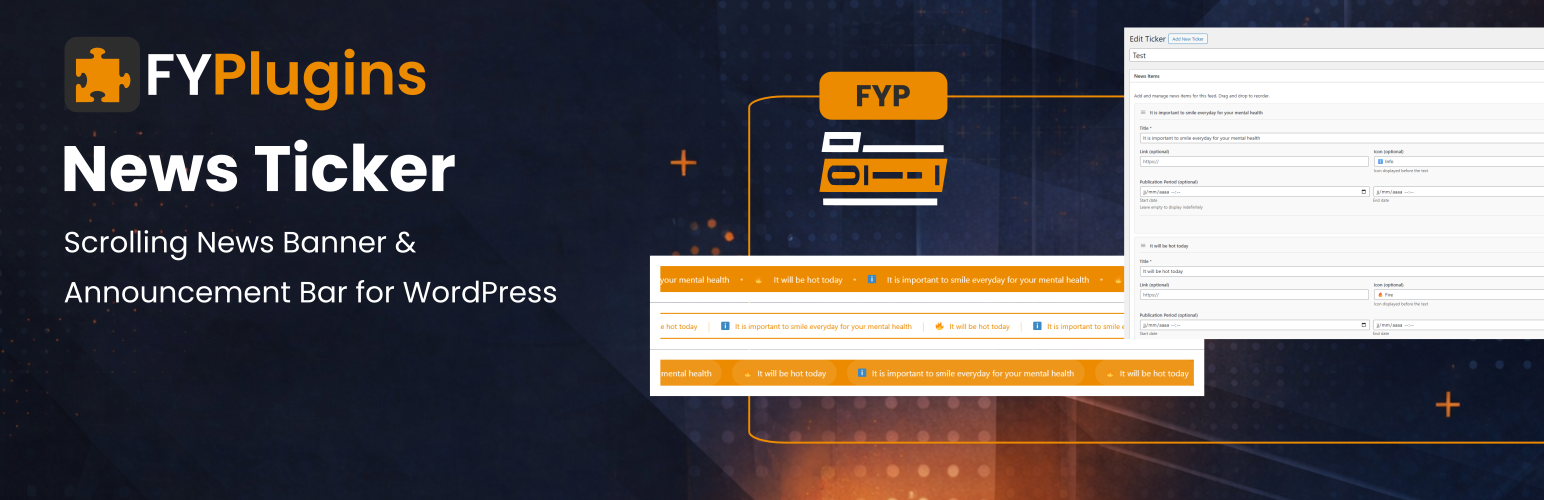
FYP News Ticker - Scrolling News Banner & Announcement Bar for WordPress
| 开发者 | francoisyerg |
|---|---|
| 更新时间 | 2026年9月3日 19:12 |
| PHP版本: | 8.0 及以上 |
| WordPress版本: | 7.1 |
| 版权: | GPLv2 or later |
| 版权网址: | 版权信息 |
详情介绍:
- 3 Beautiful Templates - Others give you 1 basic scrolling text
- Drag-and-Drop Builder - Free plugins require manual coding
- Scheduled Publishing - Others show everything all the time
- 9 Custom Icons - Most plugins are text-only VS Premium Plugins ($39-$79):
- Same Features - Multiple templates, icons, scheduling, drag-and-drop
- Just as Beautiful - Professional animations and modern designs
- Easier to Use - Simple interface vs complex configuration
- Regular Updates - Actively maintained and WordPress compatible VS Custom Coding:
- Save 10+ Hours - Ready in 5 minutes vs days of development
- No Animation Hassles - We handle smooth scrolling, pause on hover, responsive design
- Maintenance Free - We keep it compatible with WordPress updates
- Tested & Reliable - Works across all browsers and devices
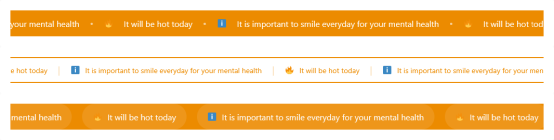
- Default - Classic scrolling banner perfect for any announcement
- Modern - Stylish card design with icon highlighting
- Minimal - Clean text-only layout for professional sites
- Create new ticker from News Tickers menu
- Add announcements with drag-and-drop builder
- Choose template and customize colors
- Copy shortcode and paste anywhere
- Done! Scrolling banner appears automatically
安装:
- Go to WordPress admin -> Plugins -> Add New
- Search for "FYP News Ticker"
- Click "Install Now" then "Activate"
- Go to News Tickers -> Add New
- Create your first ticker and add announcements
- Copy shortcode and paste anywhere on your site
- Download the plugin ZIP file
- Go to Plugins -> Add New -> Upload Plugin
- Upload ZIP and click "Install Now"
- Activate the plugin
- Follow steps 4-6 above
- Create a ticker with 2-3 test announcements
- Add this to any page:
[fyplugins_news_ticker id="YOUR_ID"] - View the page to see your scrolling banner!
屏幕截图:

常见问题:
Will this work with my theme?
Yes! FYP News Ticker works with all WordPress themes. The templates use clean HTML and CSS that adapts to your theme's styling.
How do I create my first news ticker?
Go to News Tickers -> Add New, give it a name, click "Add News Item" to add announcements, publish, and copy the shortcode. Paste the shortcode anywhere you want the banner to appear.
Can I reorder the announcements?
Yes! Simply drag and drop items using the handle on the left. The order you set in the admin is the order they'll scroll in.
How do I schedule announcements?
When adding or editing a news item, use the "Start date" and "End date" fields. The item will only display between those dates. Leave empty for permanent display.
Can I make announcements clickable?
Yes! Add a URL in the "Link" field. When visitors click the announcement, they'll go to that URL. Perfect for promotions or event pages.
How do I change scroll speed?
Use the speed parameter in the shortcode. Default is 50. Higher numbers (100) scroll faster, lower numbers (25) scroll slower. Experiment to find what works best.
Can I pause scrolling when someone hovers over it?
Yes! This is the default behavior. Set pause_on_hover="false" if you want continuous scrolling without pausing.
How do I customize colors?
Go to News Tickers -> Settings -> Design tab and customize colors to match your brand. Changes apply to all tickers using that template.
Can I temporarily hide an announcement without deleting it?
Yes! When editing a ticker, uncheck the "Active" checkbox for any item you want to hide temporarily. Re-check it later to show it again.
Can I create multiple different tickers?
Absolutely! Create unlimited tickers, each with different announcements, templates, and settings. Use different shortcodes to display them on different pages.
Will this slow down my website?
No! The plugin uses CSS animations and lightweight JavaScript for smooth performance with minimal resource usage. Most sites see no measurable impact.
Does it work on mobile devices?
100% responsive! All templates work beautifully on smartphones and tablets with touch-friendly interactions.
Can I use it with page builders?
Yes! Works with Elementor, Beaver Builder, Divi, Gutenberg, and all major page builders. Just add the shortcode in a text/shortcode element.
更新日志:
- UPDATE: Core to version 1.4.1 to fix appearance colors settings not really saving.
- UPDATE: Tested up to WordPress 7.1.
- UPDATE: Core to version 1.4.0.
- UPDATE: Code quality.
- UPDATE: Tested up to WordPress 7.0.
- UPDATE: Admin page.
- Custom post type for managing multiple news tickers
- 3 professional templates (Default, Modern, Minimal)
- Drag-and-drop ordering of news items
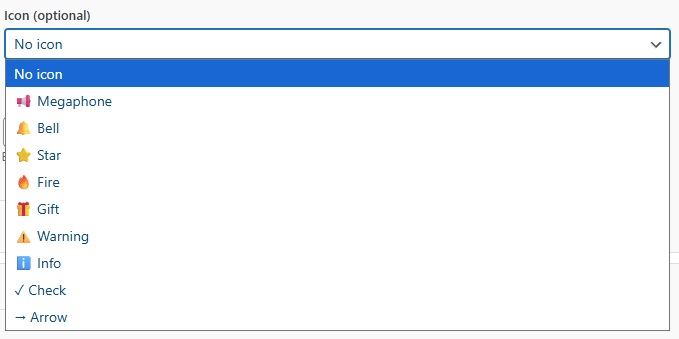
- 9 attention-grabbing icons (megaphone, bell, star, fire, gift, warning, info, check, arrow)
- Scheduled publishing with start and end dates
- Customizable scroll speed and direction
- Pause on hover functionality
- Custom colors for brand matching
- Clickable announcements with link support
- Active/inactive status for temporary hiding
- Limit parameter to control displayed items
- Responsive design for all devices
- SEO-friendly with semantic HTML and ARIA labels
- Translation-ready with .pot file
- Multiple instances support