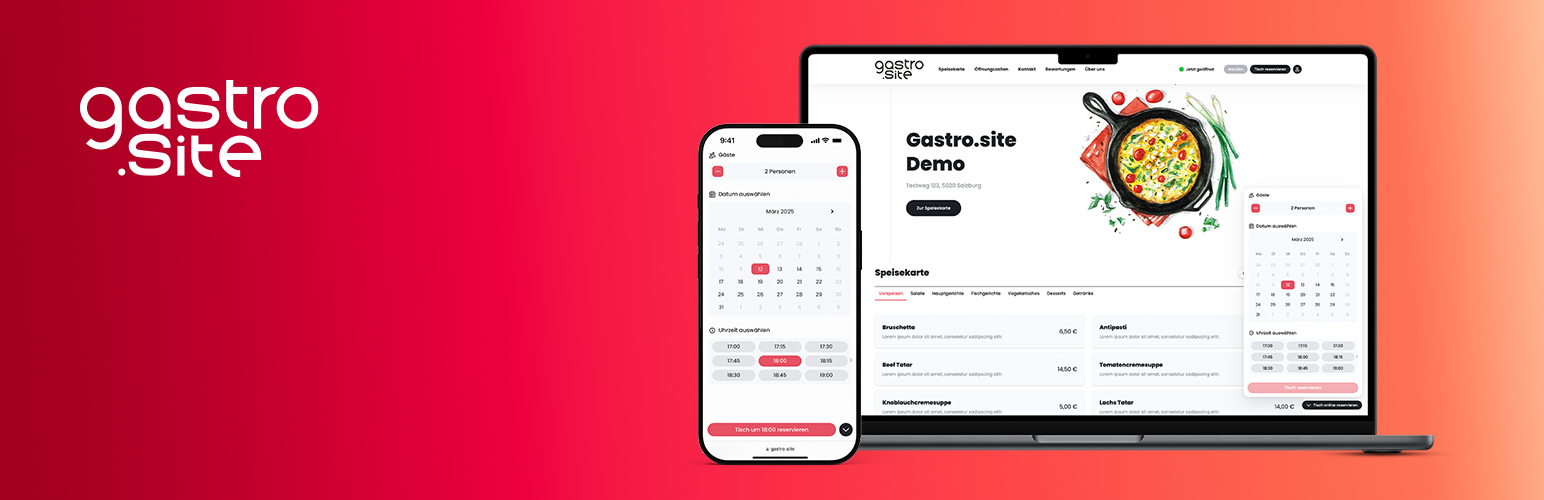
Gastro.site Table Reservation
| 开发者 | gastrosite |
|---|---|
| 更新时间 | 2026年10月17日 04:34 |
| PHP版本: | 7.4 及以上 |
| WordPress版本: | 7.0 |
| 版权: | GPLv2 or later |
| 版权网址: | 版权信息 |
详情介绍:
Integrate the Gastro.site Table Reservation Tool in your Website.
安装:
- Upload the plugin and activate it via WordPress Admin
- Go to Settings → Table Reservation and paste your Gastro.site ID
- Done!
常见问题:
Where do I get the Gastro.site ID?
You can find it in your Gastro.site dashboard. There, you’ll find instructions for integration as well as additional configuration options.
Does this plugin work with all WordPress themes?
Yes, as long as your theme supports the wp_footer hook.
How do I embed the booking widget manually?
You can use the [book_a_table] shortcode to insert the widget anywhere inside a page, post or widget.
How do I embed the menu card manually?
You can use the [menu_card] shortcode to insert the menu card anywhere inside a page, post or widget.
Which attributes does the shortcode support?
The [book_a_table] shortcode supports the following optional attributes:
lang: Language code (e.g.de,en,es). Defaults to WordPress site language.header: Show header above the widget (trueorfalse). Defaults to plugin setting.primary-color: Primary color for the widget in hex format (e.g.#E74E60). Defaults to plugin setting.gray-colors: Neutral color palette with 12 pipe-separated hex colors.transparent-background: Render without an own background color (trueorfalse).render-method: Display mode (inlineorbutton). Defaults toinline.button-label: Text shown on the booking button.button-label-mode: Button text mode (none,custom, orauto). Useautoto show the translated default text for the selected widget language.button-size: Button size (smorlg).button-color: Button color (white,gray, orprimary).button-position: Button position (leftorright).z-index: Numeric z-index value.languages: Comma-separated language list for the widget language switcher (e.g.de,en).rounded-cards: Use rounded card corners (trueorfalse).rounded-buttons: Use rounded buttons (trueorfalse).
[book_a_table lang="de" header="true" primary-color="#E74E60" transparent-background="true" render-method="button" button-label-mode="auto" button-size="lg" button-color="primary" button-position="right" z-index="1000" languages="de,en" rounded-cards="true" rounded-buttons="true"]
The [menu_card] shortcode supports the following optional attributes:
lang: Language code (e.g.de,en,es). Defaults to WordPress site language.primary-color: Primary color for the menu card in hex format (e.g.#E74E60). Defaults to plugin setting.gray-colors: Neutral color palette with 12 pipe-separated hex colors.transparent-background: Render without an own background color (trueorfalse).languages: Comma-separated language list for the widget language switcher (e.g.de,en).rounded-cards: Use rounded card corners (trueorfalse).rounded-buttons: Use rounded buttons (trueorfalse).
[menu_card lang="de" primary-color="#E74E60" transparent-background="true" languages="de,en" rounded-cards="true" rounded-buttons="true"]
The ID is always taken from the plugin settings and cannot be set via the shortcode.
更新日志:
1.0.5
- Fixed widget loading on sites using SiteGround Optimizer with JavaScript combination enabled.
- Added button text modes for icon-only, custom and automatically translated widget button labels.
- Improved theme compatibility by rendering the booking widget in the footer.
- Compatibility update for WordPress 7.0
- Added menu card shortcode support
- Added advanced widget styling settings for colors, backgrounds, rounded cards and rounded buttons
- Added language switcher configuration
- Updated plugin translations
- Compatibility update for WordPress 6.9
- Extended shortcode attributes for advanced widget configuration
- Improved settings validation for integration options
- Initial release