
Gatecraft
| 开发者 | gatecraftjp |
|---|---|
| 更新时间 | 2026年11月12日 07:47 |
| PHP版本: | 8.1 及以上 |
| WordPress版本: | 7.1 |
| 版权: | GPLv2 or later |
| 版权网址: | 版权信息 |
详情介绍:
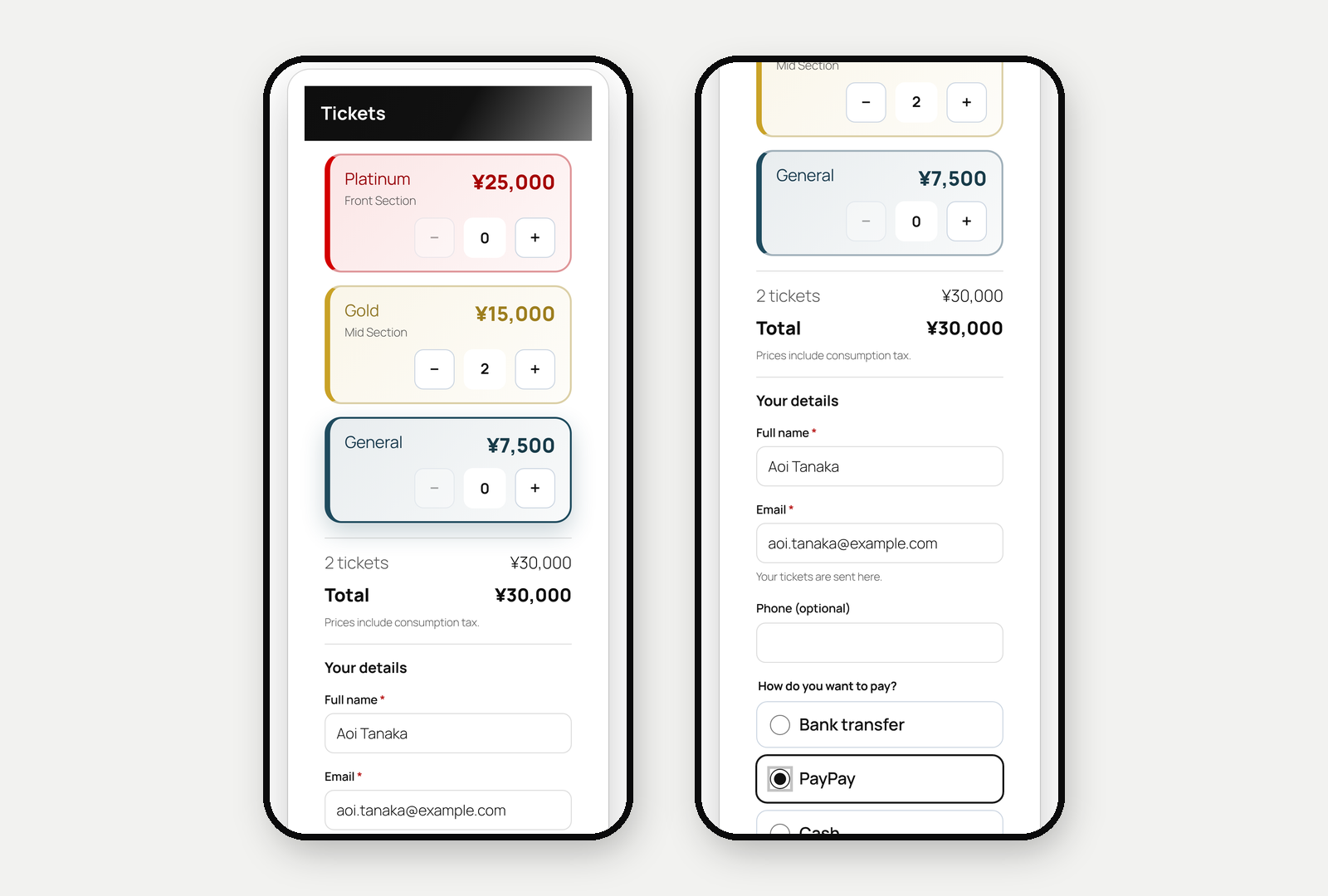
- Events and venues, with ticket categories that each have a price and a capacity (for example Gold 5,000, Silver 2,500, Standard 1,500).
- Overselling is prevented with database row locks, also when many people buy at once.
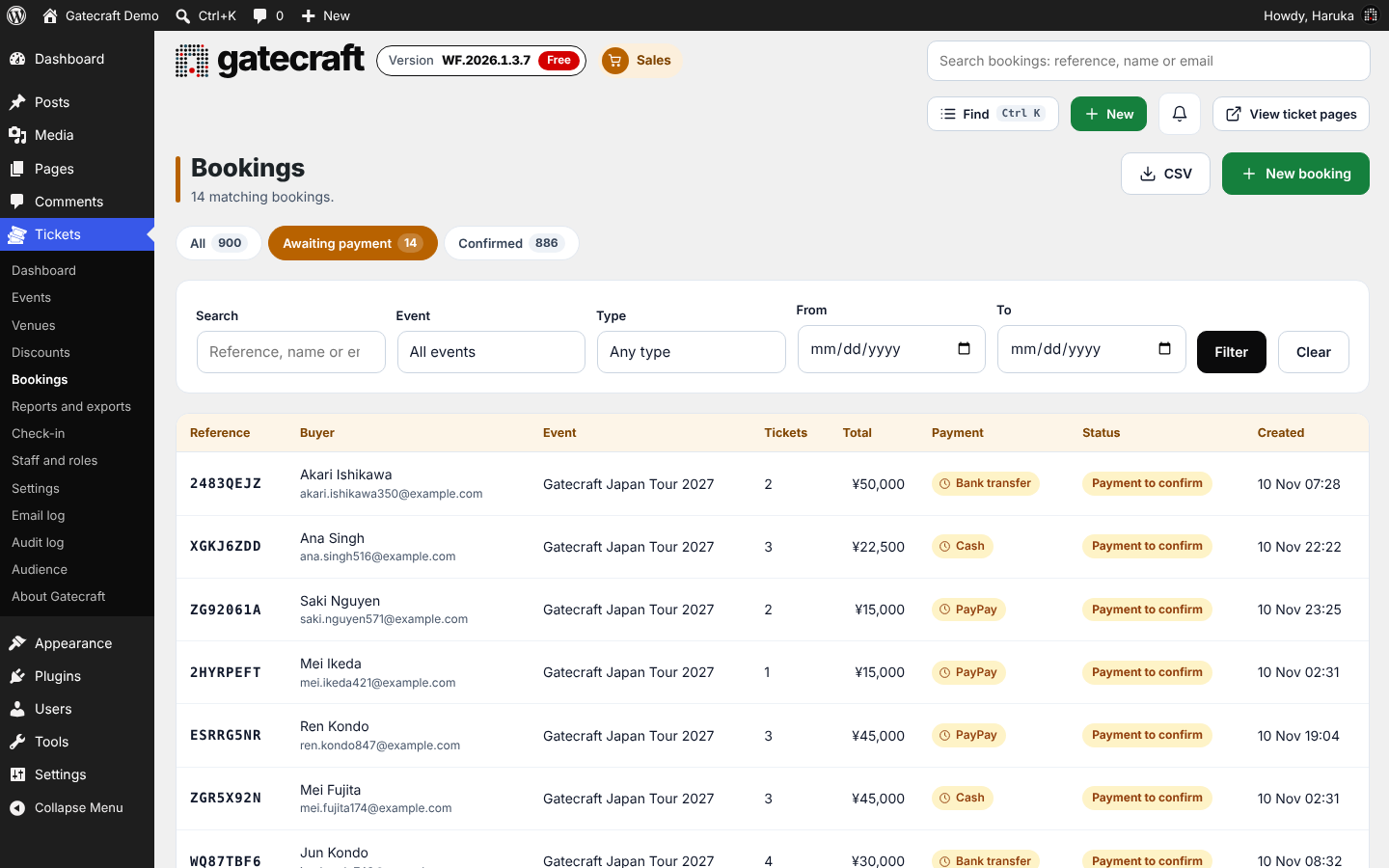
- Card payments with Stripe Checkout, and offline payments you define yourself (bank transfer, PayPay, cash and so on) with your own instructions. Choose which methods each event allows. Offline bookings wait as "Payment to confirm" until you confirm the payment, then the buyer receives their tickets.
- Konbini and PayPay through Stripe next to cards, refunds from the booking page, a tax rate and name, and the currency you sell in.
- Optional agreement to your terms at checkout, policy pages, and a business details page for the Japanese Specified Commercial Transactions notice.
- Discount codes, limited by event, ticket category, dates, number of uses and minimum tickets.
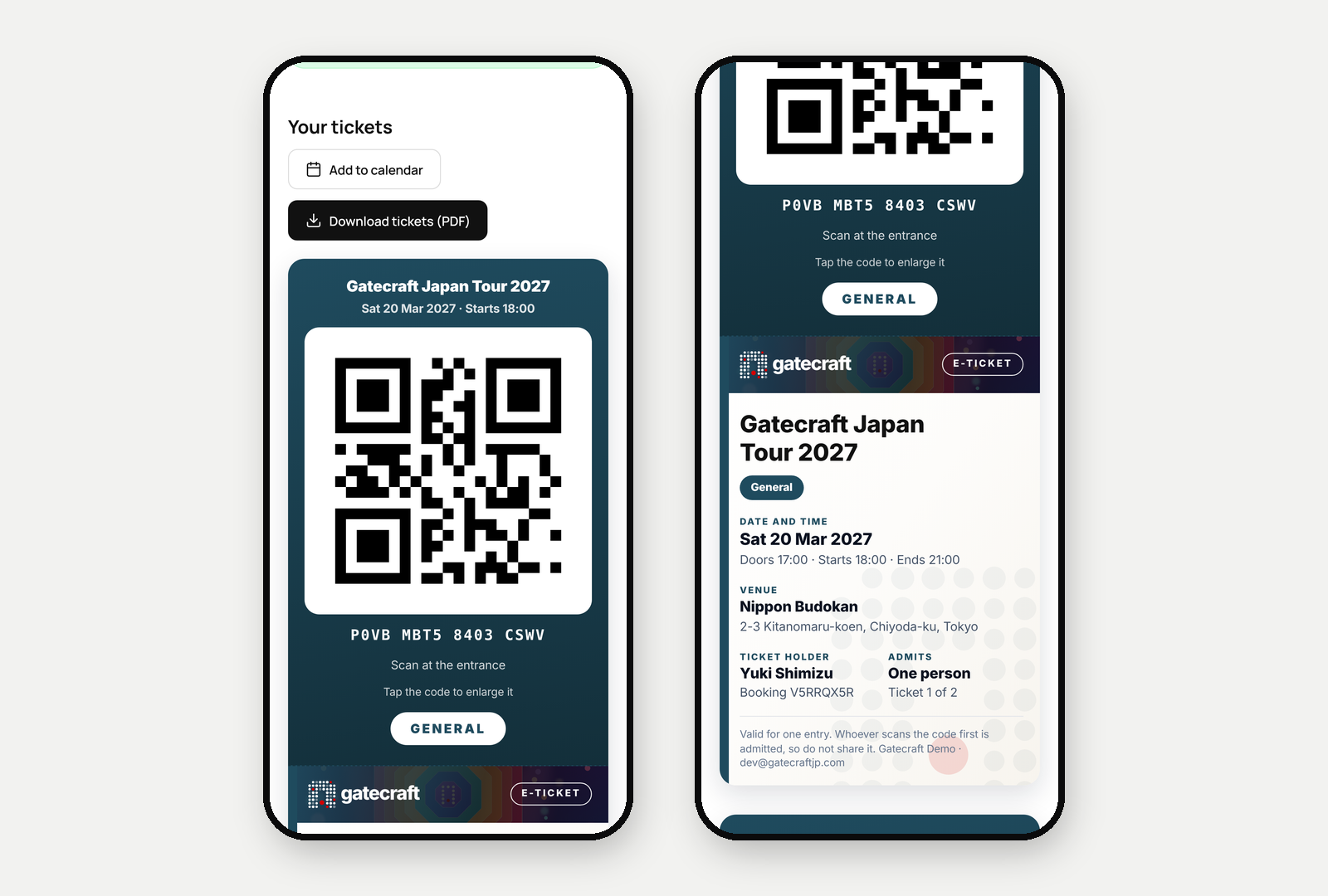
- Emails with QR code tickets and a calendar invite. Edit every email's wording. An email log shows what was sent, and failed emails are retried.
- A printable ticket sheet with an organiser note and a larger QR code, which buyers can save as a PDF.
- Your logo, brand colour and button style. Ticket pages use your theme's header and footer.
- Links in the footer of your ticket pages: Instagram, Facebook, X, LinkedIn and your website with their own icons, and up to 8 other links with a general icon.
- Free bookings confirmed by email before tickets are issued, so bots cannot claim every free place.
- Duplicate an event to a new date, or cancel an event in one step with an optional email to the buyers.
- The living gate on event pages: a gate of dots that fills in as tickets sell. Status wording such as Sold out and Few left, and link previews with the event image.
- Consent to hear from you collected at checkout, and an Audience list to view who agreed, with the wording and date.
- Ticket pages, emails, tickets and the admin in English and Japanese, with a language switcher for visitors, buyers and staff.
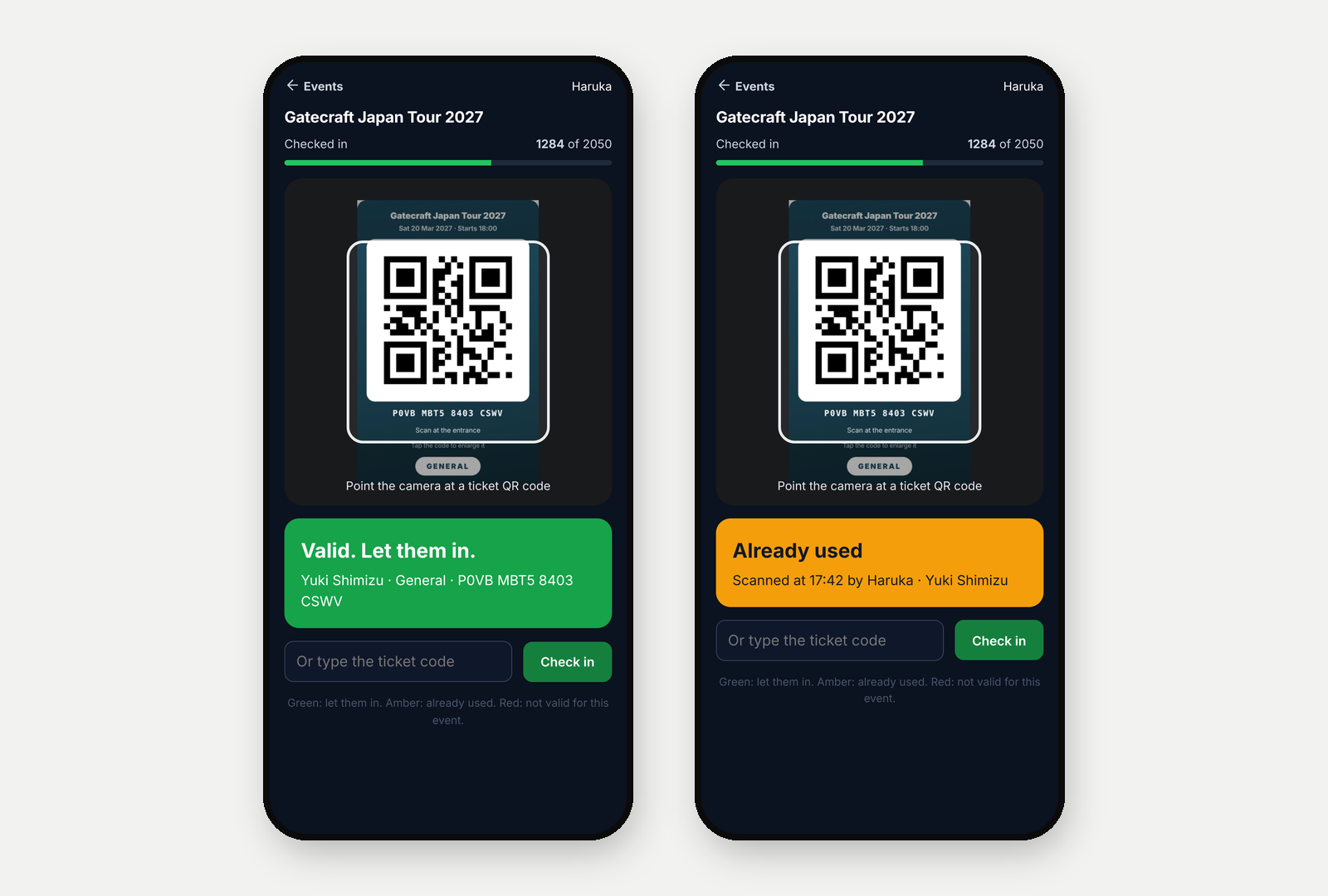
- Door scanner that runs in a phone's browser, with duplicate and wrong-event detection.
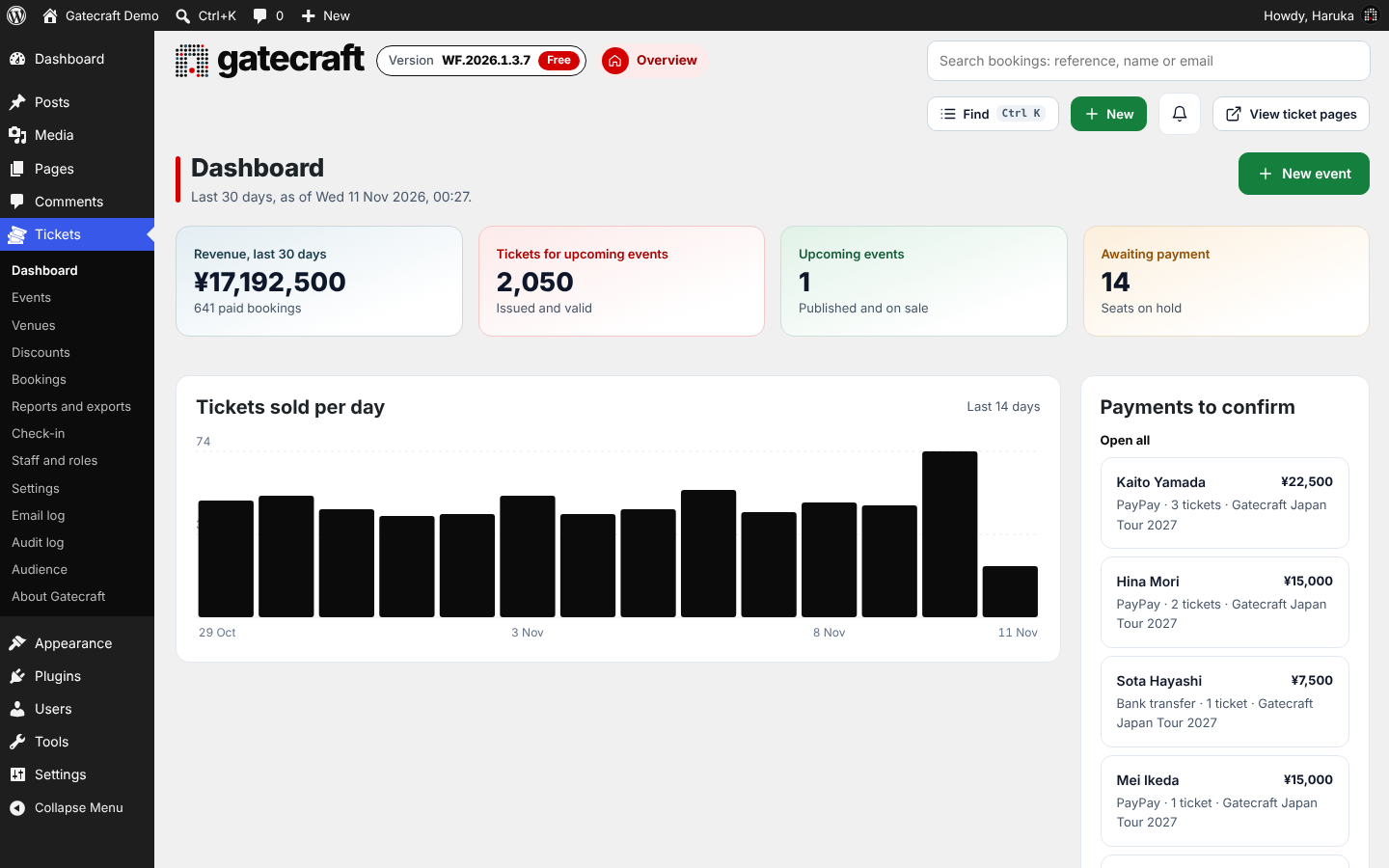
- A dashboard with revenue, upcoming events and a daily sales chart, sales reports, and CSV exports of bookings and attendees.
- Staff roles for managers and door staff, two-step sign-in for staff with a trusted browser option, login lockout and an audit log. Uploaded images are re-encoded and strict security headers are sent.
- Personal data export and erase through WordPress's privacy tools.
安装:
- Install from Plugins > Add New, or upload the zip, and activate.
- Go to Gatecraft > Settings: set your brand, the ticket page address, currency and payment methods. Set the currency before the first booking; it locks once bookings exist.
- Permalinks must not be set to "Plain" (Settings > Permalinks).
- Optional services need keys in wp-config.php. They are never stored in the database:
屏幕截图:

常见问题:
Can buyers pay in cash or with PayPay?
Yes. Add the method under Gatecraft > Settings > Checkout and payments with your instructions. The buyer sees them after booking and by email. You confirm the payment on the booking page, which sends the QR tickets.
How do I add tickets to a normal page?
Use the shortcodes: [gatecraft_events limit="6" category="Music"] Grid of upcoming public events. Add view="small", "medium", "wide", "full" or "list" to change the layout. [gatecraft_button event="event-address" label="Get tickets"] Button to one event's ticket page. [gatecraft_event slug="event-address"] The whole event page with booking, inside any page. In Elementor, add a Shortcode widget and paste it there.
Does it work with my theme?
Ticket pages are wrapped in your theme's header and footer. They are tested with block themes (Twenty Twenty-Five) and classic themes (Twenty Twenty-One). Styles are scoped so they do not change the rest of your site.
What are the WP-CLI commands?
wp gatecraft worker Run the background work now. wp gatecraft reset-2fa Clear a staff member's authenticator. wp gatecraft unlock Clear sign-in lockouts.
更新日志:
- Changed: The admin menu is now called Gatecraft, with the Gatecraft mark as its icon. All screens are under it as before.
- Fixed: When checkout showed a message (for example a missing name), the ticket panel layout shifted on wide screens.
- Fixed: CSV exports no longer write warnings to the PHP log on PHP 8.4 and later.
- Fixed: On a new site, the plugin could stop with an error the first time it was activated.
- New: Japanese is included. Turn it on in Tickets > Settings > Regional for ticket pages, emails, tickets and the admin.
- New: The language switcher is included. Visitors switch language in the page header, signed-in buyers on their account page, and staff in the admin.
- Changed: The link in the "confirm your email" message opens a page with a Confirm button, so mail scanners that open links cannot confirm a booking.
- Changed: "Pay" opens the booking page, where the Pay button starts the card payment.
- Changed: Background work runs every 15 minutes, and right away when there is email to send.
- Code quality and security improvements, following the WordPress.org plugin review.
- Code quality improvements, following the WordPress.org plugin review.
- Changed: Ticketing pages use the site header and footer through a registered block template on block themes.
- Changed: Needs WordPress 6.7 or later.
- Fixed: Selected filters, the active language and dark buttons are readable on classic themes when "Match my theme" is on.
- Code quality improvements, following the WordPress.org plugin review.
- Changed: The free plugin is in English. Japanese pages, emails and tickets now come with Gatecraft Pro, so translations on WordPress.org can follow the standard route.
- Changed: Page colours and layout sizes are added through the WordPress style queue.
- Code quality and compatibility improvements, following the WordPress.org plugin review.
- New: A new ticket design for the page where buyers open their tickets, made for phones. The QR code comes first and large in the colour of its ticket category, tap it to enlarge it on a white screen, and the screen stays awake. The ticket carries the same design as the PDF: event band with your logo, venue, date, ticket holder and category. Checked-in and cancelled tickets are clearly marked.
- Changed: The PDF ticket uses the same design, with a colour per ticket category (the colour set on the category, or one chosen from its name).
- Changed: The About page (Tickets > About) is rewritten. It follows one ticket through its six gates, lists what Free and Pro include side by side as information, and gathers a few small tips. The Full edition is no longer mentioned.
- Changed: The version is now shown as WF.2026.1.3.1 for Gatecraft and WP.2026.1.3.1 for Gatecraft Pro in the admin, under Tickets > About. The plugin version number itself stays 2026.1.3.1.
- New: Footer links on the ticket pages. Add Instagram, Facebook, X, LinkedIn and website links, which show each channel's own icon, and other links, which show a general icon, under Tickets > Settings > Content and messages. Existing Instagram, X and LinkedIn links keep working.
- Changed: The description now lists more of what the plugin does: event cancelling and duplicating, Konbini and PayPay, refunds, tax, terms at checkout, the printable ticket sheet, the email log, the dashboard and the security features.
- Changed: Release notes are now published on the Gatecraft website instead of inside the plugin.
- Changed: Sign in with Google, the language switcher and the Audience tools (filters, saved lists, tags, export and adding people) are now part of Gatecraft Pro.
- The free plugin still collects consent at checkout and shows the Audience list, and runs your ticket pages and emails in English or Japanese.
- Changed: the visual page designer, invoices, emails to your audience, high-demand protection and imports from other platforms are now part of Gatecraft Pro. Designs made with the designer keep showing on your event pages.
- The free plugin keeps card and offline payments, QR tickets, the door scanner, discount codes, email confirmation for free bookings, the Audience list and its export, and Japanese.
- Changed: "Powered by Gatecraft" on ticket pages, printed tickets and emails is off unless you turn it on (Settings, Site text and messages).
- Code quality improvements.
- No changes to the WordPress plugin (a change for the Business Edition updates page).
- Changed: a clearer, more colourful admin, with a colour for each area and the running version always in view.
- Changed: updated Gatecraft brand colours and artwork.
- New: protection from ticket bots. An optional person check at checkout for high-demand events (Cloudflare Turnstile), and email confirmation before free tickets are issued.
- Security and reliability improvements throughout. Updating is recommended.
- No changes to the WordPress plugin (a change for the Business Edition updater).
- Changed: more space around the Powered by Gatecraft line.
- Changed: the living gate shows exactly how many places are taken.
- Events, ticket categories with early-bird prices, venues with sections, and capacity for the event, each category and the venue.
- Event pages you design on the page itself, with colours, fonts, banner shapes and full-width layouts, for the whole site or one event.
- The living gate: the Gatecraft gate fills in as tickets sell, and the red dot appears in the doorway when the doors open.
- Booking with built-in spam protection, discount codes, an optional limit per booking, guest lists and door sales.
- Card payments, konbini and PayPay through Stripe; bank transfer, PayPay, cash and your own methods, with payment details per event and a queue to confirm them.
- Tax included or added, and invoices with sequential numbers and the Japanese registration number.
- QR tickets by email, a print-ready ticket sheet, calendar invites and email text you can edit.
- A check-in scanner in the browser on any phone or tablet, and a door staff role.
- An audience list with news and notices, and import of contacts and past bookings from Peatix, Eventbrite, Ticket Tailor, LivePocket, TIGET or any CSV file.
- A dashboard, reports, CSV exports, notifications, a daily summary, email and audit logs, and a quick finder (Ctrl+K).
- Staff roles, two-step sign-in, personal data export and erasure, and English and Japanese throughout.
- "Match my theme", the [gatecraft_event] shortcode (works on Elementor pages) and a description editor with the Media Library.
- The Gatecraft brand in the admin and About Gatecraft. Your own logo and colours on the ticket pages, emails and tickets, and an optional "Powered by Gatecraft" line, off unless you turn it on.
- Gatecraft Pro adds approval before payment, checkout questions, automatic and group discounts, a waiting list, repeating events, Apple and Google Wallet passes, reminders and messages to ticket holders, Excel exports, more reports and Google Sheets sync.