
Genwave - AI Agent
| 开发者 | ofirs1988 |
|---|---|
| 更新时间 | 2026年10月25日 08:38 |
| PHP版本: | 7.4 及以上 |
| WordPress版本: | 7.1 |
| 版权: | GPLv2 or later |
| 版权网址: | 版权信息 |
详情介绍:
- Genwave (this plugin) connects your site to your Genwave account. It also adds AI writing for single posts and products.
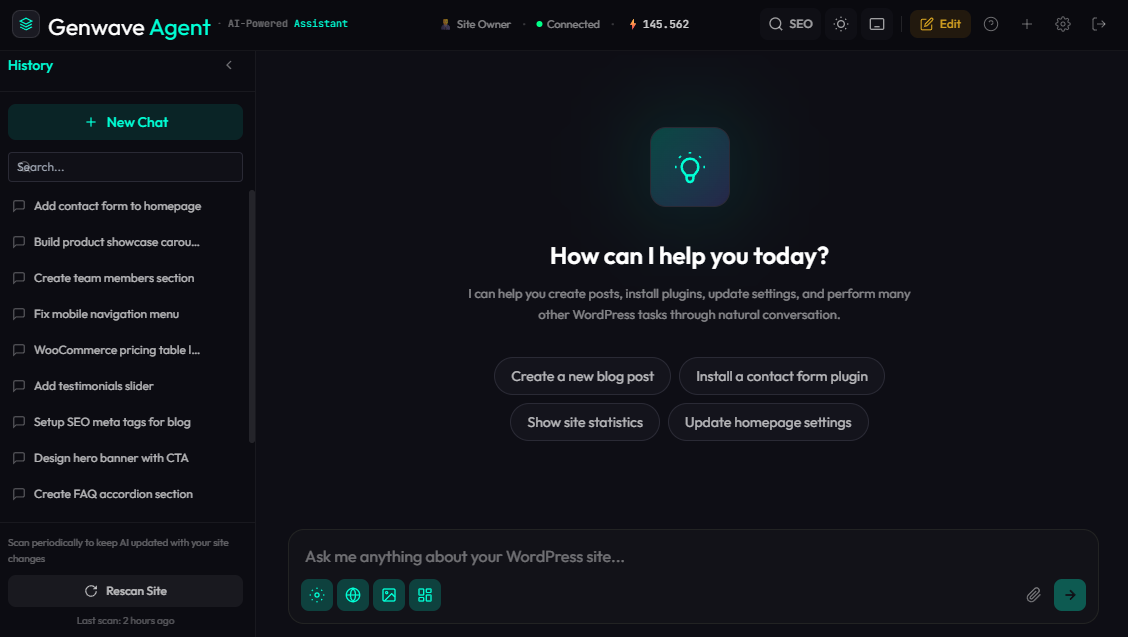
- Genwave Agent adds the agent chat, where you run your site by conversation. Install it in the same step as connecting your account, or later in one click from Genwave → Plugins.
- Say what you need. A product, a fix, a page or a report.
- See the plan and approve it. The agent shows what will change before anything runs. You confirm, or you change your mind.
- It is done and logged. You see the result, and every action is recorded. Content edits keep a copy you can restore.
- You see it first. Every action shows what will change before it runs.
- Bound by your role. The agent cannot touch anything your WordPress user cannot.
- Undo for content edits. A copy is saved before a post or page changes.
- Full activity log. Every action records who asked and what changed.
- Account connection. Connect your site to your Genwave account in one click: sign in and approve the site. There is no key to copy.
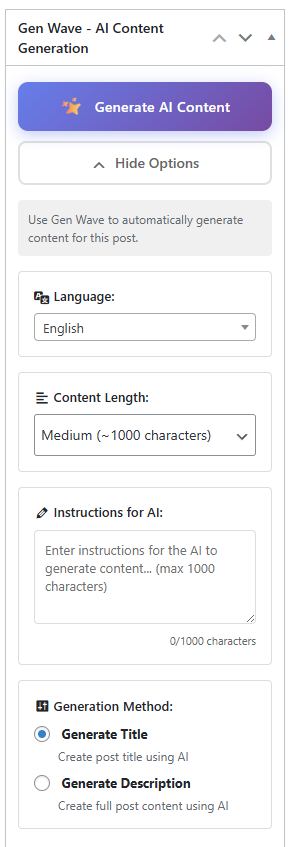
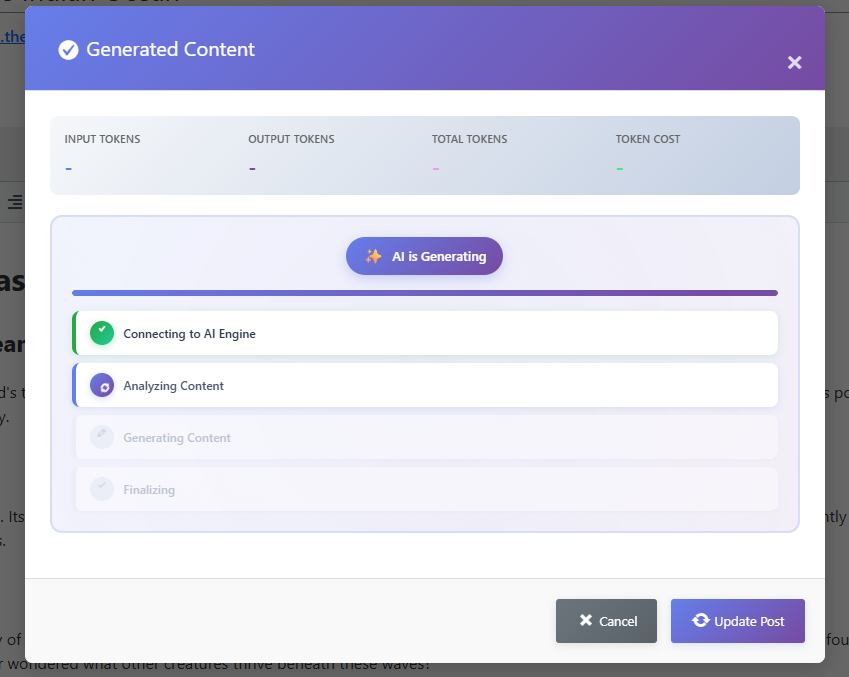
- AI writing. Generate titles, descriptions and content for posts and products.
- Your plan at a glance. On Pro and Business there is nothing to count. On the Free plan you see about how many AI actions are left this month.
- Many languages. Write in your own language, including right-to-left languages such as Hebrew and Arabic.
- No API keys. You do not need an account with any AI provider. Genwave takes care of that.
- WordPress 5.0 or higher
- PHP 7.4 or higher
- A free Genwave account. Create one here.
安装:
- In your WordPress admin, go to Plugins → Add New and search for "Genwave".
- Click Install Now, then Activate.
- Go to Genwave → Account (it opens by itself after activation) and click "Connect to Genwave".
- Sign in to your Genwave account, or create one for free, and approve this site. Leave "Also install Genwave Agent" ticked and it is installed for you when you return.
- Open Genwave Agent from your WordPress menu and tell it what you need.
屏幕截图:
常见问题:
Do I need my own AI account or API keys?
No. Genwave provides the AI for you. Connect your Genwave account and you are ready to go.
What is the difference between Genwave and Genwave Agent?
Genwave (this plugin) connects your site to your Genwave account and adds AI writing for posts and products. Genwave Agent is a separate plugin that adds the agent chat, where you manage your whole site by conversation. For the full experience, install both. Once your account is connected, you can install Genwave Agent from Genwave → Plugins in one click.
"Open the Agent" says I am not allowed to access the page. What should I do?
This means Genwave Agent is not installed or not active yet. Go to Genwave → Plugins and click Install next to Genwave Agent. The Genwave Account page also shows an install or activate button whenever the agent is missing.
What can the agent do?
It can create and edit pages, manage WooCommerce products and orders, help with SEO, find and fix errors, create images, install and set up plugins, and build custom plugins. Describe what you need and it will tell you what it can do.
Is the plugin free?
Yes. This plugin is free and includes AI writing for single posts and products. The agent comes with your Genwave plan, and the Free plan lets you try it.
How does pricing work?
Genwave is free to start, with no credit card needed. The Free plan includes about 30 AI actions a month on one site. Pro and Business have no credits to count: normal use of your site is fully included, and so is Genwave Studio. You can see current plans on our pricing page.
Which languages does it support?
You can write to Genwave in your own language and it answers in the same language. Right-to-left languages such as Hebrew and Arabic are supported.
Does it work with WooCommerce?
Yes. You can manage products, write descriptions, update prices and stock, and work with orders.
Is it safe for my site?
The agent shows you what will change before anything runs, and it cannot touch anything your WordPress user cannot. A copy is saved before a post or page changes, so content edits can be undone, and every action is logged. We still recommend keeping a recent backup, as you would with any tool that changes your site.
What information is sent to Genwave?
Only what is needed for the task you ask for, such as the content of the page or product you are working on. It is sent over an encrypted connection. See our privacy policy for details.
Does it work on multisite?
Yes. Each site in the network connects to a Genwave account on its own.
How do I get help?
- Support center: app.genwave.ai/support
- Email: support@genwave.ai
- The WordPress.org support forum for this plugin
更新日志:
- Security hardening for the REST API and site verification.
- Clearer wording on the plugin and Account pages, and no separate sign-up link: Connect to Genwave takes you through sign-up.
- Connect to Genwave: connect your site by signing in and approving it in your Genwave account, with no key to copy. Genwave Agent can be installed in the same step.
- No credits to count on Pro and Business. The WordPress toolbar shows Light mode if a month goes far past normal use, and about how many AI actions are left on the Free plan.
- Your AI credit balance now updates on sites connected recently. The name reads Genwave everywhere.
- Genwave Agent can now be installed in one click from Genwave > Plugins, including on recently connected sites. Clearer setup steps and FAQ.
- Compatibility: tested with WordPress 7.1.
- Fixed: the Open the Agent button now tells you when the Genwave Agent plugin is missing or inactive and offers to download or activate it, instead of showing an access error. Account, billing, credits, sign-up and support buttons now open the right page.
- Keep Genwave REST routes reachable when a security plugin restricts the REST API, so site connection works on locked-down sites
- Fix connection status and disconnect for the new secure connect flow
- New connection security: each site now signs every request to the AI Agent with its own key, verified end-to-end. No shared secrets or tokens are stored.
- Simpler connect: link your site with your license key in one step; a clear Connected / Not connected status is shown.
- Removed the retired LiteLLM integration and legacy authentication code.
- Stability and security improvements.
- Security hardening across account connection and admin actions.
- Modernized admin interface — refreshed Account, Plugins and content Generation pages.
- Refreshed plugin branding: new banner, icon and description.
- Clearer, friendlier status and error messages.
- Internal code cleanup and improvements.
- New "Plugins" admin page — browse and install Genwave plugins (Agent, Pro, Chatbot, SEO, Elements, Site Transfer) directly from inside WordPress with a single click
- WordPress 7.0 compatibility verified Improvements:
- Faster bundle build pipeline
- Refreshed dashboard styles
- Added AI Agent section to dashboard — download the full AI Agent directly from your account
- Feature highlights: Build Plugins, Auto-Fix Errors, Elementor Widgets, WooCommerce management
- Direct download link to account.genwave.ai/user/downloads
- Plugin renamed from "Genwave - AI Generate" to "Genwave - AI Agent for WordPress"
- Updated all descriptions, features, and messaging to focus on the AI Agent capabilities
- New feature highlights: 250+ WordPress actions, Plugin Builder, Auto Error Fix, SEO Optimization
- Updated Quick Start guide for AI Agent workflow
- Updated Pro/upgrade messaging to reference Genwave Agent
- Updated tags, FAQ, and screenshots descriptions
- Removed duplicate Global folder - consolidated code structure
- Removed debug console.log statements from admin JavaScript
- Code cleanup and optimization across multiple files
- Improved code organization (Global → Core namespace) Bug Fixes:
- Various code fixes and improvements
- New React-based Dashboard page with modern UI
- New Generate page for content generation with item selection
- Custom instructions field - tell the AI exactly what to write about
- Multi-language support with 28 preset languages (works with any language)
- MetaBox improvements: subtle top button + prominent bottom generate button Improvements:
- Complete UI redesign with modern card-based interface
- Better token usage display and tracking
- Improved API communication for custom instructions
- Streamlined settings page with React components
- Removed unused vendor dependencies (smaller plugin size) Technical:
- Added webpack build system for React components
- New PHP pages: Dashboard.php, Generate.php
- Updated ApiManager for custom instructions support
- Enhanced GenerationHandler with language parameter
- Improved readme documentation
- Added clearer feature descriptions
- Updated FAQ section
- Bug fixes and performance improvements
- Initial release
- Account connection and authentication
- Single content generation for posts and products
- Credit balance tracking
- Multi-language support (6 languages)
- WooCommerce integration
- Secure encrypted communication