
GeoIP Content Switcher
| 开发者 | pathakhrkinc |
|---|---|
| 更新时间 | 2026年2月13日 03:06 |
| PHP版本: | 7.4 及以上 |
| WordPress版本: | 6.9 |
| 版权: | GPLv2 or later |
| 版权网址: | 版权信息 |
详情介绍:
- MaxMind GeoLite2 Database integration
- Cloudflare CF-IPCountry header support
- Session caching for optimal performance
- Accurate IP-based geolocation
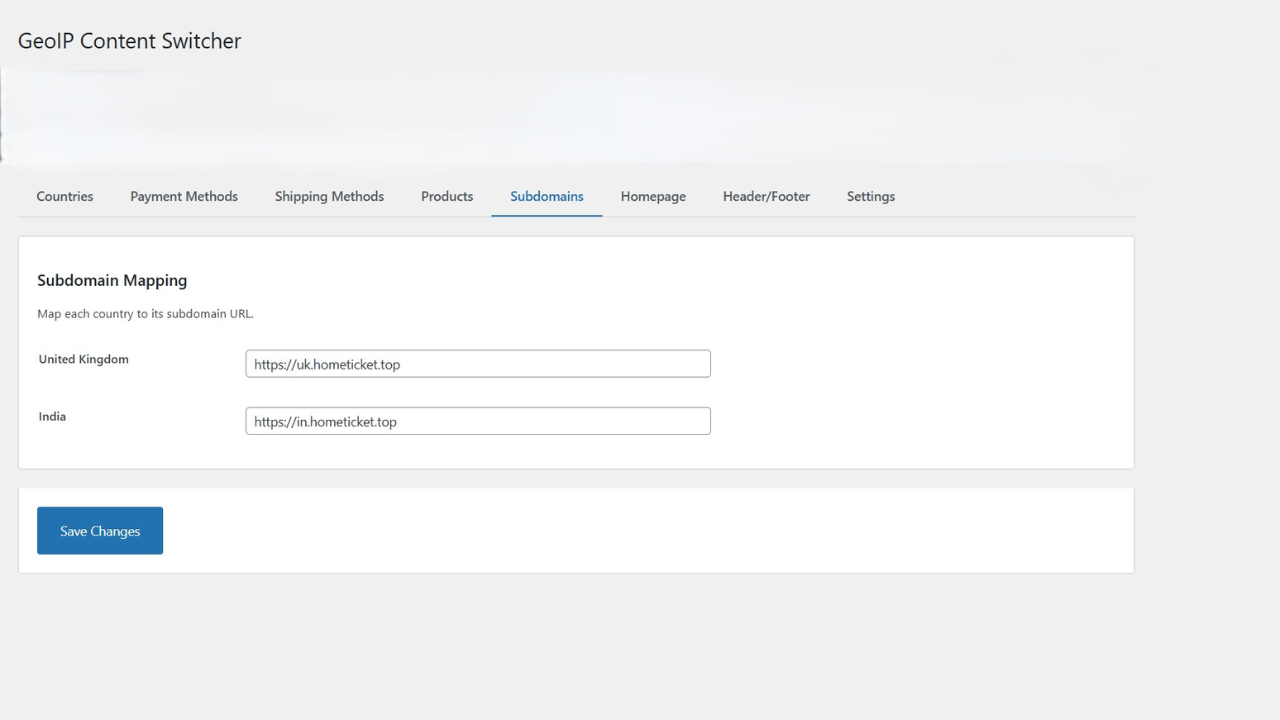
- Automatic redirect to country-specific subdomains
- Example: US visitors → us.yoursite.com
- Geo-lock option to prevent manual country switching
- Seamless cross-subdomain session management
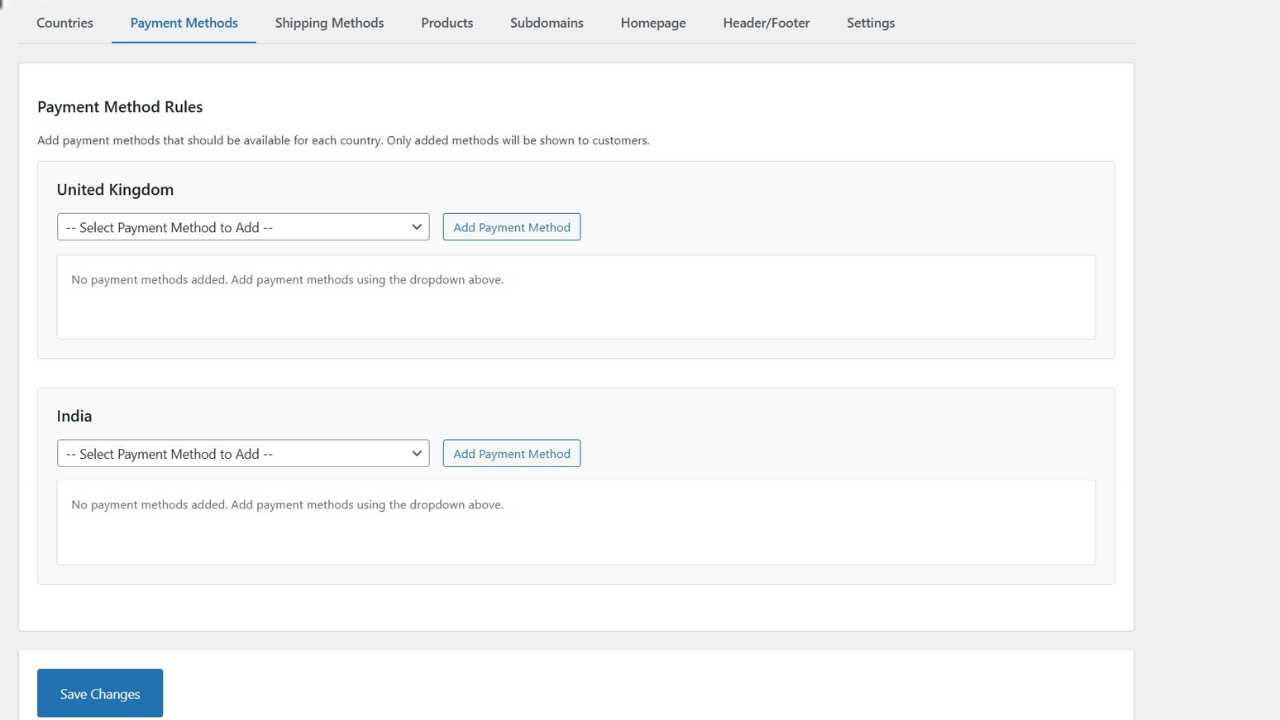
- Filter payment gateways by country
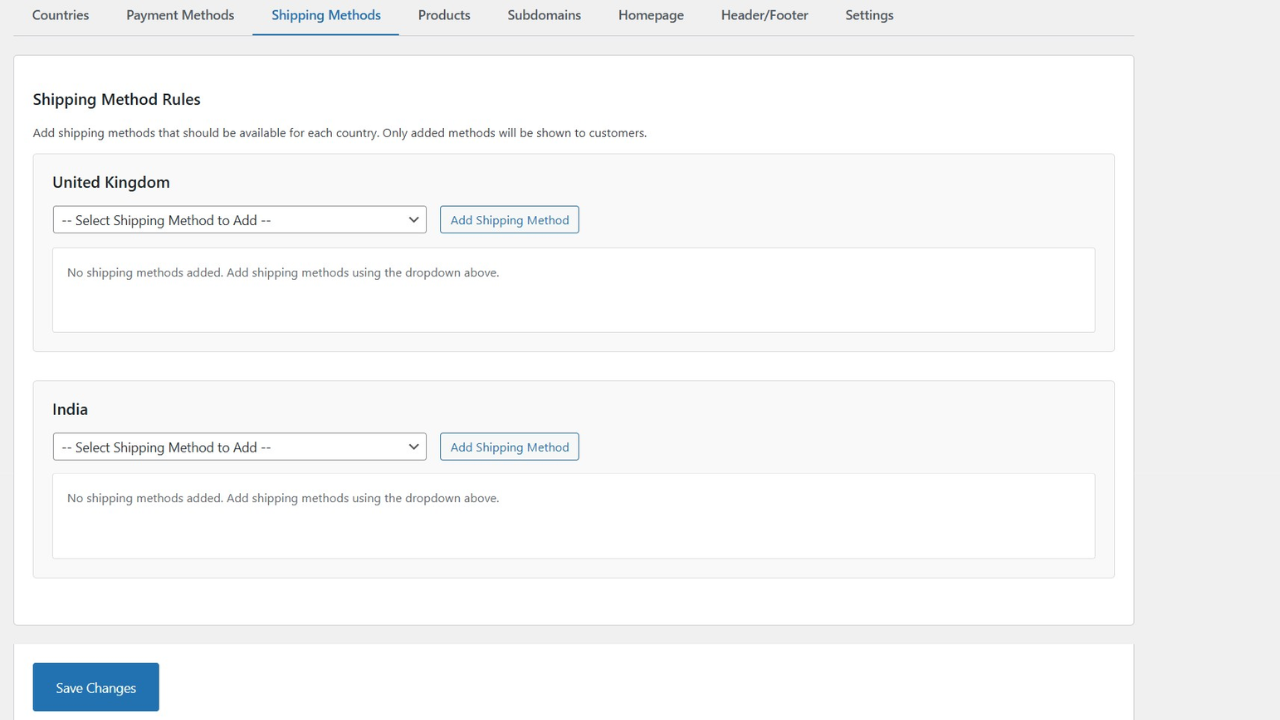
- Filter shipping methods by country
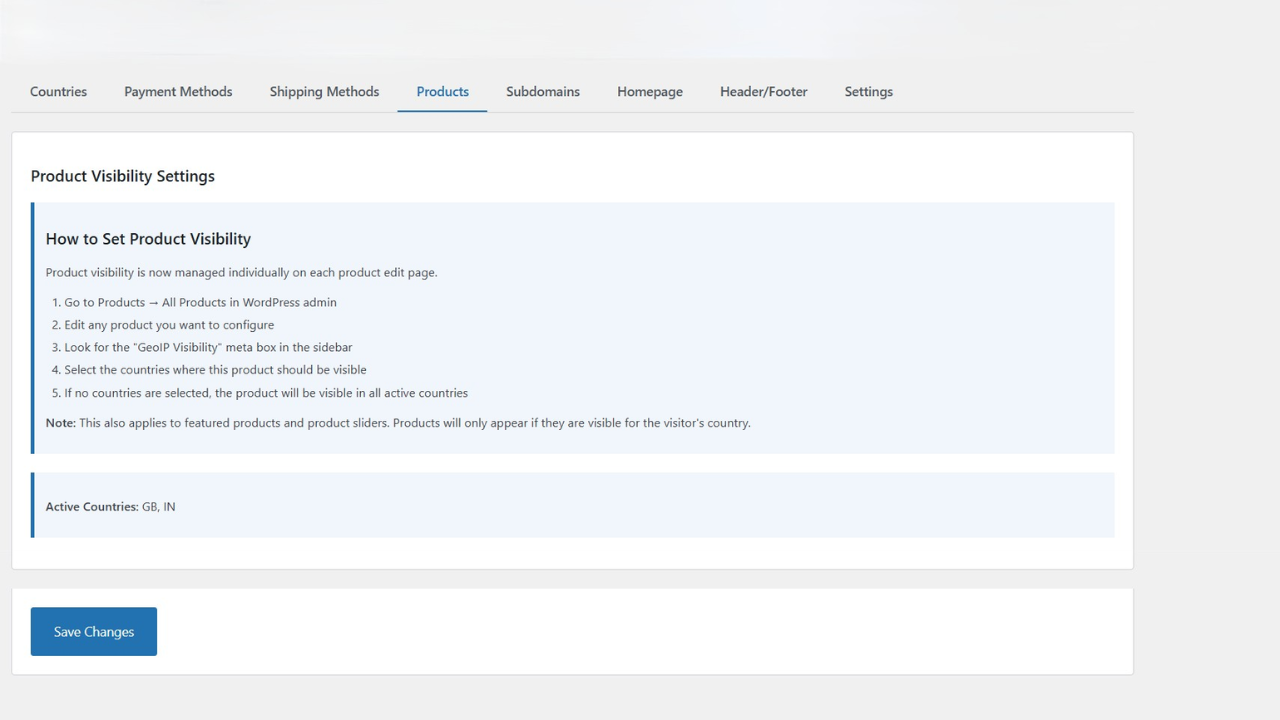
- Hide products or categories by country
- Full WooCommerce HPOS compatibility
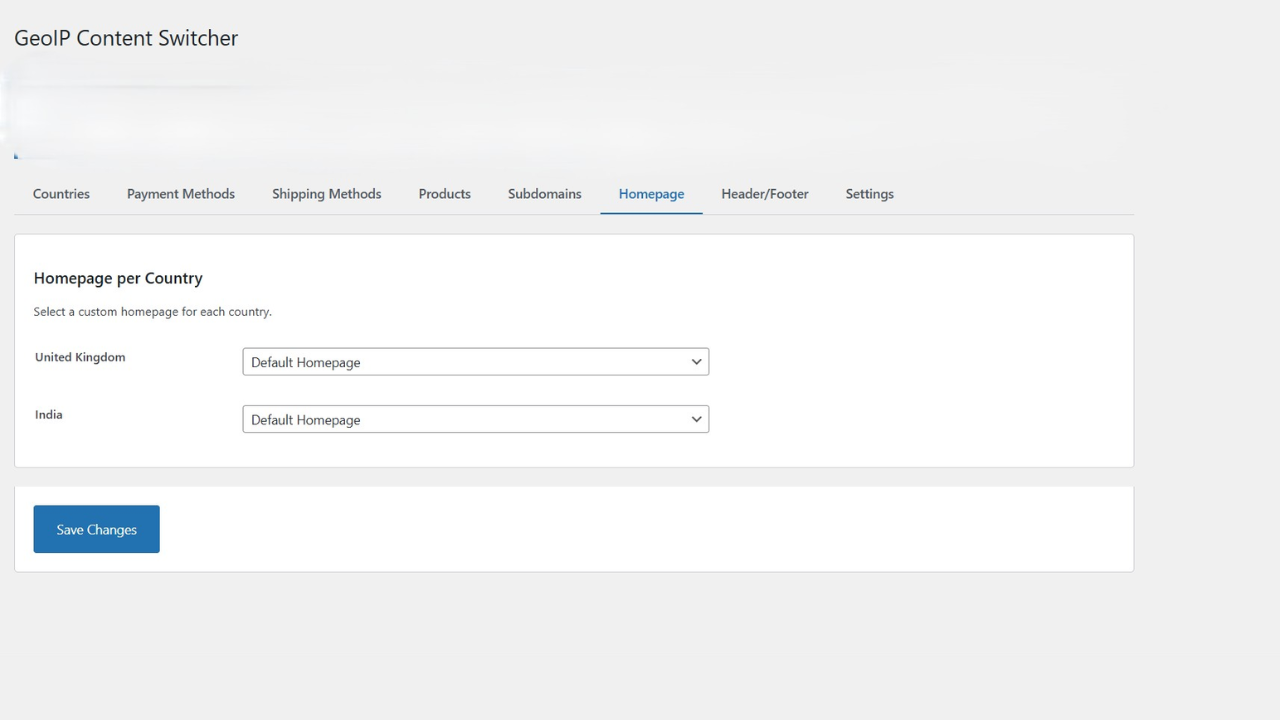
- Country-specific homepage
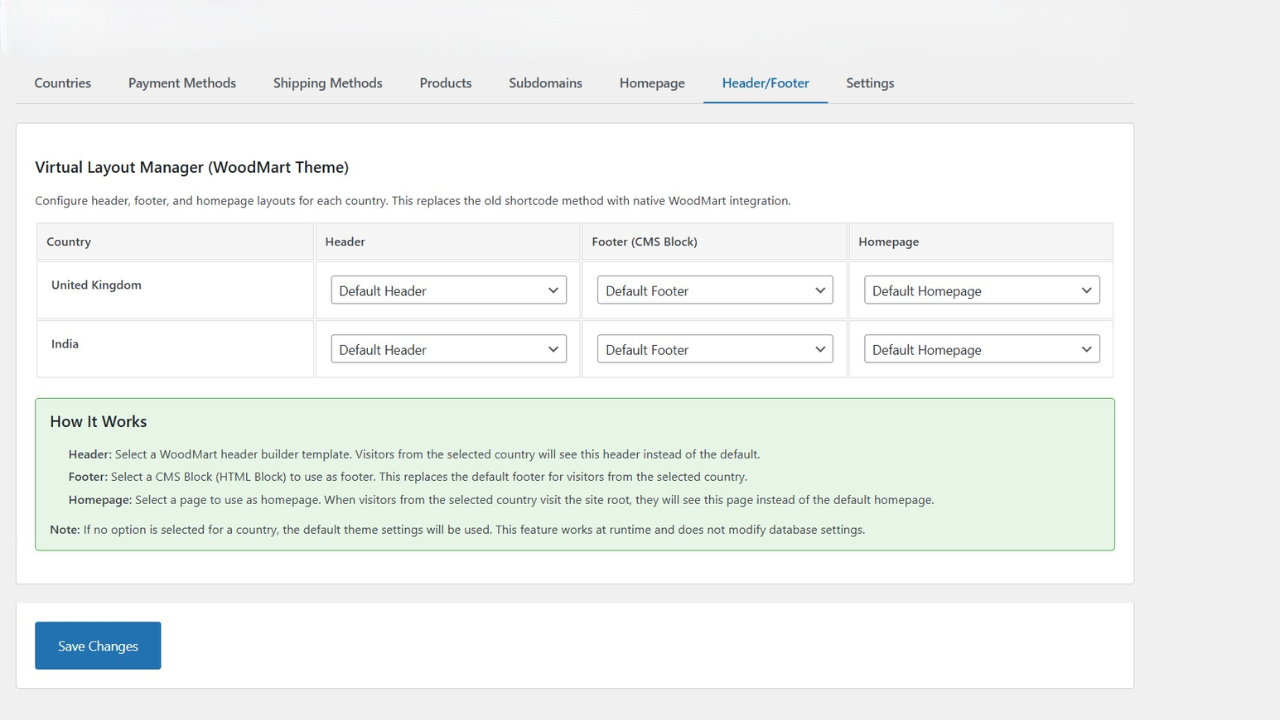
- Custom header content per country
- Custom footer content per country
- Full Elementor and page builder support
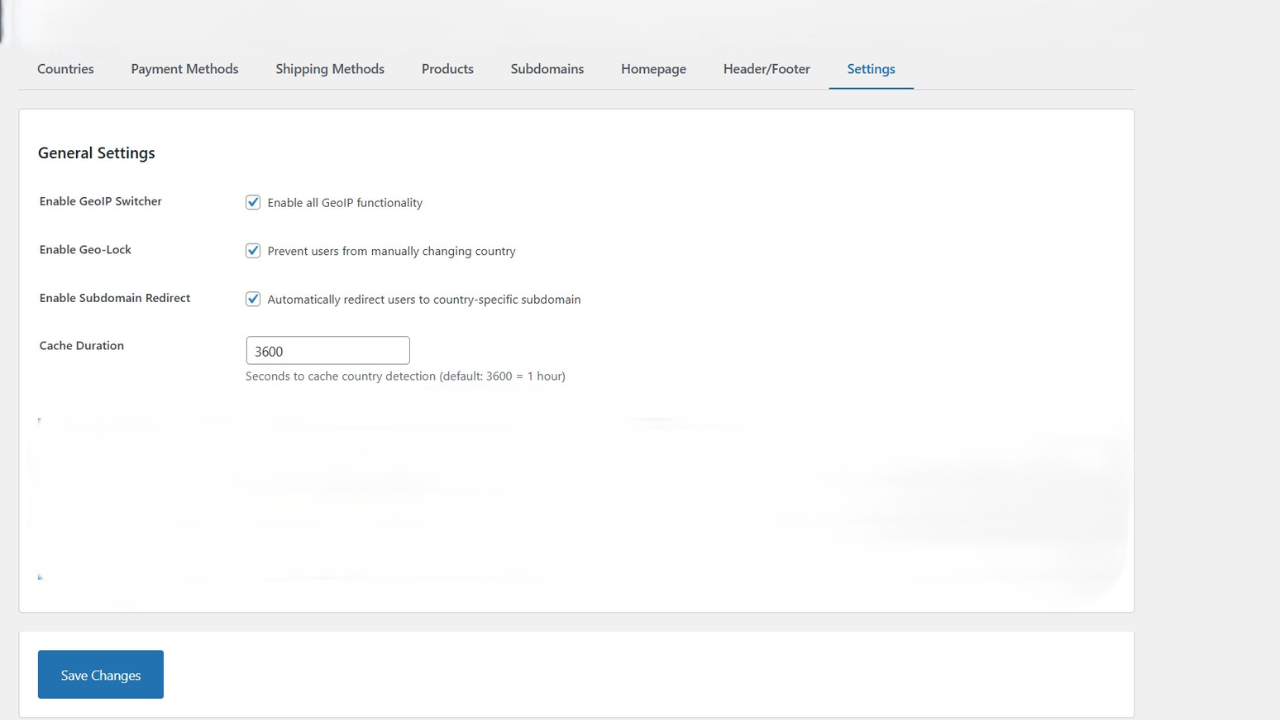
- Session caching with configurable duration
- Cloudflare integration
- Compatible with WP Rocket, LiteSpeed Cache, W3 Total Cache
- Minimal server resource usage
- Database files protected from direct access
- Input sanitization and validation
- Nonce verification for all forms
- Capability checks for admin functions
- Secure session handling
- Clean, well-documented code
- Shortcodes for displaying country info
- Hooks and filters for customization
- PSR-4 autoloading
[geoip_country]- Display visitor's country name[geoip_country format="code"]- Display country code (e.g., US, UK, IN)[geoip_ip]- Display visitor's IP address
- WordPress 5.8 or higher
- PHP 7.4 or higher (compatible with PHP 8.0, 8.1, 8.2, 8.3)
- WooCommerce 5.0 or higher (optional, for e-commerce features)
- MaxMind GeoLite2 Country Database (free download)
- International e-commerce stores
- Multi-country business websites
- Region-specific content delivery
- Localized payment and shipping options
- Country-based product catalogs
- Geo-targeted marketing campaigns
- Woodmart (fully tested)
- Astra
- Divi
- Elementor
- Any WordPress theme Cache Plugins:
- WP Rocket
- LiteSpeed Cache
- W3 Total Cache
- WP Super Cache
- Cloudflare Page Builders:
- Elementor
- WPBakery
- Beaver Builder
- Divi Builder
安装:
- Log in to your WordPress admin panel
- Navigate to Plugins → Add New
- Search for "GeoIP Content Switcher"
- Click "Install Now" and then "Activate"
- Follow the setup wizard to complete configuration
- Download the plugin ZIP file
- Log in to your WordPress admin panel
- Navigate to Plugins → Add New → Upload Plugin
- Choose the ZIP file and click "Install Now"
- Click "Activate Plugin"
- Sign up for a free MaxMind account at https://www.maxmind.com/en/geolite2/signup
- Download the GeoLite2 Country database (MMDB format)
- Extract the
GeoLite2-Country.mmdbfile - Upload it to:
/wp-content/plugins/geoip-content-switcher/database/
- Go to WordPress Admin → GeoIP Switcher
- Select your active countries
- Set a default fallback country
- Configure subdomain mappings (if using subdomains)
- Set up payment and shipping rules per country
- Configure product visibility rules
- Save settings
- Use a VPN or proxy to test from different countries
- Verify subdomain redirects work correctly
- Check payment and shipping methods display correctly
- Test product visibility per country
- Ensure Composer is installed on your server
- Navigate to the plugin directory
- Run:
composer install --no-dev
屏幕截图:
常见问题:
Does this plugin work without WooCommerce?
Yes! The plugin works with any WordPress site. WooCommerce integration is optional and only activates if WooCommerce is installed.
Where do I get the MaxMind GeoLite2 database?
You can download it for free from MaxMind:
- Sign up at https://www.maxmind.com/en/geolite2/signup
- Download the GeoLite2 Country database (MMDB format)
- Place the file in the plugin's
database/folder
Is the MaxMind database included?
No, due to MaxMind's license terms, you must download it separately. It's free and takes just a few minutes to set up.
Is this plugin compatible with caching plugins?
Yes! It's fully compatible with:
- WP Rocket
- LiteSpeed Cache
- W3 Total Cache
- WP Super Cache
- Cloudflare The plugin uses session-based caching to work seamlessly with page caching.
Does it work with Cloudflare?
Yes! The plugin automatically detects and uses Cloudflare's CF-IPCountry header for faster and more accurate country detection.
Can I use this without subdomains?
Absolutely! Subdomain redirection is optional. You can use the plugin just for content switching, payment filtering, or product visibility without any subdomain setup.
Does it support PHP 8?
Yes! Fully tested and compatible with:
- PHP 7.4
- PHP 8.0
- PHP 8.1
- PHP 8.2
- PHP 8.3
Will this slow down my website?
No! The plugin is highly optimized:
- Country detection is cached in sessions
- Minimal database queries
- Cloudflare integration for instant detection
- Compatible with all major caching plugins
Can I customize which payment methods show per country?
Yes! The admin panel lets you select which payment gateways are available for each country.
Can I hide specific products for certain countries?
Yes! You can hide entire product categories per country through the admin settings.
Does it work with Elementor?
Yes! The plugin is fully compatible with Elementor and other page builders. You can create country-specific pages and assign them as homepages.
Is it GDPR compliant?
Yes! The plugin:
- Only stores country code in sessions (no personal data)
- Uses IP addresses only for geolocation (not stored)
- Doesn't use cookies for tracking
- Complies with GDPR requirements
Can I display the visitor's country on my site?
Yes! Use these shortcodes:
[geoip_country]- Shows country name[geoip_country format="code"]- Shows country code[geoip_ip]- Shows IP address
Does it support WooCommerce HPOS?
Yes! The plugin is fully compatible with WooCommerce High-Performance Order Storage (HPOS).
Can I test it locally?
Yes, but country detection won't work on localhost (127.0.0.1). You'll need to:
- Use a VPN to test different countries
- Deploy to a staging server
- Or manually set a test country in the code
How do I update the MaxMind database?
MaxMind updates their database monthly. To update:
- Download the latest GeoLite2 Country database
- Replace the old
GeoLite2-Country.mmdbfile in thedatabase/folder - Clear your site cache
Can I use this for currency switching?
Currently, the plugin focuses on content, payments, and shipping. Currency switching is planned for a future version.
Does it work with multisite?
The plugin is designed for single-site installations. Multisite compatibility is not officially supported at this time.
Where can I get support?
For support, please use the WordPress.org support forum for this plugin. For priority support or custom development, contact the developer.
更新日志:
- Initial public release
- Country detection via MaxMind GeoLite2 database
- Cloudflare CF-IPCountry header support
- Subdomain redirection with geo-lock
- WooCommerce payment gateway filtering
- WooCommerce shipping method filtering
- Product visibility control by country
- Homepage switching per country
- Header/footer content customization
- Session-based caching
- Cache plugin compatibility
- WooCommerce HPOS compatibility
- Elementor and page builder support
- Security hardening and input validation
- Shortcodes for country display
- Cross-subdomain session handling
- Admin settings interface
- PHP 7.4 - 8.3 compatibility