Date Filters, Date Picker & Unique IDs for Gravity Forms - Hero Add-On
| 开发者 | toroguapo |
|---|---|
| 更新时间 | 2026年9月23日 03:44 |
| PHP版本: | 7.0 及以上 |
| WordPress版本: | 7.1 |
| 版权: | GPLv2 or later |
| 版权网址: | 版权信息 |
详情介绍:
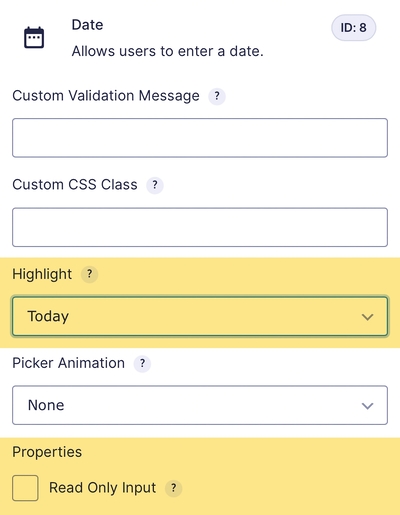
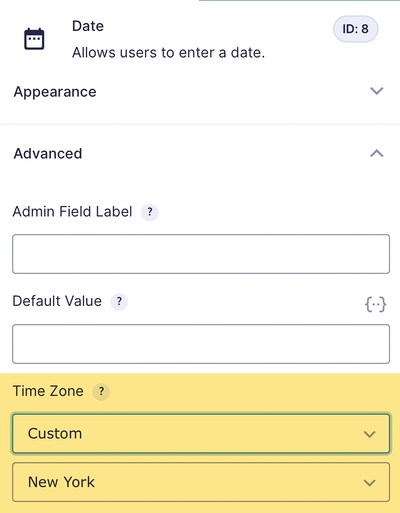
Hero for Gravity Forms lets you disable weekends, past dates and holidays in the Gravity Forms date picker, highlight today's date, and make date inputs read-only - all without custom code. It also adds powerful date filters, time zone fixes, and unique / random ID generators for coupons, reference numbers and more.
If you use the Gravity Forms Date field for bookings, appointments or event registrations, you’ve probably needed to:
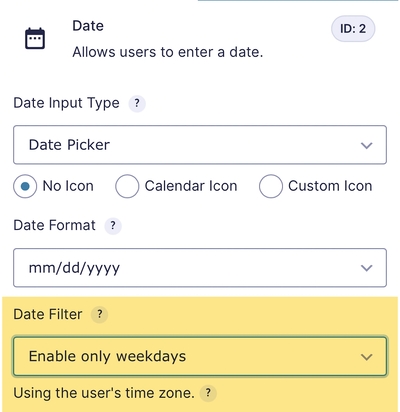
- Disable weekends so customers can’t choose Saturdays and Sundays.
- Disable past dates so users can only select today or future dates.
- Block holidays or blackout dates when your business is closed or fully booked.
- Allow only specific weekdays (for example Monday–Friday or weekends only).
- Prevent manual typing in the date input so users must pick from the calendar.
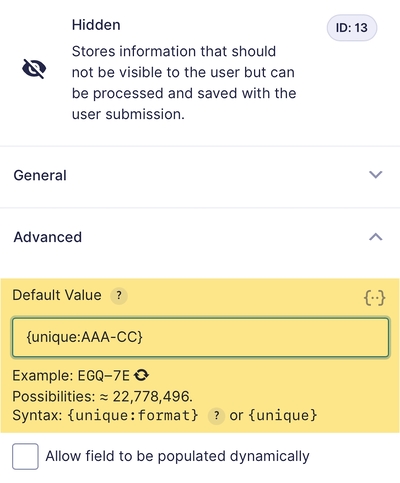
- Generate a unique ID for each Gravity Forms entry (reference codes, coupon codes, etc.).
安装:
Since Hero is an add-on to Gravity Forms, you need to have Gravity Forms installed and active in order to use Hero.
Hero comes in three variants:
- Hero Essential, the plugin variant that includes essential functionality and can be downloaded for free.
- Hero Standard, which includes extra features not part of the Essential variant. You can download this variant after obtaining a license from https://toroguapo.com/gf-hero/pricing/
- Hero Advanced, which adds more advanced functionality on top of what the Standard variant offers. See https://toroguapo.com/gf-hero/pricing/ for more details on this variant as well.
屏幕截图:

常见问题:
Can I disable weekends in the Gravity Forms date picker?
Yes. Hero lets you disable weekends (Saturday and Sunday) or any specific weekdays in the Gravity Forms Date field so users can only select valid working days.
Can I disable past dates or set a minimum / maximum date?
Yes. You can disable all past dates before today, or set custom minimum and maximum dates for the Gravity Forms date picker, for example to allow bookings only within a specific date range.
Can I generate a unique ID for each Gravity Forms entry?
Yes. Hero includes a Unique ID generator that creates random, unique IDs for each Gravity Forms entry. You can use them for coupon codes, ticket IDs, reference numbers and more.
Do I need to write any code or JavaScript?
No. All date rules and unique ID settings are configured visually in the Gravity Forms editor. Hero saves you from writing or maintaining custom code snippets for the Gravity Forms date picker.