
Giftlight – Gift Guide & Gift Finder for WooCommerce
| 开发者 | giftlight |
|---|---|
| 更新时间 | 2026年11月14日 00:46 |
| PHP版本: | 7.4 及以上 |
| WordPress版本: | 7.1 |
| 版权: | GPLv2 or later |
| 版权网址: | 版权信息 |
详情介绍:
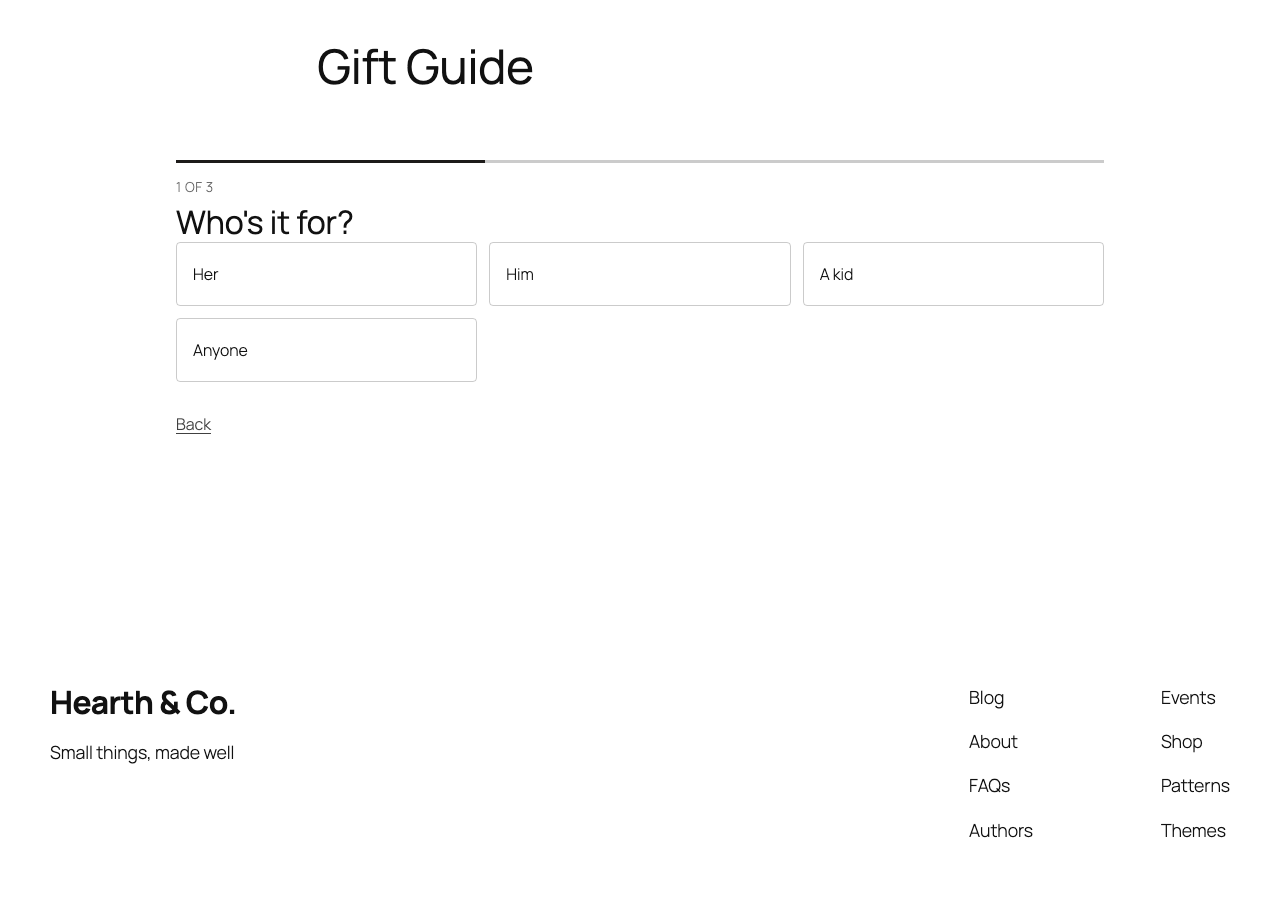
- Who it's for: her, him, a kid, a pet, read from your category names, product names and tags.
- What to spend: price bands made from your own prices, like "Gifts under $50".
- What they're into: your own categories, like Kitchen, Candles or Outdoors.
[giftlight] shortcode, anywhere.
Private by design. The guide is built in the shopper's browser from your product data. Giftlight uses no cookies and requires no account. If you enable the optional sales report, Giftlight records guide activity and attributed orders in your shop's WordPress database.
What it reads
Giftlight checks up to 1,200 published, in-stock products visible in your shop, in shop order. It uses up to 300 public products that have a photo and a price, along with their categories and tags. Category names that say nothing about a gift ("Sale", "New", "Uncategorized", "Wholesale" and the like) are left out.
安装:
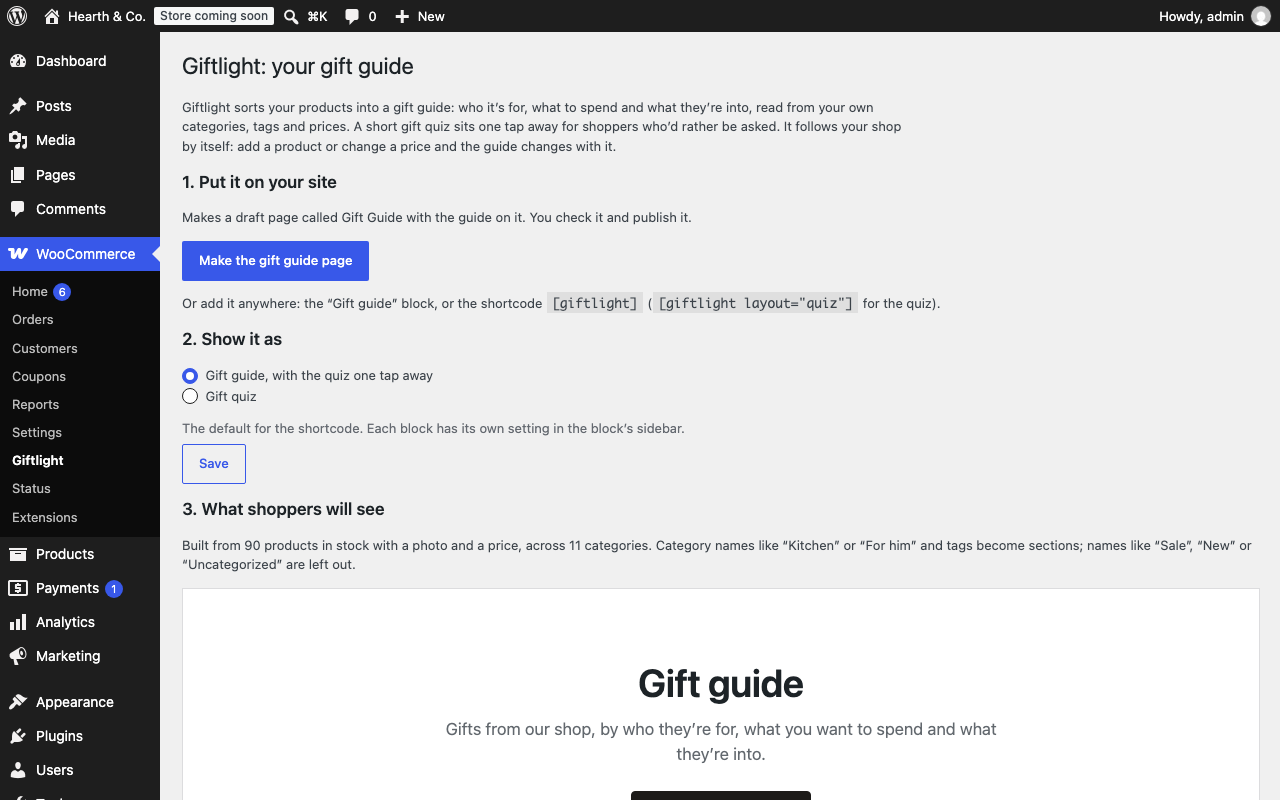
- Install and activate Giftlight (WooCommerce must be active).
- Go to WooCommerce > Giftlight.
- Click "Make the gift guide page", check the draft and publish it.
- Add the page to your menu.
屏幕截图:
常见问题:
Can I try it before I install it?
Yes. Try a quick example of the guide and quiz on a made-up shop. Open the demo shop: a temporary WordPress in your browser with WooCommerce, 90 sample products and the Gift Guide page Giftlight made from them. Nothing is installed on your site, and it's gone when you close the tab. It takes a minute or two to load.
Will it slow my shop down?
It adds one deferred script (about 30 KB) and one small stylesheet, and only on pages that show the guide or the quiz. On shops with standard pricing, the product list is cached for up to 12 hours and refreshed after product or category changes, product tag renames or removals, and permanent image deletions from the Media Library. When a supported pricing extension or a WooCommerce product visibility rule is active, Giftlight reads the catalog for the current shopper.
Do I have to write the questions?
No. Giftlight reads your categories, tags and prices and only asks what your catalog can answer. A question appears only when its choices each lead to at least two products. For catalogs without distinct quiz choices, Giftlight shows up to four eligible products in shop order.
Can I show the quiz instead of the guide?
Yes. In the block's sidebar choose "Gift quiz", or use [giftlight layout="quiz"]. The default for the shortcode is on WooCommerce > Giftlight.
Can I change the heading and intro?
Yes, in the block's sidebar, or with [giftlight title="Holiday gifts" intro="Something for everyone on your list."].
Why don't I see some of my products?
The guide only uses products that are in stock and have a photo and a price. Password-protected products, hidden products and products marked "Search results only" are left out.
Does it work with variable products?
Yes. A variable product counts at its lowest in-stock price. A budget section shows the price of an in-stock variation that fits.
Does it send any data?
No. Nothing leaves your site.
What does "What your guide sold" count?
When enabled, Giftlight estimates product opens from same-shop guide links and counts successful marked cart adds. The report shows marked orders in the last 30 days with a current Processing or Completed status. It uses the WooCommerce payment date when available, and the order date otherwise. Cancelling or fully refunding an order removes it from the report. Item value uses each order’s currency, before tax and shipping. Partial refunds are not deducted. Daily open and cart totals stay in one option in your shop’s database, with up to 120 dates of activity. Giftlight marks items added from the guide and an order-level indicator helps find those orders. The shop’s order screen labels the item “From the gift guide: Yes.” The standard shopper view hides the mark. Giftlight adds no cookie or outside request. See the suggested privacy text in Settings > Privacy. Pausing stops new counts and marks. Existing marked orders still reflect their current status. Uninstalling removes the report settings and daily counts. Historical marks stay with the shop’s order records.
更新日志:
- Preserve Giftlight attribution in WooCommerce's Add to Cart with Options block.
- Clarify the suggested privacy wording for the optional report.
- Add an optional WooCommerce report for guide opens, cart adds, and order value by currency.
- Refresh the guide and quiz after a Media Library image is permanently deleted.
- Refresh the guide and quiz after a product tag is renamed or removed.
- The guide and quiz respect WooCommerce storefront product visibility rules for each shopper.
- Show a short gift list when eligible products have too few distinct quiz choices.
- Show the Gift Guide setup actions each staff member can use. Return to Giftlight when an older form points to a draft the staff member cannot edit.
- The guide and quiz refresh cached prices when a scheduled sale starts or ends.
- The guide and quiz keep each shopper's prices separate when supported WooCommerce pricing hooks change them.
- The guide and quiz respect WooCommerce Wholesale Prices' sign-in setting and use its storefront prices for wholesale shoppers.
- The public gift guide and quiz leave out password-protected products.
- A guide that starts loading before a product edit can no longer put the old catalog back into use after the edit.
- Gift guide and quiz links carry the recommended variation’s options to the product page.
- Product links open inside the demo shop in WordPress Live Preview.
- The guide looks beyond the first catalog page for products with photos and prices, and tells the store owner when it reaches the scan limit.
- Guide prices and quiz budgets use WooCommerce’s display taxes for the current shopper.
- The gift guide and quiz use in-stock variation prices when matching a budget.
- Sections share out your products: a gift already shown in a section above gives way to one that hasn't been, so shoppers see more of your shop.
- First release: the gift guide block and shortcode, the gift quiz, and the one-click Gift Guide page.