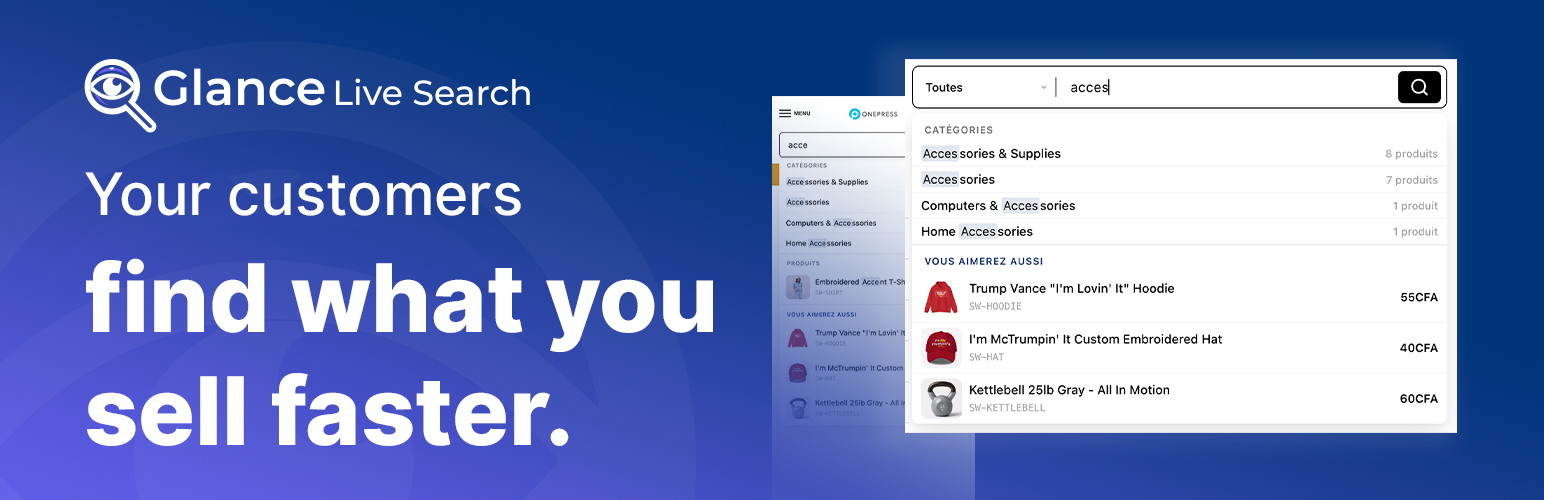
Glance Live Search - WooCommerce AJAX Product Search
| 开发者 | woonet237 |
|---|---|
| 更新时间 | 2026年7月29日 03:37 |
| PHP版本: | 8.0 及以上 |
| WordPress版本: | 7.0.2 |
| 版权: | GPLv2 or later |
| 版权网址: | 版权信息 |
详情介绍:
- Understands plurals - singular and plural are one word on a French store, irregular ones included, and words that only look plural are left alone: prix stays prix, souris stays souris
- Instant results - matching products appear as fast as your customers can type
- Finds everything - searches product titles, SKUs, descriptions, excerpts and categories
- Beautiful by default - design presets + full Custom mode to match any brand
- Stays fast under load - recent searches are remembered, so a term someone has just typed is answered immediately
- Made for phones - the search takes over the screen, and never hides behind a notch
- Search history - recent searches saved locally and displayed on focus
- Usable by everyone - works entirely from the keyboard, and screen readers announce the results properly
- Built to be adapted - 31 documented extension points, listed at the end of this page
- See what shoppers look for - the terms they search, the ones that find nothing, and the ones that lead to a click
- Fits your theme - drops into any theme through the shortcode, widget or block, with dedicated adjustments for Shoptimizer, Astra and Kadence
- Instant live search by product name and SKU
- Plurals understood on French-language stores, including irregular ones
- Optional search index for large catalogs, built in one click and reversible
- Search in product descriptions and short descriptions (optional)
- Up to 100 results per search, with a "View all results" link
- Search history displayed on focus (configurable, 1–20 items)
- Recent searches are reused, so repeating one is instant
- Full-screen mobile overlay with configurable breakpoint
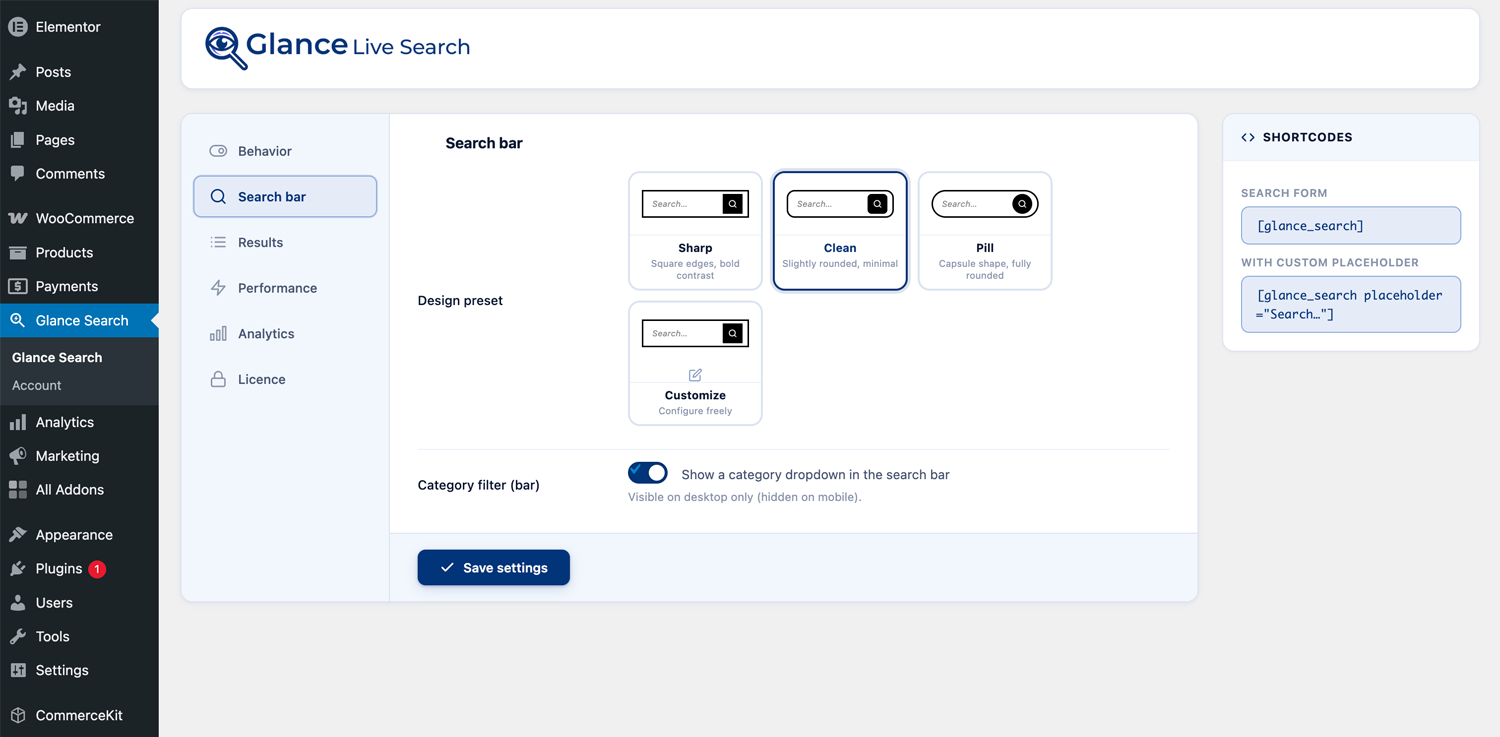
- 2 design presets: Sharp and Clean
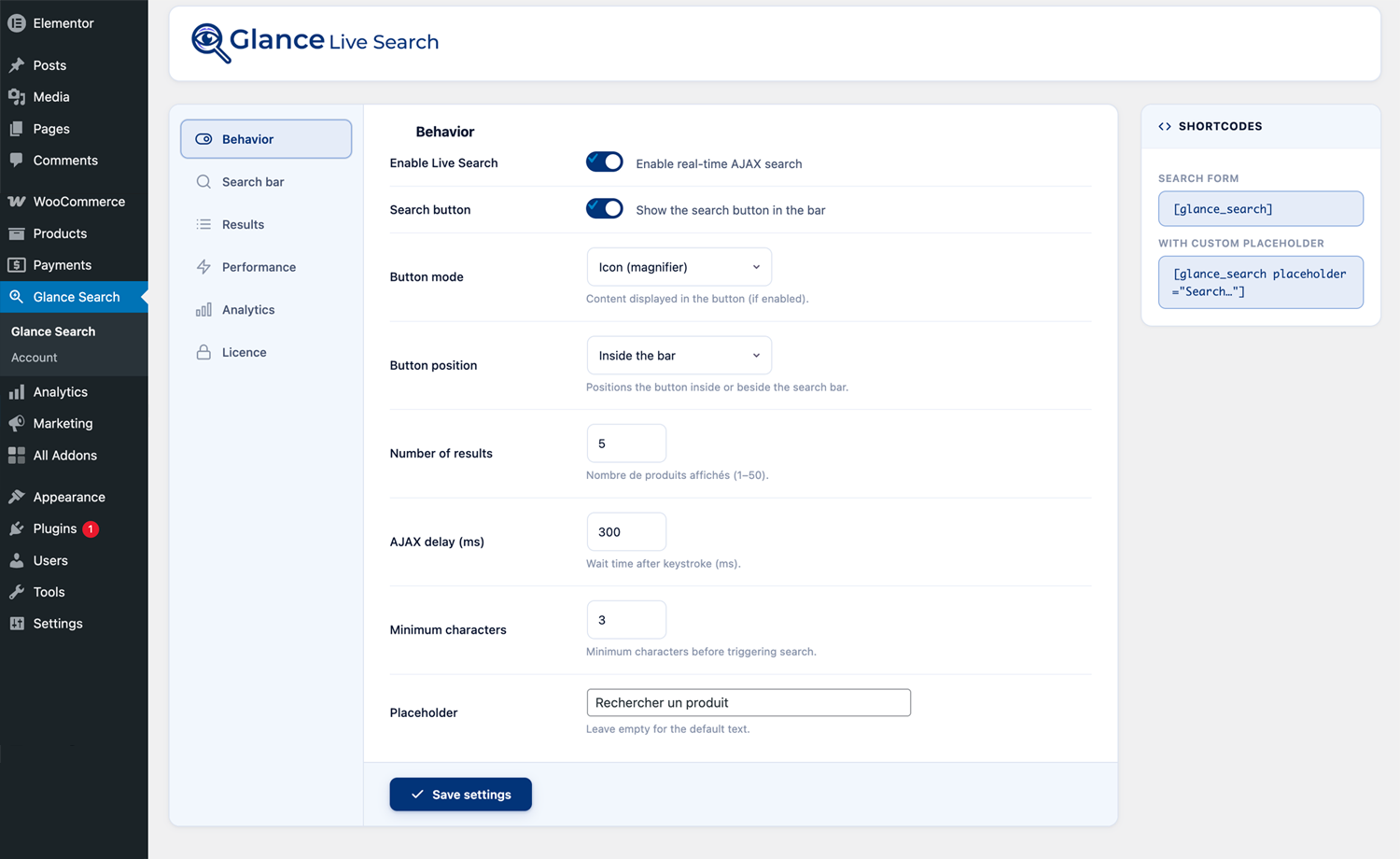
- Configurable search delay, minimum characters, and placeholder text
- Search button (icon or text) - inside or outside the bar
- Text button switches to icon automatically on mobile
- Analytics dashboard - top keywords over 7 days
- Shortcode
[glance_search], WordPress widget, Gutenberg block, Elementor widget - Works with block themes and the site editor
- Results update on their own when you add, edit or remove a product
- Dedicated adjustments for Shoptimizer, Astra and Kadence; works with any other theme through the shortcode, widget or block
- Spelling correction - a search that finds nothing offers the closest matching term instead of a dead end
- Price ranges - three brackets worked out from your own catalog, offered under the bar
- In-stock only - hide out-of-stock products from live search
- 4 design presets - Sharp, Clean, Pill, and fully Custom
- Full color customization - bar, border, text, placeholder, button
- Category filter in the search bar
- Variation search - find products by attribute values (color, size, etc.)
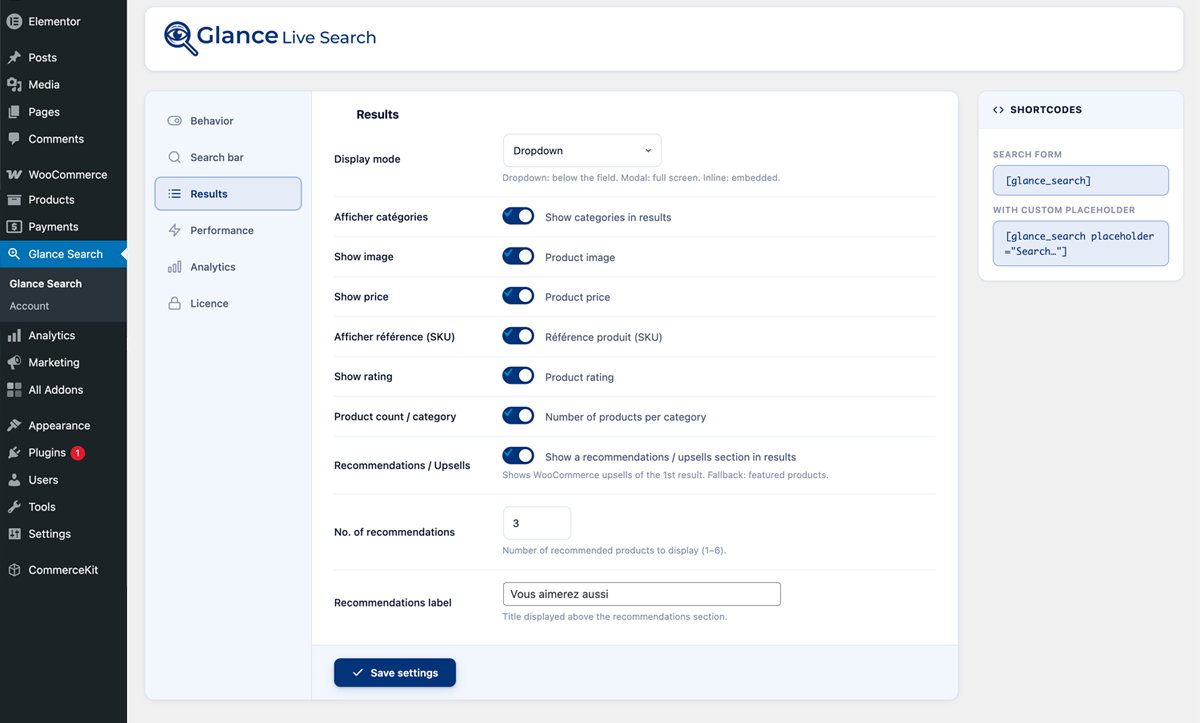
- Show SKU, rating, and category count in results
- Categories in search results
- Upsell recommendations below search results
- Click tracking - see which results shoppers actually open
- Advanced analytics - 7, 14, 30 and 90-day views, success rate for each search term, and CSV export
- Priority support
安装:
- Upload the
glance-live-searchfolder to/wp-content/plugins/. - Activate the plugin through the Plugins menu.
- Make sure WooCommerce is installed and active.
- Go to WooCommerce → Glance Search to configure.
- Add the search bar using the
[glance_search]shortcode, the WordPress widget, the Gutenberg block, or the Elementor widget.
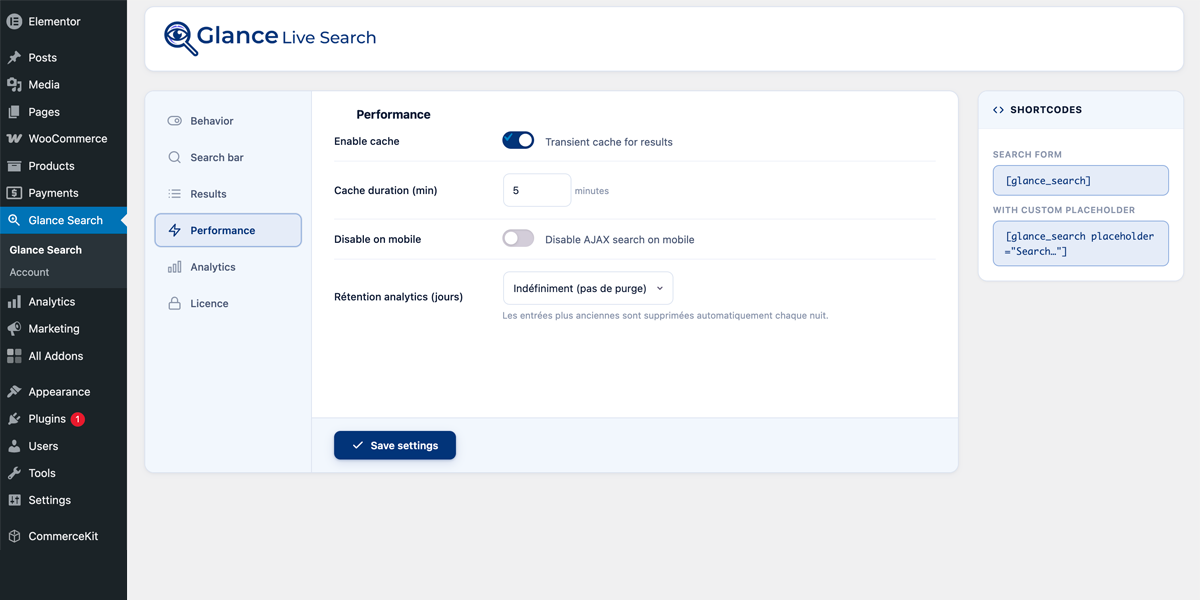
屏幕截图:
常见问题:
Does this plugin require WooCommerce?
Yes. Glance Live Search is built exclusively for WooCommerce product catalogs.
How do I add the search bar to my site?
Use the [glance_search] shortcode, the Glance Live Search widget (Appearance → Widgets), the Gutenberg block, or the Elementor widget.
Can I customize the look?
Yes. Choose a preset (Sharp, Clean, Pill, or Custom in Pro) and adjust colors, borders, radius, and height from the Search Bar settings tab.
Will it slow down my site?
No. The plugin only loads its files on the pages that actually show a search bar, and it remembers recent results so the same search is not run twice.
Does it work with WPML / Polylang?
Yes. Results are automatically filtered to the active language.
Is it accessible?
Yes. Everything works from the keyboard, screen readers announce the results and how many were found, the focus outline is always visible, and animations are reduced for visitors whose system asks for that.
I have both Free and Pro installed - what happens?
The Pro automatically deactivates the Free. No conflict, no manual action needed.
Does it work with Shoptimizer / CommerceKit?
Yes. Glance appears in Shoptimizer's own Customizer options, and CommerceKit's search switches off automatically so the two do not compete.
更新日志:
- New: a customer typing "chaussures" now finds "Chaussure", and "chevaux" finds "Cheval". Until now the plural simply found nothing when the catalog was written in the singular — the single most common way a search came back empty on a French store
- Irregular plurals are handled too: journaux, bijoux, bateaux, travaux, yeux
- Words that only look plural are left alone: souris stays souris, prix stays prix
- Applies to French-language stores only, so English or German product names are never mangled A faster search on large catalogs
- New: an optional search index, built from the Performance tab in one click. It tells you how many rows it will cover and how long that will take before you commit to it
- It is optional on purpose, and the screen says why: the index matches the beginning of words, so "shirt" finds "Shirt Blue" but stops finding "Sweatshirt". On a small catalog it buys nothing. Measured, not guessed
- Short words fall back to the ordinary search automatically, so "XL" keeps working
- Removed cleanly when you uninstall the plugin: nothing is left behind on your posts table The design tab, rebuilt
- Fixed: choosing the "Custom" preset used to ignore five of your colours. The bar, its border, its corners, the hint text and the button were forced back to fixed values, so the storefront never matched the screen. Your settings are now the ones that ship
- New: a live preview above the settings, in both states — at rest and with keyboard focus — so you no longer save, open the shop and come back for every change
- Colours are picked with WordPress' own picker, and you can paste a brand colour straight in: #E30613 works
- Thirteen rows became seven. Related settings sit together, and a colour and its hover state sit side by side Changed
- Analytics now count a search as successful when it opens a category, not only a product. A shopper who searches "shoes", sees the Shoes category and clicks it found what they came for - that was previously recorded as a search that led nowhere, so the more useful your categories, the worse your success rate looked
- Opening the full results page is tracked too, but kept out of the success rate on purpose: asking for the full page often means the panel showed too little, and folding it in would hide that signal
- The two storefront security headers are now off by default. They are honest hardening, but they apply to your whole site and nothing in this plugin needs them - so they are offered rather than assumed. A shop that already switched them on keeps them on Fixes
- Deleting the plugin now removes everything it added, including the search index on your posts table. It used to leave it behind, slowing every product save for a search nobody could run
- Every field on the settings screen is now properly labelled, so clicking a label reaches its control and a screen reader announces it by name
- The upgrade button no longer leads to a permission error when the pricing page is not available
- Caching search results now works on hosts without a memory cache — which is most of them. The setting promised it and did not deliver
- Changing a product now clears cached results everywhere they are kept, not just in memory
- Search statistics recover on their own if their table goes missing after a partial restore For developers
- All 31 filters and actions are now documented in the readme, with their arguments
- Search is far quicker on large catalogs. On a 20,000-product store, results now appear almost instantly instead of taking about three seconds
- Results start appearing sooner as customers type: the pause before a search runs was shortened
- Products that rank equally now keep a stable order instead of shuffling between searches Spelling correction
- New: a search that finds nothing now offers the closest matching term instead of a dead end. The word list is built from your own categories, tags, attributes and product names, then weighted by what shoppers really search and click Filters and display
- New: three price ranges under the bar, worked out from your own catalog so each holds roughly a third of your products. Boundaries are rounded to readable figures and refreshed daily
- New: an "In-stock only" option hides out-of-stock products from live search Analytics rebuilt
- Rebuilt around one question per figure: is search being used, do the results work, what is missing from your catalog, and what deserves promoting
- Fix: the click-through rate was wrong. Searches and clicks were recorded separately, so a shopper who typed and clicked straight away was counted as a click with no search behind it. Both are now recorded together, which makes the figure exact
- New: every figure is shown against the previous period, so you can read it as better or worse rather than on its own
- New: success rate for each search term. A term searched often that rarely leads to a click is the clearest sign your results are wrong
- New: daily search volume chart, in your store's own timezone
- Fix: the automatic clean-up of old records never actually ran, so data could pile up long past the period you chose. It now re-arms itself whenever it goes missing
- Removed: hourly distribution, language breakdown, filtered categories, most-clicked products and average response time - figures nobody acted on
- Note: past records are not carried over. Entries written before this release cannot link a click to the search that produced it, so keeping them would only preserve wrong numbers Accessibility
- The field now has a proper name of its own. A shop using "e.g. red shoes" as a hint made screen readers announce the field as an example rather than naming it
- The number of results is announced separately, instead of the whole list being read out again on every keystroke
- Section headings such as "Categories" and "Products" are now announced in the right place; they were being skipped or read out of order
- Escape closes the results and leaves the cursor in the field, so searching again does not mean clicking back. Down arrow reopens a closed list, and Home and End jump to the first and last result
- The focus outline can no longer be switched off. Turning it off left keyboard users with nothing visible to follow. Its colour is still yours to choose
- Settings tabs can be moved through with the arrow keys
- The grey used for hint text was too pale to read comfortably and has been darkened Settings
- Options moved to where you would look for them: the number of results now sits with the other result settings, the product-count switch beside the categories and tags it affects, and the category dropdown among the search settings rather than the colours
- Sizes are grouped before colours instead of alternating with them
- Where one setting hides another, the switch now comes first
- Every option explains what it does in plain language: what changes for the shopper, and the trade-off where there is one
- "Search in content" and "Search in excerpt" became a single "Search in descriptions". The two could never work independently, whatever the screen suggested
- Security settings split in two. The harmless storefront ones stay on; the strict admin policy, which can block scripts other plugins add to that page, is now separate and starts off
- Turning live search off no longer discards your colours, bar height and corner radius
- Bar height now applies whatever design preset you picked, instead of being overridden by it
- How long analytics are kept was raised, so period-on-period comparisons have something to compare against. They were previously never shown
- Result caching now starts on where your host supports it well, and off otherwise
- Settings whose parent option is off are now consistently hidden
- A notice explains which settings do nothing while live search is off
- French translation brought back to 100% Fixes
- Products you hid from search under Catalog visibility no longer show up in live results. Password-protected products are excluded too, and out-of-stock ones when your store hides them
- Live search no longer breaks on stores using full-page caching, where it could stop responding until the cache was cleared
- Stores behind Cloudflare or a similar service no longer share one usage limit between all visitors, which could shut live search off for everyone
- The category chosen in the search bar is now kept when the form is submitted; pressing Enter used to lose it
- Clicking one of your recent searches did nothing, and the Clear button was inert
- Results are no longer reused after you change display settings, and they refresh when a product is moved to the trash
- Settings changes take effect immediately instead of after the next page load
- "Disable on mobile" now means the same thing as the screen-width setting next to it. It was decided from the browser's own description of itself, so a tablet could count as mobile for one setting and desktop for the other. Renamed "Disable on Small Screens"
- Shoptimizer integration could take a site down if the theme changed one of its own functions
- Retention could display "Indefinitely" while a 7-day policy was actually in force, and saving made that true
- The retention setting sat on a tab where the Save button was hidden
- Locked design presets accepted clicks and looked selected while a different preset was saved
- A help text was wrong: the focus background colour applies on focus, not while typing
- Pro and Free now share one admin design, which had drifted apart and already cost two display bugs
- The unlicensed Pro build now matches the free one exactly: 100 results and 90 days of history. The free plugin was previously the more generous of the two. Pro sets itself apart by what it can do, not by how much of it you are allowed
- The comparison table no longer advertises a result-count difference that does not exist, nor three analytics views that were removed
- Fix: the licence activation button submitted the settings form instead of activating the licence
- Fix: the free version is now reliably switched off whatever folder name it was installed under
- Fix: account pages now sit under the WooCommerce menu
- Fix: a fresh install no longer silently changes design preset on the first save
- Fix: the category dropdown was being stripped out of the search bar, leaving the category names as plain text
- Fix: your data is now cleaned up on uninstall even if the licensing component fails to load
- Fix: the colour customisation upsell was hidden from exactly the people it was meant for
- Fix: improved output sanitization in the search form shortcode
- Fix: translation strings in the Shoptimizer compatibility layer now use the correct text domain
- Fix: direct file access protection added to the block editor asset file
- New: much faster search on large catalogs, using your database's own text index where it is available
- New: works with block themes and the site editor
- New: results are remembered between searches where your host supports it, and refresh on their own when a product is added, edited, deleted or goes out of stock
- New: a text search button turns into an icon on phones
- New: installing Pro alongside Free no longer causes a conflict - Free is switched off automatically, with a notice explaining why
- New: the results panel positions itself correctly inside Elementor and Divi layouts
- Improved: analytics export handles large stores without running out of memory, and opens correctly in Excel on Windows
- Improved: keyboard handling - Up arrow with nothing selected picks the last result, and Tab closes the panel
- Improved: focus returns where it was when the full-screen panel closes
- Improved: admin animations are reduced for anyone whose system asks for that
- Improved: several search bars on one page no longer interfere with each other
- Improved: CommerceKit's own search is switched off when Glance is active on Shoptimizer
- Removed: the in-page and full-screen display modes
- Fix: the search bar could appear unstyled on the homepage
- Fix: live search could fail to load on some stores
- Fix: colour and result-display options were not properly reserved for Pro
- New: recent searches are reused, so repeating one is instant
- New: "View all results" link showing the total number of matches
- New: search history, kept in the visitor's own browser, with a Clear button
- New: full-screen search panel on phones, with an adjustable screen width
- New: search inside product descriptions and short descriptions
- New: faster responses
- New: 10 hooks for developers
- New: Gutenberg block and Elementor widget
- Improved: analytics record real searches only
- Fix: the page no longer scrolls behind the full-screen panel
- New: click tracking and upsell recommendations
- New: design presets - Sharp, Clean and Pill
- New: categories appear in results
- Improved: usage limits and stored results now account for filters and language
- Added search analytics dashboard
- Added Polylang / WPML language support
- Added price and in-stock filters
- Initial release