Glimbyte Starter Sorter
| 开发者 | glimbyte |
|---|---|
| 更新时间 | 2026年2月18日 20:02 |
| PHP版本: | 7.4 及以上 |
| WordPress版本: | 6.9 |
| 版权: | GPLv2 or later |
| 版权网址: | 版权信息 |
详情介绍:
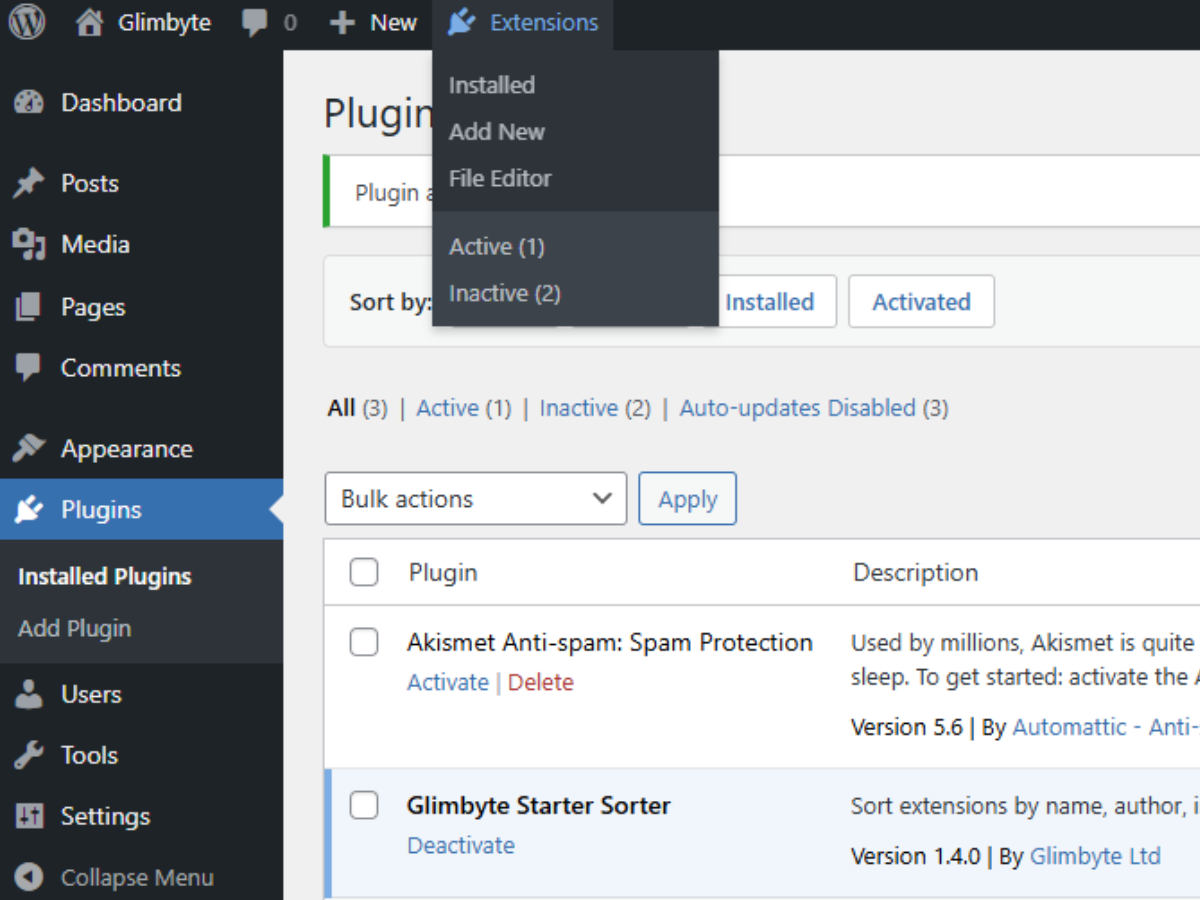
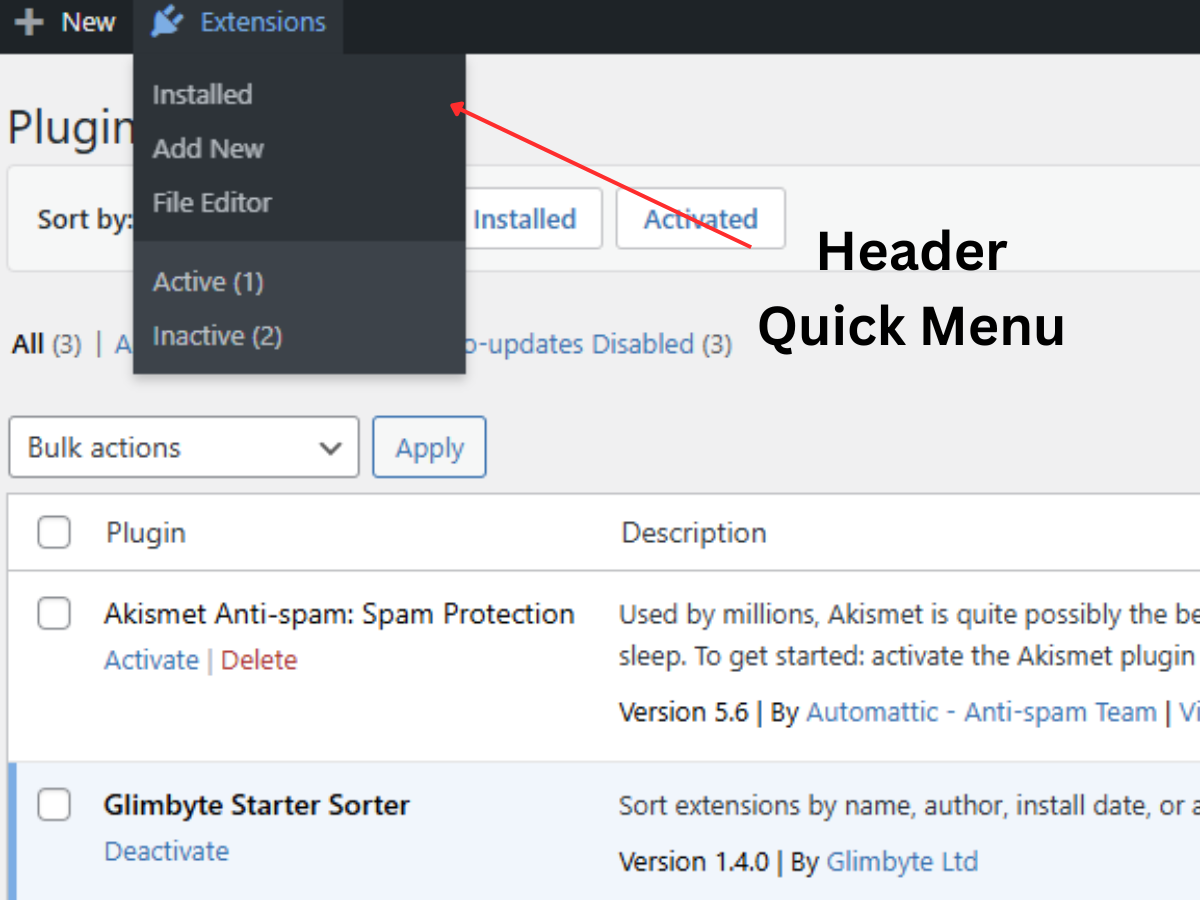
- Installed — go straight to your plugins list
- Add New — jump directly to the plugin installer (shown only to users with the install_plugins capability)
- File Editor — open the plugin file editor (shown only when file editing is enabled)
- Active (N) — filtered view of active plugins, with a live count
- Inactive (N) — filtered view of inactive plugins, with a live count
- Update Available (N) — shown only when updates exist, with a live count
- Extensions menu in the admin bar, accessible from any admin page or the front end of the site
- Live plugin counts for Active, Inactive, and Updates Available shown in the dropdown
- Capability-aware links — Add New and File Editor only appear to users with the relevant permissions
- One-click sorting by Name, Author, Install Date, or Activation Date
- Ascending and descending toggle with a second click on any sort button
- Sort preference saved per user, persists between sessions
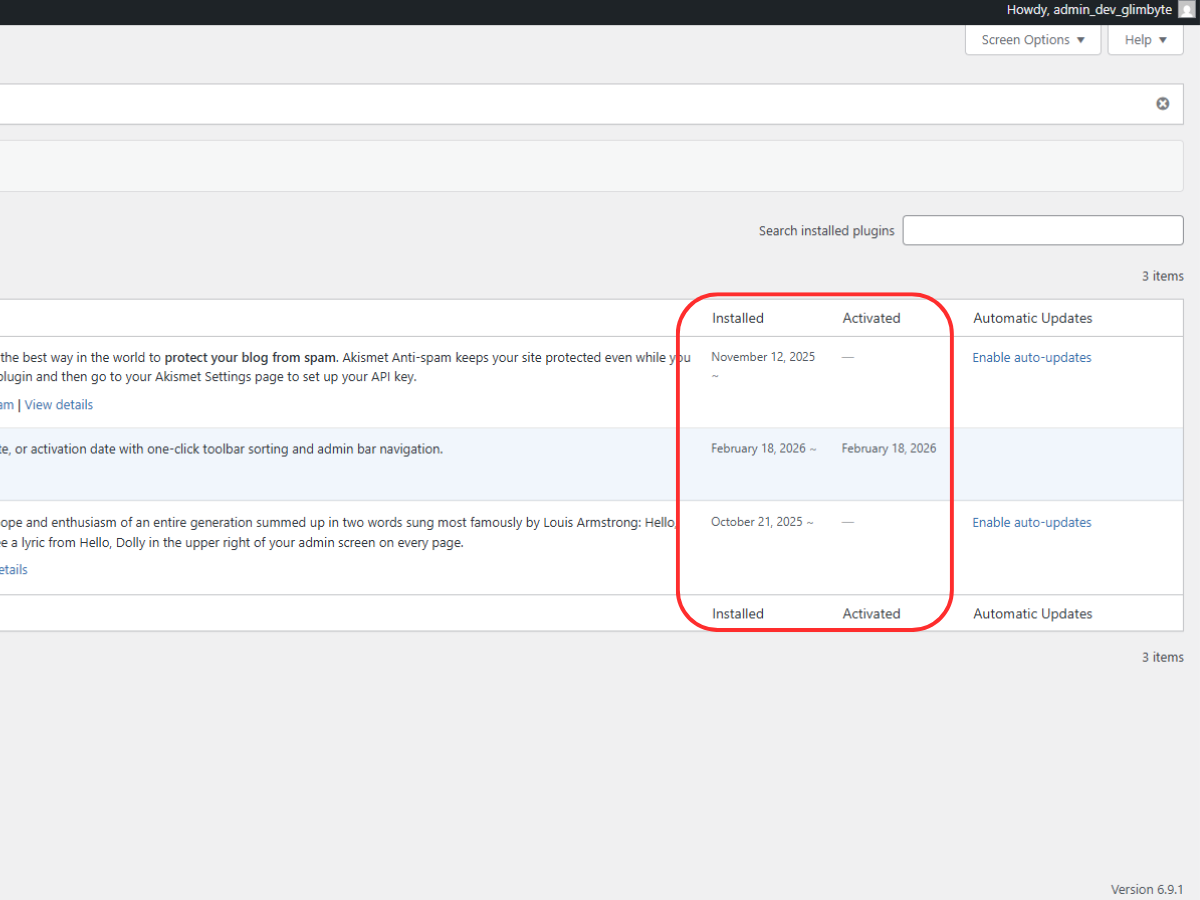
- Installed Date and Activated Date columns in the plugins list
- Accurate timestamp tracking for plugin activations, deactivations, and new installs
- File modification date fallback for pre-existing plugins, marked with ~
- No external scripts, no database tables, no configuration required
- Fully translatable (text domain: glimbyte-starter-sorter)
安装:
- Upload the
glimbyte-starter-sorterfolder to the/wp-content/plugins/directory, or install directly via the WordPress plugin installer. - Activate the plugin through the Plugins screen in your WordPress admin.
- The Extensions menu will appear in your admin bar immediately. Visit Plugins to see the sort toolbar and date columns.
屏幕截图:
常见问题:
Where does the Extensions menu appear?
The Extensions menu is added to the WordPress admin bar. It appears on every admin screen and also on the front end of your site for logged-in users with the activate_plugins capability. This lets you access plugin management from anywhere without going through the sidebar.
What links are in the Extensions dropdown?
The dropdown always includes Installed, Active (with count), and Inactive (with count). Add New is shown for users with the install_plugins capability. File Editor is shown for users with the edit_plugins capability when DISALLOW_FILE_EDIT is not defined. Update Available (with count) is only shown when updates are pending.
How do I sort my plugins?
After activation, visit the Plugins screen. A toolbar with four buttons — Name, Author, Installed, Activated — appears above the list. Click a button to sort by that field. Click it again to toggle between ascending and descending order. Your preference is saved automatically.
How are install dates determined for existing plugins?
Plugins installed after activating Glimbyte Starter Sorter will have their exact install timestamp recorded. Plugins that were already installed use the file modification date as an approximation. Approximate dates are displayed with a ~ symbol.
What does "Before tracking" mean in the Activated column?
This label appears for plugins that were already active when Glimbyte Starter Sorter was installed. Their activation date was not yet being tracked. Once you deactivate and reactivate them, the exact date will be recorded.
Does this plugin work on WordPress Multisite?
The admin bar menu, sort toolbar, and date columns all work on individual sites within a Multisite network. The network-level admin area (wp-admin/network/) is not currently supported.
Will this plugin slow down my site or admin?
No. The admin bar menu uses data WordPress already loads and caches. The sort toolbar and date columns only run on the Plugins screen. No external files are loaded and no additional database tables are created.
Is the sort preference shared between users?
No. Each WordPress user has their own sort preference stored in their own user meta, independently of other users.
Can I turn off individual features such as the admin bar menu?
Not through a settings page in this version. A settings page with toggleable features is planned for a future release. To remove all features, deactivate the plugin.
更新日志:
- Security: Added nonce verification to all sort operations
- Security: Added wp_unslash() before all sanitization calls
- Compliance: Moved all CSS output to wp_add_inline_style via registered style handles
- Compliance: Updated all function, class, and option prefixes to the unique glmbso_ namespace
- Added: readme.txt for WordPress.org Plugin Directory
- Improved: Admin bar secondary group uses native WordPress ab-sub-secondary styling
- Added: Extensions menu in the admin bar with quick-access links and live plugin counts
- Fixed: Sort reliability improved by resorting list table items after prepare_items() completes
- Fixed: Sorting approach rewritten to work correctly with WordPress list table internals
- Added: Installed Date and Activated Date columns on the Plugins screen
- Added: Sort toolbar with Name, Author, Installed, and Activated sort options
- Added: Timestamp tracking for plugin activation, deactivation, and installation events
- Initial release