Glossary Tooltip – Highlight Terms & Show Tooltips
| 开发者 |
jumedeenkhan
mozedia |
|---|---|
| 更新时间 | 2026年10月6日 02:36 |
| 捐献地址: | 去捐款 |
| PHP版本: | 7.4 及以上 |
| WordPress版本: | 7.1 |
| 版权: | GPLv3 or later |
| 版权网址: | 版权信息 |
详情介绍:
[glossary-list] shortcode) with alphabetical navigation, live search, categories, and flexible sorting and layout options.
It is a natural fit for blogs, documentation sites, knowledge bases, online courses, SaaS products, and any business, medical, financial, legal, or technical website that relies on specialized terminology.
Learn more: glossarytooltip.com · Documentation · Demo · Video tutorials
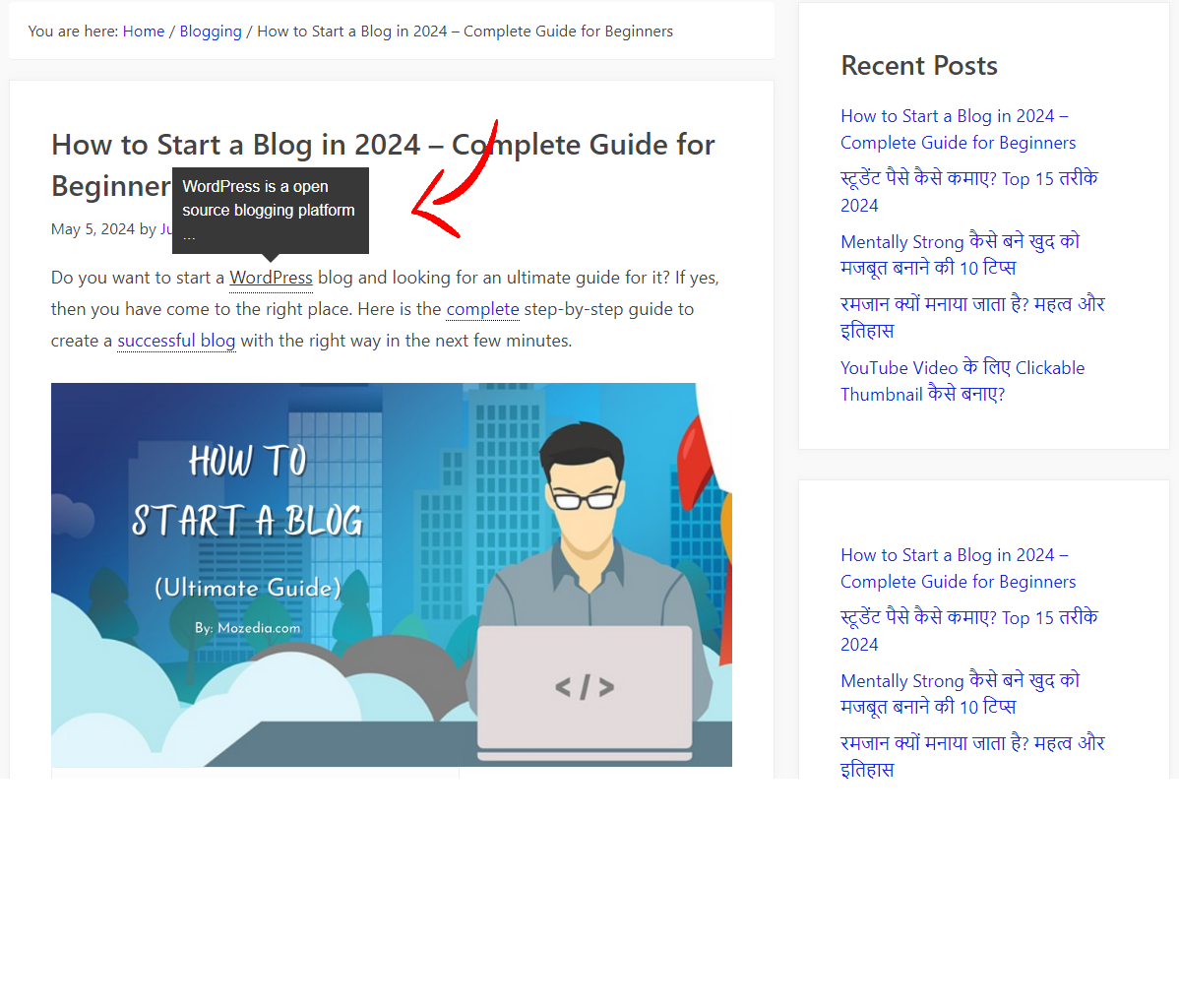
Automatic highlighting
- Publish once, link everywhere — add a term and it is automatically detected and linked across every post type you select. There is no manual linking.
- Synonyms and aliases — give any term alternate spellings, abbreviations, or acronyms. Each one is recognized, highlighted, and linked to the same term.
- Post-type control — choose exactly which post types (posts, pages, products, custom post types) get highlighted.
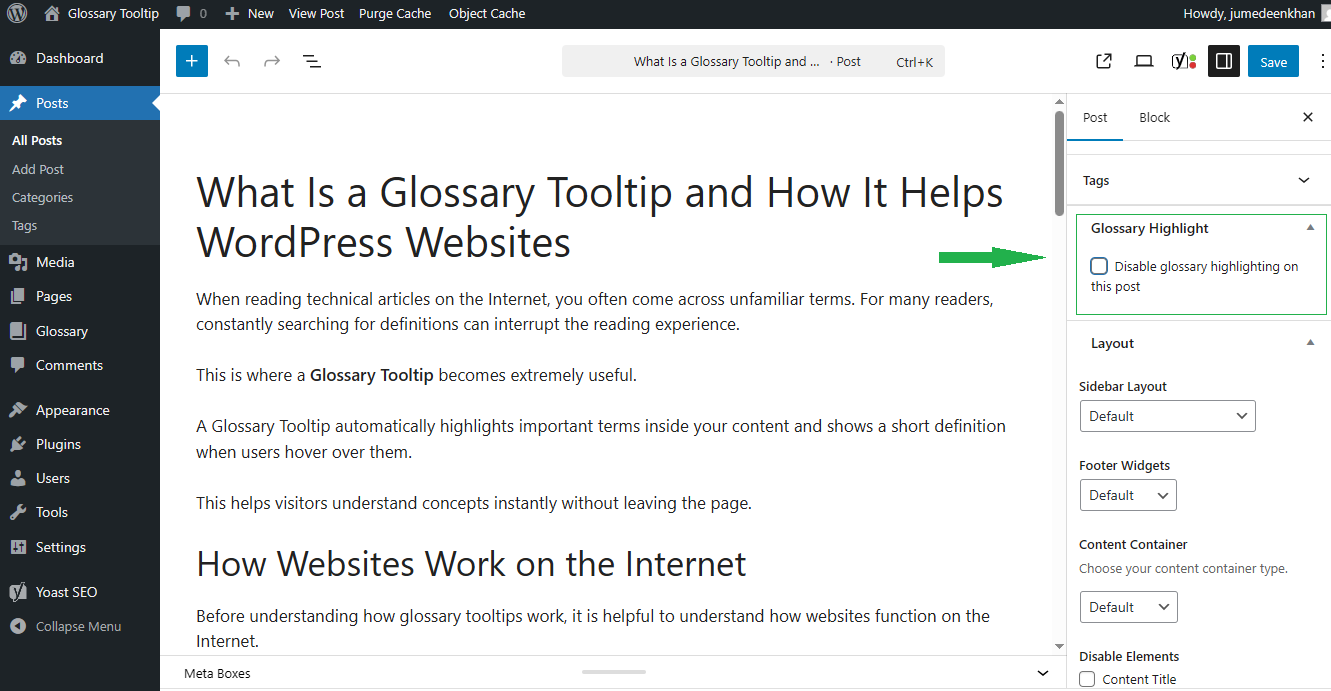
- Per-post and per-term overrides — switch highlighting or tooltips on or off for an individual post, page, or term, independent of the site-wide settings.
- Repeat control — highlight each term once, a set number of times, every Nth occurrence, or every occurrence on a page.
- Per-page first-occurrence override — on an individual post, choose to highlight each term only its first time, overriding the site-wide repeat rule for that page.
- Responsive behavior — definitions appear on hover on desktop and on tap on mobile, with a configurable mobile breakpoint.
- Position and placement — place the tooltip above, below, left, or right of the term, with a fine position offset.
- Styling — choose a built-in style (Classic, Light, Dark, Minimal, Shadow) or override any style with your own text, background, and border colors.
- Sizing — set the tooltip font size, border width, border radius, and padding to match your design.
- Excerpt length — control how many words of the definition appear, based on the term's excerpt or content.
- Accessible — tooltips work with the keyboard (focus shows them, Esc closes them) and respect reduced-motion preferences.
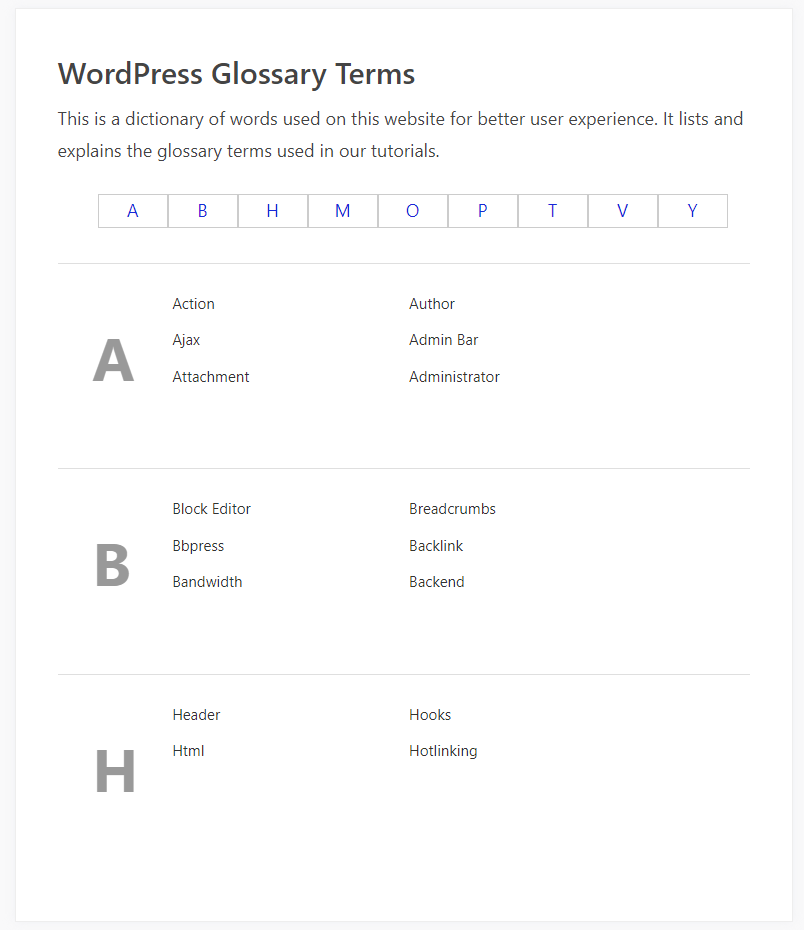
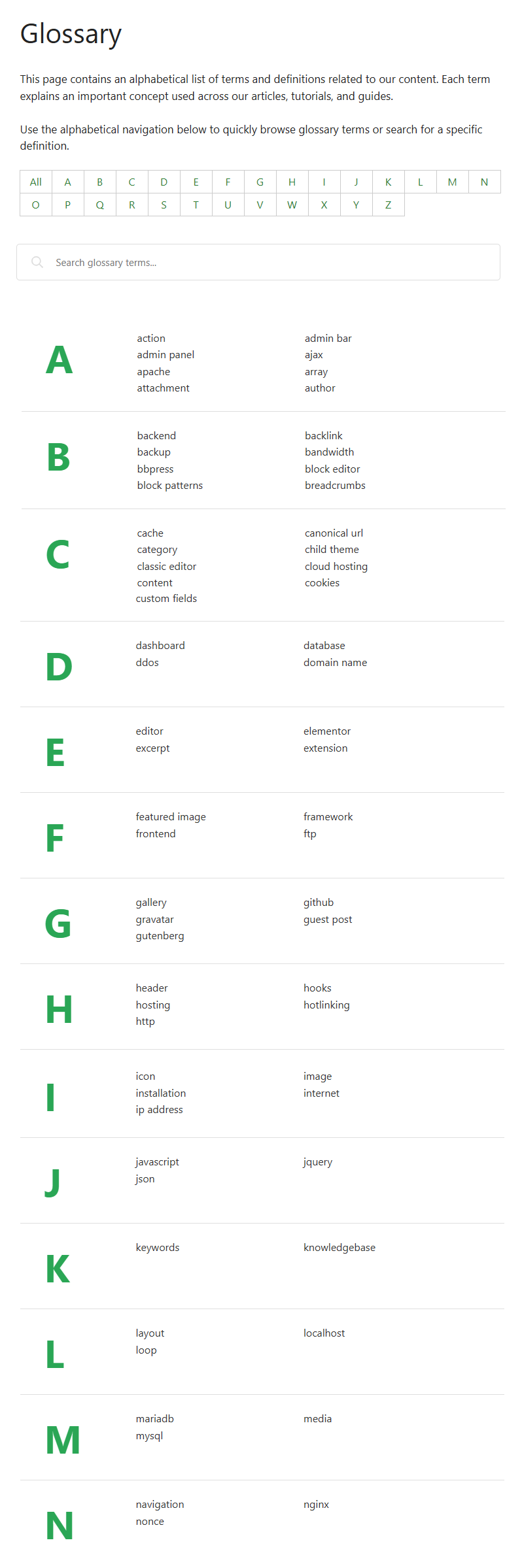
- Full index page — display every term alphabetically via the
[glossary-list]shortcode. - Alphabetical navigation — jump straight to a letter; digits and symbols group into 0–9 and special-character sections.
- Search — a search box lets visitors filter terms as they type.
- Categories — show terms from one or several categories in a single index.
- Nested categories — include child categories automatically so sub-category terms appear in the index too. A category filter bar and a category-tree view are available with Premium.
- Sorting and layout — sort by name, date, custom order, or randomly; choose ascending or descending; show or hide letter headings; cap the number of terms per letter; and arrange terms in 1–6 columns.
- Comments on terms — let visitors comment on glossary term pages.
- Disable glossary terms feed — turn off the RSS feed for glossary term pages (both the feed URL and its link).
- Comments feed toggle — independently disable just the comments feed of a term, separate from the comments section.
- Exclusions — skip headings, skip text already inside links, and exclude specific HTML tags from parsing.
- Section exclusions — wrap any part of a post with
[glossary-exclude]...[/glossary-exclude]to leave it untouched, or place a single marker to skip everything after it. - Selective highlighting — with
[glossary_parse], highlight just the block of content you choose. - Term blacklist — never highlight terms from selected categories (a global "never highlight" list in the settings), handy for keeping automatic linking off certain parts of your glossary.
- Accent-aware matching — terms with accented or non-ASCII characters are matched correctly, with optional case-sensitive matching.
- Content caching — store parsed output so repeat views are served without re-parsing.
- Smart skipping — content with no matching terms is left untouched, so empty pages parse almost instantly.
- Asset delivery — load scripts in the footer and inline assets to reduce render-blocking requests.
- Main-query control — optionally limit parsing to the main article on a page.
- Themes — works with any standards-compliant theme (Twenty Twenty-Five, GeneratePress, Astra, Kadence, Blocksy, and more).
- Page builders — Elementor, Divi, Bricks, Genesis, Avada/Fusion, Beaver Builder, WPBakery, Oxygen, and Enfold/Avia.
- Table plugins — coordinates with NinjaTables and avoids interfering with heading scraping in Fixed TOC and Easy Table of Contents.
- SEO — avoids double-highlighting content that Yoast SEO re-processes internally.
- Multilingual — works with WPML and Polylang, including translatable admin strings and a bundled
wpml-config.xml. - AMP — on AMP pages, terms render as plain links with no JavaScript.
[glossary-list] displays the full A–Z glossary index.
category— show terms from one or more category slugs, comma-separated. Defaults toall.orderby—name,date,menu_order, orrand. Defaults toname.order—ASCorDESC. Controls both sort direction and the direction of the letter groups. Defaults toASC.letters—showorhidethe letter headings. Defaults toshow.limit— max terms per letter group, or-1for no limit. Defaults to-1.columns— arrange terms in 1 to 6 columns. Defaults to2.include_children—yesornofor including child categories.category_filter—yesornoto show a category filter bar (Premium).category_tree—yesornoto group the index by category (Premium).
[glossary-list category="wordpress" orderby="date" order="DESC" columns="3"]
[glossary_parse] — highlight the content you wrap, e.g. [glossary_parse]This sentence gets highlighted.[/glossary_parse].
[glossary-exclude] — turn highlighting off for a section: [glossary-exclude]...[/glossary-exclude] for a block, or a single [glossary-exclude] marker to skip the rest of the post. The older underscore forms ([glossary_list], [glossary_exclude]) still work.
Glossary Tooltip Premium
Glossary Tooltip Premium is a separate plugin that unlocks the premium features right inside the same Glossary → Settings screen.
Take your glossary further:
- Modern tooltip styles — Modern, Material, Gradient, and Card designs with entrance animations, plus per-term placement and style.
- Featured images — show a term's image inside its tooltip and in the glossary index.
- Advanced live search — instant index filtering, including synonyms, abbreviations, and definitions.
- Tags & related terms — a Tags taxonomy and related-term links by tag.
- Category tree & filters — filter the index by category and present it as a category tree.
- Footnotes & external links — numbered footnotes and custom external term links with icon, new-tab, and nofollow options.
- Advanced per-post overrides — Smart Term Control with per-term placement, style, and repeat settings.
- Whitelist & blacklist support — choose exactly which terms and categories are highlighted on each post.
- Import & export terms data — move terms, settings, and media between sites.
- Multilingual & multisite support — runs on multilingual (WPML/Polylang) sites and adds network glossary tools.
安装:
- In your WordPress admin, go to Plugins → Add New Plugin.
- Search for Glossary Tooltip.
- Click Install Now, then Activate.
- Download the plugin ZIP file.
- Go to Plugins → Add New Plugin → Upload Plugin.
- Choose the ZIP and click Install Now, then activate it.
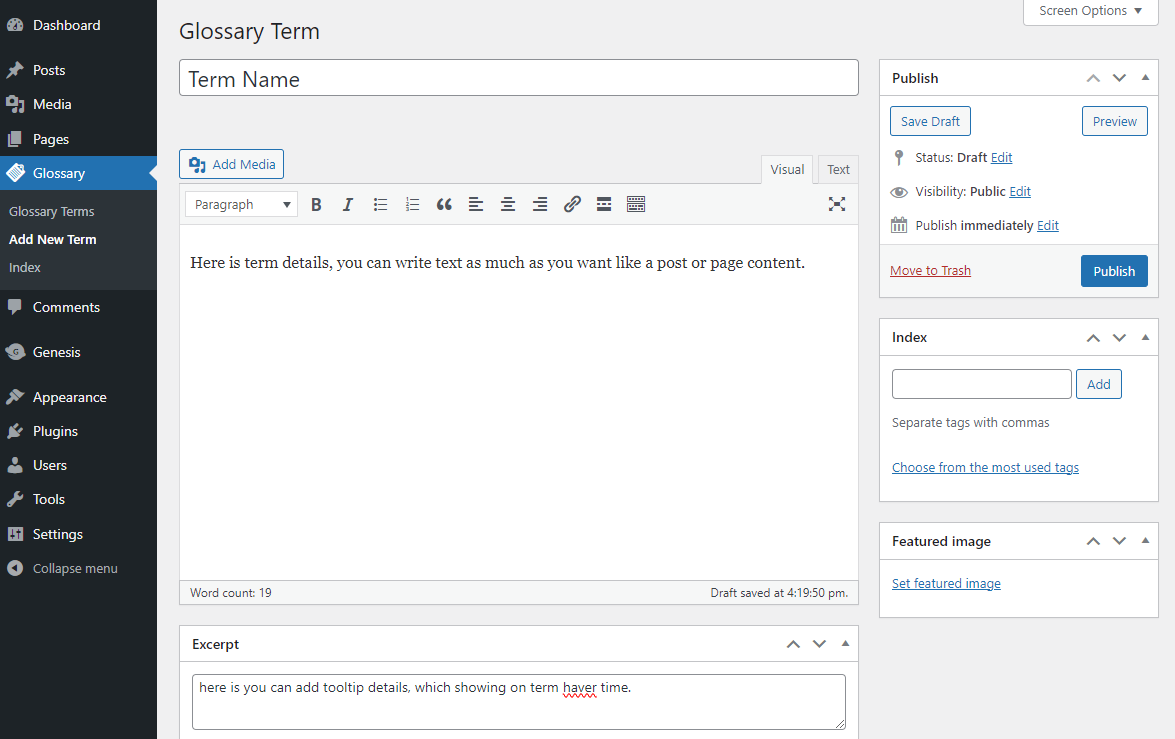
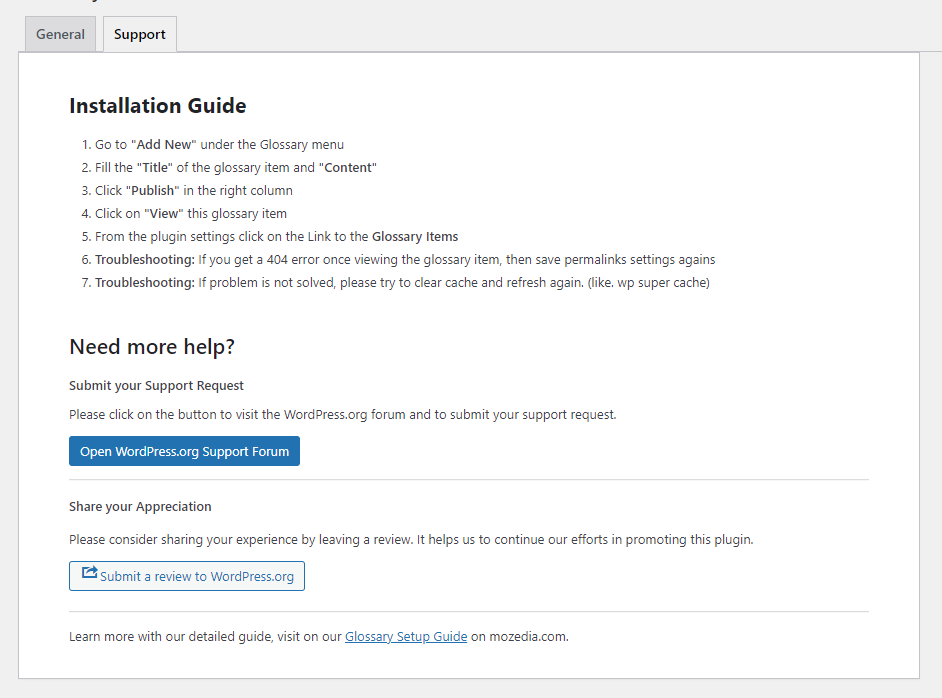
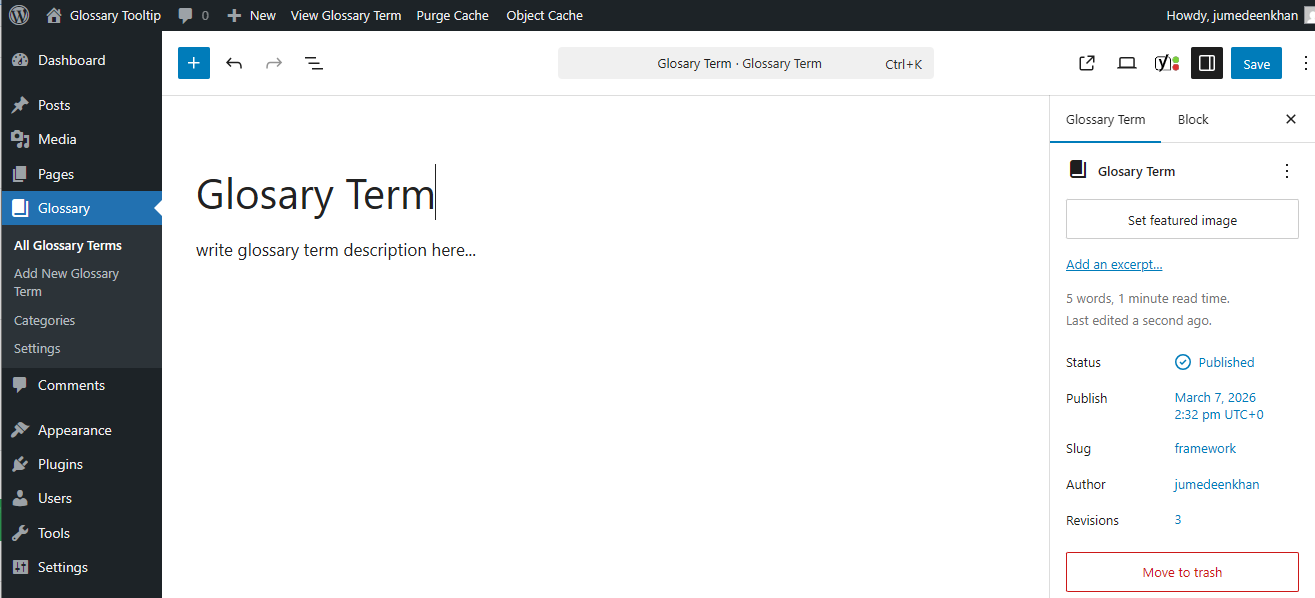
- Go to Glossary → Add New Glossary Term.
- Enter the term as the title and its definition in the editor, then publish.
- Visit any post or page containing that word — it is now highlighted with a tooltip.
- To show the full index, add
[glossary-list]to a page or choose a glossary index page under Glossary → Settings.
屏幕截图:



常见问题:
Do I have to link glossary terms manually?
No. Terms are detected and linked automatically once you publish them.
How do I show a full list of terms?
Add the [glossary-list] shortcode to any page, or select a glossary index page under Glossary → Settings.
Can I disable highlighting for a single post or page?
Yes. Every post, page, and supported post type has its own Highlight and Tooltip options, each set to Default, On, or Off.
How do I skip one paragraph?
Wrap it with [glossary-exclude]...[/glossary-exclude]. For a whole post, set its Highlight option to Off.
Can a term have alternate names?
Yes. Add synonyms or abbreviations and each one will be highlighted and link to the same term.
Will highlighting break my headings or links?
No. The plugin skips headings and existing links by default; both behaviors are optional in the settings.
How often is a term highlighted?
You can highlight each term once, a set number of times, every Nth occurrence, or every occurrence.
Can I change the tooltip position and look?
Yes. Position, offset, size, padding, border, radius, style, and colors are all under Glossary → Settings → Tooltip.
I changed the glossary slug and now get 404s. How do I fix it?
Go to Glossary → Settings → Advanced → Flush Rewrite Rules, or Settings → Permalinks → Save Changes.
How do I move settings or terms to another site?
Export or import settings as JSON from the Advanced tab. Terms move with Tools → Export and Tools → Import.
Does it work with my theme and page builder?
It works with any standard theme and includes compatibility for Elementor, Divi, Bricks, Genesis, Avada/Fusion, Beaver Builder, WPBakery, Oxygen, Enfold, and NinjaTables, plus Yoast SEO, Fixed TOC / Easy Table of Contents, WPML, and Polylang.
Does it slow down my site?
No. It caches parsed content, loads scripts in the footer, inlines assets, and skips content with no matching terms.
更新日志:
- Added featured images, tags, footnotes, external term links, and advanced per-term controls.
- Added glossary term data import/export and improved multilingual and multisite support.
- Premium settings are now preserved across license changes without reconfiguration.
- Improved tooltip placement, styles, and animations for consistent Free and Premium behavior.
- Added improved settings, editor, and Premium account interfaces.
- Improved compatibility, code quality, and WordPress Plugin Check compliance.
- Added AMP support — terms render as plain links on AMP pages with no JavaScript.
- Added a Related Terms box on term pages.
- Added nested category support: include child categories automatically, plus category filter and category-tree options when Premium is active.
- Added tooltip sizing controls (font size, border width, radius, padding, position offset).
- Added glossary page styling for index letters and items (size, color, hover, background, radius).
- Added the
[glossary_parse]shortcode for selective highlighting. - Improved compatibility with Enfold/Avia, NinjaTables, Bricks, Divi, Genesis, and blog/archive excerpts.
- Added selectable tooltip styles with custom color overrides.
- Added a per-page "highlight first occurrence only" override for repeating terms.
- Added a category blacklist so terms from chosen categories are never highlighted.
- Added comments on glossary term pages, plus options to disable the glossary terms feed and the terms comments feed.
- Multiple bug fixes and performance improvements.
- Added highlighting for Bricks, Divi, and Genesis.
- Fixed repeated-highlighting controls and the index item font size limit.
- Fixed highlighting issues with images, nested code, links, attributes, accented terms, and special characters.
- Fixed blank posts using [glossary_exclude], cache refreshes, and tooltips on blog and archive pages.
- Improved tooltip keyboard and reduced-motion support.
- Compatibility and code quality improvements.
- Improved compatibility with Elementor, Avada, Divi, Beaver Builder, WPBakery, and Oxygen.
- Fixed accented and non-ASCII term highlighting.
- Added tooltip position settings, maintenance tools, system info, and import/export.
- Redesigned the settings screen and added advanced parsing, performance, and asset-loading options.
- Added synonyms, aliases, and per-term visibility controls, plus tooltip accessibility improvements.
- Added advanced settings, tooltip customization, and glossary index improvements.