
GoValid QR
| 开发者 |
govalid
nfloval1739 |
|---|---|
| 更新时间 | 2026年4月3日 04:57 |
| PHP版本: | 7.4 及以上 |
| WordPress版本: | 6.9 |
| 版权: | GPLv2 or later |
| 版权网址: | 版权信息 |
详情介绍:
GoValid QR connects your WordPress site to your GoValid account, letting you generate, embed, and track QR codes without leaving your WordPress admin.
Features
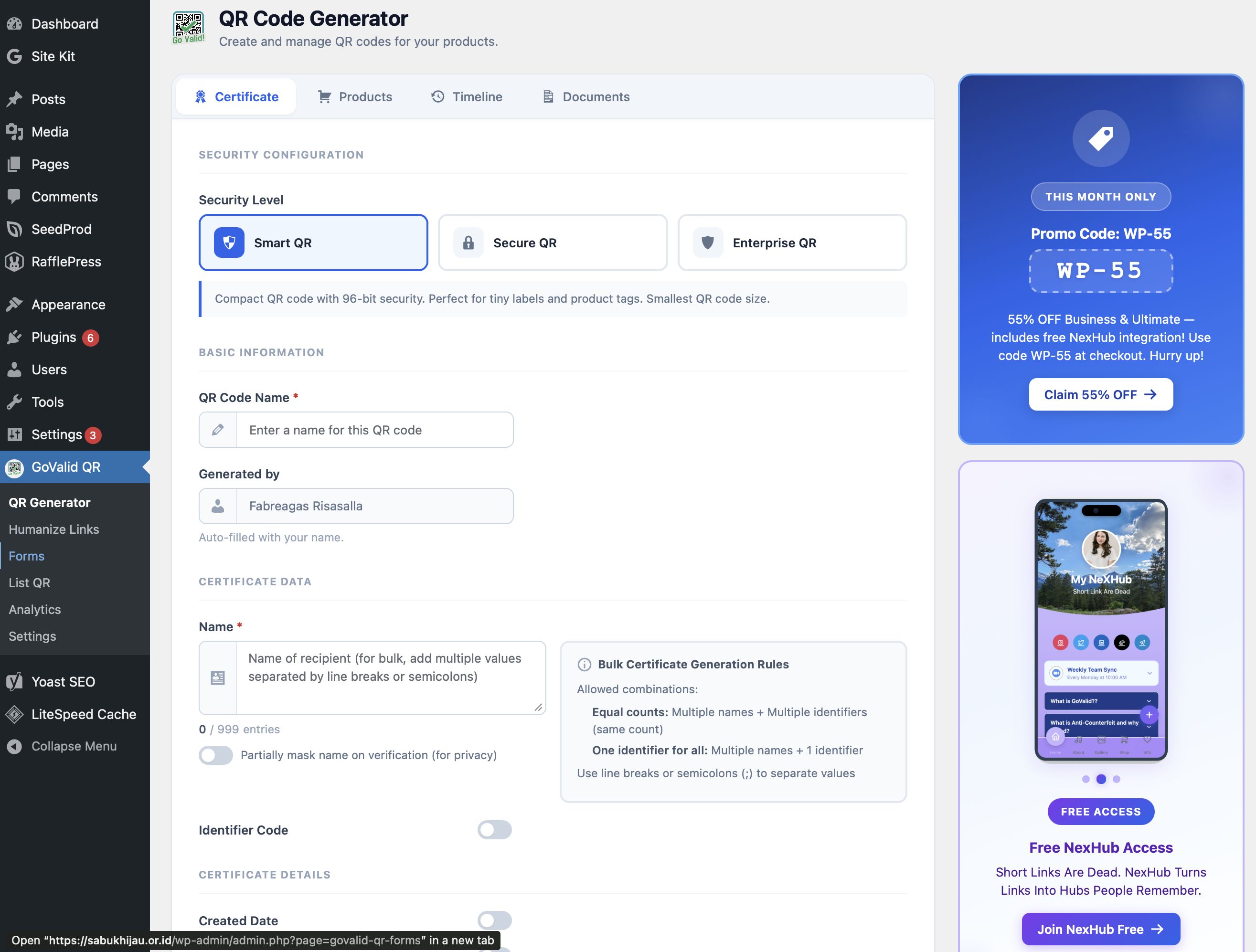
- QR Code Generator — Create QR codes for URLs, text, email, phone, SMS, WiFi, and vCards right from your WordPress admin
- Gutenberg Block — Add QR codes to any post or page with a visual picker
- Shortcode — Embed QR codes anywhere using
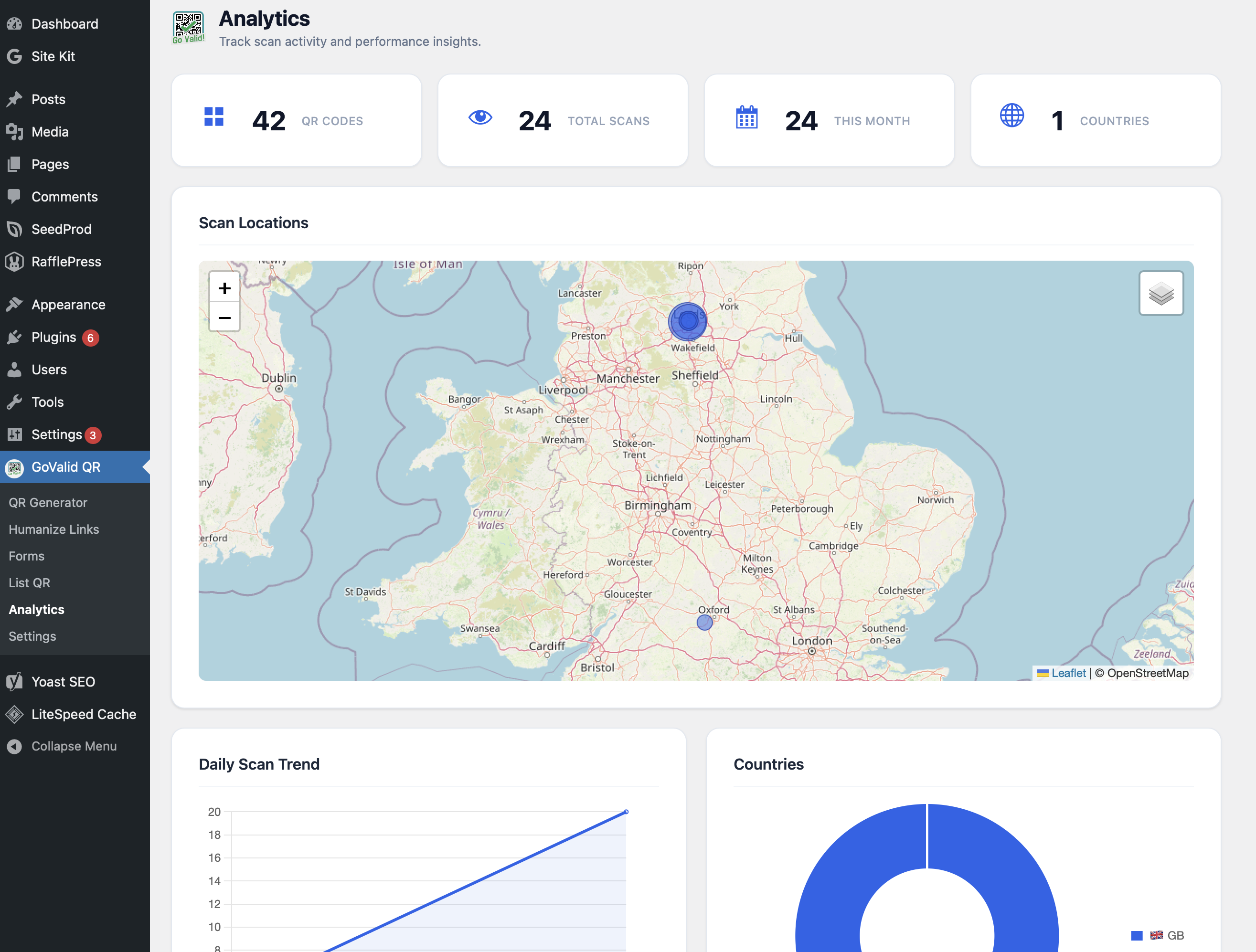
[govalid_qr id="uuid"] - Scan Analytics — Dashboard widget showing total scans, recent activity, and top QR codes
- Secure Connection — OAuth 2.0 with PKCE (S256) for secure authentication
- Image Caching — QR images cached locally for fast page loads
- i18n Ready — Fully translatable
- Register an OAuth application in your GoValid dashboard
- Enter your Client ID and Secret in the plugin settings
- Click "Connect with GoValid" to authorize
- Start creating and embedding QR codes!
- A GoValid account
- WordPress 5.8 or later
- PHP 7.4 or later
安装:
- Upload the
govalid-qrfolder to/wp-content/plugins/ - Activate the plugin through the 'Plugins' menu
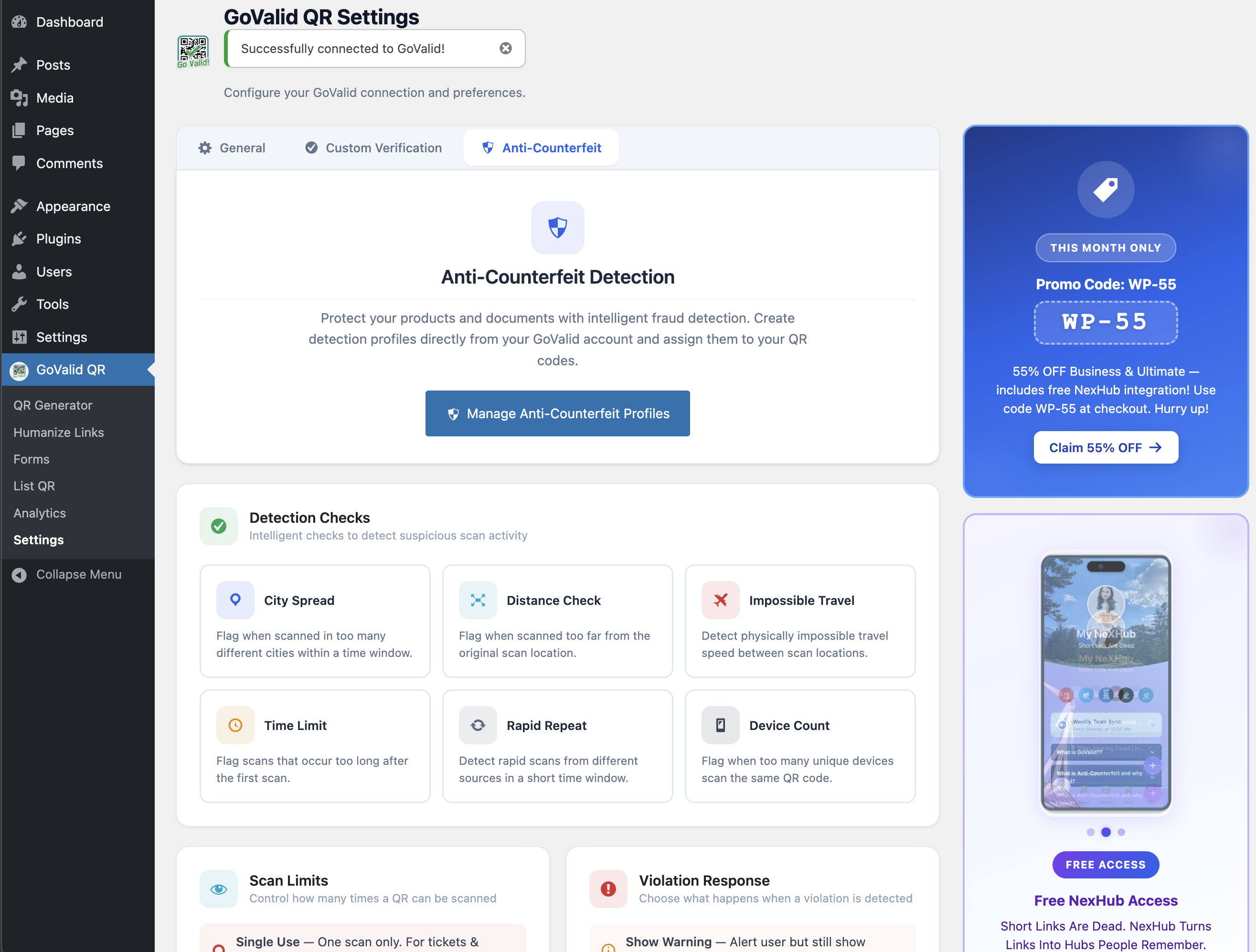
- Go to GoValid QR > Settings and enter your OAuth credentials
- Click Connect with GoValid to authorize the connection
屏幕截图:
常见问题:
Do I need a GoValid account?
Yes. You need an active GoValid account to use this plugin. Sign up at govalid.org.
How do I get OAuth credentials?
Log in to your GoValid dashboard, go to Settings > OAuth Applications, and create a new application. Copy the Client ID and Client Secret into the plugin settings.
Is my data secure?
Yes. OAuth tokens are encrypted with AES-256-CBC using your WordPress security keys. The connection uses PKCE (S256) for additional security. Your Client Secret is never exposed to the browser.
Can I use the shortcode in widgets?
Yes. The [govalid_qr] shortcode works in posts, pages, and any widget that supports shortcodes.
更新日志:
3.6.7
- Fix: Replace direct $_POST/$_FILES superglobal access in public_submit() with WP_REST_Request methods
- Fix: Refactor handle_form_file_upload() to accept file array parameter instead of reading $_FILES
- Fix: Add X-WP-Nonce header to frontend form submission fetch for CSRF protection
- Fix: Add real wp_verify_nonce() check to OAuth callback via transient-stored nonce from handle_connect()
- Fix: Remove all phpcs:ignore/disable suppression comments for NonceVerification on these methods
- Fix: Move all $_GET flash-message reads from partials into render methods with real wp_verify_nonce() checks
- Fix: Add _wpnonce to all wp_safe_redirect() calls in generator, settings, and forms handlers
- Fix: Pass adminNonce via wp_localize_script() and append to JS-generated admin page URLs
- Fix: Replace phpcs:ignore on render_field() and build_status_section() echoes with wp_kses() and custom allowed-HTML arrays
- Fix: Add phpcs:ignore WordPress.Security.ValidatedSanitizedInput.InputNotSanitized on $_FILES tmp_name uses in REST controller
- Fix: Add current_user_can() capability guards to all remaining admin page partials
- Fix: Add phpcs annotation for pre-nonce form_id read in handle_delete_form()
- Fix: Add nfloval1739 to Contributors list
- Fix: Host NexHub promotional images locally (removed remote nexhub.earth image requests)
- Fix: Add detailed phpcs annotations for unescaped echo in shortcode render_field() and build_status_section() methods
- Fix: Add Nominatim/OpenStreetMap and NexHub entries to External Services in readme.txt
- Fix: Add Bundled Libraries section documenting jsQR v1.4.0 (Apache-2.0) source
- Fix: Improve nonce verification phpcs comments in admin partials and REST controller
- Fix: Cast file upload error code to int; add block comment explaining nonce-free REST endpoint design
- Fix: Fix count_forms() SQL using variable interpolation with phpcs annotations
- Fix: Replace all inline and tags with wp_enqueue_script() / wp_enqueue_style() / wp_add_inline_script()
- Fix: Extracted verify-page JS to public/js/verify-page.js with wp_localize_script() for dynamic data
- Fix: Moved form-builder config object to wp_add_inline_script() in enqueue_assets()
- Fix: Moved generator prefill script to wp_add_inline_script() in enqueue_assets()
- Fix: Moved modal overlay CSS to admin/css/govalid-admin.css
- Fix: Updated text domain from govalid-qr to govalid-qr-validator across all 1122 i18n calls
- Fix: Updated Chart.js from v4.4.4 to v4.5.1
- Fix: Added == External Services == section to readme.txt documenting GoValid API and Esri ArcGIS
- Fix: Added clarifying comment on intentionally public form submission REST endpoint
- NEW: QR Label Layout — design and export printable QR label sheets (PDF/PNG/JPG/Print)
- NEW: 16 unique frame styles (Pill, Groove, Ridge, Inset, Outset, Ticket, Elegant, Glow, Stamp + originals)
- Fix: Correct QR card selectors for label layout data collection
- Fix: Replace %i SQL placeholders for WP 5.8 compatibility
- Fix: Bundle SortableJS locally instead of loading from CDN
- Fix: Add missing output escaping across all templates
- Fix: Add translators comments for i18n placeholders
- Fix: Use wp_safe_redirect() instead of wp_redirect()
- Fix: Remove debug error_log() calls from production code
- Fix: Add database query caching and proper LIKE wildcard escaping
- Fix: Prefix all global template variables with plugin prefix
- Fix: Sanitize file upload and URL inputs
- Fix: Add phpcs annotations for nonce-delegated methods and DB queries
- NEW: Shortcode-based verification page — customizable via WordPress page editor
- NEW: [govalid_verify_result] shortcode for full verification card
- NEW: Individual field shortcodes ([govalid_verify_field], [govalid_verify_status], [govalid_verify_alerts], [govalid_powered_by])
- NEW: Custom Verification settings tab with setup guide and shortcode reference
- NEW: One-click verification page creation
- Server-side API verification (no client-side JavaScript needed)
- NEW: Custom verification page — serve QR verification at yoursite.com/v/{token}
- NEW: Settings toggle to enable/disable custom verification route
- NEW: Smart Verify widget recognizes the site's own /v/ URLs
- Automatic rewrite rule management on toggle/activation/deactivation
- Initial release
- QR Code Generator with multiple types
- Gutenberg block with visual picker
- Shortcode support
- Dashboard scan analytics widget
- OAuth 2.0 + PKCE connection
- Local image caching