
GravityWP - CSS Selector
| 开发者 | gravitywp |
|---|---|
| 更新时间 | 2026年10月8日 18:19 |
| 捐献地址: | 去捐款 |
| PHP版本: | 3.0.1 及以上 |
| WordPress版本: | 7.1 |
| 版权: | GPLv2 or later |
| 版权网址: | 版权信息 |
详情介绍:
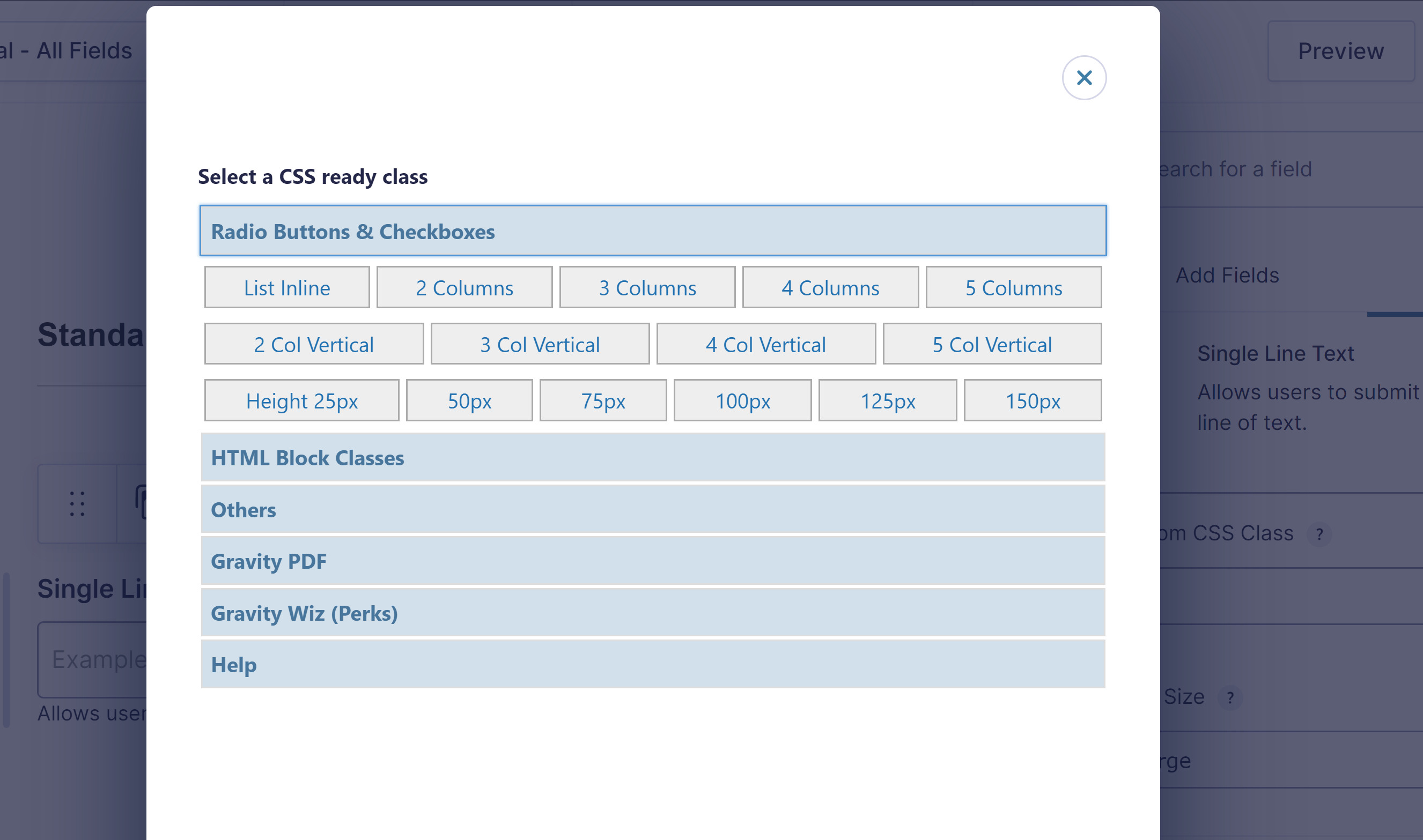
This plugin is an add-on for the amazing Gravity Forms Plugin. Special thanks to Brad Vincent and Bryan Willis for developing the first and revised version of this plugin.Quickly select custom and add-on CSS classes for your Gravity Forms fields. Open the picker next to the CSS Class field to add your own custom classes, Gravity PDF shortcuts, or the Gravity Wiz Copy Cat shortcut without remembering each class name. Manage reusable class names, labels, descriptions and groups under Forms > Settings > CSS Selector without writing PHP. These are shortcuts for existing CSS rules; the library does not generate styles. Removing a library shortcut does not change saved fields. The picker also lists classes used on other fields in the current form, including unsaved editor changes. Counts and tooltips show which fields use each class. Legacy Ready Classes are marked when shown, including classes reused from other fields. CSS Ready Classes are legacy functionality. On Gravity Forms versions earlier than 3.0, the picker retains the applicable legacy shortcuts. On Gravity Forms 3.0 and later, built-in Ready Classes are hidden. Use native Choice Layout settings for radio button and checkbox layouts instead of the old choice layout shortcuts, and the native editor for field columns. Existing saved classes are preserved. This update does not automatically remove or rewrite classes on your fields. CSS Selector remains free and available for existing and new users. Development focuses on compatibility and maintenance, not expanding the legacy class catalogue. Features
- Convenient button next to the CSS Class field in the form editor
- Small picker for custom and add-on CSS classes
- No-code, plugin-level class library with labels, descriptions and groups
- Reuse classes from other fields, with usage counts and field tooltips
- Legacy badges on Ready Classes
- Gravity PDF shortcuts: exclude a field or start a new PDF page
- Gravity Wiz Copy Cat shortcut: copy Field ID 1 to Field ID 2 (requires Copy Cat; adjust IDs as needed)
- Add more than one CSS class
- Double-click a CSS class to add it and auto-close the popup
- Add your own custom class buttons with the existing filter
- Legacy Ready Classes available only on Gravity Forms versions earlier than 3.0
安装:
- Upload the plugin folder to your
/wp-content/plugins/folder - Activate the plugin through the 'Plugins' menu in WordPress
- Make sure you also have Gravity Forms activated.
屏幕截图:
常见问题:
Does this plugin rely on anything?
Yes, you need to install the Gravity Forms Plugin for this plugin to work. And it needs to be at least v1.5.
Why are Ready Classes missing on Gravity Forms 3.0 and later?
Ready Classes are legacy functionality and are no longer offered in the modern picker. Use native Choice Layout settings for choice layouts. Custom class buttons, Gravity PDF and Copy Cat shortcuts remain available, and existing saved classes are not removed.
How to add custom CSS buttons?
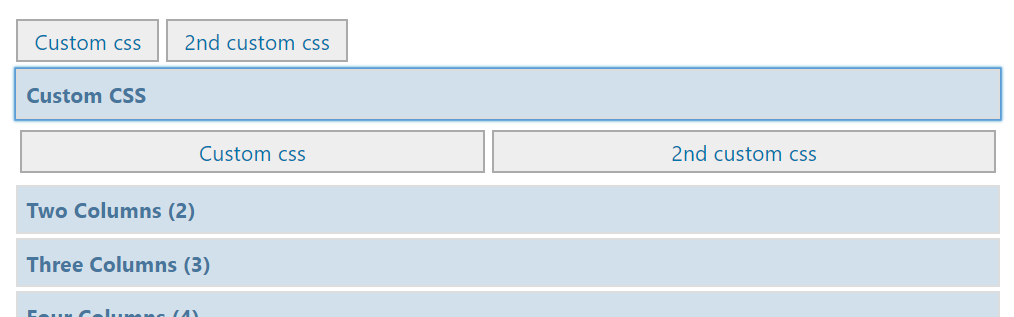
You can add your own CSS to the CSS Selector easily in your functions.php file. Just add the following example code there. It adds quick buttons and an accordion on top of the modal. That way you can put easily your own CSS in the layout you want.
// Add custom css: quick buttons and accordion at the top of the GravityWP - CSS Selector modal function my_custom_gwp_css_selector_add_css() { $html .= "<div class='gwp_quick_links'> <a class='gwp_css_link' href='#' rel='your_custom_css_class' title='Adds your_custom_css_class to the CSS field'>Custom css</a> <a class='gwp_css_link' href='#' rel='your_custom_css_class_2' title='Adds your_custom_css_class_2 to the CSS field'>2nd custom css</a></div> <li> <a class='gwp_css_acc_link' href='#'>Custom CSS</a> <div class='gwp_css_accordian'> <a class='gwp_css_link' href='#' rel='your_custom_css_class' title='Adds your_custom_css_class to the CSS field'>Custom css</a> <a class='gwp_css_link' href='#' rel='your_custom_css_class_2' title='Adds your_custom_css_class_2 to the CSS field'>2nd custom css</a> </div> </li>"; return $html; } add_filter( 'gwp_css_selector_add_custom_css', 'my_custom_gwp_css_selector_add_css' );
更新日志:
- Add a no-code class library under Forms > Settings > CSS Selector.
- Show classes used on other fields in the selector, including unsaved edits, with usage counts and field tooltips.
- Mark legacy Ready Classes without removing or rewriting saved classes.
- Safely encode picker markup for JavaScript, including custom filter output.
- GF 3.0+ compatibility: Restore editor hook registration when Gravity Forms exposes GFForms without the legacy RGForms class.
- Hide legacy CSS Ready Classes in the picker on Gravity Forms 3.0 and later.
- Keep custom classes, Gravity PDF and Copy Cat shortcuts available.
- Preserve existing saved field classes without automatic removal.
- Update picker wording and document native Choice Layout as the replacement for legacy choice layout shortcuts.
- Added pot files for translations
- Updated Dutch translation.
- Added Gravity Forms version check, hide deprecated CSS Ready Classes in 2.5 and higher
- Added title tags with more detailed description of the function of every CSS class
- Added new vertical choices columns (gf_list_2col_vertical, gf_list_3col_vertical, gf_list_4col_vertical, gf_list_5col_vertical), only visible in GF 2.5 and higher
- Added new HTML Field Classes (gf_alert_green, gf_alert_red, gf_alert_yellow, gf_alert_gray, gf_alert_blue), only visible in GF 2.5 and higher
- Added gf_inline CSS Ready Class
- Updated url to GravityWP documentation to add custom CSS buttons to the CSS selector (https://gravitywp.com/doc/add-custom-css-buttons/)
- Security enhancements
- Updated url to official Gravity Forms CSS Ready Classes documentation (https://docs.gravityforms.com/css-ready-classes/)
- Add gwp_css_selector_add_custom_css filter to add custom css
- Updated translation files
- Adjusted the Gravity PDF pagebreak CSS
- Added gf_invisible CSS class
- Combined list columns and list heights to Radio Buttons & Checkboxes
- Changed links to documentation
- Added pagebreak support for Gravity PDF
- Updated translation file
- Updated Dutch translation
- Added CSS classes for Gravity PDF (exclude) and Gravity Wiz (Copy Cat)
- Updated layout (documentation available on click)
- Initial Release
- Added localisation