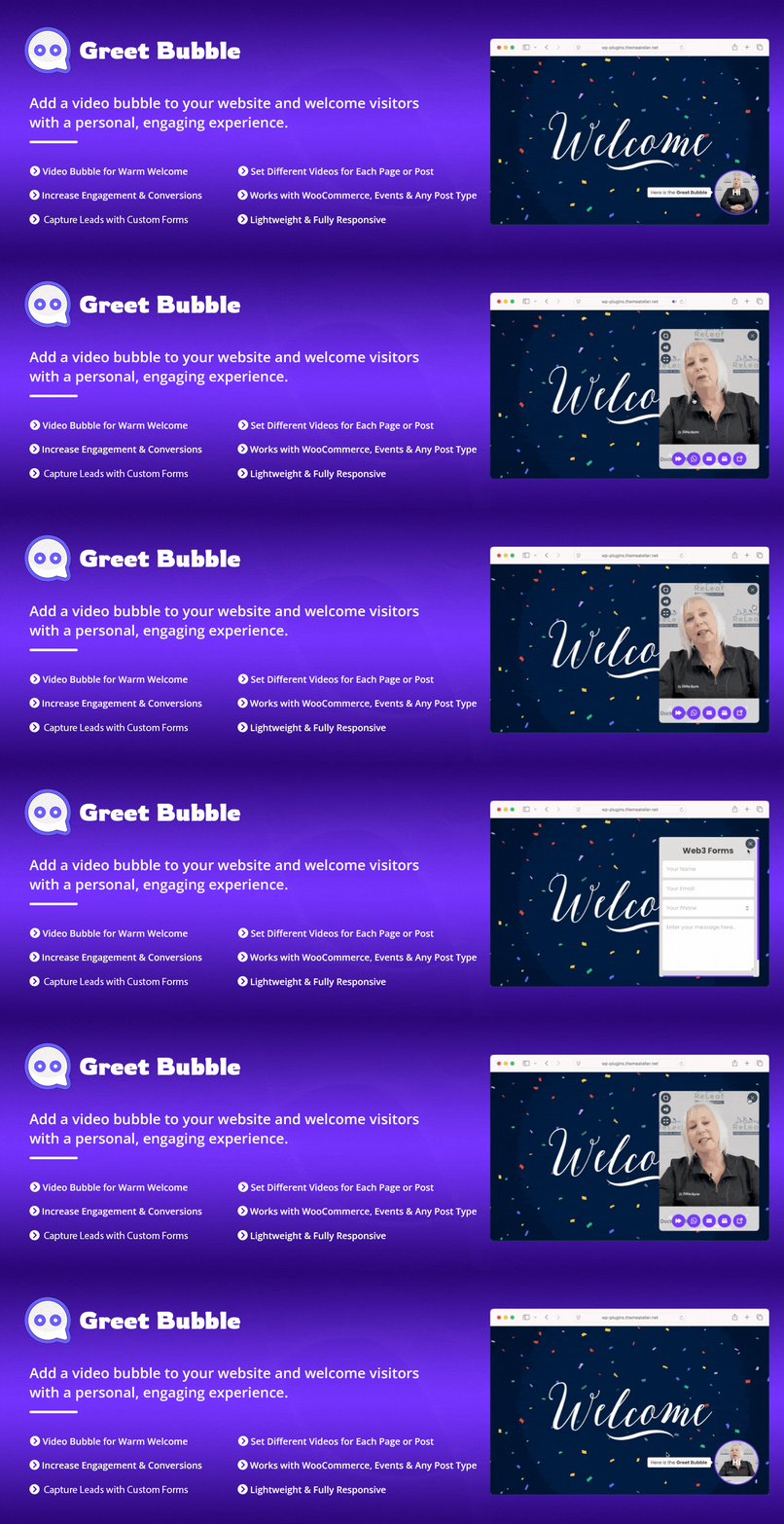
Greet Bubble — Video Welcome Popup & Floating Video Bubble for WooCommerce Products, Pages & Custom Posts
| 开发者 |
ThemeAtelier
themeatelier faysal61 shshakib2001 tamimaziz |
|---|---|
| 更新时间 | 2026年10月5日 19:34 |
| 捐献地址: | 去捐款 |
| PHP版本: | 5.0 及以上 |
| WordPress版本: | 7.1.2 |
| 版权: | GPLv2 or later |
| 版权网址: | 版权信息 |
标签
下载
详情介绍:
安装:
- Visit Plugins > Add New
- Search for Greet Bubble
- Install and activate the Greet Bubble plugin
- Download greet-bubble.zip
- Go to Plugins > Add New in your WordPress dashboard
- Click on the “Upload Plugin” button
- Choose the greet-bubble.zip file from your computer
- Click “Install Now”
- Activate the plugin after installation
- Download greet-bubble.zip
- Extract the greet-bubble folder on your computer
- Upload the greet-bubble folder to the /wp-content/plugins/ directory
- Activate the plugin from the Plugins menu in WordPress
- Go to the “Greet Bubble” menu from the left sidebar in your WordPress dashboard
- Configure your video welcome popup and floating video bubble settings as needed
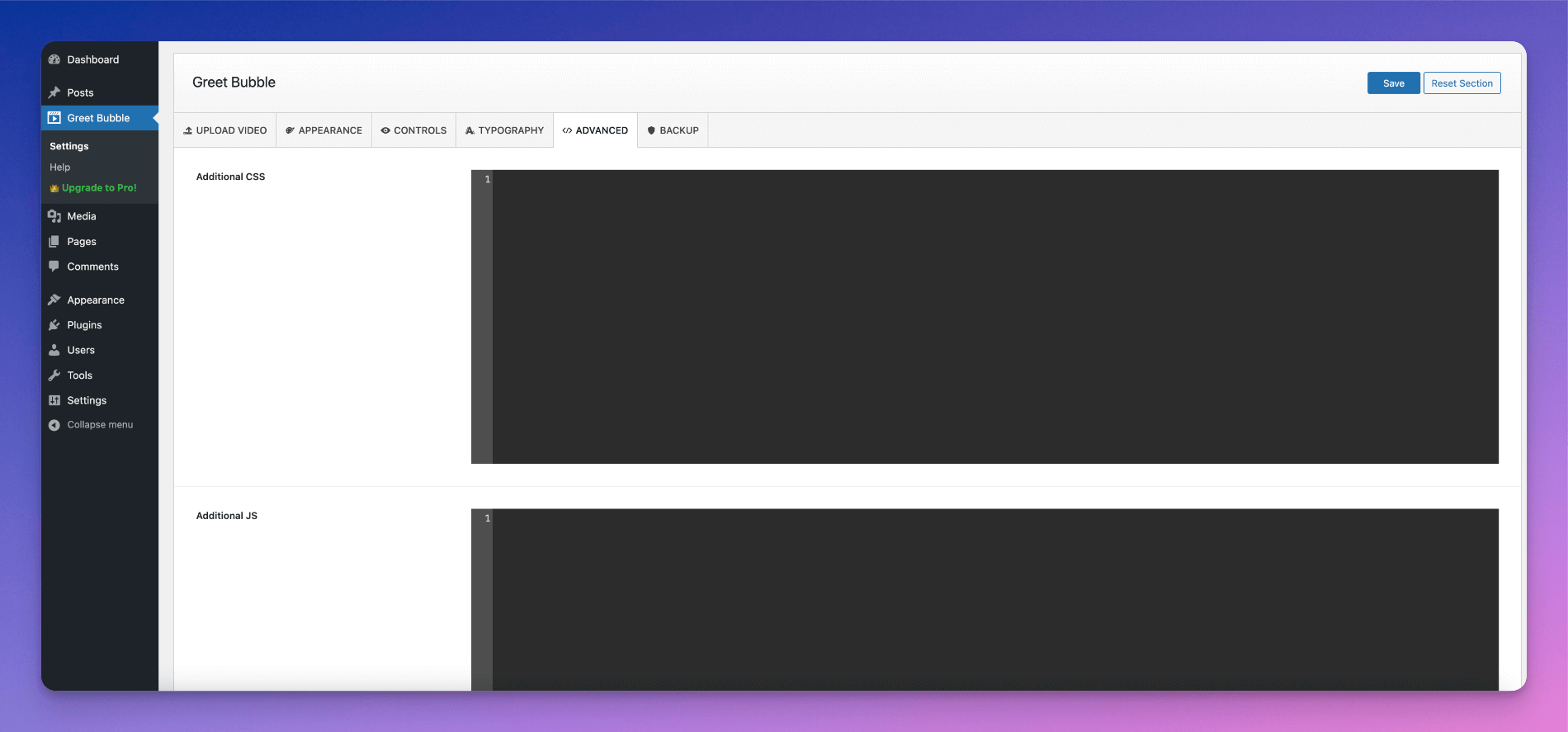
屏幕截图:
常见问题:
How do I add a video welcome popup to my website?
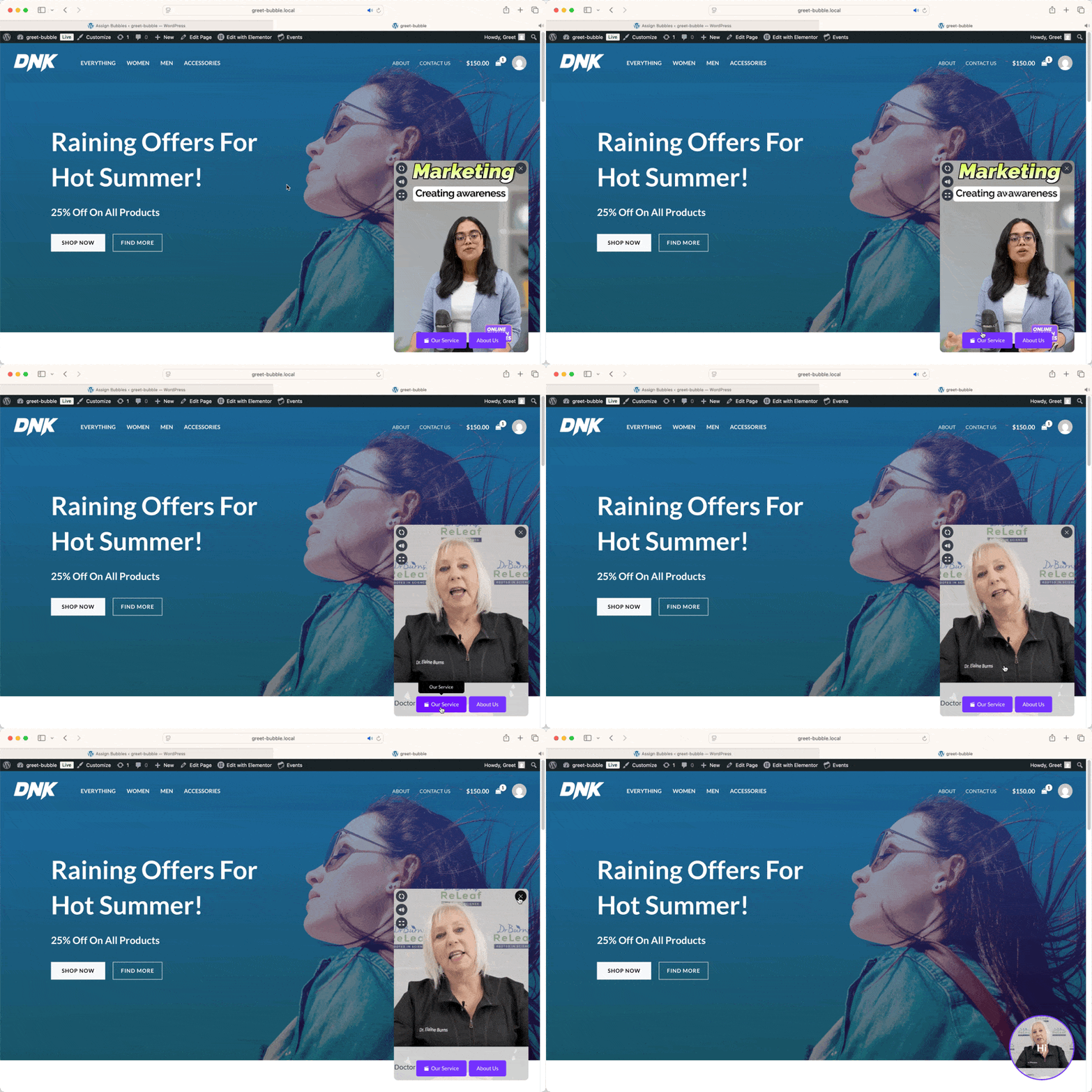
You can easily create a video welcome popup using Greet Bubble by adding your video, customizing the floating video bubble, and choosing where it appears on your pages or posts.
Can I show different video popups on different pages?
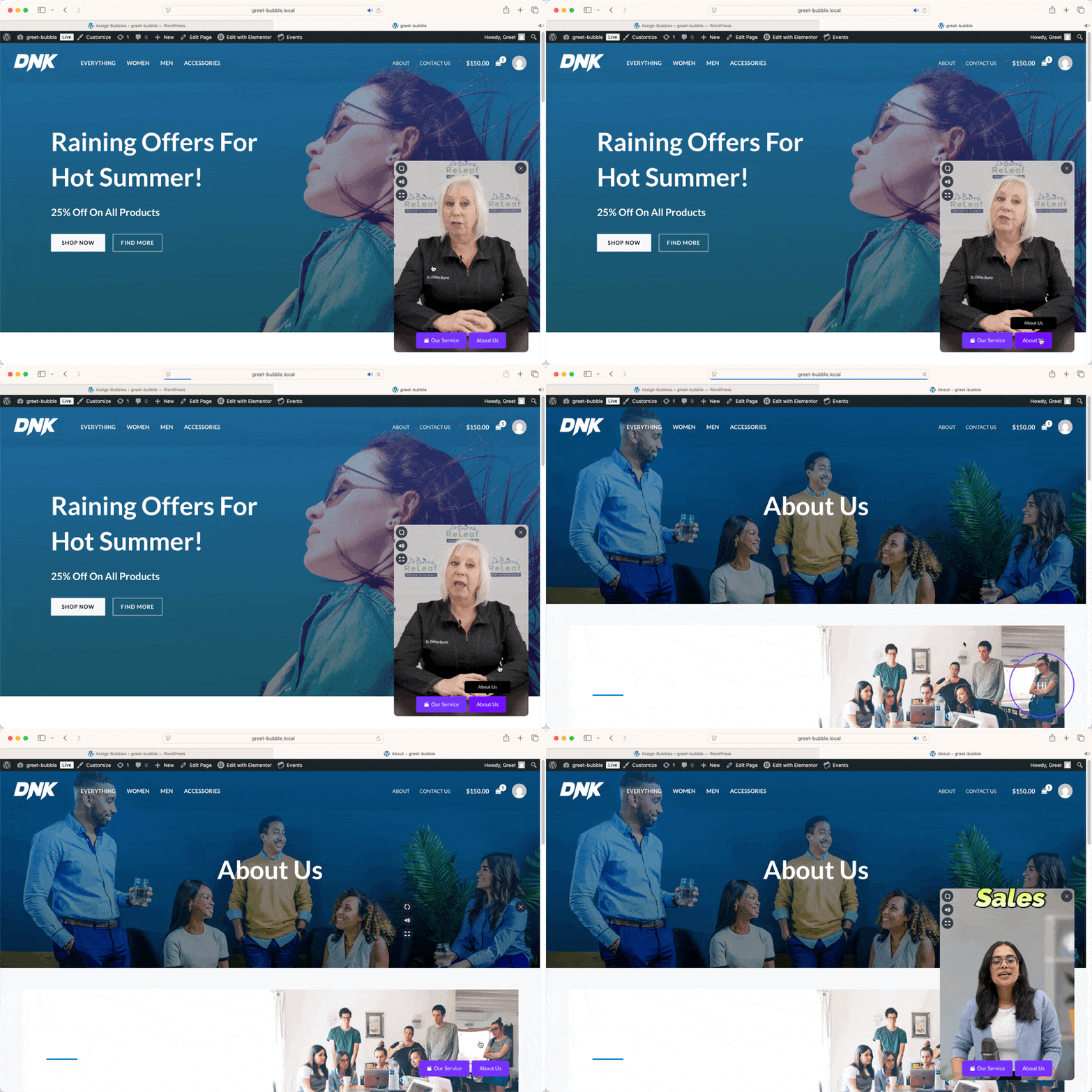
Yes, Greet Bubble allows you to display different video welcome popups for each page, post, or custom post type such as WooCommerce products and event pages.
Can I add a contact form inside the video popup?
Yes, you can connect contact forms inside the video bubble to capture leads and allow visitors to contact you directly from the popup.
Does this plugin work with WooCommerce products?
Yes, Greet Bubble works perfectly with WooCommerce and lets you show product-specific video popups to improve conversions on product pages.
Can I add buttons or links inside the video bubble?
Yes, you can add call-to-action buttons that play videos or link to internal pages and external URLs.
Is the video popup mobile-friendly?
Yes, the video welcome popup and floating video bubble are fully responsive and work smoothly on all devices, including mobile and tablets.
Can I customize the appearance of the video bubble?
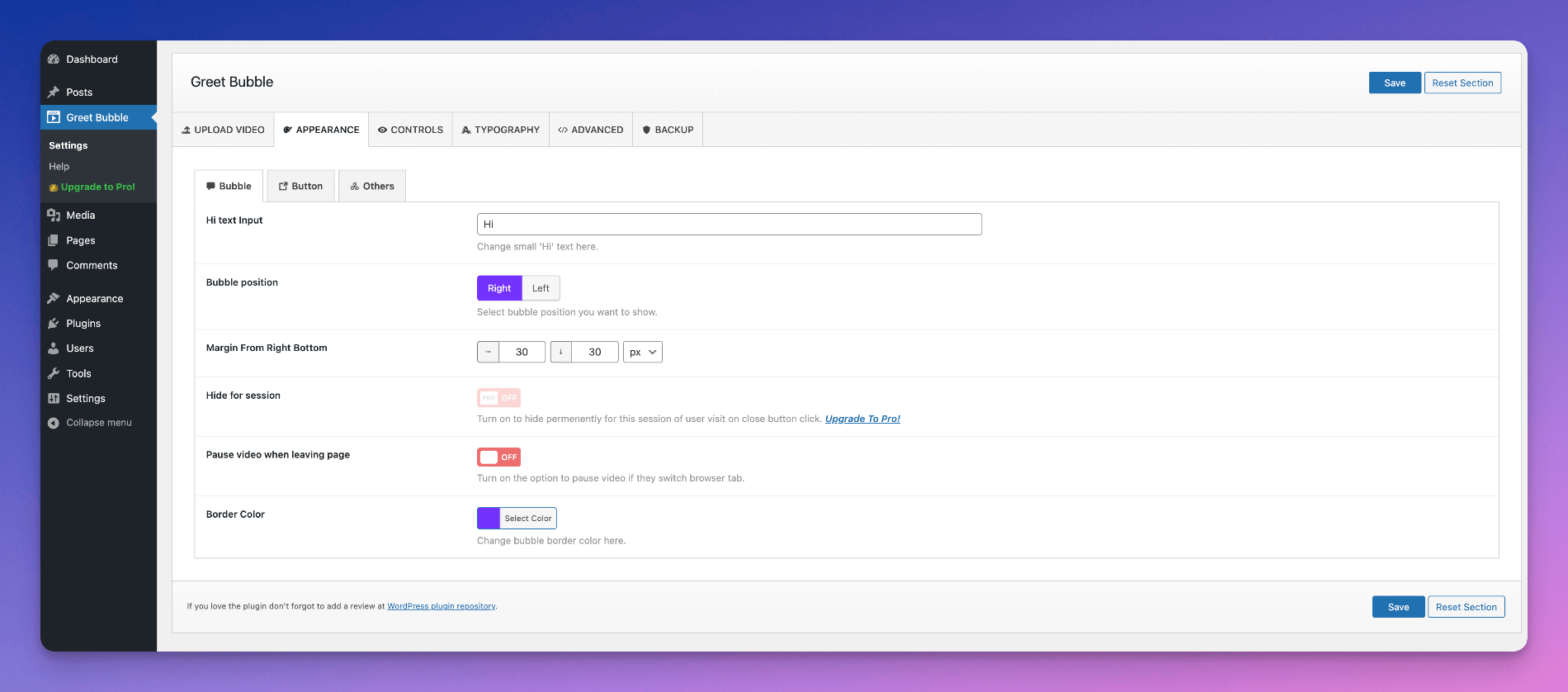
Yes, you can customize colors, position, animations, button styles, and more to match your website design.
Will the video popup slow down my website?
No, Greet Bubble is lightweight and optimized for performance to ensure fast loading and smooth user experience.
Can I use multiple videos in one bubble?
Yes, you can add multiple videos and allow users to switch between them using interactive buttons.
Is this plugin suitable for lead generation?
Yes, Greet Bubble helps you capture leads using contact forms, call-to-action buttons, and engaging video messages.
Do I need coding skills to use this plugin?
No, Greet Bubble is beginner-friendly and comes with an easy-to-use settings panel for quick setup.
Can I use this plugin for landing pages and marketing campaigns?
Yes, Greet Bubble is perfect for landing pages, marketing campaigns, product promotions, and event pages.
更新日志:
- Tested: WordPress 7.1.2 compatibility.
- Changed: Settings section names now read General, Appearance, Controls, Typography and Advanced instead of all capitals, matching the naming used across the other ThemeAtelier plugins. This affects the sidebar on the settings screens and in the bubble editor. Your settings, their values and their links are unchanged.
- Added: The entire admin panel is now a single-page React application — Global Settings, Manage Bubble, Assign Bubble and Help share one fast, modern interface instead of the old multi-page options framework.
- Changed: The interface is built on the shadcn/ui design system, so every button, input, select, switch, card, dialog, tooltip and separator is consistent throughout, with the same spacing, typography and corner radii on every screen.
- Added: Navigation lives in a single left sidebar listing every settings section with its tabs beneath it, so there is exactly one place to answer "where am I?".
- Added: The sidebar collapses to an icon rail and remembers your choice between visits. It stays a full screen tall with its own scrolling, so the logo and Get Help never scroll out of reach on a long page.
- Added: Every screen has a sticky toolbar carrying the page title, the section it belongs to, and that page's actions — Save stays reachable no matter how far down a long tab you have scrolled.
- Added: Settings search. Press Ctrl+K (Cmd+K on Mac) anywhere in the admin to jump straight to any setting; the field is highlighted briefly when you land on it.
- Added: A light / dark / system appearance switcher, available from the toolbar on every screen.
- Added: "Reset all settings", alongside the existing per-section reset, both now behind a proper confirmation dialog instead of the browser's plain confirm box.
- Added: Manage Bubble is now a real list screen — search, status filter, date range, sortable columns, list and grid views, bulk actions, duplicate, and trash/restore — replacing the generic WordPress post list.
- Added: A first-class Help page with the video tutorial, documentation, support and plugin resources, replacing the old help screen.
- Improved: Clicking any Greet Bubble admin menu item now navigates instantly within the app instead of triggering a full page reload.
- Improved: Long settings tabs are now a centred column of grouped cards rather than one continuous list, so related options read as a set.
- Improved: Colour fields are a single control combining the swatch, the value and a reset button, with a full picker (gradient, hue and opacity sliders, eyedropper, and HEX/RGB/HSL entry).
- Improved: Switch rows put the label and description on the left with an On/Off read-out and the switch on the right, matching every other setting row.
- Improved: Real loading, empty and error states throughout, instead of a blank screen while settings load.
- Improved: Responsive behaviour across desktop, laptop, tablet and phone — the sidebar becomes a slide-in drawer on small screens, and wide tables scroll on their own instead of pushing the page sideways.
- Improved: Accessibility — keyboard navigation, focus rings, labelled controls and semantic headings across every screen.
- Fixed: The WordPress admin menu is pinned on Greet Bubble's screens, so a long menu on a site with many plugins no longer stretches the page past the app. Menus taller than the screen scroll on their own, and other plugins' hover fly-out submenus keep working.
- Fixed: The page no longer shifts sideways when switching between a short tab and one long enough to scroll.
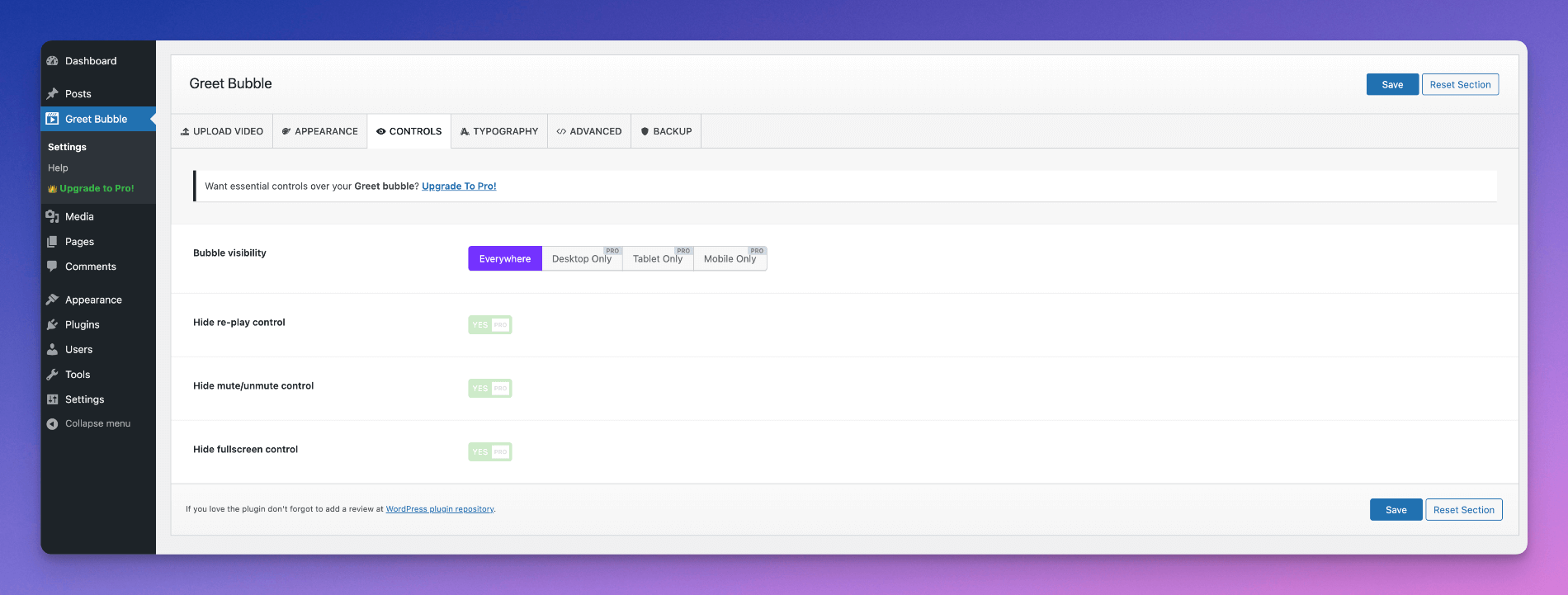
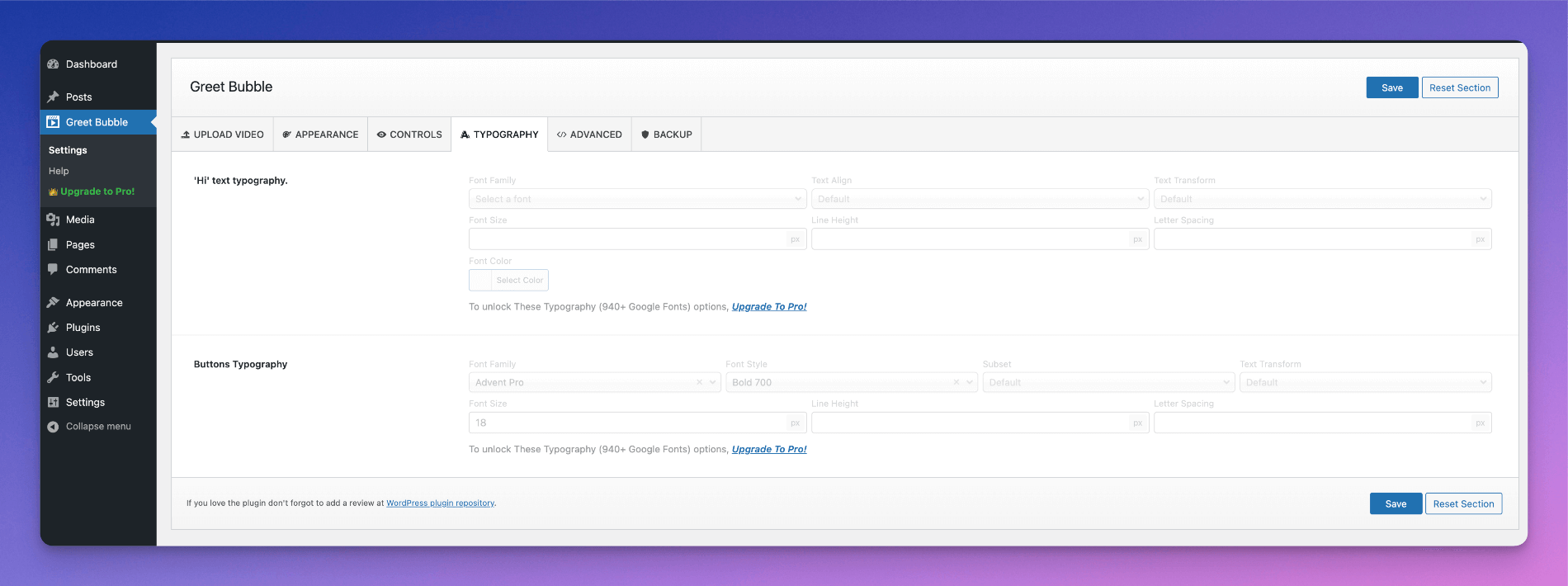
- Fixed: Pro-only settings are properly separated again. Fields the configuration has always marked Pro-only (the Controls switches, the tablet/mobile positioning and draggable-position toggles, the typography settings) and Pro-only choices within a free field (Right/Left Middle positions, Icon Only buttons, the Pro attention effects) now render as clearly badged, read-only previews, and the server refuses to store them at all — so a Pro value can never be saved from the free plugin, whatever a request claims.
- Added: A tab where every setting is Pro-only — Controls — now shows a single Upgrade card over the faded settings rather than a badge on every row.
- Removed: The retired options framework and its stylesheets and scripts, which are no longer loaded in wp-admin.
- Note: This release changes the interface only. Every setting, bubble and assignment rule is stored exactly as before and carries over as-is — no reconfiguration is needed.
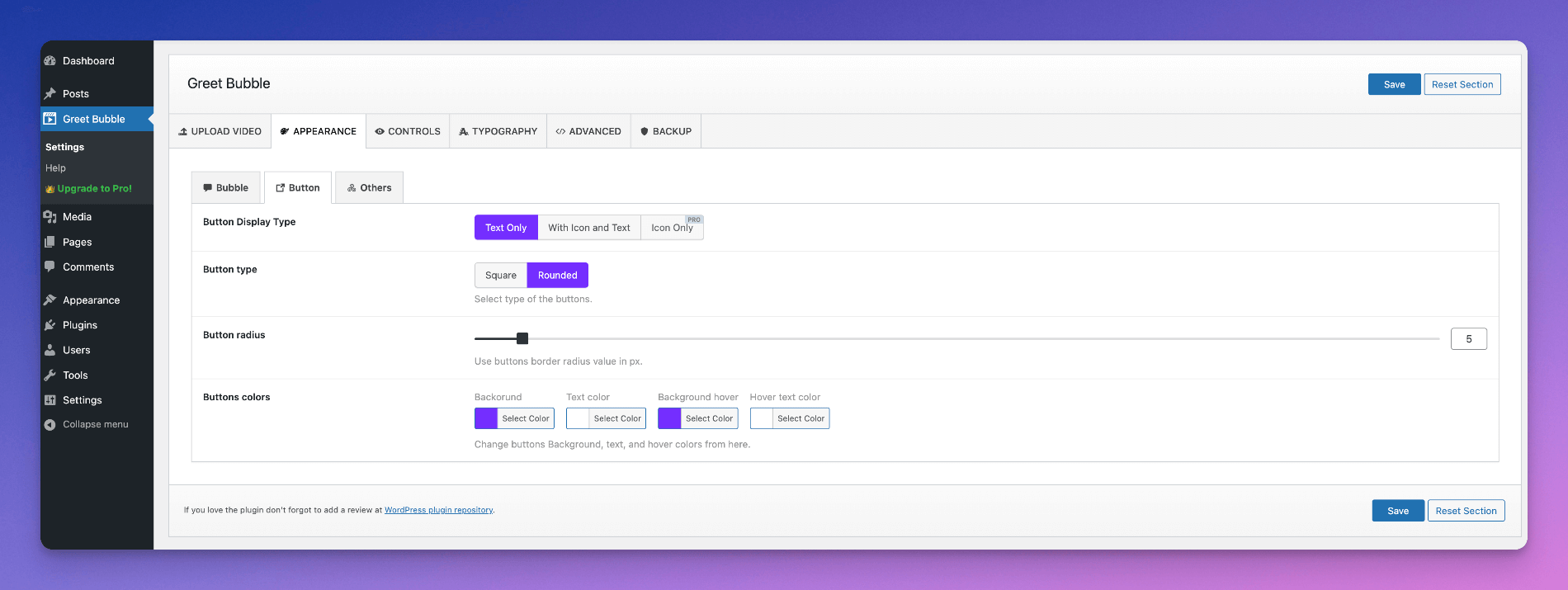
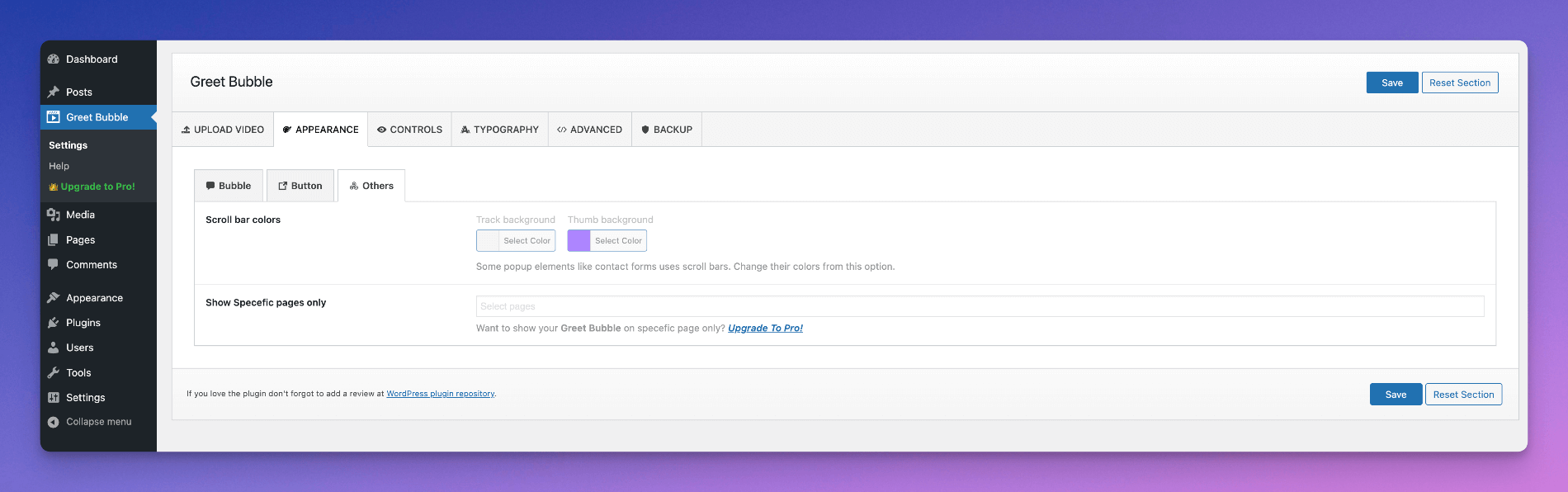
- Added: "Show Specific Pages Only" and "Disallowed Pages" options under Appearance > Others to control which pages the bubble appears on.
- Added: "Show Specific Posts Only" and "Disallowed Posts" options under Appearance > Others to control which posts the bubble appears on.
- Update: Plugin title updated to highlight WooCommerce product support.
- Added: "Bubble Attention Effect" option under Appearance animation styles to draw visitor attention to the floating bubble. Animation pauses on hover, while dragging, and while the expanded video modal is open.
- Fixed: Reset Section button in plugin settings now correctly restores fields in the active tab to their default values.
- Fixed: Taxonomy-based bubble assignment now skips non-singular pages to prevent incorrect matches.
- Fixed: Bubble assignment now correctly resolves WooCommerce Shop, Checkout, and Cart pages using
wc_get_page_id(). - Improved: Group field cloneable item title now displays the first field value for cleaner readability.
- Improved: Post type selector in Assign Bubble now conditionally shown only when "Specific Posts" mode is active.
- Fix: Early translation loading notice.
- Update: Moved Help page from Settings menu to main menu for easier access.
- Added: The Manage Bubbles feature.
- Added: The Assign Bubble feature.
- Added: The option to show the unique bubble for a specific post.
- Fixed: Minor CSS issues.
- Tested: WordPress 7.0 compatibility.
- Update: Documentation link.
- Removed: Appsero integration.
- Update: Some CSS codebase.
- Update: Readme updated as suggested by WordPress.org.
- Update: Codebase improvements.
- Tested: WordPress 6.9 compatibility.
- Fixed: Missing composer.json file when using Composer.
- Update: Admin UI/UX improvements for better usability.
- Update: Code improvements and compliance with the latest WordPress Plugin Review Guidelines.
- Security: Ensured all data is properly sanitized, validated, and escaped.
- Security: Escaped all variables and options before output.
- Update: Ensured all data is properly sanitized, validated, and escaped.
- Tested: WordPress 6.8.3 compatibility.
- Update: Codebase improvements.
- Update: Improved help text across plugin settings for clearer user guidance.
- Fixed: Minor CSS issues.
- Update: Improved label text for settings options.
- Update: Refined Free vs Pro comparison text for clarity.
- Update: Optimized parts of the plugin codebase for better performance.
- Fixed: Translation-related warning found in WordPress 6.8.
- Tested: WordPress 6.8 compatibility.
- Update: Plugin help page content.
- Update: Plugin readme content.
- Fixed: Video control issue for the Themefy Ultra theme.
- Added: Help tab in the admin panel.
- Added: Review notice.
- Improved: Codebase improvements.
- Tested: WordPress 6.7.2 compatibility.
- Update: Codebase improvements.
- Tested: WordPress 6.7.1 compatibility.
- Added: Time-based loading for bubble animation.
- Fixed: CSS issues for better compatibility with different themes.
- Tested: WordPress 6.7 compatibility.
- Fixed: Bubble scaling CSS issue.
- Added: Option to position the bubble button with specific dimensions.
- Added: Positioning option for the floating chatbox.
- Added: Renamed option tab names.
- Added: Reordered admin options for better accessibility.
- Added: Button tooltip.
- Update: Code compatibility improvements.
- Fixed: Admin options data saving issue.
- Tested: WordPress 6.6.2 compatibility.
- Added: New option for positioning from the bottom-left.
- Added: New option for positioning from the bottom-right.
- Added: Unlimited icons from the Icofont library.
- Added: Icons in the Appearance tab options.
- Fixed: PHP 8.1.12 compatibility issue.
- Fixed: WordPress 6.6.1 compatibility issue.
- Added: Button icon options.
- Update: Appearance UX changed to tab style.
- Added: Button display type option.
- Fixed: Minor issues.
- Fixed: Old data migration issues.
- Added: Repetitive video option.
- Added: Multiple video option.
- Added: Multiple links option.
- Fixed: Dashboard icon issues.
- Fixed: Plugin settings URL redirection issue.
- Fixed: Code structure issues.
- Update: Code compatibility with the latest WordPress version.
- Update: Code compatibility with the latest PHP version.
- Update: Plugin description.
- Fixed: Button link target issue.
- Updated: Language file for the latest language strings.
- Added: Plugin short description as per WordPress recommendations.
- Added: Default video poster option.
- Updated: Language file for the latest language strings.
- Added: Compatibility with the latest WordPress version.
- Added: Compatibility with the latest PHP version.
- Added: Option to add custom CSS and JS from the admin panel.
- Removed: Pro version banner.
- Added: Controls section.
- Added: Pro version comparison fields.
- Update: Codebase improvements.
- Fixed: Video reply button click JavaScript error.
- Fixed: Video push button not disappearing when returning from another browser tab.
- Added: Compatibility with the latest WordPress version.
- Added: Compatibility with the latest PHP version.
- Fixed: Push icon visibility issue when switching browser tabs.
- Added: Help video in the admin panel.
- Fixed: JavaScript code conflict issue.
- Updated: Coding standards for better performance.
- Improved: Admin UI.
- Fixed: Video circle issue in the Firefox browser.
- Updated: Admin UI for improved user experience.
- Added: Translation strings.
- Added: Compatibility with WordPress 6.4.2.
- Updated: All language strings.
- Added: Compatibility with WordPress 6.3.2.
- Added: Auto preload poster to avoid blank screens on iPhone devices.
- Added: Multiple button groups.
- Added: Completely new admin options panel.
- Added: Option to pause video when leaving the page.
- Added: Button customization options (color, border, text, etc.).
- Added: Two button styles: Square and Rounded.
- Added: Export and import options to reuse settings across websites.
- Added: Option to set the button as an external link.
- Updated: Code structures.
- Initial release.