
Gridsmith — Bulk Edit Products for WooCommerce
| 开发者 | coodecraft |
|---|---|
| 更新时间 | 2026年11月17日 01:23 |
| PHP版本: | 7.4 及以上 |
| WordPress版本: | 7.1 |
| 版权: | GPLv2 or later |
| 版权网址: | 版权信息 |
详情介绍:
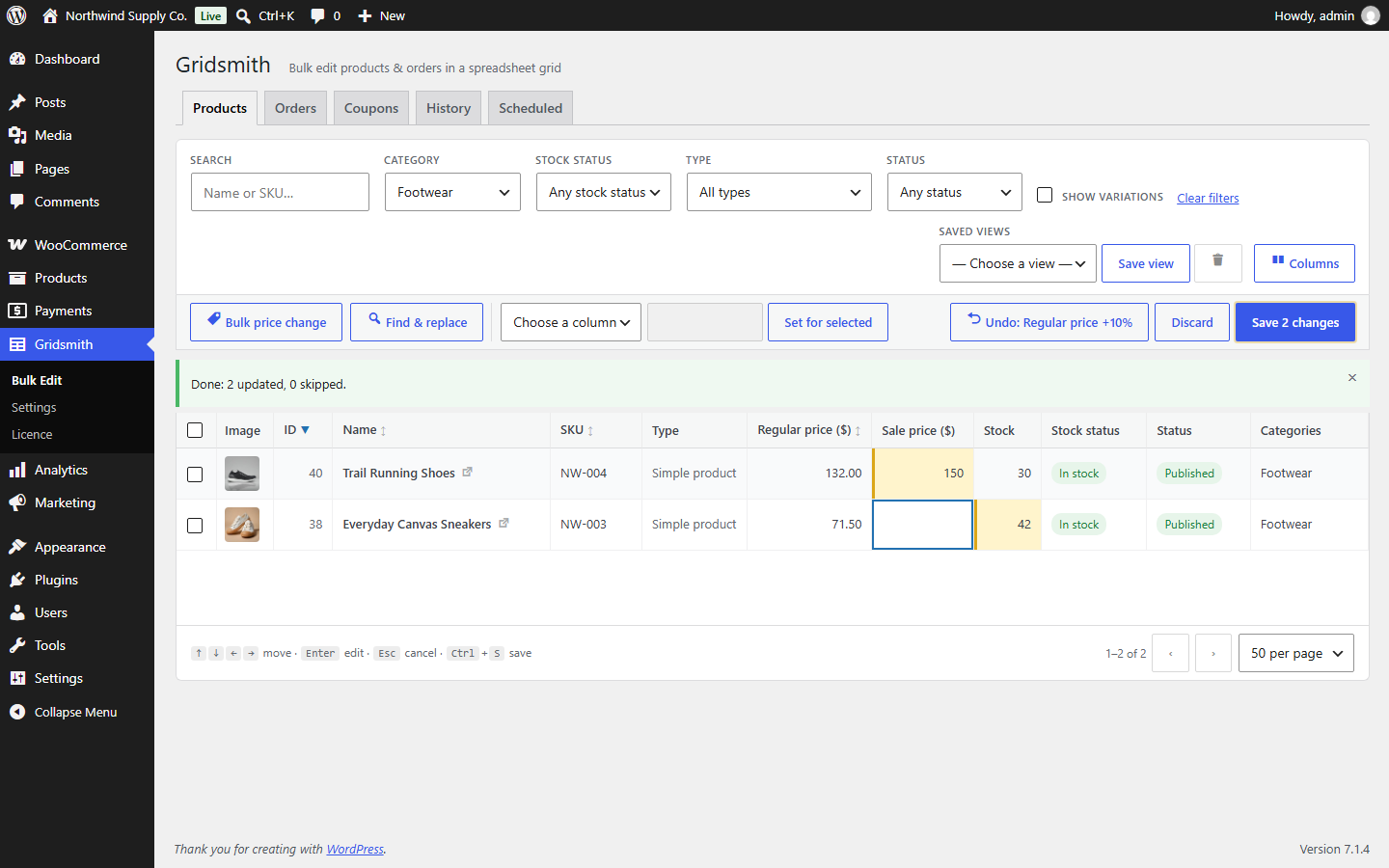
- Spreadsheet grid for products with image, name, SKU, type, regular price, sale price, stock, stock status and status
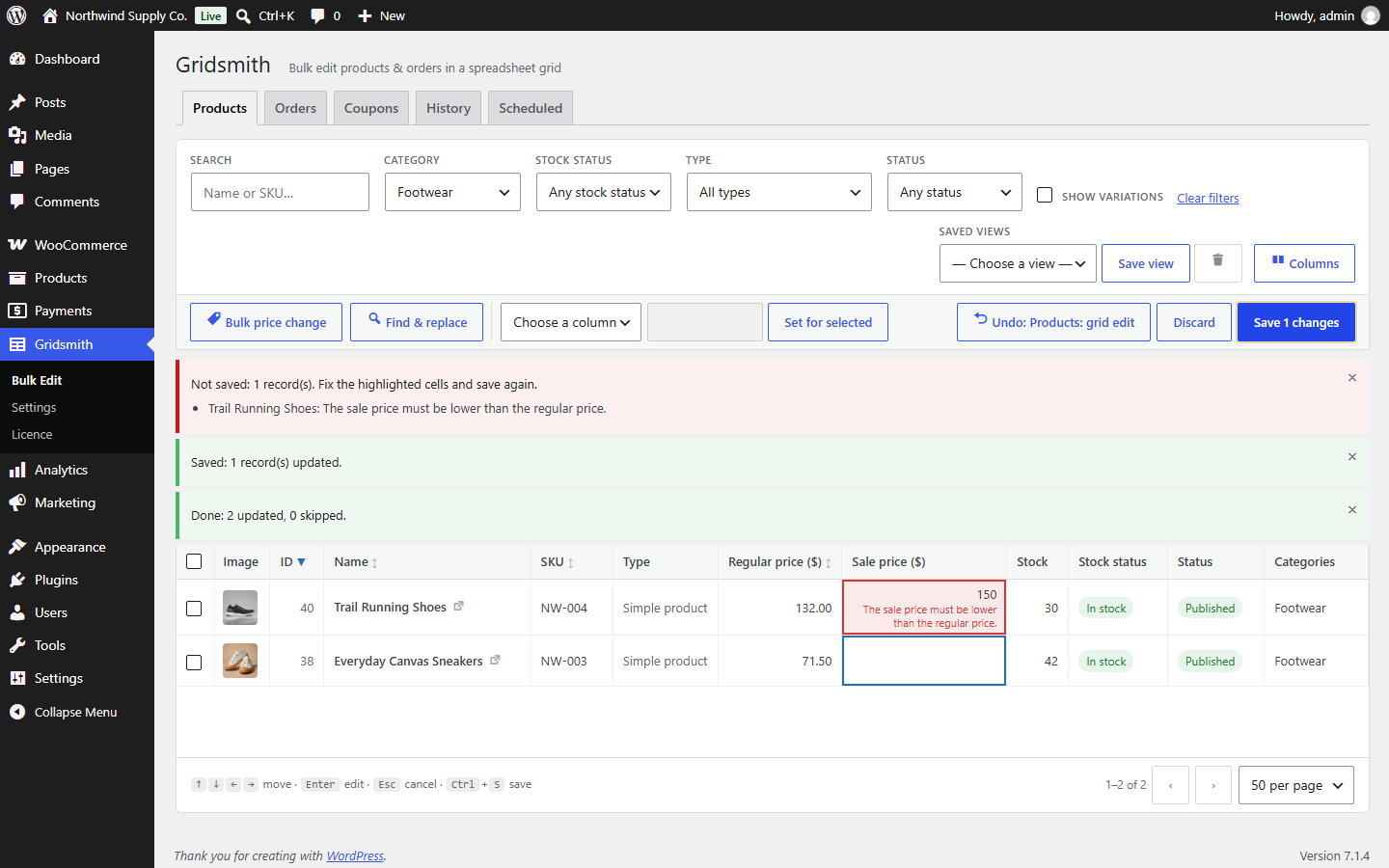
- Inline editing with the keyboard: arrow keys to move, Enter to edit, Esc to cancel, Tab to go right, Ctrl+S to save
- Dirty-cell highlighting and per-cell validation errors (sale price must be lower than the regular price, SKUs must be unique)
- Filters: search by name or SKU, category, stock status, product type and status; sortable columns; 20–200 rows per page
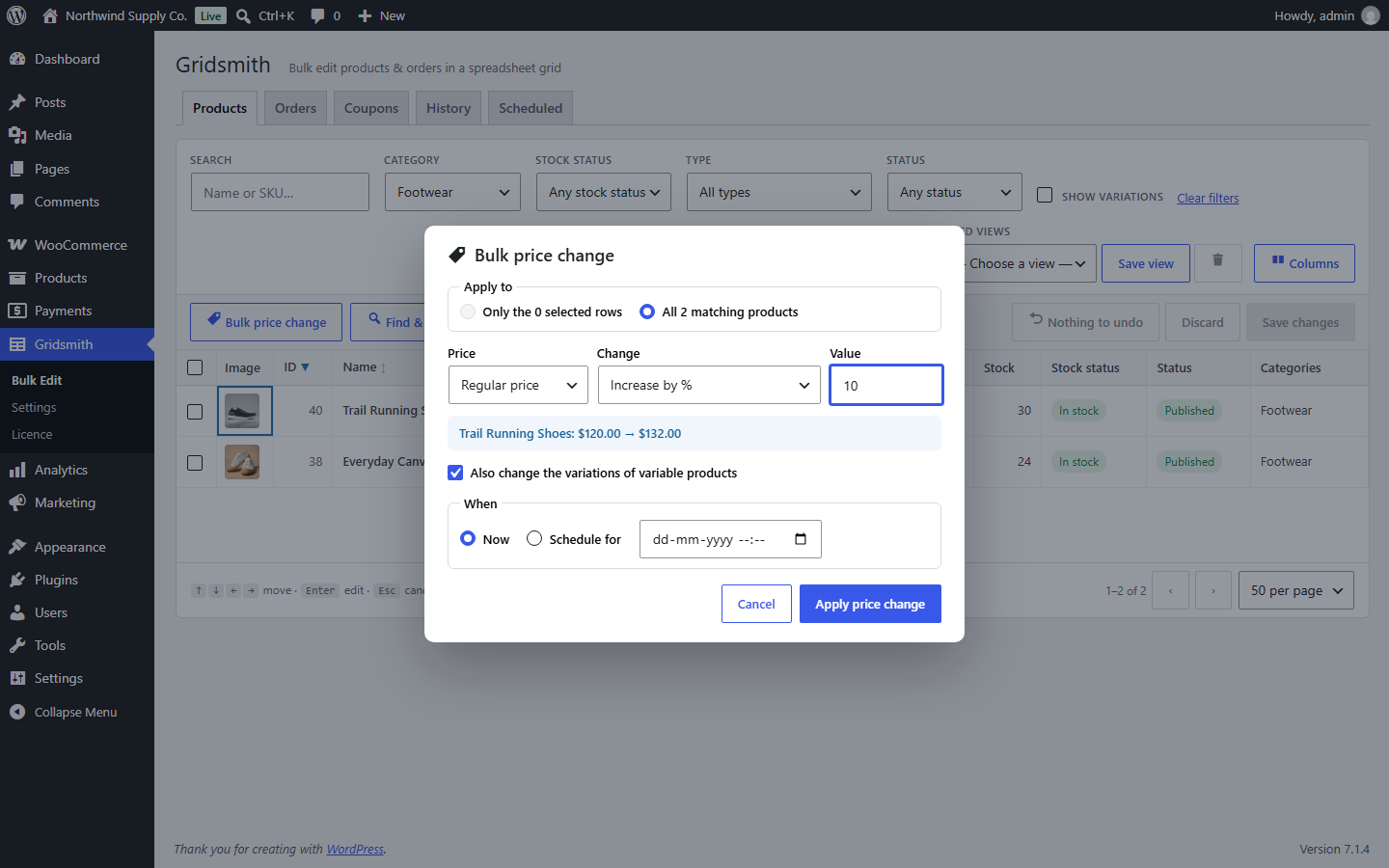
- Bulk price change for the selected rows or for everything matching the filter: increase or decrease by % or a fixed amount, set a price, set the sale price to "regular minus %", or remove the sale price — with a live example before you apply
- "Set for selected": put one value (for example "Out of stock" or "Draft") into many rows at once
- Undo the last change — one click restores the previous values (values someone else changed in the meantime are kept)
- Show/hide columns
安装:
- Make sure WooCommerce is installed and active.
- Upload the
gridsmithfolder to/wp-content/plugins/or install the zip from Plugins → Add New → Upload Plugin. - Activate Gridsmith.
- Open Gridsmith → Bulk Edit in the admin menu. Your products are listed straight away.
屏幕截图:
常见问题:
Will it slow down my store with thousands of products?
No. The grid only loads the page you are looking at (20–200 rows) and filtering, sorting and searching run on the server. Bulk price changes are processed in small chunks, with a progress bar, so they never time out.
Do changes go through WooCommerce properly?
Yes. Every value is saved with the WooCommerce product object ($product->set_…()->save()), so product lookup tables, price caches, stock status and hooks used by other plugins all run as normal.
Can I undo a mistake?
Yes. The Undo button restores the previous values of your last save or bulk action. If someone changed one of those values again in the meantime, Gridsmith keeps the newer value and tells you how many were skipped.
Why can't I edit the price of a variable product?
A variable product's price comes from its variations, so Gridsmith shows the variable product itself as read-only for prices. Bulk price changes skip variable products and tell you how many were skipped. Edit variation prices in the product editor.
Why is a stock status cell greyed out?
When "Manage stock" is on for a product, WooCommerce works out the stock status from the quantity. Edit the stock number instead — or clear the stock cell to stop tracking stock and choose the status yourself.
Who can use the grid?
Users with the manage_woocommerce capability (Administrators and Shop Managers). All requests use the WordPress REST API with a nonce.
Does it work with HPOS (High-Performance Order Storage)?
Yes. Gridsmith declares HPOS compatibility. It only edits products, so it never reads or writes the order tables directly.
What happens to my data if I delete the plugin?
Nothing, unless you tick "Delete all plugin data when the plugin is deleted" in Gridsmith → Settings. Your products are never deleted either way.
更新日志:
- WordPress.org build: free features only; removed locked Pro settings, tabs and the licence screen.
- The "variable products are skipped" note now also shows when a bulk price change does not include variations.
- Initial release.