GriffinForms – Contact Form and Form Builder
| 开发者 | griffinforms |
|---|---|
| 更新时间 | 2026年7月12日 19:30 |
| PHP版本: | 8.2 及以上 |
| WordPress版本: | 7.0 |
| 版权: | GPLv2 or later |
| 版权网址: | 版权信息 |
标签
下载
详情介绍:
- Free core, no feature walls on the essentials: multi-step forms, user registration, file uploads, Stripe and PayPal payments, conditional logic, spam protection, and email notifications are all included in the free plugin — no licence required.
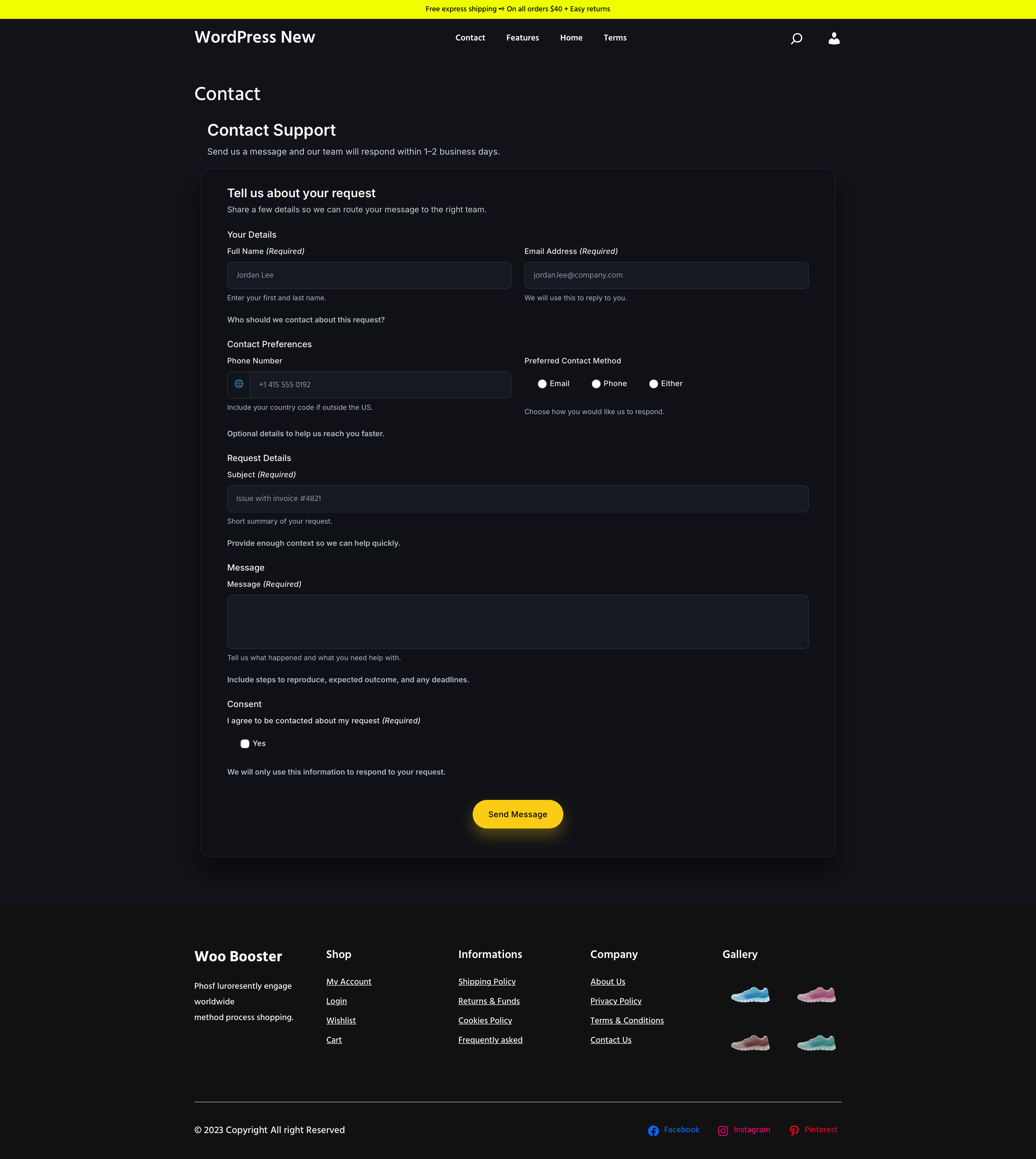
- Multi-step forms: break longer forms into pages with per-step validation so users can complete structured flows without feeling overwhelmed. You can also add an optional progress bar — stepper or tabs style — so users always know where they are in the process.
- WordPress user registration: create WordPress users from form submissions with immediate, pending-activation, or manual-review workflows, multiple registration workflows per form, role assignment, duplicate-account handling, and account-action visibility in the admin area.
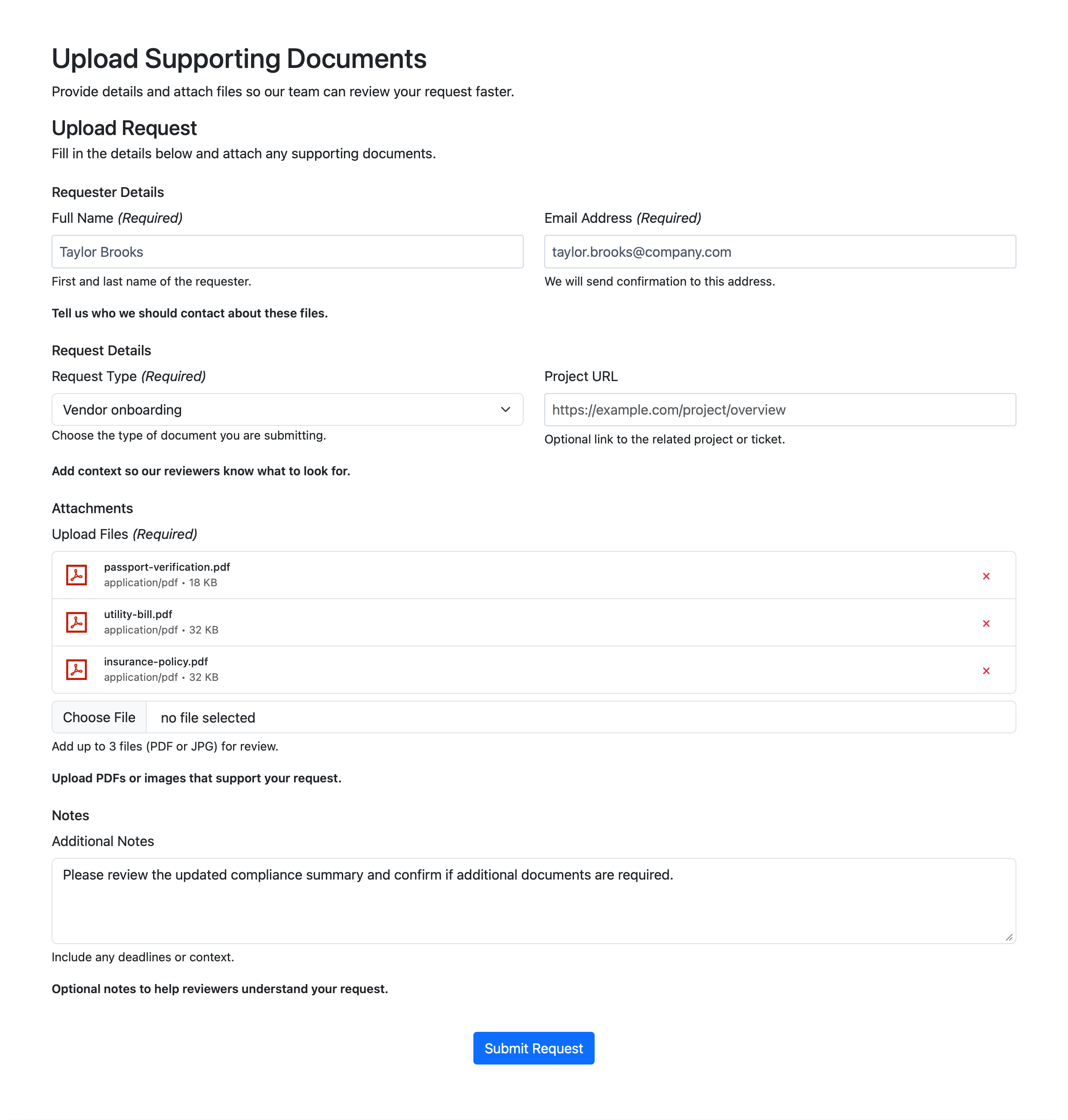
- File uploads: support multi-file uploads per field with controls for file types, size limits, file counts, image constraints, and storage behavior.
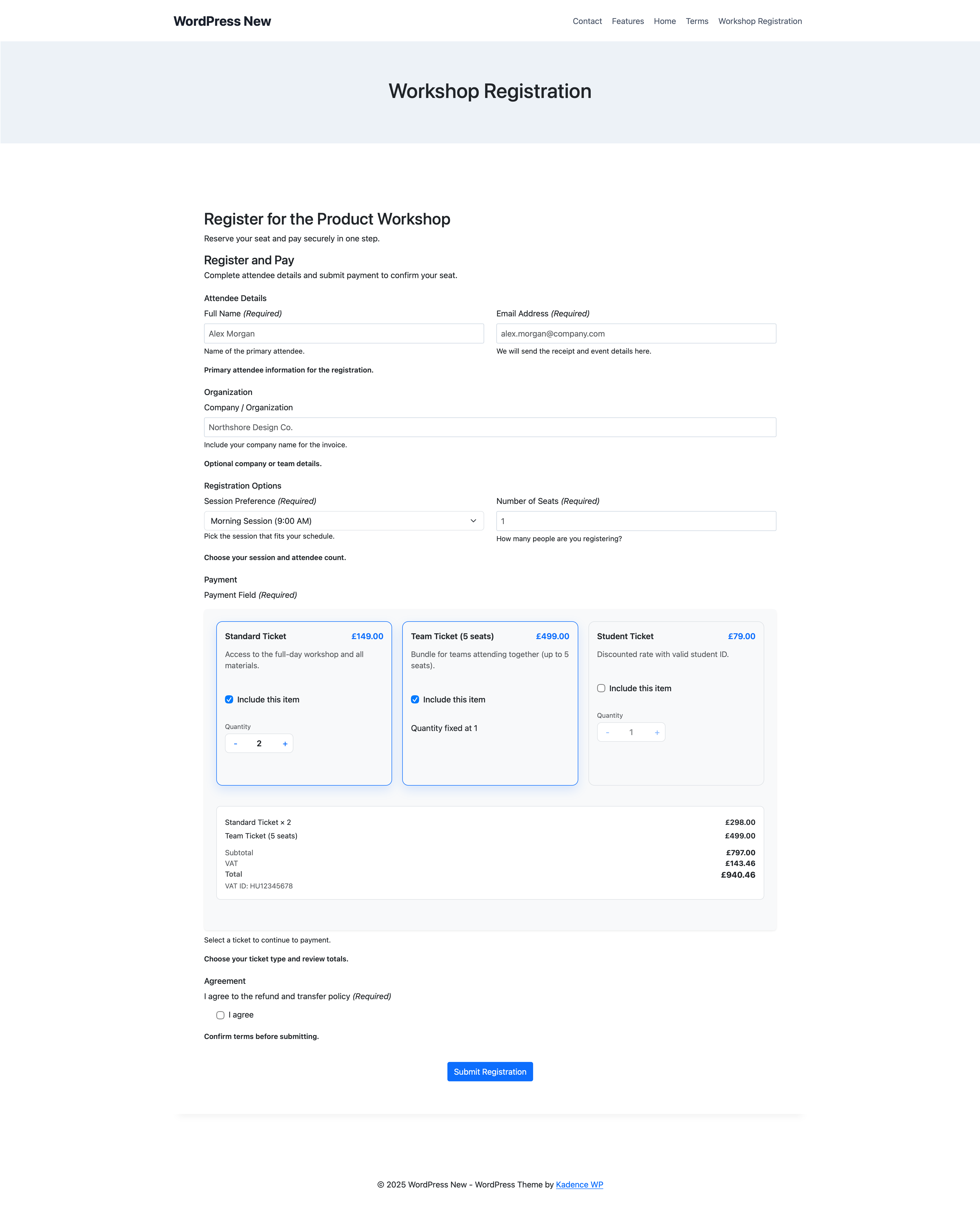
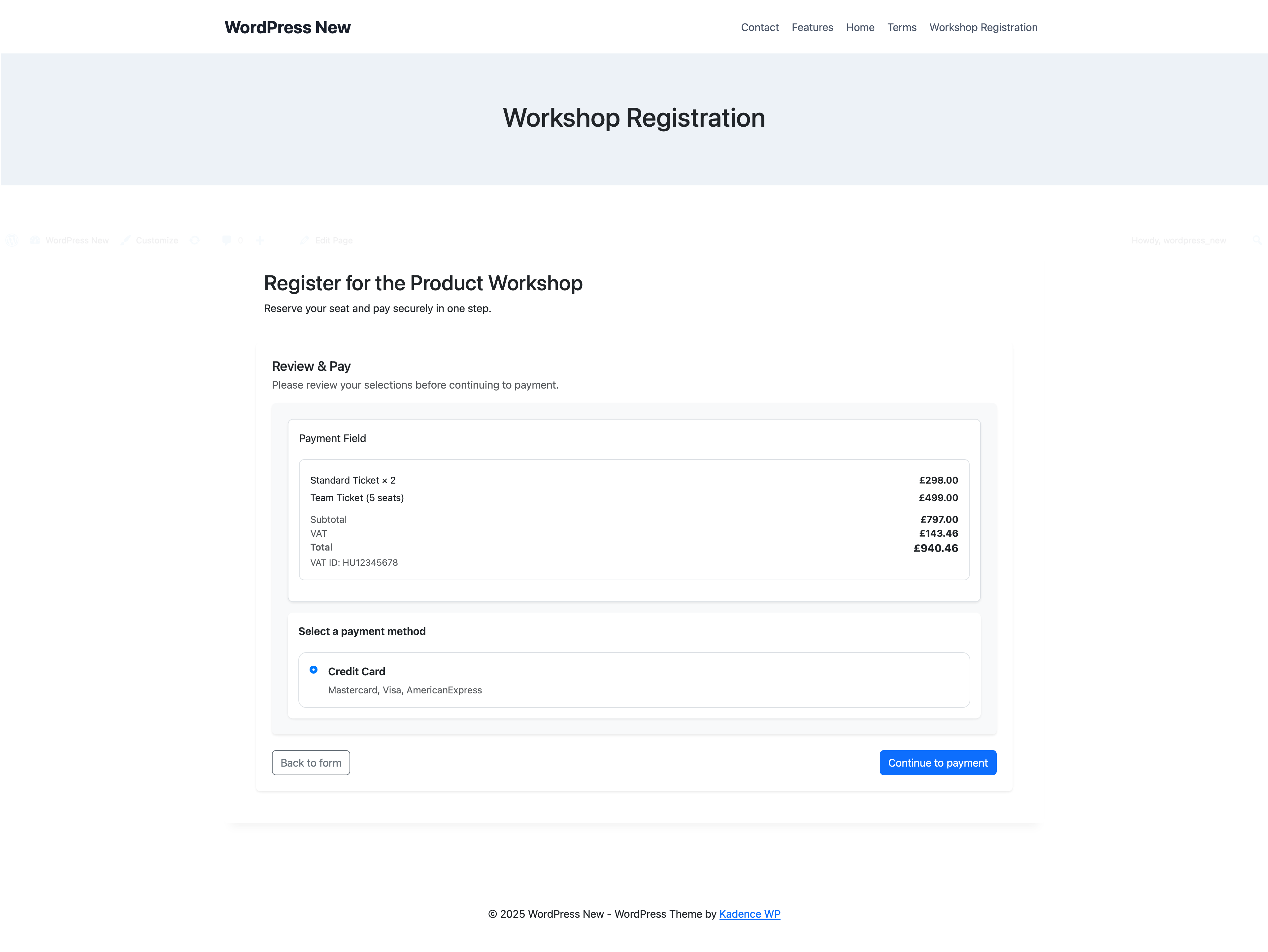
- Stripe and PayPal payments: build WordPress payment forms with product-style workflows, product images, a cart-style review step, hosted checkout options, and resume links for pending payments.
- MailChimp integration: subscribe form submitters to MailChimp audiences as part of the submission flow — map form fields to MailChimp merge tags, assign tags, and control consent behavior per form.
- WordPress conditional logic: go beyond simple show and hide with rules that can change labels, values, headings, success messages, redirects, and submit behavior — across fields, rows, and pages.
- Email and notifications: send notifications and autoresponders through WordPress mail, Custom SMTP, SendGrid, or Mailgun, with reusable messages and merge variables.
- Spam protection: choose from reCAPTCHA, hCaptcha, Cloudflare Turnstile, or honeypot, and combine them with native rate limiting on submissions and file uploads for layered protection.
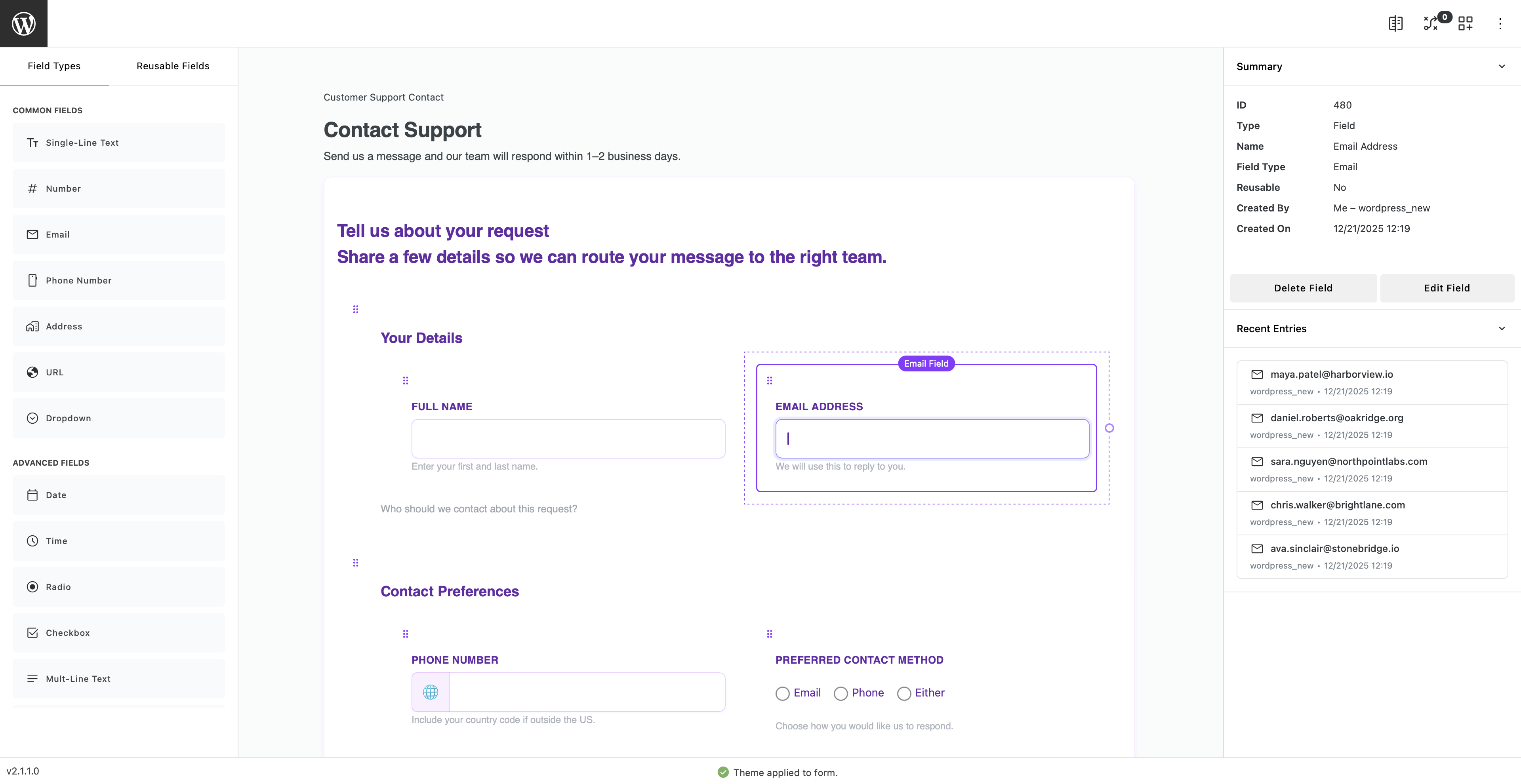
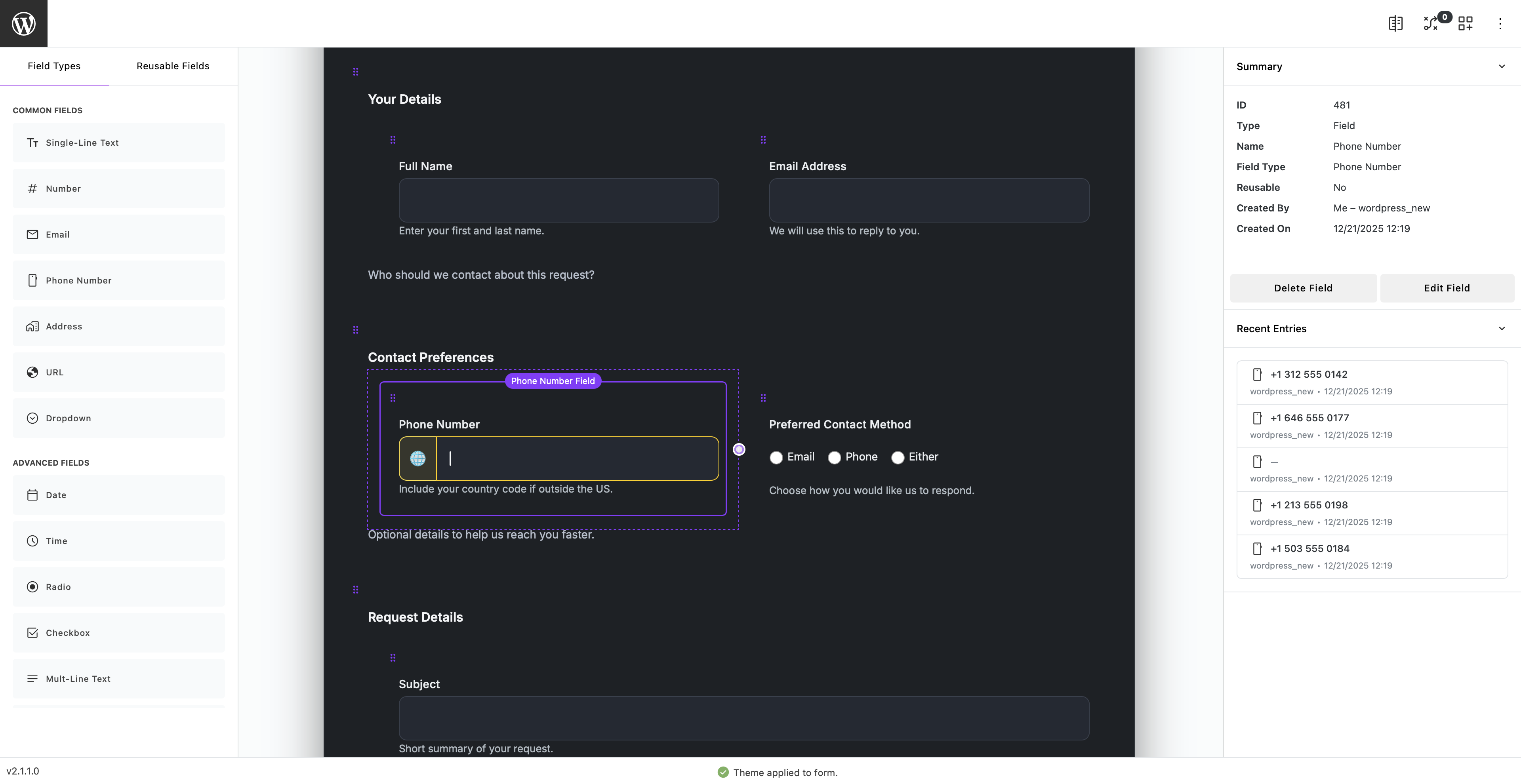
- Builder checks system: a live status bar in the form builder surfaces errors, warnings, and info counts as you edit — covering spam config, email setup, compliance, registration risks, and layout issues before you publish.
- Compliance profiles: per-form GDPR and HIPAA-ready profiles with submission hashing, layout snapshots, configurable retention, and WordPress personal data export and erase integration.
- Templates and theming: turn forms into reusable templates, then style them with built-in themes or your own custom theme variations.
- Submission clarity in WordPress: review entries in a richer admin view with event timelines, per-submission audit logs, metadata, and settings history when troubleshooting production forms.
- Switching from another plugin: if you are already running Contact Form 7, WPForms Lite, Ninja Forms, or Formidable Forms, GriffinForms includes a guided migration tool that imports your existing forms and submissions so you can move without starting over.
- Google reCAPTCHA (spam protection): Terms and Privacy
- Stripe (payments): Terms and Privacy
- PayPal (payments): Terms and Privacy
- Cloudflare Turnstile (spam protection): Terms and Privacy
- hCaptcha (spam protection): Terms and Privacy
- SendGrid (email delivery): Terms and Privacy
- Mailgun (email delivery): Terms and Privacy
- MailChimp (audience sync): Terms and Privacy
- OpenAI (AI form building, when configured): Terms and Privacy
- Anthropic (AI form building, when configured): Terms and Privacy
- Google Gemini (AI form building, when configured): Terms and Privacy
- xAI Grok (AI form building, when configured): Terms and Privacy
- Mistral (AI form building, when configured): Terms and Privacy
- GriffinForms deactivation feedback (optional, only when you submit feedback while deactivating the plugin): if you select a reason and choose to send feedback, GriffinForms transmits that reason, any optional comment you write, your site name and URL, and your plugin, WordPress, and PHP versions to a GriffinForms-owned endpoint so we can improve the plugin. Your administrator email address is included only if you tick the "allow contact" option. Nothing is sent if you choose "Skip & Deactivate." Feedback is delivered through GriffinForms infrastructure and the Brevo transactional email service. If you tick the "allow contact" option, your feedback is also raised as a support request in GriffinForms' Zoho Desk helpdesk so we can follow up with you. GriffinForms: Privacy. Brevo: Terms and Privacy. Zoho: Privacy.
- Documentation: GriffinForms Docs
- User docs: GriffinForms User Docs
- Templates: Form Templates
- Releases: Release Notes
- Privacy: Privacy Policy
安装:
- Upload the plugin to the
/wp-content/plugins/griffinforms-form-builderdirectory or install it via the WordPress plugin screen. - Activate it through the Plugins screen.
- Go to the GriffinForms menu in the admin sidebar to start building forms.
屏幕截图:

常见问题:
Can I build multi-step forms in WordPress?
Yes. Use pages in the builder to create multi-step forms with clear navigation between steps.
Can GriffinForms create WordPress users from form submissions?
Yes. GriffinForms includes a dedicated Accounts workflow for WordPress user registration. You can map form fields to account creation, choose duplicate-account behavior, and use immediate, pending, or manual-review account flows depending on the form.
Can one form submission create more than one WordPress account?
Yes. If the mapped email field is iterable, one submission can fan out into multiple account actions. GriffinForms treats those as separate target account actions in the runtime and admin UI.
Can I create application forms with file uploads?
Yes. GriffinForms supports upload fields with multi-file selection, file-type checks, size limits, file-count limits, and related upload controls, which makes it a good fit for application-style forms, support requests, and document collection workflows.
Can I collect payments with Stripe or PayPal?
Yes. GriffinForms supports both Stripe and PayPal for payment forms and payment-related workflows inside the form flow, including review-and-pay steps and resume links for pending payments.
Can GriffinForms send email through SMTP, SendGrid, or Mailgun?
Yes. GriffinForms supports WordPress mail, Custom SMTP, SendGrid, and Mailgun for notifications and autoresponders.
Does GriffinForms support reusable email messages and merge variables?
Yes. GriffinForms includes reusable messages for notifications and autoresponders, along with merge-variable support so message content can be personalized from submission data. It also supports mapping autoresponders to different email fields inside the same form when the submitter and recipient are not the same person, and mapping admin alerts to different recipients when teams need different messages.
Does GriffinForms include spam protection?
Yes. GriffinForms supports reCAPTCHA, hCaptcha, Cloudflare Turnstile, and a silent honeypot, along with native rate limiting on both submissions and file uploads. Multiple layers can be combined independently of each other.
Why aren't my WordPress form notification emails being delivered?
WordPress relies on the PHP mail() function by default, which many hosts block or rate-limit — that is the most common reason form emails never arrive. GriffinForms includes built-in support for Custom SMTP, SendGrid, and Mailgun so you can route notifications through a reliable delivery provider directly from the form settings, without installing a separate SMTP plugin. Notifications are queued and processed in the background, so form submissions are never blocked by email API latency. Go to GriffinForms → Settings → Email to configure a delivery provider.
Does GriffinForms support conditional logic?
Yes. GriffinForms supports more than simple show and hide rules. You can use conditional logic across fields, rows, and the form itself to control visibility, labels, headings, success messages, redirects, and submit behavior based on user input.
Does GriffinForms include native logs?
Yes. Native logging includes timeline-style logs, searchable categories, submission history, and stronger troubleshooting visibility when logging is enabled.
Does GriffinForms keep settings history for troubleshooting?
Yes. GriffinForms keeps a short history trail for global settings changes, which helps when you need to see what changed, when it changed, and who changed it on a production site.
Can I style forms to match my site?
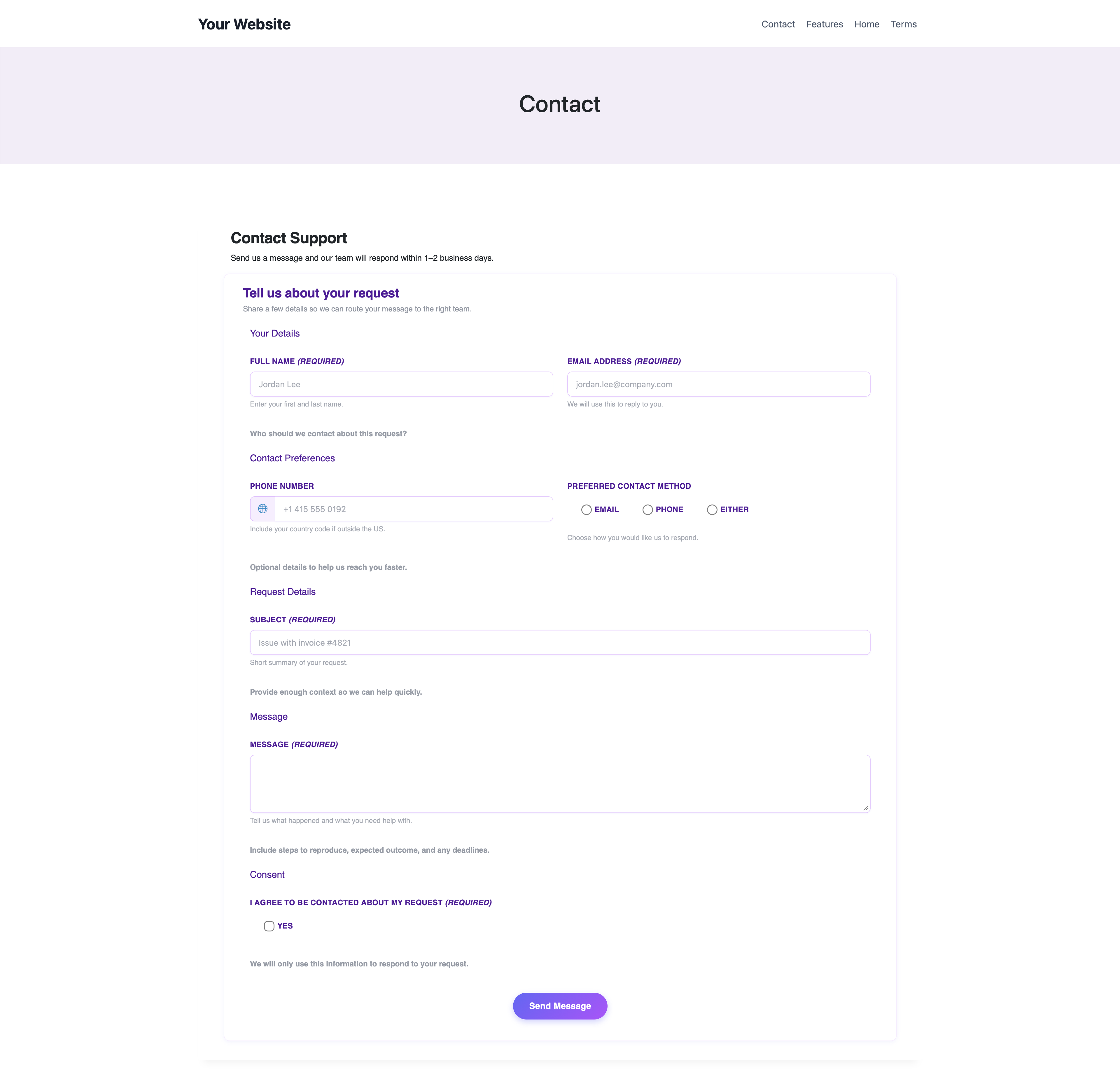
Yes. GriffinForms includes a theme system with built-in themes and deeper styling controls, so you can modify existing themes or create new ones with control over form inputs, buttons, and states.
Where are submissions stored?
Submissions are stored in your WordPress database. File uploads are stored in the WordPress uploads directory.
Can I see incomplete multi-step submissions in the admin area?
Yes. GriffinForms supports partial submissions, so incomplete multi-step entries can still remain visible in the admin area.
Does it work with Gutenberg?
Yes. You can use GriffinForms with Gutenberg and other shortcode-friendly editor or page-builder workflows.
Can I reuse forms or templates across sites?
Yes. GriffinForms supports reusable templates as well as JSON export and import, which makes it easier to repeat proven workflows and speed up setup across forms or sites.
Is GriffinForms only for contact forms?
No — GriffinForms works great as a WordPress contact form plugin, and it handles much more. The free core includes multi-step forms, user registration, file uploads, Stripe and PayPal payments, conditional logic, and MailChimp integration, so the same plugin that builds a simple contact form can also handle structured workflows without an upgrade.
Does GriffinForms include GDPR or HIPAA compliance features?
Yes. GriffinForms includes per-form compliance profiles (Standard, GDPR, and HIPAA-ready) with submission hashing, layout snapshots, configurable retention, and WordPress personal data export and erase integration.
Does the builder warn me about form configuration problems?
Yes. The builder includes a live checks system that shows error, warning, and info counts as you edit. It covers spam configuration, email setup, compliance risks, registration mapping issues, and layout problems — so you can catch issues before the form goes live.
Where can I find documentation?
See the docs at GriffinForms Docs.
Is GriffinForms free?
The core plugin is free and includes multi-step forms, user registration, file uploads, Stripe and PayPal payments, MailChimp integration, conditional logic, compliance profiles, and AI-assisted building — with no paid tier required for any of those features. GriffinForms Pro is an optional paid add-on that adds Square payments, Google Sheets sync, Klaviyo marketing integration, premium field types (Signature, Rating, Rich Text, Image Selection, Likert Scale), submission export, and frontend submission editing.
What does GriffinForms Pro include?
GriffinForms Pro adds Square payments, Google Sheets sync, and Klaviyo marketing integration, along with premium field types — Signature, Rating, Rich Text, Image Selection, and Likert Scale — submission export (CSV, JSON, Excel, Printable HTML), and frontend submission editing with secure edit URLs, access policies, time-window controls, and edit history with rollback. All Pro features work with conditional logic, multi-step forms, and compliance profiles. The core plugin remains free and fully functional without Pro.
Can submitters edit their own submissions after they submit?
Yes, with GriffinForms Pro. Pro generates secure, time-limited edit URLs that you can send to submitters. You control the access policy (who can edit), the edit window (how long after submission), and age limits per form. All edits are tracked in the submission history timeline with rollback support so admins can see exactly what changed.
Does GriffinForms integrate with MailChimp?
Yes. GriffinForms includes a built-in MailChimp integration that subscribes form submitters to a MailChimp audience as part of the submission flow. You can map form fields to MailChimp merge tags, assign tags, and control consent behavior per form. MailChimp credentials are configured globally in Integrations, and sync runs in the background so the form submission is not blocked by API latency.
Can I migrate my existing forms from another plugin?
Yes. GriffinForms includes a guided migration tool that imports forms and submissions from Contact Form 7, WPForms Lite, Ninja Forms, and Formidable Forms free. Go to GriffinForms → Import to get started — GriffinForms detects installed plugins automatically and shows you what it can bring across. Migrated forms behave like any GriffinForms form, so you can edit, extend, and layer in conditional logic without rebuilding from scratch.
How does GriffinForms compare to Contact Form 7?
Contact Form 7 is a lightweight plugin built around a shortcode textarea editor with no visual builder, no submission storage by default, and spam protection limited to its own CAPTCHA module. GriffinForms includes a visual drag-and-drop builder, stores all submissions in WordPress, supports multi-step forms, user registration, file uploads, Stripe and PayPal payments, and four independent spam protection layers. See the full comparison: https://griffinforms.com/solutions/contact-form-7-alternative.php
How does GriffinForms compare to WPForms?
WPForms Lite includes a visual builder and basic Stripe support, but multi-step forms, conditional logic, file uploads, and user registration all require a Pro licence. In GriffinForms, all of those features are included in the free core plugin with no upgrade required. See the full comparison: https://griffinforms.com/solutions/wpforms-alternative.php
How does GriffinForms compare to Gravity Forms?
Gravity Forms requires an annual licence starting at $59/year. GriffinForms is free, includes built-in compliance profiles, AI-assisted form building with Griffin Assist, and a builder checks system that surfaces errors and warnings before you publish. See the full comparison: https://griffinforms.com/solutions/gravity-forms-alternative.php
更新日志:
- Reworked the optional deactivation feedback so it is delivered reliably through a hosted GriffinForms service instead of depending on your site's own mail server, which frequently failed to send. The deactivation prompt itself is unchanged — sharing a reason is still entirely optional, and deactivation always completes immediately whether or not you leave feedback.
- When you tick "I'm happy to be contacted about this" and provide your email, that feedback is now routed to GriffinForms support so we can follow up, in addition to the anonymous reason summary.
- Disclosed the deactivation feedback service and exactly what it sends in the External Services section of this readme, in line with WordPress.org guidelines. Data is only ever sent if you choose to submit feedback on deactivation.
- Introduced a Column Manager for all list views. A columns icon in the list toolbar opens a modal where you can show or hide columns, drag them into any order, choose a display variant for columns that support multiple formats (such as showing a username with or without the full name), set a custom percentage width per column, and control how many items appear per page. Preferences are saved site-wide and persist across page loads.
- Added optional Last Edited and Last Editor columns to all list surfaces that track edit history. Last Editor supports a username-only display variant.
- Added Klaviyo as a recognised marketing integration in Core. A Klaviyo icon appears on submissions that have been synced, and the single submission page shows a Klaviyo marketing activity card alongside other integration cards. Full sync functionality activates with GriffinForms Pro.
- Fixed the single log entry page so the related-item ID cell renders its "Open" link as a clickable link instead of printing raw HTML.
- Corrected Column Manager label mismatches where the modal showed a different name than the table heading for four columns: Attachments (submissions), Signals (forms and submissions), Log Type (logs), and Date / Time (logs).
- Renamed the internal
isreadcolumn key toreadstatusfor clarity; existing preferences migrate automatically on next save.
- Square is now a recognised payment option in GriffinForms. Full payment processing is activated by the Pro plugin.
- Fixed the payment field builder preview so a single product card no longer stretches to fill the full field width when only one product is configured.
- Fixed the payment field in the Gutenberg block preview so configured products now render as actual cards instead of a static placeholder.
- Fixed the address field country dropdown in the Gutenberg block preview inheriting an unwanted minimum height from the global select control rule.
- The command palette resting pill now updates immediately when the form name is saved via the inline canvas input or the Form Options modal — no page reload required.
- The native
<select>preview for dropdown fields in the builder now stays in sync with option changes made in the inline option editor. Adds, deletes, renames, and reorders are all reflected after each save. - Previous, Next, and Submit button labels are now editable directly on the builder canvas — click the button text, type, and the label saves on a short debounce. The Page Navigation Editor accordion in the right sidebar has been removed.
- Form Options and Notifications modals now fetch fresh content from the server each time they open, so changes made via inline editing or AI database patching are immediately visible without a page reload.
- Fixed a builder bug where the last radio or checkbox option could refuse to move when you tried to drag it upward.
- Improved no-theme frontend styling so form buttons follow the active site theme more naturally instead of feeling visually out of place.
- Cleaned up no-theme frontend details, including validation message styling, Likert table borders, stepper presentation, and excess empty space inside payment cards.
- Fixed the builder so switching back to the default style correctly clears the previously applied themed background.
- Improved publish-location tracking so forms embedded with shortcodes or the Gutenberg block are recorded more reliably when posts and pages are saved.
- Reduced builder clutter by hiding empty form, page, and row headings/descriptions until they are actually needed.
- Fixed Gemini provider errors being shown as misleading Griffin Assist validation failures.
- Added clearer Gemini quota error messaging when the connected Google AI project has no usable request quota.
- Griffin Assist thinking stream is now rendered live in the chat window as it arrives, giving real-time visibility into the AI reasoning phase. The stream clears automatically when the final response lands.
- Batch operations now show an incremental per-item status list in the chat — each item progresses through waiting, working, and done states as the operation runs.
- The intent classifier now returns structured output (operation, target scope, target attribute, batch flag, and confidence) fed from the operation catalog, replacing the coarse three-value classification. When confidence is low, the assistant surfaces candidate paths as clickable options rather than guessing.
- Payment field product cards on the builder canvas now support inline editing — click any product name, price, or description to edit it in place without opening a panel. Image placeholders have an Add Image button that opens the WordPress Media Manager. Add Product remains a separate canvas panel for new products only.
- The builder canvas now shows an aurora-style animated overlay while a Griffin Assist request is in flight, blocking accidental edits and signalling AI activity.
- Clicking a form name in the All Forms list now navigates directly to the form builder. The deprecated Edit Form page is no longer the default destination for that link.
- The "Show page headings" toggle in the progress bar settings has been renamed to "Use page headings as step labels" to accurately reflect its behaviour. The Step Name field description now cross-references the toggle. No logic or storage changes.
- Submissions list has a dedicated Read/Unread column immediately after the submission name, moving the unread orb out of the Signals column.
- Date range filters on list pages now convert site-local day boundaries to UTC before comparing against the stored created timestamp, fixing incorrect results on sites with a UTC offset.
- The right-sidebar accordion on single submission pages now opens the first panel by default instead of the User Registration panel.
- Required field indicator is now a global setting under Settings → General. Choose an asterisk (default), custom text, or nothing. The setting propagates to the frontend, builder preview, Gutenberg block preview, and template previews.
- Conditional logic value inputs for text-type conditions now render as a contenteditable rich field with inline variable tag pills instead of a plain textarea. Tags are removable and the Insert Variable button has been redesigned.
- Deleting a dropdown option while another option's label is being edited no longer triggers a race condition that restores the deleted option.
- Column headers on the Forms, Submissions, and Logs list tables no longer wrap to a second line at narrow viewport widths.
- No-theme mode now applies explicit font weights to field labels (600), checkbox and radio labels (500), and floating labels (400) to prevent site-theme inheritance from affecting form typography.
- Recent entries widget in the builder right sidebar now renders nonce-failure responses as a styled error message instead of displaying raw JSON.
- Checkbox and radio option groups on the frontend are now flush with the left edge. Bootstrap's default left indent is removed via a scoped CSS override.
- Fixed a PHP 8.4 deprecation notice on the New Form and Edit Form pages caused by
InputRadiopassing a nullcss_classtowp_kses_post. Fixed a second deprecation on the New Message page caused byRichTextpassing a null value towp_editor.