Gryphon Verified Client IP
| 开发者 | sgryphon |
|---|---|
| 更新时间 | 2026年4月13日 20:27 |
| PHP版本: | 6.4 及以上 |
| WordPress版本: | 6.9 |
| 版权: | GPLv2 or later |
| 版权网址: | 版权信息 |
详情介绍:
REMOTE_ADDR early in the WordPress lifecycle, allowing other plugins to use it.
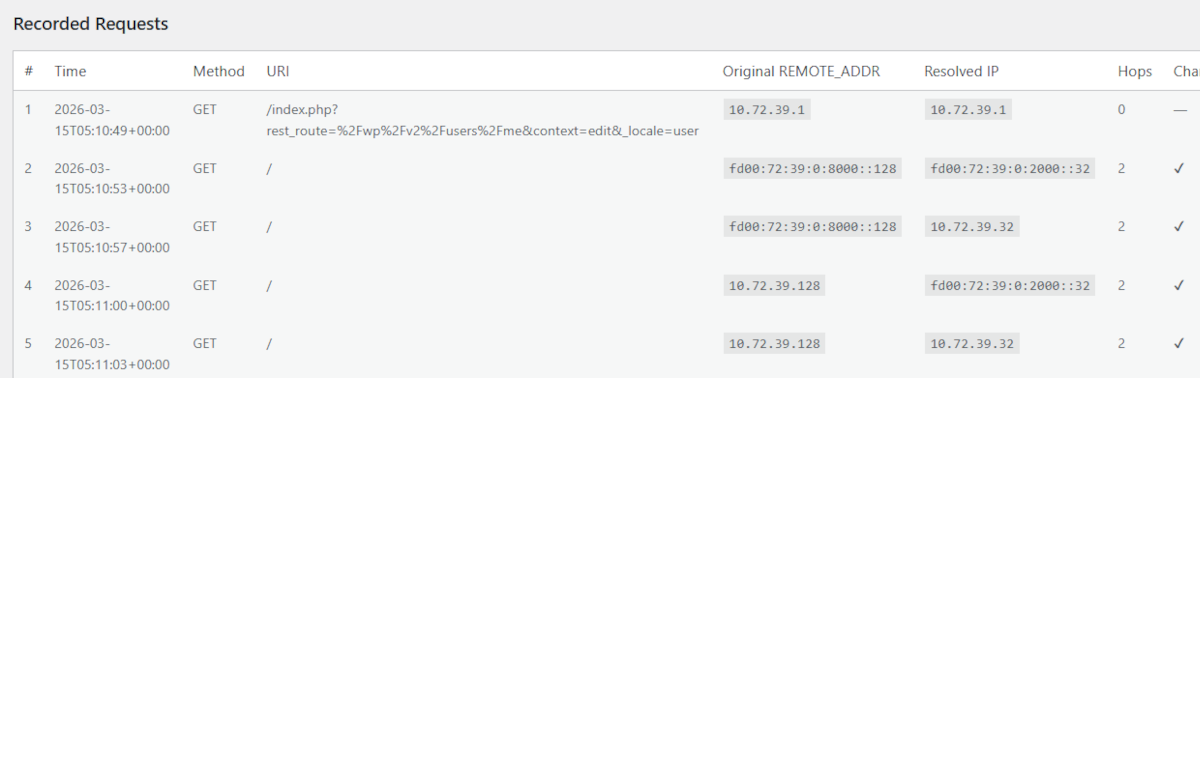
The component is secure by default and only trusted proxies are traversed; spoofed headers are ignored. Both IPv4 and IPv6 are fully supported, including protocol translation.
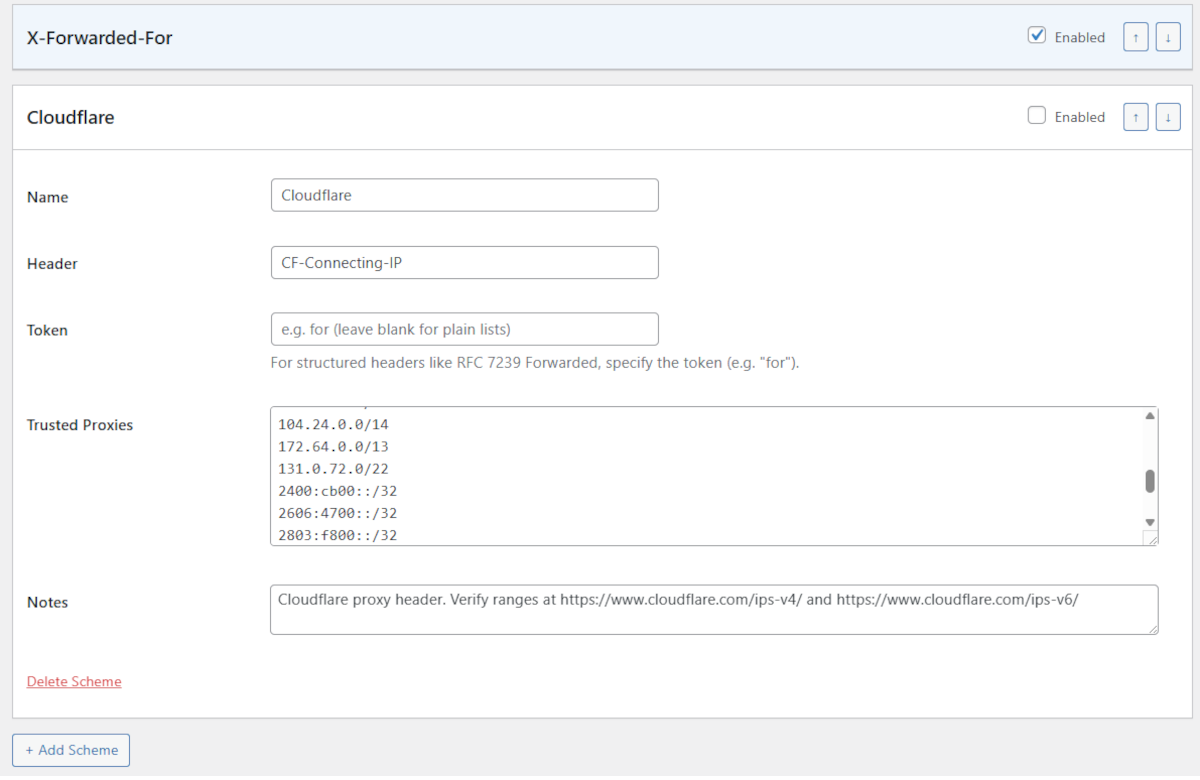
Multiple header formats are supported including standard RFC 7239 Forwarded, common X-Forwarded-For, Cloudflare CF-Connecting-IP, or any custom header.
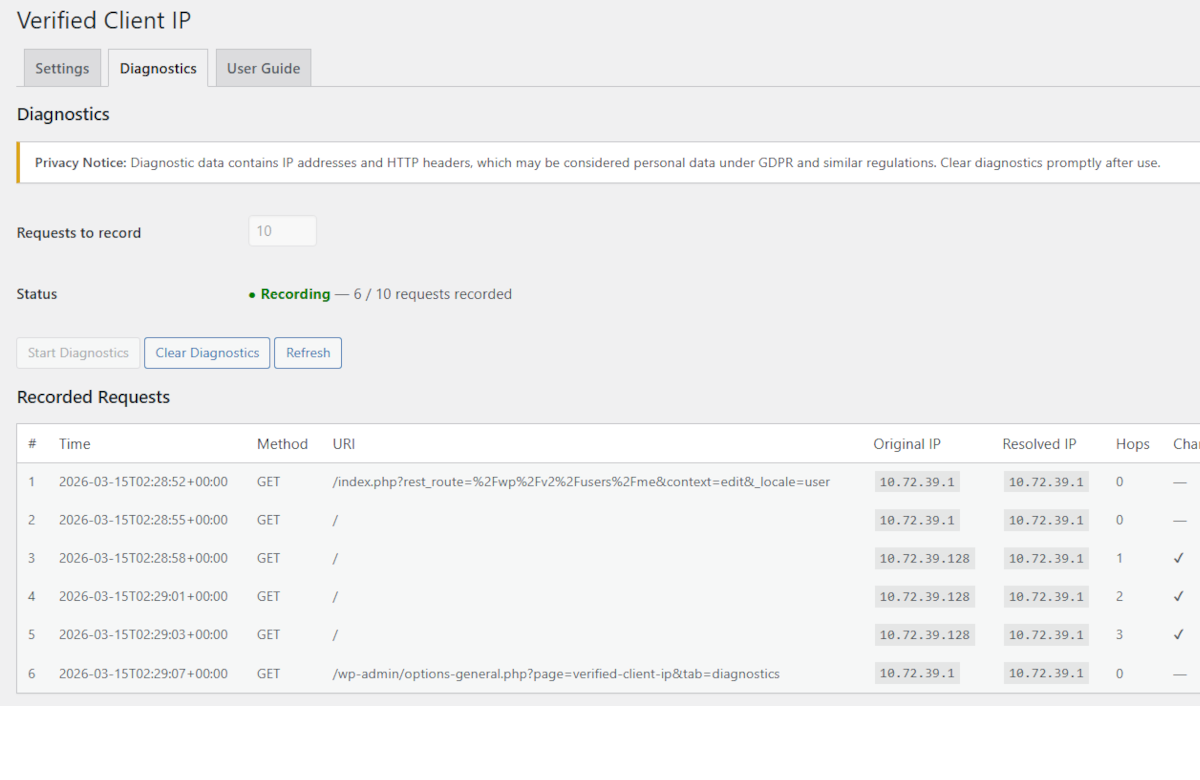
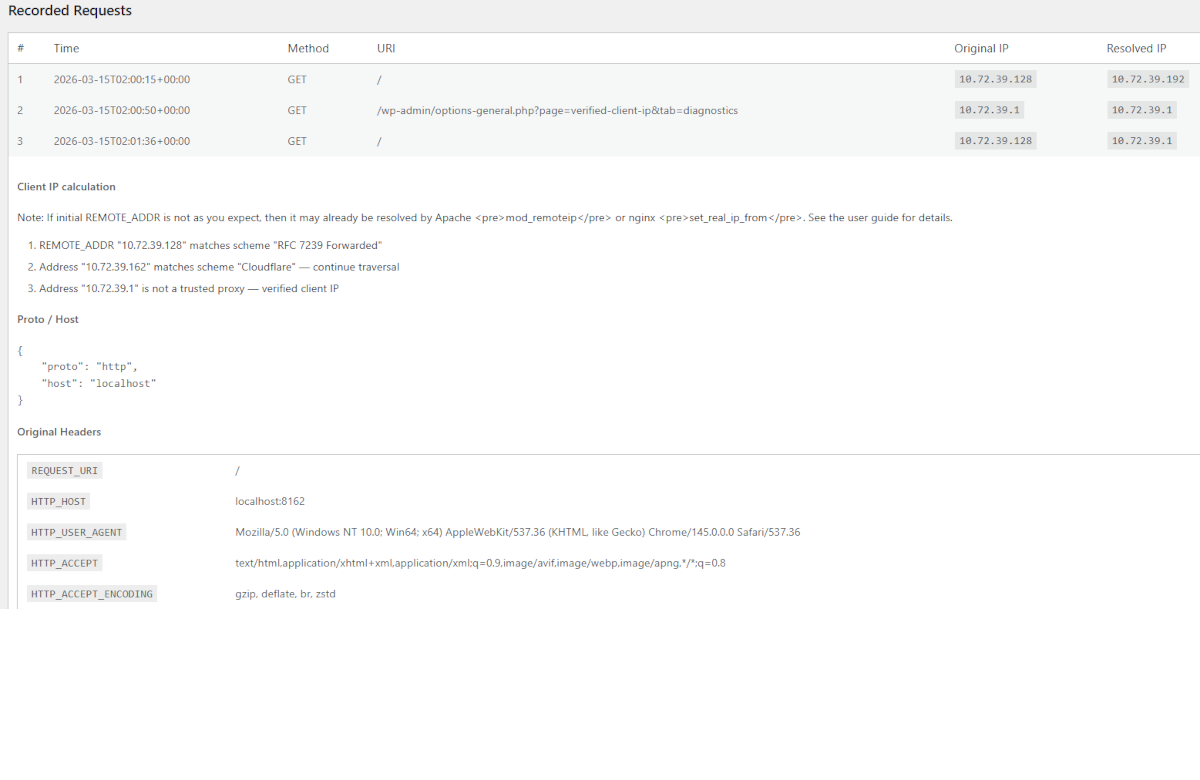
The component includes a diagnostics panel that can be enabled to record incoming requests with full header dumps and algorithm step traces for debugging.
For more detail, see the GitHub project site Gryphon WordPress Verified Client IP.
Compatibility Note
If your server uses Apache mod_remoteip or nginx set_real_ip_from, those modules will pre-resolve REMOTE_ADDR from forwarding headers before PHP runs. Disable the web server module and let this plugin handle IP resolution instead, or let it pre-resolve and use this plugin for any additional proxies not covered by the engine.
安装:
- Go to Site Admin → Plugins → Add Plugin
- Search Plugins for "Gryphon Verified Client IP"
- Click Install Now
- Click Activate
- Download the plugin zip file.
- In WordPress Admin, go to Plugins → Add Plugin → Upload Plugin.
- Upload the zip and click Install Now.
- Click Activate Plugin.
gryphon-verified-client-ip folder to wp-content/plugins/ and activate via the Plugins screen.
Navigate to Settings → Verified Client IP in the WordPress admin.
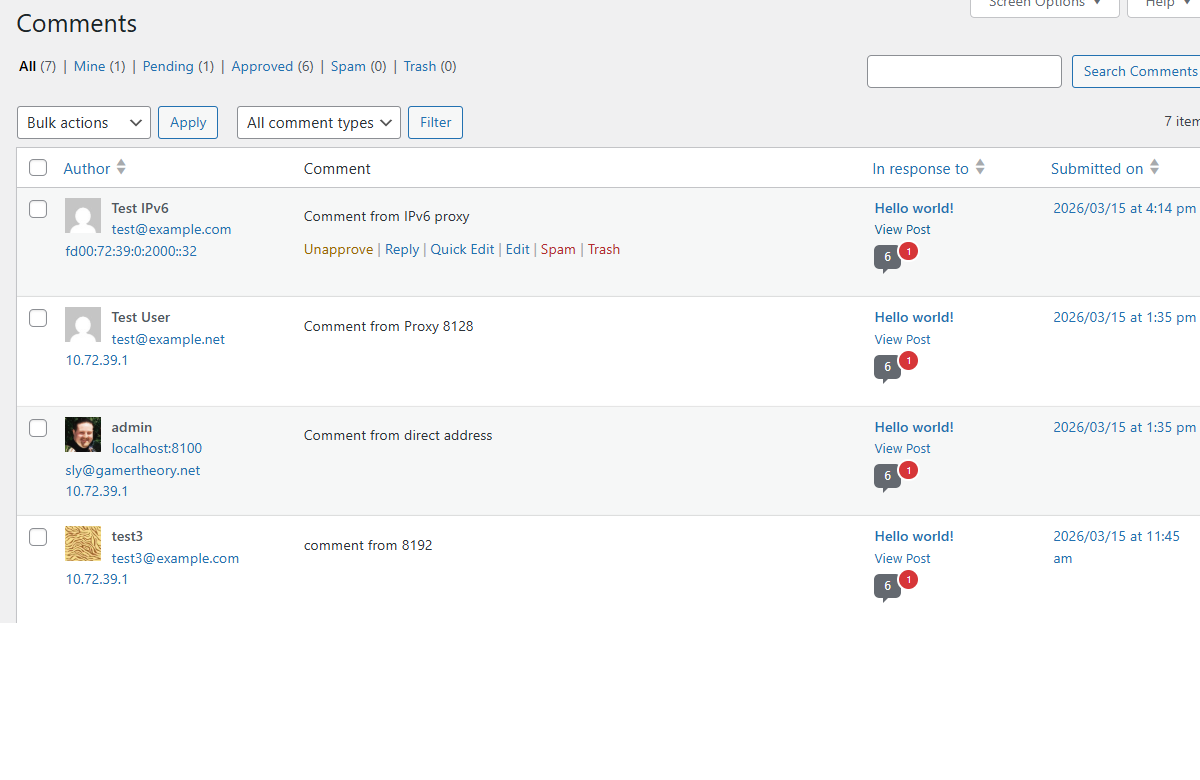
Configure with your proxy setup, or accept the defaults if suitable.屏幕截图:
常见问题:
The plugin has no effect. What should I check?
Check that REMOTE_ADDR matches a trusted proxy in an enabled scheme. Use the Diagnostics tab to record a request and inspect the step trace.
The plugin is a no-op even though my proxies are configured.
Apache mod_remoteip or nginx set_real_ip_from may be pre-resolving the IP before PHP starts. In the Diagnostics tab, if the Remote Address column already shows the visitor's IP rather than the upstream proxy's IP, a web-server-level module is the cause.
Disable the relevant module or accept that addresses are already partially resolved.
I'm resolving the wrong IP.
Check that your Forward Limit matches the exact number of proxies in your chain. Use the step trace in Diagnostics to see each hop the algorithm evaluated.
Cloudflare is not working.
Enable the Cloudflare scheme and add Cloudflare's published IP ranges to the trusted proxies list.
Can I extend the plugin with my own code?
Yes. Three hooks are available:
- Filter
vcip_resolved_ip(string $ip, array $steps): string— modify the resolved IP before it replacesREMOTE_ADDR. - Filter
vcip_trusted_proxies(array $schemes): array— dynamically add or modify proxy schemes before matching. - Action
vcip_ip_resolved(string $newIp, string $originalIp, array $steps)— fired afterREMOTE_ADDRhas been replaced.
What happens when the plugin is deactivated?
Deactivation only flushes object caches — no settings or data are removed. Uninstalling the plugin removes all vcip_* options and diagnostic transients.
Is diagnostic data stored permanently?
No. Diagnostic records are stored as WordPress transients with a 24-hour expiry and are automatically removed when you uninstall the plugin. Because the data includes IP addresses and HTTP headers, only record what you need for debugging and clear the data when you are done.
更新日志:
- Reformat readme.txt to display properly in WordPress plugin library.
- Add Settings and Guide links to plugins page
- Update plugin display name and slug, again, to Gryphon Verified Client IP.
- Update namespace and package names to Gryphon Verified Client IP.
- Update plugin display name and slug, for WordPress plugin naming requirements, to Essential Verified Client IP.
- Update namespace and package names to Essential Verified Client IP.
- Minor fixes for initial release.
- Initial release of Verified Client IP plugin.
- RFC 7239
Forwarded,X-Forwarded-For, and CloudflareCF-Connecting-IPschemes. - Configurable forward limit and trusted proxy CIDR ranges.
- Proto and Host processing.
- Diagnostics with request recording and step traces.
- Must-use plugin support.
- WordPress hooks:
vcip_resolved_ip,vcip_trusted_proxies,vcip_ip_resolved.