
GTL Maps
| 开发者 | hevelius |
|---|---|
| 更新时间 | 2026年4月29日 05:33 |
| PHP版本: | 7.4 及以上 |
| WordPress版本: | 6.9 |
| 版权: | GPLv2 or later |
| 版权网址: | 版权信息 |
详情介绍:
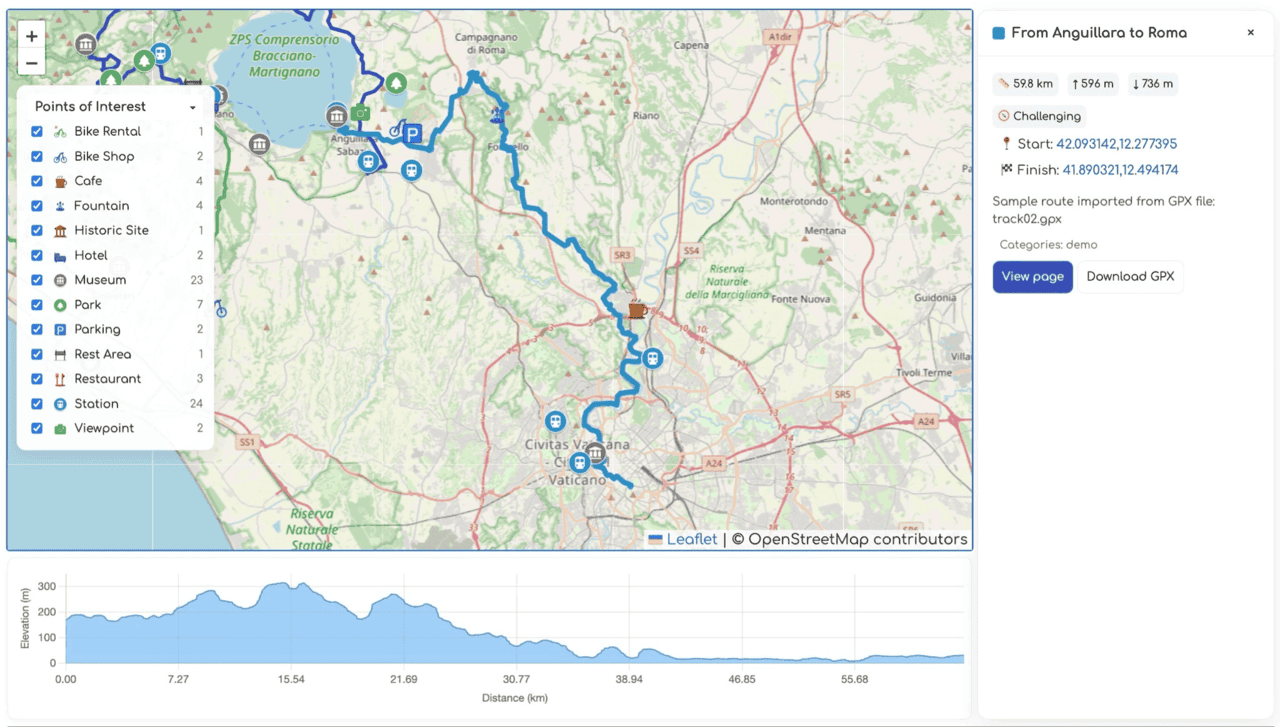
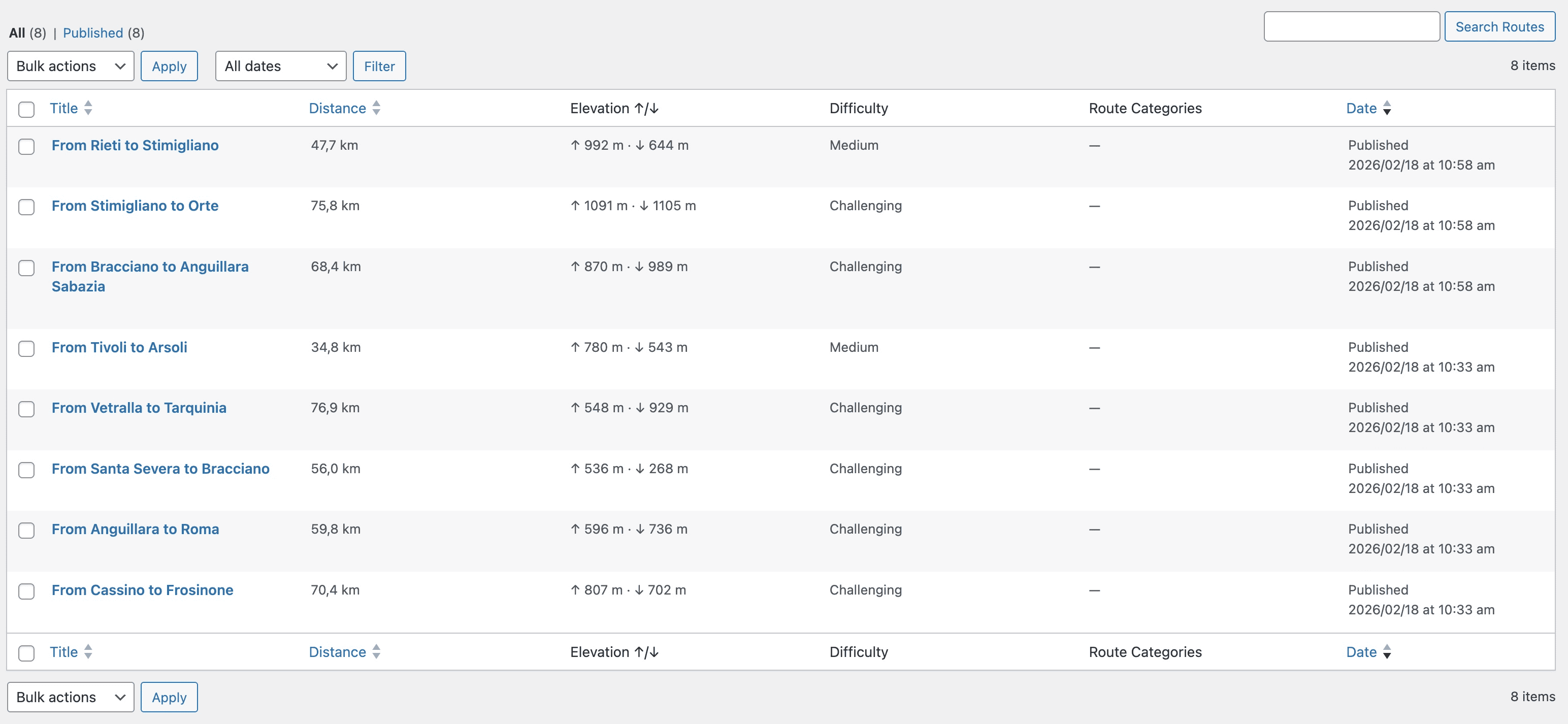
- Upload GPX files and automatically compute distance, elevation gain/loss, and bounding boxes.
- Display interactive Leaflet maps with optional elevation profile and POI filtering.
- Maintain POI categories with custom icons and associate POIs with nearby routes.
- Provide REST API endpoints (
gtl/v1/routesandgtl/v1/pois) so modern front-ends can consume the data. - Includes Gutenberg/widget support via shortcodes and dedicated widgets for route details and POI lists.
安装:
- Upload the plugin folder to
/wp-content/plugins/or install directly through the WordPress Plugins → Add New screen. - Activate the plugin through the Plugins menu in WordPress.
- (Optional) Configure Settings:
- Go to Settings → GTL Maps
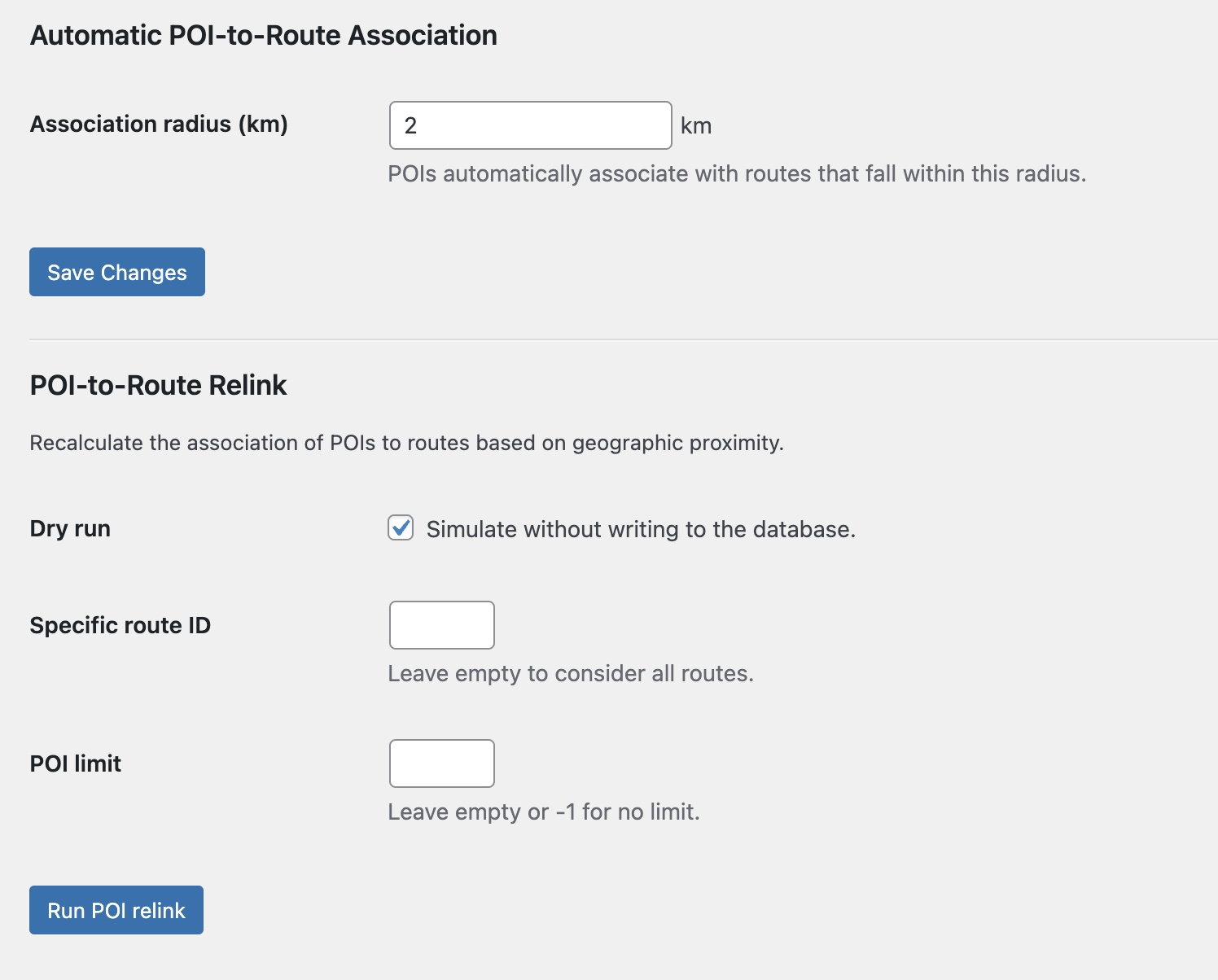
- Set the POI-to-route association radius (default: 2km)
- Configure default map center coordinates if needed
- Create Your First Route:
- Navigate to Routes → Add New
- Enter a route title and optional description
- Upload a GPX file in the "GPX Data" meta box
- Add route categories and difficulty level
- Click Publish
- Display the Map:
- Maps automatically appear on single route posts
- Use the
[gtlmaps]shortcode on any page:[gtlmaps id="123"]for specific route,[gtlmaps category="cycling"]for category - Add the Route Details widget to your sidebar via Appearance → Widgets
- If maps don't display, check that JavaScript is enabled
- For GPX upload issues, ensure file is valid GPX format and under your server's upload limit
- For more help, visit the support forum For detailed GPX requirements and advanced shortcode options, see the FAQ section.
屏幕截图:
常见问题:
How do I adjust the automatic POI-to-route radius?
Go to Settings → GTL Maps and change the "Association radius (km)" option. This controls how far a POI can be from the route polyline to be considered related.
Can I customize the map tiles?
Yes. Filter or override the localized GTLMaps.tiles JavaScript property, or dequeue gtl-front and enqueue your own script variant that sets a different tile URL/provider.
Does the plugin work without pretty permalinks?
The REST endpoints rely on the WordPress REST API, which functions with or without pretty permalinks. Ensure your site can serve /wp-json/ routes.
How do I import GPX files?
Navigate to Routes → Add New, enter a title for your route, then scroll to the "GPX Data" meta box. Click "Choose File" to upload your GPX file. Once uploaded, the plugin automatically computes distance, elevation gain/loss, and bounding coordinates. Click "Publish" to make the route live.
What GPX formats are supported?
The plugin supports standard GPX 1.0 and 1.1 formats with track points (trkpt), waypoints (wpt), and route data. Files exported from popular GPS apps like Strava, Garmin Connect, Komoot, and Ride with GPS work seamlessly.
Can I display maps without using shortcodes?
Yes! Maps automatically display above single route post content. You can also use the Route Details widget in your sidebar or the [gtlmaps] shortcode for manual placement on any page.
How do I add Points of Interest?
Go to POIs → Add New, enter the POI details including coordinates (latitude and longitude), and assign a category. POIs within the configured radius (set in Settings → GTL Maps) are automatically associated with nearby routes.
Can I customize map markers and icons?
Yes! Each POI category supports custom icons. When editing a POI category, upload an SVG or PNG icon file via the Media Library. The icon will display on the map for all POIs in that category.
Is the plugin compatible with page builders?
Yes! Use the [gtlmaps] shortcode in any page builder that supports WordPress shortcodes, including Elementor, Beaver Builder, Divi, and Gutenberg blocks.
How do I change the map tile provider?
The default tile provider is configurable via the GTLMaps.tiles JavaScript property. You can filter or override this in your theme by dequeueing the plugin's script and enqueueing your own with a different tile URL. OpenStreetMap, Mapbox, and other Leaflet-compatible providers are supported.