Guard Dog
| 开发者 | adamgreenwell |
|---|---|
| 更新时间 | 2026年9月4日 02:27 |
| PHP版本: | 8.1 及以上 |
| WordPress版本: | 7.1 |
| 版权: | GPLv2 or later |
| 版权网址: | 版权信息 |
标签
下载
详情介绍:
- Custom Login URLs - Hide your wp-admin and wp-login.php from attackers
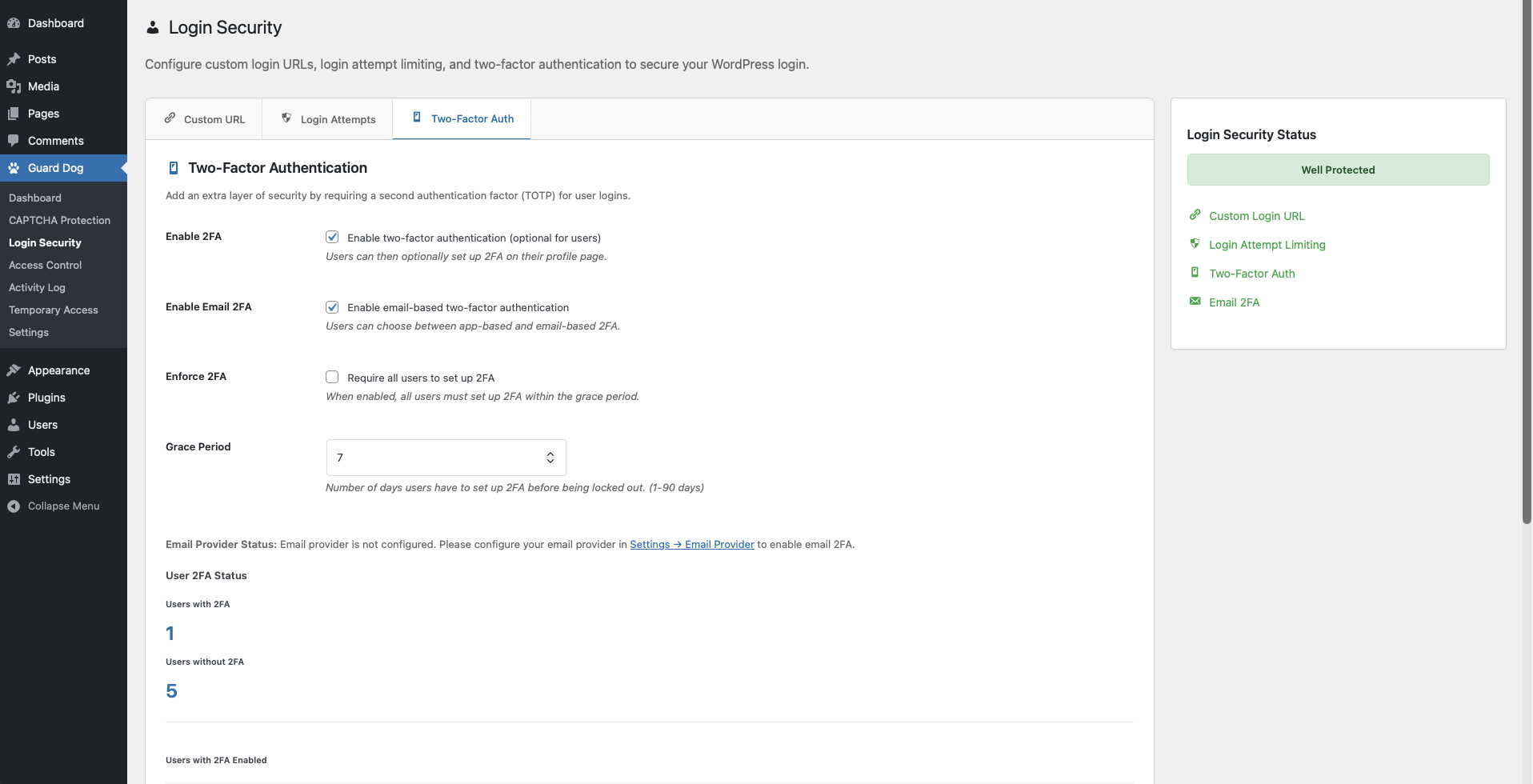
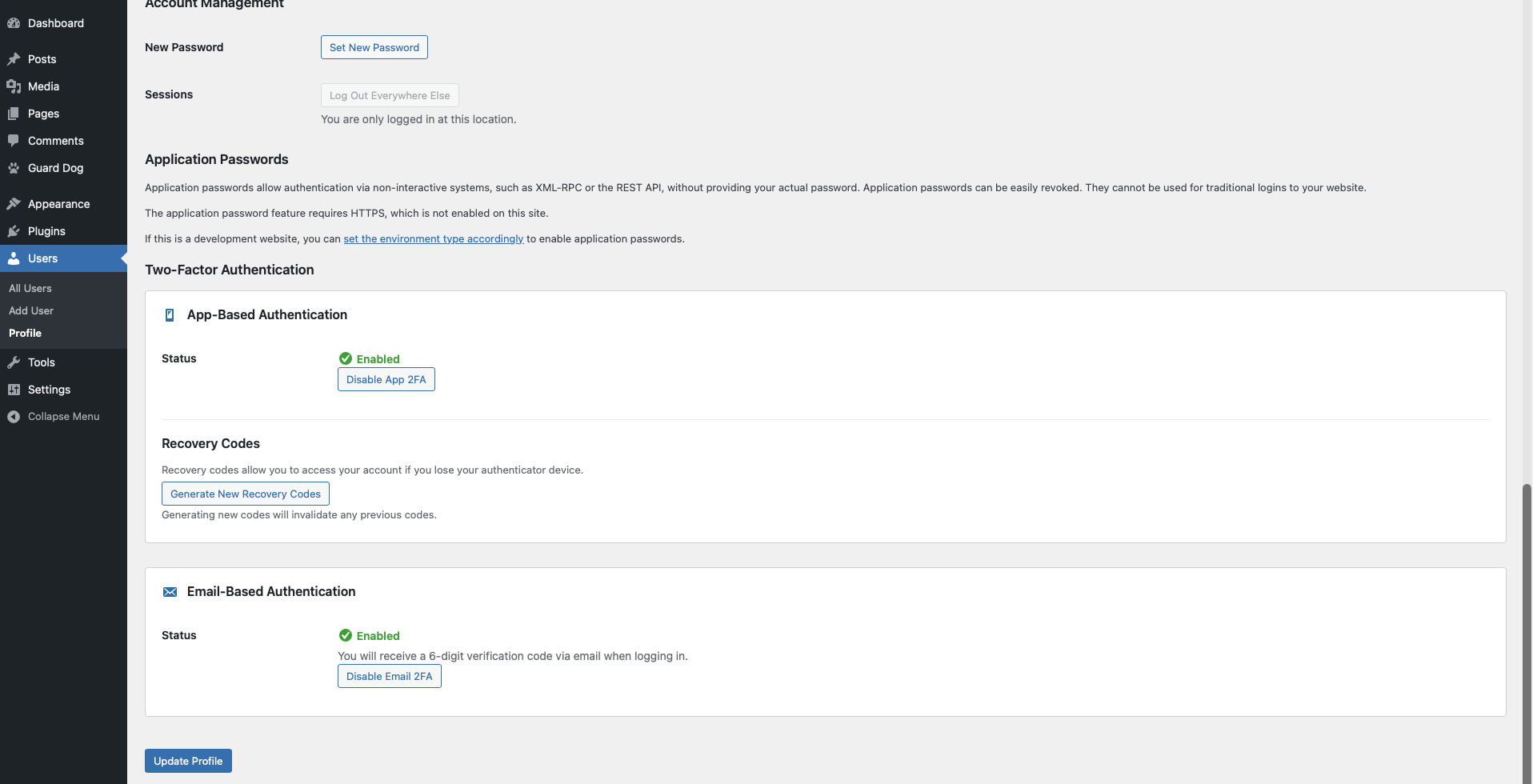
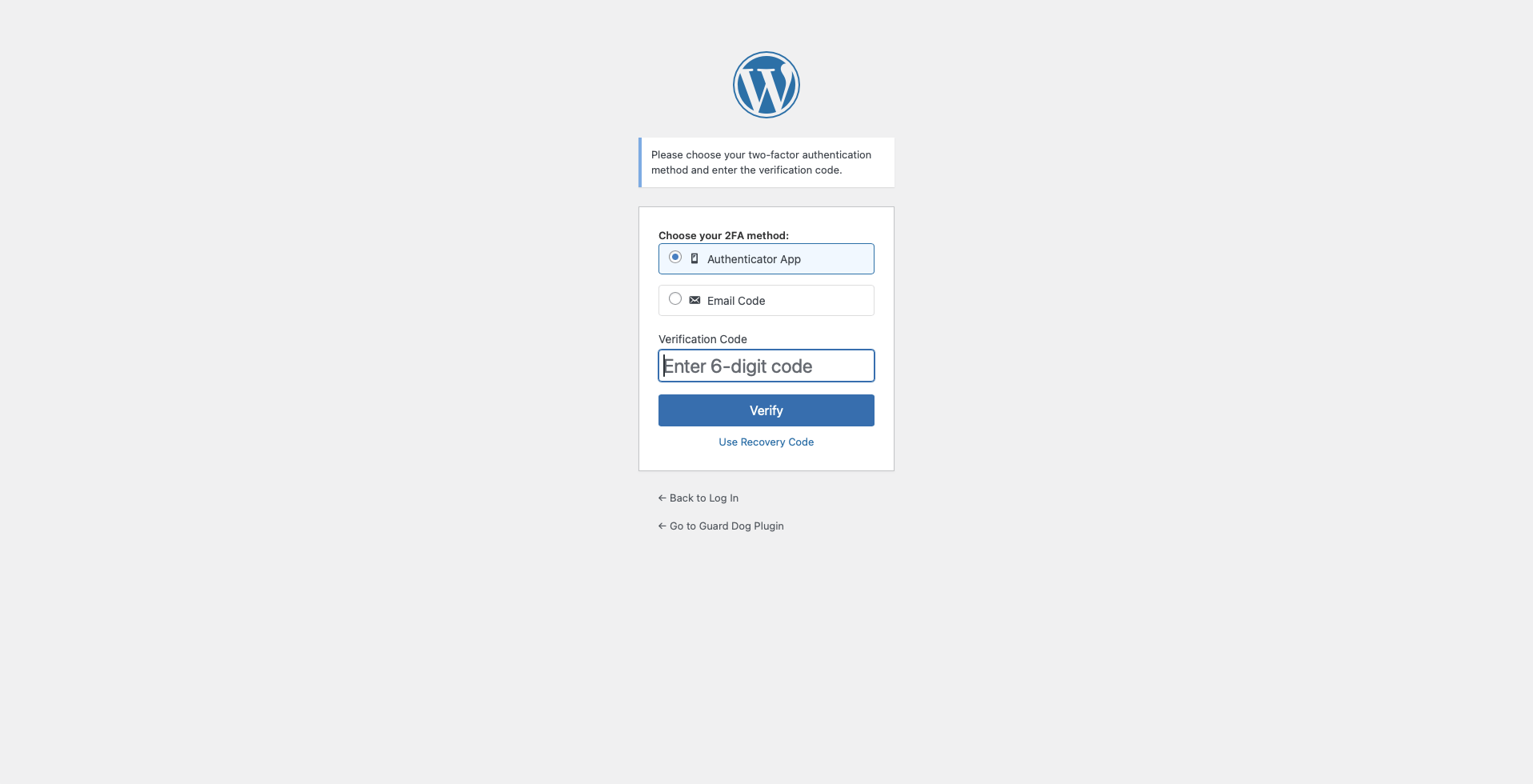
- Two-Factor Authentication (2FA) - TOTP-based authentication with recovery codes
- Social Login (OAuth) - Sign in with Google, Microsoft, or Apple
- Passkeys - Use device-based biometric authentication like Face ID, Touch ID or Windows Hello
- Multiple CAPTCHA Providers - Support for Google reCAPTCHA v2/v3, hCaptcha, and Cloudflare Turnstile
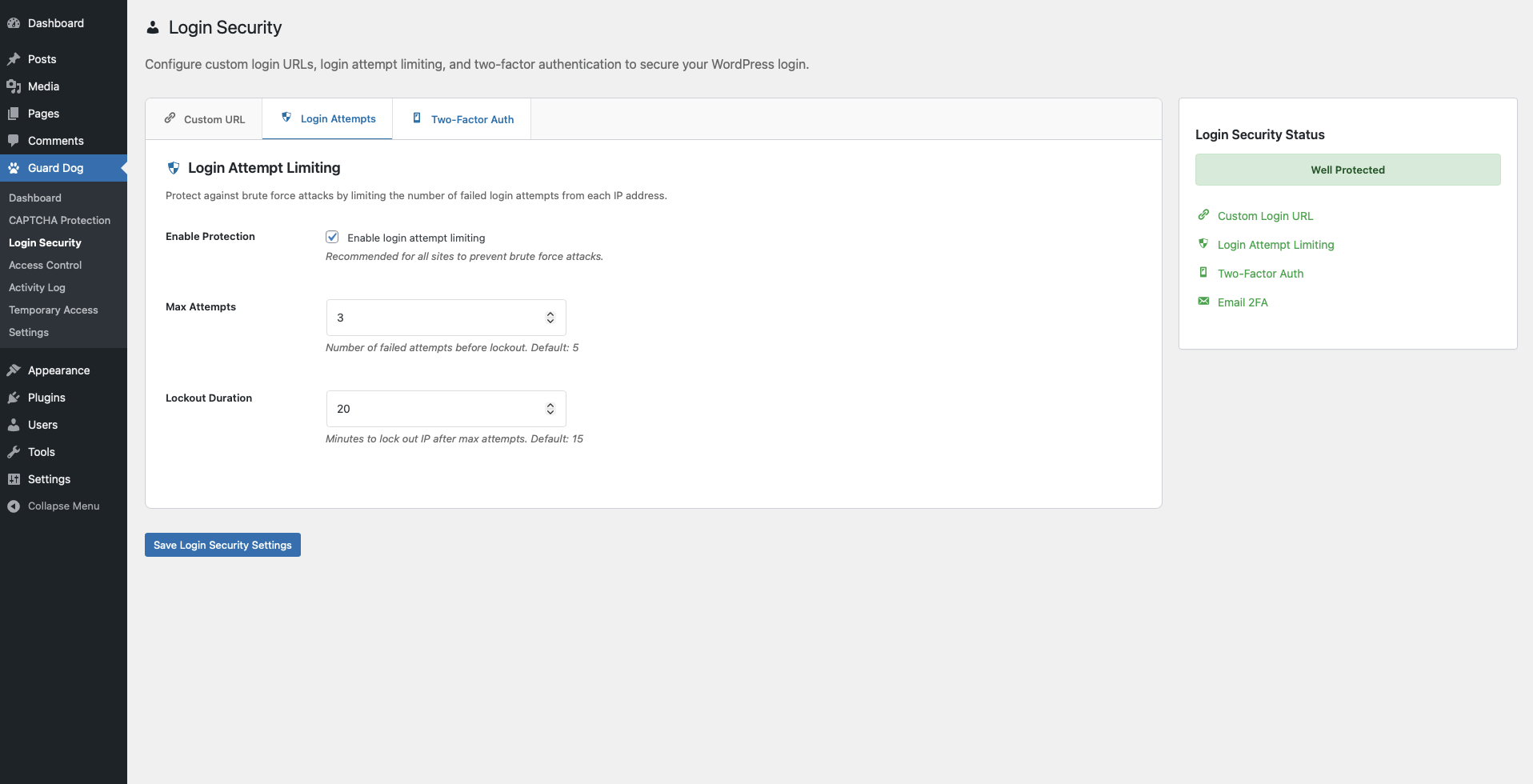
- Login Attempt Limiting - Prevent brute-force attacks with intelligent lockout
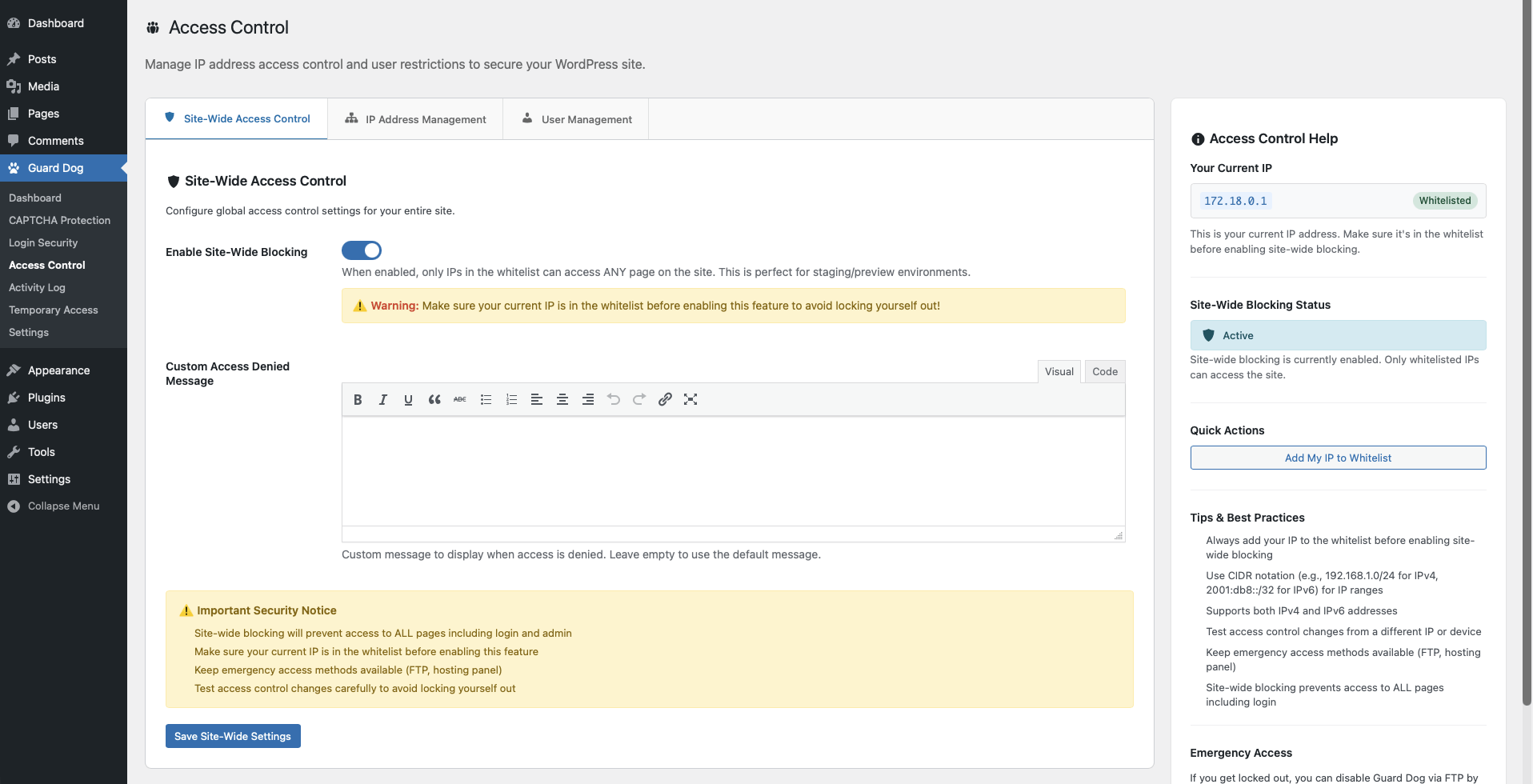
- Access Control - IP-based whitelist/blacklist protection
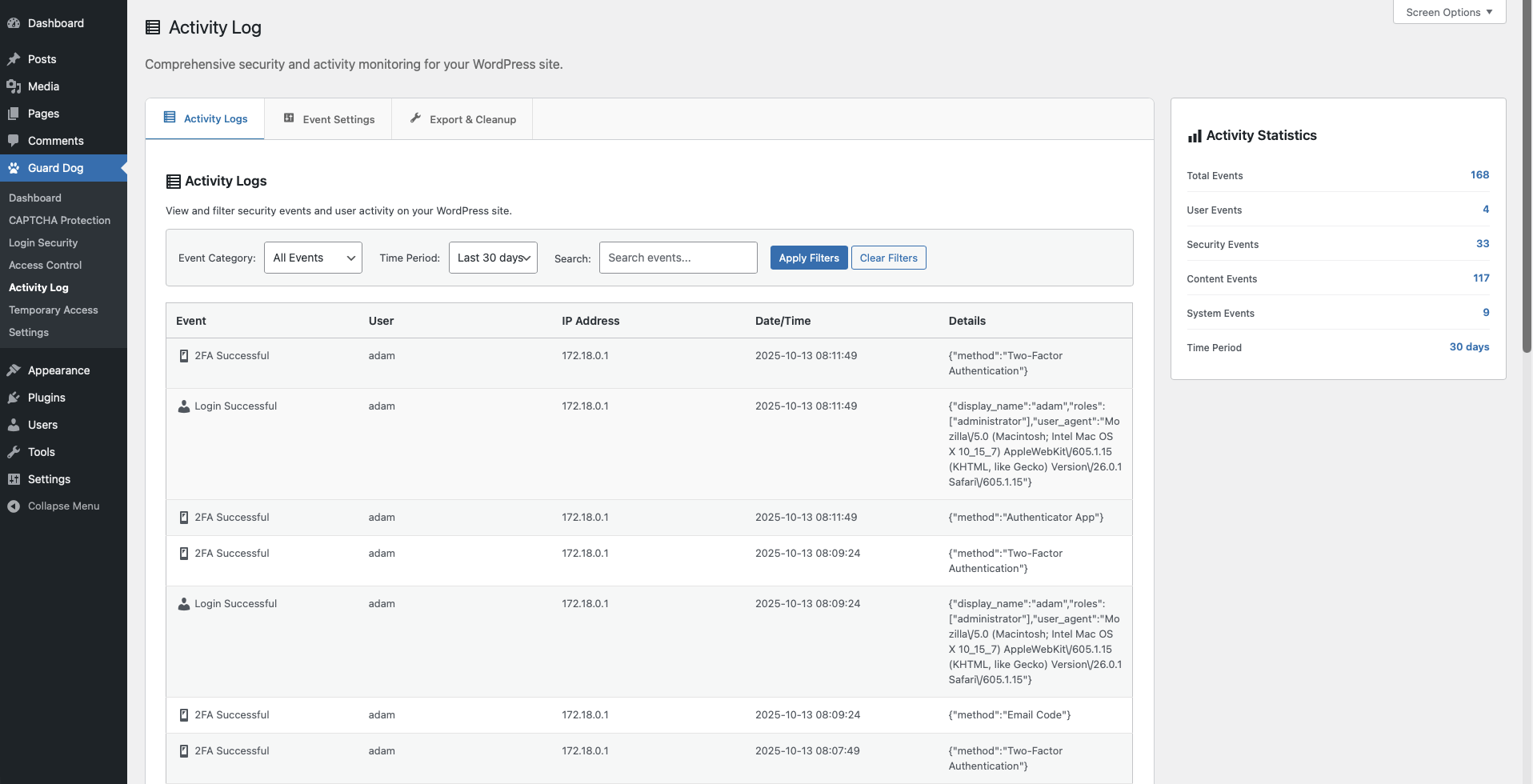
- Activity Monitoring - Comprehensive logging of security events
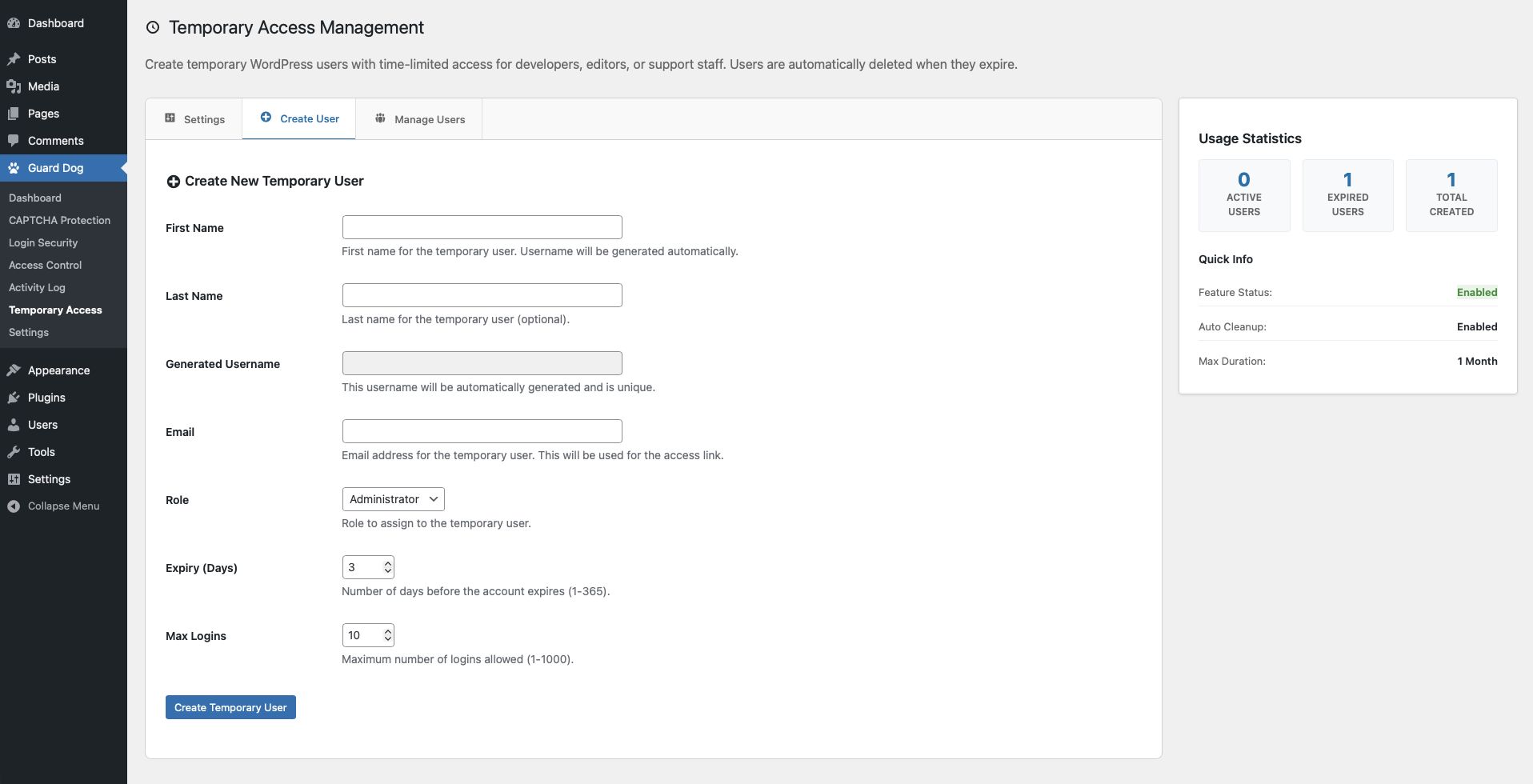
- Temporary User Access - Create temporary WordPress users with time-limited, secure access
- Frontend Account Security - Shortcodes and blocks for login, passkeys, 2FA, and session controls
- Privacy-Focused - Multiple CAPTCHA options including privacy-first providers
- WordPress.org Compliant - Built following WordPress coding standards
- Site-Owned Controls - Protections run inside your WordPress site
- User-Friendly - Intuitive interface with helpful documentation
- Regular Updates - Actively maintained and updated
- Business websites requiring enhanced security
- WordPress sites handling sensitive data
- Multi-user sites with complex access requirements
- Anyone wanting practical login and account protection without a central SaaS dependency
[guard_dog_login_form]renders a public Guard Dog-managed login form[guard_dog_passkey_login]renders a standalone passkey sign-in button for custom login pages[guard_dog_two_factor]renders logged-in 2FA management[guard_dog_passkeys]renders logged-in passkey management[guard_dog_sessions]renders logged-in active-session management[guard_dog_account_security]renders the composite logged-in account security widget for 2FA, passkeys, and sessions[guard_dog_2fa]remains supported as the legacy alias for the account security widget
安装:
- Upload the
guard-dogfolder to the/wp-content/plugins/directory - Activate the plugin through the 'Plugins' menu in WordPress
- Navigate to 'Guard Dog' in your admin menu to configure settings
- Configure your desired security features step by step
- Change Login URL: Set a custom login URL immediately after activation
- Enable CAPTCHA: Choose and configure your preferred CAPTCHA provider
- Configure 2FA: Set up two-factor authentication for enhanced security
- Review Settings: Adjust login limits and access controls as needed
屏幕截图:
常见问题:
What if I get locked out of my site?
Guard Dog includes a temporary access feature that generates secure bypass links. These can be created before lockout occurs. If you're already locked out, you can disable the plugin via FTP by renaming the plugin folder.
Which CAPTCHA provider should I choose?
- Google reCAPTCHA v3 - Invisible, best user experience
- Google reCAPTCHA v2 - Checkbox verification, widely supported
- hCaptcha - Privacy-focused alternative to Google
- Cloudflare Turnstile - Fast, privacy-first option
Is two-factor authentication required?
No, 2FA is optional but highly recommended. It can be enabled per-user and includes recovery codes for backup access.
Will this affect my site performance?
Guard Dog is optimized for performance. Features like database query optimization and intelligent caching ensure minimal impact on your site speed.
I'm getting false "IP shift" alerts showing the same IP for every user
This happens when your site is behind a reverse proxy, CDN, or load balancer (common with hosts like Kinsta, WP Engine, Cloudflare, or AWS). The proxy sits between users and WordPress, so Guard Dog sometimes detects the proxy's IP instead of the real visitor's IP. To fix this:
- Go to Guard Dog > Sessions > Settings
- Scroll to "Reverse Proxy / Load Balancer"
- Set "IP Detection Method" to match your setup:
- Cloudflare - if your site uses Cloudflare (most common)
- X-Forwarded-For - for most other proxies (Kinsta, WP Engine, Nginx, AWS ELB)
- X-Real-IP - if your server uses Nginx as a reverse proxy
- Auto - tries all headers automatically (default, works for most sites)
- REMOTE_ADDR only - only use if you have NO proxy (direct connections only)
- Add your proxy's IP addresses to "Trusted Proxy IPs" (one per line, CIDR ranges supported)
- Check the "Detected IP" row to verify your real IP is shown, not the proxy IP
How do I find my proxy's IP address?
If you're seeing false IP shift alerts, the alert email will contain the proxy IP (the "new IP" that keeps appearing). You can also check the "Detected IP" row on the Sessions settings page - if it shows your proxy's IP instead of your real IP, that IP should be added to the Trusted Proxy IPs list. Common proxy IP ranges:
- Cloudflare - see Cloudflare's IP ranges
- Kinsta - typically a Google Cloud IP (e.g., 34.x.x.x or 35.x.x.x)
- AWS ELB/CloudFront - check your AWS console for load balancer IPs
- Private networks - 10.0.0.0/8, 172.16.0.0/12, 192.168.0.0/16
Does it work with other security plugins?
Guard Dog is designed to work alongside other security plugins, though we recommend testing in a staging environment first to avoid conflicts.
What external services does Guard Dog use?
- CAPTCHA (when enabled): Google reCAPTCHA, hCaptcha, or Cloudflare Turnstile.
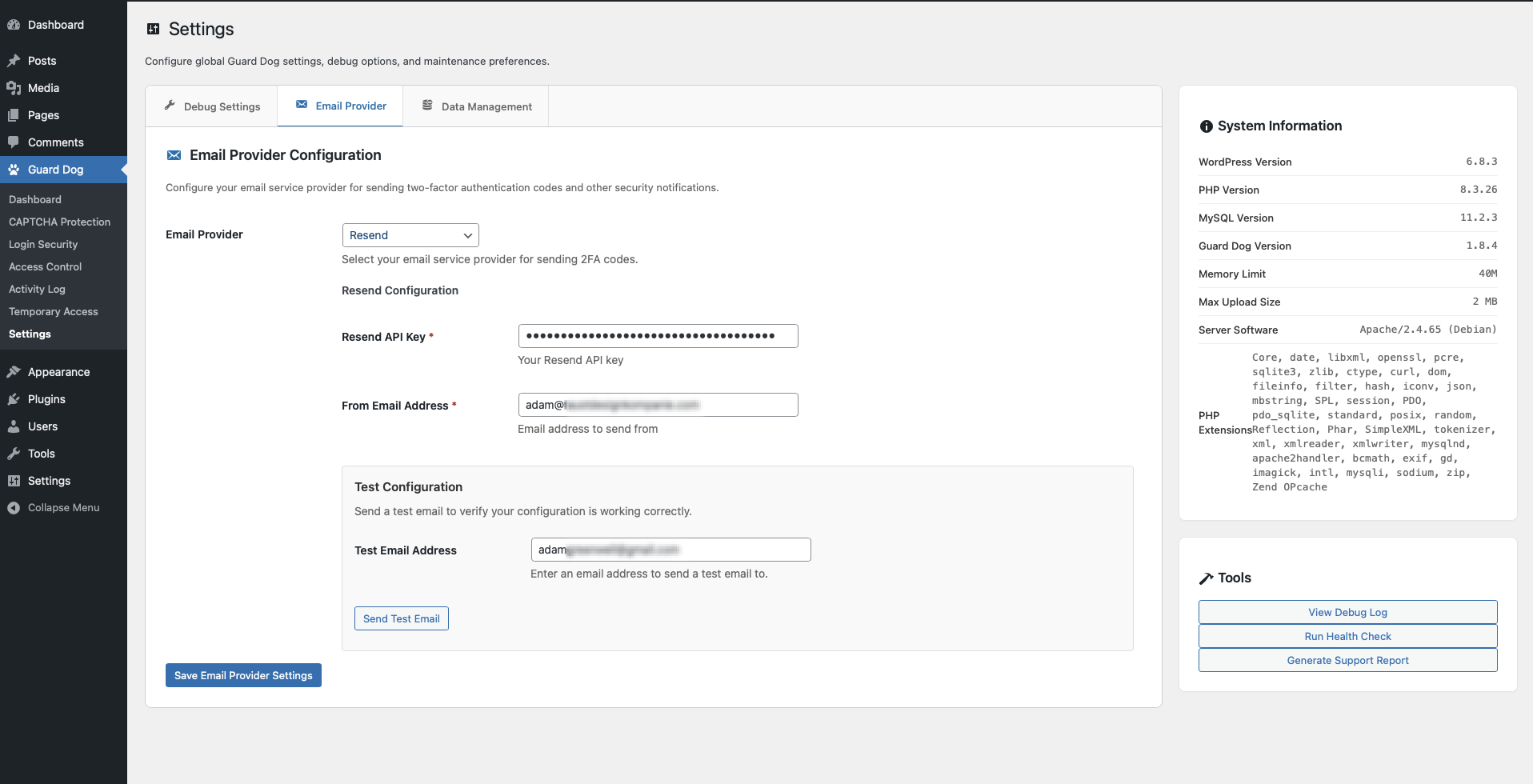
- Email (when Email 2FA enabled): Amazon SES, Mailgun, Resend, SendGrid, or Google SMTP.
- Social Login (when enabled): Google OAuth, Microsoft Azure AD, and Apple Sign In (authorization and user profile).
- IP Reputation (when enabled): DNS only: Spamhaus ZEN, CBL (abuseat.org), dan.me.uk (Tor). Optional geo: ip-api.com or ipinfo.io; geo can be turned off to use only DNS.
- Geolocation (country from IP): When CDN/proxy headers do not provide country, ip-api.com or ipapi.co may be used (e.g. access control, activity log).
docs folder.
更新日志:
- Fix an expired account password being accepted over the XML-RPC and REST interfaces instead of being refused
- Fix IPv6 and IPv4 access rules not matching each other's address notation, so a rule written as 203.0.113.0/24 now also matches a visitor the server reports as ::ffff:203.0.113.5
- Reject malformed IPv6 addresses that could previously stop access-control checks with a fatal error
- Fix IPv6 access rules, both allow and block lists and at login as well as on every request, ignoring visitors whose address is reported in IPv4-mapped form
- Fix direct wp-login.php requests returning a blank page on sites using a custom login URL, so logout, password reset, registration and other allowed actions complete normally
- Fix custom login slugs that appear as text inside the site's own login URL (such as "login") being treated as already rewritten, which stopped those slugs taking effect
- Require the account password to be verified before the expired-password reset form is offered, and stop that redirect interrupting REST API and XML-RPC authentication, which those clients cannot follow
- Require a login attempt to prove it belongs to a pending two-factor step before it may skip the CAPTCHA; an attempt that merely claims to be one must now solve it
- Stop signing a user in when two-factor setup is required but no setup method is available
- Keep internal security reports out of the released plugin package
- Translate the Activity Log event names — 114 of the 121 built-in event types could not be translated and always displayed in English
- Fix an outbound dashboard link so it opens the correct host
- Improve passkey login fallback feedback after a cancelled passkey prompt so password guidance appears as a status message instead of an error
- Clean up frontend login form error messages by removing WordPress HTML markup before display
- Fix a custom generic login error message switching off login error masking instead of applying it, which let visitors tell registered usernames apart from unregistered ones
- Detect the visitor's real IP address behind Cloudflare, so security features act on the visitor rather than the proxy
- Fix login redirects sending users to the site home page instead of the login page during password expiration, two-factor, and passkey flows
- Fix registering a passkey on a second device failing after the device reported success, which left a passkey saved only in the device's password manager
- Fix enabling password expiration immediately expiring every existing user, by recording an explicit password-age baseline instead of treating the account registration date as the password date
- Allow administrators to rename and delete passkeys from another user's profile screen
- Clarify recovery steps when a device saves a passkey but the site cannot finish registration
- Send Amazon SES email through signed WordPress HTTP requests so WordPress.org installs do not need the AWS SDK
- Remove obsolete AWS SDK environment overrides from plugin bootstrap
- Harden release vendor scoping against PHP 8.5 build-tool deprecation noise
- Offer existing users a passkey setup prompt after they try passkey sign-in without having a saved passkey and then complete password login
- Route passkey setup requests through the current login path to avoid wp-admin AJAX restrictions during login-screen setup
- Use a one-time setup token for post-login passkey registration prompts
- Fix passkey setup prompt registration hooks after login-screen HTML filtering
- Polish the passkey setup prompt layout, spacing, and controls on WordPress login screens
- Add a developer Activity Log API for registering custom event types and writing custom audit entries
- Document how themes and plugins can audit custom setting changes, including paid-placement toggles and other business-critical options
- Fix IP Reputation blacklist additions so entering 0 days creates a permanent block
- Persist IP whitelist removals immediately and keep AJAX-managed IP blacklist entries from being overwritten by the settings form
- Improve passkey login button spacing and in-progress feedback on WordPress login screens
- Fix frontend session management shortcodes and blocks so multiple session surfaces can safely appear on the same page
- Add WordPress Login Screen customization
- Add public login, account security, 2FA, session, passkey, and passkey login blocks/shortcodes for block-based themes and custom frontend account pages
- Improve 2FA method gating so frontend account surfaces only show setup controls for enabled and configured methods
- Fix email-only 2FA enforcement when app-based 2FA is disabled
- Improve IP whitelist management with saved labels/notes to match blacklist usability
- Fix author archive protection so raw
?author=Nenumeration requests stay blocked without breaking public/author/slug/pages
- Fix Apple social login and account linking failures after host migrations or WordPress salt changes
- Add clearer provider configuration and linking failure handling for social login
- Clean up orphaned social account records when linked users are deleted
- Improve social login and passkey button layout on the login screen
- Fix custom login URL requests so they redirect to the canonical host/port before loading the WordPress login screen
- Keep passkey login AJAX and redirects same-origin to prevent cookie failures
- Reorganize admin settings pages
- Add Google OAuth to email provider for use with Workspace accounts
- Fix stale cached session metadata potentially showing incorrect sessions in session management UI
- Fix proxy IP fallback and preserve authentication block reasons
- Expired sessions on frontend pages now silently degrade to logged-out state instead of redirecting to the login page
- Add reverse proxy / load balancer configuration for accurate IP detection behind CDNs and proxies
- New IP detection method setting: Auto, Cloudflare, X-Forwarded-For, X-Real-IP, or REMOTE_ADDR only
- New trusted proxy IPs setting with CIDR range support to prevent IP spoofing via forwarded headers
- Fix false IP shift alerts on sites behind reverse proxies (Kinsta, Google Cloud, AWS ELB, etc.)
- Consolidate duplicate IP detection methods across plugin to use centralized proxy-aware logic
- Add diagnostic "Detected IP" display on settings page to verify proxy configuration
- Isolate all vendor dependencies with PHP-Scoper namespace prefixing to prevent conflicts with other plugins
- Improved session management handling when using caching layers like Varnish or Redis
- Add Google (Gmail/Workspace) and SendGrid as email provider options
- Minor login page styling update when social login buttons are present
- Fix email provider detection on Login Security page
- Add social login with Google, Microsoft, and Apple OAuth support
- Allow users to sign in with their Google, Microsoft, or Apple account from the WordPress login page
- Apple Sign In with JWT client secret and id_token-based authentication
- Link and unlink social accounts from user profile
- Optional auto-linking by email and auto-creation of new users
- Social login bypasses 2FA when configured (follows passkey pattern)
- Activity logging for social login events
- Fix authentication failures (passkey login, 2FA) on sites using page caching (Varnish, Cloudflare, Nginx FastCGI)
- Remove dependency on PHP sessions — all auth state now uses WordPress transients with secure one-time-use tokens
- Resolve WordPress Site Health critical warning about session_start() usage
- Add user enumeration protection feature with multi-vector blocking
- Add support for Passkeys
- Add session and session management support with suspicious activity detection
- Improve user flow when password policy is set and enforce 2FA is enabled
- Fix a bug causing the Access Denied page to lose styling when using the built-in customizer feature
- Add feature to set password strength policy and block reusing passwords
- Add feature to require user email verification before login with customizable link expiration
- Update email provider feature to allow using for all WordPress emails
- Improve access control to block entire countries
- Add caching for access control rules
- Improve log exporting
- Ensure WordPress 6.9 compatibility
- Add feature to customize access denied page with built-in customizer or template override
- Add feature to customize email template for two-factor auth code with built-in customizer or template override
- Add WooCommerce events to Activity Log
- Improve site-wide blocking message customization
- Fix activity log error that could occur when updating a navigation menu
- Fix "Unknown Event" event name logging in the Activity Log section to display the proper event name
- Minor 2FA login form styling
- Resolve AWS SDK conflict with other plugins that may use AWS environment variables
- Refactor 2FA login flow to improve security
- Code quality improvements to meet WordPress coding standards
- Code quality improvements to meet WordPress coding standards
- Improve Activity Log admin interface
- Improve front-end styling for two-factor authentication methods when logging in
- Added additional two-factor authentication method via email
- Added email provider configuration for use with two-factor via email authentication
- Under-the-hood refactoring of plugin settings templates
- Update readme.txt describing third party libraries in use and what they do
- Under-the-hood performance improvements and updates for WordPress plugin directory compliance
- Improved debug logging to prevent potential PHP errors
- Update activity log settings to add additional event types
- Improve shortcode 2FA widget for use in custom themes using a custom login page
- Custom login URL feature refactored to be server agnostic
- Improve custom login URL support when using CAPTCHA and 2FA
- Enhanced debug logging system with multiple log levels and export ability
- Styling improvements applied to settings page
- Added Cloudflare Turnstile CAPTCHA support
- Enhanced activity logging system
- NEW: Complete temporary user access system - create actual WordPress users with time limits
- Improved temporary access security with automatic user cleanup
- Better mobile responsiveness for admin interface
- Performance optimizations for large sites
- Added hCaptcha support for privacy-focused protection
- Enhanced two-factor authentication with recovery codes
- Improved user interface and user experience
- Better internationalization support
- Bug fixes and security enhancements
- Implemented comprehensive activity monitoring
- Added advanced IP access control features
- Enhanced temporary access system
- Improved admin interface design
- Performance optimizations
- Added two-factor authentication (TOTP)
- Enhanced login attempt limiting
- Improved admin interface
- Better error handling and logging
- Security improvements
- Added Google reCAPTCHA v3 support
- Enhanced custom login URL features
- Improved user management
- Better admin interface
- Performance optimizations
- Added login attempt limiting
- Enhanced access control features
- Improved admin interface
- Bug fixes and optimizations
- Initial release
- Custom login URLs
- Basic access control
- Google reCAPTCHA v2 support
- Activity logging