
Guardian Gaze Security – AI Based Malware Scanner, Firewall and Login Protection
| 开发者 |
redseclabs
huzoorbakhsh |
|---|---|
| 更新时间 | 2026年7月28日 04:48 |
| 捐献地址: | 去捐款 |
| PHP版本: | 7.0 及以上 |
| WordPress版本: | 7.0 |
| 版权: | GPLv2 or later |
| 版权网址: | 版权信息 |
详情介绍:
屏幕截图:
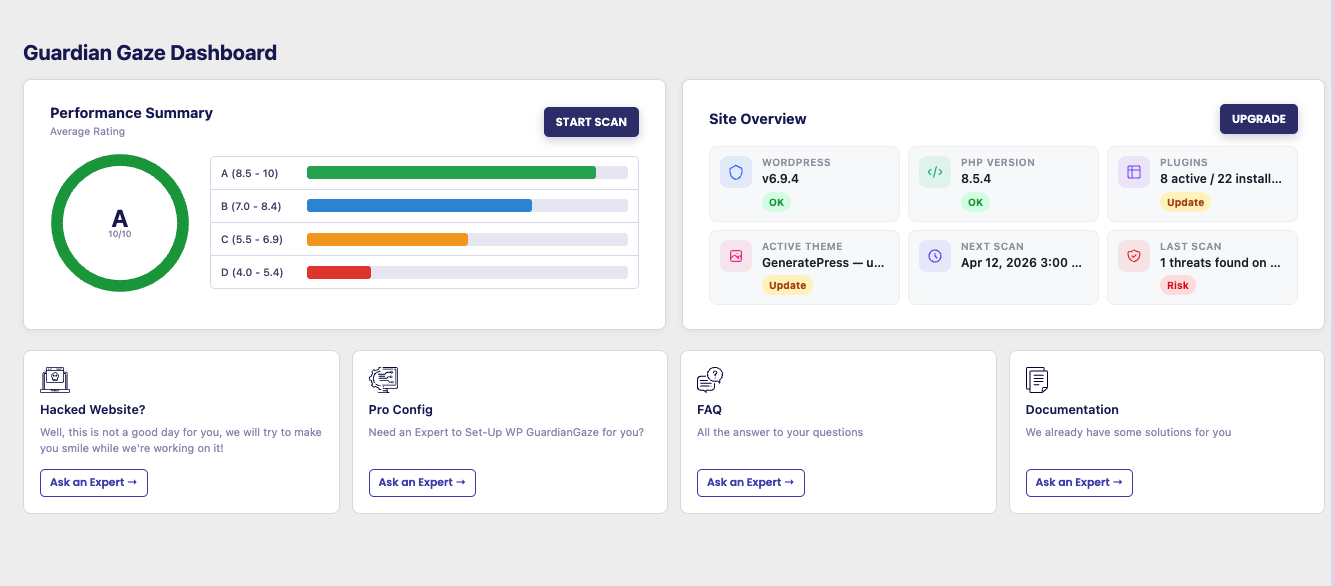
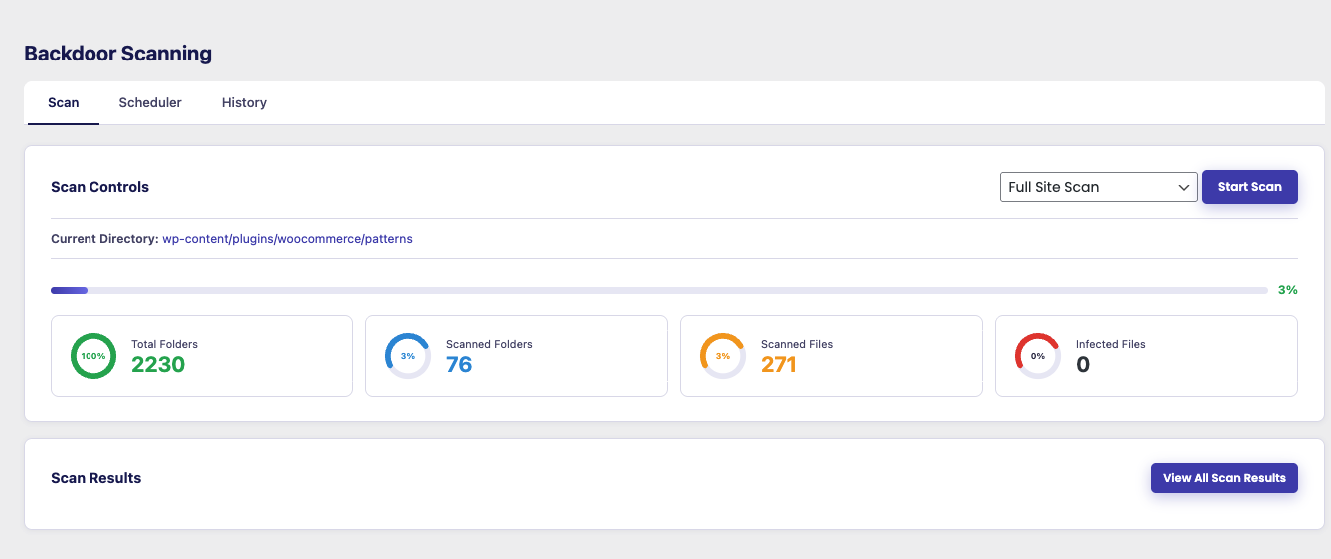
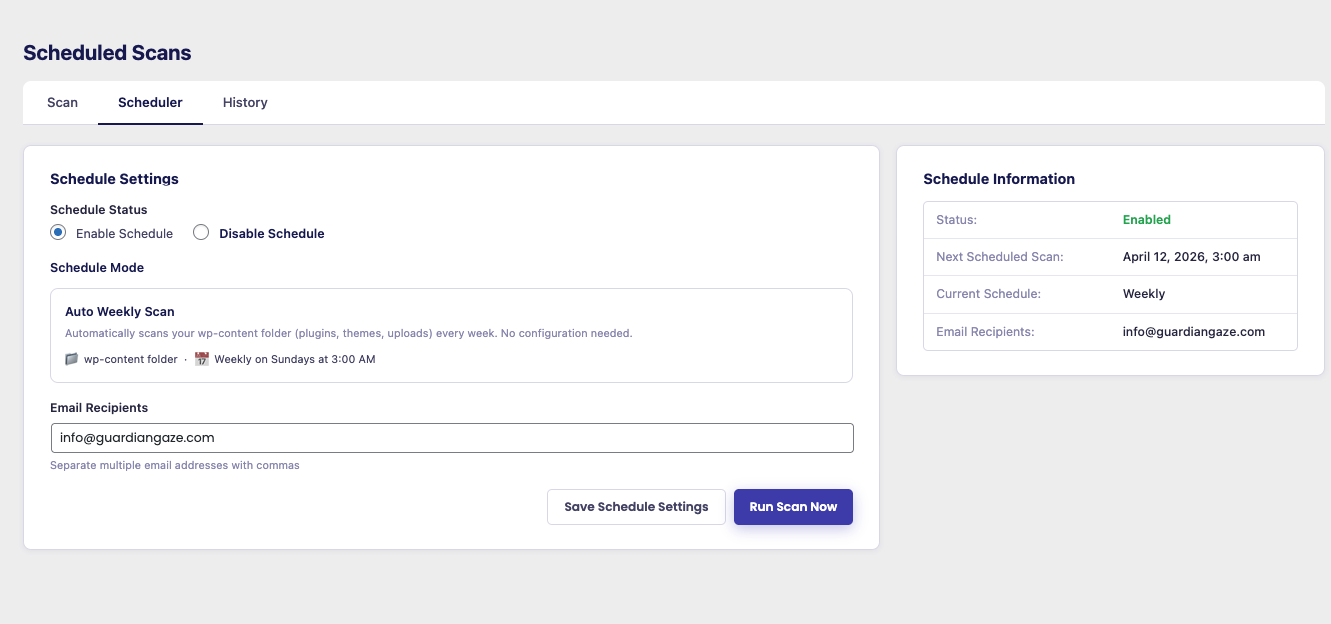
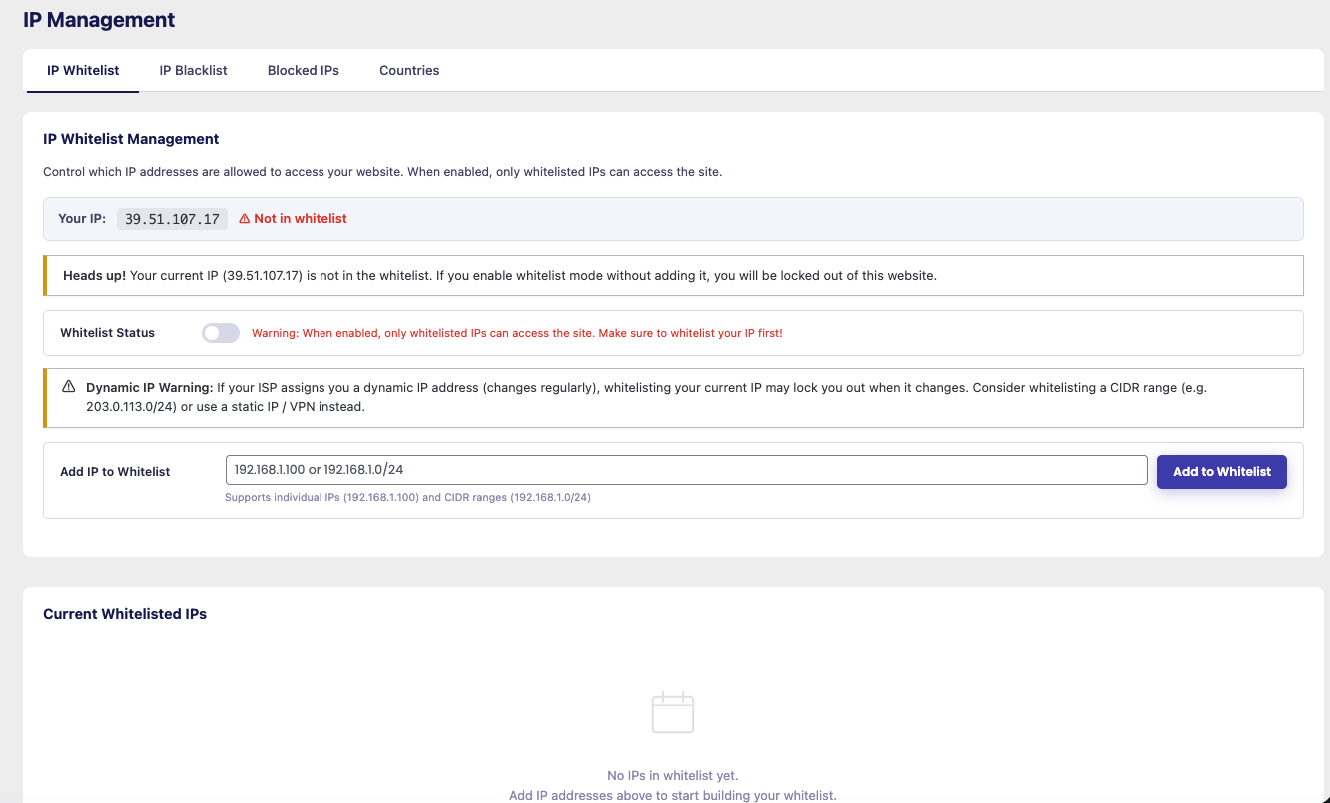
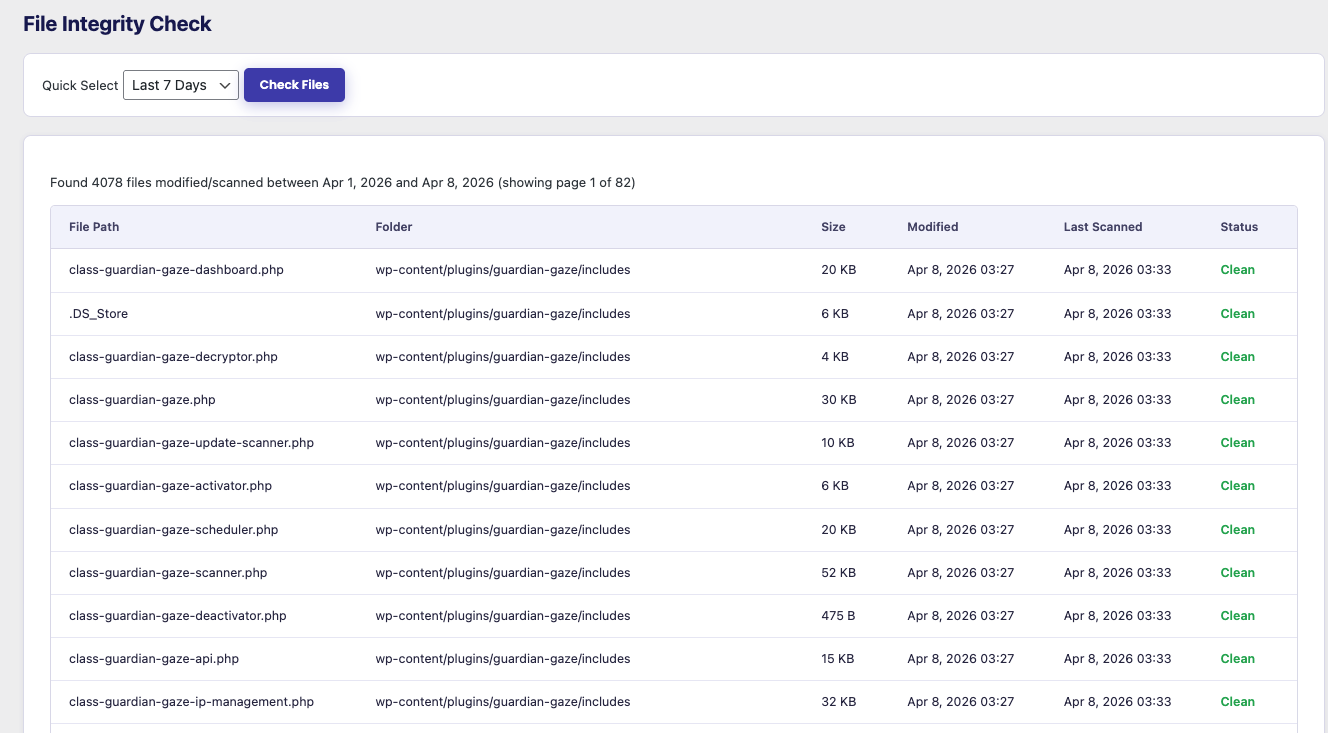
常见问题:
What differentiates Guardian Gaze from other WordPress security plugins?
Guardian Gaze combines traditional malware scanning with AI/LLM-assisted backdoor detection to identify suspicious or abnormal code patterns that may not match known malware signatures. Built by RedSecLabs, Guardian Gaze focuses on research-driven detection engineering, continuous monitoring, and performance-conscious design. It provides practical WordPress security without aggressive lockouts or unnecessary system overhead.
How does the Guardian Gaze WordPress malware scanner work?
Guardian Gaze scans WordPress core files, plugins, and themes for unauthorized changes, malware injections, and hidden backdoors. It monitors file integrity and highlights suspicious modifications inside your WordPress installation. The scanner combines traditional pattern-based detection with AI-assisted analysis to improve visibility into potentially malicious code.
What is AI-assisted backdoor detection?
AI-assisted backdoor detection uses LLM-based analysis to evaluate suspicious or abnormal code structures within WordPress files. This approach helps identify hidden backdoors and obfuscated malware that may bypass signature-only detection methods. It enhances traditional malware scanning by adding contextual analysis to improve detection accuracy.
How does Guardian Gaze protect WordPress sites from attackers?
Guardian Gaze provides: • Continuous malware scanning • AI-based backdoor detection • Login security and brute force protection • IP management and traffic filtering • WordPress security hardening options Threat intelligence updates help detection adapt to evolving WordPress vulnerabilities and attack techniques.
What login security features are included?
Guardian Gaze improves WordPress login security by limiting repeated failed login attempts, reducing brute-force attacks, monitoring suspicious authentication behavior, and protecting endpoints such as wp-login.php and XML-RPC. These protections help reduce unauthorized access attempts while minimizing disruption for legitimate users.
How will I be alerted if my site has a security problem?
Guardian Gaze provides configurable email notifications for malware scan results, suspicious login activity, flagged IP behavior, and other security events. Alert sensitivity can be adjusted to balance visibility with reduced notification noise.
Do I still need Guardian Gaze if I use Cloudflare or another cloud firewall?
Yes. Cloud-based firewalls like Cloudflare help filter network-level traffic and block certain attack patterns, but they cannot see inside your WordPress files. Cloud services do not scan your WordPress core, plugins, or themes for malware, hidden backdoors, or unauthorized file modifications. Guardian Gaze operates within your WordPress environment, providing application-level malware detection and AI-assisted backdoor analysis. For full WordPress protection, infrastructure-level filtering and application-level security serve different purposes.
Will Guardian Gaze slow down my WordPress website?
Guardian Gaze is designed to be lightweight and performance-conscious. Malware scanning and monitoring processes are structured to reduce unnecessary resource usage while maintaining continuous security monitoring.
What if my WordPress site has already been hacked?
Guardian Gaze can detect modified core files, suspicious code, and potential backdoors on compromised WordPress sites. Scan results help identify infection points so you can review and take appropriate remediation steps. Accurate detection improves visibility before cleanup or restoration.
Does Guardian Gaze collect personal or sensitive data?
Guardian Gaze does not collect passwords or sensitive content. Only limited security-related metadata required for functionality is processed. Optional services can be disabled.
Is Guardian Gaze suitable for developers and agencies?
Yes. Guardian Gaze provides file monitoring, login activity logs, AI-assisted backdoor detection, and centralized visibility that can support developers and agencies managing multiple WordPress installations.
更新日志:
- Added new feature to scan updated files.
- Support for php 7.0.
- Added new feature to scan updated files.
- Support for php 7.0.
- Support for WordPress 4.7.
- Improved IP management admin UI with cleaner tab navigation, toggle switches, and country blocking controls.
- Added loading states and success/error feedback on IP whitelist, blacklist, and country blocking toggles.
- Replaced country blocking radio inputs with accessible toggle sliders.
- Added toast notifications for all IP management actions.
- Fixed country blocking toggle not saving correctly.
- Fixed external service links in readme not rendering correctly on WordPress.org.
- Resolved WordPress Plugin Check compliance issues across multiple files.
- Fixed unprefixed PHP variables in dashboard display causing Plugin Check warnings.
- Fixed incorrect use of esc_html_e() on SVG attribute values.
- Fixed direct database queries missing caching or proper phpcs annotations.
- Fixed %i placeholder incompatibility with WordPress 4.7 minimum requirement.
- Secured scheduler display file inclusion against arbitrary path injection.
- Premium plugin now enqueues its own CSS and JS via admin_enqueue_scripts instead of inline styles.
- Fixed bug in file integrity monitoring.
- Fixed bug in login security.
- Fixed bug in IP management.
- Fixed bug in file integrity monitoring.
- Fixed bug in login security.
- Fixed bug in IP management.
- Removed google recaptcha integration.
- Removed country request data from dashboard.
- Removed 2FA authentication for Login security.
- 2FA authentication added for Login security.
- Added new feature to scan updated files.
- Google recaptcha integration.
- Fixed bug in file integrity monitoring.
- 2FA authentication added for Login security.
- Added new feature to scan updated files.
- Goolge recaptcha integration.
- Fixed bug in file integrity monitoring.
- Added new feature to scan updated files.
- Support for php 7.0.
- Support for WordPress 4.7.
- Added new feature to scan updated files.
- Fixed bugs.
- Fixed bug in file integrity monitoring.
- Added new feature to scan updated files.
- Fixed security keys regeneration creating too many backups.
- Fixed bugs email report delivery.
- Fixed bug in file integrity monitoring.
- Added AI scan feature.
- Fixed bug in file integrity monitoring.
- Fixed bug in file integrity monitoring.
- Initial release