
Gutena Forms – Contact Form, Survey Form, Feedback Form, Booking Form, and Custom Form Builder
| 开发者 |
expresstech
randhirexpresstech wpexpertsio |
|---|---|
| 更新时间 | 2026年8月13日 18:43 |
| WordPress版本: | 7.0 |
| 版权: | GPL-2.0-or-later |
| 版权网址: | 版权信息 |
标签
下载
详情介绍:
- Complete control over the look and feel
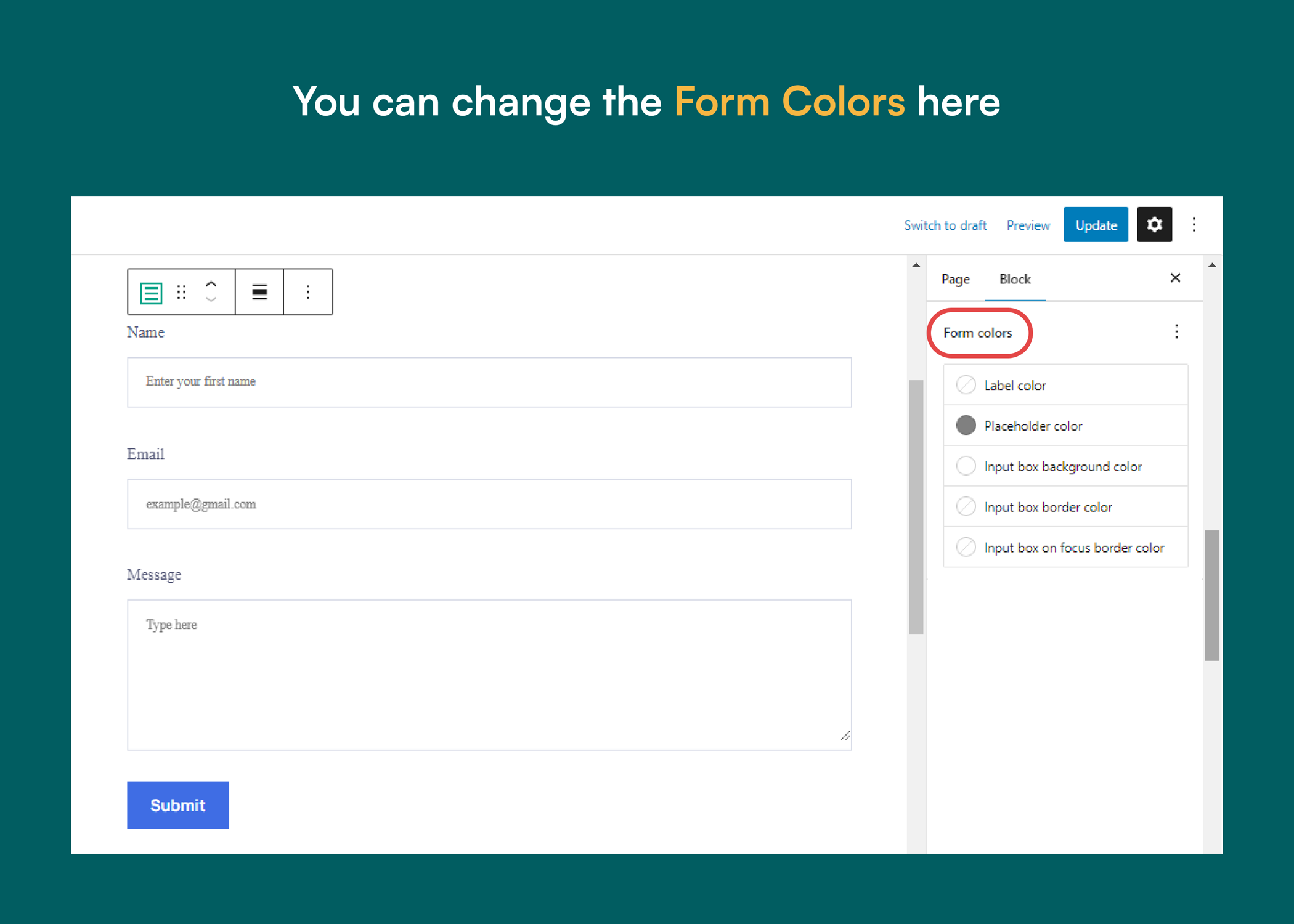
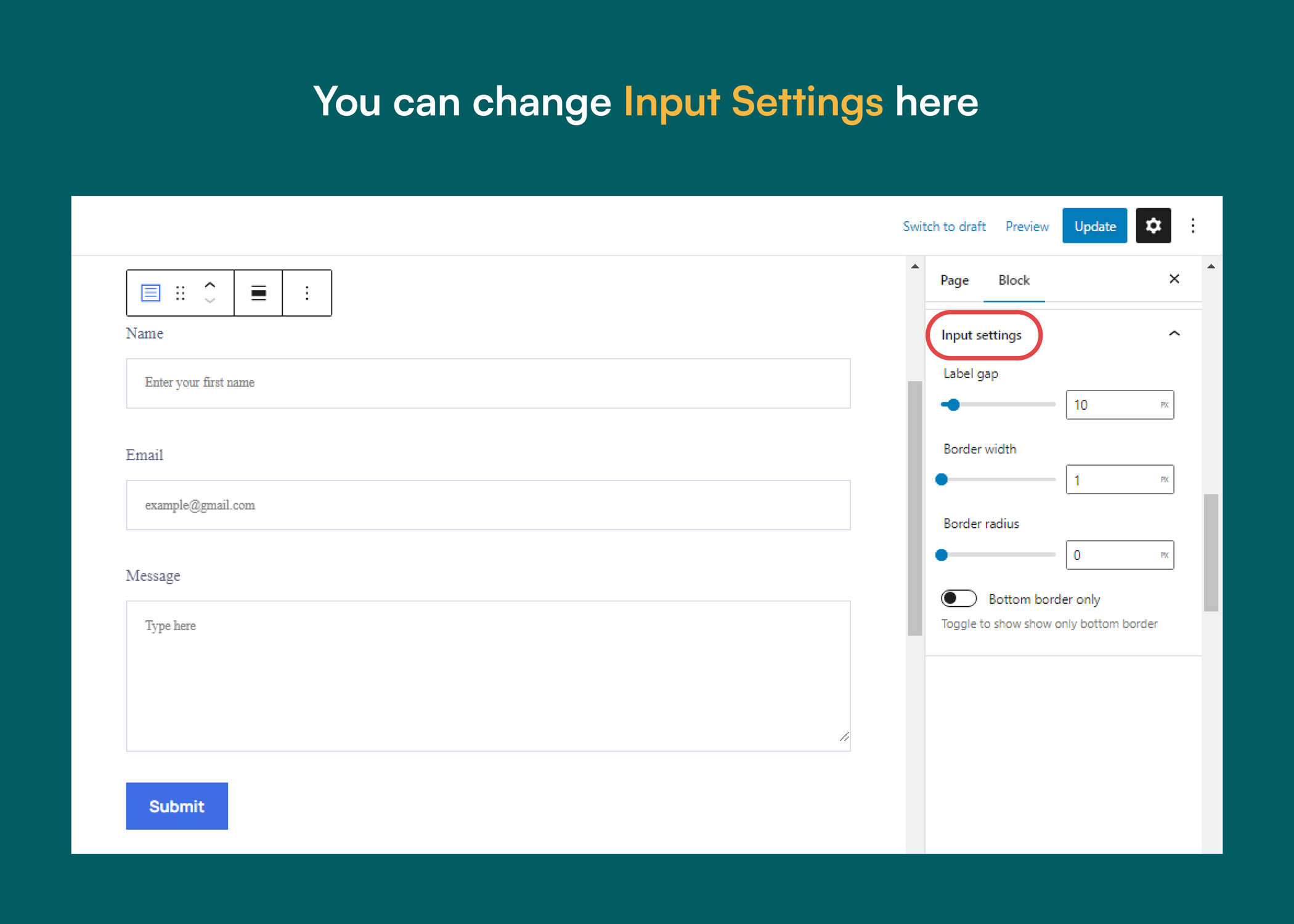
- Fully customizable, so you can easily change the color, border, radius, typography, padding, margin and much more..
- No jQuery, so it won’t slow down your website
- You can add icons to the tabs
- You can add other core blocks inside the tab container
- Control all tabs from a single setting
- Responsive settings
- Easy form creation inside the WordPress block editor
- Lightweight WordPress form plugin
- No jQuery
- Form input fields:
- Text: Capture user text with a standard input field.
- Number: Collect numeric data with a number input field.
- Range: Let users select values with a range slider field.
- Text Area: Gather long responses with a multi-line text area.
- Email: Validate and capture user email addresses.
- Dropdown: Offer selectable options with a dropdown field.
- Radio: Allow single-choice selections with radio buttons.
- Checkbox: Enable multi-select choices with checkboxes.
- Opt-in Checkbox (Privacy and Terms): Add GDPR-ready consent fields for policies.
- Responsive WordPress forms
- Form Field Validation
- WordPress form block
- Weekly form report lite
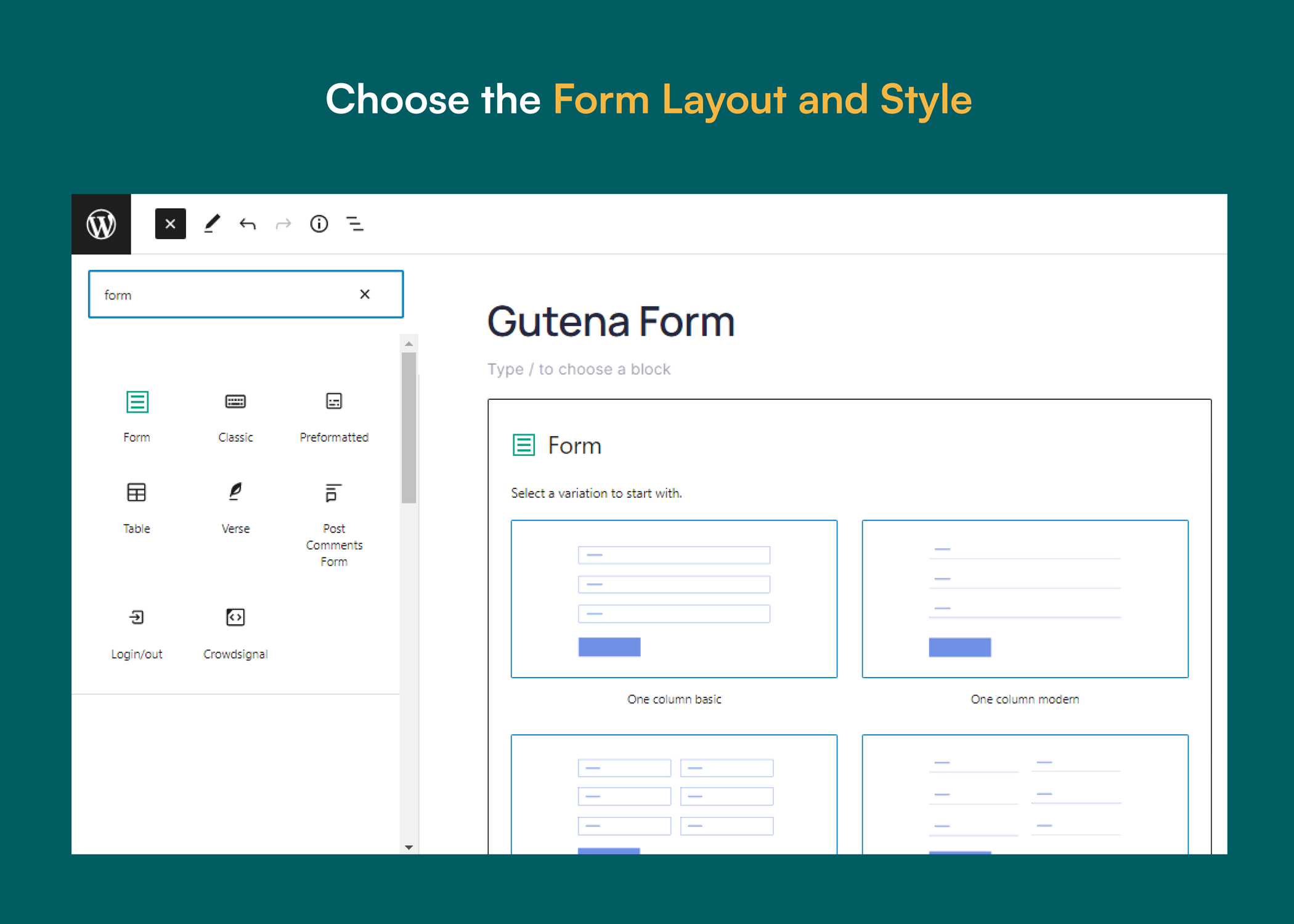
- Pre-built WordPress form templates
- Google reCAPTCHA integration
- Cloudflare Turnstile integration
- Honeypot spam protection
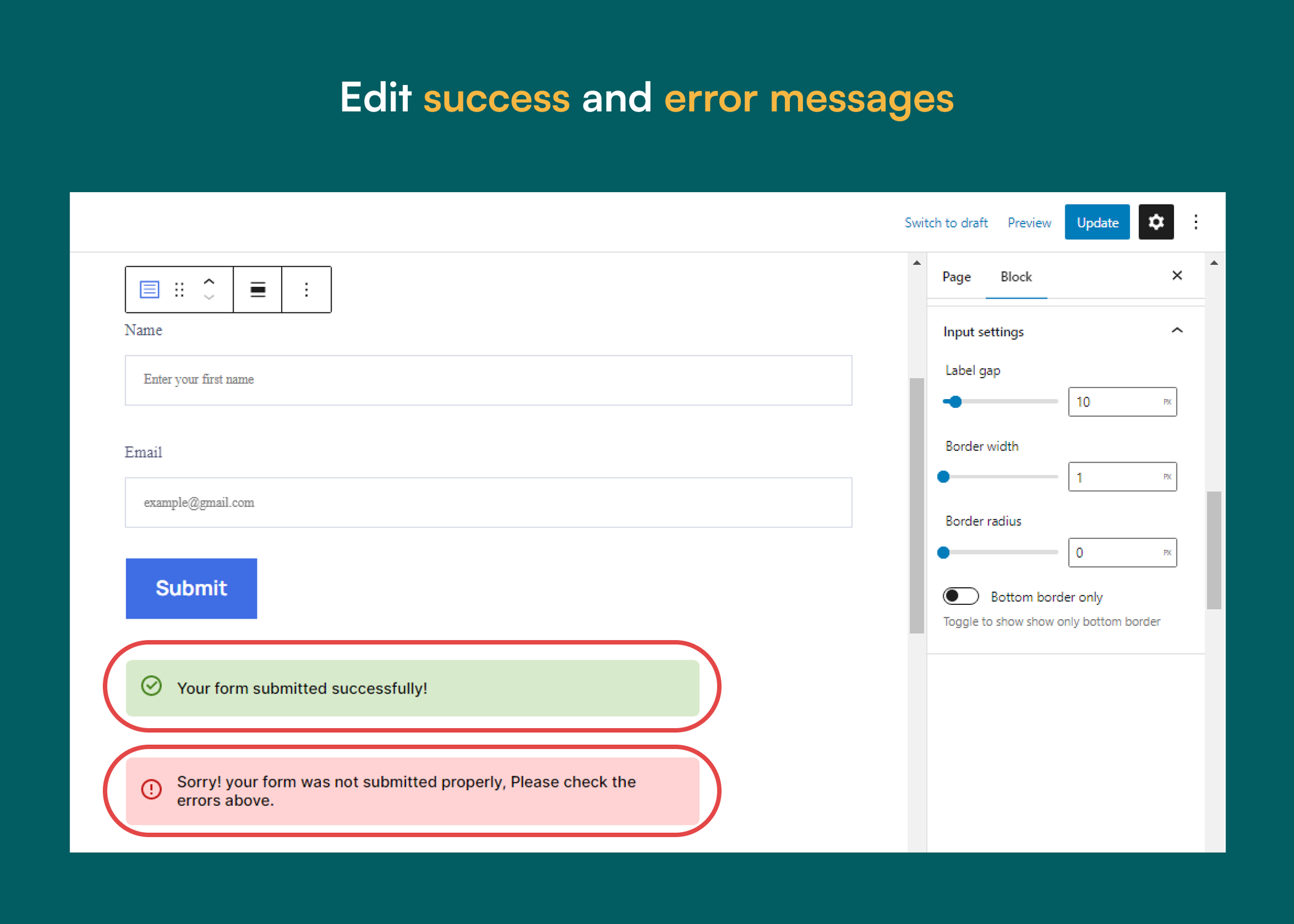
- Custom confirmation messages
- Full control over layout and styling
- Add unlimited core blocks inside forms
- Drag-and-drop WordPress form builder
- User-friendly interface
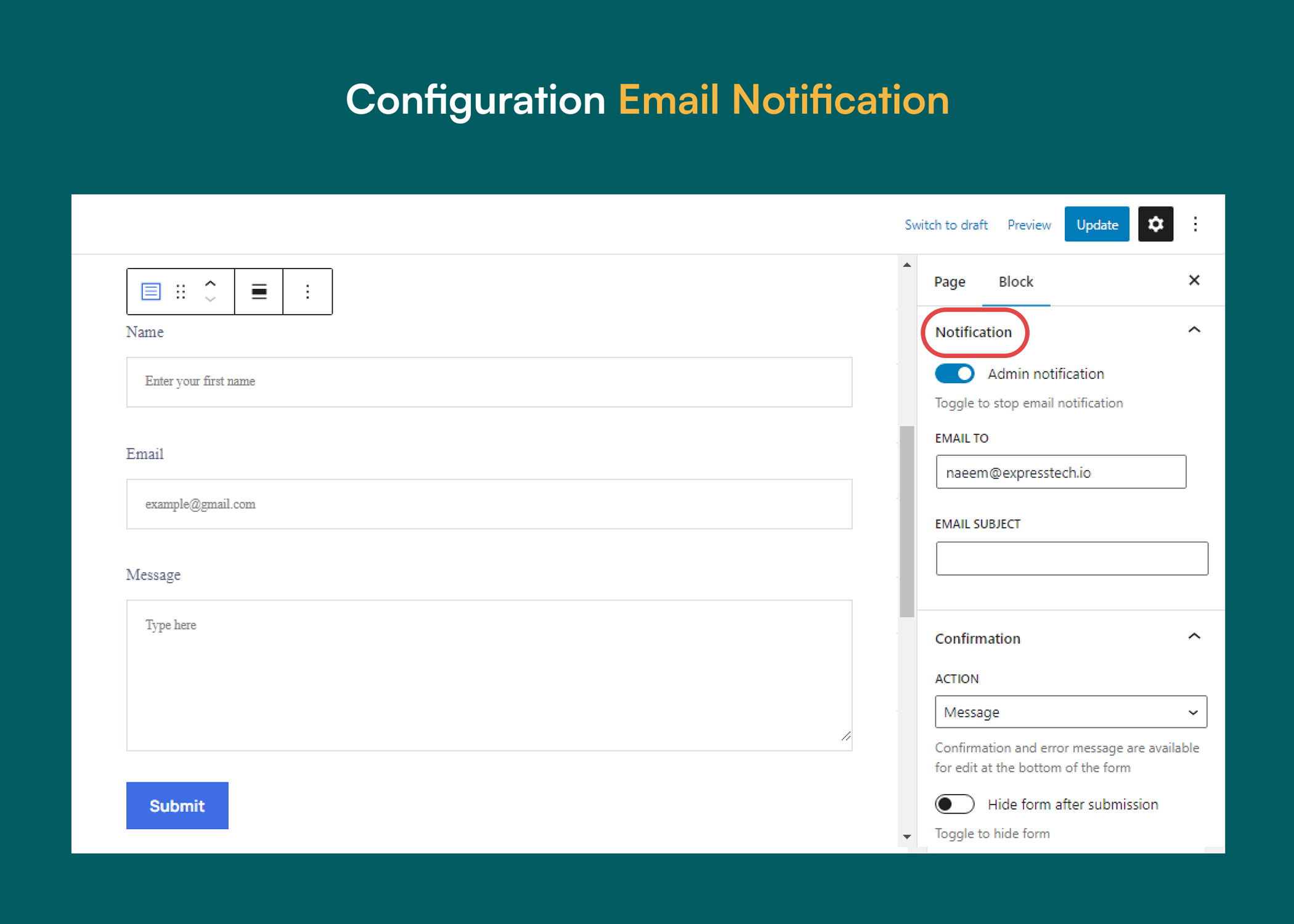
- Email Notifications
- Custom Redirection
- Custom Error Messages
- MCP (Model Context Protocol) Integration — NEW
- All advanced form input fields, such as:
- File Upload: Let users upload files and documents easily.
- Date: Capture dates with a user-friendly date picker.
- Time: Record time selections with a time picker field.
- Rating: Collect user ratings with a star rating field.
- Phone: Gather phone numbers with proper field validation.
- Country and State: Capture location details with country and state selectors.
- URL: Collect website links with a URL input field.
- Hidden Field: Store extra form data with hidden fields.
- Password Field: Securely collect passwords with a masked input field.
- Database entries
- Entry management dashboard
- Weekly form report pro
- Advanced entries filter
- Tags management
- Status management
- Entry notes
- User access control
- Premium Integrations:
- Brevo
- Mailchimp
- Active Campaign
- Priority support
- Text
- Number
- Phone
- Date
- Time
- URL
- Dropdown
- Range
- TextArea
- Checkbox
- Radio
- Date and Time
- Rating
- Password field
- Hidden field
- Country and State selector
- File upload field
- Opt-in Checkbox - Privacy policy, Terms
- Contact Form
- Surveys and feedback forms
- Lead generation forms
- Event registration forms
- Custom enquiry form
- Online booking forms
- Customer enquiry forms
- Job application forms
- Gutena Newsletter: Add a customizable newsletter subscription block to the Gutenberg editor to grow your email list.
- Gutena Accordion: Insert responsive accordion blocks for FAQs, content toggles, and structured sections.
- Gutena Video Lightbox: Add eye-catching video popups with a clean lightbox layout inside the block editor.
- Gutena Tabs: Create organized, mobile-friendly tabbed content layouts with flexible style controls.
- Gutena PhotoFeed: Display Instagram photos in a single feed or multiple feeds with easy setup.
- Gutena Recent Post Tag: Highlight new or featured posts with an automated tag based on publish date.
- Post SMTP – Reliable WordPress email delivery plugin with detailed email logs and multiple SMTP integrations.
- Advanced File Manager – Easily manage and organize your WordPress files directly from the dashboard.
- Password Protected – Secure your WordPress site, posts, pages, and categories with simple password protection.
- myCred – Add gamification, rewards, ranks, and points management systems to your WordPress website.
- WP EasyPay – Accept Square payments and donations easily on your WordPress site.
- WC Shop Sync – Add Square payments and Sync WooCommerce products, customers, and orders with your Square POS.
- Bookify – Your go-to online bookings and appointment scheduling plugin for WordPress.
- CF7 Apps – It allows you to add honeypot, hCaptcha, and Database entries to the Contact form. Our team is constantly adding new Contact Form 7 extensions.
- All In One Login – Secure your WordPress login page, change the wp-login.php url, and add Google, Facebook, Microsoft, LINE, and other social logins to your WordPress site.
- New User Approve – Control user registrations by manually approving or denying new signups.
- WP Experts WooCommerce Store – Explore premium WooCommerce plugins and solutions by WPExperts.
- Gutena Forms [correct]
- GutenaForms [incorrect]
- gutena forms [incorrect]
- Gutena forms [incorrect]
- gutena-forms [incorrect]
- Gutena Form [incorrect]
- GUTENA FORMS [incorrect]
屏幕截图:
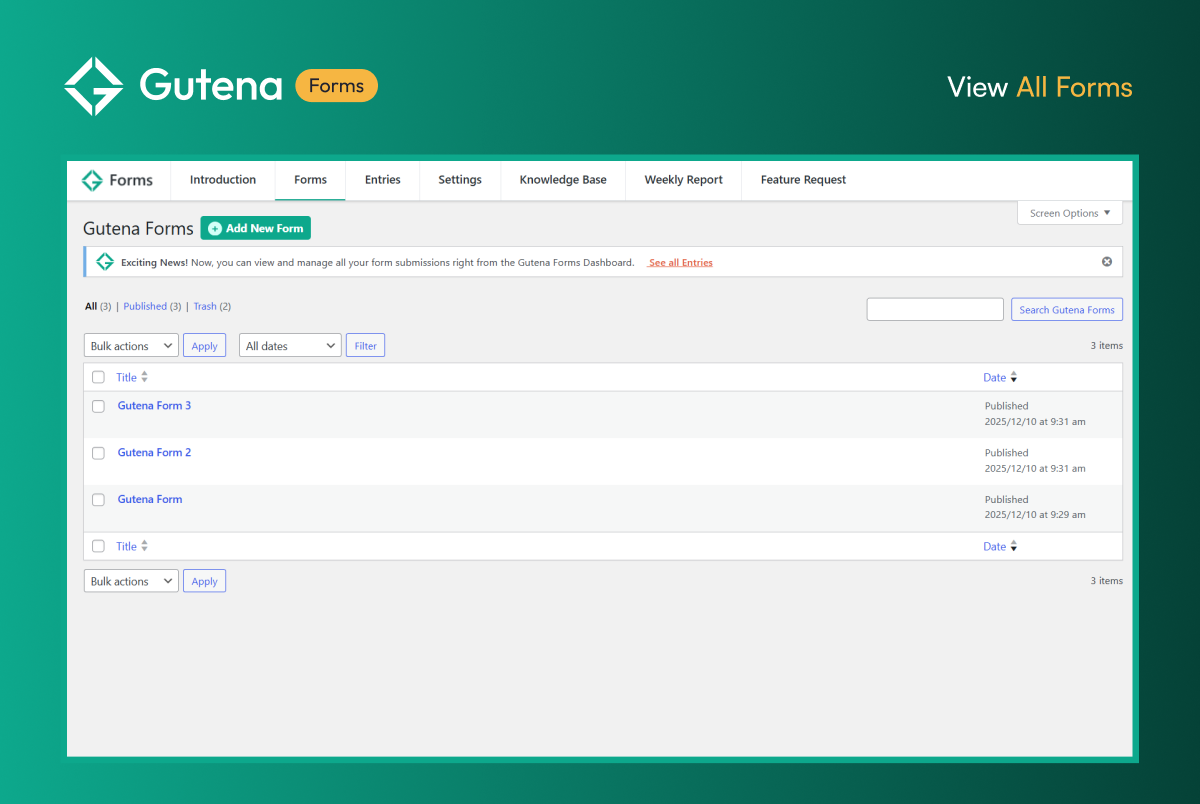
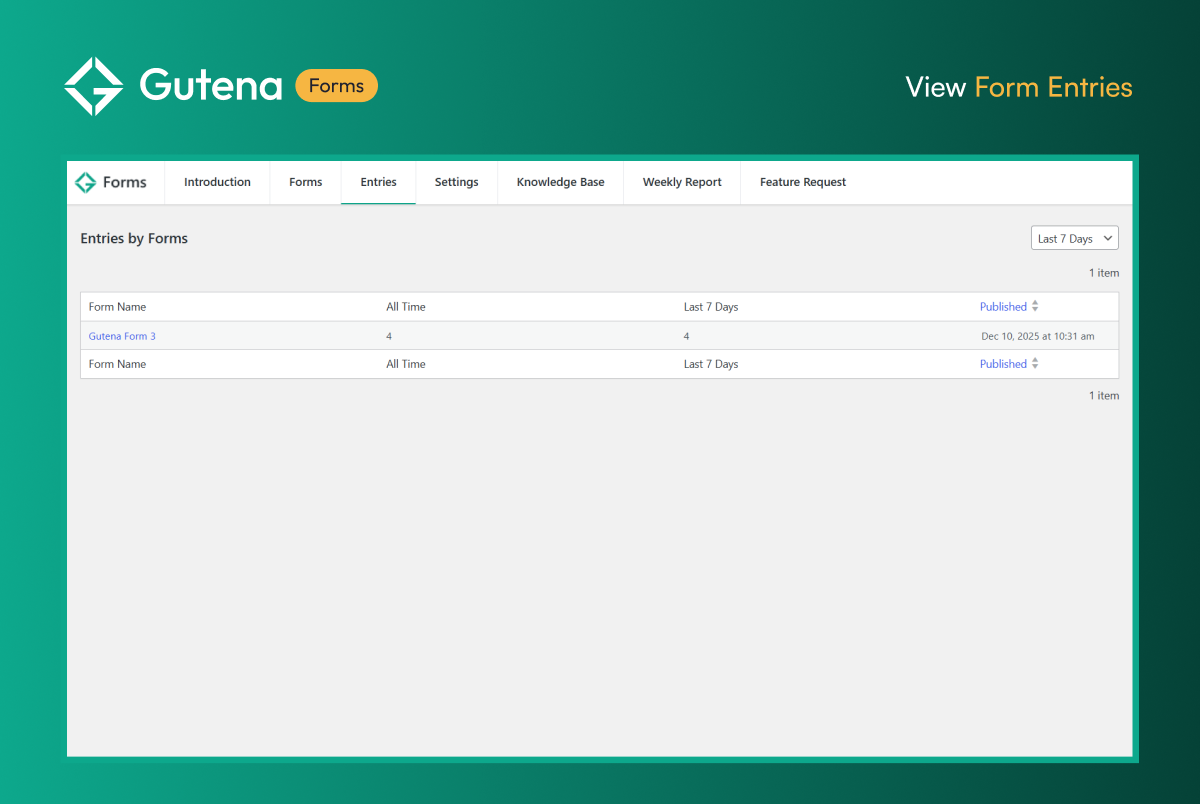
常见问题:
What is Gutena Forms?
Gutena Forms is a lightweight WordPress form builder plugin that lets you create custom contact forms, survey forms, booking forms, and feedback forms inside the Gutenberg block editor.
Does Gutena Forms work inside the Gutenberg block editor?
Yes, Gutena Forms works natively in the WordPress block editor and lets you build and customize forms directly in Gutenberg.
Can I create responsive and mobile-friendly forms with Gutena Forms?
With Gutena Forms, you can easily create fully responsive WordPress forms that look great on desktops, tablets, and mobile devices.
Does Gutena Forms support Google reCAPTCHA or Cloudflare Turnstile?
Absolutely, Gutena Forms includes built-in Google reCAPTCHA v2 and v3, along with Cloudflare Turnstile to block spam and protect your forms.
Does Gutena Forms store form entries in the WordPress database?
Yes, Gutena Forms Pro stores all form entries in a secure database inside your WordPress dashboard so you can access submissions anytime.
Can I add Entry Notes to form submissions?
In the Pro version, you can add Entry Notes to any submission to track customer details, follow-ups, and internal updates.
Does Gutena Forms allow file uploads?
Yes, Gutena Forms Pro includes a File Upload field that allows users to upload documents, images, or other files through your forms.
Can I get email notifications after each form submission?
Gutena Forms sends instant email notifications to the admin and lets you customize the sender details, subject, and reply-to fields.
Are there any pre-built form templates?
Yes, the plugin provides ready-made WordPress form templates that help you create contact forms, enquiry forms, and survey forms in minutes.
Can I filter and manage my form entries?
Yes, Gutena Forms Pro includes advanced entry filters, tags, and status management so you can organize submissions efficiently.
Will Gutena Forms slow down my website?
No, Gutena Forms is a lightweight WordPress form plugin that does not use jQuery and keeps your website fast and optimized.
Can I customize the style and layout of my forms?
Gutena Forms gives you full control over padding, colors, spacing, typography, field widths, and overall form layout inside Gutenberg.
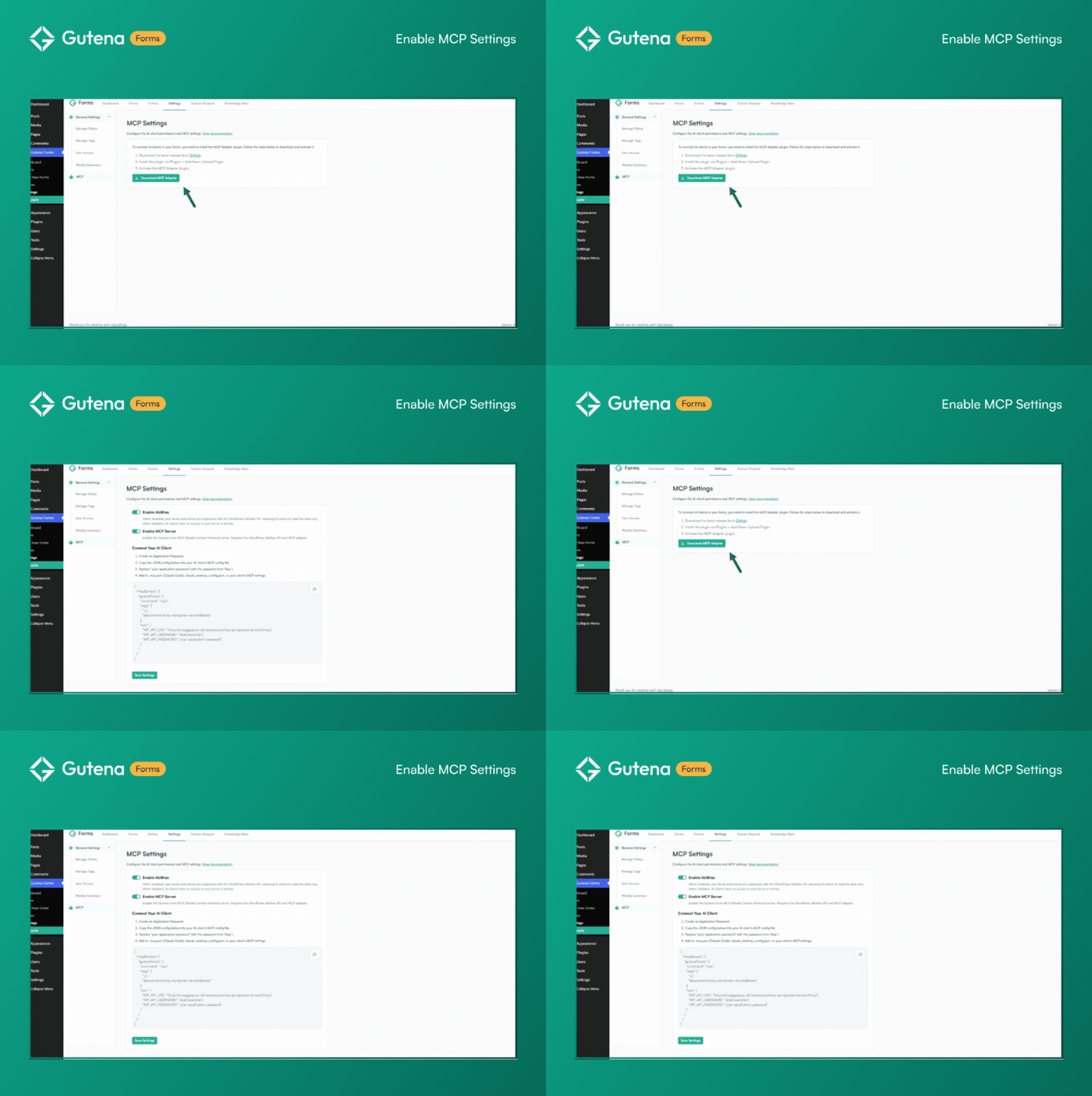
Which AI tools can connect to Gutena Forms via MCP?
Gutena Forms MCP Server works with any MCP-compatible AI client, including Claude Desktop, Claude Code, Cursor IDE, and other tools that support the Model Context Protocol. Just copy the provided JSON configuration, add your WordPress credentials, and start asking your AI assistant about your form data.
Is my form data secure when using MCP integration?
Yes. Gutena Forms MCP provides read-only access to forms and submissions. Authentication uses WordPress Application Passwords (no separate API keys), and access is restricted to administrators with the manage_options permission. Your data never leaves your WordPress site. AI tools query it securely through your MCP endpoint.
Can I configure spam protection for all forms at once?
Yes! You can enable and configure spam protection (Honeypot, Google reCAPTCHA, or Cloudflare Turnstile) globally from the Gutena Forms Settings panel. These settings automatically apply to all forms. You can still override them for individual forms inside the block editor if needed.
Can I customize settings for individual forms if I use Global Settings?
Absolutely! Global Settings provide defaults for all forms, but you retain full control. Open any form in the block editor and customize spam protection, validation messages, or integrations for that specific form. Global settings handle the routine work; you handle the exceptions.
Where do I report security bugs found in this plugin?
Please report security bugs found in the source code of the undefined plugin through the Patchstack Vulnerability Disclosure Program. The Patchstack team will assist you with verification, CVE assignment, and notify the developers of this plugin.
更新日志:
- New – Added Auto Responder feature.
- New - Redesigned frontend UI for all form fields with consistent layout, labels, validation states, and accessibility
- New - Standalone single-block fields: each field type is now one block with merged settings (no nested child blocks)
- Fixed – Security enhancement on behalf of CVE-2026-11995
- Fixed – Accessibility issues
- New - Added global and form-specific settings for default validation messages
- New - Added default/global and form-specific settings for spam protection features
- Updated - Tested with WordPress version 7.0
- New – MCP settings to provide access of forms and submissions data to AI-clients
- Improvement - Minor UI enhancements.
- FIX - Resolved CAPTCHA rendering issue.
- New - Added honeypot anti-spam protection for individual forms.
- Improvement - Enhanced Entries and Forms table UI.
- Improvement - Enhanced Form Settings UI.
- FIX - Patched Security vulnerability reported by WordFence team.
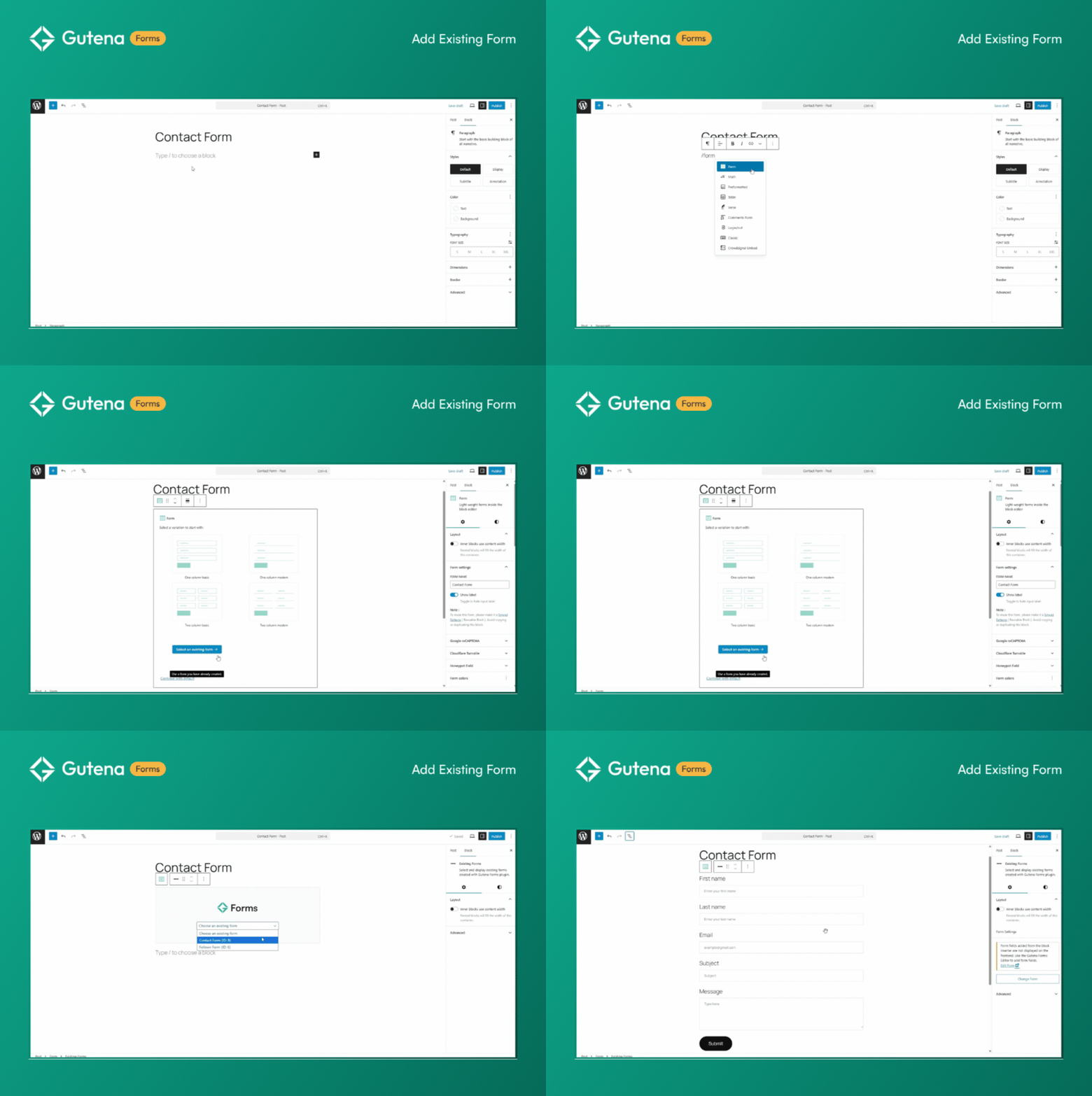
- NEW - Introducing Existing Forms for re-usability.
- Improved user experience.
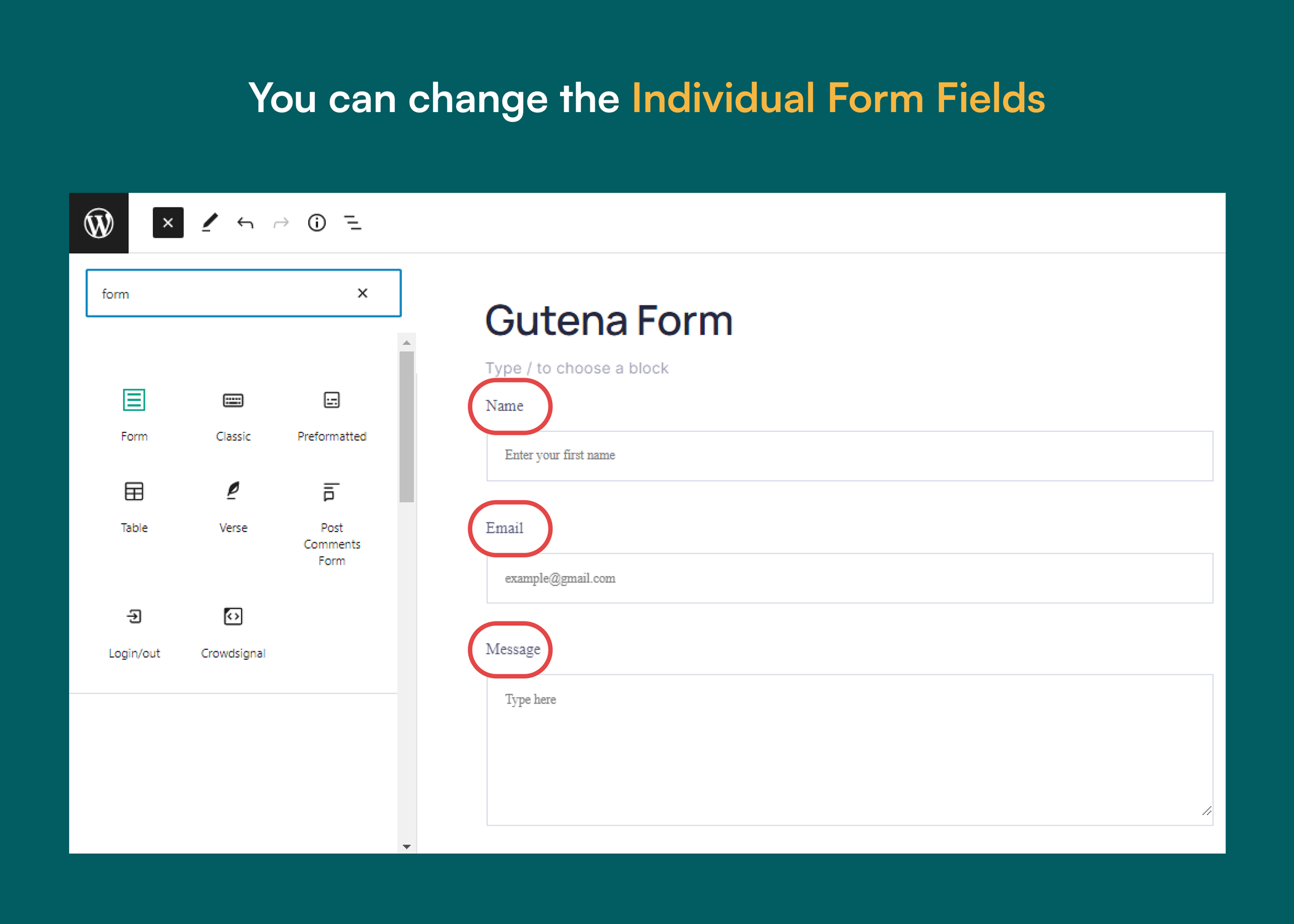
- NEW - Individual form fields block.
- FIX - Removed "Existing Forms" block.
- FIX - Improved external redirections.
- FIX - Block was throwing error.
- FIX - Removed existing forms block.
- NEW - Weekly Form Entries email summary to admin.
- NEW - Improved welcome page with enhanced onboarding experience.
- NEW - Added Post Type support in Gutena Forms.
- FIX - URLs Correction
- NEW - Added Cloudflare Turnstile Integration
- Updated: Improved admin email notification failure message.
- Updated: Admin email notification
- Fixed: Form variation placeholders size
- Fixed: Form Settings components width
- Fixed: Non FSE theme typography error
- Fixed: admin email notification off
- Fixed: Font family settings
- Added: Try Demo link in readme file
- Fixed: Email notification HTML_MIME_NO_HTML_TAG
- Fixed: Checkbox field height
- Fixed: Autofill background color
- Fixed: Form submit progress button background default color
- Added From name setting for email notification
- Added Last name reply to email address setting
- Added gutena_forms_submission action hook
- Added dynamic messages settings inside editor
- Updated .pot file
- Added support for unsynced pattern
- Added Opt-in Checkbox - Privacy policy, Terms field type
- Added default value settings for text and textarea type input field
- Fixed form database table key length
- Fixed form entries table column label length
- Updated .pot file
- Fixed grecaptcha enqueue
- Improved admin notification settings input box UI
- Fixed textarea field number of rows style
- Fixed form submission for grecaptcha v3 disabled with saved attributes
- Added admin notice in dashboard and email to view form entries
- Added gutena_forms_view_field_value filter to filter view of field value
- Added gutena_forms_render_form filter to filter form render content
- Added gutena_forms_render_field filter to filter field render content
- Added gutena_forms_field_value_for_email to filter value for email notification to admin
- Added gutenaforms.field.types filter to add new fields
- Made Field block nameAttr unique and added warning accordingly
- Added warning in case form label is empty
- Moved Field block form type settings at top panel after block styles
- Fixed select input height
- Fixed label color render in editor
- Updated editor FontSizePicker component
- Updated block editor range control component
- Added select parent form block control in toolbar for child field block
- Added admin dashboard
- Added form submission view in admin dashboard
- Lock form field and error message block inside field group template
- Made form field block used by only field group block by hiding it from inserter
- Added Reply To email and name features in form block
- Made gutena-forms parent from ancestor in all child blocks
- Added numbers, radio, range slider and checkboxes form fields
- Made gutena-forms ancestor from parent in all child blocks
- Added Google reCAPTCHA Integration
- Fixed missing form identity issue
- Fixed input box on focus border color
- Fixed form submission
- Fixed default input label and placeholder font-family
- Updated readme.txt file content
- Updated block icons and screenshots
- Added font-family supports to input label and placeholder
- Enabled alpha in color attributes
- Fixed label gap
- Fixed input settings slider control width
- Fixed input box-sizing overflow
- Fixed select field
- Added filter gutena_forms_submit_admin_notification
- Fixed submit button markup
- Fixed form picker preview
- Updated banners and icons
- Updated Wordpress Requires at least to 6.0
- Release