Gyta Buyback | WooCommerce Product Trade-In and Buy Back System
| 开发者 |
gauchoplugins
brandonfire freemius |
|---|---|
| 更新时间 | 2026年10月8日 11:18 |
| 捐献地址: | 去捐款 |
| PHP版本: | 8.1 及以上 |
| WordPress版本: | 7.1 |
| 版权: | GPLv2 or later |
| 版权网址: | 版权信息 |
标签
下载
详情介绍:
- Customer submits a trade-in - They add their item to your WooCommerce cart and check out as normal.
- You generate a shipping label - A prepaid EasyPost label is created automatically (or in batch) and emailed to the customer.
- Customer ships the item - Real-time tracking events keep both sides informed via webhooks.
- You inspect and pay - Once the item arrives, you pay the customer through one of the reversed payment methods (Check, PayPal, Zelle, Venmo, and more).
- Used Phone & Electronics Buyers - Run a phone or electronics trade-in program directly from your WordPress site.
- Recommerce & Refurbishment Companies - Streamline the intake of used goods for refurbishment and resale.
- Gold, Jewelry & Precious Metal Buyers - Accept mail-in shipments with prepaid labels and pay sellers on approval.
- Textbook & Media Buyback - Operate a textbook buyback program with automated shipping and payouts.
- Sneaker & Fashion Resellers - Purchase authenticated items from sellers with a professional storefront.
- Trade-In Programs for Any Retailer - Add a trade-in program alongside your existing WooCommerce shop.
- Recycling & E-Waste Programs - Accept items for recycling with automated logistics.
- Reversed Payment Gateways - WooCommerce-native payment methods (Check, PayPal, Amazon Gift Card) that pay the customer instead of charging them.
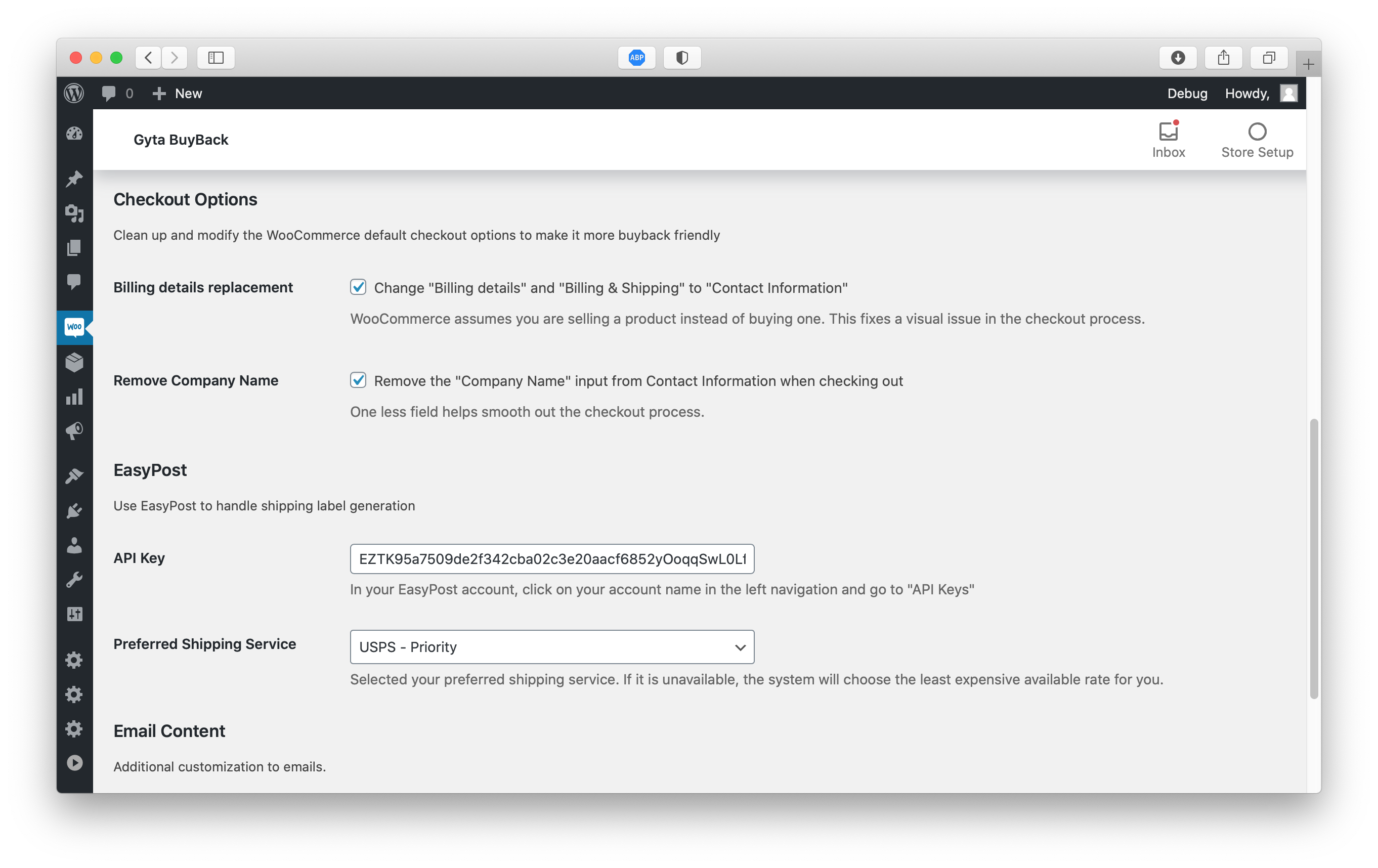
- EasyPost Shipping Integration - Automatically generate USPS, UPS, and FedEx prepaid return shipping labels from within WooCommerce orders.
- Customer Shipping Labels - Customers can print or download their prepaid return label from the order confirmation page and order emails.
- Buyback Button Labels - Product and checkout buttons read as a sale to you ("Trade in / Sell to us", "Get my offer") instead of "Add to cart" - fully customizable.
- Real-Time Tracking Webhooks - Receive EasyPost tracking event updates via a secure REST API webhook endpoint. Tracking events are stored on the order.
- Custom Order Statuses - Optional "Waiting for Customer Approval", "Customer Approved", and "Customer Disapproved" statuses for a complete approval workflow.
- WP-CLI Commands - Manage labels, verify addresses, and debug orders from the command line for advanced users and automation.
- WooCommerce HPOS Compatible - Fully compatible with WooCommerce High-Performance Order Storage (Custom Order Tables).
- Cart & Checkout Block Support - Works with the modern WooCommerce block-based cart and checkout.
- Admin Dashboard - A dedicated Gyta Buyback menu in wp-admin with quick links, settings, and order tools.
- Privacy & GDPR Ready - Built-in privacy policy content suggestions for your site's privacy page.
- Multisite Compatible - Works on WordPress multisite installations with network or local activation.
- Design Templates - Pick a look for everything your customers see (Classic, Card, or Minimal) and set an accent colour to match your brand.
- Getting-Started Checklist - A guided first-run checklist with a one-click sample trade-in product, so you can see the whole flow before configuring anything.
- Store Modes - Run your store as Dual (buy + trade-in side by side) or Net settlement (trade in toward a purchase and pay the difference), instead of buyback-only.
- More Payout Methods - Pay customers via Zelle, Venmo, Interac eTransfer, ACH, UK Bank Transfer, Crypto / Stablecoin, or Store Credit (with an optional bonus %).
- Trade-In Device Details - Capture each item's condition, IMEI / serial number, and notes on the product page, cart, or checkout.
- Re-Quote & Counter-Offer - Revise the payout after inspection and send the customer a new offer to approve or decline.
- Customer Status Timeline - A live progress tracker on the customer's order page, from label sent to payment sent.
- Buyback Reports - Total paid out, pending payouts, and devices awaiting action at a glance.
- Batch Labels & Scan Forms - Generate shipping labels for many orders at once from a dedicated admin page.
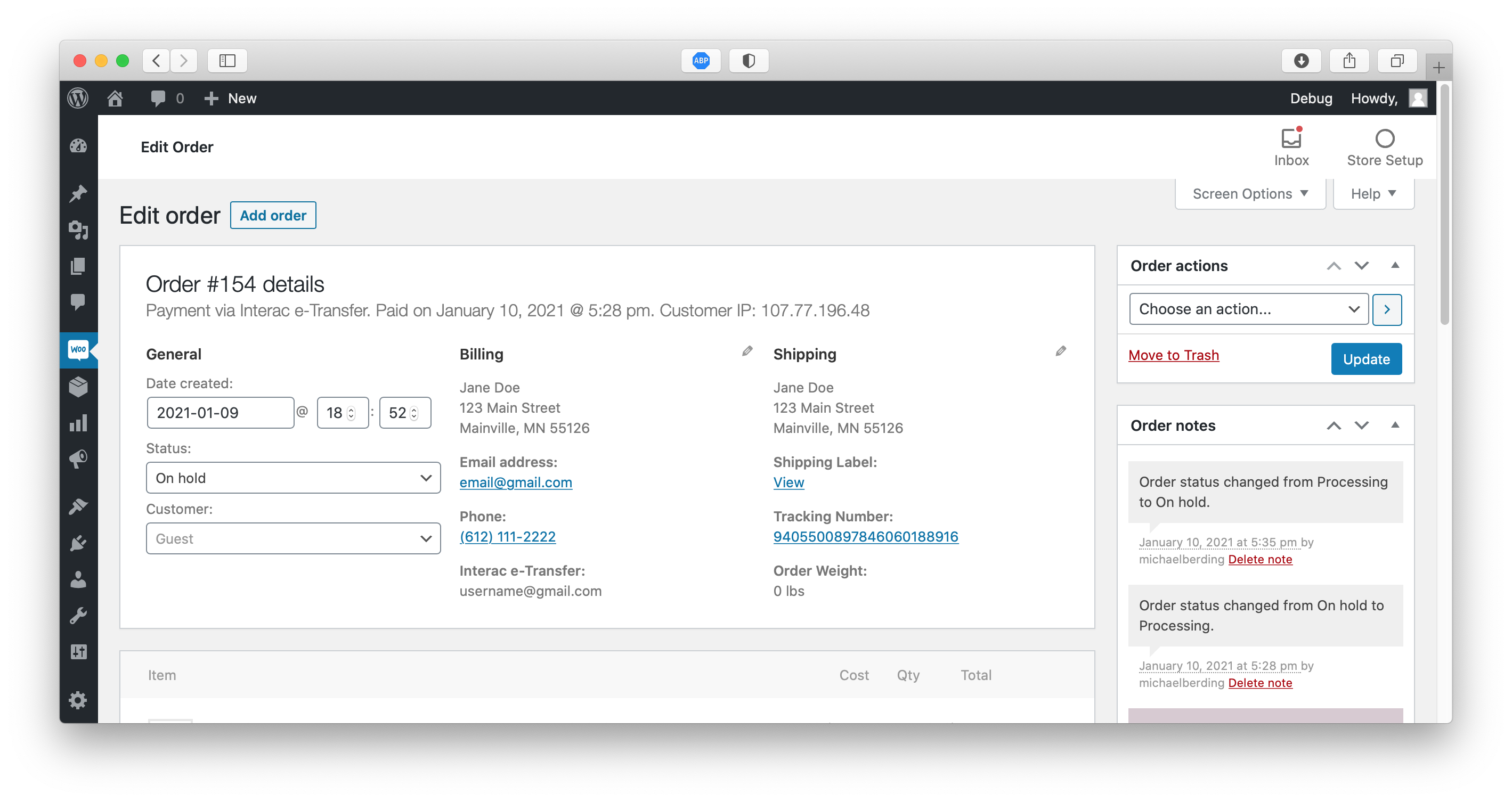
- Shipping Label & Tracking in Admin - View label PDFs, tracking numbers, and delivery status directly from the WooCommerce order edit screen.
- Hide Variation Fields - Declutter WooCommerce product variation panels by hiding fields you don't use (image, SKU, stock status, description).
- Automatic Payouts - Send real money to customers via PayPal Payouts or Wise in one click, with batch sending, status tracking, safe retries, and a QuickBooks-friendly accounting CSV export.
- Condition Quiz - Apple-style instant quotes. The customer answers a few questions and the offer adjusts automatically, in every store mode.
- Quote Expiry - Offers lock for a set number of days, with a clear countdown for the customer.
- Apple-Style Trade-In Picker - In Net mode, customers choose their old device while viewing the new one, and the credit follows them to cart and checkout.
- My Trade-Ins Account Tab - Customers get live status, labels, tracking, and one-click offer approval in their WooCommerce account; re-quotes can include inspection photos.
- Shipping Kits & QR Drop-Off - Mail a prepaid empty box first, with the return label printed inside or emailed when the kit ships. QR drop-off codes mean no printer at the carrier counter.
- Catalog CSV Import - Load your whole device price list (models, conditions, prices, categories) in one upload, with a dry-run preview.
- Net Reconciliation - Record the inspected value and let the difference settle itself: a pay-link invoice when a device grades lower, extra store credit when it grades higher.
- Resale Loop & Margin Reports - Turn received devices into sellable stock with cost tracking, margin reporting, and VAT margin-scheme flags for EU/UK second-hand dealers.
- SMS & Reminder Notifications - Twilio SMS updates (label ready, device received, payment sent), a shipping-kit reminder email, and one-time abandoned-quote recovery.
- Priority Support - Get faster, dedicated support for your buyback operation.
- USPS - First Class, Priority, Priority Express
- UPS - Ground, 2nd Day Air, Next Day Air
- FedEx - Ground, Express Saver, 2Day, Overnight
wp gyta diagnose - Run plugin diagnostics
wp gyta status - Show EasyPost connection status
wp gyta settings - List all settings (also wp gyta get <key> and wp gyta set <key> <value>)
wp gyta test-address - Validate an address against EasyPost
wp gyta test-label <order_id> - Create a shipping label for an order (this buys a real label)
wp gyta refund <order_id> - Request a refund for an order's shipping label
Creating labels for many orders at once is done from the Batch Labels admin tab rather than WP-CLI.
📖 WP-CLI reference →
🆘 Support: WordPress.org support forum (free) | gytabuyback.com (premium)
GAUCHO PLUGINS PORTFOLIO
Payment Page: Start accepting payments in a beautiful payment form in less than 60 seconds
Split Pay Plugin: Split WooCommerce payments across multiple connected Stripe accounts.
Login for Stripe Customer Portal: Create an Account login area for your Stripe customers.
Gyta Buyback: Create a trade-in / buyback business using WooCommerce.
Version Info: Show WP, PHP, MySQL & Web Server Versions in the WP-Admin Dashboard.
China Payments Plugin: Accept WeChat Pay and Alipay payments from Chinese customers.
Blocked in China: Check if your website is available in the Chinese mainland.
Speed in China: Check your website’s speed in the Chinese mainland.
安装:
- WordPress 5.9 or later
- WooCommerce 7.0 or later
- PHP 8.1 or later
- Log in to your WordPress admin dashboard.
- Navigate to Plugins → Add New.
- Search for "Gyta Buyback".
- Click Install Now, then Activate.
- Go to WooCommerce → Settings → Gyta Buyback to configure the plugin.
- Download the plugin zip file from WordPress.org or gytabuyback.com.
- In your WordPress admin, go to Plugins → Add New → Upload Plugin.
- Upload the zip file and click Install Now.
- Activate the plugin and navigate to WooCommerce → Settings → Gyta Buyback.
- Configure your business address under the Gyta Buyback settings tab.
- Add your EasyPost API key to enable automatic shipping label generation.
- Enable the reversed payment gateways you'd like to offer (Check, PayPal, Zelle, etc.) under WooCommerce → Settings → Payments.
- Create your buyback products as normal WooCommerce products with the prices you're willing to pay.
- Start accepting trade-ins!
屏幕截图:


常见问题:
Does this plugin require WooCommerce?
Yes. Gyta Buyback extends WooCommerce and requires it to be installed and activated. It is compatible with WooCommerce 7.0 and later.
How do the reversed payment methods work?
Instead of collecting money from the customer, Gyta Buyback's payment gateways record that you owe the customer. The order is placed and you fulfill payment to the customer offline through the selected method (Check, PayPal, Zelle, Venmo, etc.).
Do I need an EasyPost account?
An EasyPost account is recommended but not required. Without it, you can still use the reversed payment methods and manage orders - you just won't get automated shipping label generation. EasyPost offers a free tier with pay-per-label pricing. Sign up at easypost.com.
What shipping carriers are supported?
Through EasyPost, you can generate labels for USPS, UPS, FedEx, and many other carriers. Gyta Buyback automatically selects the cheapest rate or lets you choose.
Is this compatible with WooCommerce HPOS (High-Performance Order Storage)?
Yes. Gyta Buyback fully supports WooCommerce HPOS / Custom Order Tables and the block-based cart and checkout.
Can I use this on a WordPress multisite?
Yes. The plugin supports both network-wide and per-site activation on WordPress multisite installations.
Is there a free trial of the premium version?
Yes! You can start a 30-day free trial of the premium version directly from within the plugin. Learn more →
Where can I find documentation?
Full documentation, setup guides, and developer references are available at gytabuyback.com/docs.
Where can I get support?
Free users can post in the WordPress.org support forum. Premium users get access to priority support through gytabuyback.com.
Can I suggest a feature or report a bug?
Absolutely! Reach out via the support forum or contact us through gytabuyback.com.
更新日志:
- Updated Freemius SDK to the latest version. See changelog.txt for the full version history.