
Seasonal Effects & Notice Bar (formerly Halloween Animations)
| 开发者 | sanju-shankar |
|---|---|
| 更新时间 | 2026年10月23日 00:22 |
| 捐献地址: | 去捐款 |
| PHP版本: | 7.2 及以上 |
| WordPress版本: | 7.1 |
| 版权: | GPLv2 or later |
| 版权网址: | 版权信息 |
详情介绍:
- Countdown Timers: Create FOMO with urgent timers in your notice bar.
- Sale Animations: Falling "Sale" tags, shopping bags, and discount icons.
- Cyber Effects: Matrix rain and glitch effects perfect for Cyber Monday tech deals.
- Pre-built Templates: One-click setup for Black Friday (Dark/Red) and Cyber Monday (Neon/Tech).
- Scheduled Campaigns: Set start/end dates for your sales banners automatically.
- 🦇 Flying Bats - Smooth flight patterns
- 👻 Floating Ghosts - Mysterious floating
- 🎃 Running Pumpkin - Rolling across screen
- 🍂 Falling Leaves - Autumn atmosphere
- 🕷️ Crawling Spiders - Realistic crawling motion
- 🌫️ Fog Effect - Multi-layer fog drift Smart Controls:
- Individual on/off toggles
- Count controls for each effect
- Speed variations (slow/medium/fast)
- Mobile device support
- Display location targeting Notice Bar System:
- 🎨 Advanced Design: Gradients, background images, and custom colors
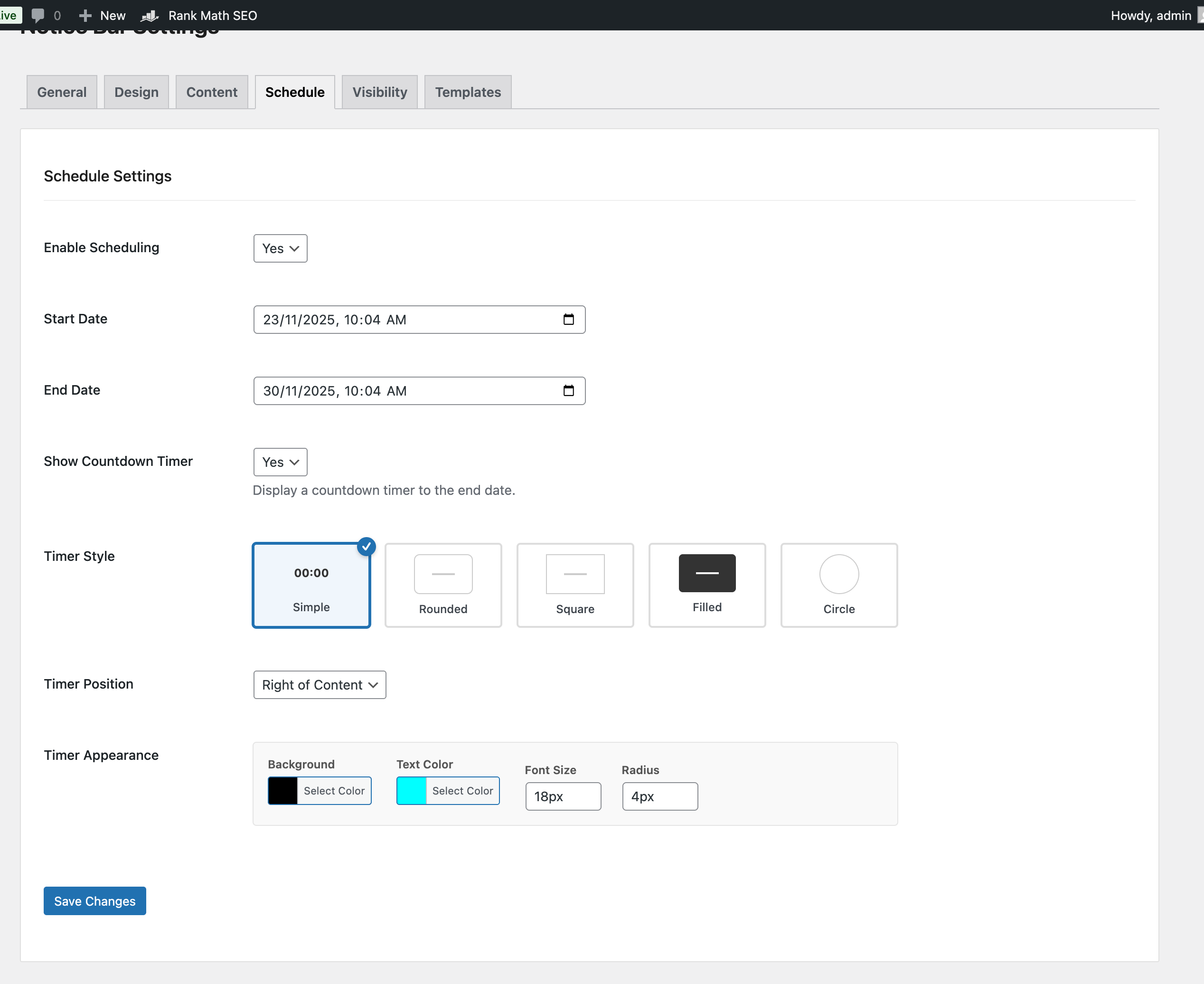
- ⏱️ Countdown Timer: 5 styles (Simple, Rounded, Square, Filled, Circle)
- 👁️ Visibility Rules: Show on specific pages (Home, Blog, Posts, CPTs)
- 🍪 Smart Closing: Session-based, time-based (1h/1d/7d), or permanent dismissal
- 📱 Responsive: Top/Bottom positioning with mobile support
- 📝 Rich Content: Full WYSIWYG editor with color and font size controls ⏱️ Countdown Timer Block & Shortcode:
-
Add a live countdown anywhere: the Countdown Timer block, or the
[seasonal_effects_countdown]shortcode for classic editor, widgets and page builders - 5 styles (Simple, Rounded, Square, Filled, Circle), 3 sizes, long or short labels, custom colors
- Uses your site's timezone, so every visitor counts down to the same moment
- Shows the real time immediately (no "00:00" flash) and swaps to your own message when it ends
- Loads its small CSS/JS only on pages that contain a timer 5 Sales Templates:
- ⚫ Black Friday: High-converting dark theme with red accents
- 💻 Cyber Monday: Modern neon/tech aesthetic
- 🎄 Christmas Sale: Festive holiday colors
- ⭐ Special Offer: High contrast attention grabber
- ⚡ Flash Sale: Urgent gradient design
- Black Friday / Cyber Monday Sales
- Holiday themed websites
- Seasonal sales and promotions
- Event announcements
- Blog posts and articles
- E-commerce stores
- Portfolio sites
- CSS-driven animations with a small script
- Assets load only when an effect is enabled
- GPU-accelerated transformations
- Mobile-optimized
- 60fps smooth animations
- No external API calls from your visitors' browsers (the optional admin newsletter sign-up and deactivation survey are described under External services)
- No data collection
- No tracking cookies
- All settings stored in your own database
- Notice bar dismissal is remembered in the visitor's browser only
- WordPress Profile
- GitHub
- Website Support Development:
- Buy Me a Coffee ☕
安装:
- Log in to WordPress admin
- Go to Plugins → Add New
- Search for "Seasonal Effects"
- Click Install Now
- Click Activate
- Go to Seasonal Effects → Site Animations
- Download the plugin ZIP file
- Go to Plugins → Add New → Upload Plugin
- Choose the ZIP file
- Click Install Now
- Click Activate
- Go to Seasonal Effects → Site Animations
- Click Templates tab
- Choose a seasonal preset
- Click Apply Template
- Save settings
- Visit your website!
屏幕截图:
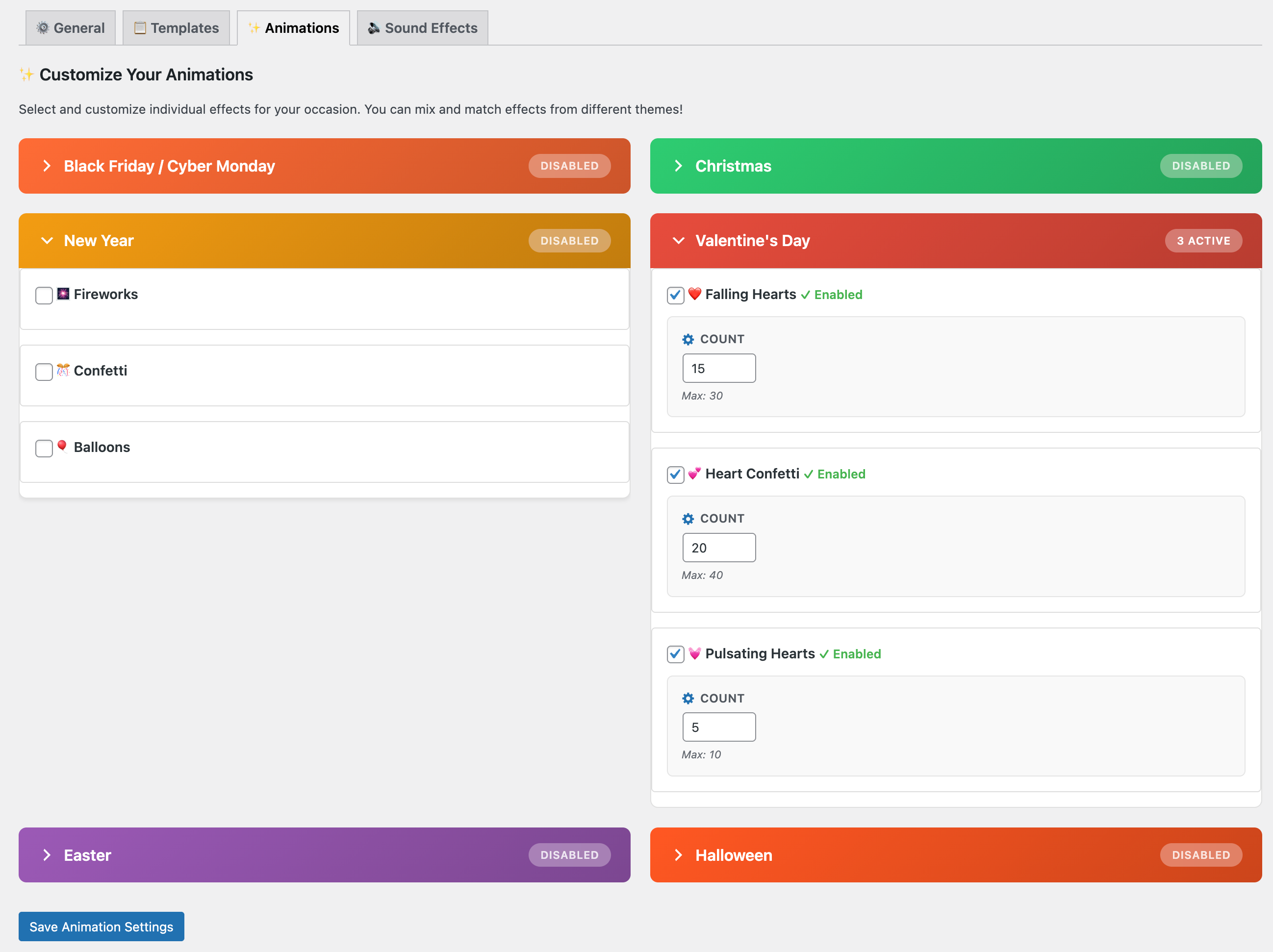
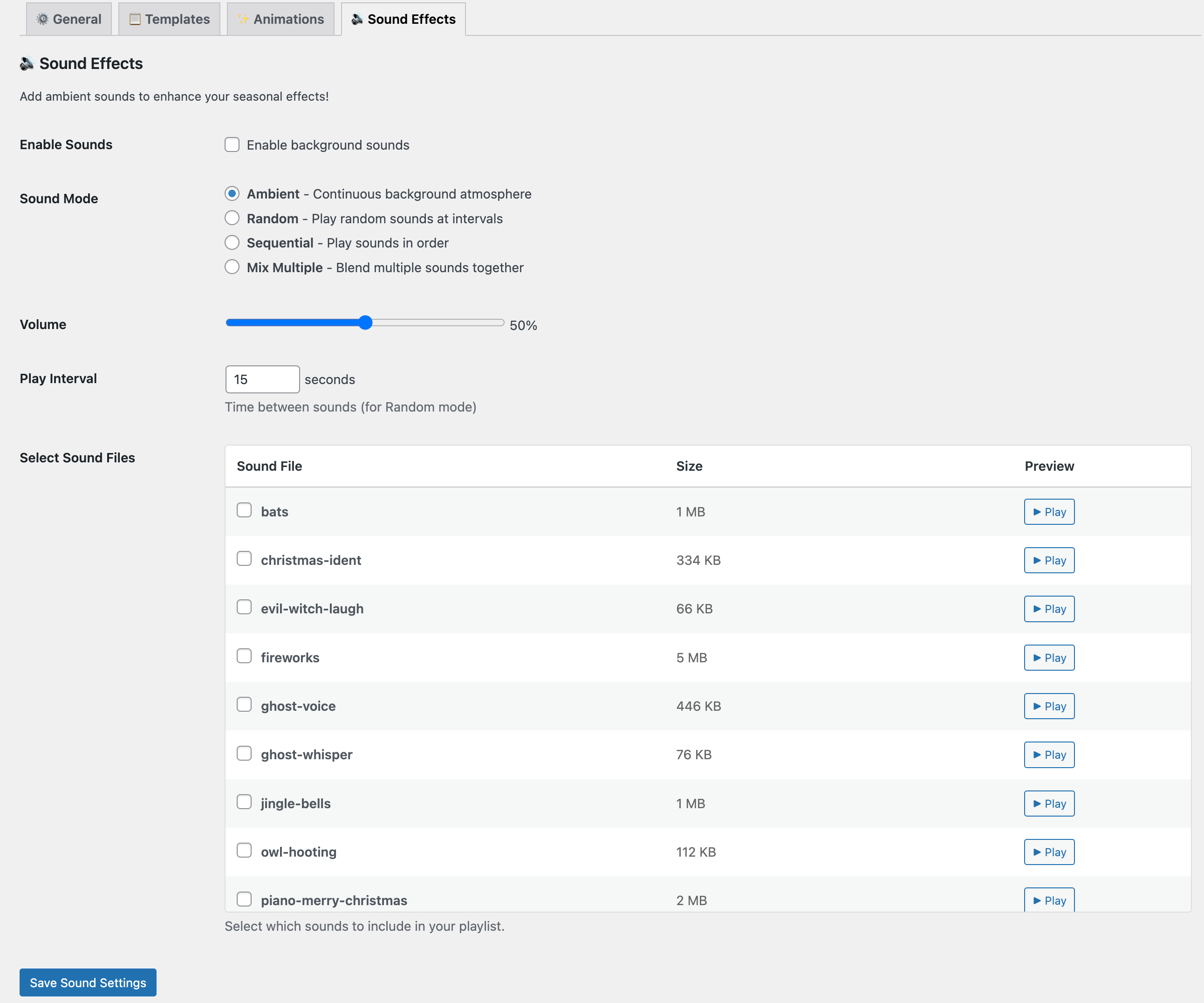
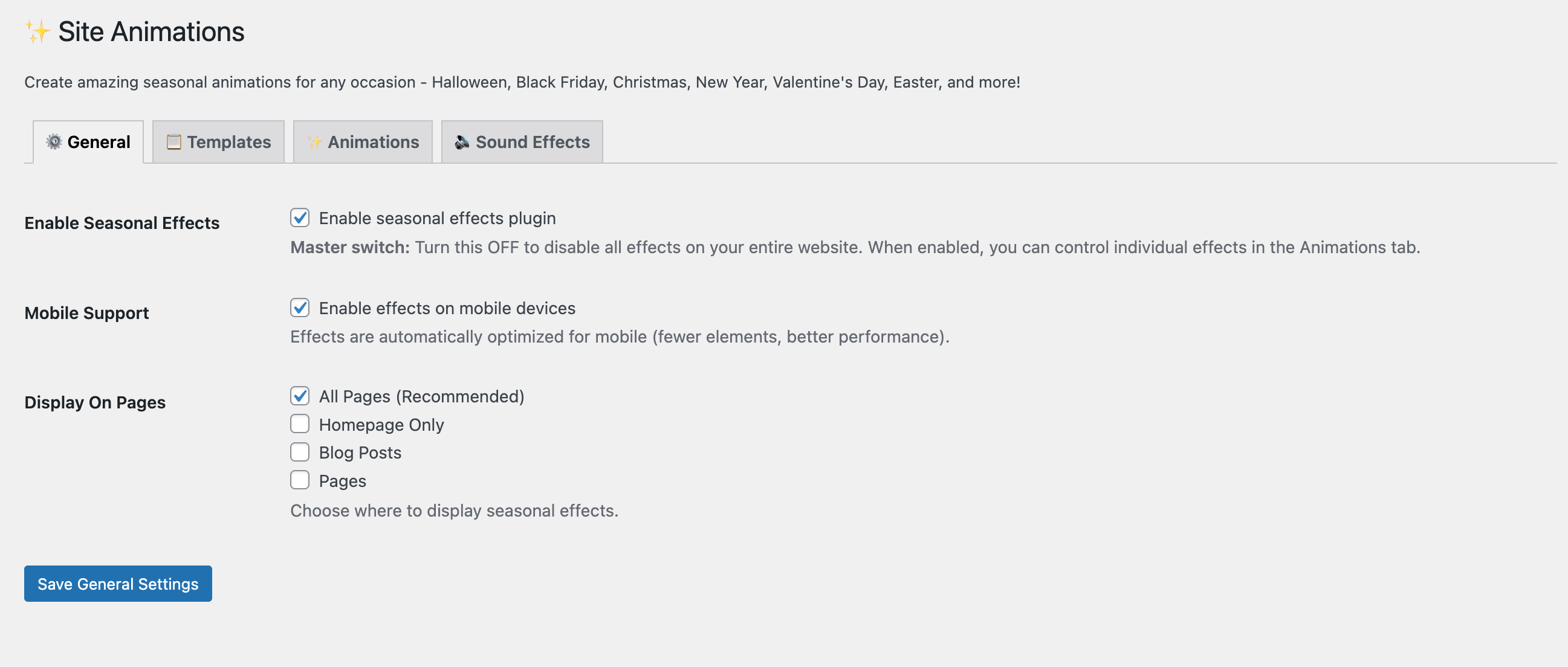
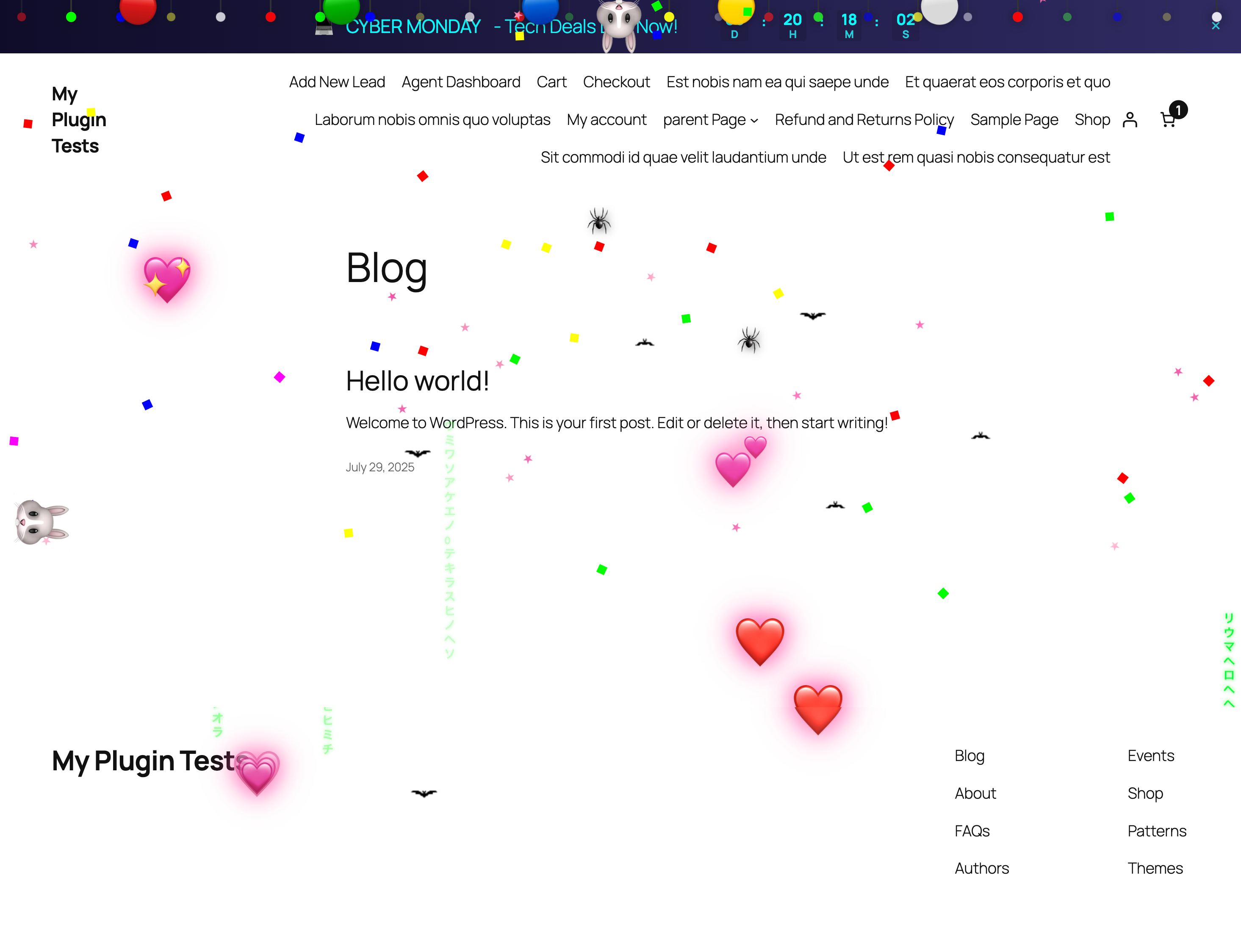

常见问题:
How do I set up a Black Friday sale banner?
Go to Seasonal Effects → Notice Bar, click the Templates tab, and select the Black Friday template. You can then customize the text and countdown timer in the Settings tab.
How do I add a countdown timer to a page or post?
In the block editor, add the Countdown Timer block and pick the end date. Everywhere else (classic editor, widgets, Elementor and other page builders), use the shortcode:
[seasonal_effects_countdown end="2026-11-27 23:59" style="rounded" title="Sale ends in"]
Options: end (in your site timezone), style (simple, rounded, square, filled, circle), size (small, medium, large), labels (long, short), align (left, center, right), bg_color, text_color, show_seconds (yes, no), title, expired_text (leave empty to hide the timer when it ends). The Seasonal Effects dashboard has a copy-ready example.
Can I schedule my Cyber Monday sale in advance?
Yes! In the Notice Bar settings under the Schedule tab, you can set a Start Date and End Date. The banner will automatically appear and disappear at your specified times.
Will this slow down my website?
No. The animations are CSS-driven and GPU-accelerated, and the plugin's files only load when at least one effect is enabled.
Can I use this with any theme?
Yes! Seasonal Effects works with any WordPress theme.
Can I customize the animations?
Absolutely! Control count, speed, and display locations for each effect.
Is this compatible with WooCommerce?
Yes! Works perfectly with WooCommerce and other popular plugins.
Can I disable effects on mobile?
Yes! There's a mobile device toggle in the General tab.
Will my existing settings be preserved when updating?
Yes! The plugin is 100% backward compatible. All settings are automatically migrated.
How do I get support?
- Support Forum
- GitHub Issues
- Email: me@sanjayshankar.me
How can I contribute?
- GitHub Repository
- Submit pull requests
- Report bugs
- Suggest features
Can I support this plugin?
Yes! If you find this plugin helpful:
- ⭐ Rate it on WordPress.org
- ☕ Buy me a coffee
- 🐛 Report bugs on GitHub
- 💡 Share feature ideas
更新日志:
- New: optional newsletter sign-up from the plugin author on the Seasonal Effects dashboard and Site Animations screen. Nothing is sent unless you click Subscribe, and closing the card hides it for 30 days.
- New: optional one-question survey when you deactivate the plugin, to help improve it. Skip & deactivate sends nothing.
- Docs: new External services section in the readme describing both.
- New Feature: Countdown Timer block and
[seasonal_effects_countdown]shortcode, with 5 styles, 3 sizes and custom colors - New: Countdown Timer card with a copy-ready shortcode on the Seasonal Effects dashboard
- Tested: WordPress 7.1
- Fixed: PHP warning ("Undefined array key default") when saving Notice Bar settings
- Fixed: Animations now correctly move clear of a fixed Notice Bar
- Improved: Removed a redundant translation loader; WordPress.org loads translations automatically
- New Feature: Advanced Notice Bar Templates (Black Friday, Cyber Monday, Christmas, etc.)
- New Feature: Visibility & Targeting Rules (Show on Home, Blog, Specific Post Types)
- New Feature: Smart Closing Behavior (Session, 1 Hour, 1 Day, Forever)
- New Feature: Countdown Timer Styles (Simple, Rounded, Square, Filled, Circle)
- New Feature: Background Image support for Notice Bar
- Improved: Rich Text Editor for Notice Content with color/size controls
- Improved: Admin UI with Visual Selectors and Template Grid
- Improved: "Reset Visibility" tool for admins
- Major Update - Rebranded to Seasonal Effects
- Added Templates tab with 8 quick presets
- Improved spider crawling animation (removed web threads)
- Fixed fog effect visibility and drift
- Enhanced mobile performance
- Better admin UI with clearer organization
- One-time welcome notice for existing users
- 100% backward compatible
- Full details in CHANGELOG.md
- Initial public release
- 6 Halloween animations
- Sound effect system
- Notice bar functionality
- Mobile device support
- Beta release