Happilee Forms Connector
| 开发者 | happilee |
|---|---|
| 更新时间 | 2026年9月16日 17:48 |
| 捐献地址: | 去捐款 |
| PHP版本: | 7.4 及以上 |
| WordPress版本: | 7.1 |
| 版权: | GPLv2 or later |
| 版权网址: | 版权信息 |
详情介绍:
- Contact Form 7 (CF7)
- WPForms
- Ninja Forms
- Forminator
- Easy API connection setup with Happilee platform
- Automatic form submission sync to WhatsApp
- Support for multiple popular WordPress form plugins
- Secure API authentication with encrypted storage
- Real-time data transmission
- Simple configuration interface
- WhatsApp template message support with dynamic parameter mapping
- Install and activate the plugin
- Configure your Happilee API credentials
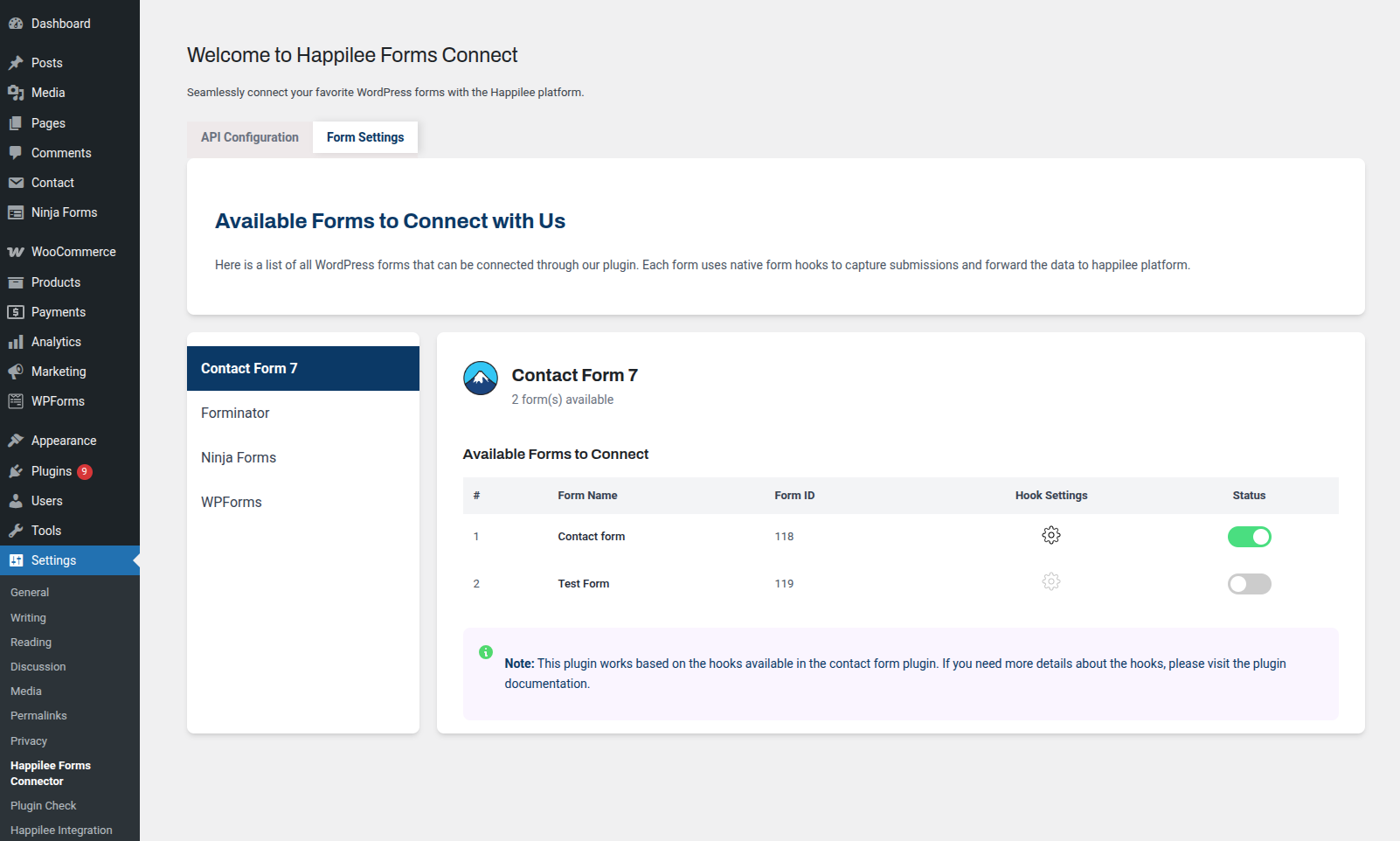
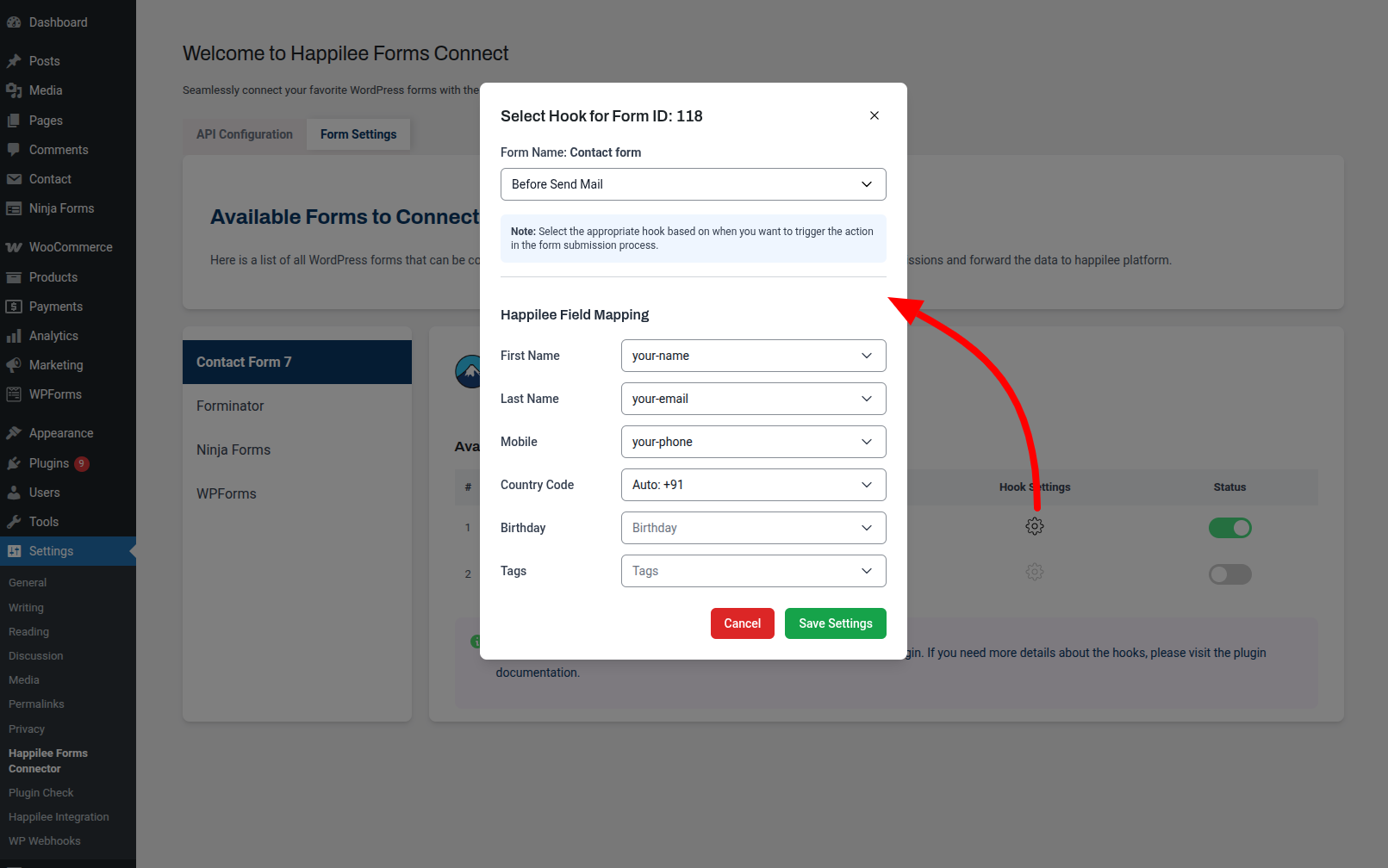
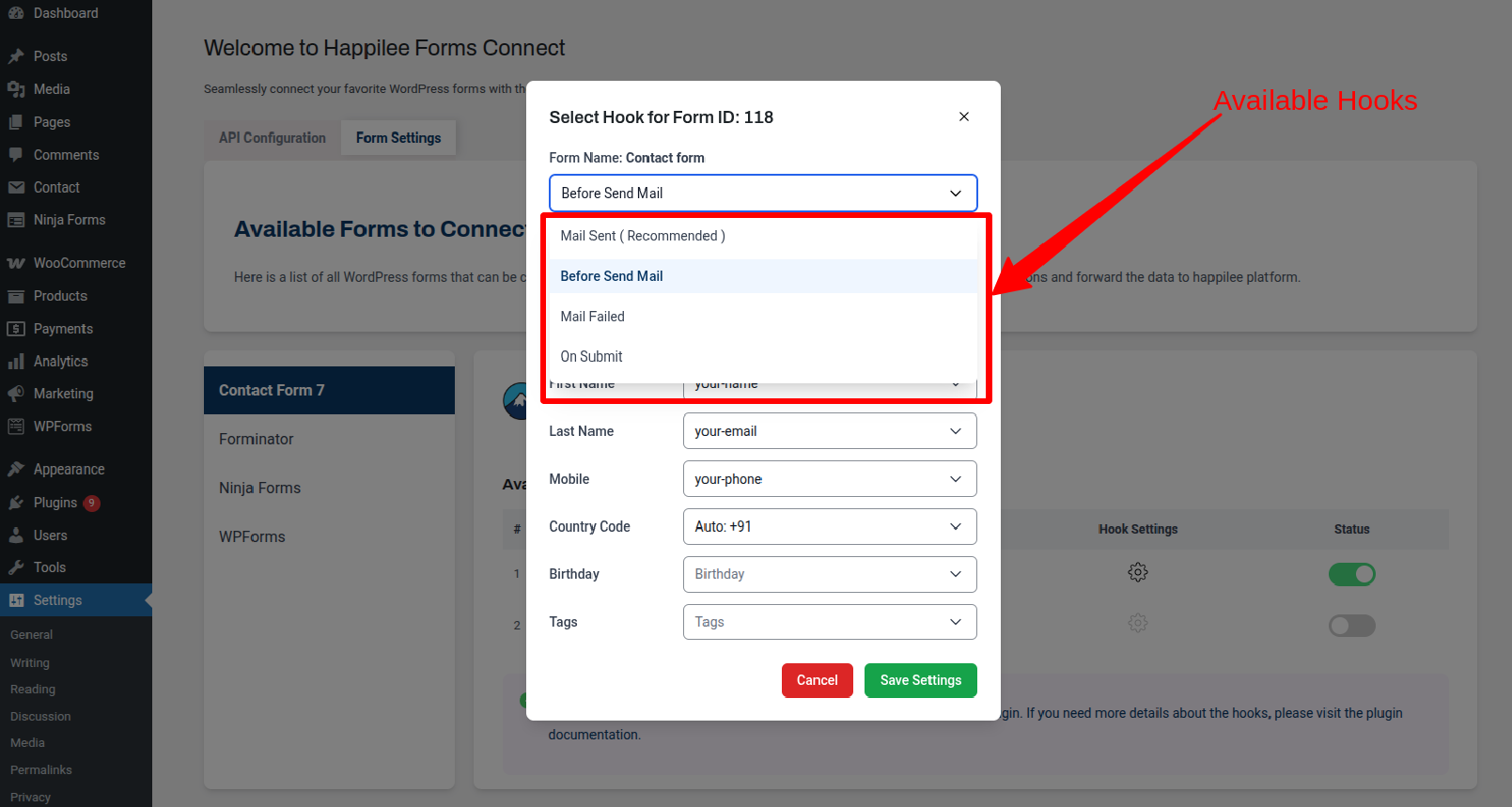
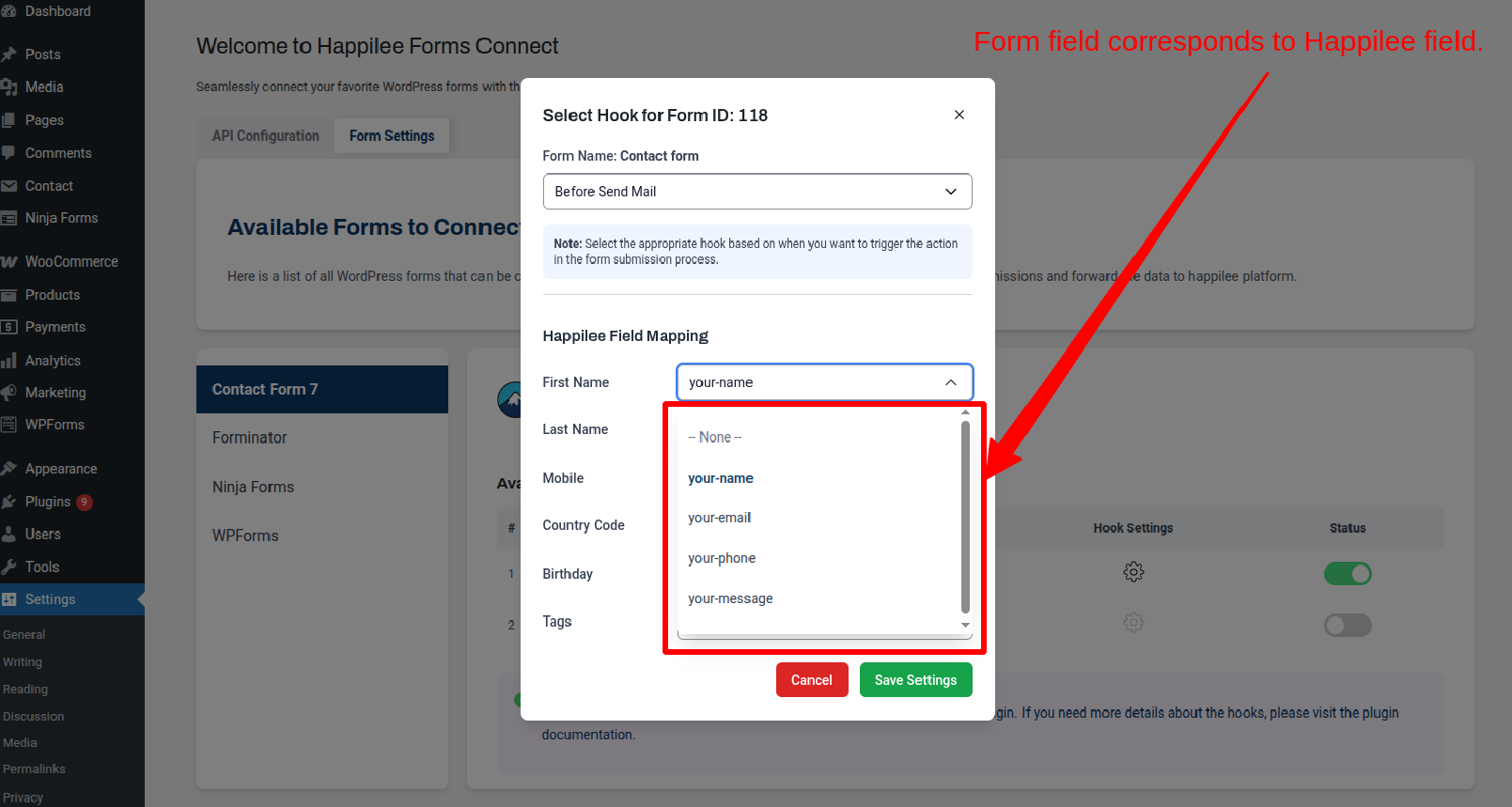
- Select which forms to connect and map the contact fields
- Choose a WhatsApp message template from your Happilee account
- Map the template's dynamic parameters (e.g. {{customer_name}}) to your form fields
- Form submissions automatically sync to Happilee and trigger the selected WhatsApp template message
安装:
- Upload the plugin files to the
/wp-content/plugins/happilee-forms-connectordirectory, or install the plugin through the WordPress plugins screen directly. - Activate the plugin through the 'Plugins' screen in WordPress.
- Navigate to Settings → Happilee Forms Connector to configure the plugin.
- In the API Configuration section, enter your Happilee API key (available from your Happilee dashboard).
- Save your settings and test the connection.
- Active Happilee account (sign up at https://happilee.io)
- Happilee API key
- One or more supported form plugins installed (CF7, WPForms, Ninja Forms, or Forminator)
屏幕截图:


常见问题:
What is Happilee?
Happilee is a Meta Business Partner that provides WhatsApp chatbot services for businesses to automate customer communication through WhatsApp Business API.
Which form plugins are supported?
Currently, the plugin supports Contact Form 7, WPForms, Ninja Forms, and Forminator.
Do I need a Happilee account?
Yes, you need an active Happilee account and API key. Visit https://happilee.io to create an account.
Where do I find my Happilee API key?
Log in to your Happilee dashboard and navigate to Project → Settings → Integrations to find your API key.
Is the data transmission secure?
Yes, all data is transmitted securely via HTTPS. API keys are encrypted using AES-256-CBC encryption before being stored in the database.
Can I connect multiple forms?
Yes, you can connect as many forms as you need from any of the supported form plugins.
Does this work with custom forms?
Currently, the plugin supports the four major form plugins listed. Custom form support may be added in future updates.
What data is sent to Happilee?
The plugin sends selected form fields such as First Name, Last Name, Country Code, Birth Day, Mobile, and Tags. All data is sent based on the settings configured in the backend. For example, if only First Name and Mobile are selected in the backend settings, then only those fields will be sent to the Happilee API endpoint. Please note that the Mobile field is mandatory for the Happilee backend.
How do I verify the plugin is working?
After configuring your API key and connecting a form, submit a test form. You should see the submission data in your Happilee dashboard.
Can I send WhatsApp template messages when a form is submitted?
Yes. After connecting a form, you can select a WhatsApp message template from your Happilee account and map its dynamic parameters (such as {{customer_name}} or {{order_id}}) to the corresponding form fields. When the form is submitted, the plugin automatically sends the template message to the contact's phone number with the mapped values filled in.
What are template parameters?
Template parameters are dynamic placeholders in your WhatsApp message template, written as {{param_name}}. For example, a delivery template might contain {{pickup_time}} and {{customer_address}}. The plugin lets you map each placeholder to a specific form field so the correct submitted value is inserted when the message is sent.
What happens if a template has no parameters?
Templates without dynamic parameters are fully supported. The plugin will send the template message as-is without requiring any field mapping.
更新日志:
- Changed: Tested up to WordPress 7.1
- Changed: Tags field mapping is now a free-text input (comma-separated) instead of a dropdown tied to a submitted form field
- Changed: Tested up to WordPress 7.0.1
- Added: WhatsApp template message sending on form submission
- Added: Template selection interface with search and pagination
- Added: Template parameter mapping to form fields
- Added: Live WhatsApp-style message preview in template settings
- Fixed: Duplicate API calls when multiple hooks were active for the same form
- Improved: Parameter mapping now uses original form field names for accurate value resolution
- Changed: General package cleanup
- Fixed: Form ID type mismatch
- Improved: Validation for form type
- Changed: General package cleanup
- Removed: Demo mode and associated test endpoint
- Changed: Updated documentation
- Fixed: Broken Terms of Service and Privacy Policy URLs in External Services section
- Added: REST API parameter validation and sanitization for all endpoints
- Fixed: Missing input sanitization in the Forminator submission handler
- Fixed: Redundant double-sanitization of form field values
- Added: External Services disclosure section
- Fixed: Incomplete cleanup of plugin options on uninstall
- Changed: Tested up to WordPress 6.9
- Initial release
- Added: Support for Contact Form 7, WPForms, Ninja Forms, and Forminator
- Added: Happilee API integration with secure encrypted storage
- Added: Settings page for API configuration
- Added: Form field mapping interface
- Added: Real-time form data transmission