Havenlytics – Real Estate Listings, Property Search & Agent Workspace
| 开发者 |
Havenlytics
havenlytics nababurbd |
|---|---|
| 更新时间 | 2026年7月29日 23:58 |
| 捐献地址: | 去捐款 |
| PHP版本: | 7.4 及以上 |
| WordPress版本: | 7.0 |
| 版权: | GPLv2 or later |
| 版权网址: | 版权信息 |
标签
下载
详情介绍:
- Install and activate Havenlytics.
- Run the Property Setup Wizard.
- Choose one of the following:
- Import demo content
- Import property listings from CSV
- Migrate an existing Havenlytics website
- Create your own property listings
- Customize property fields, search filters, and listing layouts using the visual builders.
- Open Analytics to monitor property listings, inquiries, and website performance.
- (Optional) Install the free Havenlytics Realty companion theme for a complete demo-ready experience.
- Visit Havenlytics → Documentation or https://havenlytics.com/documentation/ for detailed guides, tutorials, and videos.
- Real estate agencies, brokerages, and independent agents
- Property listing websites and searchable directories
- Property management and real estate development companies
- WordPress professionals building real estate sites for clients
hvnly/v1 REST endpoints. Choose open or administrator-approved registration.
Identity Verification & Taxonomy Requests
Agents must verify their email before Workspace access. Tokens are single-use and HMAC-protected; changing a verified email requires re-verification. Administrators can manually verify, resend, or emergency-disable verification.
Agents can request missing property taxonomy terms from the Workspace. Administrators review requests under Havenlytics → Taxonomy Requests with approve, reject, merge, delete, notifications, and audit history.
Analytics, Builders & Email
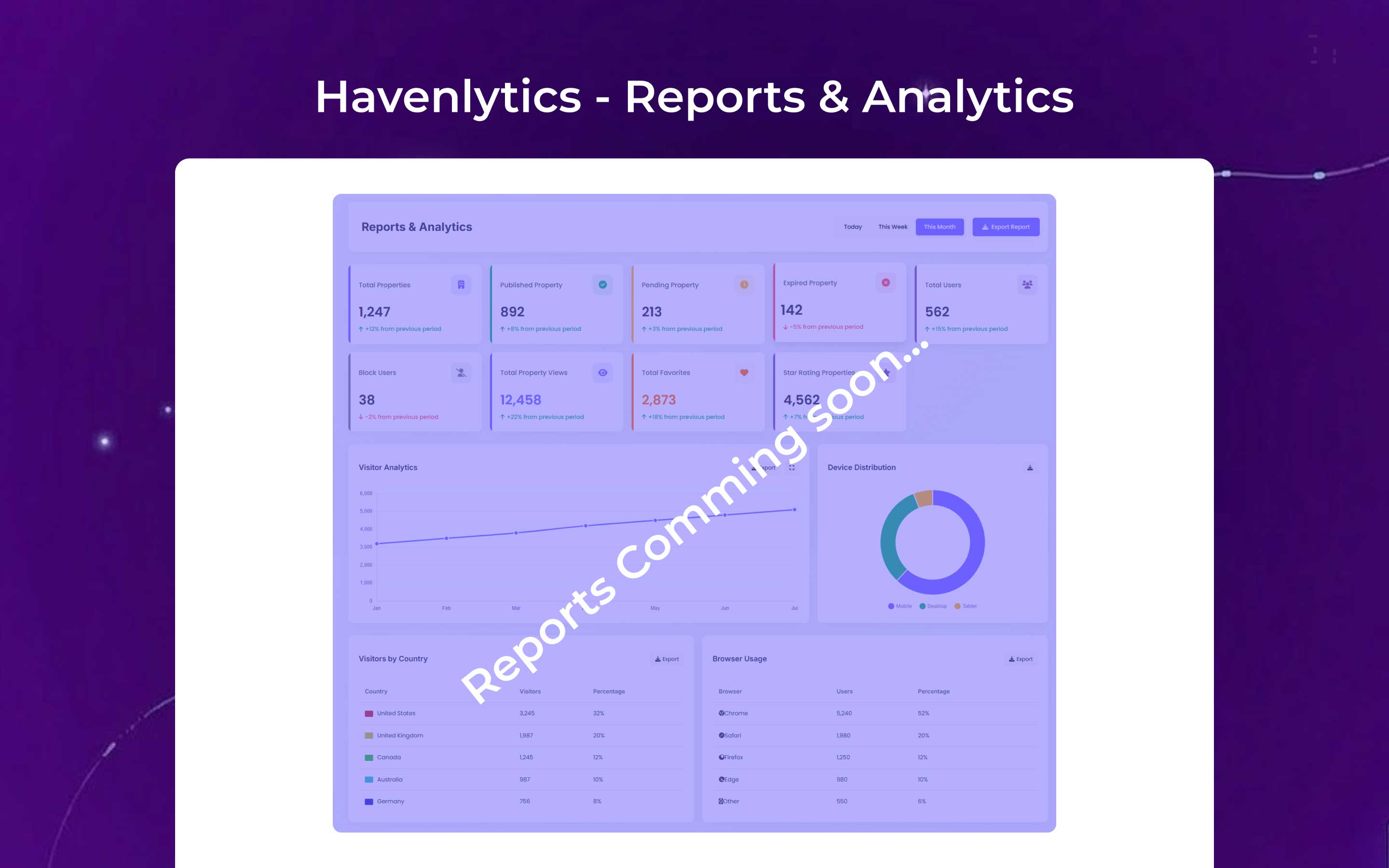
Use Analytics for property, agent, agency, inquiry, and view statistics with date filters and CSV export — no Google Analytics required.
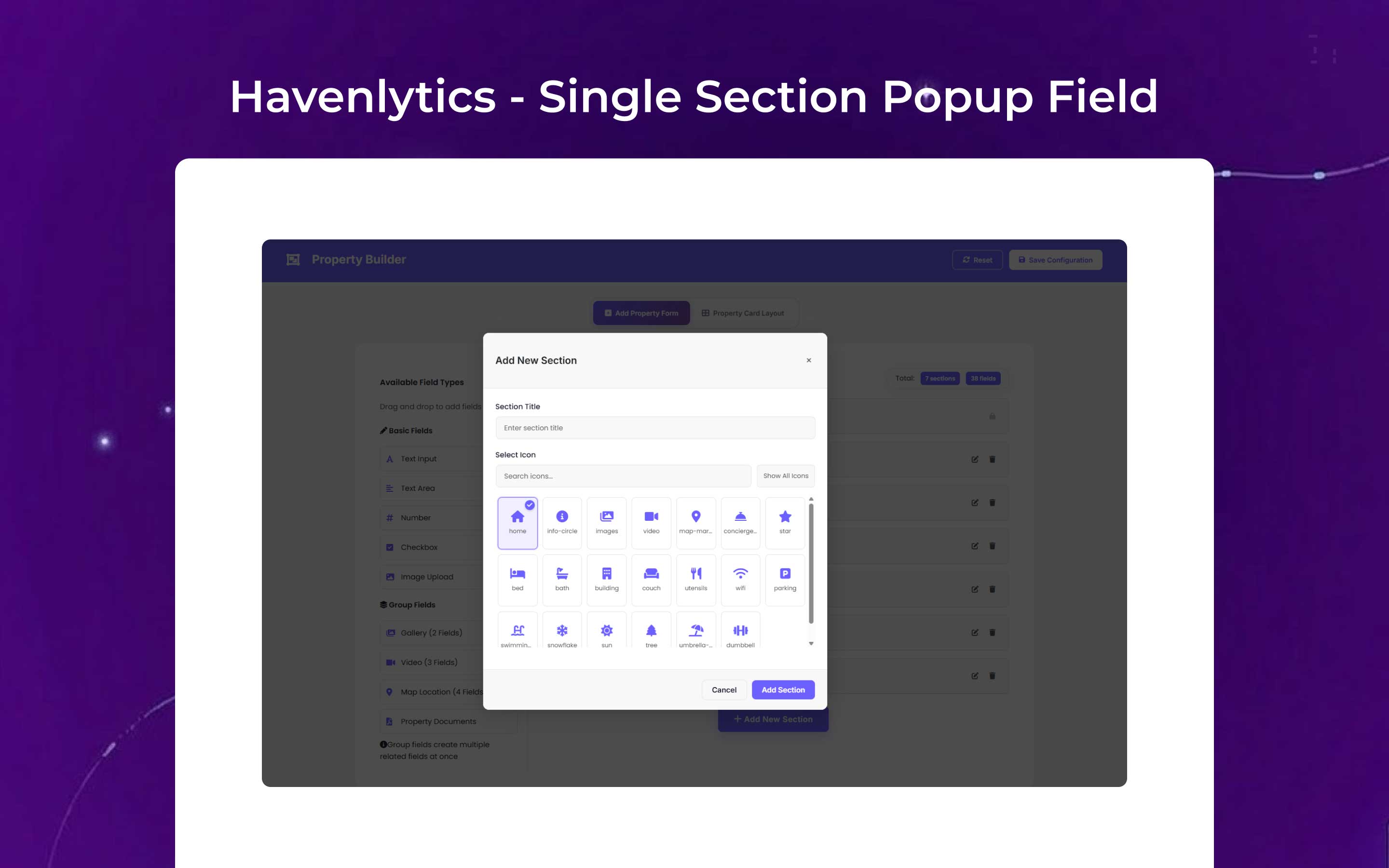
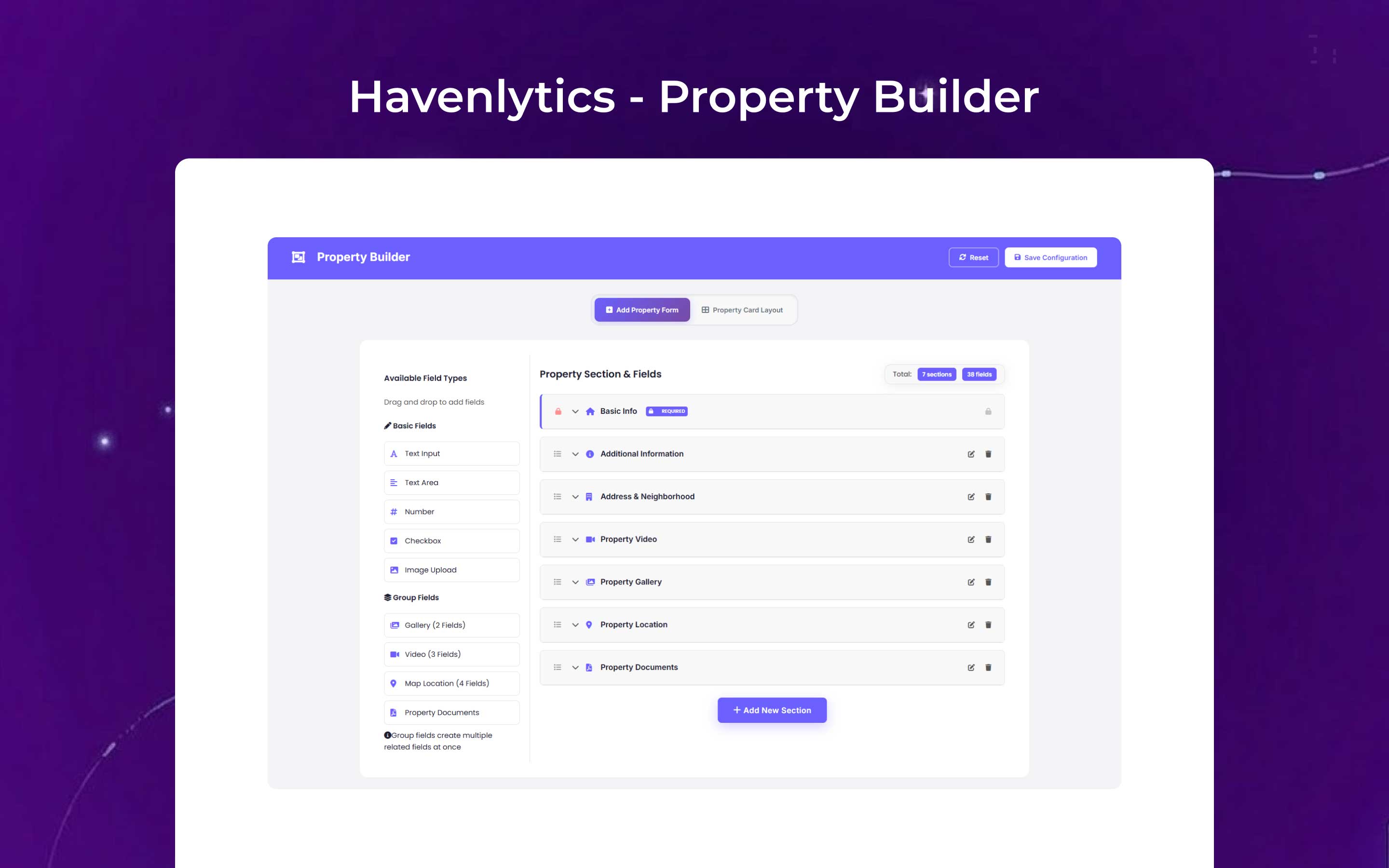
Search Builder and Property Builder configure search forms, sidebar filters, and property fields with drag-and-drop controls. Configure email under Havenlytics → Settings → Email; Contact Agent messages under Settings → Contact Agent.
🎥 Video tutorial: Build Property Search Forms with Search Builder
[youtube https://www.youtube.com/watch?v=d2mJra8RYM8]
Elementor, Widgets & Pages
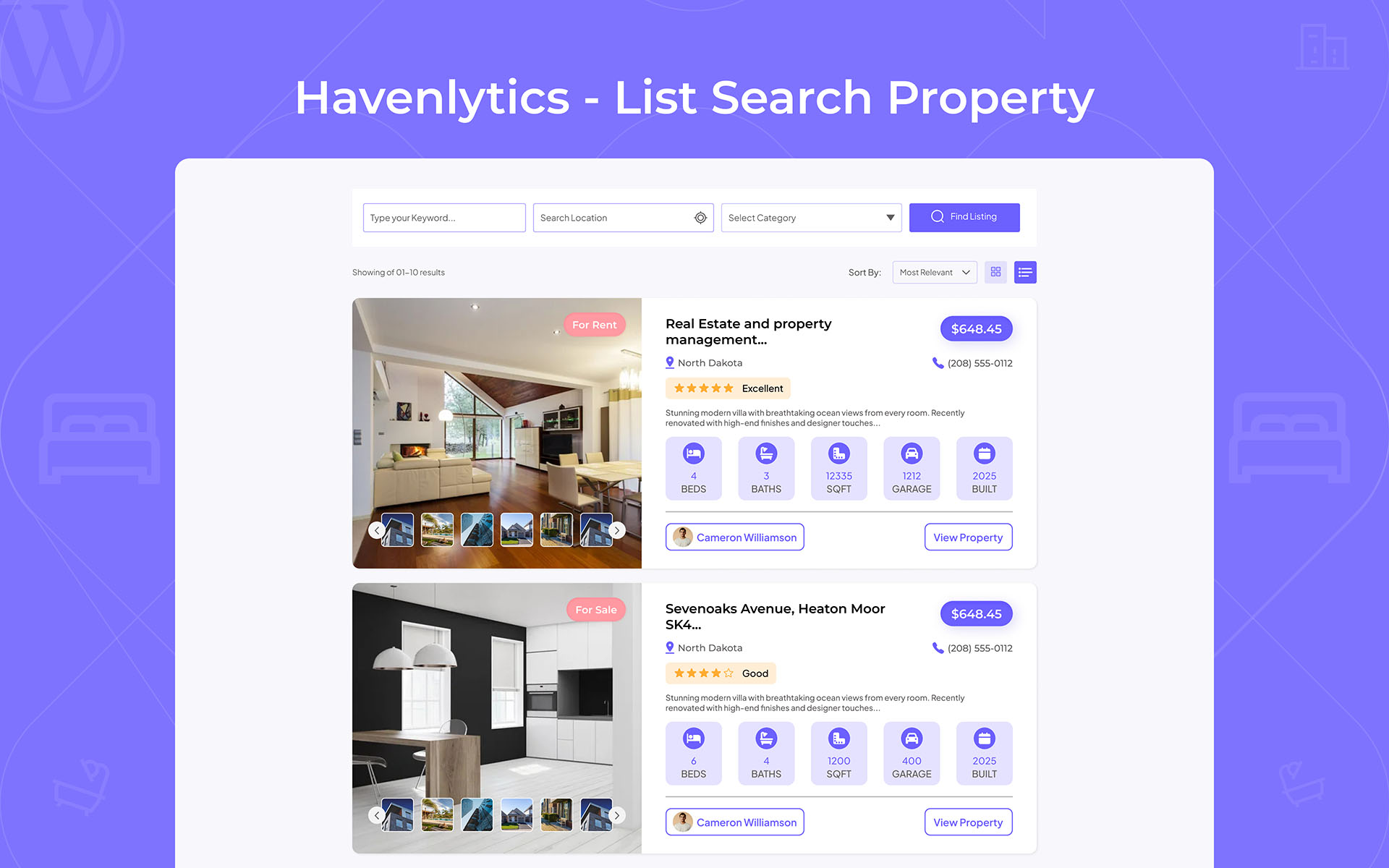
Requires Elementor Free or Pro. Widgets in the Havenlytics category: HVN: Property Archive, HVN: Property Agents, and HVN: Property Agency — AJAX archives with search, grid/list/map views, and pagination.
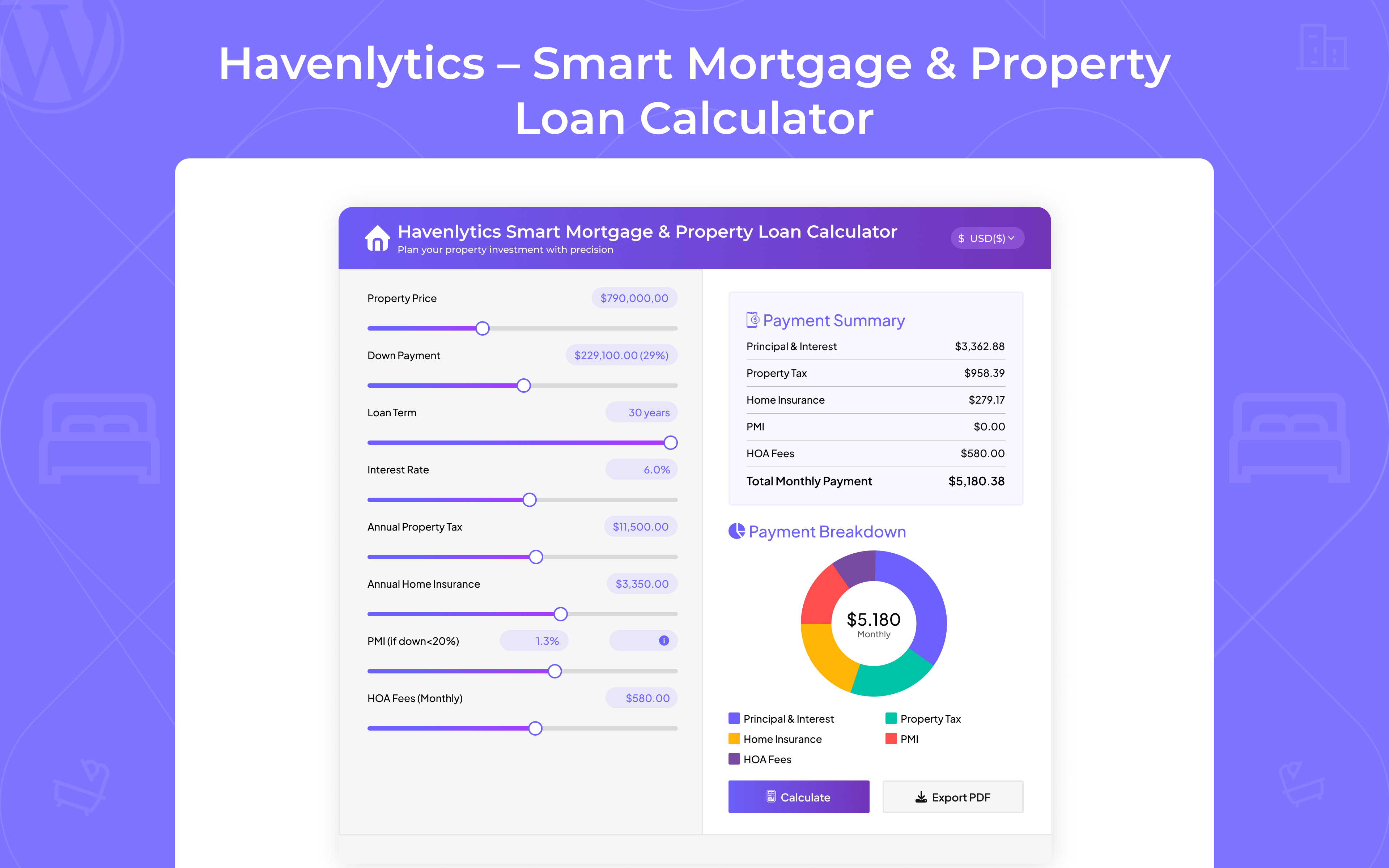
Sidebar widgets (Appearance → Widgets): Featured Properties, Property Agent, Mortgage Calculator, Related Properties, and Agent Listings Carousel.
On activation, Havenlytics creates Property Grid, Lists, Search, Agents, and Agency pages when those slugs are free. Fresh installs also get Rent, Sale, Commercial, and Let department pages.
Shortcodes
Display listings with [hvnly_property_grid], [hvnly_property_lists], [hvnly_property_search], [hvnly_property_agents], and [hvnly_property_agencies]. Copy-ready examples and 50+ variations are under Havenlytics → Settings → Shortcodes.
🎥 Video tutorial: Display Property Content with Shortcodes
[youtube https://www.youtube.com/watch?v=DJ2IYECJ_YA]
Live demos: property grid, property lists, property search.
Multilingual Support
Havenlytics is fully internationalized and follows WordPress localization standards.
Features include:
- Complete Russian translation included
- Translation-ready for any WordPress-supported language
- Compatible with WordPress language packs
- Supports translate.wordpress.org language packs
- RTL language compatible
- Uses WordPress i18n APIs
- Developer-friendly localization for custom extensions
- 🇷🇺 Russian (ru_RU)
屏幕截图:




常见问题:
Which languages does Havenlytics support?
Havenlytics is fully translation-ready and works with WordPress language packs. The plugin includes complete Russian localization and supports any WordPress language through translate.wordpress.org or custom language files.
Do I need the Havenlytics Realty theme?
No. Havenlytics works with any WordPress theme. Havenlytics Realty is an optional companion theme if you want matched layouts and widget areas.
How do I customize layouts and design?
Use the Property Builder for field layouts, shortcodes or Elementor widgets for archives, and theme template overrides in your-theme/havenlytics/ for full control.
How do I add custom fields or documents?
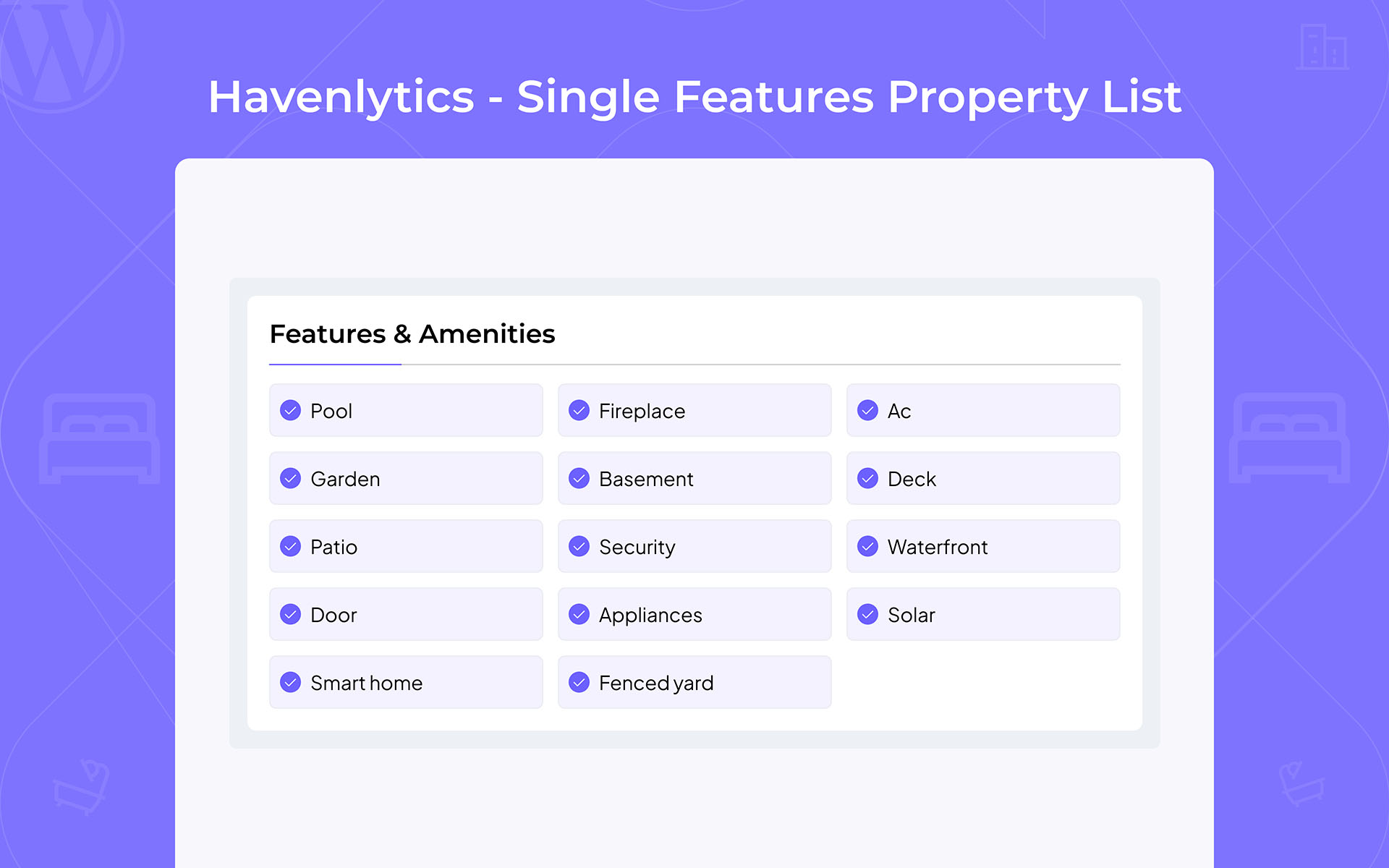
Use the Property Builder Add Property Form tab for custom fields. Add a Property Documents group for repeatable PDFs and brochures with icons, labels, and URLs.
Does it support maps?
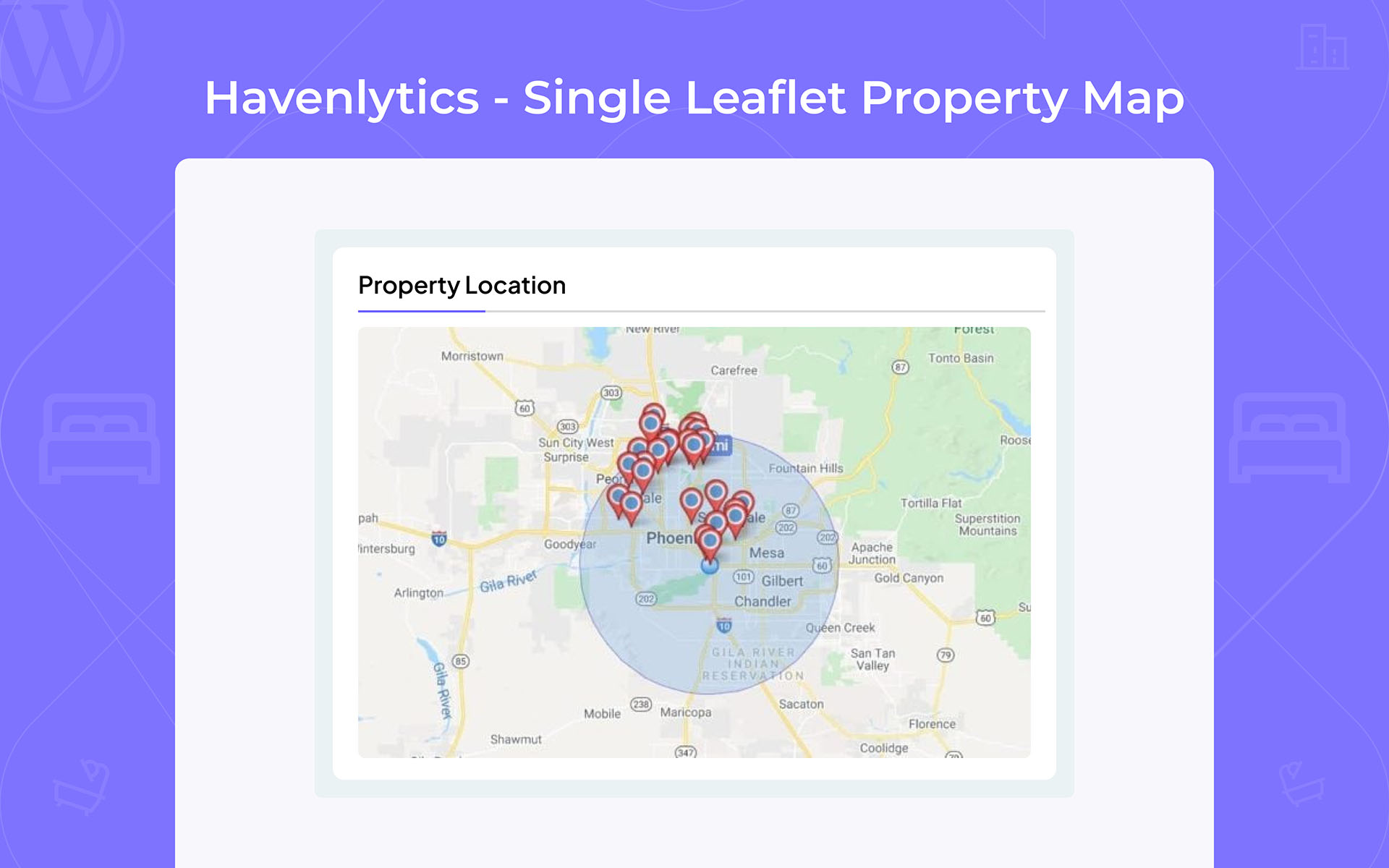
Yes — Leaflet (OpenStreetMap) or Google Maps with markers, clustering, and per-property map groups.
Is it mobile responsive?
Yes. All frontend templates are responsive across phones, tablets, and desktops.
How do I clear the cache?
Go to Havenlytics → Cache Dashboard and clear search, sidebar, term caches, or everything at once.
Does Havenlytics work with Elementor?
Yes — three widgets under the Havenlytics category: Property Archive, Property Agents, and Property Agency. The mortgage calculator is a WordPress sidebar widget, not an Elementor widget.
How do I display agents or agencies?
Use [hvnly_property_agents] or [hvnly_property_agencies], the matching Elementor widgets, or the auto-created /property-agents/ and /property-agencies/ pages.
How does Contact Agent work?
Enable under Settings → Contact Agent. Visitors submit inquiries from property and agent pages; admins get email notifications and an Inquiries inbox. Offline agents hide the contact form.
Does Havenlytics send email notifications?
Yes. Havenlytics supports import completion, inquiry, Agent Workspace, identity verification, listing workflow, and taxonomy request emails. Configure general email options under Havenlytics → Settings → Email and inquiry messages under Settings → Contact Agent. Delivery depends on your WordPress mail configuration.
How does Agent Workspace email verification work?
After registration or admin provisioning, agents receive a branded verification email. They must verify before accessing the Workspace. Changing a verified email requires re-verification. Administrators can manually verify, resend, or emergency-disable verification from the Users/Agents screens.
Is Agent Workspace included in the free plugin?
Yes. Agent Workspace (auth, property CRUD, media, workflow) shipped in 3.2.0. Identity verification and the email verification gate shipped in 3.3.0.
How do Favorites work?
Every property card, search result, and single property page has a favorite button. Signed-in users have their saved properties stored on their account and available on any device, listed under Saved Properties in the Agent Workspace. Administrators use the same Workspace as agents.
Can visitors save properties without an account?
Yes. Visitors who are not signed in can still save properties — their selections are kept in their own browser. The first time they sign in, those saves merge into their account automatically, so nothing is lost. Signing in is encouraged but never required to browse or save.
What is Guest Login?
Guest Login is an optional, read-only preview of the Agent Workspace for visitors evaluating your agency. Guests can browse the dashboard, properties, saved properties, and profile, but cannot create, edit, delete, upload, or change settings. No WordPress account is created and the session expires on its own. It is disabled by default — enable it under Havenlytics → Settings → Agent Workspace.
How do agents request a missing property term?
In the Agent Workspace property form, select Request New below a supported taxonomy field. The agent can add a term name, description, and reason. Administrators review requests under Havenlytics → Taxonomy Requests and can approve, reject, merge, or delete them.
Can developers extend Havenlytics?
Yes. Havenlytics is built for agencies and developers who need reliable extension points:
- REST API — Settings, builders, analytics, Workspace (
hvnly/v1), and plugin integrations viahvnlynab/v1 - Hooks & filters — 50+ actions and filters across listings, search, import, and inquiries
- Template overrides — Copy templates to
your-theme/havenlytics/without editing plugin files - Extensible architecture — Modular services, migration-safe data, and filterable REST class maps
- WordPress coding standards — Capability checks, nonces, prepared queries, and PHPCS-friendly code
What is the Analytics Dashboard?
Havenlytics includes a built-in Analytics dashboard in the WordPress admin. It provides insights into properties, agents, agencies, inquiries, property views, and listing activity without requiring a third-party analytics service.
Does Havenlytics track property views?
Yes. Havenlytics automatically tracks individual property views on the frontend and displays those statistics in the Analytics Dashboard.
Can I export Analytics reports?
Yes. Analytics data can be exported as CSV for use in Microsoft Excel, Google Sheets, LibreOffice, and other spreadsheet applications.
Does Analytics require Google Analytics?
No. Havenlytics Analytics works independently using your own WordPress data. You may still use Google Analytics or other tools alongside Havenlytics if you prefer.
Can I hire your development team?
Visit havenlytics.com for custom development services.
Does Havenlytics support the WordPress Block Editor (Gutenberg)?
Yes. Havenlytics includes native Gutenberg blocks for building real estate pages with the WordPress Block Editor. Blocks include property archives, property search, property inquiry forms, authentication, agent and agency listings, dashboards, saved properties, and other real estate components depending on your installed version. All blocks are server-rendered, include live editor previews, and reuse the same rendering engine, templates, queries, and caching used by the plugin's Elementor widgets and shortcodes.
Do I need Elementor to use Havenlytics?
No. Elementor is completely optional. You can build your real estate website using native Gutenberg blocks, Havenlytics shortcodes, or Elementor widgets. All three use the same backend rendering system, ensuring consistent frontend output regardless of which builder you choose.
Are the Gutenberg blocks compatible with any WordPress theme?
Yes. Havenlytics Gutenberg blocks work with any properly coded WordPress theme. They are dynamic (server-rendered), responsive, and automatically reuse the plugin's existing templates, query engine, caching, and REST APIs. No additional configuration or migration is required.
更新日志:
- Onboarding Wizard — premium first-run experience. Complete presentation redesign of the "Get Started" setup wizard (Properties → Get Started). Every step, control, and state was refined for a professional first impression. The onboarding flow, step order, settings, REST endpoints, import engine, nonces, and capability checks are unchanged.
- Custom icon set — every emoji in the wizard was replaced with an inline SVG icon set that renders identically on Windows, macOS, and Linux.
- Typography & design tokens — the wizard now uses the self-hosted Inter typeface already bundled with Havenlytics, plus a consistent spacing, type, radius, and elevation scale in place of ad-hoc values.
- Progress navigation — a sticky top bar with a "Step N of 5" counter and completion rail; completed steps in the stepper are now clickable for going back.
- Welcome screen — new hero with estimated completion time, a "what you'll set up" card grid, and a factual strip of the capabilities already included in your install (Agent Workspace, Migration Engine, CSV Import & Export, Property Builder, Search Builder, Gutenberg Blocks, Elementor Widgets, Analytics, Identity Verification, multilingual support).
- Feature spotlights & contextual help — the Location, Currency, Workspace, and Content steps explain which Havenlytics capability they feed and link straight to the bundled Documentation screen; inline tips were added where a choice needs context.
- Loading state — the demo import now shows a determinate progress ring, a live "X of Y properties created" counter, a check-marked stage list, and rotating guidance instead of a plain spinner.
- Error state — a failed import now reports how many properties were created and kept, with a clearer "Resume import" action.
- Completion screen — the finish step opens with a summary of everything you configured, followed by four recommended next actions including Documentation.
- Layout & copywriting — per-step panel widths, sticky preview columns on the Location and Currency steps, a redesigned footer, and rewritten headings, hints, and button labels throughout.
- Added a Back button to the demo-content step, which previously had no way to return to the Workspace step.
- Settings that fail to save now surface a dismissible warning instead of failing silently.
- Collapsed option panels (Google Maps API key, decimal separator, agent registration mode) are no longer reachable by keyboard while hidden.
- Checkbox and radio option cards are now explicitly associated with their inputs, giving each an accessible name.
- All new onboarding strings use the existing
havenlyticstext domain and translation pipeline. - The Russian language pack was regenerated. The setup wizard is fully translated (204/204 strings).
- Shortened the plugin short description in
readme.txtto comply with the WordPress.org parser's 150-character limit. - Improved WordPress.org readme compatibility and repository metadata.
- Maintenance release with no functional changes.
- Complete Russian Language Pack — Added full Russian localization across the plugin, including frontend templates, Gutenberg blocks, Elementor widgets, Agent Workspace, Analytics, Property Builder, Search Builder, Settings, Migration Engine, CSV Import & Export, email templates, and WordPress admin interfaces.
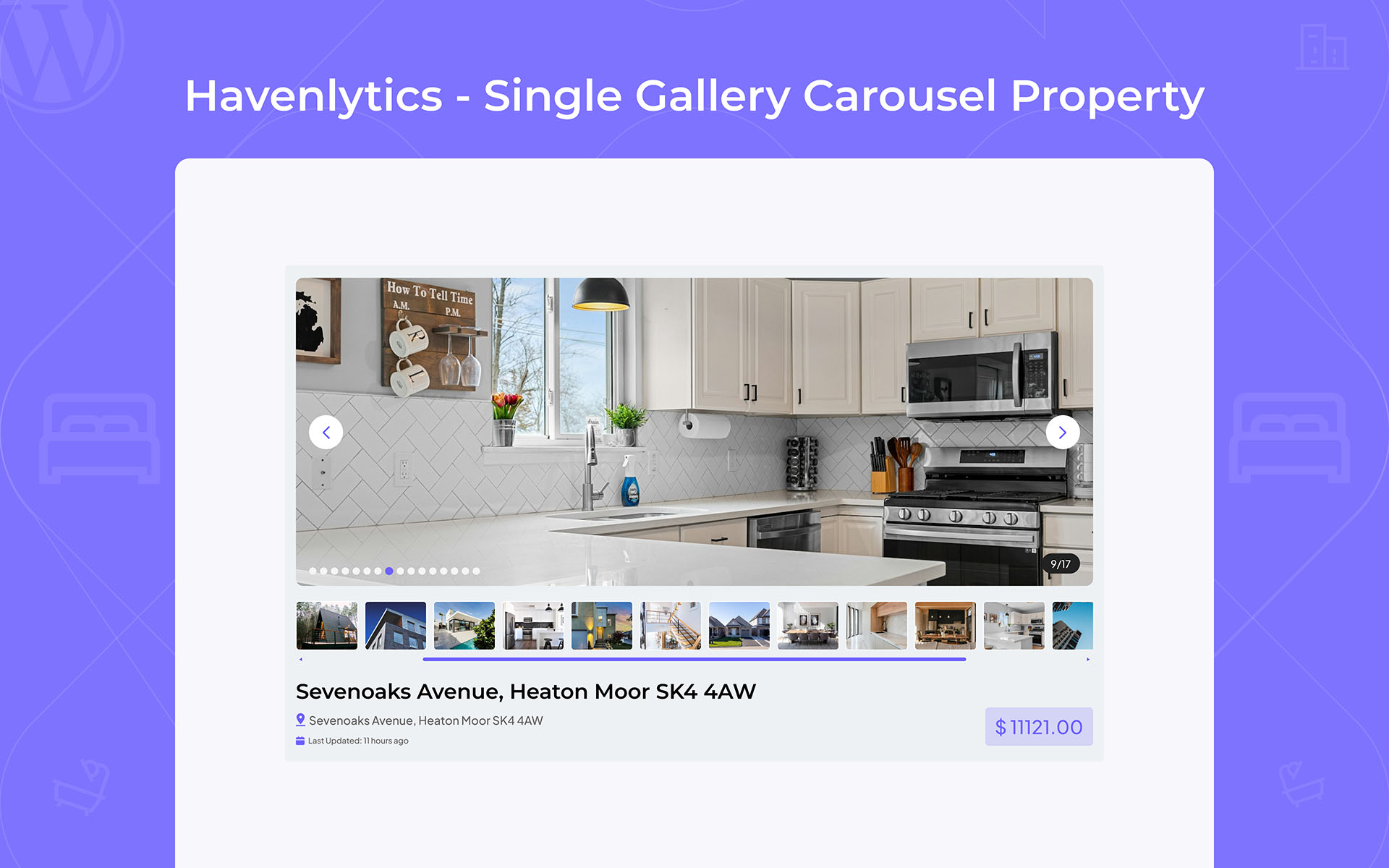
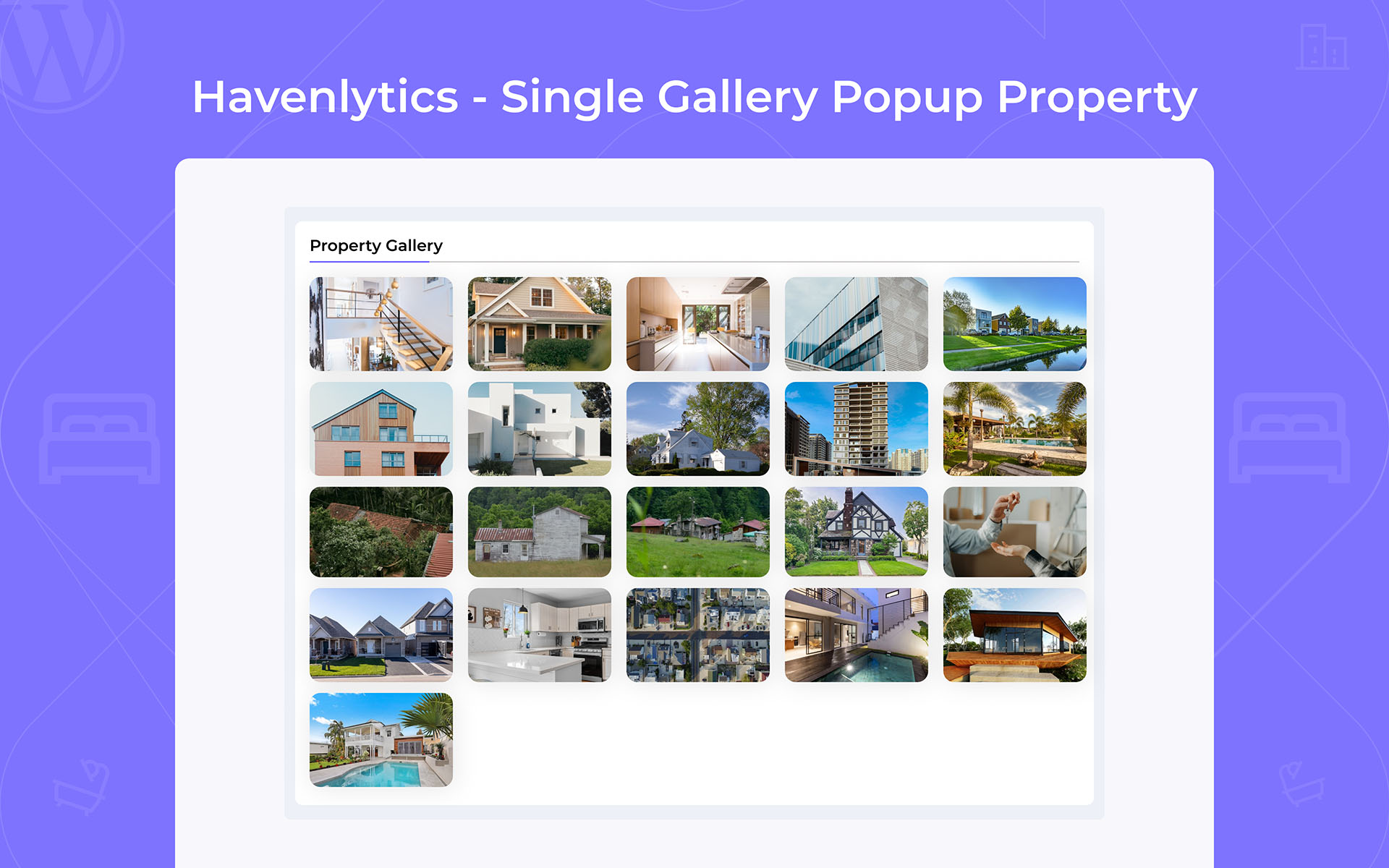
- Single Property Page — Complete frontend redesign with a premium hero header, improved gallery, cleaner property overview, redesigned Contact Agent sidebar, and refined visual hierarchy while maintaining full backward compatibility.
- Hero Header — Added a premium featured-image hero with a gradient overlay, breadcrumb navigation, badges, property title, pricing, and Save action. Property details now appear in a dedicated overview card below the header.
- Mobile Experience — Introduced a mobile-first property header with an optimized featured image, improved typography, responsive information cards, and better spacing on smaller screens.
- Property Overview — Redesigned property specifications into responsive, easy-to-read layouts for desktop, tablet, and mobile devices.
- Contact Agent Sidebar — Redesigned with a cleaner layout, improved spacing, quick contact actions, WhatsApp support, inquiry form enhancements, and social links.
- React Admin Localization — Improved translation loading across Analytics, Property Builder, Search Builder, Settings, Migration Engine, CSV Import & Export, and other React-powered admin interfaces.
- Internationalization (i18n) — Enhanced multilingual support, translation coverage, and localization consistency throughout the plugin.
- Accessibility & Responsive Design — Improved keyboard navigation, reduced-motion support, responsive layouts (320px–1440px), refined spacing, and replaced legacy Font Awesome header icons with the built-in SVG icon system.
- Fixed property header title wrapping on narrow screen sizes.
- Removed remaining inline styles from the Location and Property Documents templates.
- Fixed legacy spacing inconsistencies in the Contact Agent sidebar.
- Improved responsive behavior across single property layouts.
- Presentation-only update. No changes to Property Builder, Dynamic Metabox, custom fields, database structure, migrations, REST API, CSV Import & Export, Migration Engine, template loading, hooks, filters, or existing integrations.
- Existing theme template overrides remain fully compatible.
- The redesigned frontend loads as a separate stylesheet on single property pages and can be disabled by dequeuing its stylesheet handle.
- The Similar Properties section continues to work without changes.
- No database migrations or manual upgrade steps are required.
- Migration Engine (HPTP) — Securely migrate complete Havenlytics websites using Havenlytics Property Transfer Packages (.zip), preserving properties, agents, agencies, taxonomies, builder layouts, media, documents, videos, maps, settings, and supported relationships.
- Replaced the previous Import / Export tab with the new Migration Engine for Havenlytics-to-Havenlytics website transfers.
- CSV Import & Export — Universal CSV import and export system for property listings with spreadsheet support.
- Interactive CSV Import Wizard with upload, intelligent column mapping, validation, progress tracking, completion summaries, and reusable mapping profiles.
- CSV source presets for Generic CSV, Havenlytics, Property Hive, Easy Property Listings (EPL), Estatik, Houzez, RealHomes, Essential Real Estate, Directorist, GeoDirectory, HivePress, Classified Listing, aDirectory, WP Residence, MyHome, and custom CRM or spreadsheet exports.
- Improved migration reliability for agents, agencies, media, galleries, documents, videos, maps, builder data, taxonomies, and related content.
- Added batched migration with progress tracking, pause/resume, cancellation, duplicate handling, package validation, and builder keep/replace options.
- Added automatic CSV field detection with configurable property field mapping.
- Improved migration and CSV import workflows with clearer validation, loading indicators, progress feedback, and completion reporting.
- Strengthened upload validation, temporary workspace cleanup, structured AJAX error handling, and migration security.
- Automatically creates and reuses taxonomy terms during CSV import where supported.
- Existing Havenlytics Migration packages remain fully compatible.
- No breaking changes to existing listings, Gutenberg blocks, Elementor widgets, shortcodes, templates, REST APIs, or Agent Workspace.
- Migration Engine and CSV Import / Export require the
manage_optionscapability.
- Gutenberg Blocks — a complete Havenlytics block suite under the "Havenlytics" category in the block inserter. Includes:
- HVN: Property Archive
- HVN: Property Search
- HVN: Property Inquiry Form
- HVN: Featured Properties
- HVN: Property Carousel
- HVN: Property Map
- HVN: Agents
- HVN: Agency
- HVN: Authentication
- HVN: Dashboard
- HVN: Saved Properties
- Every block is dynamic (server-rendered), provides a live editor preview and inspector controls, and reuses the existing Havenlytics rendering, query, template, and caching systems so frontend output stays aligned with the equivalent widgets and shortcodes.
- Block assets load only when a block is present on the page.
- Shared property and agent archive query helpers keep listings consistent across templates, widgets, and blocks.
- Editor previews, REST-backed property/agent pickers, and block registration stability improvements for the Gutenberg workflow.
- Compatibility metadata aligned with Block API version 3 (requires WordPress 6.3+).
- Elementor widgets, shortcodes, templates, REST APIs, and existing frontend functionality remain fully compatible. No migration is required.
- New: Agent Favorites — save properties from archive cards, search results, and single property pages. Favorites persist across page loads and across devices for signed-in users.
- New: Guest Favorites — visitors can save properties before signing in, with favorites automatically merging into their account after their first login.
- New: Saved Properties page in the Agent Workspace with pagination, sorting, one-click removal, responsive layouts, and empty-state support.
- New: Saved Properties count badge in the Agent Workspace sidebar with instant updates for both signed-in users and guest sessions.
- New: Guest Login — optional read-only preview of the Agent Workspace for visitors. Browsing is allowed while property management features remain disabled.
- New: Administrators can now use the Agent Workspace with full property management while retaining all WordPress capabilities and wp-admin access.
- New: Favorites REST API endpoints under
hvnly/v1with nonce validation and secure session-based ownership. - New: Role-aware Workspace experience — administrators retain the WordPress admin toolbar while agents continue using a distraction-free Workspace.
- Improved: The Saved Properties page now displays listing status, assigned agent with avatar and profile link, and the saved date.
- Improved: Favorite heart icons remain synchronized across archive pages, search results, single property pages, the Agent Workspace, Saved Properties, and guest sessions.
- Improved: Saved favorite state is rendered server-side for accurate first-page rendering.
- Improved: Favorite buttons now use a delegated event handler for better reliability after AJAX updates.
- Improved: Saved Properties queries are optimized to avoid N+1 database queries and scale efficiently for large sites.
- Improved: The "Allow users to save properties" setting now fully controls favorite functionality on single property pages.
- Improved: Taxonomy Requests no longer send administrator emails for every submission. A pending-count badge in the WordPress admin replaces those notifications while Inquiry and Contact Agent emails remain unchanged.
- Improved: Properties → Settings now uses a full-width layout on laptop screens (768–1399px), while large desktops (1400px+) retain the two-column layout.
- Security: Guest sessions never create WordPress user accounts, expire automatically, and include rate limiting.
- Security: Only published properties can be added to favorites, and favorite requests are fully isolated to the current user or guest session.
- Maintenance: Added the
hvnly_favoritesdatabase table for persistent favorites. Existing site data remains fully preserved with no breaking database changes.
- Improved: Updated plugin branding and standardized the official plugin name.
- New: Added a plugin installation video tutorial to the documentation and README for easier onboarding.
- Improved: Documentation and README enhancements.
- Maintenance: Version update for the WordPress.org release.
- New: Agent Workspace — frontend portal for agents to manage properties without wp-admin.
- New: Agent Identity Verification with secure email verification and protected Workspace access.
- New: Taxonomy Request & Approval workflow with moderation, audit logs, and notifications.
- New: Property Builder–powered Workspace forms, media, preview, and submit-for-review workflow.
- Improved: Security, REST API protection, and developer extensibility (
hvnly/v1). - Security: Plugin information REST endpoint now requires
manage_options. - Maintenance: Production release packaging improvements.
- New: Agent Workspace with authentication, property CRUD, media, preview, and listing workflow.
- See CHANGELOG.md for the full 3.2.0 details.
- New: Documentation admin page.
- Improved: Import Wizard, Property Builder, Analytics, and admin UI.
- Fixed: Import Wizard final-step timeout and several import-session edge cases.
- See CHANGELOG.md for older releases (3.1.8 and earlier).