
Header Promo – grab attention with a top bar announcement
| 开发者 |
abuhayat
btechnologies charlescormier bplugins |
|---|---|
| 更新时间 | 2026年9月3日 13:02 |
| 捐献地址: | 去捐款 |
| PHP版本: | 6.2 及以上 |
| WordPress版本: | 7.0 |
| 版权: | GPLv2 or later |
| 版权网址: | 版权信息 |
详情介绍:
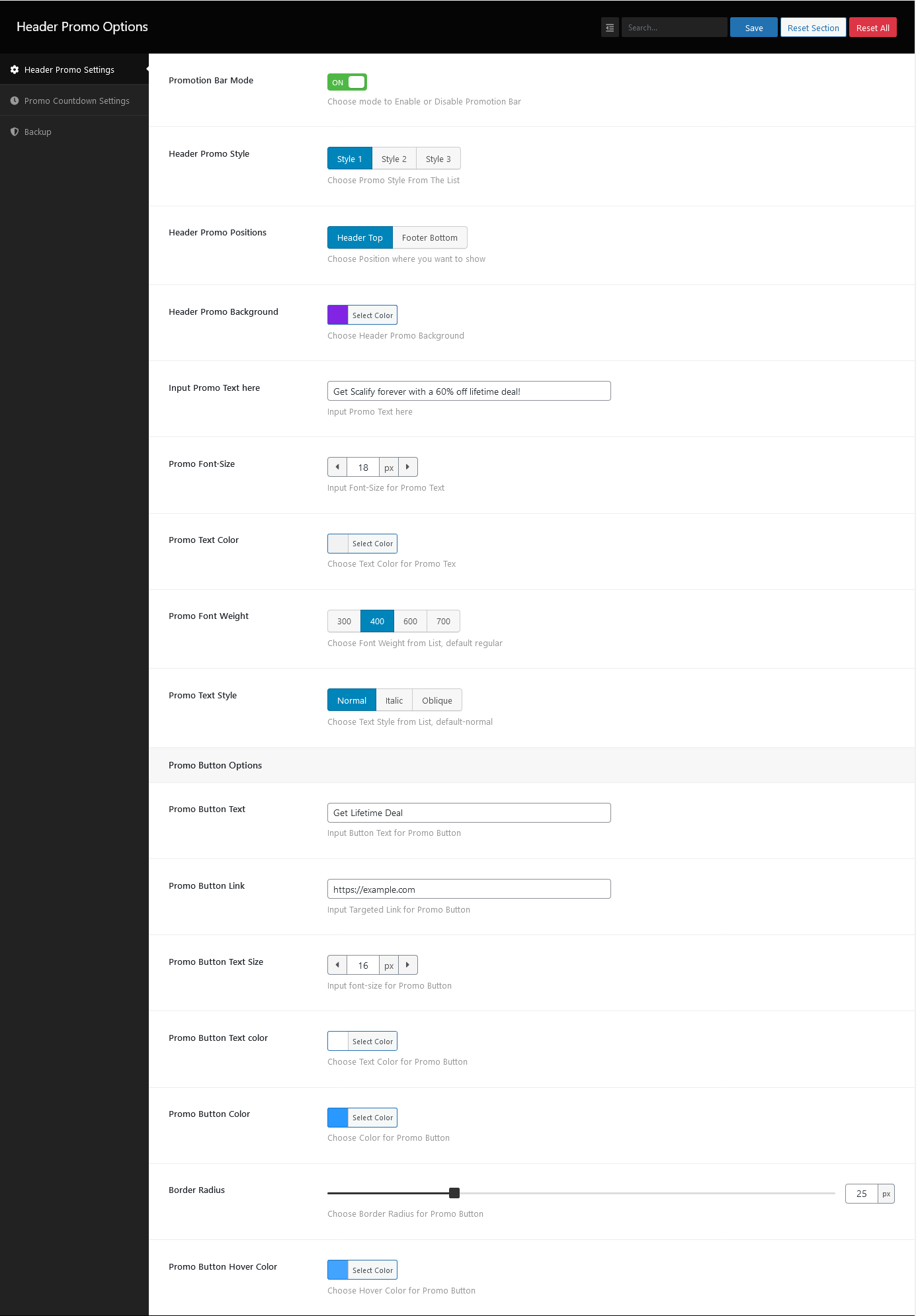
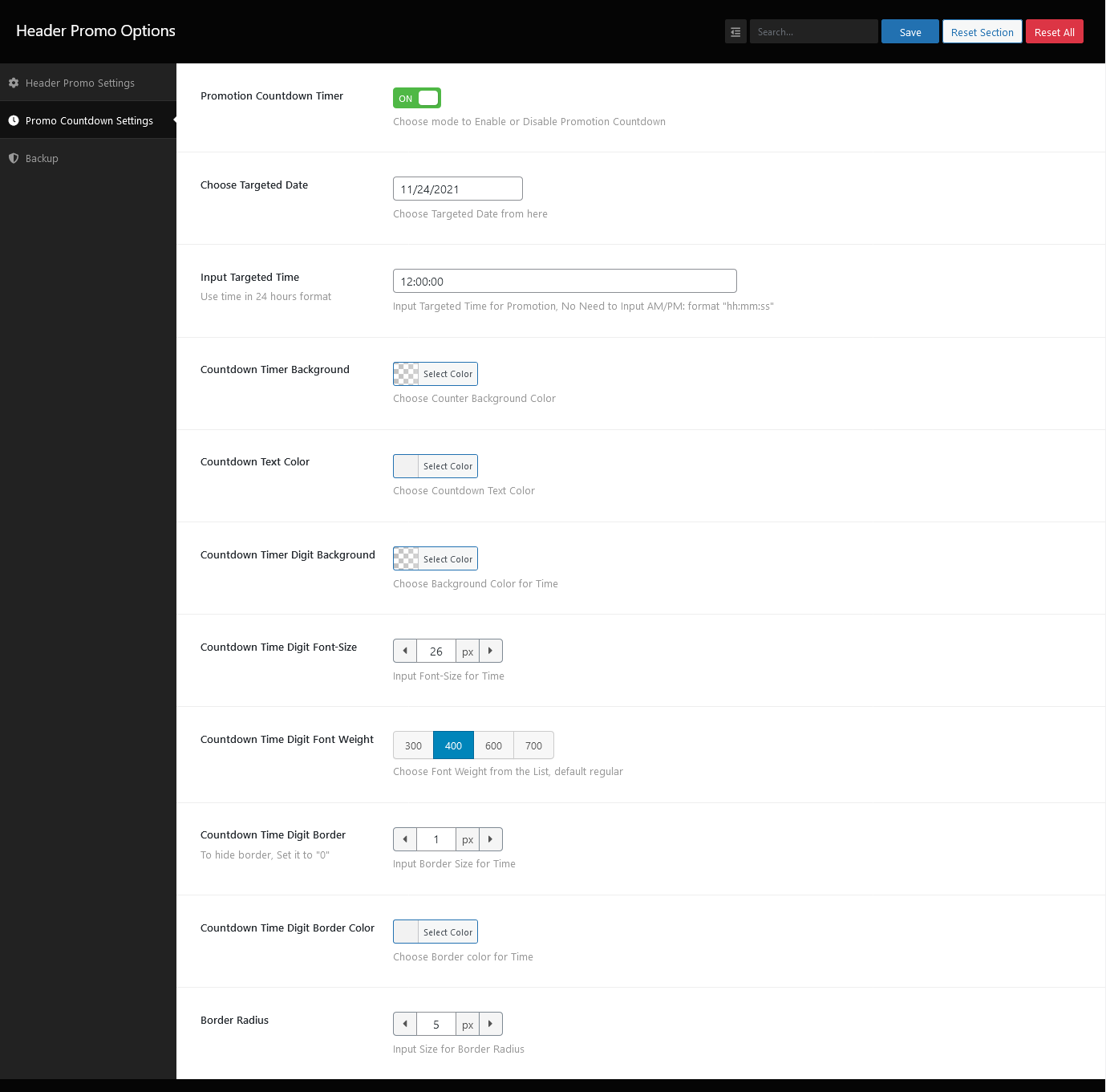
- Header or Footer Placement: Display a promo message and a countdown timer in the header or footer.
- Full Color Control: Change colors and background for the promo message and countdown.
- Customizable Button: Set normal and hover colors, background, and border radius for the call-to-action button.
- Link Target Option: Choose how the promo link opens.
- Page Targeting: Show the header promo on a specific page or pages.
- Stop Reappear Option: Keep the bar from reappearing once dismissed.
- User-Friendly Interface: Set everything up from a dedicated dashboard menu.
- Install and activate Header Promo.
- Open the "Header Promo" menu in your WordPress dashboard sidebar.
- Set up your promo message, button, and countdown time.
- Save – your promo bar is live!
- Seasonal Sales: Black Friday, Cyber Monday, and holiday promotions.
- Announcements: New product launches, events, or important site news.
- Limited-Time Offers: Combine the countdown timer with a call-to-action button to drive clicks.
安装:
- Go to Plugins → Add New.
- Search for "Header Promo".
- Click Install Now, then Activate.
- Open the Header Promo menu in the dashboard to configure your promo bar.
- Upload the
header-promofolder to the/wp-content/plugins/directory. - Activate the plugin through the Plugins menu in WordPress.
- Configure the promo bar from the Header Promo dashboard menu.
屏幕截图:
常见问题:
How do I install this plugin?
Install it like any regular WordPress plugin – see the Installation tab for dashboard and manual steps.
Can I show the promo bar only on specific pages?
Yes. Header Promo includes an option to show the promo on a specific page or selected pages.
Can the promo bar include a countdown timer?
Yes. You can display a countdown timer alongside your promo message in the header or footer, and customize its colors and background.
Can I place the promo bar in the footer instead of the header?
Yes. The promo bar can be displayed in either the header or the footer of your site.
Will this plugin work/be compatible with the theme I use?
This plugin is compatible with most themes. Unfortunately, we cannot check it against all third-party themes (especially paid ones), so there are cases where it may not work with a specific theme. We constantly check compatibility, and if we find an incompatibility we can fix on our side, we release an update. If you find a conflict between our plugin and a third-party theme, please let us know and we will release an update to fix the problem.
Will this plugin work/be compatible with other plugins that I use?
This plugin is compatible with most plugins. Unfortunately, we cannot check it against all third-party plugins (especially paid ones), so there are cases where it may not work with a specific plugin. We constantly check compatibility, and if we find an incompatibility we can fix on our side, we release an update. If you find a conflict between our plugin and a third-party plugin, please let us know and we will release an update to fix the problem.
更新日志:
- Add hover color option.
- Remove loading admin assets where not needed.
- Add 'Stop Reappear' option
- Reduce Library
- Add link target option.
- Fix translations
- Fix translations
- Support translations
- Feature: options to show header promo to specific page/pages
- Fix countdown text color
- Added new feature
- Fixed mirror issues
- Fixed mirror issues
- Initial Release